
4K 4-in 2-out HDMI Matrix
4.2Editor score
Four HDMI inputs
Two HDMI outputs
4K@60Hz support
Optical audio extraction
3.5mm audio output
Our HDMI Matrix Switch guide compares 10 models for input and output capacity, video support, audio features, control options, resolution, and installation
An HDMI matrix switch routes multiple source devices to multiple displays while giving you independent control over what appears on each screen. The right model can simplify a home theater, support digital signage, or make a commercial AV system easier to manage, but input count, bandwidth, audio handling, and control options all matter.
This guide compares ten HDMI matrix switches across key considerations such as HDMI configuration, maximum resolution, bandwidth, HDR support, downscaling, audio extraction, EDID management, and remote or network control. It covers compact 4-by-2 and 4-by-4 models as well as larger 8-by-8 installations for demanding environments.
Each product entry explains the most useful capabilities, practical trade-offs, and the types of users who may benefit from that particular design. Ratings and product information reflect the supplied listings, while current prices and availability can change, so readers should confirm the latest listing details before purchasing.
4.2Editor score

4.3Editor score

4.7Editor score
The comparison below highlights each matrix's channel configuration, maximum video format, major audio or control features, and intended installation scale, making it easier to match a model to your sources, displays, and operating environment.



This OREI 4-by-2 matrix is the strongest all-around choice in the group for users who want a compact two-display system with unusually advanced HDMI capabilities. Its listed rating is 4.3 out of 5, and the headline advantage is 40Gbps bandwidth with support for resolutions as high as 8K@60Hz. Four inputs and two independently routable outputs make it especially appropriate for a home theater where a game console, media player, and streaming box must serve more than one television or projector.
We may earn a commission when you buy through this link, at no additional cost to you.
The video feature set is unusually broad for a matrix of this size. It supports 8K@60Hz in 4:2:0 10-bit, 8K@30Hz in 4:4:4 10-bit, and 4K@120Hz in 4:4:4 10-bit, with color depths reaching 12-bit. VRR, ALLM, and FVA support make it a particularly interesting fit for modern gaming systems, while downscaling and EDID management help reconcile different display capabilities. These features matter because a matrix must not only carry a high-resolution signal but also negotiate the format that every source and destination can actually accept.
Audio support is another major strength. The matrix can extract audio through optical S/PDIF and 3.5mm analog outputs, while eARC operation is available between Input 1 and Output 1. Its listed format support includes LPCM, Dolby Digital, Dolby Digital Plus, TrueHD, Dolby Atmos, DTS, DTS-HD Master Audio, and DSD. Buyers should note that eARC requires compatible devices at both ends, so the feature is not useful with displays or soundbars that lack the required support.
This is a strong recommendation for a two-screen home theater, dual-display office, or gaming setup that benefits from current HDMI 2.1 features without requiring eight outputs. Its main limitation is channel count: installers with four or more displays would need a larger matrix or a different routing architecture. Even so, the combination of bandwidth, gaming support, audio extraction, eARC, and independent 4-by-2 routing makes this an unusually capable and flexible recommendation.
The support for 4K@120Hz, VRR, and ALLM gives this matrix a clear advantage for users connecting recent gaming hardware to multiple high-performance displays. Its 40Gbps bandwidth also provides useful headroom for demanding 8K sources, although the exact chroma format and color depth must be considered when planning the rest of the signal chain.
Optical and analog extraction make it possible to send audio to a separate amplifier or speaker system, while the specified eARC path offers a convenient return option for compatible televisions and soundbars. This flexibility is valuable when the main display handles video but a dedicated audio system handles sound.
We may earn a commission when you buy through this link, at no additional cost to you.
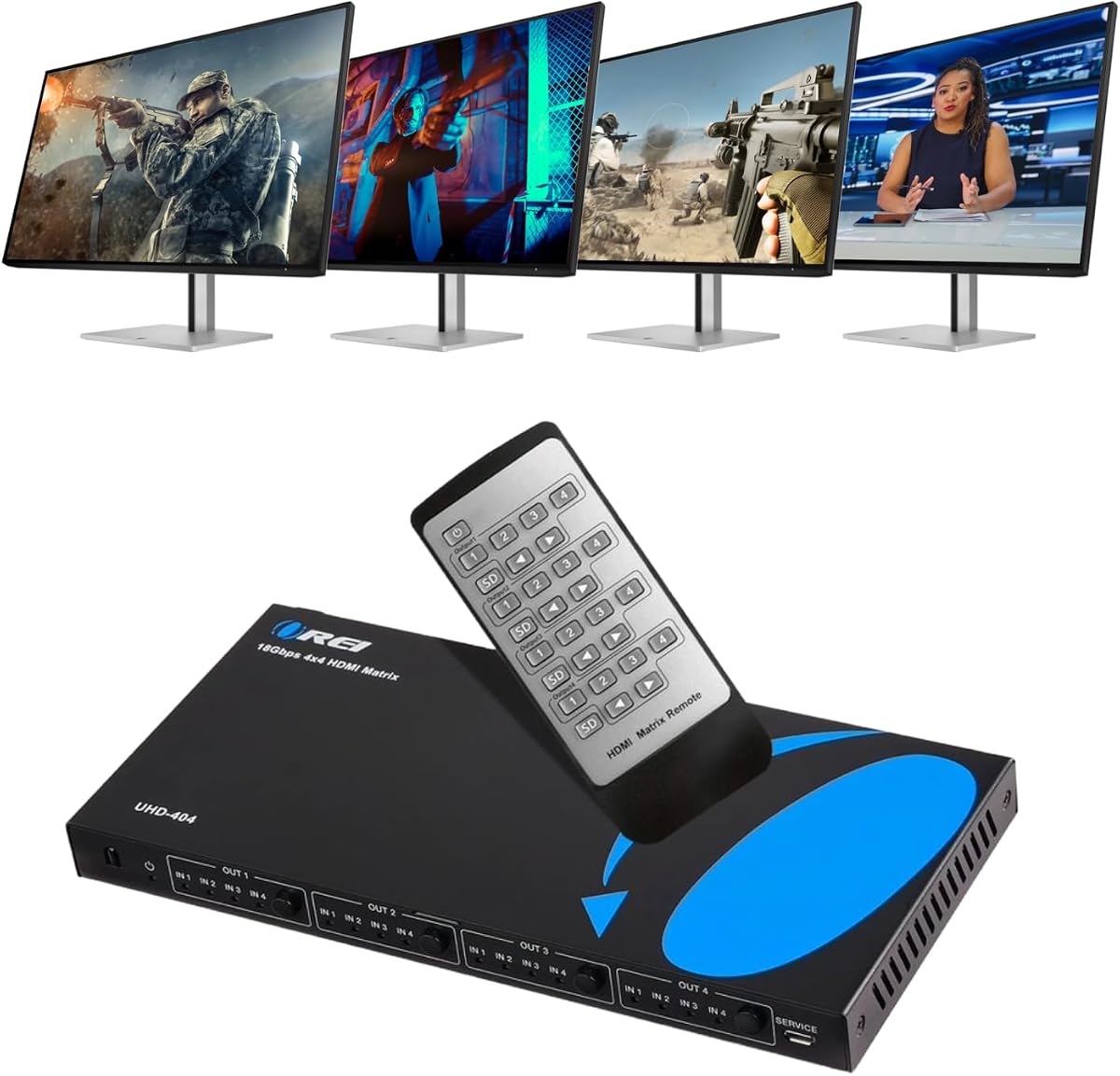
This OREI 4-by-4 matrix combines four sources, four outputs, 4K@60Hz video, and separate audio outputs in a straightforward professional-style package. Its 4.5 rating is the second-highest among the featured products. It is a natural fit for offices, conference rooms, digital signage, classrooms, and home theaters where the number of destinations matters more than support for the newest gaming formats.
We may earn a commission when you buy through this link, at no additional cost to you.
The matrix operates at 18Gbps and complies with HDMI 2.0 and HDCP 2.2. It supports 4K@60Hz, RGB and YCbCr color spaces, 4:4:4, 4:2:2, and 4:2:0, with up to 12-bit color. Each of the four HDMI outputs can receive content independently, allowing a user to distribute different sources across different screens rather than being limited to duplicated output.
Audio features set it apart from many similarly sized matrices. Dedicated optical S/PDIF and 3.5mm analog outputs are provided for HDMI outputs A and B. ARC on Output A can return television audio to those separate audio outputs, while the HDMI side supports LPCM, DTS, Dolby Digital, DTS-HD Master Audio, and Dolby TrueHD. This is useful for installations that need flexible video routing without sending every display's sound through its own speakers.
The trade-off is that this is a 4K matrix rather than an HDMI 2.1 or 8K model. It does not list VRR, ALLM, or 4K@120Hz capabilities, so it is less relevant to a high-end gaming installation seeking the latest source and display features. For conventional professional 4K distribution, however, the four outputs, downscale function, audio extraction, and ARC support make it a balanced and versatile choice.
Four source inputs and four HDMI outputs offer enough flexibility for presentation environments, retail displays, and viewing rooms with multiple screens. Independent routing lets operators place different content on each display, reducing the need for separate switches or converters.
Optical and analog extraction from outputs A and B allows selected audio to feed amplifiers, speakers, or other sound systems. ARC support on Output A expands the options when the television is the intended sound-producing device.
We may earn a commission when you buy through this link, at no additional cost to you.
This OREI 4-by-4 matrix is a practical choice for installations that mix modern 4K screens with 1080p displays. It carries a 4.3 rating and supports up to 4K@60Hz, HDR, HDCP 2.2, and up to 7.1-channel digital audio. The four-to-four channel arrangement provides a good balance between routing flexibility and control complexity.
We may earn a commission when you buy through this link, at no additional cost to you.
Its defining benefit is the downscale function. The matrix can reduce 4K content to 1080p for a compatible display, while the other outputs can show identical or independent content. This avoids requiring every connected screen to be 4K and makes the device well suited to staged installations where displays are upgraded at different times.
The signal specifications are solid for standard 4K distribution. Its 18Gbps bandwidth supports UltraHD 4K@60Hz, and the listed HDMI 2.0a and HDCP 2.2 support cover common contemporary sources. Dolby Digital and DTS-HD Master Audio are listed among the supported audio formats, which should satisfy many living rooms and media rooms where the source handles decoding.
This matrix is less suited to users seeking HDMI 2.1 gaming performance, network-based management, or 8K output. Those omissions are reasonable for a system centered on stable 4K routing and mixed-resolution displays. For a home theater, office, or AV installation that values independent outputs, downscaling, HDR, and broad audio support, it remains a sensible and well-rounded recommendation.
Downscaling is particularly valuable when a room contains both 4K and 1080p screens. A 4K source can remain available for capable displays while a second output receives a compatible 1080p version, simplifying system planning.
Four source connections and four display outputs are enough for many common media rooms and small professional installations. The matrix supports both identical content and independent content, adding flexibility without requiring a larger system.
We may earn a commission when you buy through this link, at no additional cost to you.
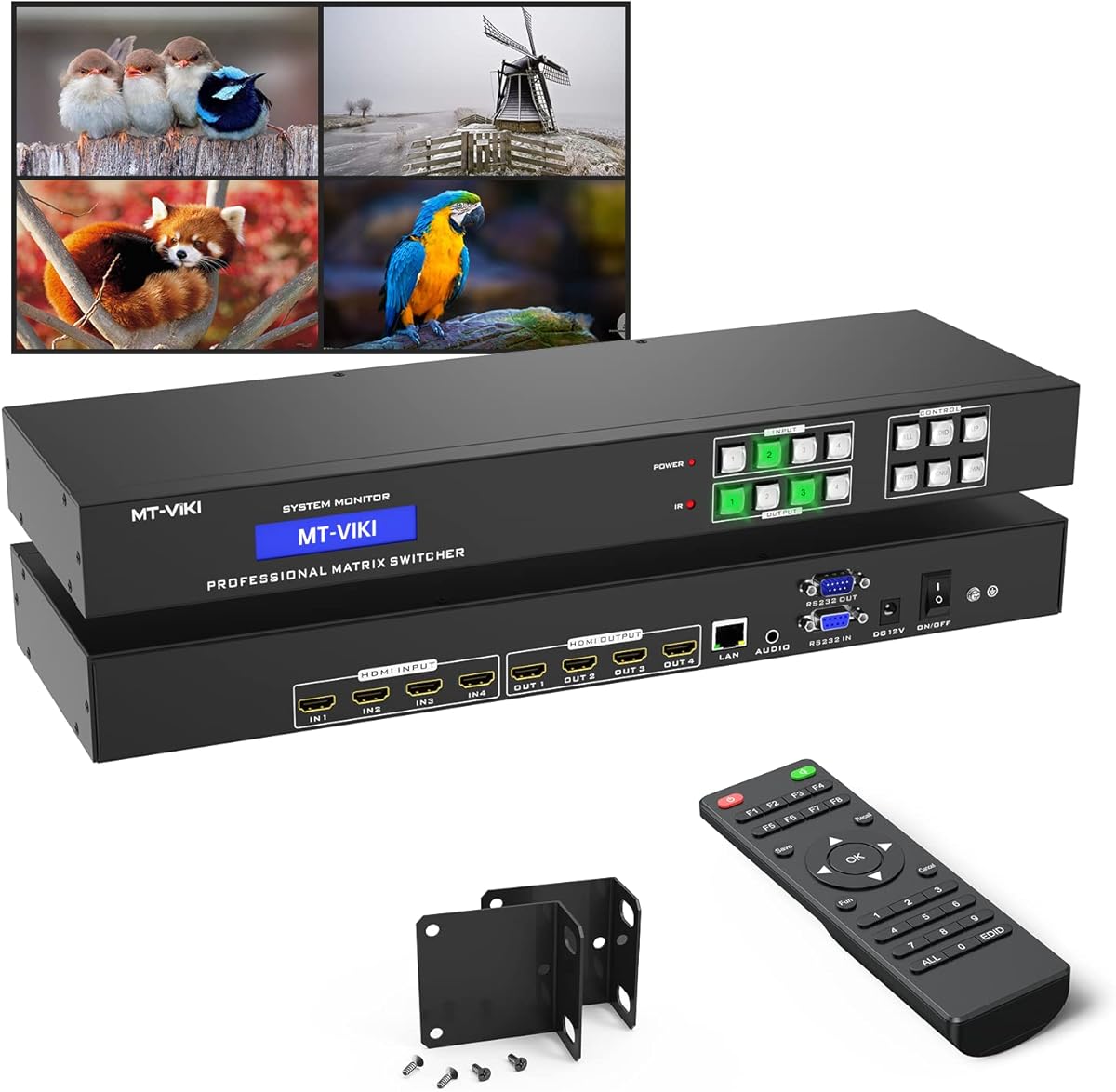
The MT-VIKI 4-by-4 matrix is built for professional environments where operators need more than a handheld remote. Its 4.3 rating reflects a device offering independent four-source routing, front-panel buttons, IR remote control, a web GUI, RS232, and LAN access. That range of control methods is particularly useful for conference rooms, churches, retail spaces, and installations managed by automation systems.
We may earn a commission when you buy through this link, at no additional cost to you.
Video support reaches 4K at 30Hz, along with 1080p, 3D, and deep color. Although 4K@30Hz is sufficient for many presentation, surveillance, signage, and general video tasks, it falls short of the 4K@60Hz capability offered by several other four-by-four options. The supplied information also notes a switching delay of approximately two to three seconds, so rapid source changes should not be expected to feel instantaneous.
A notable limitation concerns audio extraction. The matrix offers 3.5mm stereo audio from Output 4 only, meaning the source assigned to that output can be sent to an external amplifier or speaker system. This restriction makes the audio feature useful for one dedicated audio zone but less flexible than models that expose digital or analog extraction on multiple outputs.
The included rack ears, screws, RS232 cable, IR remote, power components, and manual support installation in a standard 19-inch, one-rack-unit cabinet. This is a strong recommendation for integrators who value web-based and serial control over maximum refresh rate. Users who primarily need 4K@60Hz or broader audio extraction should instead prioritize one of the higher-bandwidth OREI models.
Web GUI, LAN, RS232, front-panel, and IR control give operators several ways to manage source routing. This flexibility is valuable in commercial rooms where a control system, network interface, or local operator may all need access.
The supplied dimensions and mounting hardware make the unit suitable for a standard 19-inch rack. Rack mounting helps organize cabling and is especially practical where the matrix serves a church, conference room, or other permanently installed AV system.
We may earn a commission when you buy through this link, at no additional cost to you.
This OREI UHD-402D provides a straightforward 4K@60Hz matrix for users who need four source devices and two displays. Its listed rating is 4.1 out of 5, placing it among the more modest scores in this list, but its functional specification covers many needs: HDMI 2.0, HDCP 2.2, 18Gbps bandwidth, 12-bit color, ARC, audio return, and automatic 4K-to-1080p downscaling.
We may earn a commission when you buy through this link, at no additional cost to you.
The downscaler allows a 4K signal to be shown at 1080p on one compatible display while the other output remains at 4K. That makes the model useful for mixed-resolution rooms where one television is current but another is older. Front-panel buttons and the included IR remote provide two straightforward ways to change sources and manage the basic routing functions.
HDMI Output A includes Audio Return Channel support, sending audio from a connected display back to the matrix. This is useful when a television or display is expected to handle some sound while another part of the installation manages video distribution. The model supports standard resolutions from 480p through 4K at 24, 30, 50, and 60Hz.
The limitations are its two-output capacity and lack of listed 8K, HDMI 2.1 gaming, or multi-output extraction features. Nevertheless, it covers the common needs of a smaller home theater, office, classroom, or dual-display installation at a simpler level than larger professional matrices. It is most compelling for users who specifically value automatic downscaling and ARC within a compact four-by-two design.
The automatic downscaler allows mixed-resolution displays to operate together without forcing every source into the lowest common format. This is especially useful when a newer 4K television and an older 1080p screen share the same matrix.
Front-panel controls allow local source changes, while the included IR remote manages the matrix from across a room. This pair of controls keeps everyday operation straightforward in a home or small professional environment.
We may earn a commission when you buy through this link, at no additional cost to you.
This 4-by-2 matrix offers an approachable combination of four inputs, two outputs, 4K@60Hz support, and separate audio outputs. Its 4.2 rating and specification make it the strongest budget-oriented option here. It suits a user who needs to connect several source devices to two television-like destinations and also wants to send sound to an external amplifier.
We may earn a commission when you buy through this link, at no additional cost to you.
Video support includes 4K@60Hz, 1080p, 3D, HDMI 2.0, HDCP 2.2, and 8-, 10-, and 12-bit color. Its 18Gbps data rate and 600MHz bandwidth align it with mainstream high-definition distribution. When both connected displays cannot accept 4K, the device can automatically reduce a 4K signal to 1080p, allowing one 4K and one 1080p screen to be used together.
Audio can be extracted through either optical S/PDIF or a 3.5mm connection, supporting LPCM, DTS 5.1, and Dolby AC3 according to the supplied details. EDID management provides another layer of source-to-display negotiation. The built-in infrared receiver and included remote allow convenient switching, while front-panel buttons provide a secondary method. The metal shell is designed for heat dissipation and durability.
The important limitation is that the device mirrors content and does not create an extended desktop. Its inclusion of a remote but not batteries is also a minor practical inconvenience. Even so, for a dual-display home theater, office, classroom, or hospitality setup that does not need extended display or 8K, it delivers a useful feature set at a budget-oriented level.
Optical and 3.5mm extraction let users separate the selected audio from the HDMI video path. This is helpful for connecting legacy speakers, powered monitors, or an amplifier without relying on audio capabilities built into each display.
The four HDMI inputs can accept a mix of media players, game systems, computers, and streaming devices. With two mirrored outputs, users can share a selected source across two screens without paying for a larger four-output matrix.
We may earn a commission when you buy through this link, at no additional cost to you.
The OREI UHDS-402A is a well-equipped 4-by-2 matrix for users who want reliable 4K routing, mixed-resolution support, and flexible audio handling. It carries a 4.2 rating. Four source inputs, two independently switched outputs, 18Gbps bandwidth, and support for 4K@60Hz 4:4:4 make it a versatile middle ground between simple switchers and high-end 8K matrices.
We may earn a commission when you buy through this link, at no additional cost to you.
HDR compatibility is broad, with Dolby Vision, HDR10+, and HLG listed in the product information. Audio can be extracted to optical S/PDIF and analog left-right outputs, and ARC can return television audio to those outputs. This combination allows a room to retain flexible video routing while using a dedicated amplifier or speaker system for sound.
EDID management is one of the model's most useful installation features. AUTO, COPY, and STD modes provide different approaches to source and display negotiation. A separate output can be downscaled from 4K to 1080p while another remains at 4K, making the device well suited to rooms with different screen sizes and capabilities. The supplied guidance recommends quality HDMI 2.0 or 2.1 cables under 30 feet for stable 4K@60Hz performance.
It is important not to mistake this for an HDMI 2.1 gaming matrix. The product information explicitly states that 4K@120Hz, VRR, and ALLM are not supported. It also has only two outputs. Even so, it offers a more complete feature package than many basic switchers and is a strong choice for a 4K home theater with separate audio equipment and mixed displays.
AUTO, COPY, and STD EDID modes give installers several ways to influence how sources interpret connected displays. The independent 4K-to-1080p downscale is particularly helpful when the two outputs serve screens with different capabilities.
Dolby Vision, HDR10+, and HLG support cover three major high-dynamic-range ecosystems. That breadth is valuable for users who may connect different source and display brands over time.
We may earn a commission when you buy through this link, at no additional cost to you.
This OREI 8-by-8 matrix is designed for installations that need more source and destination capacity than a compact four-by-four model can provide. Its listed rating is 4.1. Eight HDMI inputs and eight HDMI outputs make it a candidate for multi-room systems, commercial displays, control centers, and other environments where many devices must be centrally routed.
We may earn a commission when you buy through this link, at no additional cost to you.
The title identifies EDID management, RS-232, a web graphical interface, IR control, and HDCP 2.2 compatibility. These control methods are important in larger systems because IR alone becomes cumbersome when displays are not all in the same room. RS-232 can suit professional control systems, while the WebGUI may offer more convenient management from a supported network environment.
Maximum video resolution is listed as 4K@30Hz. This is a critical distinction: the model is not a 4K@60Hz matrix based on the available information, so it is better suited to video walls, signage, presentation systems, and surveillance installations than to high-refresh-rate home theater or gaming. Its eight-to-eight capacity should be the primary purchasing reason.
The supplied product listing provides limited descriptive information beyond the title, so detailed claims about audio extraction, downscaling, or specific supported audio formats would be inappropriate. Buyers should consult the final manual and manufacturer documentation before committing to advanced features. For a large installation that values eight channels and professional control options, it remains a relevant option, but 4K@60Hz and 8K alternatives deserve comparison.
Eight inputs and eight outputs provide substantial routing capacity for rooms filled with screens or for multiple display zones. This makes the model more relevant to professional AV than a typical two-output home matrix.
RS-232, WebGUI, and IR give operators multiple management paths. The mix can support a local control room, a network-based management approach, or straightforward handheld operation depending on the installation.
We may earn a commission when you buy through this link, at no additional cost to you.
The OREI 8-by-8 extender matrix is the most specialized product in this guide. Its 4.4 rating reflects a system designed for large, long-distance AV distribution rather than a compact room installation. Eight HDMI sources feed eight HDMI outputs and eight mirrored CAT outputs, allowing the same eight-source infrastructure to serve as many as sixteen display destinations.
We may earn a commission when you buy through this link, at no additional cost to you.
Video performance reaches uncompressed 4K at 60Hz in 4:4:4 format over 18Gbps. The listed HDR support includes HDR10, HDR10+, Dolby Vision, and HLG. Each output can independently downscale from 4K to 1080p, which is important when a large installation combines premium displays with more conventional screens.
Long-distance transport uses CAT6 or CAT7 and extends HDMI up to 230 feet. Each output provides 12V power over cable to power compatible receivers without separate adapters at the display end. The mirrored outputs are particularly useful for broad distribution, while the native HDMI outputs can serve nearby displays. A one-way IR matrix follows the HDMI inputs rather than the outputs, a distinction that installers should account for in their control plan.
Control options include front-panel buttons, IR, RS-232, LAN, and a web GUI, with EDID and CEC management. Audio support includes LPCM 7.1, Dolby TrueHD, DTS-HD Master Audio, and ARC. This matrix is best for installers distributing multiple sources across a large building or complex commercial venue. Its complexity, receiver requirements, and infrastructure demands make it unsuitable for a typical two-screen living room.
Sending HDMI over CAT6 or CAT7 up to 230 feet makes the system suitable for displays located well away from a central equipment rack. Power over cable further reduces the need for local power adapters at compatible receivers.
Each output can independently reduce a 4K source to 1080p. This is useful in installations that combine high-end displays with lower-resolution screens while still offering high-resolution video where it is supported.
We may earn a commission when you buy through this link, at no additional cost to you.
The OREI 8-by-8 8K matrix combines a large eight-input, eight-output architecture with HDMI 2.1 and 8K support. Its 4.7 rating is the highest listed among these products. The configuration points toward premium home theaters, demonstration spaces, and professional AV installations that need substantial routing capacity and headroom for high-resolution sources.
We may earn a commission when you buy through this link, at no additional cost to you.
The key distinction is the combination of channel count and modern video capability. Most 4-by-4 options in this guide top out at 4K@60Hz, while this model combines eight inputs and eight outputs with 8K HDMI 2.1 support. That makes it a more future-conscious platform for mixed source libraries, especially when gaming consoles, computers, and dedicated media processors coexist.
Audio extraction, EDID management, and IR control are included in the product title. These features suggest that the matrix is intended to do more than act as a simple eight-way switch. Audio extraction can serve a separate sound system, EDID management helps sources negotiate with different displays, and IR provides a familiar local control method for a large installation.
The supplied listing contains only a minimal description, so more specific claims about refresh rates, bandwidth, supported audio formats, downscaling, and network control cannot be confirmed from the provided information. Buyers should verify those details in the manual and manufacturer documentation. Subject to that caveat, the 4.7 rating, 8K designation, and 8-by-8 layout make this a compelling premium recommendation for users who need both scale and modern HDMI support.
HDMI 2.1 and 8K support offer additional headroom for current high-end displays and future source upgrades. This is especially relevant in installations that want to preserve room for advanced video formats as equipment is refreshed.
Eight inputs and eight outputs support a much larger collection of devices and displays than compact home models. The architecture is well suited to dedicated theater spaces, demonstration rooms, and multi-display AV environments.
We may earn a commission when you buy through this link, at no additional cost to you.
Choosing an HDMI matrix switch starts with the number and type of sources and displays, but resolution, bandwidth, audio routing, control methods, and installation limits determine whether a model will work smoothly in practice.
Begin by counting every source that may be connected and every display that may need a signal. A 4-by-2 matrix accepts four HDMI sources and drives two displays, while 4-by-4 and 8-by-8 models support larger rooms and more complex distribution. Include spare inputs when possible so adding a game console or media device does not require replacing the entire matrix. Also distinguish between independent routing and simple mirroring, because a model that duplicates the same image on two outputs cannot perform the role of a true multi-display switcher.
Resolution labels alone are not enough; bandwidth and chroma format determine what the matrix can carry without compromise. A 4K@60Hz model with 18Gbps bandwidth is suitable for many 4K displays, but it does not provide the headroom of 40Gbps HDMI 2.1 equipment. For 8K, high-refresh 4K, deep color, and advanced gaming, look for explicit HDMI 2.1, VRR, and ALLM support. Check the source, display, and cable specifications as well, because a matrix cannot deliver a format that the connected devices cannot accept.
If the displays are inconvenient for sound or the installation uses a separate amplifier, audio extraction is essential. Optical S/PDIF offers a digital route for compatible equipment, while 3.5mm analog outputs support speakers and amplifiers with conventional analog inputs. Check which HDMI outputs provide extraction because some matrices limit audio to one designated output. ARC or eARC can return television audio to the matrix, but both the display and connected sound equipment must support the return feature.
Mixed-resolution rooms benefit from downscalling, which converts a 4K signal to 1080p for an output with more limited capabilities. The best options can downscale one output independently while leaving another at 4K. EDID management controls how sources interpret the connected display, which can resolve handshake, resolution, and audio issues. AUTO, COPY, and STD modes offer different levels of control. When a room combines screen sizes or display technologies, treat downscalling and EDID as central features rather than minor conveniences.
An IR remote is convenient in a home theater, but larger commercial systems often need front-panel, RS-232, LAN, or web-based control. More interfaces provide better integration with room automation and centralized management, although they also make setup more involved. Consider where the matrix and displays will be located: a locally controlled rack may only need a remote, while a multi-room installation may benefit from a web interface or serial controller. A product that supports both simple and professional control methods offers more flexibility.
HDR support should include the formats used by the selected television, projector, source, and game console. Listed support for HDR10, HDR10+, Dolby Vision, or HLG provides a better basis for compatibility than a generic HDR claim. Gamers should also check for VRR, ALLM, and the required refresh-rate support. Color depth, RGB versus YCbCr formats, and chroma sampling also matter for computer use and professional video. These capabilities must be supported end to end by the source, matrix, cable, and display.
Consider cable length, rack space, power requirements, and cooling before making a final selection. High-quality HDMI cables are generally appropriate for shorter runs, while structured cabling and compatible extenders are better for long distances or displays located across a building. Rack-mountable units suit permanent installations, while compact enclosures are easier to place near equipment. The matrix should have adequate ventilation, and the supplied power hardware should match the installation location. Professional or long-distance systems also need careful planning for receivers, PoC, IR routing, and control infrastructure.
Begin by writing down each source, its intended display or displays, and the resolution, refresh rate, color format, and audio requirements it must support. Connect the matrix to power first, then attach source devices and displays before powering the full system on. This order helps the EDID handshake proceed predictably. Label each input and output, and use the supplied remote or control interface to confirm the baseline route before adjusting downscale, EDID, ARC, or audio-extraction settings.
After the first successful route, test every source on every intended output rather than assuming the configuration is identical. Confirm stable video, expected resolution, correct aspect ratio, HDR behavior, and the intended audio path. For installations with mixed displays, configure the appropriate EDID mode and use downscalling only on outputs connected to 1080p screens. When changing several settings, make one adjustment at a time and retest the affected route so the source of any handshake or synchronization issue remains clear.
For long-term care, keep the unit in a ventilated location and avoid stacking it against heat-producing equipment. Do not frequently unplug HDMI cables while signals are active, and use quality cables appropriate for the matrix's bandwidth and cable length. Update the manual notes with the final input-to-output map, control settings, and firmware information. Periodic checks of cables, connectors, power supply, and control links can identify aging or loose connections before they interrupt an event or presentation.
An HDMI matrix switch can route any connected input to any connected output and may show different sources on different displays. An HDMI splitter generally duplicates one source to multiple outputs. Some products presented as matrices include splitting functions, so check whether each output can receive an independently selected input or is restricted to mirroring.
Not necessarily. Most televisions, projectors, and source devices in common home systems are 4K-oriented, making a 4K@60Hz matrix sufficient. HDMI 2.1 and 8K support become more valuable for high-end displays, current gaming hardware, future upgrades, and professional installations that need maximum bandwidth headroom.
Some models can independently downscale a 4K source to 1080p for selected outputs while keeping others at 4K. This requires a matrix with a dedicated downscale function and compatible EDID handling. A matrix without downscale support may require an external converter or a separate source matched to each display.
EDID settings inform a source which display capabilities to emulate or use during the HDMI handshake. Proper management can improve resolution selection, color compatibility, and audio negotiation, particularly in mixed-display rooms. The best approach depends on the source and display combination, so AUTO, COPY, and STD modes should be tested against the actual equipment.
Optical extraction is useful when a separate amplifier or speaker system should receive audio from an HDMI source. A 3.5mm output can serve analog speakers, while optical S/PDIF is better suited to compatible digital audio equipment. Check which matrix outputs support extraction because some models provide it on only one output.
It depends on the signal path. If the television handles sound and must send that audio back to an amplifier, ARC or eARC can make the connection easier. If the matrix extracts audio directly from the source, television audio return may be unnecessary. Both the television and soundbar must support the same return function for eARC to work.
You need one cable from each source to the matrix, one from each matrix output to its display, and any additional cable required to connect the matrix power or control system. The total is the number of used inputs plus the number of used outputs, plus optional control, extender, and audio connections.
Rack mounting is advantageous in permanent professional installations because it organizes the matrix, power supply, and cabling. A home theater near a media cabinet may not need a rack, and a compact model could be easier to conceal. Confirm the unit's dimensions and whether mounting ears are included before planning the installation.
The OREI 4-by-2 8K matrix stands out as the most versatile all-around option because it combines modern bandwidth, HDMI 2.1 gaming features, eARC, and audio extraction in a compact two-output design. The OREI 4-by-4 4K matrix is a strong alternative when four independent outputs are more important than 8K, while the OREI 8-by-8 8K matrix is the premium choice for large, high-resolution installations.
Prioritize the features your equipment will actually use. A smaller home theater may need only four sources, two displays, 4K60, and basic audio extraction. A commercial installation may prioritize independent downscaling, web or RS-232 control, rack mounting, or long-distance transmission. Matching input count, output count, bandwidth, and control requirements is more dependable than choosing a model simply because it has the highest specification or rating.
Ratings, product details, and availability can change over time, and current prices should be checked on the linked listings before purchase. Review the manual for the exact HDMI, audio, EDID, and control capabilities of the selected model, and confirm that your source devices, displays, cables, and amplifiers are compatible with the intended signal path.
