
Rocketbook Core Reusable Spiral Notebook, Letter, Black
4.5Editor score
Flexible dotted paper layout
Waterproof reusable cover
App-enabled cloud storage
Explore the best reusable smart notebook options, comparing cloud organization, page layouts, portability, durability, erasable writing, and planning features.
A reusable smart notebook combines the familiar feel of writing on paper with digital capture and erasing. The strongest options make it easy to sketch ideas, attend meetings, manage projects, or plan a week without filling a drawer with conventional notebooks. Because page format, size, cloud compatibility, and construction vary significantly, the right choice depends on how you work.
This guide compares ten Rocketbook reusable smart notebooks across writing format, page layout, portability, app-based organization, durability, and specialized planning functions. It covers letter-size and executive options, ruled and grid pages, interchangeable page packs, and hybrid planner templates. The evaluation reflects the specifications and customer ratings supplied for each listing rather than personal hands-on testing.
Each review explains who the notebook is best suited to, along with the features that distinguish it from the alternatives. The top selections highlight the strongest combinations of versatility, value, and premium functionality. Product availability, features, and customer ratings can change over time, and prices fluctuate, so readers should confirm the latest listing details before buying.
4.5Editor score

4.5Editor score

4.3Editor score
The table below summarizes the principal differences among the ten shortlisted notebooks, including page style, physical size, digital organization features, and construction. It provides a quick way to identify the option that best matches your writing, planning, portability, and durability preferences.




The Rocketbook Core Reusable Smart Notebook in black combines a full-size writing surface with app-enabled cloud organization. It earns a 4.5 customer rating and is one of the most balanced options in this guide. Its letter-size college-ruled pages suit lectures, meeting notes, everyday planning, and written assignments where conventional ruled paper is the expected format.
We may earn a commission when you buy through this link, at no additional cost to you.
The updated Core design emphasizes a paper-like writing experience, spiral binding, and a scratch-resistant cover. Smart Titles and Smart Tags make it easier to name and organize scans before uploading them. The included Pilot Frixion pen supports the write, digitize, erase, and rewrite workflow, while the app can send notes to services such as Google Drive, Dropbox, and OneNote.
Its main limitation is that it does not offer the interchangeable page packs of the Pro model or the multiple planning templates of the Fusion. Users must also follow the recommended erasable writing method and maintain the app workflow they actually need. For anyone wanting a restrained, practical notebook without specialized planner pages, those trade-offs are reasonable.
This is the strongest all-purpose recommendation for students, professionals, and anyone transitioning from ordinary notebooks. The large letter format, familiar ruling, straightforward app, and reusable construction cover the core needs without adding unnecessary complexity. Choose it when consistent full-page writing and uncomplicated digital filing matter more than specialized page systems.
The 8.5-by-11-inch format provides room for detailed lecture notes, meeting records, and expanded diagrams. College ruling supports continuous prose, while the spiral format keeps pages accessible and the notebook practical to carry in a larger work or school bag.
Smart Titles and Smart Tags give scans useful labels before they enter your preferred cloud service. This makes the app-enabled model especially appealing for users who want paper-like writing now and searchable, organized notes later.
We may earn a commission when you buy through this link, at no additional cost to you.
The teal Rocketbook Core offers the same capable foundation as the black letter-size model, with a 4.5 rating and a more colorful exterior. It is a practical choice for anyone who wants a reusable notebook that is easy to identify in a crowded bag. The college-ruled pages are designed primarily for continuous written notes rather than flexible diagramming.
We may earn a commission when you buy through this link, at no additional cost to you.
Its standout features include premium reusable paper, spiral binding, a scratch-resistant cover, Smart Titles, and Smart Tags. The Rocketbook app handles scanning and uploading to major cloud platforms. A Pilot Frixion pen is included, allowing the user to begin with traditional writing, save a digital version, and wipe the page for reuse.
The lack of an interchangeable page system means it is less adaptable than the Rocketbook Pro. Color selection also cannot overcome the format limitation: if you regularly create diagrams, mind maps, or tightly packed sketches, a grid or dotted alternative may serve you better. The writing and erasing process also requires attention to compatible ink.
For everyday lectures, meeting notes, journaling, and work logs, the teal Core is a convincing choice. Its rating, generous page size, and dependable feature mix make it particularly suitable for users who prioritize function first but appreciate a notebook that looks distinctive. It is less specialized than the Pro or Fusion models.
The teal cover gives this model a distinctive appearance without changing its core functionality. It works well for color-coded notebooks, shared household systems, or anyone who wants a reusable writing tool that feels less generic than a conventional black-bound pad.
College ruling offers clear horizontal guides for sentences, lists, and meeting notes. Users who need open space for calculations or illustrations may prefer the grid, dotted, or planner formats included elsewhere in the range.
We may earn a commission when you buy through this link, at no additional cost to you.
The gray Rocketbook Core is a restrained option for offices, classrooms, and meetings where a professional appearance matters. It retains a 4.5 customer rating and provides the useful combination of a full-size college-ruled page, spiral binding, and app-enabled scanning. The neutral cover also makes it easy to coordinate with other work materials.
We may earn a commission when you buy through this link, at no additional cost to you.
Smart Titles and Smart Tags support organized filing, while cloud destinations such as Google Drive, Dropbox, and OneNote make captured pages available beyond the physical notebook. Its reusable pages and scratch-resistant cover are designed for repeated cycles of writing, digitizing, erasing, and rewriting. The included Pilot Frixion pen supports the intended workflow.
Compared with the Pro, this Core does not provide interchangeable page packs or the embedded NFC chip. Compared with the Fusion, it does not include calendars, goal trackers, to-do pages, and other planner templates. It is therefore most appropriate for users who want one dependable writing format rather than a customizable productivity system.
Choose the gray model for traditional note taking with a polished appearance and broad portability. It offers a straightforward path from handwritten page to organized cloud file, making it a strong all-round option for professionals, students, and seminar attendees who prioritize consistency over specialized layouts.
Gray offers a quieter alternative to brighter notebook colors. It looks appropriate beside a laptop, meeting notes, and office supplies, while the scratch-resistant cover helps maintain a clean appearance through regular use.
After writing with the supplied pen, you can scan pages through the app and choose a familiar cloud destination. Titles and tags reduce the friction of locating information after multiple projects and meetings have been uploaded.
We may earn a commission when you buy through this link, at no additional cost to you.
The green executive-size Core is built for people who want reusable digital capture without carrying a full letter-size notebook. Its 6-by-8.8-inch format fits more naturally into purses, backpacks, and briefcases, while college ruling preserves a familiar writing experience. The model holds a 4.5 customer rating.
We may earn a commission when you buy through this link, at no additional cost to you.
Despite its smaller dimensions, it includes the updated Core features: premium reusable paper, spiral binding, a scratch-resistant cover, Smart Titles, Smart Tags, and an included Pilot Frixion pen. The Rocketbook app can scan and upload notes to Google Drive, Dropbox, OneNote, and other supported cloud platforms, allowing compact pages to become accessible digital records.
The smaller page sacrifices some room for sprawling mind maps, technical drawings, and dense spreadsheets. Users who work primarily with brief meeting summaries, daily journal entries, short lecture notes, and checklists will find that compromise useful. As with the other Core models, writing should use an appropriate erasable pen.
This executive Core is an attractive match for commuters, travelers, consultants, and students who value portability. It provides the core write-scan-erase cycle in a discreet package. Choose it over the letter models when bag space and day-to-day convenience matter more than maximum writing area.
The 6-by-8.8-inch size keeps notes compact without reducing them to a pocket memo pad. It is easy to place in a smaller work bag and carry between appointments, while still providing several ruled lines for substantive records.
Compact size does not remove the digital features. Smart Titles, Smart Tags, app scanning, and cloud uploads allow the notebook to function as both a traditional writing pad and an organized archive of digital pages.
We may earn a commission when you buy through this link, at no additional cost to you.
The pink letter-size Core is designed for users who want more visual freedom than college ruling provides. Its grid pages can support sketches, charts, mind maps, and structured layouts, and the full 8.5-by-11-inch size leaves useful room for visual work. It carries a 4.4 customer rating.
We may earn a commission when you buy through this link, at no additional cost to you.
The updated Core package combines the grid format with Smart Titles, Smart Tags, a scratch-resistant spiral-bound cover, and app-enabled uploads. The included Pilot Frixion pen is designed for erasable writing. Once a page has been digitized, users can wipe it clean with a damp cloth and reuse it for the next project.
Grid layouts are not automatically better. Writers who prefer uninterrupted horizontal lines may find the pattern visually distracting, while people interested in dedicated calendars and goal tracking should consider the Fusion. The model also does not offer the Pro's interchangeable packs or NFC-assisted app opening.
Choose this notebook for brainstorming, classroom diagrams, project mapping, and mixed notes where structure matters. Its combination of letter-size area and a light grid is especially versatile, while the pink cover adds personality. It is a strong middle ground between a traditional ruled pad and a dedicated planner.
The grid provides visual guides without locking the user into a specialized planner template. It can help with proportional sketches, timelines, tables, and branching ideas while retaining enough structure for conventional lists and short paragraphs.
The write, digitize, erase, and rewrite sequence is particularly useful for evolving project notes. Keeping digital snapshots of earlier stages lets you reuse the physical page while preserving important versions in the cloud.
We may earn a commission when you buy through this link, at no additional cost to you.
This black grid-layout Core combines a conventional letter sheet with the flexibility to support structured visuals. It has a 4.4 rating and is a compelling option for project plans, classroom work, technical notes, and everyday brainstorming. The understated exterior also keeps the focus on the grid rather than the color.
We may earn a commission when you buy through this link, at no additional cost to you.
Its core specification includes premium reusable paper, spiral binding, a scratch-resistant cover, Smart Titles, and Smart Tags. The included Pilot Frixion pen and Rocketbook app support the complete cycle of writing, digitizing, erasing, and reusing pages. Scans can be organized and sent to Google Drive, Dropbox, OneNote, and other cloud locations.
Those seeking dedicated monthly and weekly calendars, goal trackers, or to-do layouts should choose the Fusion instead. This model also lacks the Pro's interchangeable page packs. The grid itself is the main trade-off: it helps visual users but offers less unconstrained space for flowing handwritten prose.
For buyers who want one full-size notebook capable of handling both words and diagrams, this is a flexible compromise. It combines a restrained appearance with a page format that can be adapted to many tasks. It is particularly well suited to students, designers, project managers, and anyone who dislikes wasting partially used paper pages.
Unlike a preprinted planner, the grid can be adapted to calendars, charts, lists, and freeform sketches. That flexibility makes it useful across work assignments, academic work, and personal projects without changing the entire notebook.
Smart Titles and Smart Tags add searchable structure to handwritten material before cloud upload. The physical page remains approachable, while the digital copy becomes easier to sort and retrieve.
We may earn a commission when you buy through this link, at no additional cost to you.
The Rocketbook Pro Smart Reusable Notebook is the most feature-focused model in this guide. It has a 4.3 customer rating and pairs a full letter-size format with interchangeable page packs. The Pro 2.0 configuration includes a 40-page pack containing lined and dot-grid pages, making it a flexible platform for changing workflows.
We may earn a commission when you buy through this link, at no additional cost to you.
Its embedded NFC chip is a meaningful premium feature: it can auto-open the Rocketbook app for a smoother transition into scanning and uploading. A premium scratch-resistant vegan leather cover supports durability and professional presentation. Users can also write with the included FriXion erasable gel pen, scan through the app, and clean pages using the included towel and water.
The most important trade-off is that the base package does not include every specialized page system. Planners and goal trackers are sold separately, so buyers wanting extensive template variety will need additional packs. It is also more expensive than the standard Core models without offering their simplicity.
The Pro is best for organized professionals, students, and productivity enthusiasts who expect their notebook format to evolve. If automatic app access, a refined cover, and interchangeable packs justify the premium, it delivers the most adaptable reusable notebook experience. For basic note taking, a Core model offers a more economical route.
Interchangeable packs let the notebook move between lined notes, dot-grid work, planners, and goal trackers. The included 40-page pack provides a balanced starting point, while additional packs expand the range of supported tasks.
The embedded NFC chip offers a more convenient bridge from paper to digital organization. Rather than manually opening the app, the user can use the notebook's chip to begin the scanning and uploading process.
We may earn a commission when you buy through this link, at no additional cost to you.
The black dotted-page Core is an adaptable and economical entry into reusable smart notebooks. Its 4.5 rating places it among the strongest customer-rated products in the collection. The 8.5-by-11-inch pages offer ample space, while the dotted layout supports bullet journaling, sketches, and general notes.
We may earn a commission when you buy through this link, at no additional cost to you.
Its reusable premium dotted paper, spiral binding, and waterproof cover make it suitable for school, work, and creative projects. The included Pilot Frixion pen pairs with the app to scan, digitize, erase, and re-create pages. Cloud uploads to Google Drive, Dropbox, OneNote, and similar services extend the notebook's usefulness beyond its physical pages.
Dotted paper can be less intuitive for people who want a clean, traditional lined page or a highly structured planner. The notebook also lacks interchangeable packs, NFC access, and the dedicated templates of the Pro and Fusion. Those limitations are acceptable for users who value a versatile core format over specialized organization.
This is a strong value recommendation for students, journalers, and creative thinkers who want flexibility without paying for the Pro system. It handles lists, diagrams, handwriting, and cloud organization in a simple package. Among standard reusable notebooks, its dotted layout and full letter size make it particularly adaptable.
Dots provide subtle guidance for letters, lists, and proportions without creating a rigid grid. The page can shift from ordinary notes to bullet journaling, mind mapping, and lightweight technical drawing as the task changes.
The waterproof cover and spiral binding are well suited to frequent transport. These construction details complement the reusable pages, helping the notebook remain practical for school, work, and projects that involve regular handling.
We may earn a commission when you buy through this link, at no additional cost to you.
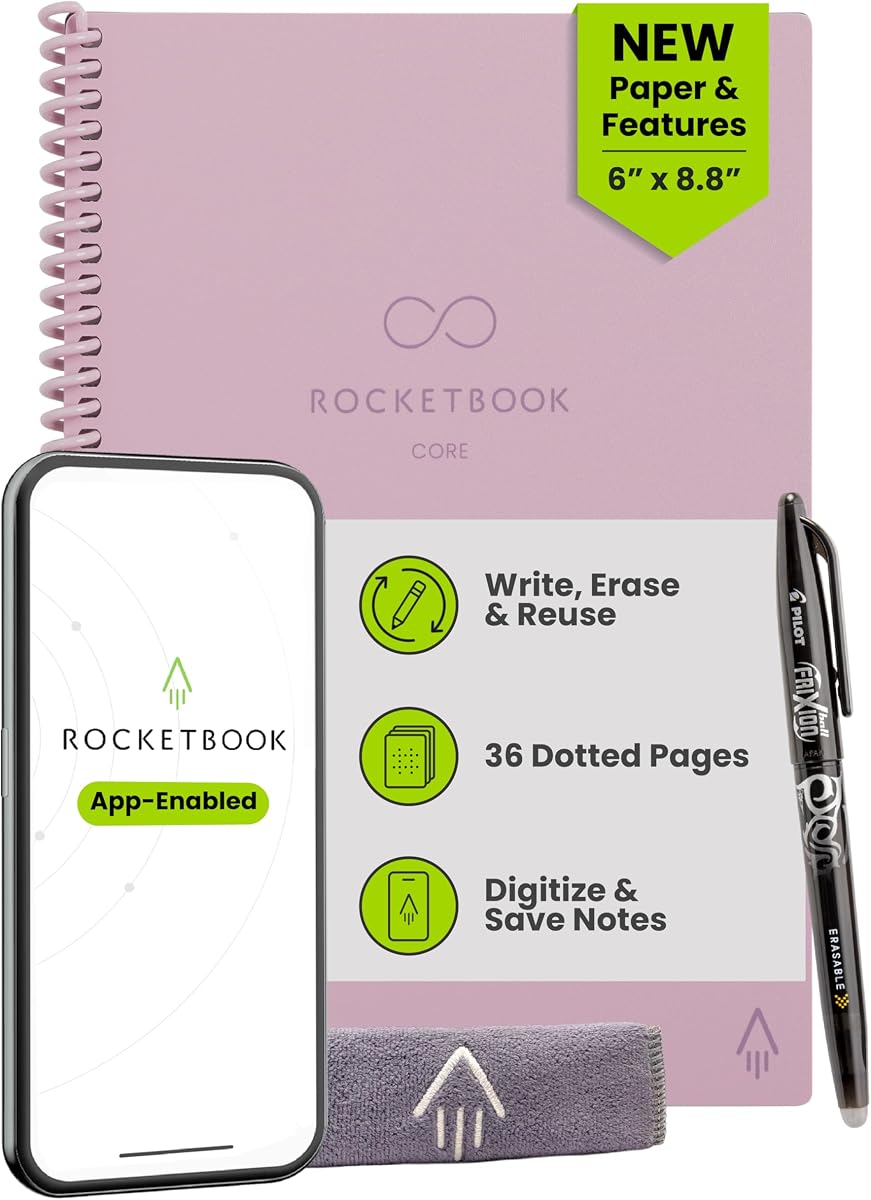
The pink executive Core combines a compact 6-by-8.8-inch format with the organization and reusability of the updated Core line. It carries a 4.5 rating and is especially appealing for daily journals, meeting notes, and personal planning carried in a purse or small bag. The color makes it easy to spot among other belongings.
We may earn a commission when you buy through this link, at no additional cost to you.
College-ruled pages offer a familiar structure for prose and lists, while spiral binding supports convenient page turning. The scratch-resistant cover and premium reusable paper are paired with Smart Titles and Smart Tags. After writing with the included Pilot Frixion pen, users can digitize pages through the app and send them to supported cloud platforms.
As with other executive models, the reduced page area is the central compromise. It is not ideal for wide spreadsheets, large technical illustrations, or pages crowded with complex diagrams. The notebook also does not offer the interchangeable packs of the Pro or the planning suite of the Fusion.
Choose the pink executive Core if portability and an attractive design are top priorities. It provides a complete reusable cycle in a compact format, making it well suited to travel, commuting, appointments, and daily reflection. It is a less demanding, more discreet option than a full letter-size notebook.
The executive size reduces the physical footprint while preserving enough room for a page of meaningful notes. It fits naturally into a purse, slim backpack, or briefcase and remains easy to carry throughout the day.
Smart Titles and Smart Tags bring organization to a simple ruled format. The result is a notebook that can function as a personal journal today while still producing organized digital records for future reference.
We may earn a commission when you buy through this link, at no additional cost to you.
The Rocketbook Fusion is the most planner-oriented option in this roundup. It has a 4.4 customer rating and combines an executive-size notebook with seven page templates for calendars, tasks, goals, ideas, and conventional writing. It is built for people who want more structure than a standard Core provides.
We may earn a commission when you buy through this link, at no additional cost to you.
The page set includes monthly and weekly calendars, a to-do list, a goal tracker, an idea list, dotted notebook pages, and lined notebook pages. This variety supports project management, fitness tracking, household planning, and daily organization. The included Pilot Frixion pen, durable spiral binding, waterproof cover, and flexible lay-flat design make it practical for planning sessions.
The app adds another layer by allowing plans and lists to be digitized and organized in the cloud. Its limitations are that a planner-heavy format is less useful for unrestricted note taking, and the page set is not interchangeable like the Pro's system. It also carries a higher cost than standard Core models, although the added templates serve as the premium feature.
Choose the Fusion for users who actively manage schedules, goals, and multiple responsibilities. It is a particularly useful match for a portable desk, travel planning, or a personal productivity system. The seven templates make it more specialized and versatile than a single-format notebook in the right hands.
Calendars, to-do lists, goal trackers, and idea lists address different parts of personal and professional planning. Dotted and lined pages preserve room for less structured notes, creating a useful mix of focused layouts and general writing space.
The app can scan plans and lists for storage in Google Drive, Dropbox, OneNote, and other supported destinations. This allows a paper-based planning routine to produce a searchable digital archive without abandoning the feel of a conventional planner.
We may earn a commission when you buy through this link, at no additional cost to you.
The most useful reusable smart notebook balances the page format you enjoy with the digital workflow, portability, and construction you need. Because the options range from a conventional college-ruled Core to a modular Pro and a template-rich Fusion, the following factors help narrow the choice.
In short, select the page style that matches your most frequent activity, not merely the one that looks most interesting. Continuous writers should favor ruled pages, visual planners should consider grid or dotted formats, and organized schedulers may get the most value from the Fusion templates.
Choose letter size for maximum workspace and executive size for portability. If you often work at a desk, the added area is worthwhile; if you need to jot down notes between appointments, the smaller notebook may be used more consistently.
Prioritize a model whose digital tools you will actually use. The app and cloud support add value, but the physical reusable page remains the foundation, so page comfort and format should remain your first priorities.
Follow the recommended pen and cleaning method, and do not assume every ink will erase equally well. Proper care protects page quality, writing clarity, and the long-term usability of the notebook.
Look for a cover that suits your environment and a binding that supports frequent use. Scratch resistance and water resistance add everyday resilience, while premium vegan leather gives the Pro a more refined presentation.
Choose Core for simplicity, Pro for customization, and Fusion for structured planning. Paying for a more specialized system makes sense only when its additional organization features will be used regularly.
Confirm the included pen, page pack, and cleaning accessories before ordering. Treat separate page packs as optional expansions rather than assuming they are part of the standard package.
Choose color for visibility and personal appeal, not as a substitute for functional fit. The best notebook is the one whose format and features support the work you do every day.
Begin by choosing a page format and writing with the included erasable pen. Work in a clean area, write clearly, and avoid leaving the notebook open beneath direct heat or intense sunlight. Before scanning, make sure the ink is dry and remove any loose debris from the page so the image is clear.
Open the Rocketbook app, use the scan function, and review the page image for sharpness and cropping. Assign a useful Smart Title and Tags when the model supports them, then upload the scan to the cloud service you already use. Keep a consistent naming method so important notes remain easy to locate later.
After the digital copy is safely stored, erase the physical page with a damp cloth or the included cleaning method. Wipe gently, allow the sheet to dry fully, and inspect it before writing again. If residue remains, avoid scrubbing hard enough to damage the reusable surface. Periodic care helps preserve contrast, page cleanliness, and the smooth writing experience.
Yes, reusable smart notebooks are designed for conventional handwriting, lists, diagrams, and planning while their pages remain in place. They differ from ordinary paper because compatible erasable ink is used so the pages can be wiped clean and reused. A damp cloth is generally used for routine cleaning.
The listed models include Pilot Frixion pens, while the Pro includes a FriXion erasable gel pen, making those the intended choices. Using an erasable pen designed for reusable surfaces helps ink erase more cleanly than permanent ink. Follow the manufacturer's cleaning and writing guidance for best results.
The app is what enables scanning, organization, and cloud uploads, but the physical notebook can still be used for writing. Users who do not need digital copies can ignore the connected features. Those who want searchable records should use the app and a supported cloud destination.
Letter-size models provide more writing area and suit desk-based work, while executive-size models are easier to carry in a purse, slim backpack, or briefcase. Frequent travelers and people who write in short sessions may prefer executive dimensions. Classroom, meeting, and project users often benefit from the additional space of letter size.
Core models emphasize straightforward reusable writing, with different sizes, colors, and ruled, grid, or dotted layouts. The Pro adds interchangeable page packs, an embedded NFC chip, and a premium vegan leather cover. The Fusion focuses on planning with seven page templates, including calendars, to-do lists, a goal tracker, an idea list, dotted pages, and lined pages.
Ruled pages are generally easier for continuous writing, while grid pages support diagrams, charts, and structured layouts. Dotted pages offer a flexible compromise for bullet journaling, sketching, and mixed note taking. The most useful choice depends on whether your typical work is primarily verbal, visual, or organized around schedules and tasks.
Use specific titles that identify the subject, date, or project rather than vague names. Apply consistent Smart Tags for topics such as clients, classes, or recurring workflows, and upload scans to a cloud folder structure you already understand. Reviewing and correcting the scanned image before filing also improves long-term retrieval.
The Rocketbook Pro supports interchangeable page packs, including the included lined and dot-grid pack, with planners and goal trackers available separately. The Core and Fusion models have fixed page formats, so changing between ruled, grid, dotted, and planner layouts generally requires selecting a different notebook.
The Rocketbook Core letter-size black model is the most balanced all-purpose recommendation, combining familiar college-ruled pages, Smart Titles and Tags, cloud connectivity, and a reusable full-size format. For a lower-cost, highly flexible option, the dotted Core provides a generous letter page, waterproof cover, and app-enabled organization. The Pro is the premium choice for users who prioritize interchangeable page packs, NFC convenience, and a refined vegan leather cover.
Prioritize the page format, size, and digital system that match your regular work. Choose ruled pages for prose, grid pages for visual planning, dotted pages for mixed creative work, and Fusion templates for schedules and goals. Select letter size for maximum workspace or executive size for easier carrying, and choose the Pro when modularity and a premium physical design justify the added expense.
Before buying, review the current product listing, included accessories, app requirements, and latest customer feedback. Prices, ratings, and availability can change, and the best option may differ depending on whether your priority is simple note taking, compact portability, digital filing, or structured productivity. Checking the current listing ensures your final choice matches both your needs and the latest available configuration.

