
32GB TF Memory Card Class 10 FAT32
4.6Editor score
Preformatted for FAT32
C10, A1, and V10
Built for continuous recording
IPX7 water resistance
This FAT32 Microsd Card guide compares 10 cards for capacity, speed, durability, device compatibility, recording reliability, and smarter buying decisions.
A FAT32 microSD card is an excellent choice for cameras, dash cams, security systems, and other compatible devices that benefit from a widely supported filesystem. Capacity, sustained write speed, durability, and device compatibility matter more than headline specifications, especially when footage must remain dependable over time.
This guide compares ten microSD options based on their stated capacity, speed classes, endurance features, intended devices, and technical ratings. It covers cards explicitly formatted in FAT32 alongside higher-capacity alternatives that may require you to confirm the filesystem before use in a particular device.
Each review explains who benefits from the card, where it fits, and which trade-offs deserve attention. The top selections include budget, general-purpose, and premium choices, while prices and promotions can change at any time, so check the current listing before purchasing.
4.6Editor score

4.8Editor score
4.8Editor score
The table below compares all ten cards by their most useful attributes, including capacity, stated performance, physical format, and the types of devices emphasized in the product information.


This 32GB TF memory card is a practical budget selection for security cameras, dash cams, and other compatible devices that call for FAT32. It carries a 4.6 rating and stands out for being explicitly FAT32 formatted, with C10, A1, and V10 support. That combination makes it easier to recommend for users who care more about dependable recording than advanced file-transfer speed.
We may earn a commission when you buy through this link, at no additional cost to you.
The card offers a stated write and read speed of up to 20MB/s, sufficient for the product's advertised Full HD recording use. Its durability credentials are unusually helpful for embedded devices: IPX7 waterproofing, static resistance, X-ray safety, drop-test certification, and operation from -10°C to 80°C. The product information also describes the card as suitable for smartphones, tablets, digital cameras, security systems, and dash cams.
The main limitation is capacity. Thirty-two gigabytes can fill quickly when a camera records continuously, especially at higher resolutions, so users may need to transfer files regularly or schedule shorter recording segments. The 20MB/s speed is also modest beside premium U3 cards, and the listing notes that actual results depend on the host device and conditions. Data itself is not covered by the warranty.
This is a strong fit for a first dash cam, a backup security camera, or a phone that accepts FAT32-formatted cards and needs a C10 baseline. Choose it when the included five-year warranty, environmental resistance, and preformatted filesystem offer more practical value than maximum capacity or transfer speed. For users seeking a dependable, no-fuss budget card, it is an easy recommendation.
Because the card arrives FAT32 formatted, it targets a common source of setup friction in cameras and recorders. Confirm that the device accepts 32GB microSD cards and the FAT32 filesystem before buying, since compatibility rules vary by model.
Water resistance, temperature tolerance, static protection, X-ray safety, and drop-test resistance make the specifications well aligned with dash cams and security devices. These features support resilience in changing locations, although regular backups remain important.
We may earn a commission when you buy through this link, at no additional cost to you.
The SanDisk 32GB Ultra microSDHC is the most balanced general-purpose choice in this guide, combining a 4.8 rating with a stated read speed of up to 120MB/s. Its Class 10, A1, and UHS-I specifications make it especially suitable for mobile storage, app use, cameras, and compatible recorders where quicker file access is valuable.
We may earn a commission when you buy through this link, at no additional cost to you.
The A1 rating is a meaningful benefit for Android users because it indicates a minimum baseline for random read and write operations associated with loading applications. The 120MB/s headline figure can make moving photos and video from a card to a computer feel more convenient than with the 20MB/s Class 10 options. Class 10 also provides a broadly recognized minimum sequential write benchmark of 10MB/s.
What the short product description does not explicitly confirm is whether the card is supplied in FAT32 format. A 32GB microSDHC card will commonly use FAT32, but the exact filesystem should be verified before purchase or insertion into a device that refuses other formats. The 32GB capacity also means heavy video users will need frequent transfers, while advertised peak speeds depend on the reader and host equipment.
This card is ideal for a phone, tablet, lightweight camera, or portable device where fast transfers and A1 app performance matter. It also serves well as a general-purpose card for users who do not need a large capacity. If the device requires FAT32 and the listing confirms the format, its combination of speed, rating, and broad utility makes it the strongest all-around recommendation here.
The stated 120MB/s read rate is well suited to moving batches of photos and clips from a compatible phone or tablet. Real-world transfer results will depend on the device interface and reader, so the host hardware still matters.
The A1 designation gives this card a more useful role in smartphones and tablets than basic storage focused only on archived files. It helps when applications need frequent, smaller read-and-write operations rather than one continuous large-file transfer.
We may earn a commission when you buy through this link, at no additional cost to you.
This 32GB FAT32 TF card is a focused option for security cameras, dash cams, and similar recording devices. Its 4.8 rating is among the highest in the group, while the stated C10, A1, and V10 support provides a clear performance baseline for compatible equipment and routine file management.
We may earn a commission when you buy through this link, at no additional cost to you.
The listing describes read and write speeds of up to 20MB/s and explicitly identifies the card as FAT32 format. That makes it appealing when a recorder is designed around FAT32 storage and the buyer wants to avoid an additional formatting step. The advertised 24/7 recording focus also signals that the card is intended for environments in which consistent writing matters more than flashy peak performance.
The supplied information is concise, so it does not detail environmental certifications, warranty length, or included accessories. It also notes that actual speeds vary with the equipment and conditions. Thirty-two gigabytes is another constraint: a camera that records around the clock can fill the card quickly, making automatic overwrite settings or routine file management important. The 20MB/s ceiling is modest for bulk file transfers.
Choose this card when a security camera or dash cam explicitly requires FAT32, you want a compact 32GB option, and continuous recording is the primary job. Its strong rating and clearly stated format make it more compelling for that role than a faster premium card whose filesystem may need checking. Verify the recorder's supported capacity and formatting requirements before use.
FAT32 formatting is the defining feature for this model. It reduces uncertainty when a device has strict filesystem requirements, although buyers should still check the manual for maximum card capacity.
C10 support and an advertised speed of up to 20MB/s provide a useful baseline for standard-quality recordings. V10 and A1 classifications make the card more versatile for compatible phones and tablets as well.
We may earn a commission when you buy through this link, at no additional cost to you.
This 64GB FAT32 TF card offers twice the storage of the 32GB models while retaining the same Class 10-oriented performance target. Its 4.5 rating is solid, and the explicit FAT32 format, continuous-recording positioning, and compatibility with security cameras, dash cams, phones, and tablets make it a logical capacity-focused alternative.
We may earn a commission when you buy through this link, at no additional cost to you.
The product information lists C10, A1, and V10 support with read and write speeds of up to 20MB/s. It also states IPX7 waterproofing, extreme-temperature tolerance from -10°C to 80°C, static resistance, X-ray safety, and drop-test certification. Those details give the card a stronger environmental story than the supplied information provides for some other FAT32 listings.
As with other Class 10 options, the stated transfer speed is relatively modest and can vary depending on the host. A 64GB card is not guaranteed to be accepted by every older security camera or dash cam, so checking the device's maximum capacity is essential. Its listing also describes the card as FAT32 formatted, which is helpful but does not guarantee universal device support. Users should preserve footage before the card is erased or reused.
This is a good fit for a compatible recorder that needs more retention time without moving to a 128GB or 256GB card. It balances storage, environmental resistance, and a clearly stated filesystem. If your device accepts 64GB microSD cards and requires FAT32, this model provides a useful middle ground between the smaller 32GB choices and the larger, faster premium cards.
The 64GB capacity is especially valuable for dash cams and security cameras that overwrite older files automatically or retain footage longer. It reduces how often you need to move or remove recordings.
Waterproofing, temperature resistance, static protection, X-ray safety, and drop-test resistance suit cards that remain installed in vehicles, cameras, or outdoor recorders. None of these features eliminates the need for backups.
We may earn a commission when you buy through this link, at no additional cost to you.
The Amazon Basics 128GB microSDXC combines substantial capacity with modern speed and endurance classes. Its 4.7 rating, up-to-100MB/s read specification, U3 rating, V30 support, and A2 certification make it well suited to high-bitrate video, burst photography, RAW files, time-lapse sequences, and compatible Android devices.
We may earn a commission when you buy through this link, at no additional cost to you.
A full-size adapter is included, which helps with file transfer through compatible readers and reduces the need for an extra accessory. The product information also describes the card as ready for 4K UHD and Full HD recording, and it lists shock resistance, IPX6 water resistance, extreme-temperature tolerance from -10°C to 80°C, and resistance to X-rays and magnetic fields.
The key caveat is the filesystem. The supplied information does not explicitly say that this 128GB card is formatted in FAT32, so it should not be assumed to meet a strict FAT32-only requirement without checking the current listing or the card itself. The card is also compatible with the original Nintendo Switch, not Nintendo Switch 2. Capacity limits vary by device, and any system-specific requirements still apply.
This model is best for a compatible camera, dash cam, drone, or phone that benefits from 128GB and faster transfers but does not require a specifically FAT32-formatted card. It is a stronger all-round productivity option than the 20MB/s Class 10 models. For FAT32-only recorders, choose only after confirming formatting behavior and device support.
U3, V30, and up to 100MB/s read specifications place this card above basic Class 10 options for modern media workflows. They are particularly relevant when working with high-bitrate clips, RAW images, or burst sequences.
The included full-size adapter expands transfer options, while A2 performance can benefit app-heavy Android workflows. Check each device's maximum supported capacity, especially for older cameras and game consoles.
We may earn a commission when you buy through this link, at no additional cost to you.
This 128GB FAT32 TF card is aimed at users who need more recording space without moving to a card with faster headline transfer specifications. It has a 4.4 rating, which is the lowest among the ten products, but its defining combination of a 128GB capacity, FAT32 format, and continuous-recording focus remains relevant for compatible devices.
We may earn a commission when you buy through this link, at no additional cost to you.
The listing states C10, A1, and V10 support and read and write speeds of up to 20MB/s. Actual performance can vary with the host equipment and operating conditions. The FAT32 emphasis makes the card particularly interesting for security cameras, dash cams, and other systems that may reject exFAT or require a specific filesystem, while the A1 rating adds some usefulness for compatible mobile applications.
Its 4.4 rating suggests a less universally positive customer experience than the leading options, and the limited supplied information gives fewer details about durability, warranty, and accessories. It would be a mistake to treat the stated 20MB/s as equivalent to the much higher peak read figures of U3 cards. The 128GB capacity is valuable, but a device must support that capacity for it to be useful.
Choose this card for a compatible high-capacity recorder that explicitly accepts 128GB and FAT32 media. It offers a potentially better balance of space and cost than larger premium models, especially for users who do not transfer enormous files regularly. Confirm formatting and capacity support before ordering, and maintain regular backups for important footage.
The card addresses a common compromise between low-capacity FAT32 media and larger cards using other filesystems. It can retain more recordings while retaining the format explicitly requested by some devices.
C10, A1, and V10 classes provide a useful baseline for recording and mobile file operations. The 20MB/s target is adequate for many standard workflows but not ideal for moving very large libraries quickly.
We may earn a commission when you buy through this link, at no additional cost to you.
The SanDisk 32GB Extreme microSDHC is a high-performance premium choice for compatible cameras, action devices, and other systems that benefit from U3 and V30 support. Its 4.8 rating, up-to-100MB/s reads, up-to-60MB/s writes, A1 rating, and 4K or 5K capture support make it much more versatile than a basic Class 10 card.
We may earn a commission when you buy through this link, at no additional cost to you.
The product information highlights a write speed of up to 60MB/s for fast shooting and a read speed of up to 100MB/s for transferring high-resolution images and video. A compatible device is required for 4K and 5K UHD recording, and actual file attributes can affect results. The included adapter simplifies transfers, while the A1 designation targets faster application loading and in-app performance.
Durability is another major strength. The card is described as temperature-proof, waterproof, shockproof, and X-ray-proof, with the product information noting that card-only limitations apply. It remains a 32GB microSDHC, so it fills faster than the 128GB and 256GB options, particularly when recording 4K. The supplied title does not explicitly confirm FAT32 formatting, which should be checked if a device requires that filesystem.
This card is ideal for a compatible camera, drone, or portable device where video bitrate, fast transfers, and rugged construction matter. It is also a strong premium pick for users who want more performance headroom than a 20MB/s C10 card. For a FAT32-only recorder, confirm the format first; for high-resolution media workflows, its U3 and V30 capabilities justify the premium position.
U3 and V30 classifications give compatible cameras more performance headroom than a basic Class 10 card. This is valuable for high-resolution recording, where insufficient sustained writes can interrupt captures.
Waterproof, shockproof, temperature-proof, and X-ray-proof characteristics suit demanding mobile use. A1 support also makes the card more appropriate for apps and active shooting than a file-only card.
We may earn a commission when you buy through this link, at no additional cost to you.
The Lexar 256GB Blue microSDXC is designed for users who need substantial storage and fast transfer performance in one card. Its 4.7 rating, 256GB capacity, up-to-160MB/s read specification, UHS-I interface, V30 rating, and A2 classification make it a compelling choice for 4K media, Full HD libraries, and app-heavy devices.
We may earn a commission when you buy through this link, at no additional cost to you.
The stated 160MB/s read rate is the highest figure among these products, although the listing explains that peak performance requires pairing the card with a select Lexar 2-in-1 USB 3.1 reader. V30 support supports 4K video recording, and A2 performance is intended to improve application launches and multitasking on compatible Android devices. The product information also covers Full HD capture, playback, and storage.
The card undergoes testing against eight proof points, including temperature resistance, IPX7 water resistance, X-ray protection, vibration resistance, magnetic-field resistance, shock resistance, drops up to 1.5 meters, and wear resistance. It includes a 10-year limited warranty and lifetime access to the Lexar Recovery Tool. As with other 256GB cards, however, the supplied information does not explicitly confirm FAT32 formatting.
Choose this model when you want a large media library, fast transfers, 4K recording capability, and long-term durability features. It is particularly attractive to users who already own compatible high-speed readers or can add one. If a camera requires FAT32, check the actual card format and device capacity limits before ordering. For unrestricted high-resolution storage, it is one of the strongest picks here.
The advertised 160MB/s read speed can reduce waiting when moving large photo and video collections. A compatible USB 3.1 reader is needed to experience the peak figure, so reader performance is part of the equation.
Testing across temperature, water, vibration, magnetism, shock, drops, X-rays, and wear gives the card a broad reliability profile. The recovery tool and long limited warranty add useful support, though they do not prevent data loss.
We may earn a commission when you buy through this link, at no additional cost to you.
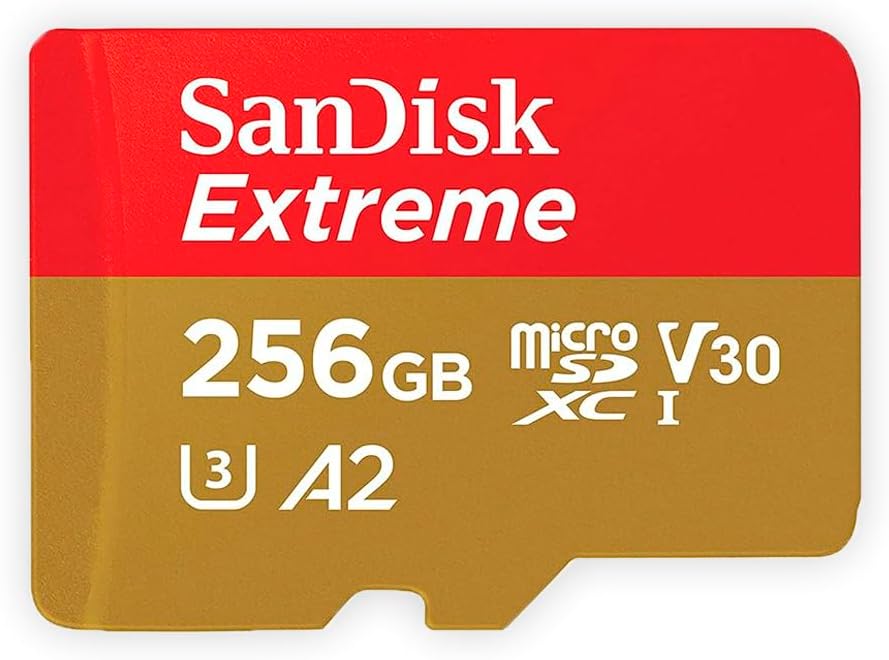
The SanDisk 256GB Extreme MicroSDXC is a well-rounded premium card for users who want room for extensive media and reliable performance for 4K workflows. Its 4.8 rating and specification set of C10, U3, V30, A2, and 4K support place it among the strongest general-purpose choices in the guide.
We may earn a commission when you buy through this link, at no additional cost to you.
A 256GB capacity reduces the need for constant transfers when storing large libraries of high-resolution photos or video. The U3 and V30 classes provide the sustained-write headroom expected by compatible 4K cameras, while A2 support benefits application-heavy phones and tablets. This combination makes the card more versatile than basic FAT32 Class 10 products, which are primarily oriented toward standard recording and file storage.
The provided product data is limited to the title, so durability certifications, adapter inclusion, read-speed figures, and warranty terms are not detailed here. More importantly, the title does not explicitly confirm FAT32 formatting. Devices may use different default filesystems for 256GB cards, and some systems only accept a particular format. Capacity support also varies, with older cameras and recorders often imposing lower limits.
This is a strong recommendation for a compatible modern camera, drone, smartphone, or portable media device that benefits from both capacity and speed. It is a particularly attractive choice for creators balancing 4K recording, application use, and storage. If your equipment specifically requires FAT32, verify that requirement and the current card formatting before making the purchase.
A 256GB card offers useful breathing room for 4K footage, high-resolution images, and portable storage. The tradeoff is that older devices may not recognize the full capacity or may require a specific filesystem.
U3 and V30 support targets demanding video workflows, while A2 performance is useful for applications that perform many smaller operations. The combination gives the card broader appeal than a recording-only budget model.
We may earn a commission when you buy through this link, at no additional cost to you.
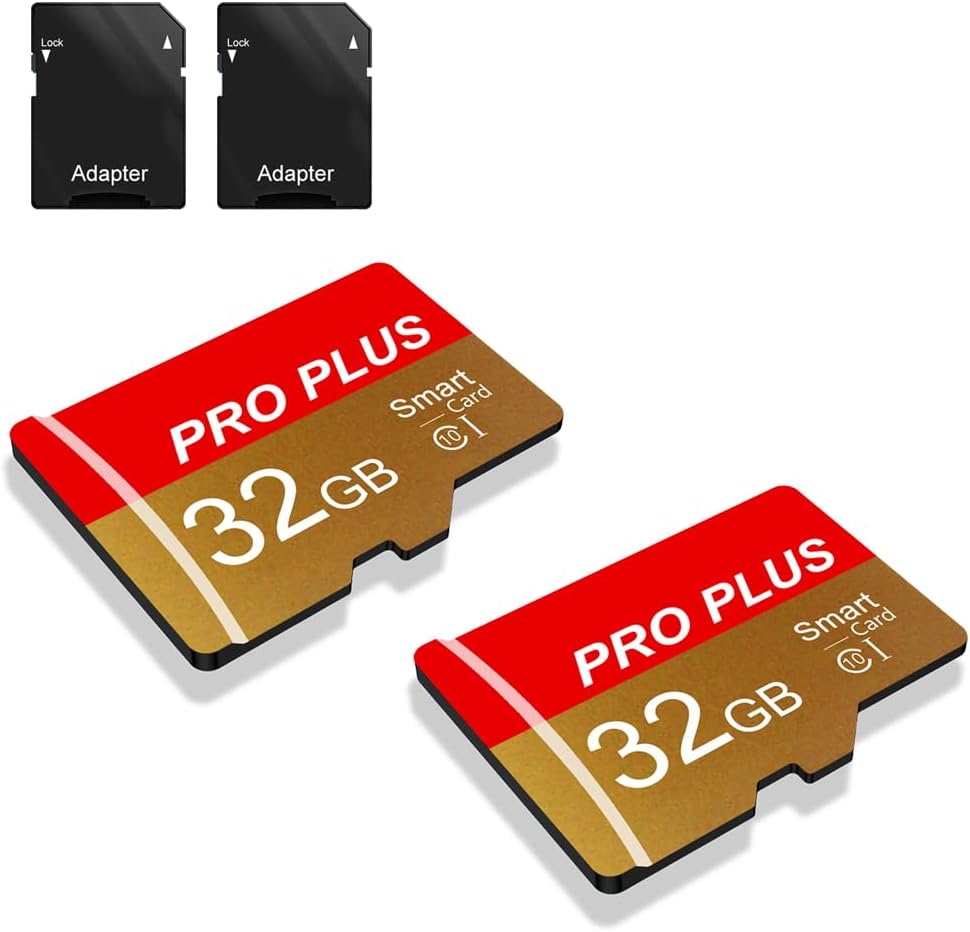
This two-pack of 32GB TF cards is a convenient option for people who need separate storage for multiple devices. Its 4.5 rating, inclusion of two cards and two adapters, and advertised compatibility with phones, computers, game consoles, cameras, drones, surveillance equipment, and car recorders make it a flexible household or travel solution.
We may earn a commission when you buy through this link, at no additional cost to you.
Each card uses UHS-I, C10, and A1 performance classes, with a stated transfer speed of up to 80MB/s. That is faster than the 20MB/s Class 10 cards in the guide while remaining general-purpose rather than focused on the highest U3 video performance. Having one card for a dash cam and another for a phone, camera, or tablet can reduce the friction of moving media back and forth.
The listing describes broad compatibility, but it does not explicitly confirm FAT32 formatting. That distinction is essential for this keyword because many devices with 32GB cards use FAT32 by default, while others may use exFAT. Users should verify the filesystem and maximum capacity for each target device. Actual transfer speed also varies according to the card capacity, test platform, hardware, software, and operating system.
This pack is best for households or travelers who want two inexpensive 32GB cards and the convenience of included adapters. It is also useful for maintaining separate media pools, such as one card for a dash cam and one for a camera or tablet. For a single demanding 4K workflow, a U3 card with more capacity may be preferable. For straightforward multi-device storage, the two-pack is convenient and easy to distribute.
Two 32GB cards let users keep separate media for different devices, reducing accidental transfers and making it easier to organize footage. Both cards include adapters for broader transfer compatibility.
UHS-I, C10, and A1 support provides a versatile baseline for phones, tablets, cameras, and compatible recorders. The stated 80MB/s transfer rate is useful for routine media movement, though host hardware limits results.
We may earn a commission when you buy through this link, at no additional cost to you.
Choosing a FAT32 microSD card requires balancing file-system requirements, capacity, sustained write performance, durability, and the exact devices you plan to use. The most important first step is checking the device manual, because capacity and formatting support vary considerably.
FAT32 is valuable because many cameras, dash cams, security systems, and older devices expect it, while some modern cards use exFAT. A card described as FAT32 in the listing is more likely to arrive in the correct format, but you should still confirm the actual filesystem and whether the device permits reformatting. Do not assume every 32GB or larger card uses FAT32; capacity alone does not determine the filesystem, and some cameras will refuse a card even if its storage format is normally supported.
Capacity determines how much media can be stored before transferring, deleting, or rotating files. A 32GB card is convenient for phones, compact cameras, and lighter recording needs, while 64GB offers more retention for security cameras and dash cams. A 128GB or 256GB card is useful for high-resolution media but requires compatible host hardware. Continuous recording can fill even a larger card quickly, so check whether your recorder overwrites the oldest footage and estimate storage needs based on resolution, frame rate, and scene complexity.
Speed labels describe minimum performance guarantees, not guaranteed results in every device. C10 provides a baseline minimum sequential write speed of 10MB/s, V10 aligns with that baseline for video, and V30 indicates a minimum 30MB/s write capability. U1 and U3 relate to bus performance, while A1 and A2 target random operations used by mobile applications. Cards advertised at 20MB/s may be sufficient for standard Full HD recording, but a U3 or V30 card offers more headroom for 4K, burst photography, and demanding applications.
Peak read speed is useful for transferring files, but recording devices depend most heavily on sustained write performance. A card may deliver a fast burst and then slow down, which can interrupt a video, create errors, or make a recorder restart files unexpectedly. When comparing cards, look beyond the headline number and consider the speed class, intended recording resolution, and whether the manufacturer specifically describes support for continuous or high-bitrate recording.
MicroSD cards come in different physical formats and generations. microSDHC cards commonly offer up to 32GB, while microSDXC is used for larger capacities such as 64GB, 128GB, and 256GB. Even when the connector appears identical, a device may reject a newer generation or a capacity above its supported maximum. Security cameras, dash cams, action cameras, and game consoles frequently include explicit limits in their documentation. Check the supported format, maximum capacity, and file-system requirements before ordering.
Cards used in vehicles, outdoor cameras, drones, and security systems benefit from water resistance, shock resistance, temperature tolerance, static protection, and X-ray protection. These features describe the card, not the entire device, and they do not prevent data loss from format errors, removal while in use, or defective equipment. IPX7 is a meaningful water-resistance rating, while IPX6 indicates resistance to powerful water jets; neither means the card can remain submerged in every use case. For high-value footage, durability specifications should complement regular backups.
A full-size SD adapter can make transfers more convenient by allowing the microSD card to fit standard readers and slots. Adapters themselves do not change the card's speed or format, and reader performance determines whether advertised transfer rates are reachable. Some products also provide software for recovering deleted or formatted files, while others include a limited warranty. These services can add convenience and support, but they should be considered alongside capacity, speed, and device compatibility rather than as substitutes for them.
Before inserting a card, inspect the device manual for its supported capacity, maximum file size, and required filesystem. Confirm that the card is formatted as FAT32, and back up any existing data before reformatting it. Format the card in the target device when possible because that ensures its partition structure matches the recorder's expectations. Use a reliable card reader and the operating system's formatting tools if the device does not offer that option.
Handle the card by its edges and avoid touching the gold contacts. Insert and remove it only when the device is powered off or the operating system confirms that it is safe to eject it. For cameras, dash cams, and security systems, check recording quality, file integrity, and free space regularly. If the device offers loop recording, set an appropriate segment length and retention cycle so important footage is not overwritten unexpectedly.
Copy important recordings to more than one reliable location, then safely eject or shut down the host device before removing the card. Avoid using the card continuously for unrelated file transfers after recording if that could fill or fragment the volume. Replace a card that shows repeated recording errors, corrupted files, unusual speed reduction, or physical damage, and keep cards away from extreme heat, moisture, strong magnets, and bent connectors.
For a phone or compact camera, 32GB is usually a convenient balance of capacity and compatibility. A 64GB card is more useful for dash cams and security systems, while 128GB or 256GB cards suit 4K media and large libraries. Always check the device's maximum supported capacity because a physical connector does not guarantee that every card generation will work.
Many are, but you should not rely on capacity alone as proof. Some devices use exFAT, and formatting can change when a card is erased or repurposed. If FAT32 is required, look for an explicit listing statement, inspect the card after insertion, or confirm that the target device can reformat it.
It depends on the camera's requirements and the card's speed class. FAT32 can work with compatible 4K devices, but a U3 or V30 card provides more write headroom than a basic C10 card. Check the manufacturer requirements for bitrate, sustained writes, maximum file size, and storage format before recording extended 4K footage.
At minimum, choose a card with a speed class that meets the dash cam manufacturer's requirements, such as C10 for standard recording. For Full HD or higher-resolution continuous recording, a faster V30 or U3 card can reduce the risk of dropped frames and recording errors. Loop-recording features and reliable sustained writes matter more than peak read speed.
The problem may be capacity, card generation, formatting, or physical compatibility rather than a defective card. Some devices only support 32GB microSDHC cards, while others reject 64GB or larger microSDXC cards. Check the manual, test the card in a computer, and confirm that it is correctly formatted before trying another device.
No. A high peak read speed helps when copying files, but recording performance depends on sustained writes and the relevant speed class. Basic C10 cards may be entirely adequate for standard Full HD use, while U3 and V30 ratings provide a more useful guarantee for 4K video, burst photography, and demanding applications.
Many smartphones support FAT32, especially when using 32GB cards, but newer models and larger capacities may prefer exFAT. Check the phone manual and the card's current filesystem. Android users may also benefit from an A1 or A2 rating when running applications that perform frequent small operations.
Important footage should be copied to another storage location as soon as practical, rather than waiting until the card is full. Dash cams and security systems may overwrite old files automatically, so regularly review and preserve critical clips. Keeping separate card and device backups reduces the impact of a lost card, damaged device, or accidental formatting.
The 32GB FAT32 TF memory card is the best budget option because it is explicitly formatted in FAT32, supports C10, A1, and V10, and includes useful environmental protections. The SanDisk 32GB Ultra is the strongest all-purpose choice for mobile use and faster transfers, while the 256GB SanDisk Extreme delivers premium capacity and modern video performance.
Prioritize the requirements of your actual device above any headline speed. Confirm the supported card generation, maximum capacity, and filesystem first; then choose the speed class that matches the workload. Continuous recorders need dependable sustained writes, high-resolution cameras benefit from U3 and V30, and app-heavy phones can take advantage of A1 or A2 performance.
Prices, promotions, and product details can change, so check the current listing and manufacturer requirements before purchasing. Keep important recordings backed up, use the correct formatting method, and replace any card that develops errors or physical damage. With those precautions, a FAT32 microSD card can provide dependable, convenient storage across cameras, vehicles, security systems, and mobile devices.