
Rasalas 4GB DDR2-800 Laptop Kit
4.6Editor score
4GB dual-module laptop kit
DDR2-800 PC2-6400S speed
1.8V non-ECC SODIMM design
This DDR2 Laptop and Desktop RAM guide compares capacities, speeds, form factors, timings, voltage, and compatibility to help you choose the right upgrade.
DDR2 Laptop and Desktop RAM can restore responsiveness, multitasking capacity, and application responsiveness to aging computers, but selecting the wrong module can waste money or prevent the system from booting. The important distinctions include device form factor, memory speed, voltage, capacity, rank, and operating-system support. A compatible upgrade should fit both the hardware and the workload.
This guide compares ten DDR2 memory kits and modules for laptops, notebooks, and desktops. We evaluated the stated capacities, data rates, timings, voltage, pin counts, buffer and ECC characteristics, supported device types, and manufacturer-provided compatibility information. The list includes general-purpose SODIMM and UDIMM options, capacity kits, a system-specific desktop set, and a single laptop module.
Each review explains the module's strongest qualities, practical limitations, and most suitable buyer. The Top Picks highlight a budget 4GB laptop kit, a higher-rated 4GB desktop kit from a familiar memory brand, and a 4GB DDR2-667 desktop kit advertised with original Samsung ICs. Product availability, seller details, and prices can change, so verify the current listing and your computer's requirements before purchasing.
4.6Editor score

4.7Editor score
4.8Editor score
The table below compares all ten products by capacity, speed, physical format, and key module characteristics. Because laptops and desktops use different memory shapes and electrical designs, start with the device type and then confirm speed, voltage, capacity limits, and operating-system support.



The Rasalas PC2-6400 DDR2 800 package is a 4GB kit containing two 2GB DDR2-800 SODIMMs, and it carries a 4.6 customer rating. It is a practical choice for an older laptop or compatible desktop that needs more usable memory without a complex upgrade. Its two-module arrangement can be especially helpful for systems designed to alternate between two memory channels.
We may earn a commission when you buy through this link, at no additional cost to you.
The kit operates at 1.8V with CL6 latency and is specified as PC2-6400S, 200-pin memory. The seller states compatibility with Mac, AMD, and Intel systems, while the product description also presents it for laptop, desktop, and Mac use. High-quality memory granules, rigorous testing, and motherboard compatibility screening are among the seller's stated quality points.
The main limitation is capacity rather than form factor. A total of 4GB can improve an originally underpowered system, yet it may still feel constrained when several demanding applications or browser tabs are open. Dual-rank wording should also be confirmed against the exact module label and the requirements of the target system. DDR2 support in the operating system remains another practical consideration.
This is our Best Budget pick because it combines a matched two-module kit, a common DDR2-800 speed, and a strong customer rating in a straightforward package. Choose it for a compatible older computer that needs a balanced, dual-SODIMM upgrade, especially when the machine can benefit from matched modules. Confirm the maximum capacity, supported module organization, and system memory specifications first.
The matched 2GB modules give compatible systems a simple route to 4GB total memory. That is often a meaningful improvement for an aging laptop or desktop, particularly when the original configuration had very little RAM or only a single small module.
PC2-6400S at 1.8V is a widely encountered laptop memory format, making this kit relevant to many DDR2-era computers. The stated CL6 rating and dual-module design align with conventional PC2-6400 operation rather than an unusual high-performance specification.
We may earn a commission when you buy through this link, at no additional cost to you.
This MemoryMasters 8GB kit includes two 4GB DDR2-800 PC2-6400 modules for laptop and notebook computers. Its headline advantage is capacity, but the 3.6 rating is lower than those of most alternatives in this guide. Buyers should therefore pay particularly close attention to the exact computer model, maximum supported memory, and module compatibility before ordering.
We may earn a commission when you buy through this link, at no additional cost to you.
The modules use a 200-pin SODIMM form factor, run at 1.8V, and are labeled non-ECC and unbuffered. These are standard characteristics for many DDR2 notebooks. The product listing highlights genuine MemoryMasters branding, a lifetime warranty, and toll-free technical support, providing useful reassurance for buyers who need guidance during compatibility checks.
An 8GB total is much more useful than 4GB for multitasking, provided the laptop can accept 4GB modules in both slots. Some older notebooks support only 2GB per slot, and a few have unusual maximum-capacity or shared-graphics restrictions. The kit also does not include compatibility details for specific notebook brands, so its broader appeal depends on the buyer's own system documentation.
This kit is best for a DDR2 laptop with two accessible SODIMM slots and documented support for 4GB modules. It may suit office work, browsing, and lightweight multitasking better than smaller 2GB or 4GB configurations. It is not the strongest universal recommendation because of its comparatively modest rating, but the technical specifications, warranty, and support offer clear value when the target notebook is known to be compatible.
Eight gigabytes gives compatible applications more working memory than the smaller kits in this guide. It can reduce swapping in a suitable DDR2 notebook, especially when a browser, office suite, and background utilities are open together.
The stated lifetime warranty and toll-free technical support may be useful before and during installation. Compatibility still depends on the notebook's documented slot layout, per-module capacity limit, and memory voltage.
We may earn a commission when you buy through this link, at no additional cost to you.
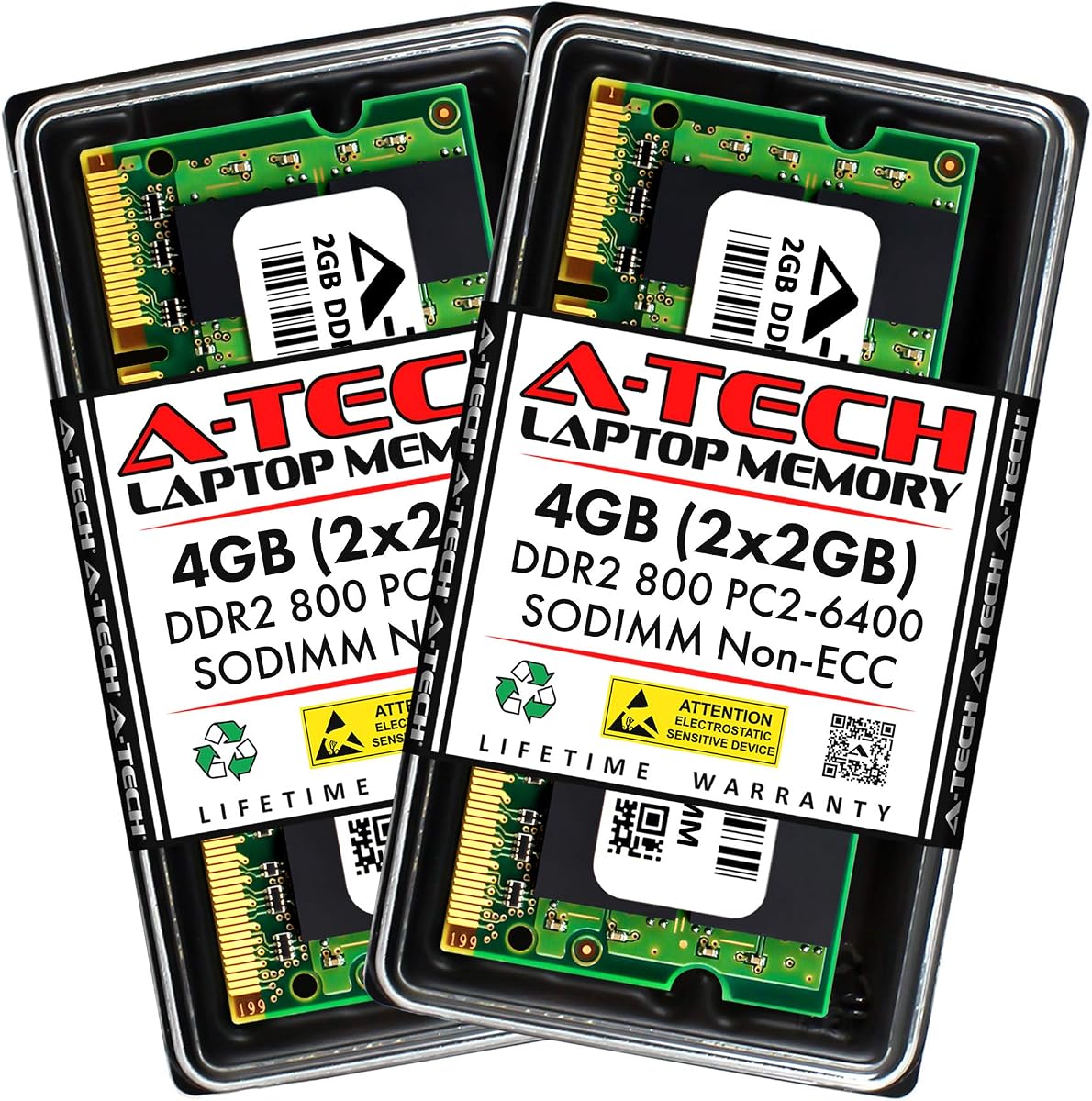
The A-Tech 4GB DDR2-800 SODIMM kit pairs two 2GB modules and earns a 4.6 rating. It is designed for laptops, notebooks, and all-in-one computers, making it a broader laptop-focused choice than the Dell-specific desktop kit later in the guide. Its familiar specifications make it suitable for conventional DDR2 systems that accept 200-pin, 1.8V memory.
We may earn a commission when you buy through this link, at no additional cost to you.
The modules are listed as PC2-6400, CL6, non-ECC, and unbuffered. A-Tech states that the kit was designed for a wide selection of Acer, Apple, ASUS, Dell, HP, Lenovo, Samsung, Sony, Toshiba, and other systems. Each module undergoes quality assurance testing, and the seller provides a lifetime warranty along with complimentary United States-based technical support.
The 4GB total may not satisfy heavy modern multitasking, although older office and education systems often benefit from the difference between 1GB or 2GB and a matched 4GB installation. Brand compatibility lists are useful only as a starting point because each model can have different memory limits. Buyers with all-in-one systems should check chassis access and internal slot availability in addition to electrical compatibility.
This is a strong general-purpose laptop upgrade for a user who wants a recognized brand, broad stated platform support, and helpful after-sales service. It is particularly appropriate for DDR2-800 notebooks that support two 2GB SODIMMs. Confirm the machine's maximum memory and verify that the operating system can use the full installed capacity before installation.
The extensive compatibility list makes this kit useful across many laptop and notebook brands. Exact model-level verification remains essential because a brand can support several generations of systems with different memory rules.
The stated testing process and lifetime warranty reduce uncertainty around a legacy-memory purchase. United States-based technical support can also help buyers confirm whether a 4GB matched configuration fits their computer.
We may earn a commission when you buy through this link, at no additional cost to you.
This A-Tech 8GB kit contains four 2GB DDR2-800 desktop DIMMs and is tailored to the Dell Inspiron 519, 530a/c, 545, 545s, 546, and 546s families. Its 4.5 rating reflects a generally favorable buyer response, while the specialized model targeting makes it less versatile but potentially more convenient for someone who owns one of the listed desktop models.
We may earn a commission when you buy through this link, at no additional cost to you.
The modules are non-ECC PC2-6400 memory running at 800MHz. Their 240-pin desktop DIMM format separates them from the SODIMM kits elsewhere in the guide. The listing highlights genuine A-Tech branding and a lifetime warranty, and it directs buyers to the product's compatibility list rather than implying support for every Dell desktop.
Four modules require four usable DIMM slots, and the total must also fall within the system or board's memory limit. Some Dell models support smaller maximum capacities, and the manufacturer may specify particular ranks or module densities. Aesthetically, matching four sticks may also be less convenient in a compact case with limited clearance. The specialized nature is therefore both the kit's strength and its main restriction.
This is the appropriate choice for a buyer who owns one of the listed Dell Inspiron systems, has the necessary four slots, and wants 8GB of matched memory. It is not a general desktop recommendation because the package is tied to specific Dell families. Confirm the exact service model number, board layout, supported maximum capacity, and memory organization before buying.
A system-specific four-module package can be convenient when a buyer already knows the listed Dell model supports that arrangement. It removes the need to combine unrelated capacities, though the exact model suffix still matters.
The eight-gigabyte total is useful for older Dell desktops handling office applications and multiple background tasks. Its effectiveness depends on the operating system and applications recognizing the additional memory.
We may earn a commission when you buy through this link, at no additional cost to you.
The Motoeagle 4GB PC2-5300U kit consists of two 2GB DDR2-667 unbuffered desktop modules and carries a 4.4 rating. It offers a straightforward capacity increase for compatible DDR2 desktop motherboards, especially systems limited to the slower PC2-5300 class. The matched pair provides a more conventional upgrade than a single module when two slots are available.
We may earn a commission when you buy through this link, at no additional cost to you.
The kit uses 240-pin UDIMMs at 1.8V and is specified as 2Rx8 dual rank. The seller states that its chips come from large manufacturers, that all chips are tested, and that the modules offer strong compatibility with motherboards from various brands. The plug-and-play positioning is useful, although actual installation still requires care with power, retention clips, and system support.
The central trade-off is speed. DDR2-667 provides a lower theoretical data rate than DDR2-800, making it a better fit for older controllers than for a system seeking the maximum standard DDR2 transfer rate. Dual-rank memory is not accepted by every older board or chipset, and the seller's broad compatibility language should be checked against the motherboard manual.
This kit is most suitable for a compatible desktop that supports PC2-5300 memory, two modules per channel, and the stated 2Rx8 organization. It can be a practical way to add capacity to an aging office or home system. Check the motherboard's supported memory list, maximum capacity, and slot arrangement before installation, especially if it must operate alongside an existing module.
PC2-5300 is a common specification in older desktop platforms, so matching the kit to the motherboard's supported rate is straightforward. It avoids asking a limited memory controller to operate beyond its normal DDR2 range.
The seller reports that all chips are tested for reliability and stability. Pairing two identical 2GB modules also simplifies capacity planning and can suit boards configured for dual-channel operation.
We may earn a commission when you buy through this link, at no additional cost to you.
The Crucial 4GB Kit pairs two 2GB DDR2-800 PC2-6400 desktop modules and has a 4.7 rating. It stands out as a conventional, clearly specified upgrade for compatible DDR2 desktops, with a balance of capacity, speed, recognizable branding, and a higher customer rating than most options in this guide. It is our Editor's Choice for the broader desktop category.
We may earn a commission when you buy through this link, at no additional cost to you.
Both modules are 240-pin unbuffered UDIMMs with CL6 latency and operate at the standard DDR2 desktop voltage of 1.8V. The listing identifies the kit as CT2KIT25664AA800 and also lists CT2CP25664AA800 as an identical designation. Crucial describes the modules as 100 percent tested, and their straightforward specifications make them easier to compare with older system requirements.
Four gigabytes remains a modest amount, so buyers expecting intensive editing or many modern browser tabs may need a supported 8GB configuration. The desktop DIMM shape also means this kit cannot fit a laptop. A system with an unusual restrictive memory limit, ECC requirement, registered-module requirement, or nonstandard voltage would need a different product. Users should still match the kit to the board's supported density and organization.
This is our top general desktop recommendation because it combines a strong rating with a mainstream DDR2-800 specification and a matched pair. It is most appropriate for a compatible office, home, or small-business desktop that can use two 2GB modules. Verify the motherboard's memory specifications, then install the pair in the slots recommended by its manual.
Two matched 2GB modules make capacity and channel planning easier than mixing a small module with a larger one. This arrangement suits many DDR2-era desktop boards that recommend paired memory.
The listed Crucial part numbers provide concrete identifiers for comparison with system documentation. The stated 100 percent testing and established brand identity also add confidence to a legacy upgrade.
We may earn a commission when you buy through this link, at no additional cost to you.
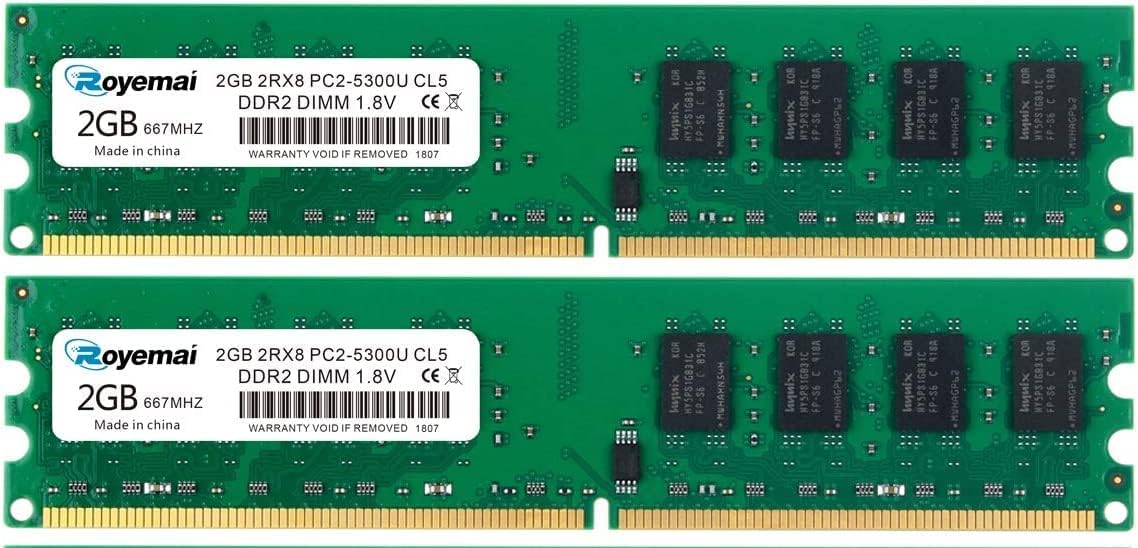
This 4GB DDR2-667 desktop kit has the highest customer rating in the guide at 4.8. It includes two 2GB PC2-5300 UDIMMs and positions itself as a component-focused alternative for builders who pay attention to the memory ICs. The stated use of original Samsung ICs is the feature that most distinguishes it from the other 4GB desktop kits.
We may earn a commission when you buy through this link, at no additional cost to you.
The modules are 240-pin, 1.8V, non-ECC, unbuffered, and CL5. They are specified as dual-rank 2Rx8 modules. The seller states that the chips are sourced from Samsung and that each kit is tested for stability, durability, and compatibility before shipment. Broad compatibility is claimed across brands including Apple, HP, Dell, Lenovo, ASUS, Acer, Samsung, and others.
Its speed is slower than DDR2-800, and dual-rank support can be a limitation on some older desktop chipsets. The listing's wording and title are unusually repetitive, so buyers should focus on the consistent technical details rather than marketing phrasing. As with any kit, the target desktop must support the stated 2GB module size, rank, voltage, and total capacity.
This is our Best Premium pick for buyers who prioritize stated IC provenance and testing over the highest standard DDR2 speed. It is a strong option for a compatible DDR2-667 desktop used for ordinary productivity tasks. Confirm compatibility with the seller or system documentation before purchase, particularly if the motherboard has strict rank or density requirements.
The stated use of original Samsung ICs gives this kit a component-focused selling point that many competing listings do not specify. Buyers can use that detail when comparing modules of the same speed and capacity.
The seller reports that the memory is tested for stability, durability, and compatibility before shipment. That process cannot replace system-specific verification, but it adds an additional layer of quality control.
We may earn a commission when you buy through this link, at no additional cost to you.
The Crucial CT25664AC667 is a single 2GB DDR2-667 SODIMM for notebook computers, and it carries a 4.5 rating. It is a focused option for someone who needs one compatible module rather than a matched pair. Its recognizable part number and conventional PC2-5300 specification make it especially useful when a laptop has one free slot.
We may earn a commission when you buy through this link, at no additional cost to you.
The module is a 200-pin SODIMM with CL5 timing and DDR2-667 speed. Its basic form matches the memory used in many older notebooks, while the 2GB capacity can be meaningful for a machine originally supplied with 512MB or 1GB. The listing does not provide a broad laptop-brand compatibility list, so model and platform documentation remain essential.
A single 2GB module may leave performance and capacity on the table compared with a matched two-module kit. It may also operate in single-channel mode depending on the laptop's architecture. Another important limitation is that modern 32-bit operating systems have a practical address-space ceiling, and some 64-bit systems may impose their own device-specific memory limits.
Choose this module for a compatible DDR2-667 notebook with a free SODIMM slot and a need for straightforward capacity expansion. It is particularly sensible when a matching existing module cannot be obtained or when adding one complete matched pair would exceed the laptop's limits. Confirm supported capacity, voltage, and operating-system recognition before purchase.
A single module is useful when a notebook has one accessible SODIMM position. It avoids requiring the buyer to locate a second matching stick merely to complete a small capacity increase.
The 200-pin, 1.8V-era DDR2-667 format remains familiar across many older notebooks. A specific Crucial part number also makes it easier to cross-check the listing against service documentation.
We may earn a commission when you buy through this link, at no additional cost to you.
The A-Tech 2GB Dell OptiPlex kit contains two 1GB DDR2-667 PC2-5300 desktop modules and earns a 4.7 rating. It is aimed at Dell OptiPlex 330, 740, 745, 745c, and 755 systems, making it a targeted choice for a business desktop rather than a universal DDR2 upgrade. Its 2GB total is small, but it may still produce a noticeable improvement over a severely under-memory configuration.
We may earn a commission when you buy through this link, at no additional cost to you.
The modules use 240-pin DIMM construction and 1.8V PC2-5300 specifications. The title identifies the compatible Dell families directly, and the product includes a lifetime warranty. The matched pair is preferable to combining an unrelated existing module because the memory controller, channel arrangement, and module density can be more predictable when both sticks have matching specifications.
Capacity is the clear drawback. Two gigabytes is unlikely to satisfy a user who wants to run several modern applications at once, although legacy office systems may be designed for a much lighter workload. Exact model verification remains vital because OptiPlex chassis names can cover variations with different motherboards and memory limitations. Some systems may support larger modules through later production runs.
This kit is best for an owner of one of the listed OptiPlex models who needs a matched, warranty-backed repair or a modest capacity increase. It is less suitable for general buyers or for workstations that can accommodate and support 4GB or 8GB modules. Confirm the exact model number and memory maximum before ordering, and check whether reusing an existing module is preferable.
Using two identical 1GB modules can simplify a business desktop's memory configuration. It is especially helpful when the original system uses a pair of small modules and channel symmetry is important to performance.
A 2GB total can be adequate for lightweight legacy applications, diagnostics, and basic office use. The improvement over a very small original configuration may still be meaningful, but it is not a modern multitasking capacity target.
We may earn a commission when you buy through this link, at no additional cost to you.
The Hynix 2GB PC2-6400 module is a single 200-pin DDR2-800 laptop SODIMM with a 4.3 rating. It provides buyers with a straightforward way to add memory to a compatible notebook that has a free slot and supports 2GB modules. Its faster DDR2-800 specification distinguishes it from the DDR2-667 single-module alternative in this guide.
We may earn a commission when you buy through this link, at no additional cost to you.
The product is explicitly described as 2GB DDR2 memory operating at 800MHz in a PC2-6400 configuration. It includes RoHS approval, and the title references Major and third-generation laptop applications. Because it is one module rather than a matched pair, buyers should be aware that it may not deliver the full benefit of dual-channel operation on systems designed for paired memory.
The lowest rating in the guide does not make the module unusable, but it warrants more attention to seller details, exact model support, and the condition of the system. The listing offers less compatibility information than the broad A-Tech laptop kit, and a 2GB total is limited for contemporary multitasking. A notebook may also need a specific voltage, latency, or module density even when it accepts PC2-6400 in general.
This module is a reasonable option for a compatible notebook that already has 2GB and needs one additional matching-quality stick, or for a system that can use a single DDR2-800 module. It is less attractive than a matched 4GB kit when two slots are available and the computer supports that arrangement. Verify the service manual, operating system limits, and existing module specification before ordering.
At PC2-6400, the module offers a higher theoretical rate than DDR2-667 alternatives. The benefit depends on the notebook's memory controller, existing configuration, and workload.
A single Hynix module is convenient when only one slot is free. For a two-slot system, a matched kit may be easier to install and may provide better channel utilization.
We may earn a commission when you buy through this link, at no additional cost to you.
Choosing compatible DDR2 memory begins with the computer's service manual or manufacturer specifications. Capacity alone is not enough: the module shape, voltage, speed, rank, ECC status, operating-system limits, and available slots must all align with the hardware.
Laptops and notebooks almost always use 200-pin SODIMMs, while conventional desktops use 240-pin DIMMs. These modules may share the same DDR2 generation and voltage, but their physical edge connectors and notch positions differ. A desktop DIMM cannot be forced into a laptop socket, and a laptop SODIMM cannot replace a full-size desktop DIMM. Some compact desktops and all-in-one systems use laptop-style SODIMMs despite being classified as desktops, so the system documentation is more reliable than the device category alone.
Determine both the total memory the operating system can use and the maximum capacity allowed by each physical slot. A 4GB kit containing two 2GB modules is not the same as a 4GB kit containing four 1GB modules: the former uses two slots, while the latter requires four. The number and arrangement of memory slots also influence whether a matched pair can operate in dual-channel mode. Avoid buying a large matched kit when the computer supports smaller modules per slot, and check whether the motherboard allows mixed-capacity modules even when the total is within its stated maximum.
DDR2-667 and DDR2-800 are common in this guide. DDR2-667 is PC2-5300, while DDR2-800 is PC2-6400; these labels describe the approximate data-transfer class associated with the memory clock. Most DDR2 controllers can run slower-rated memory, but matching the system's supported rate gives the clearest expectation. High-performance DDR2 modules sometimes operate at lower JEDEC settings unless the BIOS or motherboard manually configures them, so an advertised headline speed does not guarantee the full speed will be reached.
Laptop DDR2 SODIMMs and most conventional desktop DDR2 UDIMMs in this guide operate at 1.8V. Some desktop modules historically used 2.5V or 1.5V alternatives, and some workstation or server boards require registered memory. Do not rely on the DDR2 label alone. Look for the voltage printed on the memory label and the accepted module type in the motherboard manual. Installing memory with an unsupported voltage or signal configuration may prevent startup and can create electrical risks.
Most consumer laptops and desktops listed here use non-ECC, unbuffered memory, and the desktop kits are described as unbuffered UDIMMs. ECC, registered, and load-reduced modules serve different roles and should not be substituted for ordinary consumer RAM. Rank also matters: the Motoeagle and Samsung IC kits are described as 2Rx8 dual-rank, while some boards or processors support only certain organizations. Match rank, chip density, and module organization to the manufacturer's supported-memory list whenever possible.
CAS latency is one part of a module's timing profile, with CL5 and CL6 appearing among the products reviewed. Faster nominal timings do not automatically produce a faster computer if the memory controller runs the module at a lower supported setting. For a legacy upgrade, stable JEDEC behavior is usually more valuable than a specialized timing profile. Look for clear voltage, speed, latency, rank, and warranty information, and favor kits whose modules are matched and tested as a pair.
Broad brand compatibility does not guarantee support for every model within a brand. The Dell OptiPlex and Inspiron kits are explicitly tied to model families, while the A-Tech 4GB laptop kit advertises a wider range of brands. Use the service tag, exact model number, memory specifications, and maximum capacity rather than relying on a family name or an inferred generation. Also confirm that the target operating system supports the installed amount of RAM; legacy 32-bit systems have a practical address-space limit near 4GB, while some 64-bit environments impose stricter device limits.
A warranty and accessible technical support are valuable when installing unfamiliar legacy memory. Crucial states that its kit is 100 percent tested, A-Tech provides a lifetime warranty on several listings, and the Motoeagle and Samsung IC products are described as tested before shipment. These statements add confidence, but they do not replace local system compatibility checks. Keep the installation documentation, retain the purchase record, and confirm the return process before opening the package.
Before installing memory, shut the computer down completely, unplug its power source, and remove the battery if the laptop allows it. Open the case only after consulting the service manual, and note the location of each existing module. Compare the new module's shape, voltage, capacity, and label with the computer's requirements. Take a photograph of the memory layout before removing anything, especially in a desktop with several expansion cards.
Wear an antistatic wrist strap or discharge static by touching an unpainted metal chassis before handling the modules. Release the retaining clips gently and align the notch in the SODIMM or DIMM connector with the notch in the slot. Press evenly until the clips close on a laptop module or the locking tabs secure a desktop module. Do not force a module that does not seat, because incorrect orientation or incompatible specifications can bend contacts.
After installation, reconnect the power source and start the computer. If it does not boot, power it off, disconnect it, and reseat the memory, one module at a time where possible. If the machine starts but reports less memory than installed, check the BIOS, operating-system limits, module organization, and per-slot capacity. Use the manufacturer's diagnostic utility if available, and keep the original modules stored safely in case they must be restored.
No, laptop SODIMMs and desktop DIMMs have different physical shapes and pin layouts. A 200-pin SODIMM belongs in a compatible laptop or compact system, while a 240-pin UDIMM fits a conventional desktop motherboard. Even when both use DDR2, 1.8V, and a similar speed, the connector geometry prevents interchangeability.
It can be a meaningful upgrade for an older computer that originally had 1GB or 2GB, particularly for browsing, office work, and light multitasking. It is not generous by modern standards, however, and may be limited by the operating system or device architecture. Check the maximum supported capacity and whether the system benefits from a matched dual-module configuration.
A compatible computer will normally run DDR2-800 memory at a lower speed supported by its memory controller. The module's voltage, form factor, capacity, rank, and operating-system support must also be acceptable. Check the service manual and BIOS memory settings rather than assuming the advertised 800MHz rate will be used.
PC2-5300 corresponds to DDR2-667 memory, while PC2-6400 corresponds to DDR2-800 memory. The names identify different standard data-transfer classes for DDR2 modules. Both sets in this guide use conventional desktop or laptop dimensions, but the model number and computer support determine which one is appropriate.
It may be possible, but mixed modules can reduce stability or prevent dual-channel operation. Matching capacity, speed, voltage, timings, and organization is the safer approach. A matched kit also makes it easier to determine whether a boot problem comes from the new memory or another hardware issue.
Consult the motherboard or laptop manual for its supported memory configuration and recommended slot arrangement. A pair of matching modules installed in the correct channels may improve bandwidth, but some compact systems have limitations. The operating system must also support the memory configuration and report the expected usable capacity.
Possible causes include a 32-bit operating-system address-space limit, a device-specific maximum capacity, a motherboard limitation, an incompatible module density, or one module not being detected. Check the BIOS and system documentation first, then reseat or test the modules individually. If the computer is limited to 2GB per slot, a kit with two larger modules will not solve that hardware restriction.
Usually not unless the motherboard specifically requires ECC. Consumer laptops and desktops generally expect non-ECC unbuffered memory, and plugging in the wrong type may prevent startup. The reviewed kits are primarily non-ECC unbuffered products, but you should confirm the exact memory type required by your system before purchasing.
The Rasalas 4GB DDR2-800 laptop kit stands out as the Best Budget choice, the Crucial 4GB DDR2-800 desktop kit earns the Editor's Choice for its strong rating and mainstream specifications, and the Samsung IC 4GB DDR2-667 desktop kit leads on customer rating and stated component provenance. Each serves a different need, so device type and installed hardware should determine which deserves priority.
For a laptop, prioritize the 200-pin SODIMM shape, supported per-slot capacity, and operating-system limit. For a desktop, focus on 240-pin UDIMM compatibility, accepted rank and organization, and the number of available slots. A matched kit is usually easier to configure and can support dual-channel operation, while a single module may be the only practical choice when space is limited.
Finally, check the current listing, seller information, warranty terms, and return policy because product details and prices can change. Verify your computer's exact model and memory specifications before ordering, and never assume that two products sharing the DDR2 label are interchangeable. Careful compatibility checks are the most important step in a successful legacy-memory upgrade.