
PRGR HS 130-A
4.2Editor score
Measures club and ball speed
Tracks smash factor and distance
Stores 500 previous swings
Supports ball-free speed training
Runs on three AAA batteries
Our expert guide compares 10 Radar Golf Launch Monitors, reviewing speed, accuracy, data, portability, and key features to help you choose the right model.
Radar golf launch monitors can transform a practice session into a useful feedback loop by revealing club speed, ball speed, smash factor, carry distance, and other performance indicators. The right model depends on whether your priority is simple speed training, detailed shot analysis, indoor use, travel, or a complete simulator experience.
We compared the 10 featured launch monitors by examining their measurement technology, range of data, storage, power, portability, training features, and compatibility with apps or external displays. The list includes dedicated radar units, hybrid models, and camera-based alternatives that can still serve golfers seeking launch-monitor data.
Each review explains the product's strongest capabilities, practical limitations, and ideal user so you can compare the options without relying on unsupported claims. Product availability and features can change, so confirm the current specifications and compatibility requirements before purchasing.
4.2Editor score

4.1Editor score

4.3Editor score
The comparison below highlights the measurement methods, available data, portability, and key capabilities of all 10 featured launch monitors, helping you identify the model that best matches your practice environment and training goals.


The PRGR HS 130-A is a pocket-sized Doppler radar launch monitor with a 4.2 rating and an emphasis on practical swing-speed training. It can track club head speed, ball speed, smash factor, total distance, and carry distance, giving users more information than a basic speed-only radar while remaining notably simple to operate.
We may earn a commission when you buy through this link, at no additional cost to you.
Its most useful distinction is the ability to measure club head speed either with or without a ball. That makes the HS 130-A suitable for slow-motion rehearsals, tempo work, indoor repetitions, and sessions centered on a speed stick or another training club. When a ball is used, the device adds ball speed and distance information, while 500-swing storage lets golfers review changes across a practice block.
The trade-offs are the absence of Wi-Fi, Bluetooth, and app-based analysis. It will not record video, map launch angle and direction, provide spin readings, or place your data in a broader golf ecosystem. Its AAA-battery power also requires carrying spare cells, and users must consult the display for the available measurements rather than expecting a modern dashboard.
This is a strong choice for golfers who want a portable, dependable speed trainer without a complicated setup. It is equally suitable for multi-sport swing-speed work, including baseball, tennis, soccer, and hockey. For golfers seeking basic ball data and no-contact training in a compact device, the PRGR is one of the most versatile selections in the guide.
The ability to measure club head speed without striking a ball makes the HS 130-A especially useful for controlled tempo repetitions. Golfers can slow down their swing, make deliberate changes, and check whether speed remains consistent without waiting for a full shot.
The internal display and memory eliminate the need for a phone or cloud account. This keeps the setup focused and makes the unit practical for range bags, travel, and indoor training spaces where connectivity may be limited.
We may earn a commission when you buy through this link, at no additional cost to you.
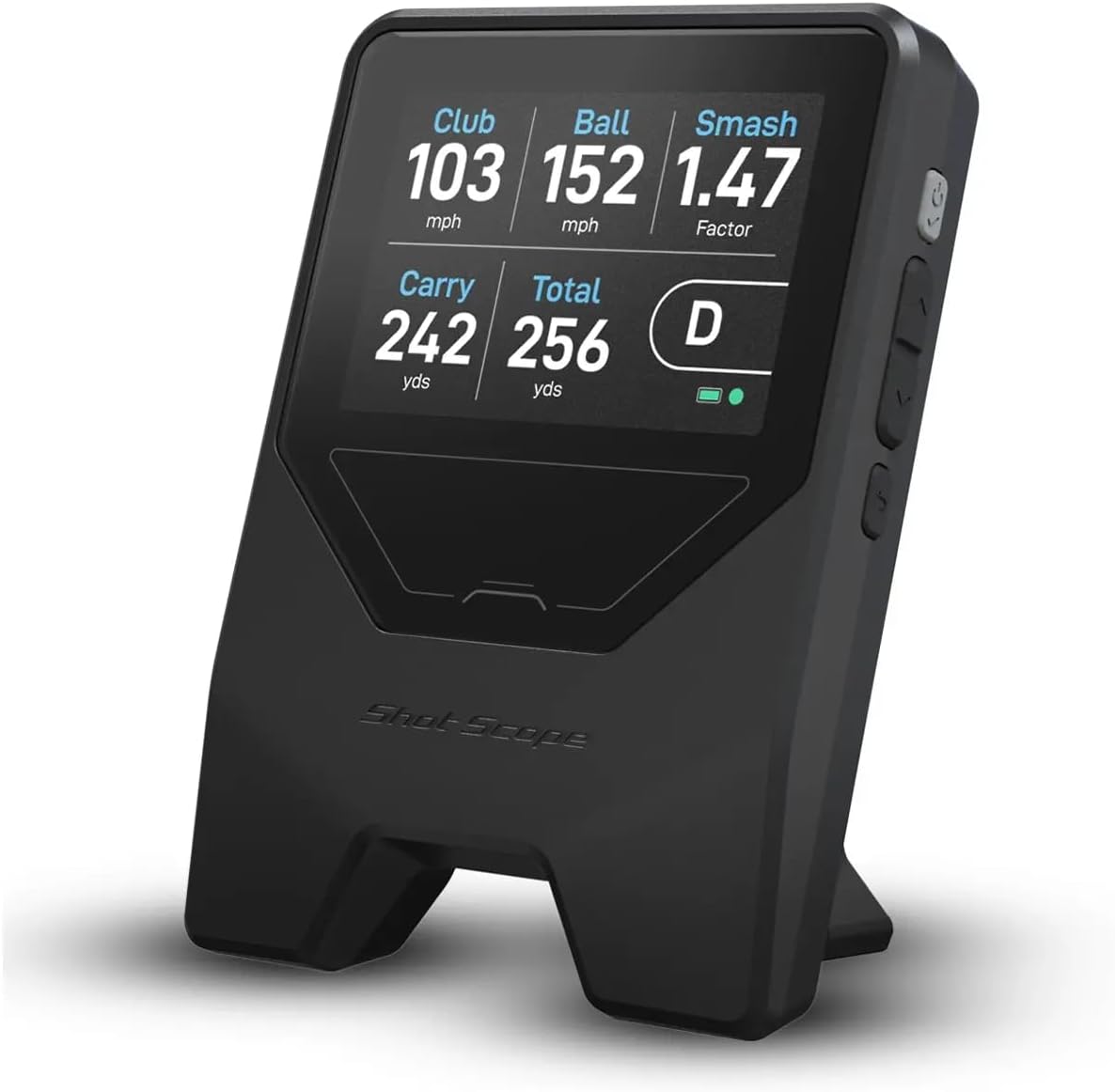
The Shot Scope LM1 is a portable launch monitor focused on club speed, ball speed, smash factor, carry distance, and total distance. Its 3.8 rating reflects a practical but less deeply specified feature set than several premium models, yet the inclusion of a free GPS app and lifetime session history makes it an interesting practice companion.
We may earn a commission when you buy through this link, at no additional cost to you.
A dedicated speed-training mode can be used with ordinary clubs and speed sticks, while selectable On-Course, Practice Range, and Speed Training sessions help organize different environments. The compatible app records lifetime shot history without a subscription, and the display can switch between miles per hour with yards or kilometers per hour with meters for international users.
The LM1 does not list launch angle, launch direction, spin, or video capture among its measurements, so it is not a substitute for a full simulator sensor. Its IPX3 rating indicates rain readiness but not full waterproof protection, and the lifetime-history feature still depends on the phone app being available. These limits make it better for organized practice and trend review than for detailed strike analysis.
Choose the LM1 if you want portable speed data, practical training modes, and app-based history without a recurring membership. It is well suited to golfers building consistency across clubs or comparing sessions from the range, course, or an indoor setup. Users seeking spin and directional data should look toward more advanced radar systems.
The included Golf GPS app combines course guidance with lifetime session history at no subscription cost. That combination can appeal to golfers who want one device and one app for both range feedback and course preparation.
Selectable session modes, unit switching, and USB-C charging support regular use in different locations. The listed five-plus-hour runtime is also relevant for golfers who prefer to train in longer blocks.
We may earn a commission when you buy through this link, at no additional cost to you.
The Voice Caddie SC200Plus is a portable Doppler-based swing analyzer with a 4.2 rating and a useful emphasis on accessible feedback. It supports real-time LCD results, voice output, shot storage, and club statistics, while its adjustable loft angles broaden the type of swings it can help a golfer examine.
We may earn a commission when you buy through this link, at no additional cost to you.
Its all-new swing-speed mode permits ball-free training, making it a practical choice for indoor practice in a living room, garage, or designated hitting area. Voice output can reduce the need to look away from the swing, while atmospheric-pressure calibration is included as part of the Doppler measurement system. The ability to store shot data and retrieve average distances by club supports longer-term progress tracking.
The SC200Plus should not be confused with a complete indoor simulator. It estimates performance using radar and adjustable assumptions rather than recreating a full virtual course, and it lacks the high-resolution video, detailed spin data, and large displays offered by premium multi-camera systems. Its value lies in making frequent, focused feedback easy to obtain.
This model is a good fit for golfers who prioritize audible prompts, no-ball practice, and long battery life. It is particularly helpful for slow-motion tempo work and golfers training in spaces where launching full shots may be inconvenient. Those wanting advanced launch direction, spin, and video analytics should consider a more sophisticated device.
Voice output gives immediate results without requiring the golfer to stare at the display during every swing. This can make slow-motion practice more natural and reduce interruptions between repetitions.
Adjustable loft angles let users examine how different simulated conditions may affect results. The feature adds context to swing-speed work while remaining distinct from a full course simulator.
We may earn a commission when you buy through this link, at no additional cost to you.
The GOLFBUDDY Shot Mate combines Doppler radar measurements with a prominent full-color TFT display, giving practice data a more visual presentation. Its 3.8 rating sits below the leaders, but the 1,000-shot storage, target mode, and 10-hour battery position it as a capable dedicated practice tool.
We may earn a commission when you buy through this link, at no additional cost to you.
The monitor reports club speed, ball speed, smash factor, and carry distance, while the display automatically adjusts for visibility in different lighting conditions. Practice mode supports repetition work, whereas target mode is designed for accuracy-based challenges. The device can track ball flight as far as 320 yards and automatically retains the last 10 swings for quick comparison.
Its limitations are the narrower set of measurements and lack of listed video, spin, launch-angle, or direction analysis. That makes it less appropriate for golfers trying to diagnose face angle, spin behavior, or strike dynamics. The rechargeable lithium polymer battery helps avoid disposable-cell logistics, but a long session still requires access to a charger.
The Shot Mate is best for golfers who want clear immediate feedback and organized target practice without a large simulator system. Beginners can use the simple metrics to build consistency, while more experienced players can exploit the storage to compare trends. It is also a practical choice for indoor areas with an auto-adjusting screen.
The auto-adjusting color screen makes club speed, ball speed, smash factor, and carry distance easier to review during changing conditions. The larger display is helpful when operating the device farther from the hitting area.
Target mode gives practice sessions a specific objective instead of leaving the golfer to judge every swing manually. Combined with 1,000-shot storage, it supports repetition and later comparison.
We may earn a commission when you buy through this link, at no additional cost to you.
The Garmin Approach R10 is a portable radar launch monitor that balances a wide range of measurements with phone-based analysis. Its 4.1 rating and feature set make it a strong all-around option for golfers who want more than speed alone but do not need a dedicated built-in display.
We may earn a commission when you buy through this link, at no additional cost to you.
When paired with a compatible smartphone and the Garmin Golf app, the R10 tracks club head speed, ball speed, swing tempo, ball spin, launch angle, and additional metrics. It can record video automatically and place that footage alongside the corresponding swing data. Training mode organizes statistics by club and presents a shot-dispersion chart based on an estimated ball-flight model.
The smartphone dependency is an important consideration. You need a compatible device, enough storage, and a clear view of the display during a session. Virtual-round access and some expanded Garmin Golf features require an active subscription. Despite those conditions, the 5,000-shot capacity, included phone mount, IPX7 waterproof rating, and listed 10-hour battery life make the system well suited to regular range and indoor work.
The R10 is ideal for golfers who want launch angle, direction, spin, tempo, and video in a portable package. It works particularly well for golfers already invested in the Garmin ecosystem. Buyers who prefer a self-contained touchscreen or need full three-camera measurement should instead examine premium multi-camera alternatives.
The R10 adds spin, launch angle, launch direction, and swing tempo to club and ball speed. These figures make it easier to distinguish a good contact from a poor one and connect swing changes with results.
Automatically recorded video clips can be reviewed with the corresponding metrics in the Garmin Golf app. That combination helps golfers identify changes in face presentation, delivery, and contact without relying on memory alone.
We may earn a commission when you buy through this link, at no additional cost to you.
The RYP RypRadar is a purpose-built club-speed monitor rather than a full launch monitor. Its 4.2 rating reflects a straightforward device designed to measure the head speed of a Rypstick, driver, or iron without the need to hit a ball.
We may earn a commission when you buy through this link, at no additional cost to you.
Real-time results appear after each swing, and the unit stores the previous 10 shots for quick review. Optional voice feedback lets golfers know their speed without continually checking the display. Measurements can be viewed in miles per hour or kilometers per hour, making the device adaptable to different training preferences.
The main limitation is its narrow dataset. It does not provide ball speed, smash factor, carry distance, launch angle, spin, or video, so it cannot diagnose strike quality or full-shot performance. It also runs on five AA batteries that are not included, which means you should keep replacements available for regular training.
The RypRadar is a good match for golfers whose goal is to build swing speed through Rypstick work or club rehearsals. It is also useful for a trainer who wants a repeatable speed number rather than a large dashboard. For ball-flight analysis, consider one of the multi-metric radar units instead.
Showing a club-speed result after every swing creates a clear repetition target. Optional voice feedback makes it possible to remain focused on the movement rather than the device during each swing.
The RypRadar works with a Rypstick, driver, or iron and does not require ball contact. That makes it a natural companion for speed-training sessions focused on movement and repeatable tempo.
We may earn a commission when you buy through this link, at no additional cost to you.
The Garmin Approach R50 is a premium launch monitor and simulator with the highest rating in the guide at 4.3. Its three-camera system, built-in 10-inch color touchscreen, advanced measurements, and virtual-round features create a more self-contained experience than phone-dependent portable models.
We may earn a commission when you buy through this link, at no additional cost to you.
The R50 measures ball speed, launch angle, face-to-path with the included tracking sticker, and improved spin rate and axis. Training mode provides per-club statistics and a shot-dispersion chart based on an advanced trajectory model. High-speed impact video gives immediate visual feedback, while a built-in barometer accounts for atmospheric pressure when estimating carry distance.
This is still not a cost-free simulator ecosystem. Virtual rounds, putting, and access to more than 43,000 courses through Home Tee Hero require an active Garmin Golf membership. The four-hour battery is also shorter than the runtimes listed for several simpler portable units, and the multi-camera system is bulkier than a pocket radar unit. Nevertheless, the built-in display removes the need for a separate phone during normal use.
The R50 suits serious golfers, coaches, and dedicated indoor trainers who want depth without assembling every component separately. It is also a strong choice for range sessions because the carrying case supports transport. If launch direction, spin behavior, face-to-path, and video are central to your training, this is the most complete premium option in the lineup.
Advanced spin rate, spin axis, launch angle, and face-to-path information gives golfers a much richer picture of impact. The tracking sticker is required for face-to-path, so users should install it before training.
The integrated touchscreen provides direct access to metrics, courses, impact videos, and training features. HDMI connectivity expands the experience when a larger monitor or projector is available.
We may earn a commission when you buy through this link, at no additional cost to you.
The FlightScope Mevo is a portable personal launch monitor built around three-dimensional Doppler radar. Its 4.2 rating reflects a capable data tool that can be used on the range, course, or at home, with eight full-swing parameters and direct spin measurements among its standout features.
We may earn a commission when you buy through this link, at no additional cost to you.
Recording video and data for every shot makes the Mevo useful for golfers who want to compare visible contact with numerical feedback. Practice challenges include PGA and LPGA challenges, a long-drive competition, and a range competition, which can add structure and motivation to a session.
The system is more involved than a simple display-only radar. Users need to account for the device and associated software, and the overall investment extends beyond a basic swing-speed gadget. Its listed strengths also center on full-shot analysis rather than no-ball speed training, so it is less useful for controlled slow-motion repetitions without a ball.
The Mevo is best for golfers who prioritize spin, video, and portable data across several practice environments. It is particularly relevant to serious players or coaches who want to review both movement and measurement. A simpler budget unit may be more appropriate when the priority is only club speed or basic smash-factor feedback.
Direct spin data adds information that most basic radar monitors do not provide. It can help golfers understand how launch conditions and sidespin affect distance and stopping power.
PGA and LPGA challenges, long-drive competition, and range competition modes can make solo practice more engaging. These features are useful for golfers who want clear objectives beyond watching a row of numbers.
We may earn a commission when you buy through this link, at no additional cost to you.
The Garmin Approach G82 combines a portable radar launch monitor with a premium GPS handheld. Its 4.0 rating reflects a versatile approach focused on range feedback, course navigation, and putting data rather than the full strike analysis offered by dedicated simulator systems.
We may earn a commission when you buy through this link, at no additional cost to you.
At the range, radar measures ball speed, club speed, smash factor, and swing tempo. The integrated launch monitor also captures putting-stroke length, tempo, and club and ball speed. A five-inch high-resolution touchscreen brings more than 43,000 preloaded courses to the device, while a magnetic cart mount and included bag clip provide flexible placement.
The G82 does not list launch angle, launch direction, spin, or video, so it cannot replace a full launch monitor. Some course features, including green contours and aerial imagery, require an active Garmin Golf membership. Optional Approach CT10 sensors are needed for automatic shot tracking, and smartphone pairing adds wind data, live scoring, navigation assistance, and Find My Garmin functionality.
This model is ideal for golfers who want one device to cover both on-course navigation and range practice, especially those already using Garmin. Its putting analytics also make it appealing to golfers interested in more than full shots. Dedicated launch-monitor buyers should choose based on whether GPS convenience outweighs advanced ball-flight measurements.
More than 43,000 preloaded courses, bag mapping, live scoring, wind information, and navigation create a broad golf-focused experience. This makes the G82 more than a practice-only sensor.
Measured putting-stroke length, tempo, and club and ball speed extend the device beyond full-swing practice. It can help golfers establish a repeatable putting routine and compare stroke patterns.
We may earn a commission when you buy through this link, at no additional cost to you.
The Bushnell Golf Launch Pro is a camera-based launch monitor that uses three cameras and infrared imaging to measure performance at impact. Although it is not a radar model, it is included because it competes directly with radar systems for golfers seeking detailed launch information in indoor or outdoor spaces.
We may earn a commission when you buy through this link, at no additional cost to you.
The system provides carry distance, launch, spin, and club head speed information. Its LINK-enabled features can use launch-monitor data to support personalized club recommendations through a compatible laser rangefinder. The included package contains the monitor, USB-C and Ethernet cables, an alignment stick, a power cord, a club marker pack, and a trial of Foresight+ membership.
The main catch is that club data requires an active subscription, and the compatible rangefinder is sold separately. Its 3.4 rating is the lowest in the lineup, which makes careful attention to current software, membership terms, and hardware requirements especially important. Camera-based measurement also requires correct placement and a suitable view of the impact area.
The Launch Pro is a strong option for golfers who want camera-based precision and a path toward personalized club recommendations. It works for range, course, garage, and dedicated simulator-room use. However, golfers seeking a simpler radar-only setup or a complete solution with no membership-linked club data may prefer one of the dedicated radar options.
Three cameras and infrared imaging measure the event at impact rather than relying solely on radar-derived algorithms. This provides a different measurement approach for golfers comparing technologies.
LINK integration can use captured data to support personalized club suggestions through a compatible rangefinder. The rangefinder and active club-data subscription are separate from the core hardware package.
We may earn a commission when you buy through this link, at no additional cost to you.
Choosing a radar golf launch monitor means balancing the measurements you need against portability, power requirements, software support, and your preferred training environment. The following factors help separate basic speed trainers from comprehensive practice systems.
Radar systems generally use reflected radio waves to estimate club speed, ball speed, launch characteristics, and sometimes spin. They tend to suit golfers who want quick readings at a range or in an indoor hitting area, although performance still depends on correct placement and swing path. Camera-based systems instead image the club and ball around impact, which can provide a different measurement approach and may be attractive to golfers who want direct visual analysis.
Choose radar if you value portable, real-time feedback and a straightforward practice routine. Consider a camera system if you want direct impact imaging and are comfortable with the positioning, cables, and software ecosystem it requires.
Begin with the measurements that will change your practice. Club head speed is enough for a dedicated speed trainer, while ball speed, smash factor, and carry distance provide a more complete view of a full shot. Launch angle, launch direction, face-to-path, spin rate, and spin axis can help diagnose contact quality, but they also tend to appear on more advanced or expensive systems.
Match the device to the question you want answered. Choose speed data for tempo and power, or a broader launch dataset for strike diagnosis and ball-flight analysis.
Ball-free measurement is valuable when a golfer is practicing tempo, making small swing changes, or working with a speed stick. It can also reduce wear on balls and make indoor repetitions quieter and faster. The PRGR, Voice Caddie SC200Plus, and RYP RypRadar all list support for club-speed work without hitting a ball.
Prioritize no-ball capability if your training is centered on repeatable movement rather than full-shot outcomes. Choose a ball-based system if carry, spin, and impact feedback are your main priorities.
Look for a protective rating, manageable size, and a power source that suits the location. IPX3 is designed for rain readiness, while IPX7 indicates a higher level of water protection, but neither rating means the device can be submerged. A full-color auto-adjusting screen helps in changing light, while a built-in battery avoids cable dependence during most sessions.
For frequent indoor use, consider screen readability, acoustic feedback, and whether the unit can operate without a phone. For range and course use, prioritize portability, weather resistance, and a carry case.
Storage ranges from a simple ten-shot history to thousands of organized shots. Large internal or app-based histories make it easier to compare clubs, sessions, and changes over time, but the most useful system is one you will actually review. Some products include a companion app without a subscription, while virtual courses, recommendations, or advanced club data may require a paid membership.
Check the ongoing cost before buying. A generous free app is valuable, but subscription-dependent features should be factored into the long-term experience rather than treated as universally included.
Numbers reveal what happened, while video helps explain why. Automatically synchronized clips can make changes in delivery, face position, and contact easier to recognize. The Garmin R10 pairs app-based video with metrics, the Mevo records video alongside data, and the R50 provides high-speed impact video on its built-in display.
Video is particularly valuable for golfers who receive technical feedback but struggle to connect it with movement. If visual review is central to your learning style, include a compatible phone, display workflow, or camera-based system in your decision.
Battery claims can differ from real-world expectations, so compare runtime with the length and intensity of your typical session. Rechargeable models often use USB-C, while simpler devices may rely on replaceable AAA or AA batteries. The RypRadar's batteries are not included, and the PRGR's disposable-cell design requires keeping spares accessible.
Choose a power system that matches your habits. Rechargeable convenience is valuable for frequent users, while standard batteries can be helpful when outlets are unavailable and replacements are already part of your golf-bag routine.
A launch monitor and a simulator are not always the same thing. A unit may report distance and launch data, estimate ball flight, or provide adjustable assumptions, while a full simulator adds course play, putting, graphics, and external-display support. The Garmin R50 includes a touchscreen, virtual rounds, putting, and HDMI connectivity, while the Voice Caddie offers adjustable loft assumptions for simpler indoor practice.
Define what you mean by simulation. If you want realistic course play, prioritize dedicated simulator features. If you only need to practice club choices and swing tendencies, a portable launch monitor may provide better value and convenience.
Begin by choosing a clear practice objective, such as increasing club speed, improving smash factor, reducing launch dispersion, or comparing distance by club. Read the device's placement instructions and install any required stickers or alignment aids before taking full swings. Consistent positioning is essential because moving the sensor or target area can change the conditions under which the unit reads your swing.
Use a repeatable warm-up and hit a small number of calibration or reference shots before recording a larger set. For slow-motion or ball-free work, keep the same movement routine for every repetition. For full-shot analysis, hit from a realistic lie and check that the device can detect both the club and ball. Review the numbers after a small group rather than checking the display between every swing, which keeps your attention on the target and tempo.
Care for the device by keeping its sensors and lenses clean, protecting the display from impact, and storing it in its supplied case. Use the specified charging cable or fresh batteries, and avoid exposing the unit to moisture beyond its listed rating. Download or preserve useful session data when the product uses an app, and confirm that the mobile device, membership, sensors, and other accessories remain compatible before a future session.
It depends on the model and the data you want. The PRGR HS 130-A, Voice Caddie SC200Plus, and RYP RypRadar can measure club head speed without a ball, which is useful for tempo and speed training. Devices that report ball speed, smash factor, spin, launch angle, or carry distance generally require you to hit a ball.
No. More measurements can be useful, but they are only valuable when they help answer a training question. A golfer focused on repeatable speed may prefer a simple dedicated radar, while another analyzing strike quality may need launch angle, direction, spin, face-to-path, and video. Choose the smallest dataset that supports your goals.
Yes, provided you have sufficient space, a suitable hitting mat or turf, and the required ball or training aid. Radar units can be especially convenient indoors because many support ball-free club-speed measurement. The exact placement rules vary by model, so follow the manufacturer's guidance for distance, orientation, and surrounding space.
A launch monitor primarily measures swing and ball performance, while a simulator may also model the virtual flight and provide courses, graphics, putting, or other game features. Some products combine both roles. If you want realistic virtual rounds and external-display support, inspect the full simulator feature list rather than judging only the speed data.
Some models are fully self-contained, including the Garmin R50's built-in touchscreen. Others, such as the Garmin R10, rely on a compatible smartphone for app-based metrics and video. Display-only radar models can operate independently, and some use apps for history or course features without making a phone essential for basic readings.
That depends on which features you regularly use. A free app with shot history may be sufficient for trend tracking, while virtual courses, personalized club recommendations, or subscription-based club data may benefit a dedicated practice setup. Read the current membership terms and identify which tools you expect to use before deciding.
Use the same golfer, club, ball, hitting area, and warm-up routine whenever possible. Place each device according to its instructions, take several reference shots, and avoid comparing a single isolated swing. Differences in intended use, ball detection, swing speed, and measurement method can affect results, so consistent testing is more meaningful than checking one reading.
A launch monitor can improve decision-making and awareness by showing trends in speed, contact, launch, and consistency. It works best when you set a specific target, make one measurable swing change, and review subsequent shots. The device supplies evidence, but practice design and how you apply the feedback determine whether that evidence leads to better performance.
The PRGR HS 130-A stands out as the most budget-friendly all-around choice because it measures ball and club speed, smash factor, and distance while supporting ball-free training. The Garmin Approach R10 is the strongest portable pick for golfers who want launch angle, direction, spin, tempo, and synchronized video, while the Garmin Approach R50 offers the most complete premium experience with a three-camera system, built-in display, advanced metrics, and virtual play.
Prioritize the capability that matches your training goal. Choose a dedicated speed radar for tempo and power work, a broader portable radar for club-by-club shot analysis, and a premium camera or hybrid system when impact video, spin detail, or simulator features are central. A good launch monitor should make feedback easy to understand and review, not simply display the largest possible number of metrics.
Before purchasing, confirm the current specifications, room requirements, app compatibility, subscription details, sensor requirements, and included accessories. Product features and availability can change, and verifying the final package helps ensure the device is suitable for your intended range, course, or indoor environment.