
IWORKBOARD Tilting TV Wall Mount
4.6Editor score
Supports screens up to 90 inches
Handles up to 132 pounds
Tilts forward up to 10 degrees
A tilting TV wall mount can make a room feel cleaner, improve viewing angles, and reduce glare while preserving valuable floor space. The right model depends on screen size, weight, VESA pattern, wall construction, and how much forward tilt or cable access you need.
We compared ten popular tilting mounts using their stated compatibility, tilt ranges, adjustment options, installation details, and customer ratings. The list covers basic low-profile brackets, extendable designs, heavy-duty models, and mounts intended for TVs from compact screens through extra-large displays.
Each review explains the product's strongest qualities, limitations, and ideal installation setting. Ratings and specifications reflect the supplied product information, while current prices, availability, and retailer details can change, so confirm every fit requirement before purchasing.
4.6Editor score

4.8Editor score

4.7Editor score
As an Amazon Associate we earn from qualifying purchases.
This side-by-side comparison highlights each mount's screen range, weight capacity, VESA compatibility, and tilt capability so you can quickly identify the model that matches your television and wall.
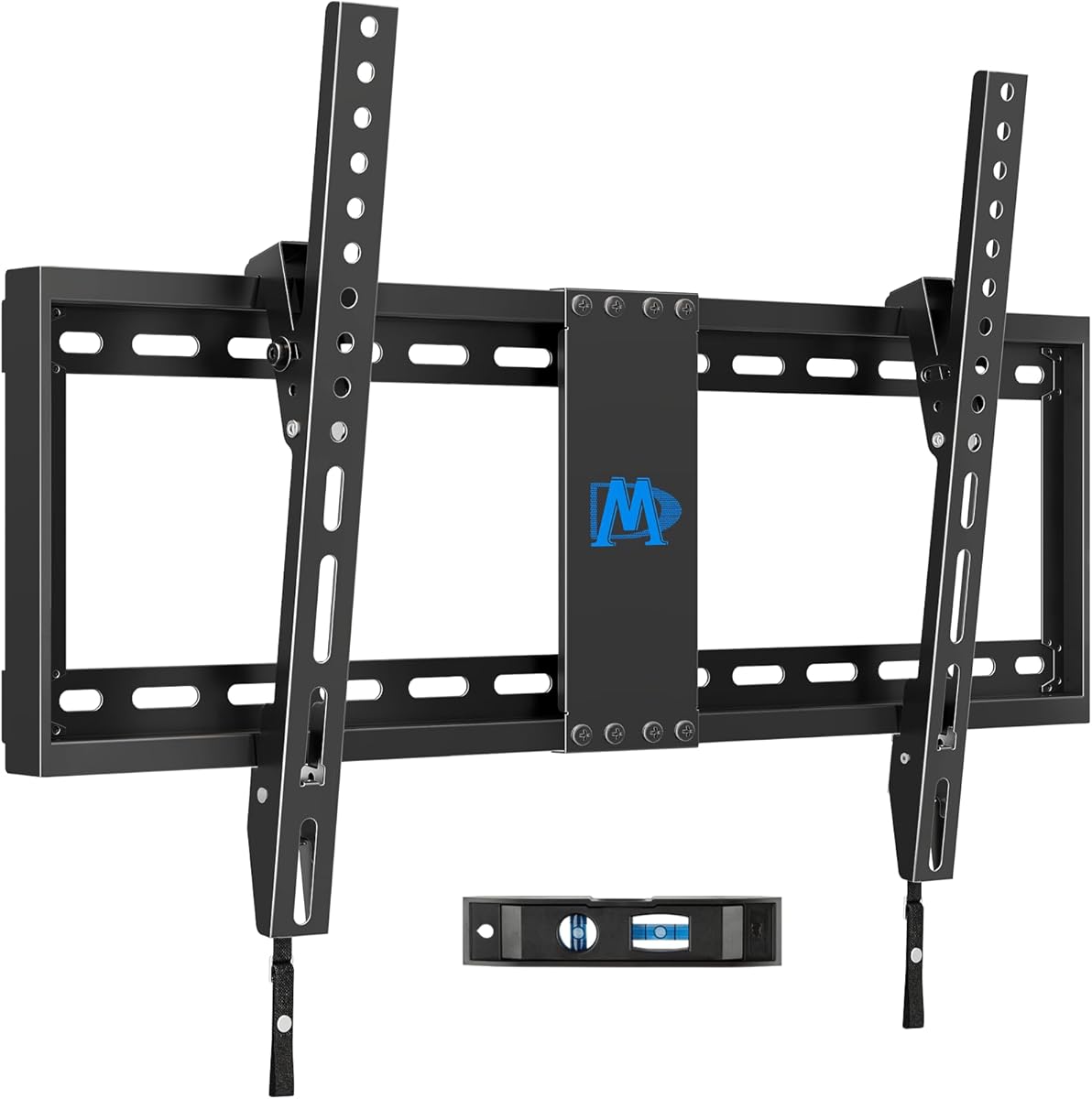


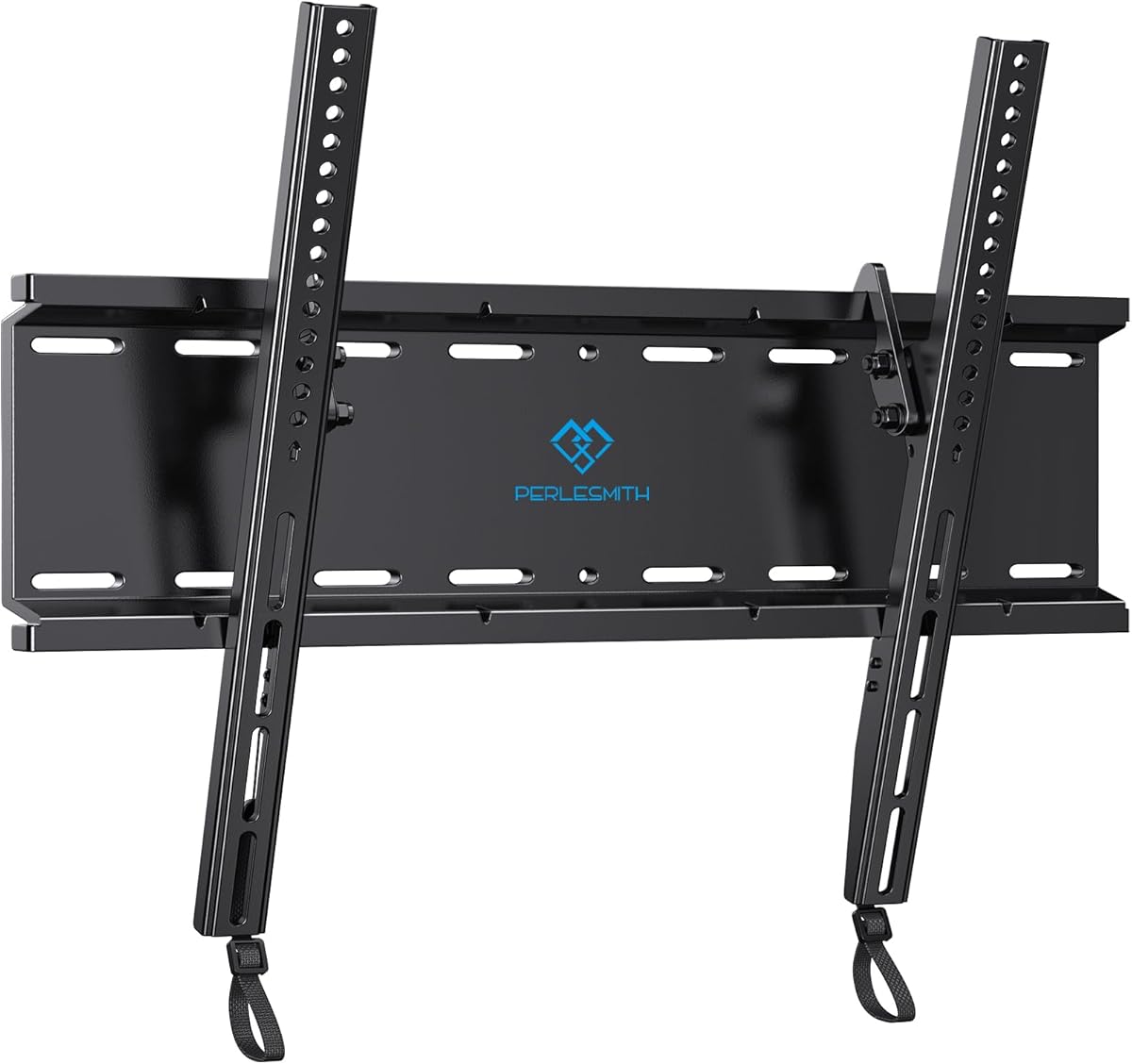


The Mounting Dream Tilting TV Wall Mount is a straightforward low-profile bracket rated at 4.7 stars by customers. It fits most 37- to 90-inch televisions, supports displays up to 132 pounds, and accommodates VESA patterns up to 600x400mm. Its defining trait is a shallow 1.5-inch wall gap, making it appealing when visual clutter matters.
We may earn a commission when you buy through this link, at no additional cost to you.
The forward tilt reaches 8 degrees, which is enough to reduce reflections from windows, lamps, or overhead lighting. An open-style mounting approach is not explicitly described, but the compact design is intended to leave little visual bulk between the television and wall. Compatibility with 24-inch wood-stud spacing also gives installers more placement freedom than mounts restricted to standard 16-inch spacing.
Installation is presented as a three-step process with instructions and a leveling aid. The important limitation is structural: the mount must not be attached to drywall alone. A suitable stud or solid wall is required, and concrete installations may need 10x50mm anchors, which the manufacturer says can be obtained through its customer service team.
This is a strong choice for a large but conventional flat-panel television that needs modest glare control and a nearly flush appearance. It is less suitable for anyone who prioritizes frequent cable access, because the supplied information does not mention an extending pull-out section. Verify the television's weight, VESA measurements, and wall construction before ordering.
A 1.5-inch clearance gives the television a streamlined appearance while preserving the functional benefit of forward tilt. It is particularly useful for rooms where the screen should feel integrated with the wall rather than displayed on a bulky bracket.
The product is not designed for drywall-only mounting. Locate a wood stud or use appropriate anchors in concrete or brick, and check for blocked rear inputs before selecting the final position.
We may earn a commission when you buy through this link, at no additional cost to you.
The ECHOGEAR Tilting TV Wall Mount combines broad compatibility with a setup process designed to be approachable. Its customer rating is 4.7 stars, and the stated fit covers 40- to 90-inch televisions with a maximum supported weight of 135 pounds. It is a practical middle ground for large flat screens that need controlled forward tilt.
We may earn a commission when you buy through this link, at no additional cost to you.
Tilt reaches 10 degrees, allowing the display to angle downward when reflections interfere with the viewing position. The mount also provides 5 degrees of post-install leveling, a meaningful advantage when wall plates cannot be positioned perfectly or when the television needs to appear visually centered.
The included hardware is divided into premeasured groups, and a drilling template helps position the wall plate. The stated three-step installation process is intended to help DIY beginners, with an estimated completion time of less than 20 minutes. Compatibility is advertised across major brands including LG, Sony, Samsung, Vizio, and TCL, subject to the television's actual weight and VESA pattern.
This mount is well suited to a bedroom, living room, bedroom-style media area, or a television mounted above a fireplace. Its lack of a stated pull-out mechanism means it is less appealing when frequent access to HDMI, power, or streaming connections is a priority. It is a straightforward choice for buyers who value easy setup and leveling over extended reach.
Five degrees of post-install adjustment can compensate for imperfect stud placement and help the screen appear properly aligned. This is more useful than relying entirely on initial drilling accuracy.
Pre-divided hardware, a drilling template, and a clearly described process reduce the chance of selecting the wrong fastener. The result is a more approachable installation for first-time installers.
We may earn a commission when you buy through this link, at no additional cost to you.
This Mounting Dream TV Wall Mount earns a 4.7-star customer rating and stands out for its unusually broad adjustment range. It supports most 42- to 86-inch LCD, LED, and Plasma televisions up to 120 pounds, with VESA compatibility extending from 200x100mm to 800x400mm. That wide pattern range makes it useful for many modern large-screen displays.
We may earn a commission when you buy through this link, at no additional cost to you.
Its most notable feature is a tool-less tilt handle that moves the screen forward by as much as 15 degrees and backward by 5 degrees. The forward range is the largest among the listed basic low-profile models, making it useful for persistent glare or a high mounting position. A small backward adjustment also improves access to rear cables when needed.
Post-installation leveling of plus or minus 1 degree helps produce a clean final alignment. The bracket sits 2.5 inches from the wall, balancing a relatively slim appearance with room for tilt. Hardware arrives in labeled bags, a torpedo level is included, and concrete anchors can be sent upon request at the stated size.
This is an excellent choice for a large television that needs substantial downward viewing adjustment. The trade-off is a 120-pound capacity, which is lower than several other models in the list, and the bracket still cannot be used on unsupported drywall. Confirm weight, VESA, tilt clearance, and wall structure before installation.
The 15-degree forward adjustment gives this model exceptional flexibility in bright rooms or above-eye-level installations. The tool-less handle allows the angle to be changed without removing the television.
Support up to 800x400mm is unusually generous for a mount in this category. It broadens the pool of compatible televisions while still requiring an exact match between the screen and bracket.
We may earn a commission when you buy through this link, at no additional cost to you.
The IWORKBOARD Tilting TV Wall Mount is a value-oriented option for large televisions, carrying a customer rating of 4.6 stars. It fits screens from 32 to 90 inches, holds up to 132 pounds, and supports VESA patterns up to 600x400mm. Compatibility with wood studs spaced 24 inches apart adds placement flexibility.
We may earn a commission when you buy through this link, at no additional cost to you.
Its 10-degree forward tilt is useful for reducing glare and changing the viewing angle. The quick-release mechanism allows the television to be connected or disconnected more easily, while the stated safe-lock feature is intended to keep the screen secured. Its low-profile construction helps the display sit close to the wall despite the tilt mechanism.
The bracket is described as UL-certified, and the manufacturer provides ten years of product support. Installation hardware and instructions are included, but a paper drilling template is not supplied, making accurate marking slightly more demanding. Concrete anchors are available by request rather than automatically included in the package.
This mount is best for buyers who want broad size compatibility, a secure quick-release system, and useful tilt at a modest cost. It is not intended for drywall-only mounting. The absence of a drilling template and the need to request concrete anchors are minor inconveniences that should be considered before starting a masonry installation.
The pull-away release system can make connecting and disconnecting the television more convenient than a permanent hook-and-loop arrangement. It is especially helpful when rear inputs are accessed regularly.
A locking mechanism and a UL-certified frame support confident use, while the low-profile design helps maintain a clean appearance. Those qualities make the mount suitable for everyday viewing rooms as well as secondary displays.
We may earn a commission when you buy through this link, at no additional cost to you.
The USX MOUNT Tilting TV Wall Mount combines a 4.7-star rating with an exceptionally slim profile. It fits most 37- to 95-inch LED, LCD, OLED, and Plasma televisions, supports up to 132 pounds, and accepts VESA patterns from 150×100 to 600x400mm. Flat and curved displays are both included in its stated compatibility.
We may earn a commission when you buy through this link, at no additional cost to you.
Its key advantage is a 1.28-inch wall clearance, the shallowest figure among the ten products. The open wall-plate design is intended to allow direct placement over a wall outlet, while the forward tilt reaches 10 degrees. The bracket can be installed on wood studs with spacing from 8 to 24 inches, as well as on concrete and brick walls.
Installation aids include detailed instructions, labeled hardware bags, a bubble level, cable ties, and pulling straps for locking or releasing the television. The pulling straps are particularly useful for positioning the display on the bracket. Concrete anchors are not automatically included and must be requested from the manufacturer.
This is a strong recommendation for a visually minimal installation, particularly in a compact room where every fraction of an inch matters. It supports larger screens than many similarly slim mounts, but the 132-pound limit means it is not designed for the heaviest commercial-style displays. Confirm that the wall is structurally suitable before drilling.
At only 1.28 inches, the mount gives the television one of the cleanest profiles in this roundup. That makes it particularly effective when the screen is the visual focus of the room.
Compatibility with several screen technologies, wall types, and stud spacings creates a useful range of options. The universal VESA range also makes the model more adaptable than narrower-fit brackets.
We may earn a commission when you buy through this link, at no additional cost to you.
The SANUS Extendable Tilting TV Wall Mount is our Editor's Choice because it balances a 4.8-star rating, strong large-screen support, and the most useful cable-access mechanism in the group. It fits most 46- to 90-inch flat-screen, LED, OLED, and smart televisions, supports up to 150 pounds, and accepts VESA patterns from 200×100 to 690x415mm.
We may earn a commission when you buy through this link, at no additional cost to you.
The defining feature is its 5.7-inch extension. Pulling the mount forward makes HDMI, power, and streaming-device connections easier to reach without taking the television down, after which it can be pushed back into a streamlined position. This makes the bracket well suited to media cabinets, mounted streaming devices, and frequently rearranged connections.
A tool-free 12-degree downward tilt reduces glare and can improve viewing from lower seats or elevated installations. Post-install leveling and side-to-side movement help refine the final position. The mount is UL-listed, backed by a five-year warranty, and includes a preassembled bracket, a drill template, and mounting hardware for wood stud, concrete, or block walls.
The listed installation estimate is about 30 minutes, making the process approachable without minimizing the importance of secure wall attachment. It is the most versatile choice here for large screens that need both tilt and recurring cable access. Those who require an extremely shallow fixed mount or a screen below 46 inches should look elsewhere.
Rear-facing ports can be difficult to reach on a low-profile bracket. The 5.7-inch extension brings them into a more accessible position while retaining the ability to return the television close to the wall.
A 150-pound capacity, broad VESA range, tool-free tilt, UL listing, and post-install adjustment create a well-rounded feature set. It is especially compelling for larger televisions installed above a fireplace or entertainment center.
We may earn a commission when you buy through this link, at no additional cost to you.
The PERLESMITH Tilting TV Wall Mount is a practical option for compact and medium-sized screens. Its customer rating is 4.6 stars, and it accommodates most 23- to 60-inch televisions up to 115 pounds. VESA compatibility extends from 75x75mm to 400x400mm, covering many common screen patterns.
We may earn a commission when you buy through this link, at no additional cost to you.
The bracket tilts downward by 7 degrees, providing a modest glare-control range. Its low profile holds the back of the television only 1.2 inches from the wall, making it one of the shallowest options listed. A detachable panel and locking quick-release mechanism help separate the wall plate from the television during installation.
The product is described as having been tested to four times its rated load under UL standards. Installation is supported by a detailed manual, labeled hardware, a bubble level, and compatibility with 8-, 12-, and 16-inch wood studs as well as concrete and brick walls. Drywall alone is not an acceptable installation surface.
This is the most suitable selection in the roundup for a smaller bedroom, dorm, office, or compact living area rather than an extra-large display. The modest tilt and 115-pound capacity are appropriate for the supported size range but may disappoint someone seeking a large-screen mount with extensive adjustment.
A 23-inch minimum and 1.2-inch wall gap suit rooms where a full-size mount would look excessive. It offers useful tilt without the visual depth associated with larger heavy-duty brackets.
The locking quick-release and stated load testing add confidence for everyday use. As with every wall mount, the quality of the installation remains as important as the bracket itself.
We may earn a commission when you buy through this link, at no additional cost to you.
The Mounting Dream UL Listed Advanced Tilt TV Wall Mount has a 4.8-star customer rating and offers a polished combination of extension, tilt, and leveling. It fits most 42- to 90-inch televisions up to 120 pounds, with a maximum VESA pattern of 600x400mm and support for 16-, 18-, and 24-inch wood-stud spacing.
We may earn a commission when you buy through this link, at no additional cost to you.
Its advanced mechanism extends the television up to 7 inches for a greater tilt range and easier access to rear connections. When retracted, it sits 2.68 inches from the wall. This is not the absolute thinnest design in the list, but the extension creates practical value that many fixed brackets cannot provide.
Tilt is tool-free, allowing glare reduction and viewing-angle changes without removing the screen. Post-install leveling of plus or minus 1 degree improves alignment, while the open wall-plate design allows the television to sit over an outlet. Heavy-duty steel, robot welding, and UL listing support the product's premium positioning.
Installation hardware is organized into labeled bags, and a wall drilling template is included. Drawstrings help lock and release the television, while concrete anchors can be sent on request. This is an excellent pick when cable access and polished adjustment are more important than achieving the smallest possible wall gap.
Seven inches of extension exposes rear inputs and allows the screen to tilt through a useful range. The television can then be returned to a relatively close 2.68-inch position for normal viewing.
Tool-free tilt, post-install leveling, labeled hardware, and drawstring release give the mount a polished feel. These details can make a meaningful difference during installation and later adjustments.
We may earn a commission when you buy through this link, at no additional cost to you.
The USX MOUNT Heavy Duty Tilting TV Wall Mount is built for unusually large displays. It carries a 4.7-star rating and supports televisions from 60 to 120 inches, with a stated capacity of 220 pounds. Its maximum VESA compatibility of 900x600mm is the widest in the group, making it relevant to premium extra-large screens.
We may earn a commission when you buy through this link, at no additional cost to you.
The rigid one-piece steel construction is designed to resist movement under a large display. Installation can be performed on wood studs spaced from 16 to 32 inches apart, as well as on concrete and brick. Drywall alone is not supported. The broad stud range is especially valuable when finding a structurally suitable location for a very large screen is difficult.
Tilt adjustment includes 5 degrees upward and 12 degrees downward, offering more directional control than many competing mounts. The bracket retracts to 2.6 inches from the wall, creating a relatively slim appearance despite its substantial load rating. It also supports flat and curved screens and a long list of common display sizes.
This is the clear choice for an oversized television whose weight and VESA pattern exceed ordinary bracket limits. Installation should be approached carefully because of the size and weight involved, and two people may be needed to position the display. Buyers with smaller screens should choose a more compact universal mount instead.
A 220-pound rating and 900x600mm VESA range support a class of screens that most conventional mounts cannot handle. These figures should be checked against the exact television specifications before purchase.
Compatibility with wood studs spaced up to 32 inches apart makes it easier to find a secure installation point. Proper structural selection and careful handling remain essential with an extra-large display.
We may earn a commission when you buy through this link, at no additional cost to you.
The SANUS Tilting TV Wall Mount is a refined, low-profile option with a 4.7-star customer rating. It fits most 37- to 80-inch televisions up to 130 pounds and supports VESA patterns from 100×100 to 600x400mm. Compatibility is stated for major brands including Samsung, LG, and TCL.
We may earn a commission when you buy through this link, at no additional cost to you.
The mount tilts up to 10 degrees without tools, helping reduce glare from windows and room lighting. Horizontal movement after installation allows the screen to be shifted left or right when studs are not centered. This adjustment can produce a more balanced visual placement without relocating the wall plate.
At 1.9 inches from the wall, the bracket has a clean profile, and hidden pull straps provide access to cables. It is built from steel and is UL-listed for added assurance. The installation process uses three steps, includes the necessary hardware, and has a stated estimate of 30 minutes or less.
This is a well-balanced recommendation for a conventional living-room television that needs glare control and flexible positioning. It does not offer the extending cable access of the other SANUS model in this list, and its 80-inch maximum is below several alternatives. It remains an attractive choice when simplicity, safety listing, and a low profile matter most.
Tool-free adjustment makes it easy to change the viewing angle as lighting or seating changes. The 10-degree range is practical for most residential viewing situations.
Post-install horizontal shifting helps the television look centered even when the structural mounting points are not. It is a small feature with a noticeable visual benefit.
We may earn a commission when you buy through this link, at no additional cost to you.
A tilting mount must fit the television, wall, viewing position, and cable arrangement. The following factors help narrow the field before installation begins and prevent expensive compatibility problems.
Begin with the television's actual screen diagonal and weight, not the room size or the popular size of the display. Every mount has a stated size range and load limit, and both limits must be satisfied. A television near the top of the weight range may also require a stronger wall structure, more careful handling, and sometimes two people during installation. A smaller television should not be assumed to work on a heavy-duty bracket, because hole spacing and arm geometry may not provide a secure connection.
VESA describes the distance between the television's mounting holes. Confirm both the horizontal and vertical measurements and compare them with the mount's accepted range. The four corner holes do not always form a perfect rectangle, so a television may fall within the stated maximum and minimum limits while still lacking an exact supported pattern. Also check whether the screen's rear housing, stand, speakers, or control buttons interfere with the bracket.
The wall must provide structural support for the display. Most of these products are not intended for drywall-only installation and instead require wood studs, concrete, or brick, depending on the model. Find the centers of the studs and verify their spacing against the mount's stated limits. Wider stud compatibility provides placement flexibility, but the fastener must still enter the center of a stud properly. For masonry, use the appropriate anchors and follow the complete installation instructions.
Forward or downward tilt can reduce glare from windows, lamps, and overhead light. A mount with a 7- to 10-degree range handles many common situations, while the 15-degree model offers more pronounced control. Tilt is especially valuable above a fireplace or when the screen sits higher than seated eye level. Remember that forward movement increases the distance from the wall, and the television must be able to tilt without contacting nearby furniture, trim, or other objects.
A fixed low-profile mount keeps the screen close to the wall and works well when connections are permanent. An extendable model is more convenient when HDMI, power, or streaming cables need regular access, but it projects farther from the wall and takes up more visual space when extended. Measure the available depth and inspect the area behind the television before choosing. A stated clearance of 1.2 to 2.6 inches describes the retracted position, not the full space used while tilting.
Fine adjustment can correct small installation errors that would otherwise be visible around the screen. Post-install leveling helps compensate for uneven walls or imperfect drilling, while horizontal shifting can center a television on off-center studs. Models with pull-out or extension mechanisms offer additional positioning freedom, although they may be less convenient in narrow spaces. Consider these features particularly when the screen is large, mounted asymmetrically, or viewed in a bright room.
Look for clear instructions, labeled hardware, a drilling template, a bubble level, and pull straps that help position the television. These details can reduce mistakes, especially when several fastener lengths are required. Some packages include concrete anchors, while other manufacturers provide them only on request. Confirm what is in the box before the installation day and arrange any additional anchors in advance. A basic three-step process may still require basic tools, careful measurement, and safe two-person handling of the screen.
Steel construction, UL listing, stated load testing, warranties, and manufacturer support can provide useful indicators of product quality. UL listing is especially valuable for buyers prioritizing structural confidence, while a longer warranty may be reassuring for a permanent installation. These features do not replace proper wall selection or correct installation. Use every specified fastener, avoid improvising hardware, and periodically check that the television remains secure and properly tilted.
Begin by identifying the television's weight, VESA pattern, and rear-cable requirements, then locate suitable wall studs or determine the appropriate masonry anchors. Use the included template and level to mark the wall-plate position, verify that no hidden wiring or plumbing is present, and install the wall plate with every required fastener. Attach the television to the bracket while it is supported, particularly if the display is large or heavy.
After the screen is secured, connect the power, HDMI, network, and other required cables while the mount is extended or before moving the display fully into place. Test the tilt range gradually without forcing the mechanism. Make small leveling or horizontal shifts as needed, then push the bracket back toward the wall and confirm that the display clears nearby objects and remains stable in its intended position.
For routine care, inspect the fasteners and bracket connection periodically, especially after moving the television or adjusting its tilt. Keep the mount within its specified load and tilt limits, and do not hang objects from it. Clean the television and surrounding wall with suitable materials, avoid pushing the screen sideways to correct alignment, and contact the manufacturer or installer if the mount becomes loose, noisy, or difficult to adjust.
Most of the listed mounts should not be installed into drywall alone. Installation into a properly located wood stud or a supported concrete or brick wall is generally required. If no stud is conveniently located, use appropriate masonry anchors and follow the manufacturer's instructions carefully. Hanging a large television from an unsupported drywall panel creates a serious safety risk.
Check the television's weight, diagonal screen size, and VESA hole pattern against the mount's specifications. All three values must fall within the mount's supported limits. You should also confirm that the television's rear connections and housing will not interfere with the bracket or prevent the advertised tilt.
A tilting mount primarily adjusts the screen forward and backward, with some models adding leveling or horizontal movement. A full-motion mount can extend, swivel, and pivot more extensively. Tilting mounts generally preserve a cleaner wall appearance, while full-motion designs offer greater access to cables and viewing from multiple positions.
Seven to ten degrees of forward tilt resolves many common reflections from windows or overhead lighting. A larger range can be helpful for a high installation or a particularly difficult source of glare. The correct angle depends on screen position, room layout, and the direction of the light rather than one universal measurement.
Fixed low-profile mounts can make rear connections difficult to reach, while extendable models pull the television away from the wall for better access. If you connect and disconnect cables regularly, choose an extendable design or arrange the cables so they can be reached without removing the screen.
A universal mount may support several sizes within its stated range, provided each television also meets the weight and VESA requirements. Extra-large models designed for 100-inch or larger screens are not necessarily appropriate for compact displays because their hole and load specifications may not include smaller sets.
Concrete anchors are needed when mounting into concrete, brick, or another masonry wall. They are not substitutes for structural wood studs, and the appropriate anchor must match the wall and load conditions. The listed products vary in how masonry anchors are supplied, so check the package or contact the manufacturer before installation.
Professional installation is wise for very large, curved, or expensive displays because their size and weight can be difficult to manage safely. A professional can also locate studs, assess wall construction, route cables, and ensure the bracket is fully secured. Even when installing independently, having another adult help lift and position the screen is strongly advisable.
The strongest all-around choice in this roundup is the SANUS Extendable Tilting TV Wall Mount because it combines a 4.8-star rating, tool-free tilt, post-install adjustment, and useful extension for cable access. The IWORKBOARD model stands out as the budget-oriented option for large screens, while the USX MOUNT Heavy Duty bracket serves buyers with displays that require exceptional load and VESA support.
Prioritize television weight, exact VESA compatibility, and wall construction before considering appearance. Once those essentials are confirmed, decide whether a fixed slim profile or an extendable mechanism better suits your cables and room. Tilt range, leveling, labeled hardware, and safety construction are useful secondary differentiators.
Finally, review the manufacturer's current specifications and listing details before ordering because product information and retailer availability can change. Confirm every dimension and compatibility requirement, obtain any required anchors, and plan the installation carefully before lifting the television into place.