
Brother HL-L2460DW
4.0Editor score
Automatic duplex printing
Up to 36 ppm
250-sheet paper tray
Dual-band wireless networking
Best Brother Laser Printer guide comparing 10 models for home offices, small businesses, monochrome, color, scanning, connectivity, paper handling, and
A Brother laser printer can provide sharp text, dependable monochrome output, and productive color documents for everything from a home office to a busy workplace. The right model depends on whether you need only printing or also want scanning, copying, faxing, automatic duplexing, mobile access, larger paper capacity, and stronger office security.
This guide compares ten Brother models across important considerations including print speed, monochrome or color output, connectivity, document handling, touchscreen controls, paper capacity, and supported workflows. It includes compact printers for individuals, multifunction devices for small teams, and higher-capacity models for demanding offices, while clearly noting that the final selection is an inkjet rather than a laser.
Each review explains the strongest reasons to choose a model, along with its limitations and ideal user. The top selections include an efficient monochrome duplex printer, a compact three-function office model, and a feature-rich color all-in-one. Ratings, features, and availability can change, and current prices should always be checked before purchasing.
4.0Editor score

4.5Editor score

4.0Editor score
The table below compares all ten Brother models by function, speed, paper handling, connectivity, and their most important practical distinction.


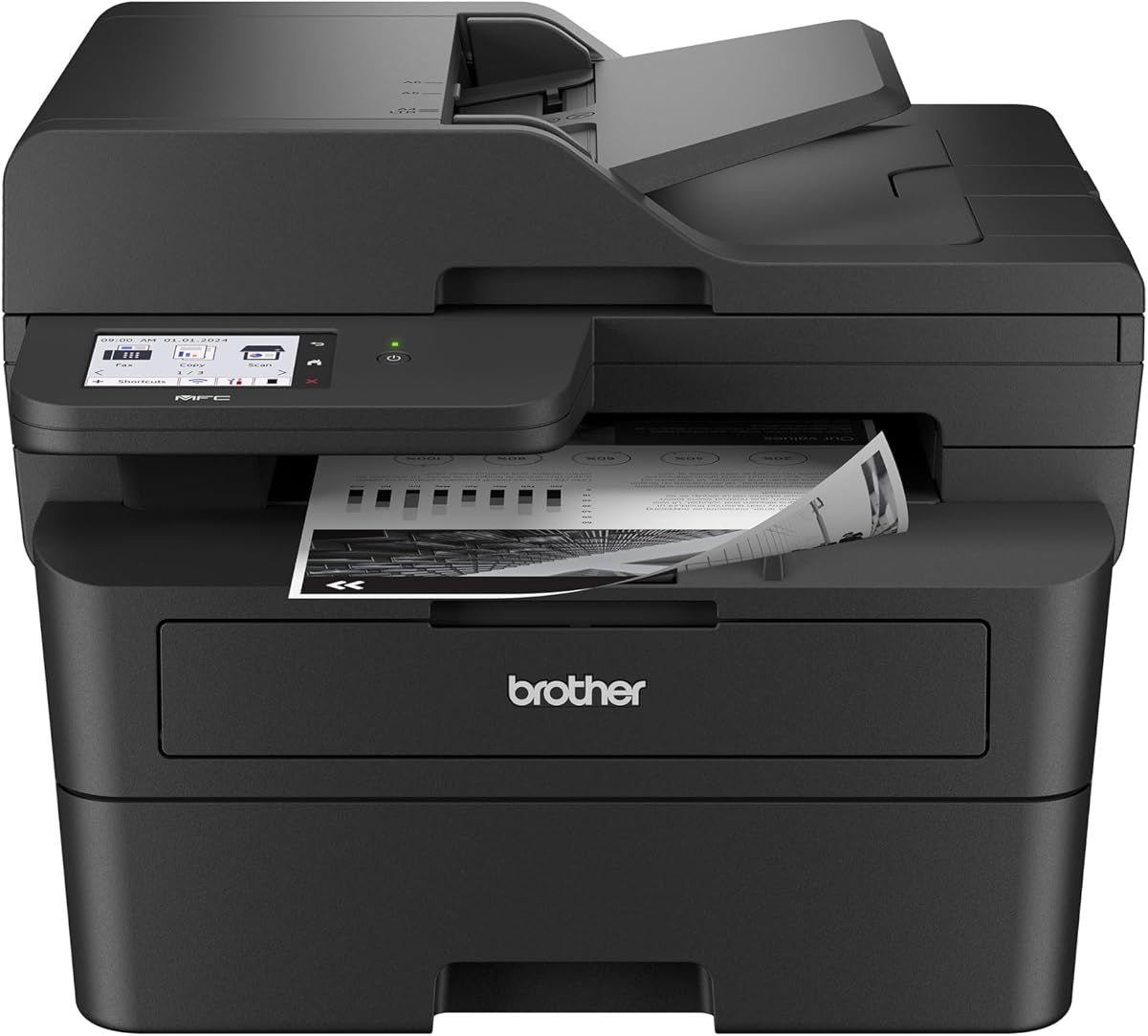


The Brother DCP-L2640DW is a compact monochrome laser all-in-one designed for small businesses that need printing, copying, and scanning in one device. Its 4.1 rating reflects a balanced feature set, and the model stands out for combining rapid output with practical office connectivity in a relatively space-conscious package.
We may earn a commission when you buy through this link, at no additional cost to you.
Print speeds reach up to 36 pages per minute, while scanning reaches up to 23.6 ipm in black and 7.9 ipm in color. A 50-page automatic document feeder supports routine multipage copying and scanning. Automatic duplex printing reduces paper use, and the combination of dual-band wireless, Ethernet, and USB gives the device flexibility for a solo computer or a shared office network.
The main limitation is that it does not include faxing, so buyers who need to send traditional paper faxes must look elsewhere. It also lacks the 2.7-inch touchscreen found on some higher-feature Brother models. Those omissions are reasonable for a focused three-function device, particularly when the priority is efficient monochrome output and document handling rather than extensive on-device menus or cloud shortcuts.
This is a strong choice for small offices, administrative teams, and home-based businesses that routinely copy or scan multipage documents. It is less suitable for users who need fax capability or prefer direct touchscreen management of cloud services. For those needs, the MFC-L2820DW or MFC-L2900DW offers a more complete office-style configuration.
The 50-page automatic document feeder makes this printer particularly useful when copying or scanning multi-page records. Combined with automatic duplex output, it helps reduce manual page handling and supports a more streamlined office workflow.
Dual-band wireless, Ethernet, and USB cover three common setup styles. The Brother Mobile Connect app also supports mobile printing, remote management, supply ordering, and toner tracking.
We may earn a commission when you buy through this link, at no additional cost to you.
The Brother HL-L2405W is a straightforward monochrome laser printer aimed at homes and home offices that need crisp, reliable documents without the complexity of a multifunction device. Its 4.1 rating and 30-page-per-minute speed make it a practical option for routine schoolwork, invoices, reports, and general business correspondence.
We may earn a commission when you buy through this link, at no additional cost to you.
The printer offers built-in dual-band wireless and a USB connection, allowing flexible placement around a home or office. Its 250-sheet paper tray reduces the need for frequent refills, while a manual feed slot handles envelopes and specialty paper. The Brother Mobile Connect app adds mobile printing, remote device management, toner tracking, and the ability to order Brother Genuine Supplies.
Its main compromise is the absence of automatic duplex printing. Users who regularly produce two-sided documents may find the HL-L2460DW more efficient because it handles both sides automatically. This model also cannot scan or copy, so anyone needing those functions should consider the DCP-L2640DW or HL-L2480DW instead.
The HL-L2405W is best for a user who prints primarily single-sided black-and-white documents and values simple controls, compact dimensions, and flexible wireless placement. It is an especially logical home-office choice when scanning and copying can be performed on a separate phone, tablet, or computer.
Dual-band wireless provides a convenient way to print from compatible phones, tablets, and computers without relying on a single narrow Wi-Fi band. USB remains available for direct local use.
The 250-sheet tray is suitable for routine document volumes, and the manual feed slot expands media options. The feed can be particularly valuable for occasional envelopes, labels, or specialty sheets.
We may earn a commission when you buy through this link, at no additional cost to you.
The Brother HL-L2460DW is an efficient monochrome laser printer for home offices and small teams that want fast, automatic duplex output without paying for functions they do not need. Its 4.0 rating reflects a highly practical balance of speed, connectivity, and paper handling, making it an easy printer to recommend for everyday document work.
We may earn a commission when you buy through this link, at no additional cost to you.
The printer produces up to 36 pages per minute and automatically prints both sides of a sheet, saving time and reducing paper consumption. A 250-sheet tray supports moderate workloads, and the manual feed slot accepts envelopes and specialty media. Dual-band wireless, Ethernet, and USB provide several ways to connect, while Brother Mobile Connect supports mobile printing and management.
This model does not scan, copy, or fax, and it lacks a touchscreen for direct cloud-service shortcuts. That is the central trade-off: the HL-L2460DW focuses on excellent monochrome printing rather than becoming an all-in-one. Buyers who regularly need to digitize paperwork should examine the HL-L2480DW, which adds copying and scanning while retaining automatic duplex printing.
The HL-L2460DW is our top value selection because it brings together the most commonly desired printer features in a compact form. It is well suited to a home office, classroom, small team, or anyone who regularly produces reports, forms, proposals, and two-sided documents but does not need a built-in scanner.
Automatic two-sided printing is the feature that distinguishes this model from a basic single-sided home printer. It reduces paper consumption and makes longer reports easier to produce without repeatedly reloading the tray.
A maximum speed of 36 pages per minute supports busy document routines. The 250-sheet tray further reduces interruptions when printing multi-page proposals, reports, forms, or internal communications.
We may earn a commission when you buy through this link, at no additional cost to you.
The Brother MFC-L2820DW is a compact monochrome all-in-one for small offices that require printing, copying, scanning, and faxing. Its 4.3 rating is among the strongest in this guide, reflecting a well-rounded feature set that combines fast output, document automation, and a useful touchscreen interface.
We may earn a commission when you buy through this link, at no additional cost to you.
It prints at up to 36 pages per minute and scans at up to 23.6 ipm in black and 7.9 ipm in color. The 50-page automatic document feeder simplifies multipage copy, scan, and fax jobs, while automatic duplex printing improves productivity. Dual-band wireless, Ethernet, and USB make it suitable for both shared networks and direct local connections.
The 2.7-inch touchscreen gives users access to popular cloud services including Google Drive, Dropbox, Evernote, and OneNote. That direct access is a meaningful benefit for moving documents without repeatedly using a computer. Its principal limitation is that it is a monochrome device, so it cannot produce color laser output, and cloud functionality depends on compatible services and a working network connection.
The MFC-L2820DW is a strong all-around recommendation for administrative offices, clinics, property managers, accounting practices, and small teams that still value faxing. It offers the right balance of compactness and office functionality, especially when a single machine must handle several kinds of document work.
Printing, scanning, copying, and faxing eliminate the need for separate devices. The 50-page feeder and duplex capability make it especially practical for repeated, multi-page administrative tasks.
The touchscreen supports print-from and scan-to access to widely used cloud platforms. This keeps common document-transfer tasks closer to the device and can shorten everyday workflows.
We may earn a commission when you buy through this link, at no additional cost to you.
The Brother HL-L3220CDW is a color laser printer designed for home offices and professional environments that need polished color documents without the bulk of a full multifunction machine. Its 3.9 rating makes it the most highly rated color model in this roundup, although it trails the monochrome options in overall feature depth.
We may earn a commission when you buy through this link, at no additional cost to you.
It prints at up to 19 pages per minute and supports automatic duplex printing, allowing professional-looking two-sided documents while reducing paper use. The 250-sheet paper tray minimizes refills, and a manual feed slot handles envelopes and specialty media. Wireless connectivity supports printing from laptops, smartphones, and tablets, while built-in security protocols help protect business documents.
This printer prints but does not scan or copy, so it may not satisfy users who want one device for all document tasks. Its 19-page-per-minute speed is suitable for regular professional use but naturally trails faster monochrome models on large text-only jobs. These limitations make it more specialized than a general-purpose Brother all-in-one.
The HL-L3220CDW is most appropriate for a home office that regularly produces presentations, charts, school projects, client proposals, or color marketing materials. Buyers who primarily need black-and-white speed and scanning should look to the HL-L2480DW or MFC-L2820DW instead.
The color laser engine produces crisp text and vibrant graphics for presentations and business documents. It is a more specialized choice than a monochrome printer, particularly for users who regularly include visual material.
Wireless support allows compatible phones, tablets, and computers to print without a direct cable. The 250-sheet tray and manual feed provide a practical balance of capacity and media flexibility.
We may earn a commission when you buy through this link, at no additional cost to you.
The Brother HL-L2480DW is a compact three-function monochrome laser that combines fast automatic duplex printing with copying and scanning. Its 4.5 rating is the highest in this guide, making it a particularly well-regarded option for small offices and work-from-home users who want multiple functions without adding fax hardware.
We may earn a commission when you buy through this link, at no additional cost to you.
The printer produces up to 36 pages per minute and automatically handles two-sided output. A flatbed scanner adds basic copy and scan functions, while a 250-sheet tray supports sustained document work and a manual feed slot accepts envelopes and specialty paper. Dual-band wireless, Ethernet, and USB support many network and local configurations.
Its 2.7-inch touchscreen provides direct access to Google Drive, Dropbox, Evernote, OneNote, and other cloud services. The Brother Mobile Connect app adds remote management, mobile printing, supply ordering, and toner tracking. The limitations are clear: there is no fax function, and the device only prints in black and white.
The HL-L2480DW is our top balanced multifunction selection for a home office or small team. It is a particularly compelling choice for users who want the MFC-L2820DW-style convenience of a touchscreen and cloud access but do not require faxing. For color projects, move up to the MFC-L3720CDW; for simpler printing only, consider the HL-L2460DW.
Print, copy, and scan capabilities cover most everyday office needs. The 250-sheet tray and 36-page-per-minute speed help the device keep pace with routine document-heavy workflows.
A 2.7-inch touchscreen makes supported cloud services easy to reach. Mobile Connect expands the same connected experience by allowing remote management and printing from compatible devices.
We may earn a commission when you buy through this link, at no additional cost to you.
The Brother MFC-L2900DW is a professional monochrome all-in-one aimed at small businesses that want a capable scanner, fast printing, and direct cloud access in one device. Its 4.2 rating reflects a strong combination of productivity features, with a 36-page-per-minute engine and a more advanced workflow interface than the more compact models.
We may earn a commission when you buy through this link, at no additional cost to you.
Its standout document feature is single-pass two-sided scanning, which helps process duplex pages more efficiently. A 50-page automatic document feeder supports multipage workflows, while automatic duplex printing saves time and paper. The larger 3.5-inch touchscreen provides access to functions and services including Google Drive, Dropbox, and OneNote.
Connectivity includes dual-band wireless, Ethernet, and USB, plus mobile printing and scanning through Brother Mobile Connect. An enhanced fuser design is stated to reduce electricity consumption by 22% and improve warm-up time from sleep. Compared with the MFC-L2820DW, this model offers a larger display and advanced scanning, but the supplied listing does not identify fax support.
This printer is well suited to a growing small business, administrative office, or document-heavy home operation. It is a particularly good fit when scanned documents need to move quickly between paper and cloud services. Buyers seeking color or confirmed fax capability should consider the MFC-L3720CDW or MFC-L2820DW respectively.
Single-pass two-sided scanning is designed to improve the handling of duplex documents. Paired with the 50-page feeder, it supports routine records, forms, and multi-page office files.
The enhanced fuser is stated to consume 22% less electricity and warm up faster from sleep. These design details can complement automatic duplex printing in offices that use the device throughout the day.
We may earn a commission when you buy through this link, at no additional cost to you.
The Brother HL-6210DW is a high-volume monochrome laser printer for offices that consistently produce large quantities of black-and-white documents. Its 4.1 rating and listed 50-page-per-minute speed distinguish it as the fastest model in this guide, while its substantial paper system targets sustained workloads rather than occasional home printing.
We may earn a commission when you buy through this link, at no additional cost to you.
The main input tray holds 520 sheets, and a 100-sheet multipurpose tray handles additional media. Optional trays can expand total capacity to as much as 1,660 sheets. This configuration reduces replenishment during long print runs and makes the printer suitable for shared environments, administrative departments, and centralized office printing.
Built-in Gigabit Ethernet and dual-band wireless support network sharing and mobile device printing. Triple Layer Security features are intended to protect network devices, users, and documents during transmission and printing. The model supports Brother Genuine ultra high-yield toner cartridges stated to deliver up to 18,000 pages, which may help reduce replacement frequency.
The principal drawback is its focus: this is a printer rather than an all-in-one, so it does not provide scanning, copying, or faxing. It also lacks the touchscreen and cloud-service controls found on several smaller Brother models. The HL-6210DW is most compelling for a high-volume monochrome office that prioritizes speed, capacity, sharing, and security over multifunction convenience.
A 520-sheet main tray and 100-sheet multipurpose tray support long runs with fewer interruptions. Optional expansion up to 1,660 sheets adds flexibility for offices with sustained internal document demand.
Triple Layer Security is designed to protect data as it moves through the printer and network. Gigabit Ethernet and dual-band wireless provide robust options for centralized shared-office deployment.
We may earn a commission when you buy through this link, at no additional cost to you.
The Brother MFC-L3720CDW is a comprehensive color laser all-in-one for offices that need professional printing, scanning, copying, and faxing. Its 4.0 rating reflects a feature-rich design that combines the MFC workflow with color output, a sizable touchscreen, document automation, and flexible connectivity.
We may earn a commission when you buy through this link, at no additional cost to you.
The printer produces up to 19 pages per minute and supports automatic duplex printing. A 50-page automatic document feeder handles multipage copying, scanning, and fax jobs, while a 250-sheet adjustable paper tray supports normal business volumes. This combination gives it more workflow flexibility than a dedicated color printer such as the HL-L3220CDW.
Its 3.5-inch color touchscreen includes 48 customizable shortcuts and direct access to Google Drive, Dropbox, and OneNote. Dual-band wireless, Wi-Fi Direct, and USB 2.0 support different device and sharing patterns. The companion app adds remote access, toner monitoring, mobile printing, and broader printer management.
The main trade-off is speed: its 19-page-per-minute rate is lower than the fastest monochrome models, and maintaining multiple color toner components is inherently more complex. Even so, this is the most complete color option in the guide. It is a strong recommendation for small offices that need polished color documents, centralized document capture, faxing, and convenient cloud workflows.
Forty-eight customizable touchscreen shortcuts let frequent tasks sit closer to the front of the workflow. Direct cloud access also reduces steps when retrieving or sending business documents.
Color printing, scanning, copying, and faxing are combined with a 50-page feeder and automatic duplex output. The result is a capable central device for mixed-document offices.
We may earn a commission when you buy through this link, at no additional cost to you.
The Brother Work Smart 1360 is a compact wireless color inkjet all-in-one made for everyday home and home-office tasks. Its 3.8 rating is the lowest in the group, but it remains a practical option for users who value affordable all-in-one convenience, photos, school projects, reports, and color documents in a small footprint.
We may earn a commission when you buy through this link, at no additional cost to you.
It prints, copies, and scans, with automatic duplex printing and a 20-sheet single-sided automatic document feeder. The 150-sheet paper tray is smaller than the trays offered by most laser models in this guide. Print speed reaches up to 16 pages per minute in black and 9 pages per minute in color, making it best suited to lighter workloads.
The 1.8-inch color display provides access to cloud services including Google Drive, Dropbox, Box, and OneDrive. It connects through a wireless network or USB, and the Brother Mobile Connect app handles mobile printing, copying, scanning, device management, and ink monitoring through Page Gauge. Unlike the other selections, it uses inkjet rather than laser technology.
This model is a good fit for a student, household, or home office that occasionally prints photos alongside normal documents and does not need high-volume laser output. It should not be selected by buyers specifically seeking the speed, text sharpness consistency, or paper capacity associated with a laser printer. Its inclusion here helps show how the most compact Brother alternative differs.
Printing, copying, and scanning in one unit saves desk space and simplifies everyday tasks. The automatic document feeder and duplex function add convenience without requiring a large office machine.
The color inkjet format is especially relevant for photos, school projects, and visually rich documents. It serves a different role from the text-focused laser models in this comparison.
We may earn a commission when you buy through this link, at no additional cost to you.
The most suitable Brother laser printer depends on document volume, the functions you actually use, color requirements, network setup, and the level of control you want at the device.
Start by separating everyday printing from occasional specialty work. A print-only model is the simplest option when documents are predominantly black and white and you have no need to copy or scan. The HL-L2405W serves that role, while the HL-L2460DW adds automatic duplex output for frequent two-sided documents. Monochrome users handling larger batches should consider the faster HL-6210DW and its high-capacity paper system.
A multifunction printer can reduce the need for separate scanners, copiers, and fax machines. The DCP-L2640DW and HL-L2480DW provide printing, copying, and scanning, while the MFC-L2820DW and MFC-L2900DW add more office-oriented document handling. The MFC-L3720CDW combines color output with scanning, copying, and faxing. Choose based on tasks you perform regularly rather than on a long list of functions you may never use.
Monochrome laser printers are generally better suited to contracts, invoices, reports, forms, and other text-heavy documents. The DCP-L2640DW, HL-L2405W, HL-L2460DW, MFC-L2820DW, HL-L2480DW, MFC-L2900DW, and HL-6210DW all focus on black-and-white output. The HL-L3220CDW and MFC-L3720CDW add color for presentations, graphics, marketing pieces, and more visual documents.
Print speed is most useful when estimating how quickly large jobs can be completed. Several compact monochrome models reach up to 36 pages per minute, the HL-6210DW reaches 50 pages per minute, and the color models reach up to 19 pages per minute. Paper tray capacity also matters: 150 to 250 sheets suits lighter use, while the HL-6210DW's 520-sheet tray and expandable configuration suit heavier office demand.
Most models support dual-band wireless, USB, and some form of mobile printing, while several also include Ethernet. Dual-band wireless can be useful in busy networks because it offers more than one Wi-Fi band to choose from. Ethernet is valuable for a fixed office installation, and Brother Mobile Connect adds remote management, mobile printing, toner tracking, and supply ordering on compatible models.
The MFC-L2820DW, HL-L2480DW, MFC-L2900DW, and MFC-L3720CDW include touchscreens, with the two larger business models offering 3.5-inch color displays. Supported cloud services can make it easier to print from or scan to online storage. Smaller models may provide a more streamlined physical interface, which can be preferable for users who prefer fewer controls and a simpler setup.
An automatic document feeder is important for multi-page copying, scanning, or faxing. The 50-page feeders in the DCP-L2640DW, MFC-L2820DW, MFC-L2900DW, and MFC-L3720CDW suit routine office records, while the Work Smart 1360 has a smaller 20-sheet feeder. Print-only models do not need a feeder because they do not copy, scan, or fax documents.
An office printer that is shared across a network should have appropriate protective features and reliable connectivity. The HL-6210DW stands out with Triple Layer Security, Gigabit Ethernet, dual-band wireless, and expandable high-volume paper handling. Smaller office models are more appropriate for compact teams, while home-oriented models generally emphasize affordability, compact dimensions, and straightforward connectivity.
Begin by unpacking the printer, removing any packing materials, installing the supplied toner components, and placing the unit on a stable, level surface with adequate clearance around its vents and paper path. Connect it using the connection method appropriate for your setup, then install the Brother drivers and Brother Mobile Connect app if you want mobile access. Configure paper type, tray assignments, and preferred print quality before beginning a large job.
For routine use, load the main tray with the appropriate paper type and keep the manual feed slot clear unless it is needed. Make sure envelopes and specialty media are inserted according to the printer's guidance. Use automatic duplex for two-sided documents, and place multi-page originals in the automatic document feeder when copying, scanning, or faxing. Review touchscreen or computer settings before selecting cloud destinations or other network locations.
To keep the printer in good condition, use Brother Genuine toner where specified and follow the supported supply guidance. Clean the exterior with a soft, dry cloth, and use appropriate approved methods to clean the internal imaging components. Monitor toner or ink levels through the relevant Brother app, address paper jams carefully, and have the device serviced if it repeatedly reports errors or produces unexpected output.
The best choice depends on the functions and document volume involved. The DCP-L2640DW suits teams needing printing, copying, and scanning, while the MFC-L2820DW adds faxing and a touchscreen. The MFC-L2900DW is appropriate when advanced two-sided scanning and direct cloud workflows are priorities, and the HL-6210DW serves high-volume monochrome offices that need more paper capacity and network security.
Laser printers use toner to produce text and graphics, while inkjets spray liquid ink onto paper. Laser models in this guide are generally positioned for frequent document printing, with fast monochrome output and large paper trays. The Brother Work Smart 1360 is the only inkjet here and may suit users who want compact color printing for photos, school projects, and light home-office documents.
No. The HL-L2405W is a single-sided print-only model, while the HL-L2460DW, DCP-L2640DW, MFC-L2820DW, HL-L2480DW, MFC-L2900DW, HL-6210DW, HL-L3220CDW, and MFC-L3720CDW include automatic duplex printing. The Work Smart 1360 also has automatic duplex output despite being an inkjet.
Models that support wireless connectivity can typically print from compatible phones and tablets through Brother Mobile Connect. The HL-L3220CDW also lists mobile device compatibility, and the MFC-L3720CDW includes remote access, toner monitoring, and printer management through its companion app. Confirm the current setup requirements for the specific model and mobile operating system before purchase.
The MFC-L2820DW, MFC-L3720CDW, and HL-6210DW are identified as supporting fax capability. The DCP-L2640DW and HL-L2480DW provide copying and scanning but not faxing. If fax is essential, verify the feature in the current product listing and confirm the required telephone or network connection for your office.
The HL-6210DW has the highest listed speed at 50 pages per minute. The DCP-L2640DW, HL-L2460DW, MFC-L2820DW, HL-L2480DW, and MFC-L2900DW reach up to 36 pages per minute for monochrome output. The color laser models listed reach up to 19 pages per minute.
A touchscreen is convenient if you regularly print from or scan to cloud services and want direct access from the device. The MFC-L2820DW, HL-L2480DW, MFC-L2900DW, and MFC-L3720CDW provide this interface. A print-only or more basic multifunction model may be simpler to operate if cloud shortcuts and detailed on-device control are not important.
The compact laser models generally use a 250-sheet paper tray, while the Work Smart 1360 has a 150-sheet tray. The HL-6210DW has a 520-sheet main tray, a 100-sheet multipurpose tray, and optional expansion up to 1,660 sheets. The MFC-L3720CDW includes a 250-sheet adjustable tray, and document feeder capacity is a separate consideration for scanning and copying.
The three leading choices serve distinct needs. The HL-L2460DW is the strongest value-oriented pick for fast, efficient monochrome printing with automatic duplex output. The HL-L2480DW is the most balanced overall recommendation, adding copying, scanning, a touchscreen, and cloud access without moving into a larger color office machine. The MFC-L3720CDW is the premium option for users who need complete color multifunction capability.
Prioritize the functions you will use regularly rather than choosing by model number or feature count alone. A home user may need nothing more than the HL-L2405W, while a small office with faxing may favor the MFC-L2820DW. High-volume monochrome shops should assess the HL-6210DW, and color-focused operations should compare the HL-L3220CDW with the substantially more versatile MFC-L3720CDW.
Ratings, configurations, software support, and promotions can change over time, and the Brother Work Smart 1360 should be considered specifically for its inkjet benefits rather than laser capability. Before making a final decision, verify the current product listing, toner or ink requirements, connection options, warranty details, and current price on the retailer page.