
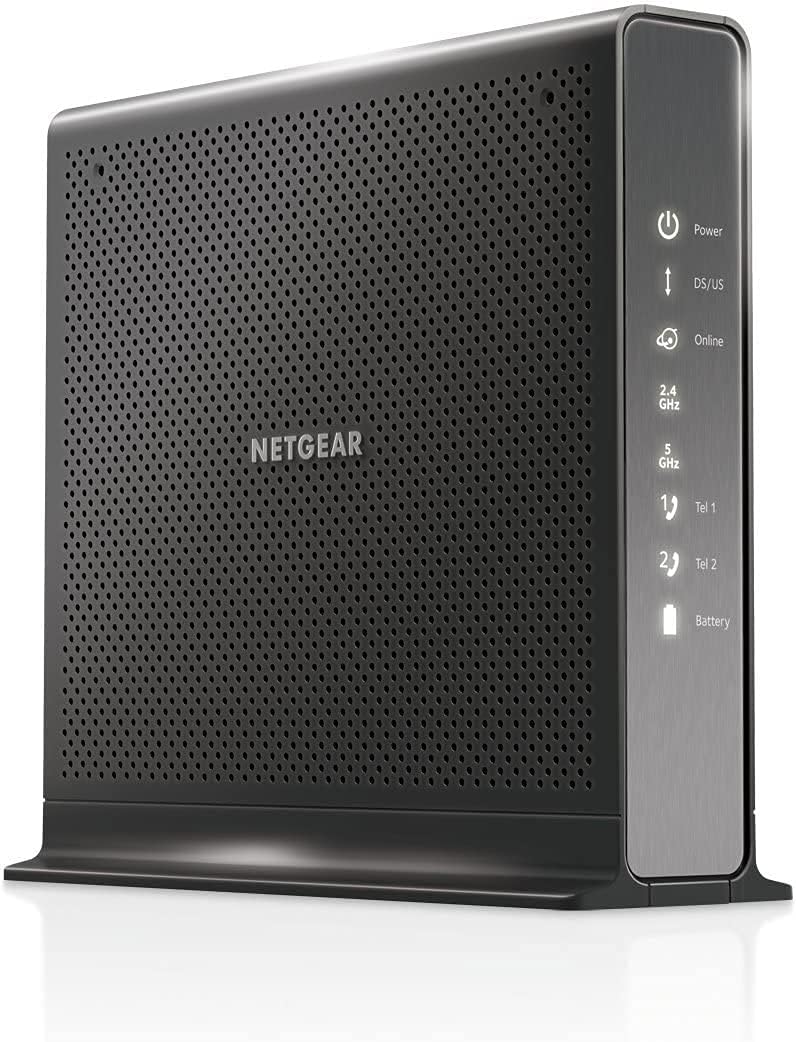
NETGEAR Nighthawk CAX80
3.9Editor score
AX6000 dual-band WiFi 6
DOCSIS 3.1 multi-gig support
One 2.5 Gigabit Ethernet port
Discover the best cable modem WiFi router combo options, comparing DOCSIS versions, WiFi speed, coverage, ports, and provider compatibility.
A cable modem WiFi router combo combines the cable modem and wireless router normally supplied by your internet provider. A strong model can simplify setup, reduce equipment clutter, and provide enough speed and coverage for work, streaming, gaming, and a connected household. The right choice depends heavily on your provider, service tier, home size, and device mix.
We compared all ten products by examining their DOCSIS generation, wireless standard, maximum provider-plan compatibility, Ethernet connectivity, coverage claims, management features, and security functions. The guide includes current and renewed NETGEAR models, ARRIS alternatives, and one voice-enabled option for customers whose Xfinity service includes phone service.
Each review explains where that product fits and where its limitations matter. The top selections provide the strongest balance of compatibility, throughput, and practical features, while the remaining roundup covers lower-tier, older, renewed, and specialized choices. Product listings and availability can change, so confirm your provider and plan before purchasing.
3.9Editor score

4.1Editor score

4.2Editor score
This side-by-side comparison highlights each combo's cable standard, WiFi tier, provider-plan ceiling, and key hardware features. Ratings reflect the supplied product data, while actual performance depends on the internet plan, provider network, home construction, and connected devices.





The NETGEAR Nighthawk CAX30 combines a DOCSIS 3.1 cable modem with an AX2700 dual-band WiFi 6 router. Its 4.1 rating reflects a practical balance of modern cable performance, broad provider support, app-based management, and useful wired connectivity. It is the strongest general recommendation for households that want one box to replace separate provider equipment.
We may earn a commission when you buy through this link, at no additional cost to you.
Its stated compatibility includes Xfinity plans up to 800Mbps, Spectrum up to 1Gbps, and Cox up to 1Gbps. DOCSIS 3.1 gives the modem a more modern foundation for multi-gig cable service, while OFDMA is intended to improve response during congested periods. The wireless side uses dual-band WiFi 6, with a claimed AX2700 aggregate speed of up to 2.7Gbps, coverage of up to 2,000 square feet, and capacity for more than 25 connected devices.
Four Gigabit Ethernet ports serve desktops, gaming consoles, streaming devices, and other wired equipment. Setup and management are handled through the Nighthawk app for iOS and Android, including guided installation, WiFi controls, speed tests, device pausing, and guest networks. WPA3 encryption, firewall protection, and denial-of-service prevention are included. NETGEAR Armor is offered with a trial period, although continuing it requires a separate subscription.
The main limitation is provider compatibility. The CAX30 is made for U.S. cable internet and is not compatible with Verizon, AT&T, CenturyLink, DirecTV, DISH, or bundled voice plans. ISP activation is also required. For a compatible cable customer seeking WiFi 6 without needing the CAX80's larger wireless class or the C7100V's phone support, this is the most versatile model in the roundup.
Combining the modem and router reduces the number of primary network devices in the home. The Nighthawk app adds convenient control over WiFi settings, connected-device pausing, guest access, and speed testing without requiring constant access to a desktop browser.
Dual-band WiFi 6 and support for more than 25 connected devices make the CAX30 appropriate for simultaneous streaming, browsing, gaming, and video calls. Coverage claims remain dependent on the layout, dimensions, and building materials of the home.
We may earn a commission when you buy through this link, at no additional cost to you.
The NETGEAR Nighthawk C7000 is a DOCSIS 3.0 modem and AC1900 WiFi 5 router in one enclosure. Its 4.2 rating and long-running presence in the category make it a conventional choice for households whose provider offers service below its stated plan ceiling. It prioritizes familiar features and straightforward operation rather than the newest wireless standard.
We may earn a commission when you buy through this link, at no additional cost to you.
The device supports Xfinity internet plans up to 800Mbps and Cox plans up to 500Mbps according to the supplied information. Its combined 2.4GHz and 5GHz wireless performance is rated at up to 1.9Gbps, while beamforming+ is designed to extend range and reduce dead spots. Actual results depend on the internet plan, client devices, and home environment.
Four Gigabit Ethernet LAN ports support computers, consoles, media players, and storage devices, while one USB 2.0 port adds a basic peripheral connection. The free Nighthawk app provides setup, speed testing, device pausing, connected-device management, and remote network control. WPA/WPA2 encryption, dual-firewall protection, denial-of-service prevention, and automatic firmware updates help maintain a secure and current network.
Its trade-off is generational. DOCSIS 3.0 and WiFi 5 lack the headroom of DOCSIS 3.1 and WiFi 6 combinations when service tiers or device counts rise. It also cannot be used with fiber, DSL, satellite, bundled voice, or unsupported cable plans. Still, for a compatible, moderately sized home on a suitable service tier, the C7000 remains a practical and well-reviewed option.
The Nighthawk app walks users through setup and offers the controls most households need day to day. Browser-based setup is available too, which can be helpful if mobile app installation is inconvenient.
Four Gigabit Ethernet ports are enough to connect several fixed-position devices without adding a separate switch. This remains valuable for computers, game consoles, streaming players, and network storage.
We may earn a commission when you buy through this link, at no additional cost to you.
This renewed CAX30 provides the same broad product concept as the standard model: a DOCSIS 3.1 cable modem combined with an AX2700 WiFi 6 router. Its supplied 4.2 rating is slightly higher than the standard listing's rating, although ratings across separate listings should not be treated as directly comparable tests.
We may earn a commission when you buy through this link, at no additional cost to you.
The renewed unit is positioned around multi-gig download support, improved capacity for wireless clients, and four Gigabit Ethernet ports. Its WiFi 6 platform is intended for lag-free gaming, high-resolution streaming, browsing, and connected-device use. The product description also highlights improved indoor and outdoor coverage, though actual results depend on the home and the service being delivered.
NETGEAR Armor provides an automatic layer of protection for connected devices. The renewed status is the central issue: a renewed device may show signs of previous use, and its warranty, return terms, and included accessories can differ from those of a new unit. Buyers should examine the seller's condition description and support policy closely.
This listing makes sense for a shopper who wants CAX30-style technology but is comfortable with renewed equipment. It is best for compatible cable customers who prioritize DOCSIS 3.1, WiFi 6, and multiple wired connections over the assurances associated with a new unit. Those who want maximum purchase certainty should compare the terms carefully before choosing it.
Renewed does not automatically mean unreliable, but condition and warranty terms should be checked before purchase. The seller's description should also confirm that the power supply, cables, and essential accessories are included.
DOCSIS 3.1, WiFi 6, multi-gig download capability, and four Gigabit Ethernet ports give the renewed model the same central feature set as the standard CAX30. It remains limited by provider and plan compatibility.
We may earn a commission when you buy through this link, at no additional cost to you.
This alternate CAX30 listing emphasizes DOCSIS 3.1 performance for cable plans up to 2Gbps. It combines 32×8 channel bonding with an AX2700 dual-band WiFi 6 router, making it a relevant option for households that expect their cable service or equipment needs to grow over time.
We may earn a commission when you buy through this link, at no additional cost to you.
Its claimed wireless coverage extends to 2,000 square feet with support for as many as 25 concurrent devices. Aggregate WiFi 6 performance is listed at up to 2.7Gbps. Four Gigabit Ethernet ports support everyday wired equipment, and port aggregation is available for compatible network setups. There is also one USB 3.0 port, which is more current than the USB 2.0 connection found on some older Nighthawk combos.
The Nighthawk app simplifies setup and WiFi management. Built-in security measures, security updates, and NETGEAR Armor with a 30-day trial add protection tools. As with other DOCSIS 3.1 equipment, the cable plan, provider, and network configuration ultimately determine which speeds are available.
This model is not compatible with Verizon, AT&T, CenturyLink, DSL providers, DirecTV, DISH, or bundled voice service. Its main advantage over a basic combo is the newer modem standard and aggregation support. It suits compatible cable subscribers who want advanced wired networking or anticipate faster service, while households with modest plans can still use its faster components.
DOCSIS 3.1 and 32×8 channel bonding create a stronger foundation for higher-speed cable service. Compatibility still depends on the provider offering a suitable plan and approving the equipment for that plan.
Port aggregation can benefit compatible multi-gig network designs, while four Gigabit Ethernet ports cover ordinary wired connections. The additional USB 3.0 port supports higher-throughput peripherals compared with older USB 2.0 designs.
We may earn a commission when you buy through this link, at no additional cost to you.
The ARRIS SURFboard G34 is a compact DOCSIS 3.1 modem and AX3000 WiFi 6 router designed for cable plans up to 2.5Gbps. Its 3.7 rating is the lowest among the ten products, but the core specifications make it a compelling option for customers on fast service who prioritize a small footprint and modern networking standards.
We may earn a commission when you buy through this link, at no additional cost to you.
Its dual-band WiFi 6 system offers up to 3Gbps of aggregate wireless performance for home devices. Four Gigabit Ethernet ports provide connections for wired equipment. The modem portion supports multi-gig download service and is qualified for use with Cox, Xfinity, and Spectrum, while CableLabs certification allows the SURFboard line to work across major U.S. cable providers.
The physical design is intentionally compact, with simple indicators for power, upstream and downstream activity, and online status. Setup follows a straightforward sequence: connect the cable, power the unit, activate with the provider, then join or customize the default WiFi network. That simplicity may appeal to users who do not want a complex configuration process.
The product data does not describe the same level of app-based parental controls or remote management found in the Nighthawk listings. It is also incompatible with fiber, DSL, and satellite services. For a supported cable provider and a fast plan, however, the G34 combines strong DOCSIS 3.1 headroom with a modest physical footprint and current WiFi hardware.
The G34's compact enclosure helps reduce visual and physical clutter in areas where a full-size router and separate modem would occupy more room. Its LED indicators provide a concise view of core operating status.
Support for cable plans up to 2.5Gbps and AX3000 WiFi 6 addresses homes with fast service and many connected clients. The provider must support both the device and the selected service tier.
We may earn a commission when you buy through this link, at no additional cost to you.
The renewed NETGEAR Nighthawk C7000 is a value-oriented version of a widely used cable modem and WiFi 5 router combo. Its 4.2 rating indicates generally favorable user reception, while the renewed status offers an alternative to purchasing the standard model. It is designed for compatible cable plans up to 800Mbps.
We may earn a commission when you buy through this link, at no additional cost to you.
AC1900 dual-band wireless performance is listed at up to 1,900Mbps, with coverage claims of up to 1,800 square feet and support for 30 connected devices. These figures provide a useful outline of its intended household scale, although real-world performance depends on the layout, construction materials, client hardware, and local congestion.
DOCSIS 3.0 handles the cable side of the connection, while the router supplies wireless access and wired connectivity. The listing notes a broad input voltage range of 120 to 240V. Users need cable broadband service and should consult their provider's compatibility list, particularly because the renewed listing specifically says it is not compatible with Spectrum.
The trade-off is clear: renewed equipment introduces variable condition and potentially different warranty terms, while WiFi 5 and DOCSIS 3.0 offer less headroom than newer combinations. It also lacks support for bundled voice service and several non-cable providers. For an Xfinity or Cox customer on a compatible tier who wants a proven two-function device, it remains a compelling way to acquire the C7000 platform.
The C7000 platform is suited to households with a moderate number of clients and service that does not require a newer DOCSIS generation. Its support for 30 devices is substantial for ordinary streaming, browsing, and communication needs.
Check the condition grade, included accessories, warranty, and return policy before purchase. A renewed model can provide the same core functions, but the buying experience differs from a new-device listing.
We may earn a commission when you buy through this link, at no additional cost to you.
The NETGEAR Nighthawk CAX80 is the premium wireless option in this roundup, pairing DOCSIS 3.1 with AX6000 dual-band WiFi 6. Its 3.9 rating sits in the middle of the group, but the specification set targets larger homes, denser device environments, and customers who want stronger wireless and wired capacity.
We may earn a commission when you buy through this link, at no additional cost to you.
The wireless system claims coverage up to 2,500 square feet and support for more than 30 connected devices. AX6000 provides a higher aggregate wireless class than the CAX30 and G34. The DOCSIS 3.1 modem supports multi-gig cable download speeds and uses OFDMA to improve responsiveness during congestion, although availability depends on the internet plan and ISP network.
A major premium feature is the wired port mix: one 2.5 Gigabit Ethernet port supports a faster local connection, while four Gigabit Ethernet ports handle conventional wired devices. The Nighthawk app provides guided setup, WiFi management, speed tests, device pausing, and guest-network controls. WPA3 encryption, firewall protection, denial-of-service prevention, and NETGEAR Armor round out the security features.
The listed provider limits require attention: the CAX80 is described as compatible with Xfinity up to 800Mbps, Spectrum up to 1Gbps, and Cox up to 1Gbps, despite broader wording about major cable providers. It is not compatible with Verizon, AT&T, CenturyLink, DirecTV, DISH, or bundled voice service. It is best for homes that can use AX6000 WiFi and need the extra 2.5 Gigabit wired capability.
AX6000 WiFi 6 and coverage claims of up to 2,500 square feet distinguish the CAX80 from more compact dual-band options. Dense floors, thick walls, and many simultaneous clients remain important real-world variables.
The dedicated 2.5 Gigabit Ethernet port can benefit compatible high-speed local equipment and advanced network arrangements. Four additional Gigabit ports preserve flexibility for ordinary wired clients.
We may earn a commission when you buy through this link, at no additional cost to you.
The NETGEAR Nighthawk C7100V is the only combination in the roundup that integrates Xfinity cable internet, AC1900 WiFi, and two lines of Xfinity Voice. Its 4.2 rating reflects a specialized but highly relevant option for subscribers who still need provider-based home phone service.
We may earn a commission when you buy through this link, at no additional cost to you.
DOCSIS 3.0 handles compatible Xfinity Cable and Voice plans up to 600Mbps. The router provides dual-band AC1900 WiFi, and two Voice over IP ports serve the included phone capability. Four Gigabit Ethernet ports support standard wired devices, while two USB ports add peripheral connectivity.
One especially useful feature is optional battery backup. According to the supplied information, it can provide up to eight hours of standby and five hours of talk time during a power outage. That makes the C7100V more relevant to households that depend on voice service for accessibility, emergency contact, or standard home calling.
The limitations are significant for everyone else. It is tied to compatible Xfinity plans with voice and has a lower service ceiling than newer DOCSIS 3.1 choices. If your service does not include Xfinity Voice, paying extra for unused phone hardware makes little sense. For customers who do need two provider lines, this model consolidates three functions into one box.
The C7100V combines DOCSIS 3.0 cable service, AC1900 WiFi 5, and two Voice over IP lines. That integration can simplify setups where the internet provider also supplies home phone service.
Optional battery backup is the standout feature for Xfinity Voice subscribers. The stated standby and talk-time figures provide context for how long the phone capability may remain available during an outage.
We may earn a commission when you buy through this link, at no additional cost to you.
The NETGEAR Nighthawk C6250 targets households with modest cable service and a straightforward need for combined internet and WiFi. It pairs a DOCSIS 3.0 modem with an AC1600 WiFi 5 router. The supplied 4.2 rating indicates favorable user reception despite its position as a lower-tier option.
We may earn a commission when you buy through this link, at no additional cost to you.
The listing identifies compatibility with Xfinity by Comcast, Cox, and Spectrum. Stated plan limits are up to 300Mbps for Spectrum and Xfinity and up to 250Mbps for Cox. WiFi coverage claims extend to 1,500 square feet with support for 25 devices, making it more compact in scope than the C7000 and CAX30.
Two Gigabit Ethernet ports support wired computers, printers, game consoles, storage drives, and other devices. One USB port adds a connection for compatible equipment. Sixteen-by-four channel bonding and DOCSIS 3.0 form the cable-side foundation, while parental controls and WPA/WPA2 security support everyday household management.
Its main limitation is that it cannot exploit faster service tiers. It also does not support bundled voice service, and it is not compatible with Verizon, AT&T, CenturyLink, DSL providers, DirecTV, or DISH. For a customer whose plan falls within the listed range and whose home has a moderate number of devices, the C6250 provides a focused combination without unnecessary advanced features.
The C6250 is most appropriate when the provider plan is modest and the household does not need multi-gig service. Its AC1600 WiFi and 25-device capacity target everyday connected-home requirements.
Two Gigabit Ethernet ports cover essential fixed devices, while parental controls and WPA/WPA2 protocols cover core network needs. Users needing more ports should consider a larger model or add networking equipment.
We may earn a commission when you buy through this link, at no additional cost to you.
The ARRIS SURFboard SBG7600AC2 combines a DOCSIS 3.0 cable modem with an AC2350 WiFi 5 router. Its 4.3 rating is the highest supplied rating in the roundup, and its four Gigabit Ethernet ports, provider support, and feature-rich SURFboard Central app make it a strong alternative among WiFi 5 combos.
We may earn a commission when you buy through this link, at no additional cost to you.
The device is approved for cable internet plans up to 800Mbps and is compatible with major U.S. cable providers, including Cox, Xfinity, and others. Customers should still verify the exact model with their internet service provider. It is not designed for fiber, DSL, satellite, or bundled voice services.
The SURFboard Central app guides activation and WiFi customization, then provides real-time monitoring of connected devices. It also offers parental tools such as time limits, internet pausing, and other controls. Four Gigabit Ethernet ports support computers, consoles, streaming equipment, and storage, while AC2350 wireless performance provides a higher WiFi 5 class than many competing combos.
The principal trade-off is age. DOCSIS 3.0 and AC2350 WiFi 5 may be sufficient for an 800Mbps-compatible plan, but they do not provide the same future-facing platform as DOCSIS 3.1 and WiFi 6 alternatives. It is best for a supported provider customer who values app controls, port availability, and a well-regarded established design rather than the newest connectivity standards.
Real-time device monitoring helps users understand connected activity. Parental scheduling and pausing provide practical controls for families managing screen time or temporarily interrupting access.
Four Gigabit Ethernet ports make it easier to connect multiple fixed devices without an additional switch. Its DOCSIS 3.0 ceiling remains the main limit for homes eligible for faster service tiers.
We may earn a commission when you buy through this link, at no additional cost to you.
Choosing a cable modem WiFi router combo requires balancing provider approval, service speed, wireless coverage, wired ports, and management needs. The most advanced specification does not help if your internet provider rejects the model or if your home never uses the additional capacity.
Start with the provider's approved equipment list for your exact location and service tier. Compatibility is more than a brand-level issue: a model may work with Xfinity but not with Spectrum, Cox, or a particular regional network. The products in this guide support major U.S. cable providers to varying degrees, but their stated plan ceilings differ substantially. Confirm the model number, cable service, and available speed tier before buying, especially when a listing uses broad wording such as compatible with major providers.
DOCSIS 3.1 models provide a more modern foundation for multi-gig cable service, while DOCSIS 3.0 products can be fully suitable for lower and moderate tiers. The CAX30, CAX80, and ARRIS G34 use DOCSIS 3.1. The C7000, C7100V, C6250, and SBG7600AC2 use DOCSIS 3.0. A faster modem cannot create faster internet if your provider does not offer a matching tier, but it can offer useful headroom when you later upgrade.
WiFi 6 combos such as the CAX30, CAX80, and G34 are better positioned for newer wireless clients, while AC1900, AC2350, and AC1600 models remain suitable for many WiFi 5 households. Compare aggregate wireless speed with realistic coverage needs. The listed coverage figures range from 1,500 to 2,500 square feet, but walls, floors, appliances, and router placement can have a major effect on actual range.
Estimate how many phones, computers, televisions, speakers, game consoles, cameras, and smart-home products will use the network at the same time. The products in this roundup range from support for 25 devices to more than 30. Higher device capacity helps in busy homes, but it does not replace good signal distribution throughout the property.
Fixed devices benefit from stable wired connections. Most products provide four Gigabit Ethernet ports, while the C6250 provides two and the C7100V also offers two ports for Voice over IP. The CAX30 alternate listing supports port aggregation and includes USB 3.0; the standard C7000 has one USB 2.0 port. Count the devices you expect to connect and the peripherals you want to share before selecting a model.
App-based management can make a router easier to configure and maintain. The Nighthawk app offers guided setup, speed tests, device pausing, guest networks, and remote control across the relevant NETGEAR listings. The SURFboard Central app provides activation, WiFi customization, real-time device monitoring, parental schedules, and pausing. Simpler activation-focused setup is also available on the ARRIS G34.
Look for current wireless encryption, firewall functions, automatic updates, and parental controls. Several NETGEAR models include WPA3 or WPA/WPA2 protection, denial-of-service prevention, and NETGEAR Armor with a trial period. The C6250 lists WEP and WPA/WPA2 support. Security is an ongoing process, so changing default administrator credentials and keeping firmware current is just as important as the printed feature list.
Renewed listings can provide the same core hardware at a different purchasing proposition, but condition, warranty, included accessories, and return terms should be reviewed carefully. The C7100V serves a narrower audience by adding two Xfinity Voice lines and optional battery backup. Specialized voice support can be valuable, while it is unnecessary for homes that only need internet and WiFi.
Begin by confirming that the combo model is approved for your provider and service tier. Connect its coaxial cable to the wall outlet, attach the power supply, and allow the modem to synchronize. During this stage, the modem and router functions are generally offline until provider activation is complete.
After activation, connect a phone or computer through the default WiFi network or an Ethernet port. Use the manufacturer's app or browser-based interface to create a unique WiFi name and strong password, update the firmware, and set up guest access. The Nighthawk and SURFboard Central apps also provide device management, parental controls, speed testing, and pausing features.
Place the unit in a central, elevated location with open space around it rather than inside a closed cabinet. Keep the coaxial connection secure, avoid stacking the device under equipment that generates heat, and check that vents remain unobstructed. Periodically review connected devices, update firmware, change administrative credentials, and compare wired and wireless speed tests with expectations based on the internet plan.
A combo can simplify installation and reduce the number of devices connected to the coax outlet. It may also offer a more unified management app and eliminate the need for a separately purchased router. The best choice still depends on provider approval, service speed, wireless performance, and whether a separate router would better cover a difficult home layout.
No. It can support higher service tiers when the provider offers a compatible plan and permits the device. Actual speeds are limited by the subscription, provider network, device capability, and home wiring. A DOCSIS 3.1 unit is most valuable when it provides headroom for a future upgrade or supports a tier the older modem cannot handle.
A gigabit-tier service should be paired with equipment capable of handling that speed, and DOCSIS 3.1 is designed for multi-gig cable service. Some DOCSIS 3.0 combinations are listed for plans up to 800Mbps, so they cannot cover every gigabit offering. Confirm both the modem and router requirements with the provider.
In most homes, yes, because the combo includes both a cable modem and a wireless router. However, large homes with challenging construction or extensive outdoor coverage may still benefit from a mesh system or additional access points. The internal router can also provide the cable connection to those systems.
Renewed equipment can be a sound choice when the seller's condition description, warranty, and return policy are clear. Review whether all necessary cables and adapters are included and compare the terms with a new listing. The hardware can provide the same core functions, but purchase assurances may differ.
The listed models cover between 1,500 and 2,500 square feet under their respective published claims. Real coverage varies with floor plans, wall materials, interference, device placement, and client hardware. A central location away from obstructions usually helps more than choosing a model based only on its maximum square-footage claim.
Only if your provider supplies home phone service through that modem and you need it integrated. The C7100V is designed for compatible Xfinity Cable and Voice plans, supports two phone lines, and offers optional battery backup. If your service is internet-only, those specialized features add no benefit.
A wired Ethernet connection usually offers the most stable path and lowest added latency for a gaming console or desktop located near the router. WiFi 6 can perform well for modern wireless clients, but distance, interference, and network congestion still matter. Use Ethernet for fixed high-performance devices when the available ports allow.
The NETGEAR Nighthawk CAX30 is the strongest all-around choice because it combines DOCSIS 3.1, WiFi 6, four Gigabit Ethernet ports, and capable app management without requiring a specialized service feature. The CAX80 is the premium selection for larger homes that value a higher AX6000 wireless class and a dedicated 2.5 Gigabit Ethernet port. The renewed C7000 offers a practical DOCSIS 3.0 alternative for compatible households seeking established features and a two-function device.
For other situations, the ARRIS G34 is worth considering for a compact design and support for high cable tiers, while the SBG7600AC2 emphasizes app-based device management and parental controls. The C7100V is purpose-built for Xfinity Voice, and the C6250 serves customers with smaller plan ceilings. In every case, provider approval and service-tier compatibility should come before wireless specifications or port counts.
Check the current listing details, included accessories, warranty terms, and provider approval before ordering. Return windows, renewed conditions, and product availability can change, and only your internet service provider can confirm whether a particular model and plan are supported in your area.