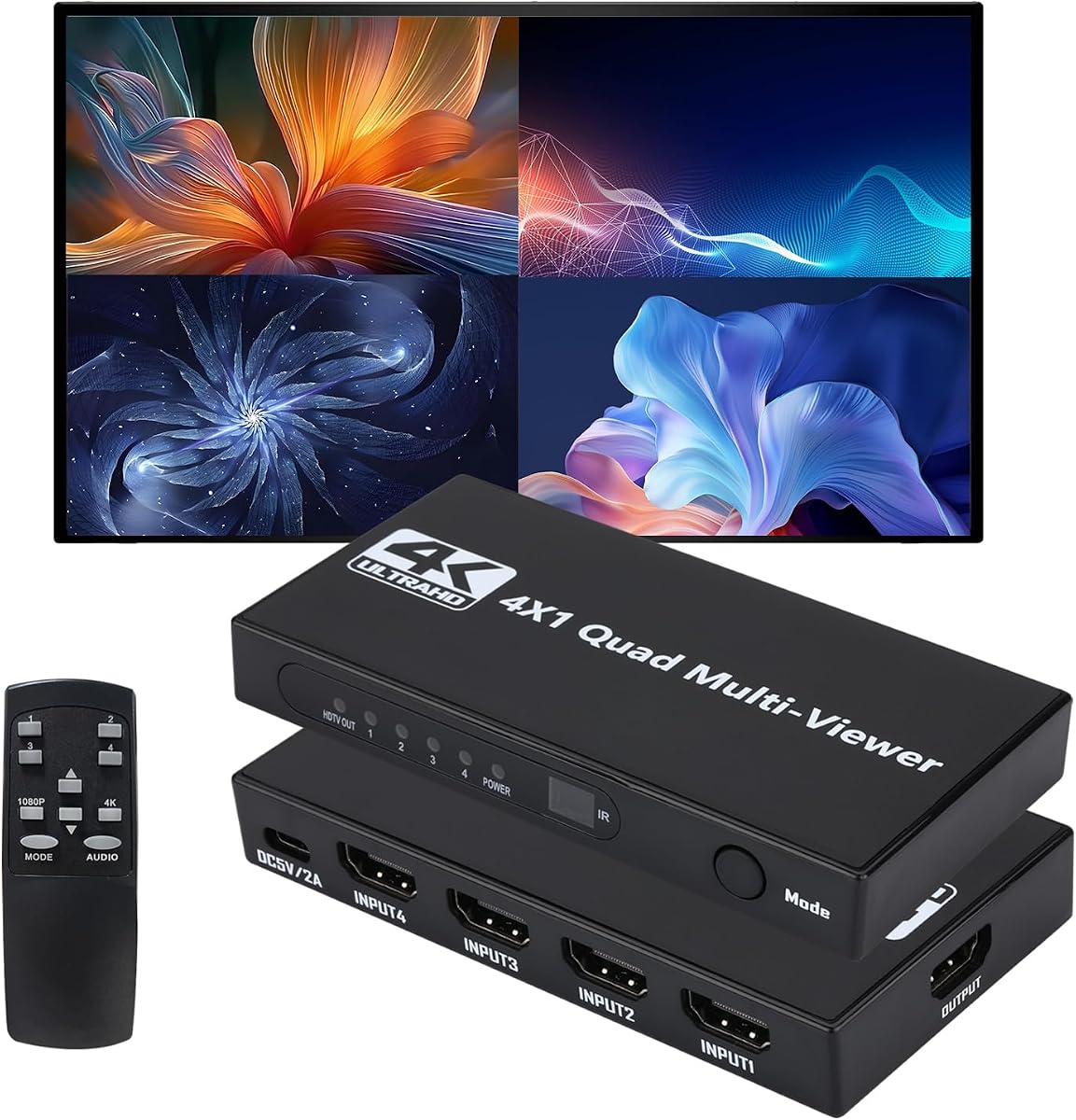
HDMI Multiviewer Switch 4×1
4.8Editor score
Twelve viewing layouts
Four HDMI inputs
Panel and IR control
4K full-screen support
Our HDMI Multiviewer guide compares ten switchers for resolution, input count, viewing modes, audio options, control features, and installation needs.
An HDMI multiviewer combines several video sources on one display, making it useful for security monitoring, gaming, presentations, live production, and commercial installations. A capable unit should offer smooth source switching, readable layouts, dependable control options, and compatibility with the displays and devices already in your setup.
We compared ten HDMI multiviewers by examining their supported input and output counts, maximum resolutions, viewing layouts, audio features, control methods, and intended applications. The guide includes compact 4-by-1 models, a dual-output multiviewer, and a professional matrix controller, allowing the list to cover different needs and installation scales.
Each review explains the product's most useful characteristics and practical limitations, while the buying guide focuses on the factors that matter after installation. Ratings and specifications reflect the supplied product information, and availability, configurations, and prices can change, so readers should confirm current details before purchasing.
4.8Editor score
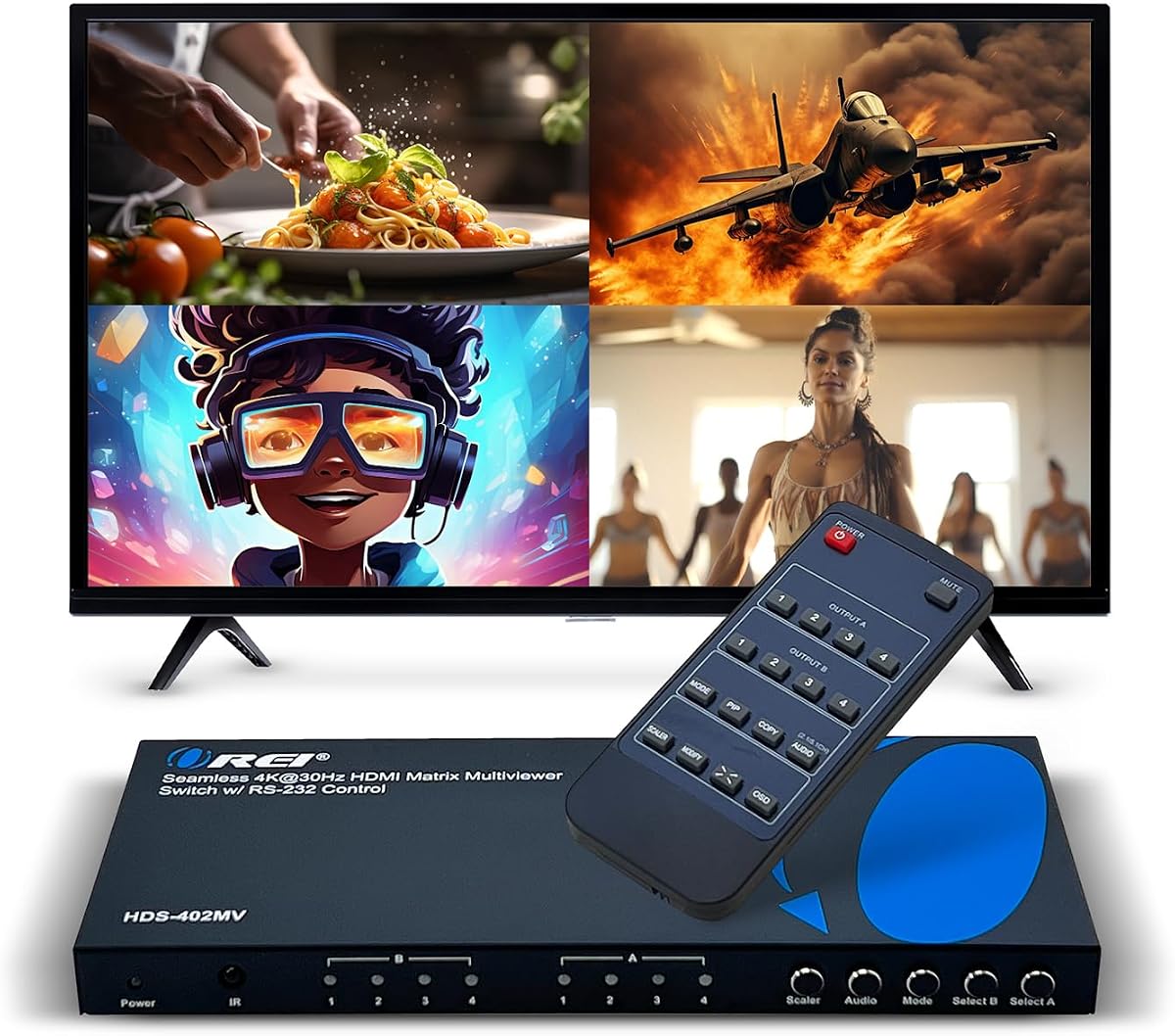
4.7Editor score

4.2Editor score
The table below compares the ten multiviewers by their core input, output, video, viewing, and control capabilities, making it easier to identify the model that matches a particular display arrangement.


The PORTTA 4×1 HDMI Multiviewer is a well-balanced four-input switcher with a 4.3 rating. Its defining combination is seamless source switching, six viewing modes, picture-in-picture support, and both IR remote and RS-232 control. It is aimed at users who want to monitor or compare four sources without installing a large video wall system.
We may earn a commission when you buy through this link, at no additional cost to you.
The device supports 1080p at 60Hz and includes scaling for 1080p and 720p signals. Its layouts cover four equal screens, two side-by-side views, two stacked views, picture-in-picture, full screen, and one large image accompanied by three smaller ones. That range is useful for security desks, gaming comparisons, and presentations, while the audio outputs provide options for routing sound to a soundbar or amplifier.
There are clear limitations. A single HDMI output means the same composite layout must be shown on one display, and the 1080p ceiling is modest beside several 4K-capable alternatives. Nevertheless, the seamless four-port switch, broad source compatibility, and two control methods make this a versatile option when 1080p output is sufficient.
This is a strong recommendation for gamers, educators, surveillance users, and home-theater enthusiasts who want one device to handle switching and multiviewing. Buyers who need 4K output should consider the higher-resolution models, while those who only require four sources on one screen will find this model practical and adaptable.
Six layouts let users move between equal quadrants, split screens, picture-in-picture, and a one-large-three-small arrangement. The result is a single box that can adapt to monitoring, demonstration, and entertainment workflows without requiring several separate switching devices.
IR control offers convenient remote operation, while RS-232 provides a more integration-friendly option for controlled installations. Toslink and 3.5mm audio outputs make it easier to connect external audio equipment when the primary display does not provide a convenient option.
We may earn a commission when you buy through this link, at no additional cost to you.
The OREI 4×1 Quad Screen Multiviewer has a 4.3 rating and focuses on the core task of placing up to four HDMI sources onto one display. It combines fast switching, five display modes, IR remote operation, and front-panel buttons in a package intended for straightforward monitoring and switching.
We may earn a commission when you buy through this link, at no additional cost to you.
Its compatibility with HDTVs, computers, game consoles, media players, and other common HDMI sources makes it a practical option for a home office, gaming setup, or small monitoring station. The included VGA output provides an additional display connection, while the one-year warranty adds basic manufacturer support.
Its key trade-off is resolution. The unit supports up to 1080p, so it does not meet the needs of a display that requires 4K input. It also lacks RS-232 control, making it less attractive for sophisticated automated installations than several OREI alternatives in this list.
Choose this model when four-source viewing, convenient local controls, and 1080p output are the priorities. It is best suited to users who value a straightforward interface and familiar OREI support over high-resolution output or advanced installation controls.
Front-panel buttons give users immediate access to source and layout changes, while the included IR remote supports operation from across a room. This combination is helpful for users who do not want to configure a control system or depend on software.
Four HDMI inputs, one main HDMI output, and a VGA output cover many common monitoring arrangements. The product information also identifies common source categories, including consoles, streaming equipment, disc players, and computers.
We may earn a commission when you buy through this link, at no additional cost to you.
The OREI 4×1 Multiviewer Switch earns a 4.3 rating by adding 4K at 30Hz support, EDID handling, PIP, and professional control options to a four-input multiviewer. It is a natural middle ground for installations that need more capability than a basic 1080p switcher without requiring 4K at 60Hz.
We may earn a commission when you buy through this link, at no additional cost to you.
Its integrated audio converter supports simultaneous digital and analog outputs across the available audio channels. The listed formats include DTS Digital, Dolby Digital, LPCM, Dolby TrueHD, and Master Audio. Five viewing modes, IR remote control, front-panel buttons, and RS-232 give users several ways to operate the device.
The main limitations are the 30Hz ceiling for 4K and the single main HDMI output. A display that demands 4K at 60Hz may not be served properly, and users needing to distribute the multiview to multiple screens would need a different architecture. The supplied information also includes a dual-voltage supply for international flexibility.
This model is a solid fit for control rooms, presentations, and home systems combining 4K source devices with displays that accept 30Hz signals. Buyers should prioritize its audio extraction and RS-232 support, while choosing a 60Hz or dual-output alternative if those are stricter requirements.
Digital and analog audio can be used simultaneously, reducing the need to choose between an amplifier and another audio device. Separate audio extraction is particularly useful when a monitor offers limited audio connectivity or when the installed sound system is elsewhere.
RS-232 control complements the remote and front-panel buttons, giving integrators another way to manage source and layout changes. EDID support can also help source devices negotiate a suitable display mode within the device's stated capabilities.
We may earn a commission when you buy through this link, at no additional cost to you.
The OREI 4×2 Quad Multi HDMI Viewer carries a 4.7 rating and stands out as the most balanced choice in the group for users who need more than a single display. It combines four HDMI inputs, two HDMI outputs, five viewing modes, advanced PIP positioning, and flexible control in a 4K-capable design.
We may earn a commission when you buy through this link, at no additional cost to you.
Real-time switching reaches 4K at 30Hz, and the product supports 4K at 24, 25, and 30Hz along with 1080p and 720p standards. Optical and left-right audio outputs provide several ways to connect an audio system, while IR, front-panel, and RS-232 controls accommodate casual and professional operation.
Its trade-offs are the 30Hz limit for 4K and its higher position in the market than basic 1080p models. The dual-output design is valuable, but buyers should understand that its primary advantage is flexible multiview distribution rather than support for 4K gaming at 60Hz.
This is an excellent recommendation for security operations, live production, business presentation systems, and professional monitoring installations. It is especially attractive when two displays need to show four-source layouts and the installer values both audio options and multiple control methods.
Two HDMI outputs allow the multiview arrangement to reach two HDTVs or monitors. This is helpful when operators need visibility from separate positions, when a presentation wall uses more than one display, or when a control desk and nearby wall screen need the same source information.
The advanced PIP function can place the secondary window in any corner. That flexibility allows an operator to keep a primary feed prominent while retaining a smaller preview without sacrificing access to the other corner of the display.
We may earn a commission when you buy through this link, at no additional cost to you.
The OREI UHD-401MV Multiviewer has a 4.0 rating and distinguishes itself with 4K at 60Hz support in a four-input, one-output design. It also provides five display modes, EDID management, HDCP 2.2, and both optical and left-right audio outputs.
We may earn a commission when you buy through this link, at no additional cost to you.
Its audio converter supports DTS Digital, Dolby Digital, LPCM, Dolby TrueHD, and Master Audio formats with two-channel pass-through. The included remote, front-panel controls, and RS-232 interface provide flexible operation, while the dual-voltage power supply adds convenience for international setups.
An important limitation is that only one source can output audio at a time. Users should not expect independent audio for all four windows, and the single HDMI output may be insufficient for installations requiring two physical displays. Its rating is also the lowest among the OREI models featured here.
Despite those trade-offs, the device suits buyers who prioritize 4K at 60Hz, high-definition content handling, and comprehensive audio format support over a second output. It is a logical choice for a high-quality single-screen control or comparison setup.
Support for 4K at 60Hz and 2K at 60Hz makes the unit more appropriate for modern high-refresh displays than multiviewers limited to 30Hz. It is a stronger match for detailed computer interfaces, sharp media playback, and demanding presentation environments.
The A-IN selection on the remote lets users choose which of the four sources supplies the extracted audio. This is useful for a setup where one camera, console, or presentation source should be heard while all four remain visible.
We may earn a commission when you buy through this link, at no additional cost to you.
The 4K 4-in-1 HDMI Multiviewer has a 3.9 rating and offers a broad combination of 4K at 60Hz support, eight viewing layouts, and seamless switching. It can act as either a conventional four-source switch or a multiviewer, giving users two operating styles from one device.
We may earn a commission when you buy through this link, at no additional cost to you.
Its layouts include full screen, dual side-by-side, dual top-and-bottom, picture-in-picture, four equal screens, and one-large-three-small arrangements. Support for 4K at 60Hz, 4K at 30Hz, and 1080p, combined with HDCP 2.2, 2.0, and 1.4 compatibility, gives it broad relevance for modern and older sources.
The product information highlights synchronized audio without stated latency and a plug-and-play operating approach. On the other hand, the 3.9 rating is the second lowest in the group, and no RS-232, EDID, or network-control feature is specified. Those omissions may matter in a fixed professional installation.
This is a good fit for home users, gamers, and small offices that want a generous selection of layouts with 4K switching. It may be less appealing to integrators who require formal control interfaces or detailed professional installation features.
In full-screen mode, the device behaves like a conventional switch with seamless changes between four inputs. Multiview mode then divides the screen for comparison or simultaneous monitoring, allowing one unit to serve different tasks as the user's priorities change.
Support for several HDCP versions helps the multiviewer work with a wider mixture of source equipment. It also supports multiple common resolutions, making it easier to combine modern 4K devices with 1080p cameras, computers, and media players.
We may earn a commission when you buy through this link, at no additional cost to you.
The HDMI 4×1 Quad Multiviewer has a 4.8 rating, the highest among the featured products, and combines four HDMI inputs with twelve screen-switching modes. It supports 4K at 30Hz in full-screen mode and 1080p at 60Hz when using the multiview layout, making it a versatile entry-level option.
We may earn a commission when you buy through this link, at no additional cost to you.
Users can select sources through front-panel buttons or an IR remote. The remote requires an AAA battery, which is not included, and the product supports stretching between 16:9 and 4:3 in multiview mode. Four equal screens appear initially, while unused inputs occupy black areas in the multiview display.
Its main limitation is resolution. Although full-screen output reaches 4K at 30Hz, the four-window multiview mode is listed at 1080p at 60Hz. There is also no stated RS-232, network, or EDID control, so it is less oriented toward advanced integration than the OREI and J-Tech professional models.
This is an excellent recommendation for gamers, studios, surveillance users, and video-conference environments that want many layout choices at a modest entry point. Its high rating, simple controls, and broad system compatibility make it a compelling budget-focused multiviewer.
The large selection of layouts is unusual in an entry-level model. Users can move among equal quadrants, stacked views, picture-in-picture arrangements, and other configurations to suit different content and screen shapes without changing equipment.
Compatibility with Windows, Linux, Unix, and Mac OS is stated, and no driver installation is required. That makes it convenient for a temporary event, a growing home media system, or a mixed operating environment where rapid deployment is important.
We may earn a commission when you buy through this link, at no additional cost to you.
The J-Tech Digital JTECH-MV41A has a 3.6 rating and offers a feature-rich four-input package built around 4K at 60Hz support. Its eight display modes, on-screen display, PC software, audio extraction, and mounting hardware make it relevant to professional and semi-professional installations.
We may earn a commission when you buy through this link, at no additional cost to you.
Users can configure sources through the OSD or PC software, rearrange displays, adjust the PIP window's size and location, and alter aspect ratios to avoid image stretching. RCA and optical Toslink outputs carry extracted audio, with stated support for Dolby Digital, DTS-HD, and up to 7.1-channel audio.
The 3.6 rating is the lowest among the ten products, so buyers should weigh the listed capabilities carefully against user feedback. The product also has a single HDMI output, and some advanced layout adjustments depend on PC software rather than only the front controls. Those factors may discourage buyers who want entirely simple operation.
This model is best for installers and technically confident users who value detailed layout adjustment, high-resolution video, and extracted surround audio. It is less suitable for a simple living-room setup where remote-only operation and broad physical compatibility matter more than software-assisted configuration.
The OSD and PC software give users control over PIP position, window size, and aspect ratio. This level of adjustment can prevent stretched images and keep a secondary source visible without obscuring important information on the primary source.
RCA and optical outputs provide routes to external amplifiers and home theater equipment. Stated Dolby Digital, DTS-HD, and 7.1-channel support is particularly useful for installations where audio quality and format handling are central requirements.
We may earn a commission when you buy through this link, at no additional cost to you.
The OREI 4×1 HDMI 1.4 Multiviewer has a 4.4 rating and provides a refined four-source solution centered on 1080p and 2K at 60Hz output. It offers fast seamless switching, five display modes, VGA output, and 2.0 stereo audio through both HDMI and a 3.5mm connection.
We may earn a commission when you buy through this link, at no additional cost to you.
Source selection can be handled with the included IR remote or front-panel buttons. The device is listed as compatible with major game consoles, streaming platforms, disc players, cable boxes, and Chromecast devices. A one-year warranty and a dual-voltage power supply add practical support for regular users.
The resolution ceiling is the decisive limitation. It cannot provide the 4K output offered by several higher-ranked models, and it does not list RS-232, EDID, or network control. A second physical display output is also absent, though VGA provides another connection option.
This is a good recommendation for users who want a well-supported 1080p multiviewer with uncomplicated controls. It works especially well for standard gaming, streaming, and home monitoring setups where a high-resolution 4K canvas is not necessary.
Providing stereo audio through both HDMI and 3.5mm output makes it easy to use headphones, powered speakers, or an amplifier without relying entirely on the television. The analog option is useful when the display has inconvenient or limited audio routing.
The stated device list covers many mainstream entertainment and streaming categories. This broad compatibility makes the unit useful for comparing game consoles, media players, and television sources on one screen.
We may earn a commission when you buy through this link, at no additional cost to you.
The J-Tech Digital JTECH-VWM04 has a 4.2 rating and is the most specialized product in the guide. It combines a four-by-four HDMI matrix, multiviewer, and video wall controller with ten wall layouts, LAN and web control, RS-232, and rotation support.
We may earn a commission when you buy through this link, at no additional cost to you.
It accepts 4K at 60Hz 4:2:0 input and can output 4K at 30Hz, along with selectable resolutions including 1080p, 720p, 2560 by 1440, 1920 by 1200, and 1360 by 768. Any of four inputs can be routed to any combination of four outputs with seamless switching.
Its complexity and premium orientation distinguish it from the simpler quad multiviewers. Operators must plan output routing and wall arrangements carefully, and buyers with only one display will pay for capabilities they do not need. The output resolution also tops out at 4K at 30Hz.
This is the premier choice for command centers, retail video walls, broadcast environments, and other installations that need multiviewing plus independent output routing. For a home system or a single-screen operator, one of the 4-by-1 models offers a more appropriate level of complexity.
The four-by-four matrix allows a source to be routed to different output combinations rather than tied to a single display. This is the key advantage for large installations where screens may show the same feed, different feeds, or portions of a unified video wall.
LAN and web control simplify administration in a fixed environment where an operator may manage the system from another workstation. RS-232 support adds a conventional automation route, while the ten wall configurations cover common arrangements such as 2-by-2, 1-by-4, and 4-by-1.
We may earn a commission when you buy through this link, at no additional cost to you.
The right HDMI multiviewer depends on how many sources and displays you need, the resolution of your equipment, and whether local, professional, or network-based control is important. Review these factors before choosing a model.
Begin by counting the sources that must remain visible and the displays that need the combined image. Most products in this guide accept four HDMI inputs and provide one main HDMI output, which is appropriate for a single operator screen. The OREI 4×2 adds a second HDMI output, while the J-Tech Digital JTECH-VWM04 provides four outputs and supports more elaborate routing. Extra outputs are valuable for video walls, presentation rooms, and control stations, but they also increase setup complexity.
Resolution alone does not tell the whole story because frame rate matters at 4K. Several models support 4K at 30Hz, while others reach 4K at 60Hz. The 1080p devices are simpler and may suit cameras, consoles, and computer feeds that do not require 4K. If your display is 4K at 60Hz, choose a model that explicitly supports that rate rather than assuming all 4K multiviewers are equivalent.
Viewing modes determine how sources appear on the shared display. Four equal screens suit surveillance and comparisons, while picture-in-picture is useful for emphasizing one source. Models offer anywhere from five to twelve layouts, and some allow PIP positioning, resizing, source arrangement, and aspect-ratio changes. More layouts provide flexibility, but clear controls and the ability to reach commonly used arrangements quickly matter more than the largest numerical count.
A multiviewer may need to send one selected source to an amplifier, soundbar, or other audio system. The listed models offer combinations of HDMI audio, 3.5mm stereo, RCA, and optical Toslink outputs. Higher-end choices state support for formats such as Dolby Digital, DTS, LPCM, Dolby TrueHD, Master Audio, and DTS-HD. Check whether the audio formats used by your source equipment are supported and whether only one source can be heard at a time.
Front-panel buttons are useful for local operation, and an IR remote allows control from a distance. RS-232 provides a professional integration path, while LAN and web control suit systems managed from a workstation. The JTECH-MV41A also offers PC software for detailed layout changes. Consider where the equipment will be installed and whether an automation system, operator console, or network administrator will manage it.
Multiviewers must negotiate display capabilities with connected computers, cameras, and media devices. EDID support can help source devices present an appropriate mode, while HDCP compatibility matters for protected commercial and streaming content. The supplied compatibility lists include major game consoles, Blu-ray players, streaming devices, computers, projectors, and televisions. Verify that every planned source and the intended display are included before purchasing.
Consider the available space, cable direction, rack access, and whether the multiviewer must be hidden. Some products include mounting brackets or ears, and the professional matrix model is designed for a larger installation. A compact desktop unit with panel controls may be more appropriate in a media cabinet, while a video wall controller belongs near the displays and network infrastructure it serves.
The included products range from one-year manufacturer warranties with lifetime technical support to a two-year warranty and lifetime support. Warranty duration is only part of the decision, however. Look for clear documentation, an included manual, remote, power supply, and practical support options. A product with a strong support policy and a straightforward manual can be easier to deploy than a more advanced unit that requires specialist configuration.
Begin by identifying the four or more HDMI sources, the primary display, and any audio equipment that must be connected. Power off the display and sources while wiring the system, then connect each source to an HDMI input, the multiviewer output to the display, and the appropriate audio leads to an amplifier or speakers. Power the multiviewer before the display so the display can detect the selected signal.
Use the front-panel buttons or included remote to select an input, then choose a viewing arrangement that matches the task. Operators can use four equal screens for simultaneous monitoring, full screen for detailed attention to one source, and PIP when a primary feed should remain dominant. Professional installations can configure RS-232, network, or software control after the basic video path is working correctly.
Keep the unit in a ventilated location and avoid placing it on soft material that could obstruct heat dissipation. Route HDMI cables without creating tight bends or strain on the connectors, and use the supplied power supply rather than an uncertain substitute. If the image is unstable, check the selected source, output resolution, EDID compatibility, and cable connections before changing many settings at once.
An HDMI multiviewer combines several HDMI sources on one display. It is commonly used for security camera monitoring, comparing game consoles, showing multiple presentation feeds, operating live video systems, or keeping a main source visible alongside smaller previews. Unlike a basic HDMI splitter, it also provides source selection and flexible screen arrangements.
Not necessarily. A multiviewer may accept 4K input while using a lower output resolution when dividing the screen among multiple windows. Check the full-screen and multiview output specifications separately. Also note that some 4K models support 60Hz while others are limited to 30Hz.
Usually, yes, because computers with HDMI output are common multiviewer sources. The multiviewer must be selected using a compatible resolution and refresh rate, and the computer should be configured to duplicate or extend its display as required. Confirm operating system compatibility, particularly when using PC-based configuration software.
A standard multiviewer combines sources into a shared layout on one display, while a matrix switcher routes sources to multiple outputs independently. The JTECH-VWM04 combines both abilities, allowing four sources to be distributed among four outputs while also offering multiviewer presets. For one display and a few sources, a 4-by-1 multiviewer is usually simpler.
That depends on the display and application. Some displays can return the multiviewer's selected audio, but models with 3.5mm, RCA, or optical outputs allow connection to headphones, powered speakers, an amplifier, or a home theater receiver. Confirm which source is selected for audio and whether the desired digital format is supported.
Most products in this guide are 4-by-1 devices, meaning they accept four HDMI inputs and send a combined view to one display. The OREI 4×2 adds a second output, while the J-Tech Digital matrix controller provides four outputs. Larger source counts may require a different class of matrix or modular video processor.
RS-232 is common for integrating a multiviewer into a control system, while LAN and web management are convenient when the device can be reached over a network. PC software may provide the most detailed layout editing on supported models. For a simple installation, an IR remote and front-panel buttons can be entirely adequate.
Yes, provided the cameras output compatible HDMI signals and their resolutions fall within the multiviewer's supported range. Several products specifically list security cameras as compatible devices. Verify the camera's output format, resolution, refresh rate, and any content-protection requirements before installation.
The PORTTA 4×1 is a balanced general-purpose choice with six layouts, seamless switching, flexible audio, and both IR and RS-232 control. The OREI 4×2 is the strongest choice for dual-display monitoring because it adds a second HDMI output and flexible corner PIP, while the J-Tech Digital JTECH-VWM04 leads for professional four-output matrix routing and video wall management.
For a simpler setup, prioritize the number and type of layouts, the source selection method, and the resolution your display actually needs. Higher-resolution capability matters for detailed computer content and modern displays, but extra outputs, network control, and specialized routing are unnecessary unless the installation genuinely requires them.
Finally, confirm the current specifications, package contents, warranty, and compatibility information before ordering. Product configurations, firmware details, availability, and prices can change, so the current listing should be treated as the final source of truth for the model you choose.