
ASUS ROG Strix XG27ACDNG
4.5Editor score
26.5-inch QHD display
360Hz refresh rate
99% DCI-P3 coverage
An OLED monitor can give text a clean, high-contrast appearance, but the most important feature is not simply having an OLED panel. Resolution, pixel density, finish, color accuracy, brightness, and eye-comfort features all influence how easily letters remain legible during long reading, writing, and coding sessions.
This guide compares ten OLED gaming monitors using their stated resolution, panel type, refresh rate, response time, color coverage, HDR support, protection features, and connectivity. It includes QHD, ultra-wide, 4K, and portable models so readers can compare screen size, desktop density, motion performance, and workspace practicality.
Each review explains who benefits most from each model, while the comparison table and buying guide highlight the trade-offs behind the specifications. Ratings reflect the supplied customer feedback, and product prices and availability can change, so shoppers should confirm current details before purchasing.
4.5Editor score

4.7Editor score

4.5Editor score
As an Amazon Associate we earn from qualifying purchases.
The comparison below places all ten OLED monitors by resolution, panel technology, refresh rate, and workspace features, making it easier to identify the right balance of text density, motion clarity, color quality, connectivity, and physical size.


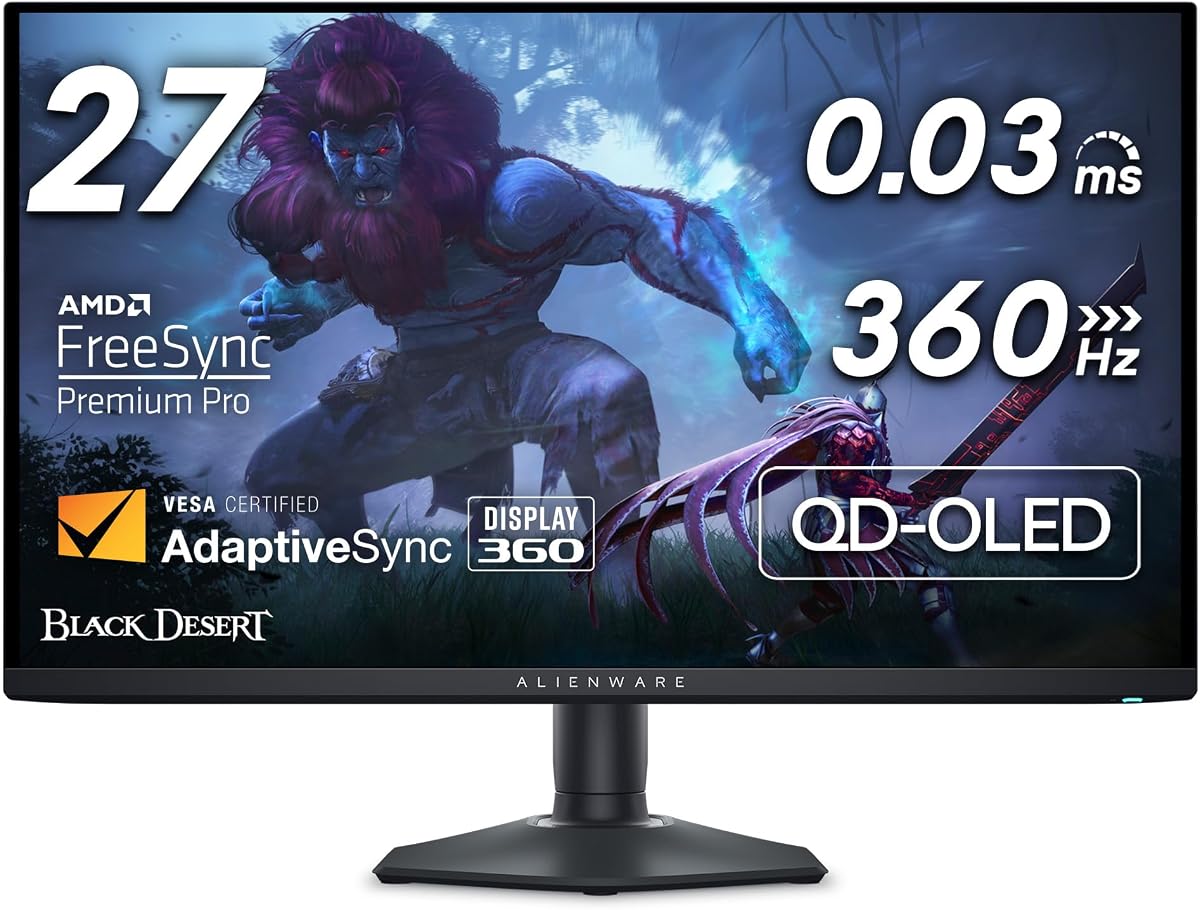
The Samsung 27-inch Odyssey OLED G6 is the strongest all-around recommendation in this guide, combining a 2560 x 1440 QD-OLED panel with a 4.7 customer rating. Its high resolution gives 27-inch users noticeably finer detail than a standard 1080p screen, while OLED contrast can make black text against a light background appear especially crisp and well separated.
We may earn a commission when you buy through this link, at no additional cost to you.
Text clarity benefits from more than resolution alone. This monitor is Pantone Validated for reproducing more than 2,100 colors and over 110 skin-tone shades, which is useful when reading interfaces, editing images, and switching between documents and entertainment. HDR10 adds brighter highlights and nuanced shadows, while Glare Free Technology is especially valuable for users who need to control reflections around a desk.
The G6 also handles motion exceptionally well, with a 240Hz refresh rate and 0.03ms response time. That makes it suitable for fast games as well as productivity, although its main appeal for this keyword is the balanced 27-inch QHD format. AMD FreeSync Premium helps reduce choppiness, lag, and tearing, while the height-adjustable stand can pivot, tilt, and swivel to place text at a comfortable angle.
OLED technology still requires sensible habits, particularly if the display remains on a static interface for long periods. Samsung's OLED Safeguard thermal modulation system actively helps prevent burn-in, but users should still employ screen savers, avoid leaving permanent taskbars or dashboards in view, and follow the recommended care settings. For a general-purpose monitor that handles documents, browsing, creative work, and gaming, this is the most convincing package in the roundup.
The 1440p resolution provides a useful balance between letter definition and screen size. Compared with a 27-inch 1080p display, it presents substantially more information without the extreme physical footprint of a 32-inch 4K model, making it well suited to documents, browser pages, and coding.
Glare Free Technology reduces distracting reflections from nearby light sources. That makes the panel more accommodating in bright rooms, where glossy OLED alternatives can make even well-rendered text harder to read.
We may earn a commission when you buy through this link, at no additional cost to you.
The ASUS ROG XG27AQDMGR is a premium 26.5-inch QHD WOLED monitor with a 4.6 rating. Its 2560 x 1440 resolution and TrueBlack glossy surface are aimed at users who want especially vivid presentation, strong HDR contrast, and clean rendering of small interface elements without moving to a much larger 4K display.
We may earn a commission when you buy through this link, at no additional cost to you.
Color specifications are among its strongest attributes. The monitor supports 99% DCI-P3 coverage, true 10-bit color, and a stated Delta E below two, making it a compelling choice for photo review, video editing, and color-sensitive creative work. VESA DisplayHDR 400 True Black compliance adds impact through dark scenes, and a 0.03ms gray-to-gray response time keeps moving content sharply rendered.
The glossy finish can reveal room lighting or reflections, so its text clarity depends somewhat on the viewing environment. Under controlled lighting, however, the near-haze-free glossy surface can produce a vivid and precise appearance. ASUS OLED Care Pro, paired with a Neo Proximity Sensor, switches the display to a black screen when the user leaves, helping reduce the risk of burn-in. DisplayWidget Center also puts protective controls and settings within mouse access.
The monitor includes three years of warranty coverage with advance replacement and burn-in coverage, which adds reassurance for long-term OLED ownership. It is best suited to buyers who prioritize color performance, deep blacks, and premium HDR over having the highest possible refresh rate. For office documents, the 26.5-inch QHD canvas remains practical, while creative professionals gain the most from its color specifications.
The combination of 99% DCI-P3 coverage, true 10-bit color, and Delta E under two gives the XG27AQDMGR an advantage for color-sensitive tasks. It is well suited to editing photos, reviewing HDR footage, and checking fine details in application interfaces.
OLED Care Pro and the Neo Proximity Sensor reduce the chance that static content remains visible when the user is absent. These protections are particularly useful for a monitor that may sit on a professional desk showing dashboards, menus, or editing timelines.
We may earn a commission when you buy through this link, at no additional cost to you.
The LG UltraGear 27GX704A-B combines a 27-inch QHD OLED panel, a 4.5 rating, and a broad set of eye-comfort and connectivity features. Its 2560 x 1440 resolution provides enough detail for standard-size interface text, while the claimed 1.5M:1 contrast ratio and VESA DisplayHDR True Black 400 support can give documents and dark-themed applications a clean, layered appearance.
We may earn a commission when you buy through this link, at no additional cost to you.
One of the model's most relevant benefits for prolonged reading is its certification for Anti-Glare, Flicker-Free, and Low Blue Light. The stated three-times UL-certified eye-comfort package is especially notable in a glossy OLED design, where reflection control and stable light output are both important. The screen can reach 1,300 nits for HDR peaks and covers up to 98.5% of DCI-P3, so it also performs well for vivid games and colorful creative work.
Connectivity is unusually thorough for this category. Dual HDMI 2.1, DisplayPort 1.4, USB 3.2 upstream, and two downstream USB ports make it easier to connect a laptop, desktop, peripherals, and external storage. Variable refresh support includes NVIDIA G-SYNC compatibility and AMD FreeSync Premium Pro, while the 240Hz refresh rate and 0.03ms response time keep motion clean.
The trade-off is the glossy surface, which can reflect nearby light sources in a bright room. Another limitation is that 1440p cannot match the pixel density of a 4K display when viewed closely. Nevertheless, automatic pixel care cycles, adjustable brightness, full ergonomic positioning, and a 27-inch format make this a versatile and compelling choice for buyers who want premium OLED qualities without moving to the largest models.
Anti-Glare, Flicker-Free, and Low Blue Light certifications address different sources of visual discomfort. Together with a bright OLED panel, they make this a strong option for long reading, browsing, and late-night work.
Dual HDMI 2.1, DisplayPort 1.4, and a full set of USB 3.2 ports simplify a multi-device workspace. External storage and peripherals can connect through the monitor, reducing the need to reconnect cables whenever the desk arrangement changes.
We may earn a commission when you buy through this link, at no additional cost to you.
The Samsung Odyssey OLED G5 is a balanced 27-inch QD-OLED option with a 4.4 customer rating. Its 2560 x 1440 resolution delivers enough detail for everyday reading, coding, and browsing, while the 180Hz refresh rate and 0.03ms GTG response time ensure that scrolling, cursor movement, and fast games remain fluid.
We may earn a commission when you buy through this link, at no additional cost to you.
Text readability is reinforced by the display's strong visual contrast and Glare Free technology. Unlike many OLED monitors with mirror-like finishes, this model is designed to limit distracting reflections from ambient light. Its Pantone Validated screen reproduces more than 2,100 colors, and HDR10 support creates brighter highlights and more nuanced shadows when viewing supported content.
The model is less oriented toward extreme competitive gaming than the 240Hz and 360Hz alternatives, but that is a minor consideration for most productivity tasks. G-SYNC compatibility and AMD FreeSync support are included to reduce lag and image tearing, while Auto Source Switch+ makes it easier to move between a desktop and a second connected device without manually changing sources.
Samsung's OLED Safeguard thermal modulation system actively helps prevent burn-in, adding a useful layer of protection for a display that may show static documents or interfaces. The G5 is therefore a sensible middle ground for someone who values glare control, strong colors, and fast response times without needing an ultra-high refresh rate or 4K density.
Glare Free technology is a meaningful advantage in offices, study rooms, and homes with windows opposite the desk. It helps preserve contrast around letters and reduces the visual distraction created by reflected light.
The 180Hz refresh rate and 0.03ms response time make cursor movement, scrolling, and ordinary animation feel responsive. This balance is often more noticeable in daily use than a modest increase in the maximum refresh rate.
We may earn a commission when you buy through this link, at no additional cost to you.
The SUPERFECT 14-inch 3K OLED is the most distinctive choice for readers who need a sharp, portable workspace. Its 2880 x 1800 resolution packs a large number of pixels into a compact screen, and the 14-inch size produces high pixel density. That makes small interface text and documents look precise while preserving enough room for multiple windows.
We may earn a commission when you buy through this link, at no additional cost to you.
The monitor supports a 120Hz refresh rate and 0.1ms response time, which keeps motion fluid for gaming, editing, and fast scrolling. The stated limitation is important: 3K runs at 100Hz over HDMI, while the Type-C connection supports the full 120Hz. Users who need the highest refresh rate should therefore connect through the appropriate Type-C path and configure the monitor as the main display for accurate touch input.
Color performance is well suited to mixed creative and everyday use. The panel covers 120% DCI-P3 and reaches up to 500 nits, giving it vivid color and enough brightness for many indoor environments. OLED self-illumination produces true blacks and strong contrast, allowing text to stand out clearly against both light and dark application themes.
Its portability is the major advantage. At 0.12 inches thick and 1.29 pounds, with a metal body, adjustable stand, and VESA support, it can move easily between a home office, meeting room, and travel setup. The trade-off is obvious: a 14-inch panel cannot provide the expansive editing canvas of a 32-inch 4K display, but it is an excellent choice where portability and exceptionally compact text detail matter more.
The 2880 x 1800 resolution gives this small display unusually strong detail for its physical size. It is particularly attractive to professionals who need a readable second screen without carrying a conventional desktop monitor.
The touchscreen supports precise tapping, swiping, and drawing with zero offset. Type-C enables the full 120Hz refresh rate, while HDMI remains available at up to 100Hz for 3K output, giving users flexibility based on the device and workflow.
We may earn a commission when you buy through this link, at no additional cost to you.
The ASUS ROG Strix XG27ACDNG is a 26.5-inch QHD QD-OLED monitor built for exceptionally smooth motion, with a 4.5 rating and a 360Hz refresh rate. Its 2560 x 1440 resolution preserves a practical pixel density for text, while 0.03ms response time makes cursor movement, scrolling, and gameplay notably fluid.
We may earn a commission when you buy through this link, at no additional cost to you.
The display's color credentials make it more than a speed-focused monitor. It offers 99% DCI-P3 coverage, true 10-bit color, Delta E below two, and VESA DisplayHDR 400 True Black compliance. These specifications support accurate color judgment in photo and video workflows while preserving the deep blacks and luminous highlights associated with OLED technology.
Thermal design and panel protection are especially notable. A custom heatsink, advanced airflow design, and ASUS OLED Care+ functions work together to reduce the risk of burn-in. ROG-exclusive OLED Anti-Flicker technology is intended to reduce flicker during refresh-rate fluctuations, a useful quality for sustained use. DisplayWidget Center provides mouse-based control over the protection tools and general settings.
Three years of warranty coverage with advance replacement and burn-in coverage make the premium positioning easier to justify for long-term use. G-SYNC compatibility supports smooth, tear-free gaming, and AI Gaming features add intelligent optimization. Its 360Hz rate goes beyond what most document-focused users need, but the same speed makes every interaction feel immediate. It is a strong choice when both text-oriented productivity and serious gaming are priorities.
A 360Hz refresh rate and 0.03ms response time make even ordinary cursor movement appear exceptionally fluid. For text-heavy workflows, the benefit is less about the maximum frame rate and more about consistently responsive interactions.
The custom heatsink and advanced airflow architecture address the thermal demands of a high-refresh OLED panel. Combined with OLED Care+, they form a more complete approach to protecting a display that may remain active throughout the day.
We may earn a commission when you buy through this link, at no additional cost to you.
The MSI MAG 341CQP fills a different niche from conventional 27-inch models. Its 34-inch 3440 x 1440 ultra-wide OLED display offers a broad horizontal workspace that can accommodate a document beside chat windows, research tabs, or editing tools. The 1800R curvature follows the field of view, while the 280Hz refresh rate and 0.03ms response time keep motion crisp.
We may earn a commission when you buy through this link, at no additional cost to you.
Its fifth-generation QD-OLED panel uses an RGB stripe sub-pixel layout intended to produce sharper visuals. For text clarity, the combination of a higher horizontal pixel count and a 34-inch panel offers enough room to minimize constant window switching without making interface elements excessively small. It is especially useful for research, financial dashboards, timelines, and side-by-side productivity applications.
HDR performance is a major strength. VESA DisplayHDR True Black 500 certification, a peak brightness of 1,300 nits, and a stated Delta E of two or lower support a vivid, color-accurate picture. The DarkArmor film is described as delivering deeper blacks and more than twice the scratch resistance of the original surface, useful in a shared or frequently touched workspace.
The AI Care Sensor and the panel's five-layer tandem construction add further protection. AMD FreeSync Premium Pro and NVIDIA G-SYNC compatibility handle synchronization with compatible graphics hardware. The main compromises are desk depth and the fact that the vertical resolution remains below 4K. Buyers need to ensure that a large curved monitor fits comfortably and that they value width over a tall, pixel-dense editing canvas.
The ultra-wide format is the model's main productivity advantage. Side-by-side documents, research, messaging, and reference material can remain visible at once, improving workflow continuity without requiring a second physical display.
The RGB stripe layout is designed to improve visual acuity compared with earlier panel structures. Combined with 3440 x 1440 resolution, it gives the large display a more refined appearance than its physical size might suggest.
We may earn a commission when you buy through this link, at no additional cost to you.
The ASUS ROG XG32UCWG is the strongest choice for maximizing the detail of small text. Its 32-inch 3840 x 2160 WOLED panel delivers substantially more pixels than the 27-inch QHD models in this guide. At typical desk distances, that makes characters, code, fine spreadsheet cells, and small tool icons noticeably more defined.
We may earn a commission when you buy through this link, at no additional cost to you.
The TrueBlack glossy panel is described as having a zero-haze surface, which supports a sharp and direct presentation. It supports 4K at 165Hz and can switch to Full HD at 330Hz, giving users the option to prioritize ultra-smooth competitive gaming when the native 4K mode is not needed. A 0.03ms response time and G-SYNC compatibility maintain quick motion in either mode.
Color quality is well suited to professional work. VESA DisplayHDR 400 True Black compliance, 99% DCI-P3 coverage, true 10-bit color, and Delta E below two provide the consistency needed for photo and video editing. The large, high-resolution workspace also allows more information to remain visible without tiny scaling, while the four-times higher pixel count of 4K compared with 1440p supports highly detailed interfaces.
OLED Care Pro and a Neo Proximity Sensor switch the screen to black when the user leaves, helping reduce burn-in risk. The included three-year advance-replacement and burn-in coverage adds reassurance. USB-C with 15-watt Power Delivery, HDMI 2.1, and DisplayPort 1.4 provide flexible connectivity. Gloss can show reflections and 32 inches requires sufficient desk depth, but this is the premium model for readers who place clarity above everything else.
The 3840 x 2160 resolution across 32 inches creates a dense, refined image. This is the strongest model in the roundup for high-resolution documents, programming, spreadsheets, and visual editing where small elements must remain distinguishable.
The ability to operate at 4K 165Hz or Full HD 330Hz gives users two distinct performance profiles. Daily text work can remain at the native resolution, while fast games can use the higher-refresh Full HD mode.
We may earn a commission when you buy through this link, at no additional cost to you.
The Acer Predator X27U W1 is a 26.5-inch QHD QD-OLED monitor with a 4.5 rating and a strong focus on both competitive performance and accurate imagery. Its 2560 x 1440 resolution provides a comfortable balance of text detail and screen footprint, while the ZeroFrame design keeps bezels visually unobtrusive.
We may earn a commission when you buy through this link, at no additional cost to you.
True 10-bit color, 99% DCI-P3 coverage, Delta E below two, and HDR10 support make this a capable display for content creation as well as games. The image-retention-refresh function helps keep static images from sticking, while OLED technology delivers the deep blacks and high contrast that can make text look well separated from its background.
Motion performance comes from a 240Hz refresh rate and 0.03ms gray-to-gray response time. That level of speed is especially valuable in competitive games, where rapid visual changes can make a difference, while AMD FreeSync Premium keeps frames synchronized with compatible graphics hardware and reduces stuttering and tearing.
The X27U W1 is best for users who want a compact, high-refresh QHD display without moving to a 4K panel. Its content-creation credentials are stronger than the resolution alone might imply, and the image-retention feature supports safer long-term use. The supplied information lists fewer connectivity details than some competitors, so buyers should verify the ports and accessories required for their particular setup before ordering.
At 26.5 inches, 1440p offers a practical pixel density for reading and coding without requiring the desk depth of a 32-inch model. It also leaves room to scale application text less aggressively than on a lower-resolution display.
The 240Hz rate and 0.03ms response time deliver very smooth motion, while 99% DCI-P3 coverage and true 10-bit color support more demanding visual work. This makes the monitor useful across gaming, media, and creative tasks.
We may earn a commission when you buy through this link, at no additional cost to you.
The Alienware AW2725DF is a 26.7-inch WQHD QD-OLED monitor with a 4.3 rating, 360Hz refresh rate, and 0.03ms response time. It brings a high-end gaming specification to a conventional 1440p size, while 99.3% DCI-P3 coverage and Delta E below two support accurate and vivid color reproduction.
We may earn a commission when you buy through this link, at no additional cost to you.
For text clarity, the 2560 x 1440 resolution is solid but not exceptional. It gives small type enough definition for regular office work, browsing, and communication, while the OLED panel's infinite contrast and VESA DisplayHDR True Black 400 support help letters remain clearly separated from their backgrounds. Dark interfaces in particular can look deeply black without the gray haze sometimes associated with conventional LCD panels.
The 360Hz refresh rate provides exceptionally fluid movement in fast games, and the stated gray-to-gray response time minimizes blurring and ghosting. AMD FreeSync Premium Pro and VESA AdaptiveSync support smooth, low-distortion playback. Those gaming strengths also make ordinary cursor motion and scrolling feel very responsive.
Physical setup is flexible because the stand supports height, tilt, swivel, and pivot adjustment. HDMI, DisplayPort, and USB 3.2 Gen 1 connectivity make it practical for a desktop or laptop workstation. Its comparatively modest 4.3 rating is the main reason it appears later in the list, but the stated specifications remain attractive for buyers who want high refresh, accurate color, and a 27-inch OLED without moving to 4K.
Coverage of 99.3% DCI-P3 and a stated Delta E below two support accurate color reproduction. Infinite contrast and True Black 400 HDR handling further improve the presentation of dark scenes and dark application themes.
A 360Hz refresh rate, 0.03ms response time, and variable-refresh support make the AW2725DF particularly attractive to competitive gamers. The 26.7-inch size remains familiar and less desk-intensive than a large ultra-wide or 32-inch 4K display.
We may earn a commission when you buy through this link, at no additional cost to you.
Text clarity depends on a combination of pixel density, panel structure, contrast, finish, color accuracy, brightness, and operating features. The following factors help separate a monitor that merely looks impressive from one that remains comfortable and readable for everyday work.
Resolution determines how much information a monitor can present, while physical size determines the resulting pixel density. A 32-inch 4K screen provides the greatest detail in this group and is the preferred option when documents, code, spreadsheets, and small interface icons must be inspected closely. At 27 inches, QHD creates a similarly practical balance between clarity and desk footprint, while 1440p on the 34-inch MSI offers more horizontal workspace. The SUPERFECT 14-inch 3K model stands apart because it packs a high resolution into a highly portable body. Buyers should not compare resolution alone: a high pixel count spread across a very large screen may not offer the same apparent sharpness as a smaller, denser display.
OLED pixels produce their own light, allowing individual pixels to switch off completely when displaying black. This gives the technology exceptionally high contrast and can make dark text on a white document or light text on a dark interface appear very distinct. True Black 400 or True Black 500 compliance indicates an emphasis on deep black levels, while models with infinite contrast are particularly compelling for dark-themed applications. High contrast alone does not guarantee readable body text, however. Font rendering, scaling, panel structure, and the operating system's subpixel settings also matter. A well-calibrated QHD OLED can be more effective for daily reading than a higher-resolution panel operated at an inappropriate scaling level.
Text at small sizes is rendered through individual red, green, and blue subpixels, so panel structure can influence perceived clarity. RGB stripe layouts, as described for the MSI MAG 341CQP, are designed to provide a more regular arrangement than some earlier OLED structures. The other monitors in the roundup use QD-OLED, WOLED, or other OLED panel types with varying subpixel arrangements. While a shopping guide cannot guarantee identical text rendering across every operating system and scaling configuration, panel layout remains an important consideration. Users with particular sensitivity to fine text should view the model in person if possible, increase the operating system's text scale, and verify that their preferred browser and office suite render smoothly.
Glossy OLED surfaces can look exceptionally sharp and vivid under controlled lighting, but they may reflect windows, lamps, and bright walls. That reflection can compete with small characters and reduce effective text contrast. The Samsung G6 and G5 use Glare Free Technology, while the LG 27GX704A-B is described as anti-glare certified despite its glossy panel. Conversely, the ASUS XG27AQDMGR, XG27ACDNG, and XG32UCWG use glossy or TrueBlack glossy panels for a more reflective, high-impact appearance. Users working near windows should prioritize reflection control. Those in controlled rooms who value punchy contrast and HDR may prefer a glossy surface, provided they can position the screen to avoid direct reflections.
Long reading and coding sessions require stable, comfortable light output. The LG 27GX704A-B stands out with certification for Anti-Glare, Flicker-Free, and Low Blue Light behavior. ASUS ROG's OLED Anti-Flicker technology is intended to reduce flicker during refresh-rate fluctuations, which is useful for users who alternate between high and low frame rates. Low Blue Light features are most relevant for evening use, while flicker-free operation is important for people sensitive to subtle brightness changes. None of these features replaces individual preference, so screen brightness should be adjusted to the room rather than left at a level that appears impressive. Good ergonomics, including height, tilt, swivel, and pivot adjustment, also reduce neck strain during extended use.
The roundup spans 120Hz, 180Hz, 240Hz, 280Hz, 330Hz in an alternate mode, and 360Hz. Faster refresh rates make cursor movement, scrolling, and fast games smoother, but most document tasks do not require 360Hz. A 120Hz portable screen can feel exceptionally responsive, while 180Hz or 240Hz provides a strong balance for mixed use. The ASUS XG32UCWG adds a dual-mode design, allowing 4K at 165Hz or Full HD at 330Hz. For a text-focused buyer, pixel density, glare control, and comfort features may matter more than the maximum refresh rate. For a hybrid gaming monitor, the faster models offer a clear advantage during competitive play.
Color accuracy affects how consistently text and graphics appear, while HDR brightness adds impact to supported media. The MSI reaches a stated 1,300-nit peak and carries VESA DisplayHDR True Black 500 certification. The LG also peaks at 1,300 nits and supports True Black 400. Several models cover 99% DCI-P3 and claim Delta E below two, providing strong specifications for photo and video work. The Samsung G6 and G5 are Pantone Validated, with the G6 also validated for more than 110 skin-tone shades. These metrics do not tell the entire quality story, but they provide a useful way to compare color capability. For ordinary office work, accurate white balance and restrained brightness are more important than maximum peak brightness.
OLED panels can retain static content over time, although modern models include protection systems that reduce the risk. Samsung's G6 and G5 use OLED Safeguard with thermal modulation. ASUS offers OLED Care or OLED Care+, a Neo Proximity Sensor, and, on the XG27ACDNG, a custom heatsink and advanced airflow. The MSI includes an AI Care Sensor, while the LG offers automatic pixel-care cycles during standby or shutdown. Protection features reduce risk but do not remove the need for sensible habits. Avoid leaving the same bright dialog, document, or dashboard onscreen for hours, use a screensaver, enable pixel maintenance, and follow the manufacturer's brightness and care guidance. A documented burn-in warranty adds further confidence for long-term owners.
Begin with correct operating-system scaling so that the panel's resolution produces comfortable text size rather than forcing you to read undersized characters. After installation, open the monitor's on-screen controls and select the appropriate sharpness, color temperature, and text-optimized preset if one is available. If your device supports it, use the full native resolution. For the SUPERFECT portable model, set it as the main display when relying on precise touchscreen input, and use Type-C when the goal is the full 120Hz refresh rate.
Place the screen at a distance that allows you to read text without leaning forward. Adjust the height so the top of the display is near eye level, then use tilt to keep the panel perpendicular to your line of sight. Lower brightness in bright rooms and raise it in darker settings until white backgrounds appear comfortable rather than glaring. Enable flicker-free or low-blue-light features when available, and use a screen saver to prevent static documents or application windows from remaining visible indefinitely.
For OLED care, activate the manufacturer's built-in pixel-refresh, proximity, or panel-protection features. Avoid pressing hard against the screen, cleaning it with abrasive materials, or applying incompatible liquids. For a glossy model, manage room lighting so it does not create a direct reflection across the text area. For the MSI's DarkArmor film or ASUS's coated surfaces, follow the included cleaning guidance. Periodically inspect the display for any unusual static image and update the monitor firmware or protective control software when the manufacturer provides an update.
OLED panels generally provide deeper blacks and higher contrast, which can make text look more distinct against its background. IPS monitors may offer a matte finish and therefore behave better in brightly lit rooms. The best choice depends on resolution, reflection control, comfort features, and viewing conditions rather than OLED technology alone.
A 4K OLED generally offers the highest pixel density among the products listed, especially when paired with a 32-inch screen. That makes small type, code, and spreadsheet cells easier to inspect. QHD remains more practical for many desks, while the 14-inch 3K portable model delivers high density in a compact format.
They can be, particularly when a window, lamp, or bright wall reflects directly into the screen. Reflections compete with letter edges and reduce perceived contrast. Positioning the display away from direct light or choosing a model with Glare Free or anti-glare certification is the best way to maintain comfortable readability.
A modern OLED can provide clear text and comfortable viewing when brightness is adjusted correctly. Flicker-free and low-blue-light features, stable color, and ergonomic positioning further improve the experience. Users should also use screen savers and activate the manufacturer's pixel-care features to reduce static-image retention.
No. Those refresh rates primarily improve gaming and make cursor movement feel exceptionally fluid. A 120Hz portable model or a 180Hz QHD screen can still provide a responsive desktop experience. Buyers focused on text should give more weight to resolution, finish, brightness control, and eye-comfort features.
Use the built-in pixel refresh, panel-care, proximity-sensor, or automatic shutdown features supplied with the monitor. Avoid leaving static bright interfaces, dashboards, or documents onscreen for extended periods, and use a screen saver. Following the manufacturer's recommended brightness settings and care instructions also reduces risk.
The ASUS ROG XG27AQDMGR and XG27ACDNG stand out with 99% DCI-P3 coverage, true 10-bit color, and stated Delta E values below two. The MSI MAG 341CQP also offers extensive color specifications, while the Samsung G6 provides Pantone validation. The appropriate choice depends on workflow, resolution, and HDR needs.
An ultra-wide model such as the MSI MAG 341CQP can be excellent when you regularly compare documents, research, communication tools, or editing timelines. Its 3440 x 1440 resolution creates a wide horizontal workspace, but the 34-inch curved format requires more desk space and provides less vertical resolution than a 4K display.
The Samsung Odyssey OLED G6 is the most balanced overall pick, combining QHD resolution, glare-free handling, validated color, fast 240Hz motion, and an adjustable stand. The ASUS ROG Strix XG27ACDNG stands out for premium speed, thermal design, and color accuracy, while the LG UltraGear 27GX704A-B offers strong eye-comfort certifications and extensive connectivity at a more approachable specification level.
Text-focused buyers with the desk space should strongly consider the ASUS ROG XG32UCWG, whose 32-inch 4K panel provides the finest detail in the roundup. The Samsung G5 is a more restrained QHD alternative, the MSI MAG 341CQP excels as a wide multitasking display, and the SUPERFECT 14-inch model brings unusually high resolution to a portable setup. Whichever category you choose, place the display carefully, adjust scaling and brightness, and use the supplied OLED protection tools.
Finally, compare current pricing, warranty terms, port availability, and the latest manufacturer specifications before purchasing. OLED models vary considerably in finish, protection design, and intended use, and prices can change over time. Checking the current listing ensures that the configuration matches your computer, desk, lighting, and reading habits rather than relying on a general recommendation alone.