
Upgraded Foldable Travel Charging Dock
4.4Editor score
Compact foldable construction
Integrated magnetic charging surface
Nightstand mode support
USB-C cable included
Compare ten Charging Stand for Apple Watch options on compatibility, stability, portability, cable management, nightstand mode, portability, and overall design
A charging stand for Apple Watch can do more than hold a charging puck. The best models keep the watch secure, display it at a comfortable angle, organize the charging cable, and fit naturally on a bedside table or office desk. A good stand should also suit the size of your particular watch and work with the charging hardware you already own.
We compared ten stands across ten useful criteria: Apple Watch compatibility, magnetic alignment, viewing angle, anti-slip performance, portability, nightstand support, cable management, included accessories, charging convenience, and overall design. The list includes simple holders that use an existing Apple Watch charger as well as integrated wireless charging docks and larger three-device stations.
Each review identifies the stand that best fits a particular need, from a compact travel dock to a polished all-metal desk holder. Ratings reflect the supplied customer feedback, while compatibility and included components come directly from each product listing. Prices and promotions can change, so confirm the current listing before purchasing.
4.4Editor score

4.7Editor score

4.7Editor score
The comparison below shows how the ten stands differ in charging style, compatibility, portability, included accessories, and intended placement. It is especially useful for distinguishing simple charger holders from integrated docks and multi-device charging stations.




The Lamicall Watch Stand for Apple Watch Magnetic Fast Charger is an elegant desktop holder with a 4.7 customer rating. It accepts the Apple Watch charging puck, holds it securely, and positions the watch at approximately 45 degrees, making it one of the most versatile choices for everyday desk or bedside use.
We may earn a commission when you buy through this link, at no additional cost to you.
Its stand includes a cutout sized for the official Apple Watch charger and silicone around the watch contact area. That silicone helps prevent the watch from shifting or slipping, while the aluminum alloy body gives the stand a stable, refined appearance. The cable can be gathered beneath or behind the holder, reducing the clutter commonly associated with a loose charging lead.
The main limitation is that the charging cable and Apple Watch charger are not included. This is not unusual for a holder designed around Apple's charging puck, but it means buyers who do not already own compatible hardware need to account for that additional component. The stand is also intended for stationary use rather than being designed to fold for packing.
This is the strongest all-around recommendation for readers who already use the official Apple Watch charging puck and want a clean, stable way to charge the watch. It combines broad compatibility, useful cable routing, a comfortable viewing angle, and enough presence to serve as a display stand even when the watch is not charging.
The aluminum body, rounded edges, and 45-degree orientation make this stand appropriate for a work desk, kitchen counter, or nightstand. It does not need to look like a purely utilitarian charging accessory, which makes it useful for users who keep their watch visible throughout the day.
The charging cutout keeps the official puck positioned while silicone contact surfaces reduce movement. Its cable-management function keeps excess length gathered in place, helping maintain a cleaner setup than leaving the charging lead stretched across the surface.
We may earn a commission when you buy through this link, at no additional cost to you.
The Spigen for Apple Watch Charger Stand, Durable TPU with Non-Slip Base, is a compact and understated option with a 4.5 rating. It works with the official Apple Watch charger and supports placement with either the watch strap open or closed, offering flexibility that some simpler stands cannot provide.
We may earn a commission when you buy through this link, at no additional cost to you.
The TPU construction and non-slip foundation help keep the setup stable without requiring a large metal base. Its compact form is well suited to a nightstand or desk where space is limited. The listing also notes compatibility with Apple Watch Nightstand Mode, allowing the watch to display the time and alarm information while charging.
As with many purpose-built watch holders, the charging cable and Apple Watch charger are not included. The listing also describes several AirPods charging cases and models that can be accommodated when their cases are removed, though some bulky cases may not fit. Those AirPods features are secondary to the product's primary role as an Apple Watch stand.
Buyers who prioritize a small footprint, a grippy base, and straightforward use with Apple's charging puck will find this model practical. It is especially helpful for closed-loop watch bands and users who like keeping the watch on a bedside surface while charging rather than taking it off entirely.
This stand is designed to accommodate the official Apple Watch charging puck rather than providing its own charging electronics. That makes it a practical choice for people who already own Apple's charger and want a dependable holder.
The opening can be used with the strap open or closed, reducing the need to rearrange the band every time the watch is placed down. Nightstand Mode adds bedside clock and alarm visibility without requiring a separate display device.
We may earn a commission when you buy through this link, at no additional cost to you.
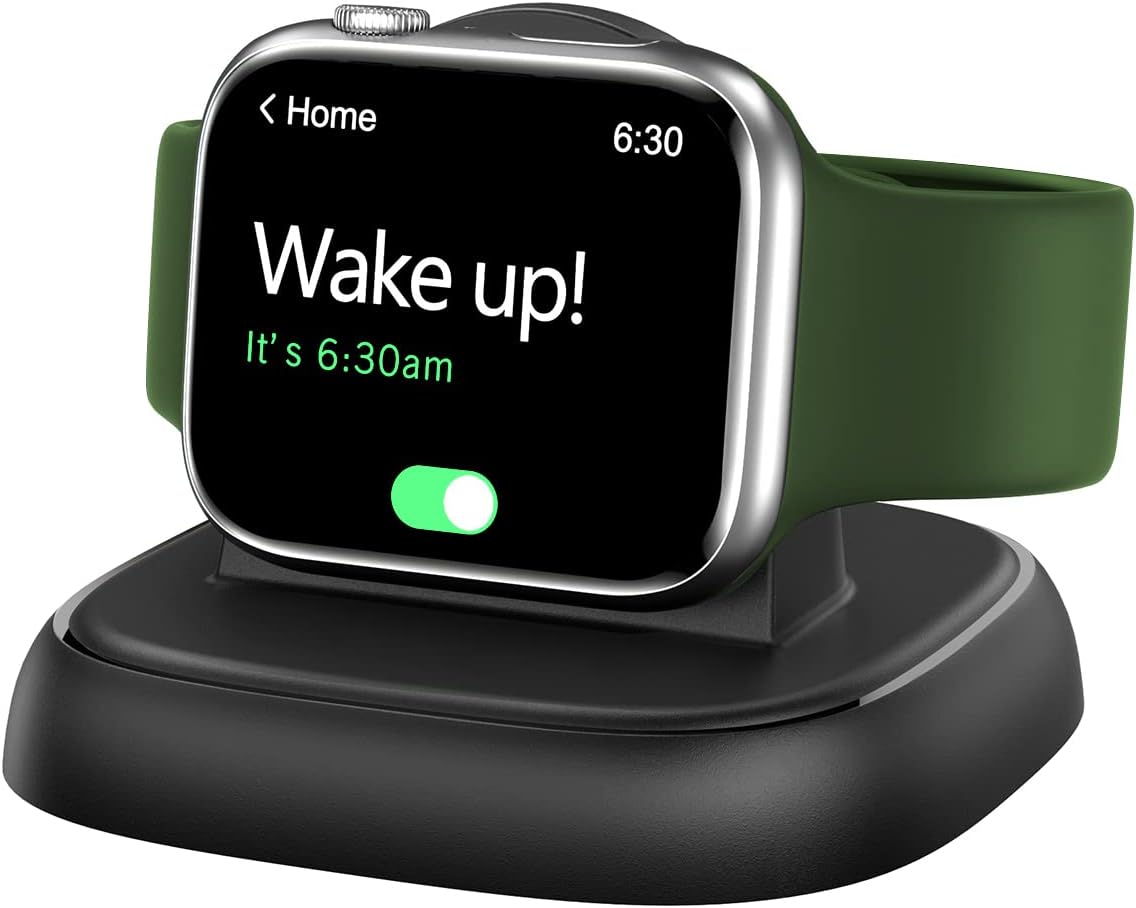
The Upgraded for Apple Watch Charger, Foldable Travel Fast Charging Dock, is a compact integrated charger with a 4.4 rating. It combines a magnetic charging surface with a folding structure, making it especially suitable for travelers who want one small accessory rather than a separate puck and rigid holder.
We may earn a commission when you buy through this link, at no additional cost to you.
The watch simply snaps into position, and the listing states that charging stops automatically when the watch is fully charged. A built-in magnet helps maintain the connection, while a USB-C cable is included in the package. The folding form is described as lightweight and compact for trips, holidays, office use, or a kitchen and bedroom setup.
Compatibility is broad across modern Apple Watch lines, including Series 2 through Series 12 and SE versions, but Series 1 is explicitly excluded. A power adapter is also not included, and the instructions note that some users may need a USB-A port adapter depending on their available power source. The stand must be configured for Nightstand Mode in the watch settings before that function is used.
This dock is a compelling budget-oriented choice for travel and for anyone seeking a self-contained stand that does not depend on Apple's separate charging puck. It offers a good combination of portability, magnetic placement, nightstand support, and basic charging protection in a compact package.
The folding construction reduces the space occupied during travel compared with a fixed-angle desktop stand. It also provides a more integrated alternative to carrying a charging puck and a separate holder as two individual pieces.
Strong magnetic attraction helps the watch settle into the correct charging position without repeated adjustment. Once connected, the dock manages charging automatically and includes overheating protection for routine use.
We may earn a commission when you buy through this link, at no additional cost to you.
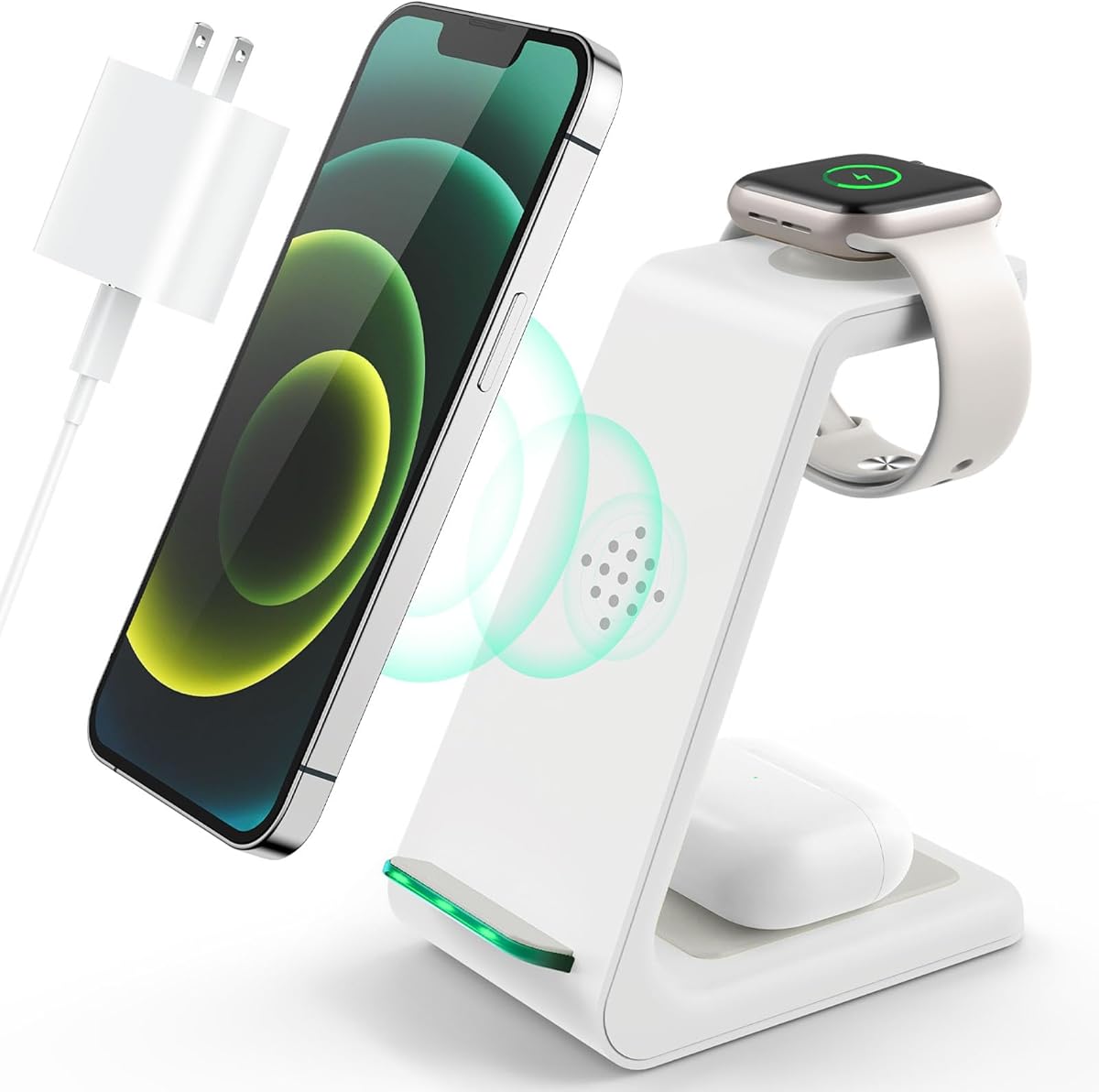
The GETPALS Wireless Charger iPhone Charging Station for Apple Multiple Devices is a 4.2-rated three-in-one option for Apple Watch, iPhone, and AirPods users. It is aimed at people who want one central charging location instead of several disconnected adapters and charging leads.
We may earn a commission when you buy through this link, at no additional cost to you.
The station supplies up to 7.5 watts for phones, 3 watts for earbuds, and 2.5 watts for watches. Its foldable, lightweight construction is intended for home, office, and travel use. A non-slip surface supports the devices, and LED indicators provide charging-status feedback. The listing states that phone cases up to four millimeters thick can be used.
Compatibility has clear boundaries. The AirPods 2, 3, and 4 require a MagSafe-compatible charging case, and cases with metal rings, pockets, or magnets should be avoided. The product is also broader and more involved than a dedicated watch stand, so buyers who only charge an Apple Watch may find it unnecessary.
For a household or desk where an iPhone and wireless earbuds also need regular charging, the convenience of consolidating three devices can outweigh the extra size. It is less suitable as a minimal watch-only accessory or for anyone who does not own compatible phones and earbuds.
The central benefit is convenience. A single station can hold and charge an Apple Watch, iPhone, and compatible AirPods, reducing the number of charging locations competing for desk or nightstand space.
The lightweight folding structure is intended to move between a home, office, or trip. It gives travelers a coordinated setup, although users should still check that their specific phone case and earbuds case meet the stated compatibility requirements.
We may earn a commission when you buy through this link, at no additional cost to you.
The Lamicall for Apple Watch Charger – iWatch Magnetic Fast Charging Dock Stand is a premium integrated dock with a 4.7 rating. It combines an adjustable viewing arm, strong magnetic alignment, charging electronics, safety protections, and a compact profile that suits both bedside and travel use.
We may earn a commission when you buy through this link, at no additional cost to you.
The hinge can move from zero to 90 degrees, allowing the user to select a comfortable angle for the desk, nightstand, or travel environment. N52 magnets align the watch, and a silicone base helps prevent sliding. The listing also describes an intelligent temperature-control chip, over-current protection, over-voltage protection, and short-circuit protection.
A one-meter USB-C-to-USB-C cable is included, but a wall adapter is not. For best results, the listing recommends removing the watch case and using a steady 5-volt, 1-amp power source. Those requirements are reasonable but make the dock less convenient than a basic holder for anyone who wants completely effortless setup.
This is the most feature-rich premium pick in the group. Its adjustable angle, integrated charging, strong magnetic connection, safety features, and compatibility from Series 1 through current models make it a strong choice for a permanent bedside setup, a polished office desk, or a compact travel kit.
The adjustable hinge separates this dock from simple fixed-angle stands. Users can raise the watch for bedside viewing or lower it for a more compact profile, making the same stand easier to adapt to different spaces.
Temperature control, electrical protections, and heat-dispersing construction support safer routine charging. The manufacturer also recommends a steady low-voltage power source and removing the watch case to maintain optimal performance.
We may earn a commission when you buy through this link, at no additional cost to you.
The elago W2 Charger Stand for All Apple Watch Series is a design-focused holder with a 4.6 rating. Its defining feature is a precisely shaped cutout intended to hold the Apple Watch charger firmly in place across different watch sizes, with an additional hole for keeping the area tidy.
We may earn a commission when you buy through this link, at no additional cost to you.
The stand uses premium silicone where it contacts the watch and resting surface. This helps protect the watch from scratches while giving the holder traction and reducing unwanted movement. Compatibility extends across Series 1 through Series 12, SE versions, and Ultra models in the sizes listed by the manufacturer.
The Apple Watch and its charging hardware are not included. The product is therefore a holder rather than a complete charging system, and users need a compatible official charger to use its charging function. It also does not provide the adjustable angle or integrated power electronics found in the Lamicall premium dock.
The elago W2 is a refined solution for owners who want the official charging puck to stay securely and neatly positioned. It is a particularly good fit for a clean desk or nightstand where retaining the charger, protecting the watch, and reducing cable clutter matter more than portability.
Instead of relying only on friction or magnetic force, the stand uses a tailored opening to keep the official charging puck in position. That design focus helps it maintain a tidy appearance and avoids a loosely placed charger.
The silicone contact areas help guard the watch from scratches and limit movement. They also provide grip on the surface below, which is useful on a bedside table where the stand may otherwise be nudged.
We may earn a commission when you buy through this link, at no additional cost to you.
The 3 in 1 Wireless Charging Station is a broad multi-device charger with a 4.1 rating. It is designed for homes, offices, and shared spaces where an iPhone, Apple Watch, and wireless earbuds all need a consistent charging location.
We may earn a commission when you buy through this link, at no additional cost to you.
The station uses Qi charging and offers up to 10 watts for phones, five watts for AirPods, and three watts for Apple Watch. It supports a wide range of Qi-enabled phones from Apple, Samsung, and Google, plus numerous Apple Watch and AirPods models. Heat-dissipation openings, soft silicone surfaces, and over-current, over-voltage, and over-charge protections are included.
Its indicator lights are designed to minimize sleep disruption: all three flash briefly at startup, and the corresponding light turns off after charging begins. The package contains the station, a charging cable, an adapter, and a user guide. However, the phone section is not MagSafe, and the Apple Watch charging output is lower than that of a dedicated fast-charging dock.
This station makes the most sense for users who charge several devices together or share a busy desk. A watch-only buyer will find smaller and less specialized options, but the included adapter and broad phone compatibility make this an accessible complete charging setup.
A three-device station can replace several separate charging locations on a shared nightstand or office desk. Its broad Qi phone support also extends beyond Apple hardware, making it useful in mixed-device environments.
The lighting pattern is designed for bedside use, with brief startup flashes and automatic shutdown after charging begins. This reduces the chance that bright status lights will repeatedly disturb a user trying to sleep.
We may earn a commission when you buy through this link, at no additional cost to you.
The NEWDERY Charger Stand for Apple Watch USBC Fast Wireless Charger Station is a portable integrated dock with a 4.5 rating. It focuses on uncomplicated setup, using a magnetic charging surface, an anti-slip base, and a lightweight body that can move between a desk, bedside table, and travel bag.
We may earn a commission when you buy through this link, at no additional cost to you.
The watch aligns magnetically, and the listing estimates charging in about two hours for most supported models. It notes longer periods for Series 7 and Series Ultra. The 85-gram housing and base mat create a stable setup without adding unnecessary bulk, while the integrated design eliminates the need to position a separate charging puck.
Compatibility covers Series 2 through Series 11, Ultra, SE, and the listed case sizes, but Series 1 is excluded. The supplied cable connects USB-A to USB-C, and no wall adapter is listed in the package. Buyers who prefer a USB-C wall charger may need an additional cable or adapter to use the most convenient connection.
The NEWDERY dock is a solid middle-ground option for someone who wants more portability than a fixed desktop stand and more simplicity than a full multi-device station. Its magnetic connection, stable base, and broad modern-model support cover the essential needs of most Apple Watch owners.
The integrated magnetic charger removes the separate puck from the setup. Users can place the watch directly onto the dock and connect one cable, which keeps the charging process simple and repeatable.
A weighted-looking 85-gram body and anti-slip mat provide stability, while the overall form remains compact enough for daily transport. It is easier to pack than a substantial desktop station without being as fragile as a very small foldable accessory.
We may earn a commission when you buy through this link, at no additional cost to you.
The Watch Charger Stand for Apple Watch, Magnetic Smartwatch Charger Stand is a simple aluminum-alloy accessory with a 4.6 rating. It focuses on stable construction, magnetic placement, and the ability to function as a watch holder even when it is not actively charging.
We may earn a commission when you buy through this link, at no additional cost to you.
The round magnetic design helps align the watch against the charging contact, while a large silicone-gel base improves stability and helps protect the resting surface. Aluminum alloy gives the stand a durable, substantial feel that separates it from lightweight plastic holders. The product can remain on the desk or bedside table as a convenient place to check messages and the time.
The supplied information is less specific about included charging components than several other listings in this comparison. Buyers should therefore check the package contents carefully to determine whether a charging cable or other power accessory is supplied. The stand's compatibility listing covers Apple Watch Series 1 through Series 11, Ultra, and SE models.
This option is best for someone who values a durable, uncomplicated holder that can serve two roles: supporting the watch during charging and holding it for quick viewing afterward. It may be particularly useful in a workspace where the watch is frequently checked but does not need an elaborate multi-device charging station.
The stand remains useful outside charging periods, allowing the watch to be kept upright for quick checks. That versatility makes it more than a disposable charging accessory and can reduce the temptation to wear the watch unnecessarily.
A circular magnetic arrangement simplifies alignment, while the broad silicone base helps prevent sliding. Together, these details create a stable setup that should feel secure during routine interactions.
We may earn a commission when you buy through this link, at no additional cost to you.
The Macally Apple Watch Stand is a polished fixed-angle holder with a 4.7 rating. It places the watch at 45 degrees for comfortable viewing and combines a weighted metal base with anti-slip grips for stability on a desk, nightstand, kitchen counter, or travel setup.
We may earn a commission when you buy through this link, at no additional cost to you.
The stand is designed to work with any Apple Watch model, case, and band size listed by the manufacturer, including Ultra, Series 1 through Series 11, and SE versions. Its circular cutout and cable slot conceal the charging lead, keeping the visible surface tidy. The silver finish is intended to coordinate naturally with Apple and Mac accessories.
The Apple Watch charger itself is not included, so the product functions as a holder rather than a complete charging kit. Its fixed viewing angle also offers less flexibility than the adjustable Lamicall dock, although the stable 45-degree position remains useful for many desks and bedside tables.
The Macally stand is a compelling final option for someone who values material quality, a stable weighted base, and discreet cable management. It is particularly well suited to a tidy workspace where the watch should be visible while charging without becoming the focus of the desk.
The metal base provides enough weight to keep the stand from shifting, while anti-slip grips add further security. That combination helps protect both the watch and nearby surfaces when the watch is placed down or adjusted.
The circular opening and cable slot allow excess charging length to be hidden within the stand's profile. The result is a cleaner appearance than a loosely looped cable beside a standard charging puck.
We may earn a commission when you buy through this link, at no additional cost to you.
The right charging stand depends on whether you want a simple holder for Apple's charging puck, a self-contained travel dock, or a station that charges several Apple devices. Compatibility, stability, viewing angle, and power requirements should be considered before choosing.
A holder supports the official Apple Watch charging puck, while an integrated dock contains the charging electronics and magnetic contact surface. Holders often provide better cable management and can use the same charger you already own. Integrated docks are more self-contained, frequently fold for travel, and may include a cable but usually not a wall adapter.
Choose a holder if you already own Apple's charging hardware. Choose an integrated dock if portability, simpler packing, or a complete magnetic charging surface matters more.
Check the product listing for the exact watch series, case sizes, and charging hardware it supports. Some stands accept the official Apple Watch charger, while others use a built-in magnetic module. The majority of the products here support current and recent models, but one explicitly excludes Series 1, and some multi-device stations impose conditions on earbuds cases.
Match the stand's stated series list and size limits to your own watch. Do not assume that every Apple-shaped magnetic charger is fully supported.
Magnetic alignment determines whether the watch settles into the charging position without repeated adjustment. It is particularly important for stands without a fixed charger cutout. A good magnetic interface should hold the watch securely while still allowing it to be removed normally.
Look for a clearly described round or built-in magnetic charging area. Integrated docks are often easier to align because the charging surface and watch are designed as one unit.
A charging stand that slides or rocks can interrupt charging or encourage the watch to fall. Stability comes from a weighted metal body, broad footprint, anti-slip pads, silicone contact areas, or a combination of those features. The base should be stable on the surface where you plan to use it, particularly on a bedside table where accidental knocks are common.
Prioritize a large non-slip base or weighted construction. For fixed metal stands, anti-slip grips are especially useful for protecting both the stand and the watch.
A 45-degree angle is a common compromise because it allows the watch face to be seen without laying the watch flat. Nightstand Mode can add time and alarm visibility, but it must be enabled in the watch settings. Adjustable-angle docks provide more control, while fixed stands are simpler and often more compact.
Use Nightstand Mode for regular bedside charging. Pick an adjustable hinge if your preferred viewing angle changes, and choose a fixed angle for a dedicated location.
Travel users should compare the packed size, weight, and folding mechanism of a dock. A cable is useful, but a wall adapter may not be included. USB-C is increasingly convenient, while some models include a USB-A cable or may require a suitable adapter. A complete multi-device station may include more components but takes up more space.
Check what is in the box before buying. Treat the cable, adapter, watch charger, and power source as separate items unless the listing explicitly states that they are included.
Good cable management keeps excess charging length contained within or behind the stand. Cutouts, circular openings, and slots can all reduce clutter. Silicone around the watch contact area helps prevent scratches, while a non-slip underside protects the table or shelf. These details matter most for stands placed in visible locations.
Choose a stand with concealed routing and soft contact surfaces. A clean setup should not require the charging cable to remain stretched across the desk.
Integrated charging docks should include sensible safeguards such as overheating, over-current, over-voltage, and short-circuit protection. Some also regulate temperature or stop charging automatically when the watch is full. For best results, use a steady power source and follow any instructions about removing a protective watch case.
Favor documented charging protections and clear power specifications. If the dock recommends a particular voltage and current, confirm that your adapter can provide it.
Begin by identifying whether the stand requires the official Apple Watch charging puck or contains an integrated magnetic charger. Place the stand on a flat, stable surface, then connect the supplied or compatible cable to the appropriate power source. For a holder, seat the official charger securely in its cutout before positioning the watch.
Place the Apple Watch against the magnetic charging area until it is centered and held in place. Open the watch settings and enable Nightstand Mode if you want bedside time, date, and alarm information. Avoid repeatedly pulling on the watch while it is charging, and remove any thick or metallic watch case if the manufacturer advises doing so.
Keep the charging surface clean and dry, and wipe the stand with a soft, lint-free cloth rather than abrasive cleaners. Inspect the cable and connector for damage, route cords so they do not create a trip hazard, and avoid placing the stand where it can be knocked onto the floor. Follow the charging-time, voltage, and adapter guidance provided with the specific stand.
No. Many stands are holders designed to accept the official Apple Watch charging puck, and those products generally do not include the charger or cable. Integrated magnetic docks provide the charging surface but may include only a cable. Always read the package-contents section of the listing before ordering.
Not necessarily. Compatibility varies by stand and may depend on the watch series, case size, and charging hardware. Most options support recent models, but one of the listed products excludes Series 1, and some have size-specific requirements. Verify the exact supported models before purchasing.
The physical stand may support Nightstand Mode, but the feature must usually be enabled in the Apple Watch settings first. When enabled, the watch displays time, date, and alarm information while charging. The watch and stand must be positioned so the screen remains visible.
It depends on the case and the stand's instructions. Some magnetic docks recommend removing the case because its thickness can interfere with alignment. Other stands are designed to work with a case installed. If charging is inconsistent, first check the product guidance and then test without the case.
Use a power source that meets the adapter requirements stated by the manufacturer. Some docks specifically recommend a steady 5-volt, 1-amp source, while others include a compatible adapter. A USB-C cable does not necessarily mean a USB-C wall adapter is included, so check both the cable and adapter details.
A multi-device station is more convenient when you regularly charge an iPhone and wireless earbuds alongside the watch. A dedicated stand usually takes up less space, offers a clearer Apple Watch focus, and may provide faster watch-specific charging. Choose based on the number of devices and the value of a consolidated setup.
Place it on a flat surface and look for anti-slip feet, a silicone base, or a weighted metal construction. The Lamicall, Spigen, elago, NEWDERY, Magnetic Aluminum, and Macally options all describe non-slip or grip-related features. Avoid placing the stand on loose fabric or an uneven edge.
Integrated docks are generally easier to pack because they combine the charger and stand. The foldable ZAPOGO dock and the GETPALS station are explicitly designed with travel in mind, while the premium Lamicall dock is also compact and lightweight. Remember to pack a suitable power adapter if one is not included.
The Lamicall Watch Stand for Apple Watch Magnetic Fast Charger is the strongest all-around choice for a polished, stationary setup, combining a secure 45-degree position, broad compatibility, and effective cable management. The foldable ZAPOGO dock offers the best budget-oriented travel option, while the adjustable Lamicall dock leads the premium group with an integrated magnetic charger, broad angle adjustment, and documented safety protections.
Your priority should determine the final choice. Buy a holder if you want to reuse the official Apple Watch charger, choose an integrated dock for easier packing and direct magnetic placement, and consider a three-device station if reducing desk clutter across several Apple devices is the main goal. Stability, model support, included accessories, and power requirements should be checked before checkout.
Customer ratings and product details provide a useful starting point, but current prices, promotions, package contents, and compatibility information can change. Review the live Amazon listing before purchasing to confirm that the stand supports your exact Apple Watch model and that the necessary charger, cable, and adapter are either included or already in your possession.