
UGREEN Cat 8 Gaming Ethernet Cable 5FT
4.7Editor score
Triple-layer shielding system
26AWG pure copper conductor
Gold-plated 50-micron contacts
Bend-tested braided construction
Discover the best Ethernet cable for Switch 2 by comparing speed, shielding, length, durability, compatibility, and practical setup features.
A wired connection can give Nintendo Switch 2 players a more consistent path to online services, local multiplayer, downloads, and remote play. The best Ethernet cable for Switch 2 should use a reliable RJ45 connector, provide suitable shielding, and remain easy to route around a television, entertainment center, or docking station.
This guide compares ten networking products based on the information supplied by their manufacturers and customer listings. It includes Cat 8, Cat 6, and USB-to-Ethernet options, along with the official Nintendo LAN adapter, to show how cable standards, conductor construction, shielding, length, and connector design affect everyday suitability.
Each pick reveals the strongest feature and the most important limitation to consider before buying. Ratings reflect the listed customer feedback, while technical claims come from the product descriptions. Availability, promotions, and pricing can change, so compare current listings and confirm that your Switch 2 dock supports the connection method you choose.
4.7Editor score
4.7Editor score

4.8Editor score
The comparison covers direct RJ45 cables, a USB-to-Ethernet adapter, and Nintendo's officially licensed dock adapter, with each option evaluated through its stated network capabilities, connector design, physical construction, and practical relevance to Switch 2 networking.


The UGREEN Cat 8 Ethernet Cable 10FT combines a 4.7 rating with a strong set of construction features, making it a convincing all-around recommendation for a Switch 2 setup. Its headline specifications include support for up to 40 Gbps data transfer and 2000 MHz bandwidth, while four shielded foiled twisted pairs are intended to reduce interference, noise, and crosstalk.
We may earn a commission when you buy through this link, at no additional cost to you.
The cable uses a pure copper core, gold-plated RJ45 connectors, and a cotton-braided outer jacket. That combination makes it appealing for a permanent installation near a television or gaming area because it should tolerate routine bending while maintaining a neat, durable appearance. The stated bend test of at least 10,000 cycles adds confidence for long-term use, although it does not eliminate the need to avoid sharp pinches or repeated extreme bends.
Its most important advantage for Switch 2 owners is practical flexibility. A ten-foot lead provides room to connect a docked console to a router positioned away from the television stand, and the product description explicitly confirms compatibility with routers, modems, computers, gaming consoles, and other RJ45 networking equipment. The 40 Gbps headline is more than a typical home console connection requires, so value-conscious buyers may wonder whether they are paying for unused capability.
This is a strong choice for someone who wants one dependable Ethernet cable, ample routing room, and advanced shielding without needing to sort through multiple options. It also supports PoE in the applicable lengths, although that feature is irrelevant to a Switch 2 dock itself and may matter only if the cable is also used in a broader network installation.
Four shielded foiled twisted pairs help limit crosstalk and external interference, which is useful when the cable runs near power cords, entertainment equipment, or other data lines. The construction is especially reassuring for users who plan to keep a wired connection permanently installed.
The ten-foot length and braided jacket provide enough reach for many furniture arrangements without leaving a large coil of excess cable. Its flexibility also makes it easier to guide around a television stand, baseboard, or corner without creating unnecessary strain at either connector.
We may earn a commission when you buy through this link, at no additional cost to you.
The UGREEN Cat 8 Ethernet Cable 6FT 2-Pack holds a 4.8 rating, the highest among the products in this guide, and provides two matching six-foot cables. Its 26AWG conductor, braided exterior, and four shielded foiled twisted pairs give it a premium construction that should suit gamers building a wired network for a console, television, or nearby device.
We may earn a commission when you buy through this link, at no additional cost to you.
The product description lists support for up to 40 Gbps transfer and 2000 MHz bandwidth. It also emphasizes reduced interference and crosstalk through F/FTP shielding. For a Switch 2 installation, the practical benefit is not that the console itself requires 40 Gbps, but that the cable is designed with substantial signal-control measures that can help preserve a stable connection in a busy entertainment environment.
Compatibility is broad: the listing names routers, modems, PS5, PS4, PS6, Xbox models, Switch, networking switches, hubs, and other RJ45 devices. A second cable also offers flexibility, allowing one lead to remain permanently connected while the other serves as a backup or reaches another nearby device.
The main compromise is cable length. Six feet is sufficient for many dock-and-router arrangements, but a television mounted on a wide wall or a router on a separate shelf may require more reach. Anyone needing a single long run may prefer a ten- or fifteen-foot option, while buyers who value a spare connection will find the two-pack especially practical.
Including two cables makes it possible to connect the Switch 2 dock and another Ethernet-enabled device without buying separate leads. The matching construction also keeps cable management consistent around a television or gaming station.
Four F/FTP twisted pairs and the listed aluminum foil shielding are intended to reduce crosstalk between neighboring pairs and interference from nearby electronics. This is useful in setups where several signal and power cables share the same route.
We may earn a commission when you buy through this link, at no additional cost to you.
The Orbram Cat 8 Ethernet Cable 6FT 2-Pack has a 4.7 rating and distinguishes itself with a flat design. Two braided six-foot cables are supplied, each using S/FTP shielded twisted-pair construction and 24K gold-plated RJ45 connectors to protect against crosstalk, noise, and interference.
We may earn a commission when you buy through this link, at no additional cost to you.
Flatness is the feature that deserves the most attention. The manufacturer describes the cable as flexible enough to follow walls, edges, and corners while taking up less visual and physical space than a round cable. That can make it easier to conceal behind a television, under a desk, or along the rear of an entertainment center.
Its stated performance reaches 40 Gbps and 2000 MHz bandwidth, and it is listed as compatible with Cat5, Cat5e, Cat6, and Cat6A networks. The broader device list includes televisions, Xbox consoles, Switch systems, routers, modems, printers, computers, laptops, and network storage devices, making it a versatile option for mixed gaming and home-office arrangements.
The two-pack provides good value for users who want a spare or need to connect more than one device. Keep in mind that the flat profile may be less convenient when a route requires the cable to bend sharply in a confined area. As with the other six-foot choices, measuring the intended path before ordering is sensible.
The flat cable is intended to sit neatly along walls and around furniture edges. It can be a better visual fit than a round lead when the wiring behind a television or gaming station is visible.
S/FTP construction is designed to limit signal degradation from adjacent pairs and surrounding electronics. It is a useful feature when a console shares space with displays, routers, and power equipment.
We may earn a commission when you buy through this link, at no additional cost to you.
The CABNEER Cat 8 Ethernet Cable 10FT pairs a 4.8 rating with a ten-foot length and extensive shielding. It supports up to 40 Gbps data transfer and 2000 MHz bandwidth according to the listing, while its four S/FTP shielded twisted copper pairs are intended to reduce EMI and RFI interference.
We may earn a commission when you buy through this link, at no additional cost to you.
Its physical design focuses on everyday routing. The braided cable is described as flexible enough to bend around corners or pass under door frames, carpets, and laminates, and the product listing cites more than 12,000 bending cycles. The gold-plated 50-micron RJ45 connectors are paired with soft buttons intended to protect the connector clips from accidental damage.
That connector feature is a genuine convenience for a Switch 2 installation. A docked console cable may remain connected for long periods, so protected clips can help reduce wear while the cable is inserted, removed, or routed behind the dock. The ten-foot length also gives buyers more freedom than the six-foot options in this guide.
The main caveat is that this cable's capabilities exceed what most consumer networks and game consoles actually require. Buyers looking only for a dependable direct Ethernet connection may not benefit from every advertised Cat 8 feature. Even so, its length, shielding, rating, and protected connectors make it a well-rounded option for a permanent gaming setup.
The listed soft buttons are designed to make the plugs easier to handle and less vulnerable to clip damage. This is particularly useful for a dock that may be connected and disconnected regularly.
The cable is described as flexible enough for door frames, carpet edges, and recessed installations. A gradual bend is preferable to pinching the cable, even when the jacket is marketed as highly flexible.
We may earn a commission when you buy through this link, at no additional cost to you.
The UGREEN Cat 6 Ethernet Cable 15FT is the longest direct RJ45 cable in this comparison and holds a 4.7 rating. It supports up to 1000 Mbps transfer and 250 MHz bandwidth, which is more practical than Cat 8 for a typical home network connection while still providing ample capability for a gaming console.
We may earn a commission when you buy through this link, at no additional cost to you.
Four shielded twisted pairs are intended to reduce interference and crosstalk, while the pure copper wire and gold-plated copper contacts help minimize transmission loss. The cotton-braided exterior adds flexibility and durability, and the listing states that the cable is tested to withstand at least 10,000 bends.
For Switch 2 owners, the 15-foot length is the defining benefit. It can reach from a docked console to a router across a room, around a wall-mounted television, or behind a larger entertainment unit. The product description also explicitly lists Switch among compatible devices, along with computers, laptops, routers, modems, game consoles, hubs, and network switches.
Its limitation is headline performance: 1000 Mbps is lower than the 40 Gbps maximum advertised by the Cat 8 cables, although actual console use will usually be constrained by the console, router, internet connection, and network configuration. For most gamers, that difference will not be noticeable. This is a strong choice when reach and dependable basic networking matter more than maximum specification.
Fifteen feet offers considerable routing freedom when the router is not beside the television. It is especially useful for wall-mounted screens, larger furniture arrangements, and installations that must pass around a corner.
A 1000 Mbps rated cable is generally suitable for ordinary home internet and gaming networks. The important consideration is whether the router and console link support the same practical speed.
We may earn a commission when you buy through this link, at no additional cost to you.
The HORI Nintendo Switch Wired Internet LAN Adapter is the only officially licensed Nintendo product in this guide and carries a 4.7 rating. It is designed as a LAN adapter for the Nintendo Switch and plugs into the console dock, offering a fast and stable wired internet connection for online multiplayer.
We may earn a commission when you buy through this link, at no additional cost to you.
Its primary advantage is simplicity. Rather than asking users to connect a cable directly to a console port or navigate an unofficial adapter arrangement, the accessory is made to plug into the Switch dock. The included case adds a small practical benefit by providing a place to protect the compact adapter when it is not connected.
The important compatibility question is the product title itself: this listing identifies the accessory for the original Nintendo Switch rather than explicitly naming the Switch 2. Since the Switch 2 includes an updated dock and is a newer platform, buyers should verify accessory support in current listings and official guidance before assuming this older adapter is suitable.
The listing also provides fewer technical details than the cable entries. It does not state a maximum transfer rate, bandwidth figure, conductor gauge, or shielding arrangement, so it is better evaluated as an official, purpose-built accessory than as a specification-driven networking choice. For a compatible dock arrangement, its licensed design may be more reassuring than an unverified alternative.
Official licensing distinguishes this adapter from general-purpose USB-to-Ethernet products. That can be useful for buyers who prioritize Nintendo's established accessory ecosystem and a straightforward dock-based arrangement.
The adapter is specifically described as supporting a fast, stable wired connection for online multiplayer. A wired route can avoid variable Wi-Fi conditions when the console is connected to a nearby router.
We may earn a commission when you buy through this link, at no additional cost to you.
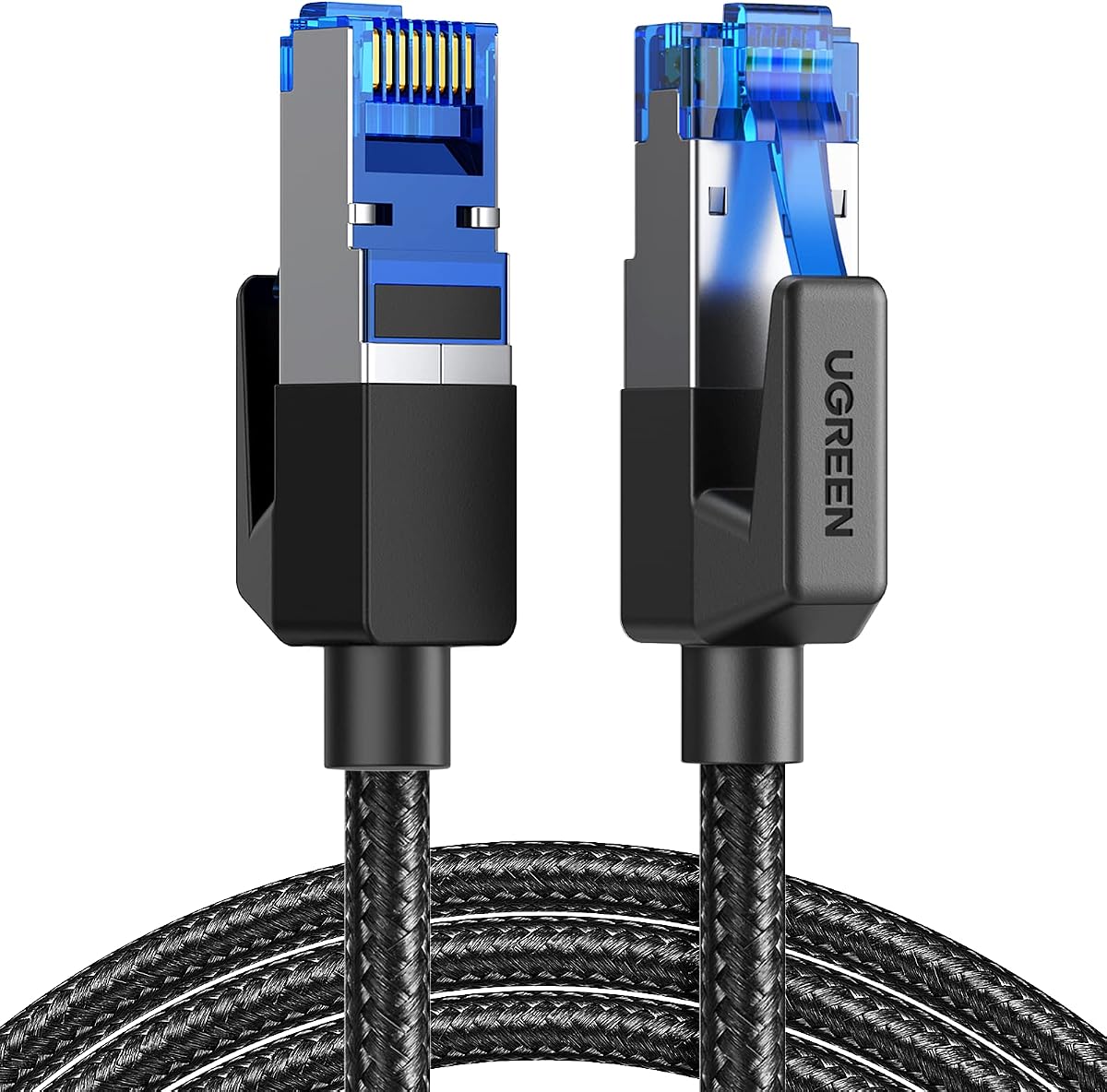
The UGREEN Cat 8 Gaming Ethernet Cable 5FT has a 4.7 rating and the most layered shielding specification in the group. It supports 40 Gbps transfer and 2000 MHz bandwidth while using a 26AWG pure copper conductor and 50-micron gold-plated contacts to promote conductivity and resist oxidation.
We may earn a commission when you buy through this link, at no additional cost to you.
Its upgrade anti-interference system combines aluminum foil shielding, graphene conductive cloth, and an outer braided metal mesh. The listing says these layers reduce crosstalk between cores and support stable high-speed transmission. This construction is especially attractive for crowded entertainment setups, where a console may sit near televisions, routers, game systems, and power adapters.
The braided cotton exterior and stated bend endurance of at least 10,000 cycles make the cable suitable for regular handling. PoE support is also listed, giving it broader utility for compatible network devices. Although PoE does not apply to a Switch 2 network connection itself, it adds flexibility if the cable is shared with compatible cameras or access points.
Five feet is the shortest direct cable in the guide, so buyers should measure carefully. It may suit a console and router positioned close together, but it could be tight for a wall-mounted television or a router on another shelf. The layered construction may also make the lead less flexible than a simpler Cat 6 option. For a nearby, permanently routed connection, however, its shielding and contact construction are compelling.
Aluminum foil, conductive cloth, and a braided metal layer work together to limit crosstalk and external interference. The design targets the signal stability concerns of densely connected entertainment centers.
A 26AWG pure copper core is combined with 50-micron gold-plated contacts. The listing positions these materials as supporting conductivity, lower resistance, and resistance to oxidation and wear.
We may earn a commission when you buy through this link, at no additional cost to you.
The DDMALL Cat 8 Ethernet Cable 6FT 2-Pack has a 4.7 rating and emphasizes both flexibility and environmental durability. Two round six-foot cables are included, each with four aluminum-foil-shielded twisted pairs, a pure copper core, and gold-plated RJ45 connectors.
We may earn a commission when you buy through this link, at no additional cost to you.
The product claims 40 Gbps transfer and 2000 MHz bandwidth, which positions it as a high-speed LAN solution. Its F/FTP construction is intended to resist EMI and RFI, reduce signal attenuation, and support reliable transmission over longer distances when compared with unshielded alternatives.
The PVC shell is described as flexible, abrasion-resistant, waterproof, and resistant to aging. It is also listed for outdoor, indoor, and basement use and as suitable for direct burial. Those are notable construction claims, although the listing does not provide a formal outdoor rating or detailed burial depth guidance, so users should still use a suitable exterior pathway where required.
Compatibility includes switches, routers, servers, printers, cameras, patch panels, hubs, keystone jacks, and multiple console standards. PoE support makes the two-pack useful for cameras and wireless access points as well as gaming. The trade-off is that a round cable requires more room around furniture and may be less discreet than the flat Orbram alternative.
The listed PVC properties are designed to handle abrasion, moisture, and aging. This broadens the cable's potential uses, although a direct-burial installation should follow local guidance and use appropriate routing.
One cable can connect a docked console while the second connects another RJ45 device or serves as a replacement. PoE support adds compatibility for compatible access points and cameras.
We may earn a commission when you buy through this link, at no additional cost to you.
The UGREEN USB to Ethernet Adapter offers a compact alternative to a conventional cable and has a 4.6 rating. It provides up to 1000 Mbps network speed through a USB 3.0 connection and is designed for plug-and-play operation without driver installation.
We may earn a commission when you buy through this link, at no additional cost to you.
The listing specifically states compatibility with Nintendo Switch and Switch OLED. That makes the adapter interesting for owners of a compatible docked console, although the exact physical and firmware requirements of the Switch 2 should be confirmed with the current product listing and Nintendo's own guidance before purchase.
Its broad device support includes desktop PCs, laptops, Nintendo Switch, Switch OLED, and USB-A-equipped TV boxes such as ThinkPad, Surface, XPS, Chromebook, Spectre, Zenbook, MacBook, Mac Mini, and Mi Box platforms. The operating-system list includes Windows 11, Windows 10, Windows 8.1, Windows 8, macOS, and Chrome OS.
Portability is the defining advantage. Its compact shape can fit into a pocket or briefcase and avoids leaving a long cable permanently installed. The limitation is that it depends on a compatible USB-A port and still requires a separate Ethernet cable, making it more adaptable than a single direct lead but less tidy than a permanent dock connection.
The small adapter body is convenient for travel, temporary setups, and locations where a permanently routed cable is inconvenient. It converts a compatible USB-A connection into a wired Ethernet port.
The stated plug-and-play support covers common desktop, laptop, and Chrome OS environments. The product description also indicates driver-free use with Nintendo Switch and Switch OLED.
We may earn a commission when you buy through this link, at no additional cost to you.
The Cable Matters 10Gbps Snagless Cat 6 Ethernet Cable 2FT is the most compact direct cable in the guide and carries a 4.8 rating. Its Cat 6 construction uses a 24 AWG copper core, supports up to 550 MHz bandwidth, and is described as ready for 10-Gigabit Ethernet and backward compatible with existing Cat 5 networks.
We may earn a commission when you buy through this link, at no additional cost to you.
Rather than relying only on a category label, the listing references Category 6 performance under the TIA/EIA 568-C.2 standard. Gold-plated contacts and strain-relief boots are intended to improve connector durability, while the snagless design can help avoid snagging on the connector clip. The cable also supports PoE, PoE+, and PoE++ for compatible network devices.
At two feet, it is best suited to a console and router that sit close together. The short length can reduce visible cable clutter around a television stand and is easy to carry, but it offers almost no routing flexibility. Buyers needing to reach around a corner or across a cabinet should measure first.
This cable is also a useful reminder that a high category number does not automatically make every option ideal. Its 10 Gbps capability is more realistic than the maximum transfer figures advertised by some Cat 8 products for many ordinary network environments, yet the actual link speed still depends on the console, router, switches, and network configuration. For a compact nearby connection, it delivers a focused and practical feature set.
A two-foot lead works well when the Switch 2 dock and network device are close together. It is also easier to transport and less likely to become a trip hazard or an untidy loop.
The cable uses 24 AWG bare copper and is rated for up to 550 MHz bandwidth. Its listed 10 Gbps readiness provides a useful balance of specification and compact physical design.
We may earn a commission when you buy through this link, at no additional cost to you.
The right choice depends on the Switch 2 dock connection, available space, router capability, and how the cable will be routed. These factors help separate direct cables from adapters and determine whether advanced specifications add meaningful value.
Start by checking the physical connection available on the Switch 2 dock and the accessories you already own. A conventional Ethernet cable may use a dedicated RJ45 network jack, while some dock configurations may rely on a USB Ethernet adapter. This distinction determines whether a direct RJ45 lead, the official HORI adapter, or a compact USB-to-Ethernet device is the correct form factor.
Compatibility also involves more than the shape of the connector. Check current Nintendo guidance, the product listing, and the accessories included with your dock. An older accessory designed for the original Switch should not be assumed to support the Switch 2 without confirmation.
Choose the connection method that the dock explicitly supports and that can be operated comfortably without blocking ports, ventilation, or controls.
Measure the complete path from the console dock to the router or network switch rather than estimating from the straight-line distance. Allow extra length to bend around furniture, run along a wall, reach a mounted television, and maintain a service loop at each connector. Excessively tight routes can place stress on the plug even when the cable itself is flexible.
Six-foot cables suit many close entertainment centers, ten-foot cables offer more freedom, and fifteen-foot options can handle larger rooms or wall-mounted displays. A two-foot lead is convenient when both devices are adjacent, but it offers little margin for cable routing or repositioning.
Longer is not automatically better. Choose the shortest practical length that reaches comfortably without a sharp bend or conspicuous loop.
Cat 6 cables in this guide support either 1000 Mbps with 250 MHz bandwidth or up to 10 Gbps with 550 MHz bandwidth, depending on the specific model. These ratings are generally sufficient for conventional home networking. Cat 8 products claim support for up to 40 Gbps and 2000 MHz bandwidth, giving them considerable headroom for demanding or future-oriented network equipment.
A cable cannot make a Switch 2 connection faster than the console, dock, router, and internet service allow. Higher categories are still useful for reduced interference, dependable construction, compatibility with capable network equipment, and freedom from an early replacement if the surrounding network changes.
For most buyers, Cat 6 is a sensible starting point. Choose Cat 8 when advanced shielding, conductor construction, a two-cable set, or additional performance headroom is important.
Shielded construction can help reduce electromagnetic interference, crosstalk, and signal degradation. The products here use F/FTP or S/FTP arrangements, while the UGREEN gaming model adds multiple shielding layers. These features are most relevant near routers, televisions, game consoles, power supplies, and bundled cable runs.
Shielding does not eliminate poor installation practices. Avoid tightly coiling a high-speed cable around power adapters, crushing it beneath furniture, or using sharp unsupported bends. A good connector and a low-stress route matter alongside the internal cable design.
Look for shielding when the cable must share a congested route. It is less noticeable in a short, organized run between two nearby devices.
Gold-plated contacts appear across most of the higher-specification options and are intended to support dependable contact and resist oxidation. Some listings also mention snagless plugs, strain-relief boots, or protected connector buttons. These details are useful for a dock that gets connected regularly or where the cable is routed near moving components.
Conductor material and gauge also deserve attention. Pure copper is specified for the UGREEN Cat 8 products, while the Cable Matters Cat 6 uses 24 AWG copper. The UGREEN six-foot two-pack states 26AWG. These details can help distinguish the listings, although they should not be treated as visible proof of real-world performance without testing.
Favor cables with clear connector specifications and straightforward compatibility information.
Power over Ethernet allows compatible equipment to receive power and data through one network cable. Several products state PoE support, which can be useful for IP cameras, wireless access points, VoIP phones, and other compatible devices. PoE is not required for a standard Switch 2 Ethernet connection.
If the cable will serve only a console and router, prioritize length, routing, shielding, and connector quality instead. If it will also be used in a broader network installation, verify PoE standards, voltage requirements, and the capabilities of the connected device.
Treat PoE as an added convenience rather than a deciding feature for gaming.
Braided jackets are common among the Cat 8 and Cat 6 options, and several products cite bend endurance of roughly 10,000 to more than 12,000 cycles. Round cables can be easier to handle in some locations, while flat cables can sit neatly along a wall or behind furniture. Neither shape is universally better.
The DDMALL cable also lists a flexible, abrasion-resistant PVC shell with waterproofing, anti-aging, and direct-burial claims. These characteristics may appeal to users planning a broader installation, although formal environmental ratings and local burial guidance should still be considered.
Choose the construction that matches your route and how often the cable will be moved.
Two-packs, carrying cases, multi-layer shielding, extended lengths, and very high headline transfer rates can all be valuable, but they are not equally relevant to every console owner. A second cable is useful for multiple devices or as a spare, while a carrying case matters more for a portable adapter. Advanced shielding is most useful in a crowded signal environment.
Begin with the required connection method, measure the route, and verify current compatibility. Only then should additional specifications influence the decision. This approach reduces the chance of buying an elaborate cable for a simple nearby connection.
Prioritize what solves a real setup problem, not the largest printed specification.
Begin by identifying the correct network connection for your Switch 2 dock. Connect the selected Ethernet cable or adapter to the appropriate dock port, then connect the other end to a router, modem with Ethernet capability, or network switch. Power on the console and confirm that the network interface recognizes the wired connection before launching an online game.
Route the cable gradually rather than making a tight fold. Secure excess slack loosely so it does not pull on the connector or hang where it could be snagged. Keep the cable away from sharp edges, moving furniture, strong heat sources, and water. If it passes beneath a carpet or through a wall opening, verify that the passage has enough clearance for the connector and jacket.
Inspect the RJ45 plug and cable jacket occasionally for damaged clips, pinched wires, sharp bends, or a connector that no longer seats firmly. Disconnect it by pressing the retaining clip rather than pulling on the cable. When stored, coil the cable loosely or use the included case where available; avoid tight wraps that can create stress along the cable.
The supplied product information does not identify a minimum Cat 6 or Cat 8 requirement for the Switch 2. Use a standard RJ45 Ethernet cable that is compatible with the dock and your network equipment. The Cat 8 options in this guide offer greater stated capacity and shielding, while the Cat 6 cables are adequate choices for many conventional home networks.
No assumption should be made based only on USB-A appearance. The adapter must be physically and electrically compatible with the relevant console and dock, and the current product listing should explicitly support it. The UGREEN adapter in this guide names the Nintendo Switch and Switch OLED, so owners should confirm the Switch 2 and dock requirements separately before buying.
Usually not. A console's practical connection speed is limited by the console, dock, router, internet plan, and server response rather than the maximum number printed on a cable. Cat 8 can still be worthwhile for stronger shielding, durable construction, a matching cable set, or compatibility with high-performance networking equipment.
Measure the full route and add enough slack for gentle bends and connector handling. Six feet often works for nearby equipment, ten feet gives more freedom around furniture, and fifteen feet suits larger gaps or wall-mounted screens. A two-foot cable is most appropriate when the router and dock sit almost side by side.
A properly constructed cable within its supported length should maintain a reliable connection. Very tight bends, crushing, poor connectors, or installation beyond the cable's intended specifications are more likely to cause problems than length alone. Use the shortest practical length, but avoid strain and sharp bends.
A wired connection can provide a more consistent route to the router by avoiding variable wireless conditions and interference. It cannot remove latency caused by the game server, internet provider, network congestion, or the game's matchmaking. The benefit is generally greater consistency rather than guaranteed zero latency.
Shielding is especially useful where the cable runs near power cables, electronics, or other network lines. In a simple, short setup, the difference may be difficult to notice. Connector quality and correct routing remain important regardless of whether the cable is shielded.
A single cable has one physical connection at each end, so it normally connects the Switch 2 dock to one network device. The two-cable bundles provide an additional lead that can connect another Ethernet device or remain available as a spare.
The UGREEN Cat 8 Ethernet Cable 10FT is the strongest all-around choice because it combines a 4.7 rating, a useful ten-foot length, four shielded foiled twisted pairs, and broad RJ45 compatibility. The UGREEN Cat 8 six-foot two-pack is a premium alternative for buyers who want two matching cables and advanced shielding, while the Cable Matters Cat 6 cable offers a focused, compact option with a 4.8 rating.
Compatibility should come before any category number. Confirm whether the Switch 2 dock accepts a direct RJ45 connection or requires a suitable USB Ethernet adapter, then measure the installation route. Choose enough length to avoid sharp bends, prioritize protected connectors for frequent docking, and consider extra shielding when the cable shares space with power cords and entertainment electronics.
Ratings and specifications provide a useful starting point, but current listings and prices change over time. Review the latest compatibility notes, connector dimensions, included accessories, and construction details before purchasing, and confirm that the selected cable or adapter is supported with your exact Switch 2 dock setup.