
Timetec 16GB DDR3L
4.7Editor score
Dual-voltage 1.35V/1.5V operation
Sixteen gigabytes across two modules
DDR3L-1600 desktop compatibility
Compare the best DDR3 RAM for older desktops, comparing capacity, speed, voltage, timings, rank, compatibility, and dual-channel configurations for upgradeers.
DDR3 RAM remains a practical upgrade for older desktop computers that cannot support DDR4 or DDR5. Capacity, module format, voltage, speed, and motherboard compatibility determine whether a kit will work and deliver worthwhile multitasking performance.
We compared ten kits using their stated capacity, data rate, timings, voltage, rank, voltage support, and intended platform. The guide covers standard 16GB dual-module kits, a 32GB four-module option, and a more compact 8GB kit.
Each review explains the most useful strengths and realistic limitations of its selected kit. Ratings reflect the supplied customer feedback, while prices and availability can change, so confirm current listings and system requirements before purchasing.
4.7Editor score

4.8Editor score

4.7Editor score
This side-by-side comparison highlights the main capacity, speed, electrical, and form-factor differences among the ten kits, with particular attention to dual-channel use and desktop compatibility.


The Timetec 16GB DDR3L kit combines two 8GB modules with a 1600MHz data rate, CL11 latency, and a 2Rx8 dual-rank configuration. Its 4.7 rating reflects broadly favorable customer feedback, while the dual-voltage design gives it useful flexibility across older desktop platforms. The kit is aimed squarely at users who want more usable memory without moving to a newer memory generation.
We may earn a commission when you buy through this link, at no additional cost to you.
Its strongest feature is the combination of capacity and electrical versatility. Each module can operate at either 1.35V or 1.5V, making the kit suitable for systems with low-voltage DDR3L support as well as conventional 1.5V DDR3 environments. The matched pair also allows compatible dual-channel-capable motherboards to use both modules together, which can improve responsiveness compared with a single smaller module.
There are some important limitations to recognize. This is a desktop-only 240-pin unbuffered UDIMM package, so it cannot be used in most laptops or in systems designed for registered server memory. The CL11 timing is not particularly aggressive, and the PCB may arrive in either black or green depending on the production batch. Neither issue changes its basic function, but buyers seeking a specific visual finish or the lowest possible latency may want to consider alternatives.
This is a strong recommendation for an owner of an older Intel or AMD desktop who needs 16GB and wants broad voltage compatibility. It is especially appealing for general productivity, browsing, and multitasking because two matched 8GB modules balance usable capacity with a manageable number of memory slots. Verify the motherboard supports 16GB and 240-pin DDR3, then this kit should provide a straightforward capacity upgrade.
Supporting both 1.35V and 1.5V allows this kit to fit more desktop memory configurations than a single-voltage alternative. The motherboard and CPU will usually determine the operating mode, but the modules can adapt to a compatible DDR3 or DDR3L platform.
Two 8GB modules provide enough room for typical office applications and several browser tabs without forcing the system to rely on virtual memory. Using the matched pair also gives a dual-channel motherboard the opportunity to increase memory bandwidth.
We may earn a commission when you buy through this link, at no additional cost to you.
The Patriot Viper 3 16GB kit is the performance-oriented choice in this group, pairing two 8GB modules with a tested 1866MHz frequency and 10-11-10-30 timings. Its 4.7 customer rating indicates solid satisfaction, and the higher speed differentiates it from the many 1600MHz alternatives. It is designed for desktop systems that use 240-pin, non-ECC, unbuffered DDR3.
We may earn a commission when you buy through this link, at no additional cost to you.
The principal benefit is its 1866MHz PC3-15000 specification. On a compatible platform, additional memory bandwidth can help data-heavy tasks, and the CL10 first-number latency is more responsive than the CL11 common among standard 1600MHz kits. An XMP 1.3 feature also offers a convenient route to applying the advertised speed in systems whose BIOS supports that profile.
The trade-off is that the fastest possible setting is not automatically the best or most stable setting. CPU memory controllers and motherboard BIOS versions can impose lower supported speeds, and some older systems may not boot reliably at 1866MHz. The kit also specifies 1.5V rather than offering the broader 1.35V/1.5V flexibility found on several competitors. A manual speed adjustment or XMP profile may therefore be needed.
Choose this kit if you own a compatible desktop with a capable memory controller, particularly if memory bandwidth matters and the system is already known to support 1866MHz DDR3. For a plug-and-play upgrade in an unfamiliar older machine, a conservative 1600MHz kit may be easier to integrate. Subject to those conditions, the Viper 3 is a compelling higher-speed choice.
The XMP 1.3 profile gives compatible systems a convenient way to select the kit's intended performance settings. Users without XMP support can still configure an appropriate speed manually, although the result depends on the motherboard and processor.
The 1866MHz rating offers additional theoretical bandwidth over 1600MHz kits. That advantage can be useful in memory-intensive applications, although gaming performance also depends heavily on the processor, graphics card, and application.
We may earn a commission when you buy through this link, at no additional cost to you.
G.SKILL's RipjawsX F3-12800CL10D-16GBXL combines two 8GB modules in a 240-pin non-ECC desktop UDIMM kit. Rated for up to 1600MT/s with 10-10-10-30 timings at 1.50V, it received a 4.7 rating and offers both a JEDEC default profile and an Intel XMP memory-overclocking profile. The result is a familiar choice for enthusiasts who want a little tuning flexibility.
We may earn a commission when you buy through this link, at no additional cost to you.
The kit's appeal lies in its clear profile support and matched construction. A compatible system can begin with the JEDEC default through its normal memory configuration, while an enthusiast can use the XMP profile to request the advertised 1600MT/s and tighter timings. G.SKILL also provides a QVL and a RAM configurator, giving buyers useful ways to investigate motherboard and hardware compatibility before installing the modules.
The important caveat is that achieving maximum speed may require overclocking or BIOS adjustments, and ultimate performance depends on the rest of the system. The manufacturer specifically advises against mixing memory kits because separately purchased modules are not guaranteed to work together as a set. This makes it wise to install both modules from this package together and keep them paired for the life of the system.
This kit is best for a builder who understands BIOS memory settings or wants an established XMP ecosystem. It also suits users who value detailed compatibility resources over a simple fixed-speed upgrade. For a completely plug-and-play installation, a 1600MHz JEDEC-oriented kit may be less demanding, but this RipjawsX set remains a technically versatile choice for compatible desktops.
The inclusion of both default JEDEC behavior and an XMP profile gives users two operating paths. The default is useful for initial setup, while XMP can expose the tighter performance configuration on compatible hardware.
The two modules are designed to operate together as a set, which supports dual-channel configurations and reduces uncertainty. Avoid combining them with another unrelated memory kit if dependable operation is the priority.
We may earn a commission when you buy through this link, at no additional cost to you.
The Corsair Vengeance 16GB kit is the strongest all-around recommendation here, combining two 8GB modules, a 1600MHz PC3-12800 data rate, and 10-10-10-27 rated timings. Its 4.8 rating is the highest among the ten products, and the specification sheet balances useful capacity with a straightforward desktop upgrade. It targets both Intel and AMD processor platforms.
We may earn a commission when you buy through this link, at no additional cost to you.
Sixteen gigabytes is now one of the most practical capacities for an older DDR3 desktop, giving room for office software, communication tools, web browsing, and more simultaneous applications than a small 8GB configuration. The matched pair can also operate in dual-channel mode on compatible boards. At the same time, 1600MHz and 1.5V are widely understood specifications that make this kit less dependent on aggressive memory overclocking.
There is an important distinction between rated and default SPD settings. The module's stated performance is 1600MHz with 10-10-10-27 timings, while the SPD data identifies 1333MHz with 9-9-9-24 timings and 1.5V. Older systems may initially use the conservative SPD profile, so users wanting the rated speed may need to enter BIOS settings and confirm that the motherboard supports 1600MHz with this kit.
This is the most broadly appealing selection for a typical 16GB DDR3 upgrade. It suits users who want proven customer feedback, a familiar 1600MHz class of performance, and straightforward Intel or AMD compatibility. It is also a strong fit for workstations that do not need 32GB but benefit from more responsive multitasking. Confirm the board's memory type and maximum supported capacity, and this Corsair kit is an easy recommendation.
The kit combines modern-enough capacity with a widely supported 1600MHz class of speed. That balance makes it appropriate for general office computing, study, browsing, and established gaming systems without requiring memory overclocking as a basic expectation.
A compatible system may boot with conservative SPD settings rather than the rated 1600MHz configuration. Check the BIOS memory page and the platform manual if the listed speed is important to your use case.
We may earn a commission when you buy through this link, at no additional cost to you.
Acclamator's 16GB DDR3 kit offers a conventional 1600MHz upgrade in a matched 2x8GB configuration. The modules use CL11 latency, 1.5V power, and a 240-pin unbuffered UDIMM form factor. Its 4.4 rating is the lowest in this comparison, yet the specifications and stated focus on older motherboards and CPUs make it worth considering for users prioritizing simple compatibility.
We may earn a commission when you buy through this link, at no additional cost to you.
The primary appeal is its clear positioning as a capacity upgrade for desktop computers that already use DDR3-1600. A pair of 8GB modules allows a compatible board to use dual-channel operation, while the CL11 speed class represents a common and generally manageable target for older memory controllers. The listed 512M x 16 chip architecture is also intended to support compatibility with older platforms.
Compared with the best-rated kits, this option offers fewer standout enthusiast features and a lower customer feedback rating. It does not include the XMP flexibility of the G.SKILL or Patriot models, nor does it offer the 1.35V compatibility offered by several dual-voltage kits. Its appeal therefore rests on the basic package: two matching modules, 16GB total capacity, and a standard 1600MHz target.
This kit is a sensible candidate for an older desktop whose memory controller and motherboard support 16GB of 1600MHz DDR3. It may be especially attractive to users who do not need overclock profiles and want a clearly described upgrade path. Check the board's supported module density and maximum capacity, and review the current customer feedback carefully before making the final decision.
A 1600MHz CL11 profile is a conservative target that can suit a broad range of older desktop memory controllers. The matched modules provide a simple two-stick configuration for users who do not need advanced tuning.
The 16GB total capacity reduces dependence on virtual memory in common multi-application use. This makes the kit more relevant to older office and home systems than a smaller 8GB package.
We may earn a commission when you buy through this link, at no additional cost to you.
The Crucial CT2K102464BD160B provides 16GB as two 8GB DDR3-1600 modules with CL11 timing and a 2Rx8 dual-rank layout. Its 4.7 rating reflects positive customer feedback, while dual-voltage support at 1.35V and 1.5V broadens its potential fit. Crucial also emphasizes installation guidance and system-checking resources.
We may earn a commission when you buy through this link, at no additional cost to you.
For owners of aging office or home systems, 16GB is often the most useful balance between capacity and installation complexity. The two modules can take advantage of dual-channel operation, and the 2Rx8 organization is a common desktop arrangement. Dual voltage is especially helpful when the system is designed for low-power DDR3L operation but the user wants a kit that also supports conventional 1.5V environments.
The module is not positioned as an overclocking product. There is no advertised XMP profile, so users should expect a standard 1600MHz-oriented configuration rather than a selectable high-performance preset. The Crucial System Scanner or Advisor Tool can reduce compatibility uncertainty, but no tool can guarantee support for every motherboard, CPU, BIOS version, and module-density combination. Users must still verify the system's memory specifications.
This is a well-rounded choice for someone upgrading a compatible desktop and valuing support resources alongside a conventional specification. It works particularly well for productivity, browsing, and multitasking, while the lack of an XMP profile makes it less appealing to enthusiasts. Confirm 240-pin unbuffered DDR3 compatibility, the supported module density, and the system's maximum memory capacity before installation.
Crucial's System Scanner and Advisor tools help users investigate whether a particular memory configuration suits their system. Installation guides also help reduce errors when seating modules and enabling the correct BIOS setting.
Operation at either 1.35V or 1.5V allows the kit to address both DDR3L and standard DDR3 desktop platforms. The motherboard determines the usable setting, so the hardware's memory specification remains essential.
We may earn a commission when you buy through this link, at no additional cost to you.
The GIGASTONE 32GB kit is the capacity-focused option, supplying four 8GB DDR3/DDR3L modules at 1600MHz with CL11 timing. Its 4.7 rating shows strong customer satisfaction, and dual-voltage support makes it relevant to both low-voltage and conventional DDR3 desktops. Four matched modules can provide enough memory for heavier multitasking, virtualization, and specialized legacy applications.
We may earn a commission when you buy through this link, at no additional cost to you.
Thirty-two gigabytes is the meaningful advantage over the more common 16GB kits. It gives applications more room to keep data active without immediately exchanging it to slower storage. The included PC3-12800 specification and 1.35V/1.5V dual-voltage operation also align with mainstream DDR3 desktop platforms. As a matched set, the four modules are intended to operate together and can populate a two-channel board with two modules per channel.
The four-module arrangement creates compatibility constraints that two-module kits do not. The motherboard must offer four accessible 240-pin DDR3 slots, support 32GB total capacity, and handle 8GB dual-rank modules. It must also support the intended memory organization and voltage. Some older boards cap capacity at 16GB, while others support 32GB but only with specific module sizes or ranks. A four-stick set can also place more demand on the memory controller.
Choose this kit for a compatible four-slot workstation or enthusiast desktop that genuinely benefits from 32GB and has demonstrated support for 8GB modules. It is not the safest choice for an unknown older system, where a 2x8GB kit offers easier installation and broader compatibility. Check the motherboard manual carefully, especially its maximum capacity and supported memory configurations, before purchasing.
Thirty-two gigabytes can help when several demanding applications or virtualized environments need to remain active at once. The benefit is most meaningful when the motherboard officially supports the full kit and each module.
Every module occupies a slot, so a four-module kit cannot be installed if the board has only two or three slots. Review its memory population diagram, supported maximum capacity, and guidance on 8GB dual-rank modules.
We may earn a commission when you buy through this link, at no additional cost to you.
TEAMGROUP's Elite TED316G1600C11DC01 combines two 8GB DDR3 modules rated at 1600MHz with CL11 latency. The kit operates at 1.5V and uses a 240-pin non-ECC unbuffered UDIMM design. Its 4.7 rating is strong, while the uncomplicated specification makes it relevant to users who want a routine capacity refresh rather than a heavily tuned memory package.
We may earn a commission when you buy through this link, at no additional cost to you.
The two 8GB modules create a useful balance for an older dual-channel desktop. A total of 16GB can improve the experience of running an operating system, browser, productivity applications, and background services at the same time. The 1600MHz PC3-12800 class is widely used in DDR3 systems, and the matched pair avoids the uncertainty of combining unrelated modules. TEAMGROUP also notes JEDEC and RoHS compliance and provides a lifetime warranty with technical support.
This is deliberately a conventional option. It does not advertise an XMP profile, so there is no obvious enthusiast preset for pushing timings or selecting a higher speed. The specified 1.5V voltage also makes it less flexible than dual-voltage kits. While 1600MHz is a common target, older CPUs can sometimes support only 1333MHz, and the system may automatically choose a lower safe setting.
TEAMGROUP Elite is most suitable for a 240-pin DDR3 desktop that supports 16GB and 1600MHz memory. Choose it when straightforward installation, established specifications, and lifetime support matter more than XMP convenience. For a light-use system that already has sufficient memory, it will offer little benefit, but for an aging everyday PC, this kit can provide a meaningful and comparatively uncomplicated upgrade.
The PC3-12800 specification is a familiar class of DDR3 speed and avoids requiring an enthusiast profile for normal use. Compatible systems may still select a lower speed when governed by their CPU or BIOS.
Installing both 8GB modules gives a compatible motherboard the opportunity to use dual-channel memory. The kit is also covered by a lifetime warranty and free technical support according to the supplied product information.
We may earn a commission when you buy through this link, at no additional cost to you.
The PC3-10600U 8GB kit provides two 4GB DDR3 modules operating at 1333MHz with CL9 timing and 1.5V. Its 4.6 rating remains solid, and the lower PC3-10600 target is appropriate for systems whose processors or motherboards are not comfortable with 1600MHz memory. It is a compact upgrade path for older desktops that need more than the original memory configuration.
We may earn a commission when you buy through this link, at no additional cost to you.
Two 4GB modules allow compatible systems to use dual-channel operation while avoiding the need for four sticks or a 32GB package. The 1333MHz specification and CL9 latency are conservative by modern standards, but that can be helpful on older platforms with limited memory-controller support. The product information also states applicability to AMD, Intel, and Mac systems, provided the specific computer accepts 240-pin desktop UDIMMs.
The most obvious limitation is total capacity. Eight gigabytes may feel adequate for a lightweight machine, but it is much less comfortable when several modern browsers, messaging applications, and office programs are open simultaneously. The lower data rate also delivers less theoretical bandwidth than the 1600MHz and 1866MHz kits in this guide. Buying this product makes more sense when compatibility and affordability matter more than headroom.
This kit is a practical option for an older desktop that supports 1333MHz DDR3 and needs a straightforward increase in memory. It may be a better fit for light productivity, offline use, or a system that cannot populate larger modules. Verify that the computer accepts desktop-size 240-pin memory and supports 2x4GB, because even the broad platform claims in the listing cannot replace a model-specific compatibility check.
The 1333MHz PC3-10600 specification is less demanding than 1600MHz or 1866MHz memory. It can be a sensible selection for older controllers, although exact support still depends on the processor and motherboard.
Eight gigabytes is enough for many essential tasks, and the matched pair supports a dual-channel arrangement. It offers less room for intensive multitasking than the 16GB and 32GB alternatives.
We may earn a commission when you buy through this link, at no additional cost to you.
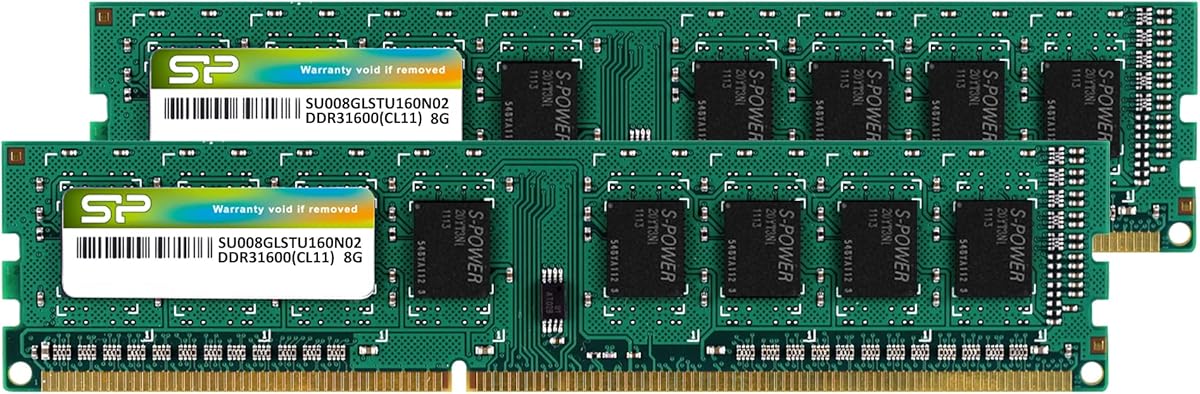
Silicon Power's 16GB DDR3 kit pairs two 8GB modules rated at 1600MHz with CL11 timing. It supports both 1.35V and 1.5V, uses a 240-pin unbuffered UDIMM form factor, and received a 4.7 customer rating. The combination of standard speed, useful capacity, and dual-voltage operation makes it a broadly relevant option for aging desktop systems.
We may earn a commission when you buy through this link, at no additional cost to you.
The 1.35V capability is the standout feature. The product information states that the lower voltage can reduce power consumption by 20 percent, an attractive consideration in always-on or space-constrained legacy systems. Dual-voltage flexibility also broadens compatibility with motherboards designed for either DDR3L or conventional 1.5V DDR3. The standard 1600MHz class avoids the extra setup associated with more aggressive overclocking kits.
The manufacturer states that each module is factory-tested for stability, durability, and compatibility, and the DDR3L UDIMM is backed by a lifetime warranty. That does not remove the need to check the specific system. RAM form factor, voltage, capacity limits, and supported module organization must all match, and the listed claims are not a guarantee that every older computer will boot the kit at its rated speed.
Choose this kit for a compatible desktop that benefits from 16GB, particularly one with a low-power DDR3L memory design. It is well suited to general productivity and multitasking without demanding XMP knowledge. Buyers prioritizing lower-voltage operation, factory testing, and warranty support will find those points useful, while those seeking 32GB capacity or 1866MHz performance should look elsewhere in the guide.
The stated 1.35V operating option can lower memory-related power use compared with a 1.5V configuration. The savings will vary depending on the system, workload, and whether the platform enables the lower-voltage mode.
The matched 2x8GB kit provides enough memory for typical office multitasking and everyday applications. Its standard 1600MHz speed and CL11 timing also make it a conservative choice for older desktops.
We may earn a commission when you buy through this link, at no additional cost to you.
The right DDR3 kit depends less on the brand name than on exact compatibility. Capacity, module organization, voltage, speed, and motherboard support determine whether the upgrade works as intended.
Use the motherboard documentation, not a general processor guess, to confirm support.
Prioritize 16GB for a balanced upgrade, but match capacity to the motherboard limit.
Use a matched kit and the manual's recommended slots for dual-channel operation.
Choose the fastest speed the platform explicitly supports, not merely the headline rating.
Match voltage and rank to the motherboard requirements before ordering.
Prioritize stable supported settings over marginally tighter advertised timings.
Check slot count, per-slot limits, and module-size support in the manual.
Use manufacturer compatibility tools and warranty terms to support your decision.
Before installing memory, shut down the computer completely, disconnect its power cable, and let the system discharge. If it is a desktop, wait for internal components to cool, ground yourself, and consult the manual for the correct opening method. Confirm the new modules are 240-pin desktop UDIMMs, then identify the recommended slots. On a dual-channel motherboard, the pair is usually installed in alternating or designated slots as shown in the motherboard manual.
Release the retaining clips, align the notch in each module with the slot, and press both ends until the clips close. Do not force the module, and avoid touching the gold contacts. Once seated, close the case, reconnect power, and enter the BIOS to check the recognized capacity, memory speed, and channel mode. If the system does not boot, power it down, remove the modules, reseat them, and try the correct slots one module at a time to isolate a possible issue.
After installation, update the BIOS when appropriate and use a memory diagnostic available in the operating system or supplied by the motherboard manufacturer. Keep the DIMM area clear of dust, and avoid forcing adjacent components against the modules. For a stable upgrade, retain the matched kit together, use a supported speed setting, and change one BIOS option at a time. XMP should be enabled only after confirming the CPU and motherboard support the advertised configuration, and a failed boot can usually be recovered by clearing settings or removing the power.
No. DDR3 and DDR4 use different physical pin layouts and electrical standards, so the modules do not fit or operate interchangeably. Check the motherboard manual and the labels on the existing memory before purchasing. A DDR4 desktop needs a compatible DDR4 UDIMM kit instead.
For office applications, web browsing, communication tools, and everyday multitasking, 16GB is generally a useful capacity for an older DDR3 system. It provides more breathing room than 8GB, especially with several browser tabs open. Heavy virtualization, large editing projects, and specialized applications may still benefit from 32GB if the motherboard supports it.
It can help when the game is limited by system memory bandwidth and the platform can run the kit at its rated speed. In many systems, the graphics card, processor, and game engine have a larger effect. Confirm supported memory speeds before buying, because faster modules may run at a lower standard setting.
Only if you want the kit to use its advertised 1866MHz performance configuration and the platform supports XMP 1.3. Otherwise, the system may select a conservative JEDEC speed automatically. You can also configure the speed manually in BIOS, provided the CPU and motherboard can handle that setting reliably.
Mixing modules can work in some systems, but it is not guaranteed and may reduce speed or cause instability. Modules can differ in capacity, rank, chip organization, timings, and voltage even when they share a nominal speed. For dependable dual-channel operation, use the two matched modules supplied in one kit.
No. It requires four available 240-pin DDR3 slots and a motherboard that officially supports 32GB total memory with 8GB modules. Some older boards cap total capacity at 16GB or restrict module density. Check the motherboard's supported memory list and population diagram before ordering this four-module kit.
DDR3L is the low-voltage form of DDR3, commonly associated with 1.35V operation, while conventional DDR3 commonly uses 1.5V. Several kits in this guide support both voltages and can work in either compatible environment. A DDR3-only motherboard may not accept a module that lacks 1.5V support.
Many compatible motherboards configure dual channel automatically when a matched pair is installed in the correct slots. Some provide an automatic option, while others require a BIOS setting to be enabled. Follow the board's recommended slot layout, and use a hardware information utility after installation to confirm the channel mode.
The Timetec 16GB DDR3L kit stands out as the budget-minded recommendation because it combines two 8GB modules with dual-voltage operation and a 4.7 rating. The Corsair Vengeance 16GB is the strongest all-around choice, offering the highest customer rating alongside a balanced 1600MHz specification, while the Patriot Viper 3 16GB takes the premium position for users whose platform can support its faster 1866MHz profile.
For most older desktops, a matched 2x8GB kit at 1600MHz is the easiest place to start. Choose a dual-voltage model when system requirements are uncertain, and reserve a 32GB four-module kit for boards that explicitly support its size, rank, and capacity. The GIGASTONE option offers the most room, while the 8GB PC3-10600U kit is more appropriate for lighter use and more conservative platforms.
Before ordering, verify the memory type, module form factor, supported capacity, slot layout, voltage, and speed for the exact computer. Customer ratings and product availability can change over time, and current prices fluctuate, so compare the live listing with the requirements established in this guide before making a final purchase.