
avedio links HDMI Splitter 1 in 2 Out
4.1Editor score
Four-foot HDMI cable included
4K at 30Hz
Twelve and sixteen-bit color
External USB power
Our HDMI Y Splitter guide compares ten splitters for resolution, refresh rate, HDCP support, display count, design, and setup across home and office use.
An HDMI Y splitter sends one HDMI source to two compatible displays, making it useful for duplicating TV, game, presentation, or streaming content across multiple screens. A capable model should balance synchronized output, stable signal handling, supported resolution, HDCP behavior, and straightforward installation.
We compared all ten products by their core architecture, output configuration, maximum resolution, refresh rate, audio support, HDCP limitations, power requirements, and physical design. The list also distinguishes true one-to-many splitters from bidirectional switchers that can perform related but different routing functions.
Each review explains the standout features, practical trade-offs, and ideal setup for the selected model. Ratings reflect the supplied customer feedback, while availability, specifications, and pricing can change, so readers should confirm current details before making a final purchase decision.
4.1Editor score

4.3Editor score

4.7Editor score
The comparison below covers ten HDMI distribution and routing devices, including dedicated 1×2 and 1×4 splitters and bidirectional 2-in-1-out switches. Each entry highlights the most important distinctions in output behavior, maximum video format, protection support, and setup requirements.




The OREI UltraHD 4K@60Hz 1×2 HDMI Splitter is a well-rounded choice for anyone who wants to mirror one source across two televisions or monitors. Its supplied rating is 4.3, and its strongest technical feature is support for 4K at 60Hz through an 18Gbps-capable design. That makes it more appropriate for current 4K televisions, modern game consoles, and high-refresh displays than basic models limited to 4K30.
We may earn a commission when you buy through this link, at no additional cost to you.
The splitter duplicates a single HDMI input to two outputs, which is useful for showing the same game, movie, presentation, or menu on two screens. Its listed compatibility covers common source devices such as Roku, Fire TV, PlayStation, Xbox, Apple TV, Blu-ray players, projectors, and PCs. Broad audio support includes LPCM, Dolby-AC3, DTS 7.1, DSD, Dolby, and DTS-HD Master Audio, reducing the likelihood that a supported source will lose a compatible audio format.
There are important boundaries. This is a duplicator, not an extender, so both displays must show the same picture; it cannot create separate desktop spaces or place different content on each screen. It also works best with HDMI cables no longer than 30 feet, and the package includes the splitter, power supply, and manual rather than a complete set of HDMI cables. Users must therefore account for their own cable lengths and connection needs.
The OREI model is best for households or offices that want a dependable dedicated splitter with 4K60 capability and broad device support. Its metal enclosure and included dual-voltage supply make it feel more substantial than a bare adapter, while the 60Hz output offers a stronger foundation for modern displays. Choose it when simultaneous mirrored output is the goal and true extended desktop operation is unnecessary.
Supporting 4K at 60Hz gives this splitter a clear advantage for current 4K televisions, gaming systems, and computer displays. The two outputs remain synchronized, making it convenient for a main screen and a secondary television, presentation display, or gaming monitor.
The listed device support covers streaming boxes, game consoles, disc players, set-top boxes, PCs, televisions, projectors, and monitors. Confirm that the source and both displays use compatible HDMI standards before installation.
We may earn a commission when you buy through this link, at no additional cost to you.
This OREI HDMI Splitter 1 in 2 Out is a straightforward duplicator for sending one source to two screens. It carries a 4.4 rating, the highest among the dedicated 1×2 models in the lower-cost group, and supports up to 4K at 30Hz along with 1080p, 720p, and a broad range of legacy resolutions. It is a practical choice for standard-definition and 4K television viewing.
We may earn a commission when you buy through this link, at no additional cost to you.
The package includes a power adapter with both a United States plug and an international converter, reducing uncertainty when the splitter is used outside its original market region. A heavy-duty metal enclosure helps dissipate heat, while the supplied dual-voltage design makes the unit ready for common household installations. The compatible input list includes computers, game consoles, streaming devices, Blu-ray players, satellite receivers, Chromecast, and projectors.
Its limitations are meaningful for buyers with demanding modern displays. The maximum 4K refresh rate is 30Hz rather than 60Hz, which can be less ideal for high-refresh gaming or smooth computer interaction. The product supports HDCP 1.4 but does not bypass or strip protected content, and the listed specifications state that it does not support HDCP 2.0 or 2.2. Long runs beyond 30 feet are also discouraged.
This OREI model suits buyers who need simple, simultaneous mirroring on two televisions and do not need extended displays or advanced 4K60 performance. It is especially attractive for international travel because of the included power-conversion hardware. For modern gaming or newer protected-content workflows, verify the source and display standards before ordering.
The core function is uncomplicated: one HDMI source feeds two outputs with identical video and audio. It works well for watching a set-top box in two locations or carrying the same presentation to a second display without changing the source.
The included US plug and international adapter simplify use in different outlet configurations. The metal housing also provides more thermal headroom than many lightweight plastic adapters.
We may earn a commission when you buy through this link, at no additional cost to you.
The WARRKY model is technically a bidirectional 2-in-1-out HDMI switcher rather than a conventional splitter, but its versatility makes it relevant to anyone comparing compact HDMI distribution devices. It has a 4.4 rating, supports resolutions up to 4K at 60Hz, and offers two distinct operating modes for changing sources or changing displays.
We may earn a commission when you buy through this link, at no additional cost to you.
In source-switching mode, two HDMI sources connect to a single display, allowing a console, streaming device, or computer to be selected with a button. In display-switching mode, one source connects to two displays, but only one display operates at a time. This distinction matters: it does not send the same image to both screens at once, so it is not a substitute for a true duplicator when simultaneous viewing is required.
The fixed 3.3-foot braided HDMI pigtail reduces the need for an extra short cable and helps prevent loose connections. A 10.2Gbps chip, gold-plated connector, and aluminum shell support signal quality and heat dissipation. The model also supports HDR, 3D, HDCP 2.2, and uncompressed 7.1, 5.1, or 2-channel audio with compatible Dolby Atmos or DTS equipment, although ARC and eARC are excluded.
This is a strong choice for a gaming or media setup where the main need is convenient source selection, or where one source should be moved between a television and projector. It is less appropriate for users who require two screens to remain on at once. For that goal, the dedicated 1×2 OREI or avedio links splitters better match the task.
The bidirectional design lets the device act as either a two-source selector or a one-source, two-display selector. This makes it a flexible companion to a television, projector, or monitor setup with changing sources or screens.
Support for 4K60, 2K144, HDR, and 3D provides useful headroom for modern consoles and displays. The fixed cable, aluminum enclosure, and gold-plated connector also emphasize a compact, durable installation.
We may earn a commission when you buy through this link, at no additional cost to you.
The avedio links HDMI Splitter 1 in 2 Out is the most budget-conscious dedicated Y splitter on this list. It has a 4.1 rating and mirrors one source across two displays with synchronized video and audio. The included four-foot high-speed HDMI cable reduces the immediate need for another connection accessory, although users will still need another suitable cable for the second display.
We may earn a commission when you buy through this link, at no additional cost to you.
Video support reaches 4K at 30Hz and is backward compatible with 1080p at 50Hz or 60Hz, 1080i, 720p, 576p, 576i, 480p, and 480i. The splitter supports HDMI 1.3 and HDMI 1.4, deep color at 12-bit or 16-bit, and several audio formats including DTS-HD, Dolby TrueHD, LPCM 7.1, DTS, Dolby-AC3, DSD, and HD audio. The recommendation is to use AWG26 HDMI 2.0 cable for reliable 4K performance.
The main compromise is power. A USB power cable is included, but a wall adapter is not, so buyers must have a suitable 5V 1A source. The device also does not support HDCP 2.2, extended desktops, switching between sources, or audio extraction. Those limitations are acceptable for basic mirroring but may not suit a modern PC, home theater, or newer commercial installation.
The avedio links model is best for a straightforward second-screen setup, such as mirroring a set-top box to another television or showing the same content on a presentation display. It offers more resolution and audio support than a bare minimum adapter while remaining an economical option. Users should plan for suitable HDMI cables and a dependable USB power source.
The bundled four-foot HDMI cable lets an owner begin with the source-to-splitter connection immediately. A second compatible cable will still be needed for the remaining display, depending on the room layout.
The broad backward-compatible format list makes the splitter useful across many older and newer displays. For stable 4K operation, follow the stated guidance concerning cable quality and length.
We may earn a commission when you buy through this link, at no additional cost to you.
The GANA Aluminum Bidirectional HDMI Switcher offers a simple way to manage two sources or two displays, with no external power required. Its 4.3 rating reflects a generally favorable customer response, while the 4K60 specification and aluminum enclosure make it appealing for compact home-entertainment and gaming arrangements.
We may earn a commission when you buy through this link, at no additional cost to you.
In one mode, the switch combines two HDMI sources and sends the selected source to one display. In the other, it receives one source and lets the user toggle between two outputs. Only one of those two displays works at a time, so this is a switching device rather than a simultaneous one-to-two Y splitter. Two LED indicators clearly show which route is active, and a single button controls the change.
The product lists 4K at 60Hz support, 3D visual support, and backward compatibility with 2K and 1080p. To maintain vivid 4K video, the guidance recommends standard HDMI 2.0 cables with a total length of no more than three meters. Its stated 3.4Gbps data rate is lower than the bandwidth figure associated with some 4K60 designs, so the limitations of the source, display, and cables still matter.
This GANA model is best for someone who wants to avoid another power adapter and who mainly needs quick manual switching between consoles, streaming boxes, or displays. It suits compact desks and entertainment centers where a powered hub would be inconvenient. It is not the right choice for extending a computer desktop or sending one image to two powered-on screens simultaneously.
Because no external power supply is needed, the device can be connected directly to the source and display. The aluminum body and simple button operation keep the installation uncluttered.
Source mode is useful for choosing between two media devices, while display mode moves one source between two screens. Reviewers wanting both displays active at once should instead choose a dedicated duplicator.
We may earn a commission when you buy through this link, at no additional cost to you.
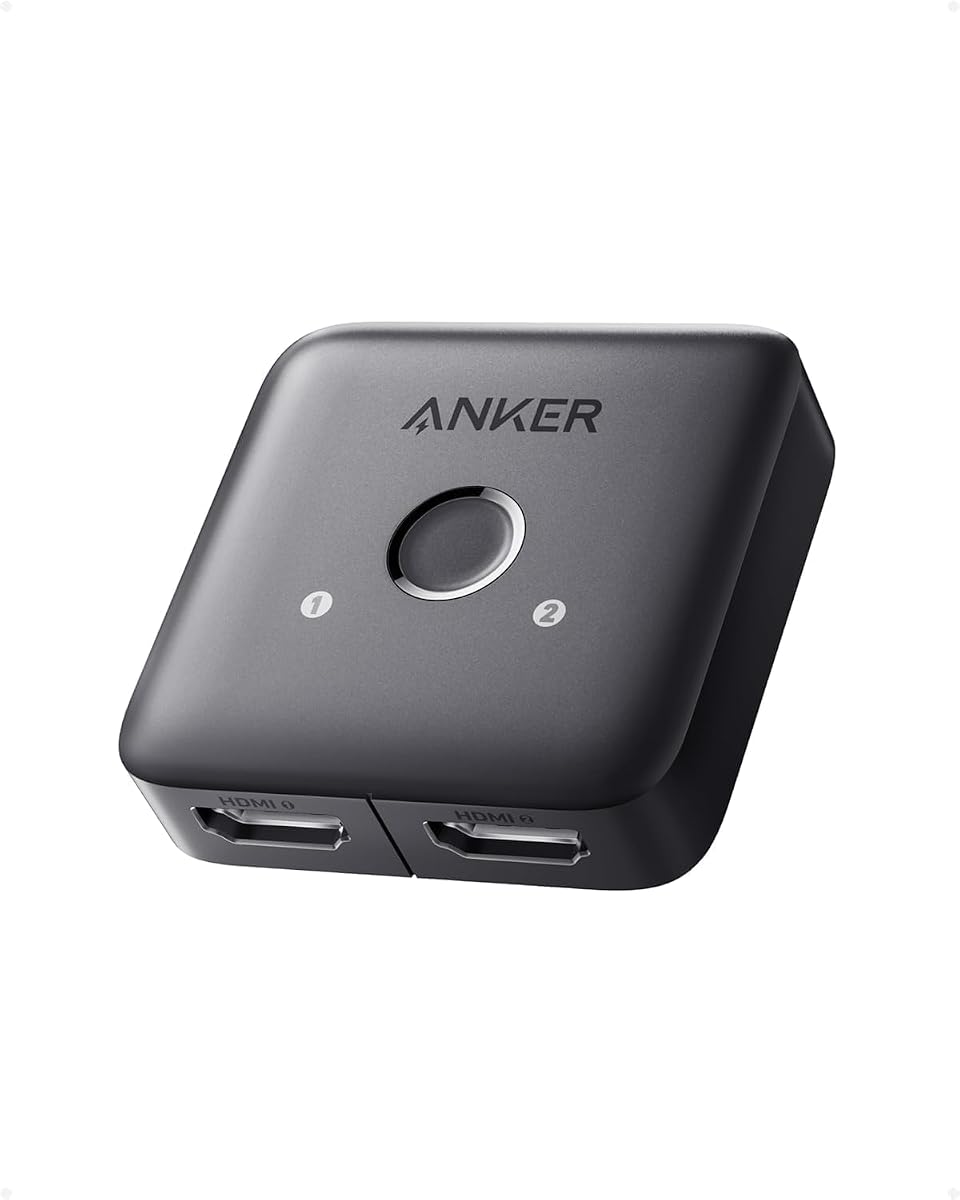
The Anker HDMI Switch is designed for one straightforward task: connecting two HDMI sources to a single display and choosing between them with one button. Its 4.4 rating is among the stronger results in the group, and the listed 4K at 60Hz support makes it suitable for many modern televisions and monitors when appropriate short cables are used.
We may earn a commission when you buy through this link, at no additional cost to you.
The operating approach is intentionally minimal. Manual selection is supported, but automatic signal detection is not, so a source may need to be awakened or made active before the switch recognizes it. The product works with laptops, game consoles, televisions, and VR headsets, giving it broad utility across a home office or entertainment center. The package includes a safety guide and an 18-month warranty.
Cable length is a significant consideration at 4K60. The guidance recommends 30AWG input and output cables shorter than 3.3 feet, with a combined length no more than 6.5 feet. This is practical for a monitor positioned close to a console or computer but may be restrictive for a larger entertainment center. The switch also does not support HDMI CEC, so device-control features cannot be expected from it.
This Anker model is best for a desk or media cabinet where a laptop and game console share one television or monitor. It is not a simultaneous Y splitter, and it cannot send a source to two active displays. Buyers focused on duplicated content across two screens should consider a dedicated 1×2 model, while those who value automatic source selection should look for a device that explicitly supports it.
The single-button design keeps switching understandable for everyday users. With automatic detection absent, it is best to power on the intended source before expecting the selected display to become active.
The device is particularly useful for sharing one close-positioned monitor between a laptop and console. Its 4K60 capability suits modern displays, provided the recommended cable lengths are followed.
We may earn a commission when you buy through this link, at no additional cost to you.
The OREI UltraHD 1×4 HDMI Splitter is a strong option for installations that need more than a conventional two-output Y arrangement. It has a 4.5 rating, mirrors one source to four displays simultaneously, and supports up to 4K at 60Hz through an 18Gbps bandwidth specification. It is aimed at presentations, classrooms, retail displays, bars, and home entertainment environments.
We may earn a commission when you buy through this link, at no additional cost to you.
All four connected screens show the same source, making the device useful for synchronized information or entertainment. Listed audio support includes LPCM, Dolby-AC3, DTS 7.1, DSD, Dolby TrueHD, and DTS-HD Master Audio. The heavy-duty metal enclosure supports heat dissipation, while plug-and-play operation means no drivers are required. EDID support can help the source negotiate a suitable display mode across the connected screens.
The splitter still mirrors rather than extends, so it cannot provide four separate desktops or different content on each panel. It works best with HDMI cables up to 30 feet, and four outputs may make cable routing more complicated than with a 1×2 model. Because the source must drive every display, the final format can be constrained by the least capable screen in the installation.
The OREI 1×4 is a better fit for users who need genuinely simultaneous multi-screen duplication than for someone seeking a basic two-TV adapter. Its 4K60 capability, EDID support, and broad audio format list make it a more advanced professional-style choice. For only two displays, the OREI 1×2 remains simpler and less cable-intensive.
Four mirrored outputs support information-heavy environments where every screen must show the same source. The result is especially useful for retail menus, classroom material, or synchronized viewing areas.
EDID support helps the source identify display capabilities. Users should still verify that every connected screen and cable can handle the intended resolution and refresh rate.
We may earn a commission when you buy through this link, at no additional cost to you.
The OREI HDMI Splitter 1 in 2 Out for TV Mirror Only is a focused option for duplicating a television signal to two screens. Its 4.4 rating indicates strong customer satisfaction, while the uncomplicated mirroring design makes it easy to understand before installation. It is well suited to ordinary television viewing rather than demanding computer workflows.
We may earn a commission when you buy through this link, at no additional cost to you.
The splitter supports resolutions up to 4K at 30Hz, as well as 1080p, 720p, and VGA through WUXGA. This provides useful compatibility across older and newer displays. Its defining function is simple: one source becomes two identical outputs, allowing a set-top box, streaming player, console, or disc player to appear on two televisions at the same time.
The supplied product information is concise and does not emphasize advanced gaming features, high-refresh output, automatic switching, or extended desktops. Users who need 4K60 gaming, 4K144 performance, or eightK output should look at more specialized models. The basic 30Hz ceiling at 4K is also less ideal for high-refresh computer displays, even though it remains suitable for many television and streaming applications.
This OREI splitter is best for a second television, bedroom display, or event screen that needs to mirror the same programming. It avoids unnecessary complexity and gives users a clear one-to-two arrangement. It is a sensible choice when the goal is uncomplicated TV duplication rather than desktop extension, high-end gaming, or advanced source routing.
The model is designed around synchronized television output rather than separate desktop workflows. That focus makes it suitable for viewing the same channel, movie, or console feed in multiple rooms.
Support from 720p through 4K30 and VGA-to-WUXGA formats covers many common displays. Higher-refresh users should consider a model explicitly designed for the resolution and frame rate they need.
We may earn a commission when you buy through this link, at no additional cost to you.
The llano HDMI 2.1 Splitter 1 in 2 Out is the advanced option in this guide, combining the highest supplied rating with support for eightK60, 4K120, and 4K240 output. It is designed for buyers who want a current-generation mirrored display system for a high-end television, gaming monitor, laptop, console, or home theater.
We may earn a commission when you buy through this link, at no additional cost to you.
The device uses an HDMI 2.1 chip with built-in signal amplification and an aluminum enclosure. Its listed capabilities include HDCP 2.3, HDR10, Dolby Vision, and wide compatibility with PS5, Xbox Series X, Nintendo Switch 2, Apple TV, laptops, PCs, Blu-ray players, and streaming boxes. These specifications give it the strongest multimedia feature set among the dedicated Y splitters covered here.
It remains a mirror-only product. Both displays show the same content, so it cannot provide different desktops, applications, or video streams on each screen. The combined output is also limited by the weakest connected device; for example, connecting an eightK television to a 4K-capable audio receiver limits both outputs to 4K. ARC and eARC are not supported, and advanced functions such as ALLM and VRR need compatible support across every connected display.
The llano model is best for a premium, high-refresh installation where both screens can meet the desired specifications. Its 4.7 rating is the strongest supplied score in the list, and its HDMI 2.1 feature set suits modern gaming and high-resolution viewing. It is less suitable for users who specifically need extended desktops, separate content, or audio-return functionality.
Support for 4K at 120Hz or 240Hz and eightK at 60Hz is well suited to modern gaming displays and high-performance televisions. Both displays and all cables must support the selected format for the full capability to remain available.
HDCP 2.3, HDR10, and Dolby Vision support helps the splitter work with contemporary protected streaming and game-console content. The aluminum shell and integrated amplification are intended to promote stable transmission.
We may earn a commission when you buy through this link, at no additional cost to you.
The OREI 4K HDMI Splitter 1 in 2 Out is a compact dual-screen duplicator aimed at home entertainment, offices, classrooms, and gaming setups. It carries a 4.4 rating and supports 4K at 30Hz, 1080p at 60Hz, and 3D, offering enough format coverage for many common displays.
We may earn a commission when you buy through this link, at no additional cost to you.
One HDMI source is copied to two screens with synchronized video and audio. The listed compatible sources include Xbox, PlayStation, Blu-ray and DVD players, Fire Stick, Roku, Chromecast, PCs, laptops, satellite receivers, HD televisions, projectors, and monitors. This broad compatibility makes the model useful in rooms where the source may change over time while the displays remain the same.
The splitter does not support HDR, and its HDCP 1.4 limitation means it does not handle HDCP 2.0 or 2.2 content. It also lacks extended desktop capability, so the two screens cannot serve as separate workspaces. Recommended cable lengths are up to 26 feet at 4K and 30 feet at 1080p. A USB-to-micro-USB power cable and manual are included, but HDMI cables and a suitable power adapter are not.
This OREI model is a sensible compact choice for users who need the same content on two basic or 4K30 displays and do not require newer protected-content standards. It is less appropriate for HDR-heavy home theaters, high-end gaming, or modern streaming services that depend on HDCP 2.2. Its value lies in straightforward duplication and broad everyday device support.
The splitter sends identical picture and sound to two connected displays, which is useful for secondary TVs, presentation monitors, and shared gaming spaces. Installation remains uncomplicated as long as the source and displays are compatible.
HDCP 1.4 support and the lack of HDR mean the model is better suited to conventional content than current premium streaming or HDR gaming. Check service and device requirements before installation.
We may earn a commission when you buy through this link, at no additional cost to you.
The right HDMI Y splitter depends on whether you need simultaneous mirroring, source switching, extended desktops, advanced refresh rates, or protected-content support. Reviewing these distinctions before buying helps prevent a compact adapter from falling short in a more demanding installation.
Summary: Choose mirroring for identical simultaneous content, and avoid products that only toggle one display at a time.
Summary: Match the splitter to the lowest capability among both displays, with 4K60 as a practical modern baseline.
Summary: For current streaming services, choose explicit HDCP 2.2 or 2.3 support rather than relying on generic HDMI compatibility.
Summary: Match the output count to the number of screens that genuinely need to operate simultaneously.
Summary: Use a switcher to choose routes and a dedicated splitter to send one source to multiple active screens.
Summary: Follow the stated cable limits, use good-quality HDMI cables, and troubleshoot one display at a time when the signal is unstable.
Summary: Check the box contents, power method, and cooling design before ordering to avoid an incomplete or unstable setup.
Summary: Verify individual audio, HDR, gaming, and control features instead of assuming a 4K label includes them.
Begin by confirming that the source, splitter, and both displays support the intended HDMI version, resolution, refresh rate, HDCP standard, and audio format. Connect the source to the splitter input, then attach each display to an available output. Before powering the system, check that every cable is fully seated and that the splitter's power requirements are met.
If the splitter includes a USB power cable, connect it to a suitable 5V power source before or immediately after the signal cables, following the manufacturer's instructions. Power on the source and displays, then allow a few seconds for the source to negotiate the output mode. If the picture is absent, try reconnecting the power, testing the source directly on one display, and swapping display cables one at a time to isolate the problem.
For the cleanest result, keep cables as short as practical, avoid sharply bending connectors, and provide ventilation around the enclosure. Do not repeatedly unplug and reconnect cables while a high-bandwidth signal is active. If the image flickers at 4K or a high refresh rate, reduce the resolution temporarily to test stability, then review cable length, source capabilities, and whether both displays support the intended format.
Most HDMI Y splitters are duplicators, so both displays show the same content at the same time. Showing different content on two screens requires an extender with extended-desktop support, which is a different product category. Some listings use the word splitter while describing a bidirectional switch, so check whether both outputs can remain active simultaneously.
It depends on the design and the signal load. Some compact splitters operate without external power, while others include or require a USB power connection for stable output. A powered model can be preferable when driving two high-resolution displays, especially at 4K60 or higher refresh rates. Always follow the unit's stated power requirements.
Use a high-quality cable that supports the splitter's required HDMI version and the target resolution and refresh rate. Short certified HDMI 2.0 or newer cables are generally more appropriate for 4K60, while 4K120, 4K240, and eightK60 may require newer cable specifications. The included guidance for each product should take priority over generic assumptions.
Start by testing each display directly with the source, then swap the splitter's output cables to determine whether the problem follows the display or the cable. Confirm that both displays support the selected resolution and refresh rate, check HDCP requirements, and inspect power connections. For a splitter, the final format may also be limited by the least capable attached display.
A properly functioning splitter should distribute the source signal without adding meaningful interactive delay. Poor cables, excessive length, inadequate power, or unsupported high-bandwidth modes can cause flicker, dropped frames, or other visible problems. Select a model whose specifications cover the source and both displays, and use reliable cables within the stated length limits.
You can use one to display the same computer screen on both monitors, but it will not create two independent desktops. For separate work areas, look for an extender explicitly supporting extended displays. Also verify the computer's output, both monitors, and the splitter can handle the desired resolution and refresh rate.
The service may require a newer HDCP version than the splitter supports, or one of the cables and display connections may not be carrying the protected signal correctly. Check the splitter's HDCP specification and confirm that every component in the chain supports the content. A splitter cannot remove or bypass HDCP requirements unless it explicitly provides that function.
No. A bidirectional switch can route one of two sources to one display or toggle one source between two displays, but only one display works at a time. A true Y splitter sends one source to two outputs simultaneously. Read the operating modes carefully when comparing switchers with dedicated HDMI splitters.
The OREI UltraHD 4K@60Hz 1×2 is the most balanced dedicated option, combining 4K60, broad source compatibility, multiple audio formats, and a metal enclosure. The avedio links 1×2 stands out as the best budget choice with an included HDMI cable, while the llano HDMI 2.1 model leads the premium category with eightK60, 4K240, HDCP 2.3, HDR10, and Dolby Vision support.
Prioritize the behavior you actually need. Choose a true one-to-two duplicator for simultaneous mirrored images, a 1×4 model for four synchronized displays, and a bidirectional switch when only one screen should operate at a time. Match the splitter's resolution, refresh rate, HDCP level, and power method to every device in the installation.
Specifications, availability, and pricing can change over time, so confirm the current product details and package contents before ordering. Cable quality and supported source formats can influence the final result as much as the splitter itself. With those points in mind, the right model is the one that satisfies the display count and video standard required by your setup.