
Seagate IronWolf 10TB
4.7Editor score
24×7 NAS operation
CMR recording technology
Up to 210MB/s transfer
High-end NAS drives are built for demanding storage environments where capacity, continuous operation, vibration resistance, and dependable data protection matter more than low cost. The strongest choices combine large 3.5-inch form factors with sustained transfer performance, enterprise-oriented durability, and features designed specifically for multi-bay RAID arrays.
This guide compares ten high-end NAS and enterprise hard drives using the supplied specifications, customer ratings, interface details, workload ratings, warranty terms, health monitoring, and recovery support. It covers mainstream NAS models, IronWolf Pro options, a Synology SAS drive, a Western Digital enterprise model, and selected renewed or packaged configurations.
Each pick highlights the role it is best suited to, from high-capacity home storage to intensive professional arrays. Capacity alone does not determine suitability, so interface compatibility, workload expectations, bay count, and resilience features are equally important. Product listings and prices change frequently, so confirm current specifications and availability before purchasing.
4.7Editor score

4.5Editor score

4.6Editor score
As an Amazon Associate we earn from qualifying purchases.
The table below compares the ten shortlisted drives by capacity, interface, recording approach, operating design, and the resilience features that matter most in demanding NAS arrays.


The Seagate IronWolf 12TB is a strong all-around choice for a serious home or small-business NAS, combining 12TB of capacity with a 7200 RPM spindle and a cache of up to 256MB. Its 4.5 customer rating reflects a well-regarded package, while the supplied specifications emphasize use in demanding, multi-user RAID environments.
We may earn a commission when you buy through this link, at no additional cost to you.
This drive is tailored to NAS workloads rather than casual desktop storage. It supports data transfer rates up to 6Gbps at the interface level, includes IronWolf Health Management for drive-health monitoring, and is built with noise and vibration control in mind. The stated 1M hours MTBF indicates a long-term reliability target, while the included three-year limited warranty and three-year Rescue Data Recovery Services add practical protection.
Its main limitation is the eight-bay positioning. Although it can function in many larger systems, buyers building arrays with more than eight drives should examine the IronWolf Pro family for its more intensive workload and array support. The shorter warranty also makes the standard IronWolf less compelling for organizations with particularly strict long-term service agreements.
It is a strong recommendation for users seeking a balance of capacity, responsiveness, and NAS-specific management without moving into a specialized enterprise interface. It should appeal especially to photographers, creative teams, and home offices that need reliable shared storage with enough room for backups and archives.
The 7200 RPM mechanism, generous cache, and NAS-tuned design make this model better suited to frequent file transfers than a basic desktop hard drive. Those characteristics are particularly useful when several users access media libraries, shared folders, or backup repositories concurrently.
IronWolf Health Management gives administrators a clearer view of drive condition and operating health. That visibility can support earlier maintenance decisions and is more appropriate to a storage array than treating each disk as an isolated component.
We may earn a commission when you buy through this link, at no additional cost to you.
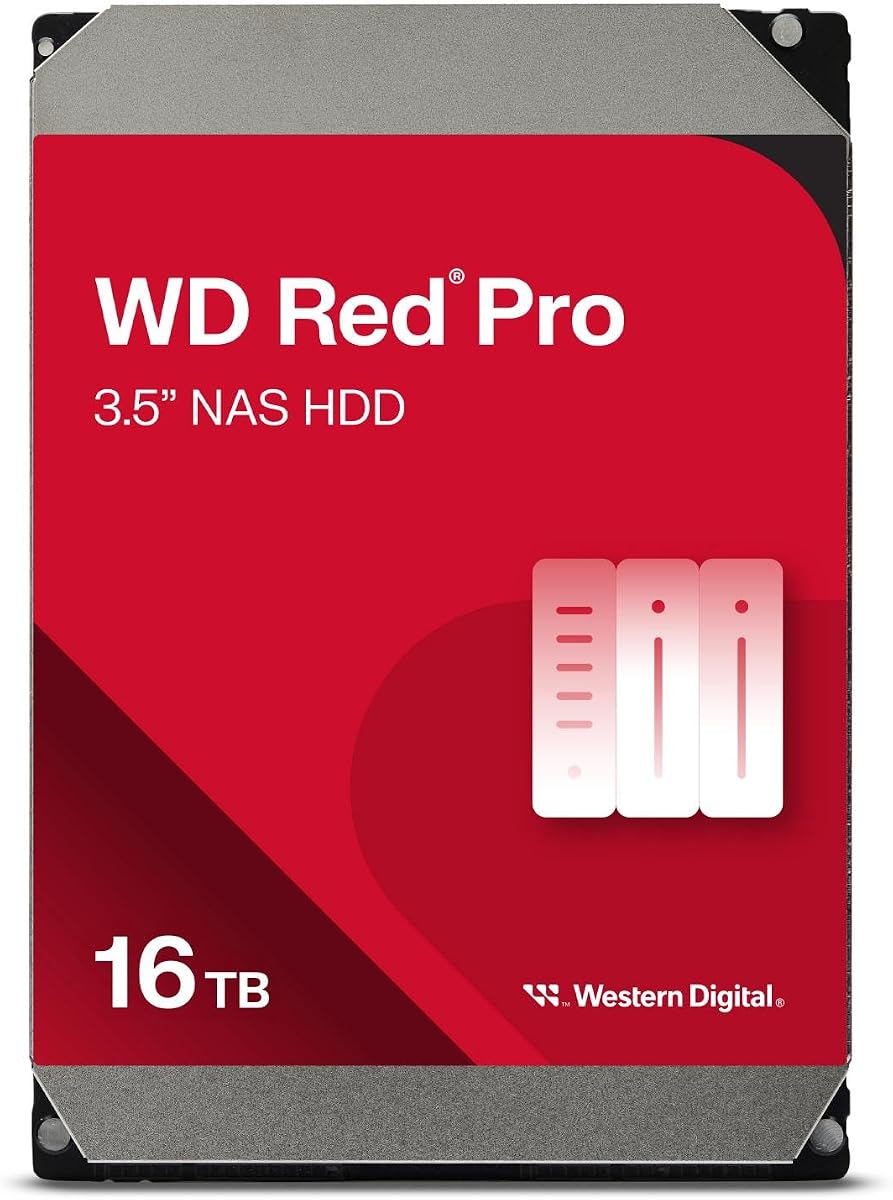
The WD Red Pro 16TB is aimed at intensive, 24×7 NAS environments that need substantial capacity and a high sustained workload rating. Its 512MB cache, 7200 RPM spindle, CMR recording, and claimed 550TB-per-year workload rate distinguish it from ordinary desktop drives and many entry-level NAS models.
We may earn a commission when you buy through this link, at no additional cost to you.
The supplied information specifically calls out RAID optimization, support for a large number of bays, and 24×7 multi-user operation. Western Digital also states that the drive is tested with a wide range of NAS vendors, which is useful for buyers who want a known option across Synology, QNAP, and other compatible systems.
The 3.9 rating is lower than those of the leading picks, and a rating alone cannot reveal why individual buyers were satisfied or dissatisfied. Physically, a 7200 RPM drive of this class can produce more heat, vibration, and acoustic output than a lower-speed 5400 RPM NAS disk, so enclosure ventilation and acoustic placement deserve attention.
This is a compelling recommendation for professional arrays that are consistently active and need a large per-drive capacity. Buyers should verify enclosure support, drive bay format, and cooling provisions, but the combination of CMR, a large cache, and a heavy workload rating makes it a serious high-end storage option.
At 16TB per drive, the Red Pro can reduce the number of disks required to hold large media or business datasets. Fewer drives can also simplify a small enclosure, although every added disk increases the importance of thermal management and sound isolation.
The stated 550TB-per-year workload rating makes this model appropriate for arrays that move data continuously. That support level is more relevant to intensive studios, businesses, and active virtualization environments than to lightly used archival storage.
We may earn a commission when you buy through this link, at no additional cost to you.
The Seagate IronWolf Pro 12TB is a premium NAS drive intended for up to 24-bay, multi-user server environments. It combines 12TB of capacity with a 7200 RPM spindle, 256MB cache, transfer speeds up to 250MB/s, and a 4.5 customer rating.
We may earn a commission when you buy through this link, at no additional cost to you.
The key advantage over standard IronWolf models is the elevated support for larger and more demanding arrays. AgileArray firmware, reduced vibration, RAID-focused behavior, lower power consumption, and extra protection during power loss all make this a more serious option for professional or enthusiast multi-bay systems.
The product information also states 1.2M hours MTBF, a five-year limited warranty, and three years of Rescue Data Recovery Services. These are meaningful benefits for organizations that want longer coverage and a stronger workload position, although the Pro tier may be unnecessary for a two-bay or lightly loaded home NAS.
Overall, this is an excellent recommendation for a high-end mixed-use array. It suits users who need more than the standard IronWolf endurance but do not require the 16TB or 18TB capacities available in larger Pro configurations.
The 24-bay support and up-to-250MB/s stated performance give this model the foundation for larger RAID installations. The extra headroom is valuable when many clients access the same pool or when backups overlap with active workloads.
A five-year limited warranty and three-year recovery service offer more coverage than the standard IronWolf configuration. These terms are especially attractive for professionals who view the NAS as business-critical infrastructure rather than a personal media box.
We may earn a commission when you buy through this link, at no additional cost to you.
The Seagate IronWolf 10TB stands out as a value-focused high-end NAS drive, with a 4.7 customer rating, CMR recording, a 7200 RPM spindle, 256MB cache, and sustained data transfer speeds up to 210MB/s. It is a compelling choice for a capable home or small-office NAS.
We may earn a commission when you buy through this link, at no additional cost to you.
Its AgileArray firmware, dual-plane balancing, error recovery, rotational vibration sensors, and workload rating of up to 180TB per year are meaningful additions. The stated 1M hours MTBF, 600,000 load/unload cycles, and IronWolf Health Management reinforce its suitability for regular NAS use.
The accompanying three-year Rescue Data Recovery Service and a stated 95% industry recovery success rate provide additional reassurance, although users should verify the service's current terms and registration requirements. Its 10TB capacity also means a four-drive raw array provides less room than the 16TB, 18TB, and 24TB alternatives.
For buyers seeking a balanced enthusiast or small-business drive without paying for the Pro line, this is an easy recommendation. Its strong rating, CMR design, and NAS-specific firmware make it a versatile foundation for media storage, backups, and shared project files.
Conventional magnetic recording provides consistent behavior that is well suited to RAID rebuilding and sustained workloads. This makes the 10TB model more appropriate for an active array than a drive based on a recording method associated with greater write-penalty complications.
Integrated health management, a documented workload rate, and load/unload endurance figures help administrators understand what the drive is designed to handle. They do not prevent failures, but they make the drive easier to evaluate and maintain.
We may earn a commission when you buy through this link, at no additional cost to you.
The Seagate IronWolf Pro 10TB provides a more endurance-focused option than the standard IronWolf while retaining a useful 10TB capacity. Its 4.5 rating, 7200 RPM spindle, 256MB cache, and stated transfer speed of up to 214MB/s make it well suited to active NAS environments.
We may earn a commission when you buy through this link, at no additional cost to you.
The main appeal is the Pro tier's support for demanding arrays of up to 24 bays. The product information emphasizes less wear, reduced noise and vibration, stronger file-sharing performance, lower power consumption, and added protection in power-loss events. A 1.2M hours MTBF figure gives this model a stronger stated reliability target.
Its five-year limited warranty and three years of Rescue Data Recovery Services are substantial benefits, but the 10TB capacity may be modest for a premium build. A buyer choosing Pro usually prioritizes workload tolerance and service coverage over minimizing the cost of each installed disk.
This drive is recommended for users with multi-bay, high-activity arrays who want the IronWolf Pro platform but do not need maximum capacity. It offers a balanced way to invest in endurance without moving to a SAS or hyperscale-oriented enterprise interface.
Support for as many as 24 bays and a stated multi-user orientation make this a better fit for larger systems. The RAID-focused behavior and vibration controls also help it operate more predictably when several high-speed disks spin together.
The five-year warranty gives administrators a longer planning horizon, while the included recovery service adds a second layer of response after an unexpected failure. Neither replaces a tested backup strategy, but both complement one.
We may earn a commission when you buy through this link, at no additional cost to you.
The Synology HAS5300 12TB is a specialized 12TB drive built around a 12Gb/s SAS interface, making it distinct from nearly every SATA model in this guide. Its 256MB cache and 3.5-inch form factor are designed for high-speed, reliable storage in compatible Synology systems.
We may earn a commission when you buy through this link, at no additional cost to you.
SAS can be attractive in professional environments because it supports robust command queuing and enterprise-oriented interface behavior. The listed capacity is also large enough to hold substantial collections of images, media, backups, or business files, while the interface provides a generous bandwidth ceiling.
Compatibility is the decisive issue. A SAS drive cannot simply be inserted into a conventional SATA NAS bay, and the enclosure must provide the appropriate backplane and controller support. The supplied data also provides no customer rating, so the guide uses zero to reflect that unavailable score rather than implying a measured evaluation.
This is a strong recommendation for a compatible Synology SAS installation where reliability and interface quality are priorities. It is not a general-purpose upgrade for an ordinary SATA NAS, which keeps it outside the mainstream picks despite its impressive specifications.
The 12Gb/s SAS interface is the defining feature of this model. It targets systems designed around enterprise storage conventions, offering a different path to high-end NAS performance than conventional SATA connectivity.
With 12TB of storage, the drive can accommodate large media libraries, extensive image archives, or multi-version business datasets. Its 256MB buffer supports the throughput expectations of active array workloads.
We may earn a commission when you buy through this link, at no additional cost to you.
This Seagate IronWolf Pro configuration includes two 16TB SATA III 3.5-inch NAS hard drives, creating a 32TB raw bundle for a compatible multi-bay array. Its 4.6 rating and premium specifications make it one of the strongest high-capacity packages in the guide.
We may earn a commission when you buy through this link, at no additional cost to you.
Both drives use conventional magnetic recording, AgileArray firmware, dual-plane balancing, time-limited error recovery, and rotational vibration sensors. They are designed for 24×7 access, while the stated 2.5M hours MTBF and five-year limited warranty position the Pro line for demanding professional use.
IronWolf Health Management provides prevention, intervention, and recovery recommendations for drive health. The package also includes three years of complimentary Rescue Data Recovery Services, stated at a 95% recovery rate for eligible cases, though buyers should confirm registration and current terms.
The two-drive format is convenient for beginning a RAID pair or matching drives within a larger array, but it may not suit someone who wants a single disk. This is a premium recommendation for users who value capacity, endurance, and service coverage enough to standardize an array on the IronWolf Pro family.
Pairing two 16TB drives provides a convenient way to begin a mirrored or RAID-based installation. After filesystem overhead and redundancy, the usable total will be lower than the raw 32TB, but the package still supports substantial centralized storage.
A 2.5M hours MTBF figure, five-year warranty, health management, and vibration sensing distinguish this bundle from mainstream NAS drives. These features are most valuable in always-on arrays exposed to continuous workloads and multi-disk vibration.
We may earn a commission when you buy through this link, at no additional cost to you.
The Seagate IronWolf Pro 16TB combines high per-drive capacity with a 7200 RPM spindle and CMR recording, giving it a strong fit for modern multi-bay arrays. The 3.7 customer rating is the lowest in this group, making careful research and recent customer feedback especially important.
We may earn a commission when you buy through this link, at no additional cost to you.
AgileArray firmware, dual-plane balancing, time-limited error recovery, and rotational vibration sensors are all appropriate for large installations. The drive is designed for 24×7 operation and carries a stated MTBF of 1,200,000 hours, matching the general endurance positioning of the IronWolf Pro tier.
Compared with the newer 16TB two-drive package, this listing has a lower stated reliability figure and less favorable customer rating. It may still provide the right balance of capacity, interface, and NAS-specific features, particularly for an established user who already prefers the ST16000NE000 platform.
This is a recommendation for buyers who prioritize 16TB capacity in a single 3.5-inch SATA drive and accept the need to review current warranty and availability details. The product is technically capable, but the lower rating makes the newer premium package the stronger default choice for many buyers.
A 16TB drive can help users limit the number of slots occupied by an array while retaining substantial storage density. It is a practical approach for compatible enclosures where adding more bays would increase cost, heat, and administration.
Dual-plane balancing, time-limited error recovery, and vibration sensors help the drive behave predictably in a multi-bay chassis. These features are especially important when several 7200 RPM disks operate close together.
We may earn a commission when you buy through this link, at no additional cost to you.
The WD Ultrastar DC HC580 24TB is the capacity leader in this roundup, providing an exceptional amount of storage in a 3.5-inch drive. Its 4.6 rating, 7200 RPM spindle, 512MB cache, SATA 6Gb/s interface, and CMR recording make it technically impressive.
We may earn a commission when you buy through this link, at no additional cost to you.
The drive is engineered for 24/7 operation, hyperscale environments, data centers, cloud storage, and massive scale-out applications. Its stated 2.5M hours MTBF aligns it with the most demanding enterprise drive positions covered in this guide, making it potentially useful for large private clouds, media repositories, and bulk archives.
The important caveat is that this is a renewed product from the enterprise channel rather than a conventional NAS-branded drive. NAS-specific firmware integration may be less extensive than with IronWolf, Red Pro, or Synology models, and buyers should confirm whether their enclosure and software recognize the drive appropriately.
It is a specialized recommendation for administrators who understand enterprise storage and need the greatest capacity possible. For ordinary home NAS use, the IronWolf alternatives are more straightforward, but this renewed Ultrastar model can deliver remarkable density for a compatible professional system.
Twenty-four terabytes in one drive reduces the number of physical disks required for a large storage pool. That can simplify cable routing and expansion planning, although it also concentrates substantial data on each device and makes backups more important.
The stated 2.5M hours MTBF and continuous-operation design suit demanding server environments. Because the listing is renewed, buyers should carefully examine condition, seller support, and any differences between the current listing and original manufacturer coverage.
We may earn a commission when you buy through this link, at no additional cost to you.
The renewed Seagate IronWolf Pro 18TB offers an unusual combination of high capacity and established NAS-specific engineering. Its 4.3 customer rating, all-CMR platform, AgileArray firmware, and support for arrays of up to 24 drives make it a relevant option for capacity-conscious builders.
We may earn a commission when you buy through this link, at no additional cost to you.
Dual-plane balancing, time-limited error recovery, and rotational vibration sensors help sustain RAID performance when several large drives operate together. The 18TB capacity is particularly attractive for media libraries, surveillance retention, local cloud-style storage, and expanding an existing IronWolf Pro array.
Because the drive is renewed, buyers should distinguish the technical specifications from the commercial support package. Manufacturer recertification is a positive point, but the exact warranty, return terms, health history, and included recovery services should be confirmed with the seller before installation.
This is a strong recommendation for experienced NAS administrators who recognize the ST18000NE000 platform and can confidently deploy a renewed drive. Buyers prioritizing straightforward new-drive coverage may prefer a current retail IronWolf Pro listing, but this model can be the most capacity-conscious choice in the roundup.
The 18TB capacity offers more room per drive than the 10TB, 12TB, and 16TB IronWolf alternatives. It helps storage pools grow without requiring an immediate increase in bay count or overall disk count.
Manufacturer recertification and a NAS-specific design reduce uncertainty, but renewed components still deserve an added compatibility and health check. A thorough SMART review and verification of support terms can prevent avoidable surprises.
We may earn a commission when you buy through this link, at no additional cost to you.
A high-end NAS drive should fit the enclosure, workload, and redundancy plan as closely as possible. Capacity and speed are important, but interface support, recording technology, workload endurance, and service terms usually determine whether a drive is a smart long-term investment.
Capacity is often the first consideration because it determines how much usable data remains after RAID redundancy and filesystem overhead. High-end options in this guide range from 10TB to 24TB per drive, and the 18TB, 16TB, and 24TB choices can reduce the number of slots needed for a large pool. Buyers should estimate current needs, expected growth, and the cost of adding more bays later.
A larger drive does not automatically make a NAS more efficient because power, heat, vibration, and rebuild time can increase with every installed disk. Balance nominal capacity against the enclosure's cooling capability and the amount of time you are willing to wait for a RAID rebuild.
Most consumer and prosumer NAS enclosures use SATA, while the Synology HAS5300 uses a 12Gb/s SAS interface. This distinction is absolute: a SAS drive cannot be placed in an ordinary SATA bay, and a SATA drive cannot be used in a SAS-only slot without the correct adapter and platform support. The controller, backplane, filesystem software, and operating system must all be checked.
SATA 6Gb/s is the most broadly compatible choice in this roundup, while SAS is best for buyers with a purpose-built enterprise enclosure. Confirm the interface before comparing cache, rotational speed, and other performance details.
Conventional Magnetic Recording, or CMR, writes tracks independently and is generally favored for RAID arrays because it has predictable write behavior. SMR can be more complex under sustained modifications because tracks overlap, making it less desirable for heavily used pools, rebuilds, and storage that receives frequent changes. Several picks in this guide explicitly use CMR.
Choose CMR for active NAS workloads, large RAID arrays, and data that is rewritten often. If a candidate listing does not state its recording method, verify that detail with the manufacturer before adding it to a critical array.
A high-end NAS may run continuously, serve multiple users, and process large backups every day. The WD Red Pro is stated for workloads up to 550TB per year, while the 10TB IronWolf supports up to 180TB per year. Other products emphasize 24×7 operation, load/unload cycles, or enterprise MTBF targets. These figures help establish realistic use cases but do not guarantee a specific lifespan.
Choose a workload rating above your normal annual transfer volume with room for growth. For an always-on family archive, the standard IronWolf may be sufficient; for commercial media handling, continuous backup ingestion, or large team access, a Pro or enterprise model is generally a better fit.
Cache can help accelerate short bursts of incoming data, but sustained array performance depends on the workload, drive mechanics, controller, filesystem, and network. The listed models range from 256MB to 512MB cache, and several reach stated transfer speeds above 200MB/s. These values are useful for identifying performance classes but should not be treated as guaranteed real-world network speeds.
For large media files, sustained sequential transfer matters more than short random I/O. For many small files, controller processing, filesystem behavior, and network latency may have a greater effect than the raw cache size stated on the drive listing.
A multi-bay NAS places several rotating platters close together, and their combined vibration can affect performance and reliability. AgileArray, dual-plane balancing, time-limited error recovery, and rotational vibration sensors are features designed specifically for these environments. They are particularly valuable in full-bay arrays operating at 7200 RPM.
A NAS-optimized drive is generally a safer choice for a densely populated enclosure than a desktop drive with similar headline specifications. Installation practice also matters: secure the drives properly, avoid leaving them unsupported, and maintain airflow so thermal problems do not degrade the reliability advantage.
IronWolf Health Management provides health-related guidance and is one reason the Seagate models are attractive for managed NAS environments. Several Seagate products also include three years of Rescue Data Recovery Services, while the 16TB two-pack carries a stated 95% recovery rate for eligible cases. These services can complement backups, but they should never be treated as a replacement for them.
Check whether health management is supported by the NAS operating system and management application you intend to use. Also verify whether recovery coverage, registration requirements, and warranty periods apply equally to new and renewed units.
Warranty length is an important indicator of manufacturer support, with the IronWolf Pro models providing five-year limited coverage in the supplied data. Renewed products can offer strong hardware value, but their commercial protection may differ from a new unit. The 18TB IronWolf Pro is manufacturer recertified, while the 24TB Ultrastar is also listed as renewed.
Compare the full warranty terms, return window, seller support, and physical condition rather than looking only at the technical specifications. For critical data, favor a new drive with clear coverage unless you have confidence in the renewed product's inspection and support.
Before installing any drive, confirm that its capacity, form factor, interface, recording technology, and enclosure support are appropriate. Check the NAS manufacturer's compatibility documentation, create a current backup of the existing data, and power down the system cleanly. If the enclosure supports hot-swapping, follow its documented removal procedure rather than pulling an active disk without preparation.
Install the drives according to the enclosure's orientation and spacing instructions, secure every mounting screw or tray, and connect the data and power interfaces fully. Keep the enclosure in a cool, ventilated location away from direct heat and sources of vibration. After the array is created, verify that the operating system recognizes the expected disk count, capacities, and RAID layout before migrating important data.
Monitor the NAS for failed disks, degraded arrays, temperature warnings, and unusual noise. Review health information and storage alerts regularly, keep firmware and management software current, and test your backup restoration process. Drives do not fail according to a schedule, so a healthy-looking replacement should still be treated as a separate drive with its own monitoring history and replacement schedule.
They can be worthwhile when the NAS stores irreplaceable data, runs backups continuously, or serves several users. NAS-specific vibration handling, health monitoring, workload support, and recovery services reduce operational risk compared with using unmatched desktop drives. For lightly used storage with a strong separate backup, a standard NAS drive may be sufficient.
Not in a normal SATA bay or backplane. SAS and SATA are physically and electronically different interfaces, so the enclosure, controller, and backplane must explicitly support the drive being installed. Some platforms can expose SATA disks through SAS controllers, but compatibility should be confirmed with the NAS manufacturer before purchasing.
Yes. RAID redundancy means not every raw drive contributes to usable storage, and the filesystem also consumes some capacity. A mirrored pair of equal drives generally provides the capacity of one drive, while larger RAID configurations reserve space according to their parity or redundancy rules. Check the NAS's estimated usable capacity before migrating.
CMR records tracks independently, while SMR overlaps tracks to gain density. CMR generally has more predictable behavior during sustained writes, RAID rebuilds, and frequent modifications, making it preferable for active arrays. SMR can still be useful for inexpensive, sequential archival storage when the workload and drive capabilities are understood.
The right number depends on required capacity, acceptable redundancy, bay limits, and rebuild tolerance. Even-numbered mirrored configurations are simple, while larger RAID layouts can provide more usable space but involve longer rebuilds. Leave some bay capacity open when practical so a failed drive can be replaced without immediately expanding the array.
They can be suitable when the NAS is compatible and the buyer's support needs are modest. Renewed enterprise drives may offer excellent endurance and capacity per slot, but they can produce more heat and noise, and their warranty or return terms may differ from new retail models. Review the condition and coverage carefully before deployment.
No. Recovery services generally apply to eligible physical drive failures or damage under specified conditions, while they do not protect against every form of logical corruption, deletion, ransomware, or enclosure failure. Maintain independent, versioned backups and periodically test that the stored data can actually be restored.
Identical drives simplify capacity matching, performance expectations, and replacement planning. A RAID array can technically function with different capacities, but the usable result may be governed by the smallest member, and mixed models can introduce subtle differences in firmware or workload behavior. Matching at least the model and capacity is the simplest approach.
The Seagate IronWolf 12TB is the most balanced overall recommendation because it combines 12TB capacity, a 7200 RPM spindle, NAS-specific firmware, health monitoring, recovery support, and a solid 4.5 rating. The IronWolf 10TB is the strongest value choice, while the IronWolf Pro 16TB two-drive package stands out for premium capacity, endurance, and a five-year warranty.
Prioritize compatibility before every other feature. Confirm the interface, recording method, enclosure support, workload expectations, cooling, and warranty terms for the exact model. CMR is preferable for active arrays, SAS belongs only in compatible enterprise systems, and high-capacity renewed drives require added care because support and condition can vary.
Product listings, specifications, and prices change over time, so review the current listing before buying. Compare the drive with the exact NAS model, confirm that every bay and backplane is supported, and make sure your data has an independent backup before beginning an installation or RAID migration.