
MOSISO 13.3-Inch Laptop Sleeve
4.7Editor score
Foam and fleece protection
Large front accessory pocket
Slim polyester construction
A laptop sleeve for Dell XPS 13 should balance a close fit, dependable protection, and easy portability. Because XPS 13 models can differ in thickness and dimensions, the best choice depends on your exact configuration, the protection you need, and whether you also want room for accessories or stand functionality.
We compared ten sleeves using the supplied dimensions, compatibility details, materials, closure designs, storage features, and customer ratings. The guide covers tailored XPS 13 options, universal slim sleeves, professional Dell designs, water-resistant models, a multifunctional case with a stand, and premium protective options.
Each pick highlights a different practical advantage, from a roomy front pocket and lightweight construction to hard-shell protection and precision sizing. Ratings reflect the listed customer feedback, while specifications and compatibility can change by model, so verify your laptop's measurements and check current product details before buying.
4.7Editor score

4.8Editor score

4.7Editor score
As an Amazon Associate we earn from qualifying purchases.
The comparison below evaluates each sleeve by fit, protection, portability, storage, and model-specific compatibility, helping you identify the option that best matches your XPS 13 and daily routine.


The MOSISO Laptop Case 13.3 inch is a versatile soft sleeve with a 4.7 customer rating. Its internal dimensions of 13.58 by 0.79 by 10.04 inches provide room for many compact 13-inch laptops, while the external dimensions add only a modest amount of bulk. It combines a practical front pocket with enough protection for routine commuting and school use.
We may earn a commission when you buy through this link, at no additional cost to you.
Protection comes from polyester foam padding and a soft fleece lining that helps absorb bumps and guard against accidental scratches. The top zipper opens for convenient access, while the large vertical pocket can hold a mouse, earphones, pens, and notepads. Its slim profile also makes it easy to place inside a briefcase, backpack, or another larger bag.
The main compromise is that this is a broad-fit 13.3-inch sleeve rather than a case engineered exclusively for a particular XPS 13 configuration. The listed compatibility includes Dell Latitude and Chromebook 13.3-inch devices, but you should compare your exact laptop measurements with the internal dimensions before ordering. It also offers no hard shell for users who expect a case to withstand crushing forces.
This is an appealing choice for students, commuters, and office users who want useful organization without carrying a bulky case. It balances cushioning, access, and low weight particularly well. If the listed measurements comfortably accommodate your XPS 13, it delivers the most practical all-around feature set at a budget-conscious position in this guide.
The full-height front pocket separates small essentials from the laptop cavity. That makes it convenient to keep charging cables, earphones, a mouse, pens, or a compact notepad organized without adding another pouch to your bag.
A polyester foam layer and fleece lining cushion the laptop against bumps and scratches, while the low-profile construction preserves room for other items in a backpack or briefcase.
We may earn a commission when you buy through this link, at no additional cost to you.
The tomtoc 360 Protective Laptop Sleeve combines strong protection with a 4.8 customer rating. Its design centers on CornerArmor Technology, resilient edges, and high-density soft padding intended to protect against falls, shocks, and vibration. The case retains a streamlined appearance despite placing more emphasis on impact resistance than a basic felt sleeve.
We may earn a commission when you buy through this link, at no additional cost to you.
The exterior uses premium spill-resistant recycled fabric, while YKK zippers and a soft interline-designed lining add practical refinement. An additional front pocket provides space for a charger, cable, mouse, or external drive. A small strap is included for an AirTag or keys, which is particularly useful when the sleeve is used as a standalone travel case.
Compatibility lists Dell systems among numerous 11.6-to-13.3-inch laptop options, but the internal dimensions are 11.97 by 8.46 by 0.61 inches. Those measurements are more tailored than those of many universal cases, so owners should compare the base and side measurements of their specific XPS 13 before purchase. The manufacturer also provides a 12-month worry-free warranty.
This is the strongest choice in the roundup for someone who wants a protective, refined soft case and can confirm that the dimensions fit. The combination of corner reinforcement, soft padding, spill resistance, and organized storage makes it especially useful for daily commuting and travel without resorting to a rigid shell.
CornerArmor Technology, reinforced edges, and high-density padding work together to soften the forces associated with accidental drops and bumps. This is especially useful for an XPS 13 carried through airports, campuses, and busy work environments.
Spill-resistant recycled fabric, YKK zippers, and a soft interior lining make the sleeve feel purpose-built. The added strap for an AirTag or keys also improves its usefulness as a standalone everyday carry item.
We may earn a commission when you buy through this link, at no additional cost to you.
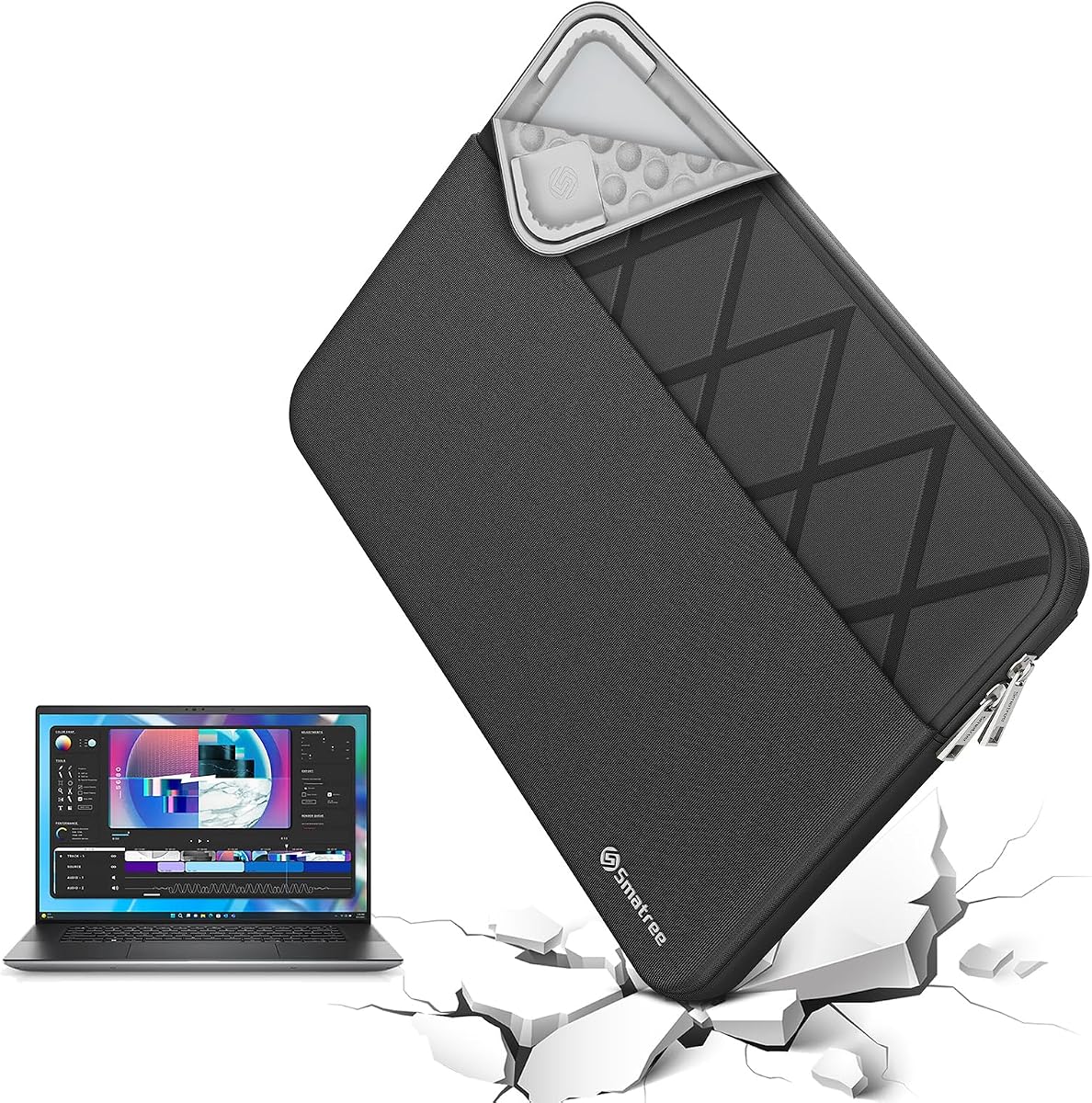
The Smatree Laptop Sleeve for 13 inch DELL XPS 13 is a model-specific option built around a 4.7 customer rating. Its 30.7 by 21.2 by 2 centimeter internal cavity is tailored for the XPS 13 family, including listed XPS 13 2-in-1, XPS 13 Plus, XPS 13 9345, and XPS 13 DX13260 configurations.
We may earn a commission when you buy through this link, at no additional cost to you.
The patented Super-Corner structure is designed to absorb accidental drops and bumps without excessive bulk. A durable, water-resistant 300D polyester exterior helps guard against splashes and light moisture. A separate accessory bag can organize cables, chargers, USB drives, and smaller essentials, while the integrated luggage strap makes the sleeve convenient to place within larger luggage.
Model-specific sizing is the primary strength and the main reason to check the description carefully. XPS 13 laptops have changed over time, and not every generation shares the same footprint. The precise fit is more valuable than a roomy universal cavity when it applies to the correct model, but it may eliminate compatibility with nearby Dell devices or other laptop brands.
Choose this option when you know the precise XPS 13 model you own and value a close, purpose-built fit. It offers a convincing premium mix of tailored dimensions, impact-aware corners, splash resistance, and organized storage without resorting to a hard, bulky shell.
Unlike a universal 13-inch sleeve, this model is dimensioned for specific Dell XPS 13 variants. That focused approach reduces the chance of excess movement inside the case when the listed model matches your laptop.
The separate accessory bag keeps cables and small essentials from pressing against the laptop. An integrated luggage strap also makes it easier to retrieve the sleeve from a suitcase, backpack, or larger work bag.
We may earn a commission when you buy through this link, at no additional cost to you.
The Dell Professional Sleeve 13 is a clean, business-oriented option with a 4.6 customer rating. It is designed to fit most laptops with screen sizes up to 13 inches and lists a maximum device size of 310 by 214.5 by 23 millimeters. Its understated Heather Gray appearance suits office, school, and commuting environments.
We may earn a commission when you buy through this link, at no additional cost to you.
The water-resistant exterior helps protect the contents from everyday weather exposure. Inside, a front organizer panel keeps pens, a wallet, and other frequently used items accessible, while easy-grip zipper pulls allow convenient opening. Lightweight construction and integrated handles make it comfortable to carry independently when removing the laptop for work or meetings.
Unlike several XPS-specific options in the list, this sleeve is not marketed as a precise XPS fit. Users should measure their laptop and check the stated maximum dimensions. The description also does not identify a substantial internal cushioning system, so it may be better suited to scratch prevention and organization than to demanding drop protection.
The sleeve is a sensible choice for professionals who want recognizable Dell styling, useful internal organization, and comfortable handles. It is particularly appealing for someone who carries the laptop directly to meetings and values quick access to pens or a wallet over a hard-shell or stand-based design.
A dedicated front organizer gives small daily items a home without filling the laptop compartment. This keeps essentials accessible while preserving a simple, professional appearance.
The built-in handles give users a convenient way to carry the sleeve alone. Combined with the lightweight construction and easy-grip zipper pulls, it works well for office and meeting transitions.
We may earn a commission when you buy through this link, at no additional cost to you.
The Dell Premier Sleeve 13 is explicitly designed for Dell XPS laptops and carries a 4.2 customer rating. Its model designation is PE-SV-13-20, also identified as 460-BCRV. The contemporary design brings a coordinated look to a compact XPS 13 setup, which may matter to users who prefer accessories with a consistent professional style.
We may earn a commission when you buy through this link, at no additional cost to you.
The sleeve uses durable materials and a soft inner lining intended to resist scratches, dust, and minor bumps. Its slim and lightweight profile allows it to slide into backpacks, briefcases, and messenger bags without adding much bulk. It is marketed for business, office, school, and travel use, making it a general-purpose daily carry option.
The rating is lower than those of the other nine products, and the listed features emphasize scratch and minor-bump protection rather than serious impact management. There is also no prominently described front accessory pocket. Buyers seeking a storage pouch, reinforced corner system, or hard exterior should consider one of the more feature-focused alternatives.
This Dell-branded sleeve remains a reasonable pick for users who value a professional appearance and straightforward laptop protection. Confirm the specific XPS fit before ordering, and choose it primarily for style, portability, and scratch reduction rather than heavy-duty handling.
The clean, contemporary styling complements the restrained design of an XPS 13. It suits office settings without looking overly casual or visually bulky.
The soft interior helps keep the laptop from rubbing against bag surfaces and protects against minor bumps. The slim construction supports convenient use in several types of bags.
We may earn a commission when you buy through this link, at no additional cost to you.
The blue Water-Resistant Canvas Sleeve provides a light, flexible way to carry a Dell XPS 13 and has a 4.6 customer rating. Its listed compatibility includes Dell XPS 13 models 9310, 9305, and 9300, as well as Dell Inspiron 13, Dell Latitude 13, and several other compact laptops.
We may earn a commission when you buy through this link, at no additional cost to you.
The internal dimensions are 13.58 by 9.45 by 0.79 inches, with a stated maximum laptop size of 13 by 8.9 by 0.78 inches. The manufacturer recommends measuring the laptop at least 0.59 inches smaller than the sleeve's internal length and width. A waterproof canvas exterior obstructs water and vapor, while the soft anti-static lining helps reduce impact and scratch damage.
A front pocket accommodates items such as a mouse, earphones, pens, a phone, and notepads. The zipper glides smoothly, and the side handle offers an alternative to carrying the sleeve only by its zipper. As a soft canvas design, however, it offers less crush resistance than a rigid protective case.
This is a useful pick for a commuter who wants a roomy, lightweight sleeve with a large accessory pocket. It is especially attractive when your XPS 13 appears among the explicitly listed models. Checking the laptop's height as well as length and width remains important because the maximum thickness is limited.
The waterproof canvas exterior helps protect the laptop and accessories from splashes and light rain, making the sleeve practical for everyday travel in variable conditions.
A generous front pocket keeps frequently used accessories separate from the laptop. The side handle also makes the case easy to carry as a standalone bag when needed.
We may earn a commission when you buy through this link, at no additional cost to you.
The 13 Inch Laptop Sleeve with Stand is a distinctive 4.3-rated option that adds workstation functionality to a protective case. Its compatibility list includes the Dell XPS 13 9340. A high-quality synthetic leather exterior and soft microfiber interior protect against scratches, stains, and dirt, while the leather-like surface is easy to clean.
We may earn a commission when you buy through this link, at no additional cost to you.
Its most useful feature is the three-in-one design: the sleeve protects the laptop, the foldable panel functions as a stand, and the flap can serve as a portable mouse pad. Two adjustable angles support more comfortable viewing and typing and allow airflow beneath the laptop. The magnetic closure helps keep the device secure during carrying.
Because the product is specifically listed for the XPS 13 9340, it is less broadly compatible than the larger universal options. The manufacturer also notes that the stretchable leather may feel tight at first, although it generally loosens with use. Anyone with another XPS generation should verify dimensions and compatibility before ordering.
Choose this sleeve if you frequently work from a café, desk without a laptop stand, or temporary workspace. It offers the most multifunctional design in the guide, combining protection, viewing support, mouse-pad utility, and compact portability in one package.
Two foldable stand angles raise the screen for more comfortable viewing and typing. The flap doubles as a mouse-pad area, reducing the need to carry a separate accessory for temporary workspaces.
The microfiber interior helps guard the laptop against scratches and dirt, and the synthetic leather exterior can be wiped clean. A magnetic closure keeps the case compact without relying on a bulky zipper.
We may earn a commission when you buy through this link, at no additional cost to you.
The Smatree MS23T is the roundup's clearest rigid-shell option and has a 4.6 customer rating. Its hard structure is intended to protect against accidental collisions and scratches when the laptop is placed in a backpack or suitcase. An upgraded internal shock-resistant padding layer adds cushioning around the device.
We may earn a commission when you buy through this link, at no additional cost to you.
Compatibility includes 13.4-inch Dell XPS 13 DX13260, the 13-inch Dell XPS 13 2-in-1, the Dell XPS 13 Plus, and the XPS 13 9345 Copilot+PC. Other listed fits include a 13.3-inch Lenovo ThinkPad Z13 and a 13.3-inch ASUS ProArt PZ13. Users should confirm the exact model because the 12.2-inch internal length is tailored.
The exterior uses 260G Nylon Lycra, which resists splashes and is washable when dirty. With internal dimensions of 31 by 21.3 by 2 centimeters and an external size of 32.8 by 24 by 2.7 centimeters, the case weighs 428 grams. It therefore takes more space and adds more weight than the slimmer fabric sleeves in this list.
This sleeve is ideal for users who prioritize structure and frequently place their laptop into crowded luggage. The hard shell and internal padding offer a reassuring balance for a premium device, while the model-specific fit helps avoid the loose movement associated with generic cases.
The hard outer structure helps resist impacts that a fabric sleeve would absorb more readily. It is particularly useful when the laptop shares a suitcase or backpack with books and other equipment.
Although it is not limited to Dell, the sleeve is sized for several specific 13-inch and 13.4-inch models. Checking the compatibility list can still provide a more secure fit than a general-purpose sleeve.
We may earn a commission when you buy through this link, at no additional cost to you.
The Smatree Elite Laptop Sleeve is a premium, multi-brand option with a 4.6 customer rating. Its E402 model has internal dimensions of 30.7 by 21.2 by 2 centimeters and external dimensions of 34.7 by 24.4 by 3.2 centimeters. The listed weight is 380 grams, giving it a more substantial feel than a basic sleeve.
We may earn a commission when you buy through this link, at no additional cost to you.
The patented Super-Corner design is intended to protect the laptop from drops and bumps without adding unnecessary bulk. High-quality 300D polyester provides water resistance against splashes and light moisture. A separate accessory bag stores cables, chargers, USB drives, and other essentials, and an integrated luggage strap assists with travel.
Compatibility includes Dell XPS 13 2-in-1, XPS 13 Plus, XPS 13 9345, XPS 13, XPS 13 DX13260, Dell Latitude 7320, several Lenovo and Microsoft models, and additional options from ASUS, HP, Samsung, Apple, and Acer. The extensive range is useful, but its larger exterior dimensions take up more room than many alternatives.
The Elite series is a strong choice for a user who wants precise fit options, refined protection, and organized storage in one package. It is particularly compelling for XPS 13 owners who travel frequently and appreciate having a separate place for charging cables and small accessories.
Super-Corner reinforcement focuses protection around vulnerable edges while retaining a relatively slim, flexible form. The 300D polyester exterior adds resistance to splashes without introducing a hard shell.
Nearly 90 tailored sizes in the Elite range cover numerous Dell, Lenovo, Microsoft, ASUS, HP, Samsung, Apple, and Acer models. This makes it easier to find a close fit across different compact-laptop ecosystems.
We may earn a commission when you buy through this link, at no additional cost to you.
The Smatree Laptop Sleeve for 13.4 inch DELL XPS 13 and XPS 13 Plus has a 4.8 customer rating, tying for the highest listed rating in the guide. Its E402 internal dimensions are 30.7 by 21.2 by 2 centimeters, and the external dimensions are 34.7 by 24.4 by 3.2 centimeters. The result is a tailored premium case rather than a broad universal pouch.
We may earn a commission when you buy through this link, at no additional cost to you.
The compatibility list includes the Dell XPS 13 2-in-1, Dell Latitude 7320 Detachable, XPS 13 Plus, XPS 13 9345 Copilot+PC, XPS 13, XPS 13 DX13260, and Microsoft Surface Pro 12th Edition 2026. That makes it especially relevant if you own one of the explicitly listed 13-inch or 13.4-inch devices and want a close-fitting sleeve.
Its Super-Corner construction is designed to protect against drops and bumps, while the 300D polyester exterior resists splashes and light moisture. An included accessory bag organizes cables, a charger, mouse, USB drives, and other small items. The integrated luggage strap helps with retrieval from larger travel bags.
This product stands out for owners of the XPS 13 Plus and compatible newer Dell configurations who prioritize tailored protection and organized travel. Its 4.8 rating and premium construction make it a compelling option, although its external dimensions and 380-gram weight are less attractive than a super-light sleeve for minimalists.
The sleeve is designed around several XPS 13 variants, including the XPS 13 Plus and XPS 13 9345. Confirming the exact model helps ensure that the laptop sits securely without unnecessary internal space.
The included accessory bag separates chargers, cables, USB drives, and a mouse from the main laptop compartment. Combined with the luggage strap, it supports a more organized travel setup.
We may earn a commission when you buy through this link, at no additional cost to you.
The most useful sleeve is one that matches your exact XPS 13 footprint while meeting your protection, portability, storage, and travel requirements. Compare measurements and model compatibility before focusing on appearance or extra features.
Dell XPS 13 configurations can vary in width, depth, thickness, and naming, so screen size alone is not a reliable guide. Review the product's internal dimensions, maximum laptop dimensions, and explicit compatibility list, then measure the width, depth, and height of your laptop. A sleeve that is slightly snug may work, but one that compresses the device or prevents the zipper from closing is unsuitable.
For a tailored option, match the exact generation and configuration. For universal options, leave a small amount of clearance around the laptop while confirming that the thickness remains within the stated limit.
Soft foam, fleece, and microfiber linings are well suited to scratches, dust, and routine bumps. A hard shell or reinforced-corner design is more appropriate when the laptop regularly shares space with heavy or shifting items. Consider the materials, edge construction, and closure together, because a zipper alone does not determine how well the laptop is protected.
Choose a reinforced hard or structured case for frequent travel, or a padded soft sleeve for lighter everyday use and a smaller packed footprint.
A water-resistant exterior can help protect the laptop from rain, drink splashes, and damp commute conditions. This is not the same as being waterproof or submersible, and exposed seams or openings may still allow moisture through. Look for phrases such as water-resistant, splash-resistant, or spill-resistant to understand the intended level of protection.
For year-round commuting, a water-resistant exterior is a useful advantage. For outdoor use or exposed travel, keep the case sheltered in a larger bag and dry the laptop before returning it to the sleeve.
A front pocket can reduce clutter by holding a charger, cable, mouse, earphones, pens, or a compact notepad. Larger pockets are convenient for frequently used accessories but may encourage overfilling, which can cause the zipper to strain. Model-specific sleeves may include a separate accessory bag, providing better separation between the laptop and smaller electronics.
Choose a large front pocket for daily organization or a separate accessory pouch for a cleaner laptop compartment. Keep sharp objects away from the lining and do not place liquids in any pocket.
A sleeve intended to slide into a backpack or briefcase should be slim, lightweight, and easy to slide in and out. Stand-equipped cases add flexible functionality but may feel less conventional. Hard-shell cases usually provide stronger crush protection at the cost of greater thickness and weight. Check the external dimensions rather than focusing only on the advertised screen size.
Prioritize the lowest bulk that still provides your required protection. For daily carry, weight and zipper or handle convenience may matter more than maximum ruggedness.
Smooth zippers offer broad access and a secure enclosure, while magnetic closures can make access faster and allow the sleeve to function as a stand. Handles improve standalone carrying, while a luggage strap helps retrieve the case from a larger bag. The best closure is one that is easy to operate without allowing the laptop to slip out during travel.
Choose a zipper for a conventional protective enclosure, a magnetic closure for multifunctional use, or handles and straps when you frequently carry the case outside a backpack.
Polyester, nylon, canvas, and synthetic leather offer different balances of weight, flexibility, cleanability, and weather resistance. The lining should be soft enough to avoid scratching the laptop while still cushioning its edges. Also examine zipper quality, stitching around handles, and whether the material is easy to wipe clean or wash.
Prioritize a smooth, nonabrasive lining and durable hardware. If the case will be exposed to dirt or spills frequently, an easy-clean exterior is more valuable than a delicate material.
A laptop sleeve with a foldable stand can raise the screen, support airflow, and sometimes provide a mouse-pad surface. Check that the angle adjustment, closure, and thickness do not interfere with the laptop. These features are convenient for temporary work sessions but are unnecessary if you already carry a dedicated stand.
Consider a built-in stand for travel, cafés, and shared workspaces. For ordinary commuting, a simpler design may be lighter and easier to maintain.
Before using a new sleeve, compare the laptop's measurements with the stated internal capacity and confirm the exact model appears in the compatibility information. Place the XPS 13 inside without forcing it, ensure the zipper or magnetic closure engages fully, and check that the laptop does not sit in a compressed or sharply bent position.
For daily use, keep liquids out of the case, avoid placing pens or keys directly against the laptop, and use a separate protective layer if the sleeve will be placed near rough or wet surfaces. Clean the exterior with a slightly damp cloth according to the material instructions, and use a soft dry cloth for the lining.
Allow the sleeve to dry completely before storing the laptop inside it. Store it in a clean, dry place with the laptop removed for long periods, and periodically inspect zippers, seams, handles, padding, and straps for wear or loosening.
It may, but screen size does not guarantee a fit because XPS 13 models can differ in depth and thickness. Compare the laptop's width, height, and depth with the sleeve's internal and maximum dimensions, and check whether the exact model is listed as compatible. A tailored XPS 13 listing is generally the safest starting point.
A hard case is usually preferable when the laptop frequently shares a bag with heavy objects or may encounter crushing forces. A soft sleeve is often lighter, easier to compress, and more comfortable for routine commuting. Both can be reasonable, so the best choice depends on your travel conditions and how much space you have.
A water-resistant sleeve is generally more useful for everyday commuting because it can help protect against rain and accidental splashes. None of the listed water-resistant products should be assumed to be fully waterproof or suitable for submersion. Keep openings closed and dry the laptop and sleeve if either becomes wet.
A front pocket is convenient for cables, a charger, earphones, pens, a mouse, or other small items that would otherwise be loose in a backpack. It also adds a little bulk and may be less secure than a separate organizer. If you already carry a structured tech pouch, a slim laptop-only sleeve may be sufficient.
Only if the other laptop's dimensions and thickness fall within the case's stated limits and do not interfere with the closure. Some broad sleeves list numerous Dell, Lenovo, HP, ASUS, Microsoft, and other models. Model-specific sleeves are less interchangeable, so using a case named for another laptop can produce a poor or unsafe fit.
A stand-equipped sleeve can provide a more comfortable screen angle and allow airflow beneath the laptop. Some designs also convert the flap into a mouse-pad surface. The fit may initially feel tight, and the additional structure can be less convenient for solo carrying, so consider whether you frequently work away from a desk.
Check the product instructions first because cleaning methods vary by polyester, nylon, canvas, and synthetic leather. Most exterior surfaces can be gently wiped with a damp cloth, while the interior is best cleaned with a soft dry cloth. Avoid soaking the case, using harsh chemicals, or letting moisture reach the laptop.
The laptop should be the primary item, accompanied only by small accessories that will not press against its edges or scratch the lining. Cables, earphones, a compact mouse, pens, and a small drive can fit in a suitable front pocket or accessory pouch. Keep liquids, sharp objects, and oversized power adapters elsewhere.
The MOSISO 13.3-Inch Sleeve is the practical budget selection, offering layered cushioning, a useful front pocket, and low weight. The tomtoc 360 Sleeve stands out for reinforced protection and premium construction, while the Smatree XPS 13 Sleeve is the strongest tailored option for owners of a compatible XPS 13 configuration.
Prioritize exact dimensions and model compatibility before every other feature. A close fit prevents movement and keeps the case compact, while protection should match your travel routine: soft padding for everyday commuting, reinforced or hard construction for crowded luggage, and water resistance for weather-prone journeys.
Ratings and product details can change, and current prices fluctuate as well. Before purchasing, confirm the seller listing, compatibility notes, dimensions, warranty information, and latest customer feedback so the selected sleeve remains the right match for your XPS 13.