
Canon imagePROGRAF TC-21M
4.4Editor score
24-inch multifunction design
Built-in flatbed scanner
Cloud printing and scanning
A large format plotter printer is built to handle drawings, maps, posters, technical documents, and other wide or oversized output that ordinary desktop printers cannot manage. The right model should balance media width, print quality, workflow convenience, connectivity, and the practical needs of architects, engineers, designers, and print professionals.
This guide compares ten large format plotter printers using the supplied specifications, compatibility details, media-handling features, and customer ratings. It covers compact 24-inch models, broader 36-inch machines, multifunction systems with scanning and copying, and specialized five-color options for professional color work.
Each review highlights the strongest use cases, important trade-offs, and the most relevant features for a particular buyer. Ratings and configurations can vary by market, while prices and promotions change frequently, so readers should confirm current availability and the exact bundle before making a purchase.
4.4Editor score

4.4Editor score

4.0Editor score
As an Amazon Associate we earn from qualifying purchases.
The table below compares all ten plotters by their most useful documented features, including maximum media width, scanning capability, output technology, workflow support, and intended professional applications.

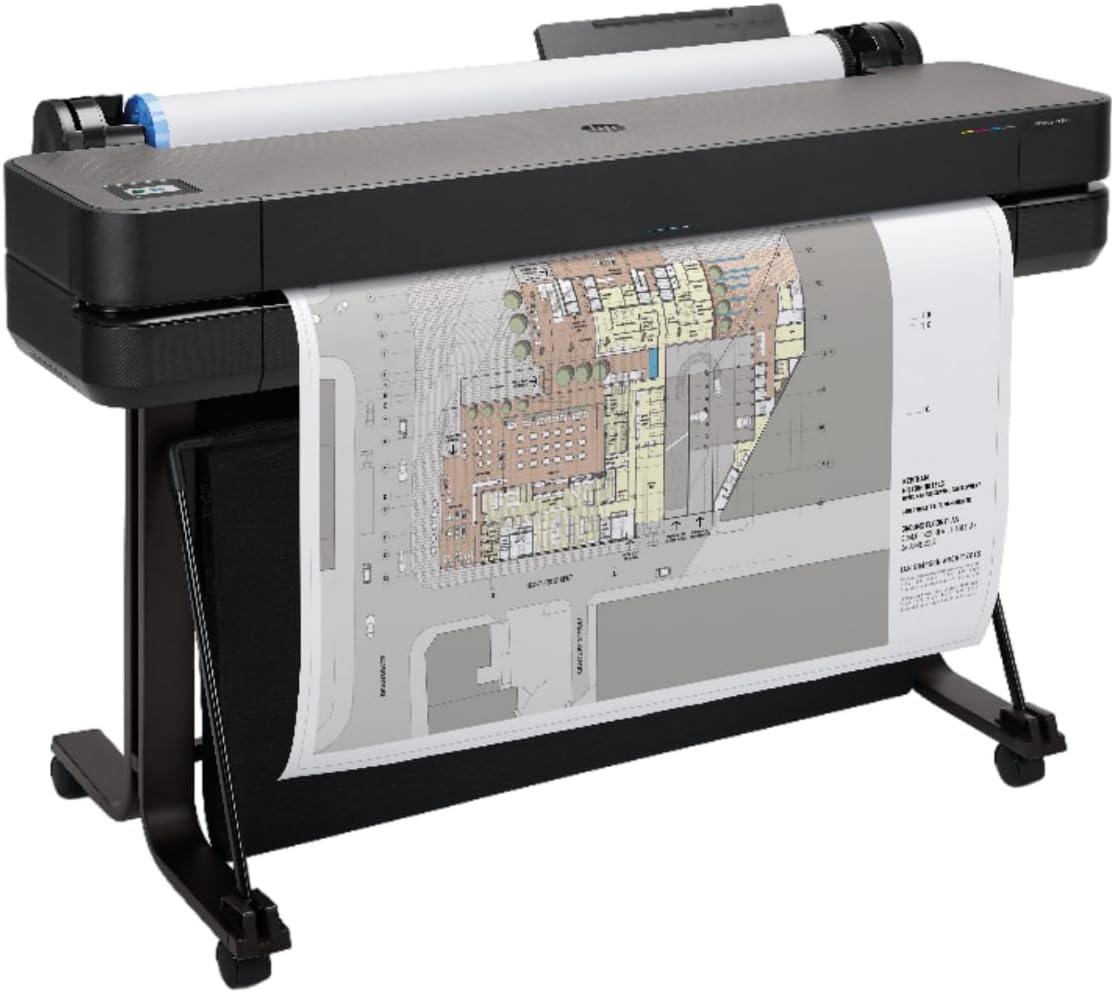
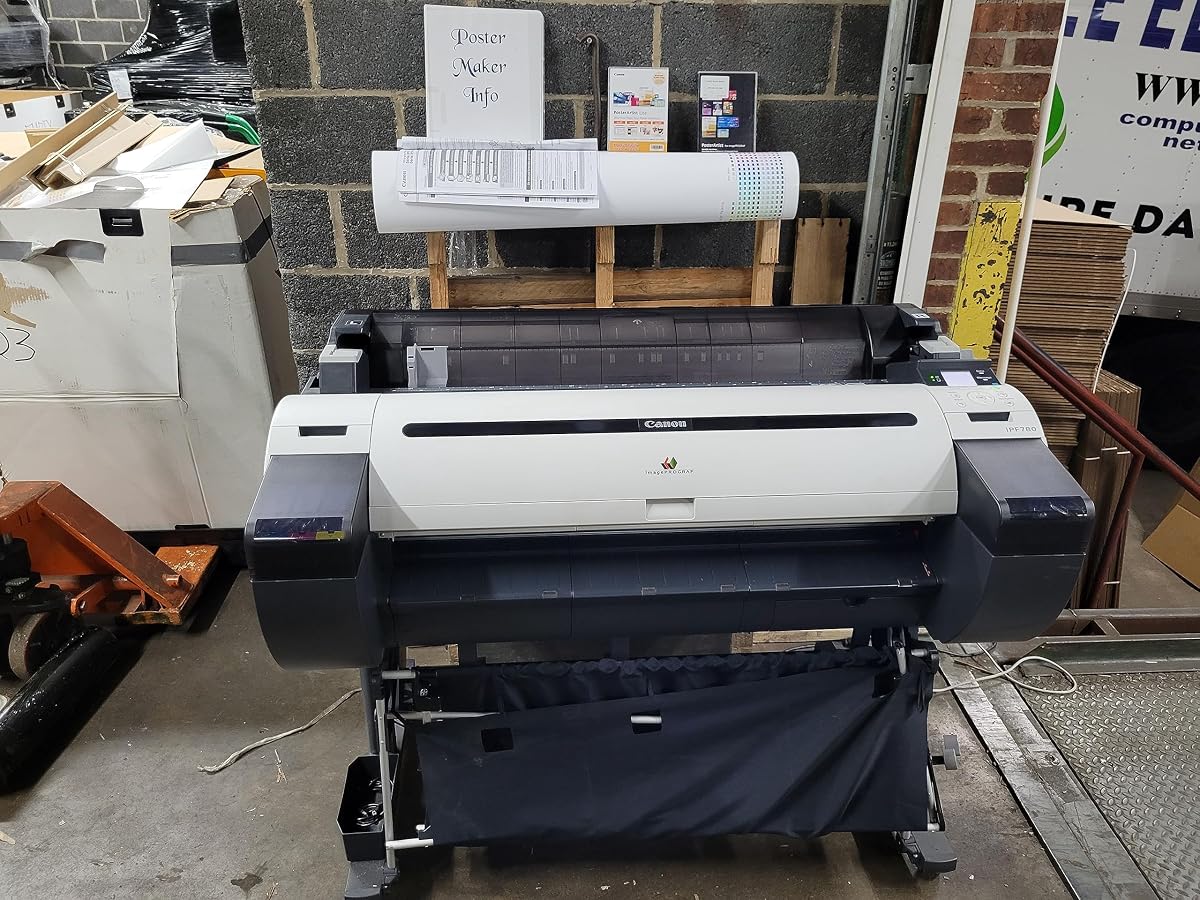
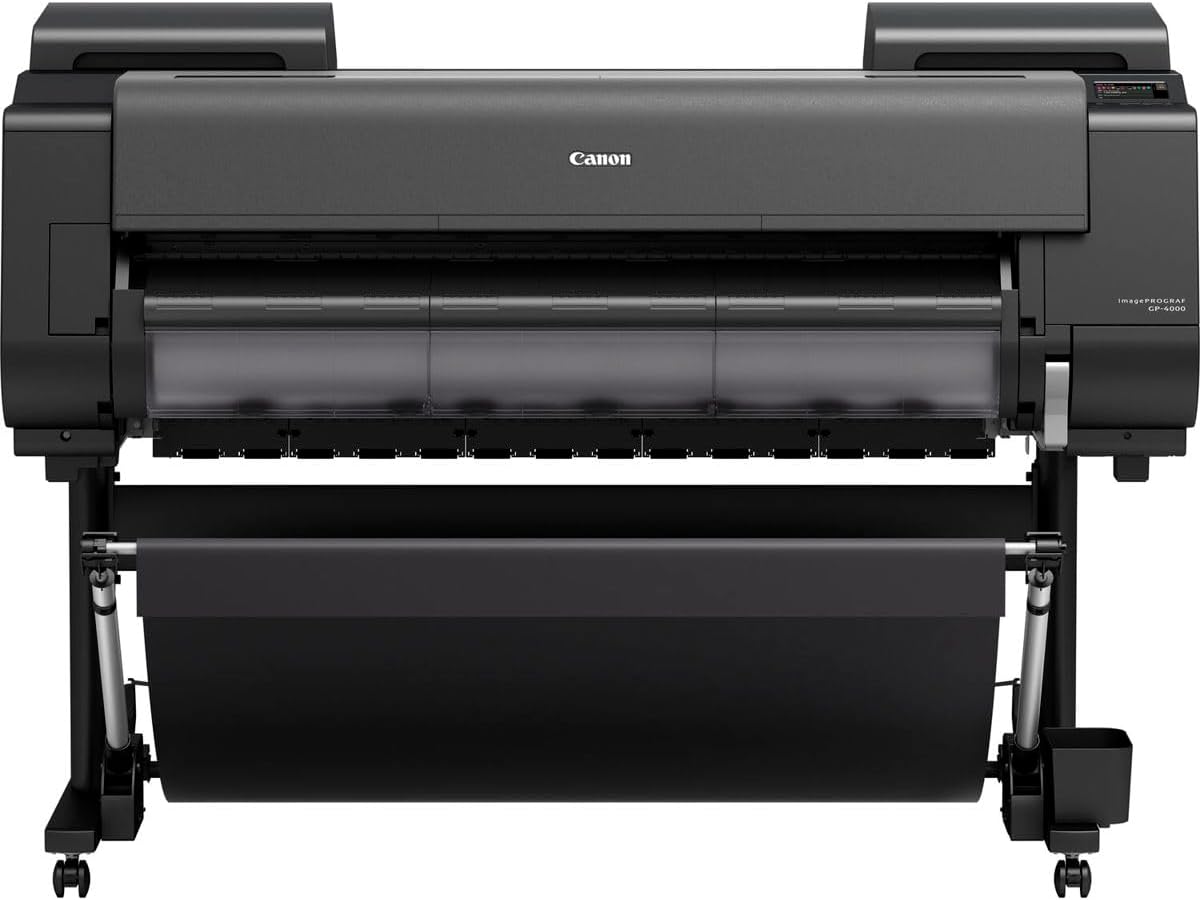


The HP DesignJet T210 is a 24-inch large format plotter with a 4.4 rating, offering a balanced combination of technical output, media flexibility, and approachable workflow software. It is designed for line drawings, crisp text, posters, maps, and sewing patterns, making it a versatile option for architecture, engineering, construction, and design offices.
We may earn a commission when you buy through this link, at no additional cost to you.
Its strongest feature is the combination of roll and sheet feeding. The printer handles media rolls up to 24 inches wide and sheets up to 13 by 19 inches when the optional automatic sheet feeder is installed. An automatic horizontal cutter simplifies roll output, while automatic media-source switching helps users produce different project sizes with less manual intervention.
HP Click adds practical file preparation tools, including PDF error checking, alerts, and auto-nesting. The printer supports PDF, JPEG, TIFF, DWF, HP-GL/2, and PNG files, and it can print directly from design and common CAD applications. Connectivity includes Gigabit Ethernet, USB 2.0, and Wi-Fi, with remote management available through the HP Smart app.
This is a strong all-around recommendation for buyers who need dependable wide-format output without requiring scan and copy functions. The 24-inch format covers common architectural sheets and poster sizes, while the documented print rate of up to 59 A1/D-size prints per hour supports productive project work. Buyers wanting a scanner should consider a multifunction alternative instead.
The T210 is aimed at jobs where accurate line quality and readable text matter. HP Click can inspect PDFs, flag potential problems, and arrange pages automatically, helping reduce ink, media, and time lost to avoidable print errors.
Roll feed, optional sheet feed, and automatic media switching make the printer adaptable to mixed workloads. Ethernet and Wi-Fi also support installation choices ranging from a shared office network to mobile job-status management.
We may earn a commission when you buy through this link, at no additional cost to you.
The HP DesignJet T650 is a 36-inch plotter with a 4.1 rating, built for architects, engineers, construction teams, and other offices that regularly need larger drawings. It supports technical line drawings, text-heavy renders, posters, and maps while offering a broader maximum media width than the 24-inch models in this guide.
We may earn a commission when you buy through this link, at no additional cost to you.
The supplied automatic sheet feeder accepts sheets up to 13 by 19 inches, while roll media can reach 36 inches wide. Automatic sheet-to-roll switching, a media bin, and an automatic horizontal cutter create a flexible production setup. According to the supplied data, output reaches up to 82 A1/D-size prints per hour and the printer has 1GB of memory.
HP Click brings PDF error checking, alerts, and auto-nesting to the workflow. Supported formats include PDF, JPEG, TIFF, DWF, HP-GL/2, and PNG, while direct printing from design applications and CAD software streamlines project preparation. Gigabit Ethernet, USB 2.0, and Wi-Fi cover the main connectivity options.
The T650 is most compelling for offices that need a 36-inch format and stronger support coverage. Its two-year HP Care Pack with onsite support adds value for organizations that cannot easily troubleshoot every print issue internally. Those needing compact equipment or integrated scanning should look at a smaller multifunction printer.
A 36-inch roll is a meaningful upgrade when floor plans, site drawings, or oversized graphics regularly exceed 24 inches. The included feeder, media bin, cutter, and automatic source switching make this a production-oriented configuration.
The two-year onsite Care Pack can reduce the operational disruption associated with hardware problems. That is particularly useful where printer downtime would interrupt reviews, field coordination, or document handoffs.
We may earn a commission when you buy through this link, at no additional cost to you.
The HP DesignJet T630 is a 36-inch large format plotter with a 4.0 rating. Its appeal lies in the complete handling package: an automatic sheet feeder, media bin, and stand accompany the printer, reducing the need to source several accessories separately before beginning regular mixed-media production.
We may earn a commission when you buy through this link, at no additional cost to you.
It supports rolls up to 36 inches wide and sheets up to 13 by 19 inches. Sheet feed, roll feed, automatic switching between them, the media bin, and the horizontal cutter cover the principal stages of a typical project workflow. These features are especially relevant for offices alternating between technical drawings and presentation-sized output.
HP Click is included and supports PDF error checking, alerts, and auto-nesting. The documented file list includes PDF, JPEG, TIFF, DWF, HP-GL/2, and PNG. Users can also print directly from common design applications and CAD programs. Gigabit Ethernet, USB 2.0, and Wi-Fi provide flexible connection choices.
The T630 is a sensible alternative for users who want the 36-inch format and several accessories in one listing. It is less obviously suited to buyers whose priority is an integrated scanner, compact footprint, or a clearly documented throughput figure. Confirm the complete package and current configuration before ordering.
The included feeder, bin, and stand make this listing particularly practical for mixed sheet-and-roll workflows. It is aimed at reducing setup friction for professional teams that print more than one kind of technical output.
HP Click helps identify PDF errors and nest documents before output. Direct support for common CAD and design applications also makes it easier to keep technical work inside an existing digital workflow.
We may earn a commission when you buy through this link, at no additional cost to you.
This HP DesignJet T210 configuration has a 4.5 rating, making it one of the strongest-rated products in the guide. It retains the familiar 24-inch T210 platform while adding a two-year HP Care Pack with onsite support, an especially relevant benefit for professional offices that depend on consistent output.
We may earn a commission when you buy through this link, at no additional cost to you.
The printer handles technical line drawings, blueprints, posters, indoor signage, maps, and sewing patterns. Media rolls can reach 24 inches wide, and the optional automatic sheet feeder supports sheets up to 13 by 19 inches. Sheet feed, roll feed, and an automatic horizontal cutter cover the core handling functions.
Its documented performance reaches up to 45 seconds per A1/D page or 59 A1/D prints per hour, with 500MB of memory. HP Click provides PDF checks, alerts, and auto-nesting for supported PDF, JPEG, TIFF, DWF, HP-GL/2, and PNG files. The HP Smart app also supports remote printing management.
This is a particularly attractive option for buyers who value support coverage alongside a familiar 24-inch workflow. It lacks a scanner, and users who need mixed sheet printing must confirm that the optional feeder is included or budget for it separately. Otherwise, the combination of output features and onsite coverage is well suited to technical teams.
Onsite support can be valuable when a technical office depends on consistent availability. The two-year Care Pack adds a service layer that the standard configuration of the closely related T210 listing does not highlight.
The 24-inch media width supports common plans, drawings, and posters while remaining less demanding in space than a 36-inch machine. Documented speed and memory figures make it suitable for regular office production.
We may earn a commission when you buy through this link, at no additional cost to you.
The Canon imagePROGRAF TC-21M is a 24-inch large format multifunction printer with a 4.4 rating. Unlike the single-function HP plotters in this roundup, it combines a plotter with a flatbed scanner, making it a versatile option for offices that also need to copy or digitize large documents.
We may earn a commission when you buy through this link, at no additional cost to you.
Its most useful distinguishing feature is the integrated flatbed. Users can enlarge smaller originals directly from a letter-size flatbed scanner in a few steps, while the automatic sheet feeder accepts up to 100 letter-size sheets or 50 sheets measuring 11 by 17 inches. This provides useful flexibility for mixed document jobs.
A tilting 2.7-inch touchscreen LCD gives the machine a more visible control interface than a printer controlled entirely through a computer. Direct printing from a USB flash drive simplifies the transfer of files, and cloud printing and scanning allow compatible documents to move between the printer and online services.
The TC-21M is a compelling choice for small studios that want scanning and copying without committing to a full-size engineering-office workflow. Its maximum 24-inch width is more modest than 36-inch alternatives, and the supplied information does not detail print speed or ink configuration, so technical buyers should verify those specifications before ordering.
Print, scan, and copy functions are combined in one device, reducing the need for separate tabletop equipment. That can be valuable in compact studios handling plans, reference drawings, and smaller originals.
USB flash-drive printing offers a direct path from removable media to large output. Cloud support and the touchscreen interface also make the machine approachable for a broader range of users.
We may earn a commission when you buy through this link, at no additional cost to you.
The HP DesignJet T830 is a 24-inch wireless multifunction plotter with a 4.0 rating. It is positioned for architecture studios and construction offices that need printing, scanning, and copying of technical documents but prefer a smaller footprint than a conventional large-format MFP.
We may earn a commission when you buy through this link, at no additional cost to you.
Media support extends from 8.3-inch-wide sheets to 24 inches, while rolls range from 11 to 24 inches wide. Sheet feed, roll feed, an input tray, media bin, and automatic cutter provide several ways to handle jobs. According to the supplied data, it can produce up to 81 A1/D-size prints per hour.
The T830 supports Wi-Fi and Gigabit Ethernet, along with direct mobile printing from applications for iOS, Android, and Chrome OS. Email printing through HP ePrint and the HP Smart app adds further remote options. HP Click and the HP DesignJet Utility for Mac and Windows support project sets and PDF documents.
The machine is best suited to offices that value a compact, feature-rich multifunction system more than maximum sheet width. It offers the most fully documented scan-and-copy package among the picks. Buyers should note that the printer uses dynamic security and that cartridges with non-HP chips may not work, including some that could become unsupported in the future.
The integrated multifunction design supports document reproduction within the same footprint as the plotter. It is especially helpful when teams frequently need to review, mark, and redistribute technical documents.
Wi-Fi, Gigabit Ethernet, direct app printing, email printing, and HP Smart support give the machine several ways to connect to distributed project teams. These options are valuable for offices where output requests arrive from several locations.
We may earn a commission when you buy through this link, at no additional cost to you.
The Canon imagePROGRAF iPF780 is a 36-inch large format printer with a 4.6 rating, the second-highest rating among the listed products. Its wide format and professional color positioning make it a relevant option for studios that need substantial poster, graphic, or technical-document output from an established Canon product line.
We may earn a commission when you buy through this link, at no additional cost to you.
The listing is offered by CES Imaging, identified as a Canon Platinum Reseller, and includes a one-year onsite warranty. Those service details are important in the large-format category, where installation, media adjustment, and operational support can affect productivity as much as the printer itself.
The supplied product information is limited, so detailed claims about speed, memory, connectivity, media handling, and ink configuration would be inappropriate without further verification. The model number and 36-inch designation are the clearest documented indicators of its intended scale and use.
For a buyer comparing this model, the 4.6 rating and one-year onsite support are meaningful strengths. Confirm the exact included accessories, supported file types, connection methods, and media specifications with the seller. The iPF780 is best considered for professional 36-inch work where Canon's branding and reseller support are priorities.
A 4.6 rating indicates favorable reception among customers. That makes the iPF780 worth careful consideration, particularly when it is being weighed against other large-format models with longer or less detailed listing information.
The Platinum Reseller designation and included onsite warranty add visible service value. Prospective buyers should use that support as part of a broader comparison of installation, consumables, and long-term operating requirements.
We may earn a commission when you buy through this link, at no additional cost to you.
The GP-4000 ImagePROGRAF carries a 5.0 rating and a model designation associated with a 40-inch professional large-format printer. It stands out in this group for its customer rating and maximum-format potential, making it worth investigating for studios producing oversized graphics, signage, or technical documents.
We may earn a commission when you buy through this link, at no additional cost to you.
The listing identifies Bayinkjet as a Canon Platinum Reseller, which provides a useful signal about the seller's specialization. However, the supplied information contains no detailed specifications for print speed, connectivity, media handling, file support, ink supplies, warranty, or included accessories.
Because the GP-4000 has the highest rating in the list, it may attract attention from buyers who prioritize customer feedback. A rating alone cannot establish whether the model is the right fit, however. Media width, output quality, workflow requirements, and service coverage should be verified before a final decision.
This is best viewed as a promising premium candidate that requires specification confirmation. Ask the seller for the exact model number, supported media types, maximum resolution, roll-handling arrangement, network connections, and warranty terms. Those details will determine whether its 40-class scale is genuinely useful for the intended work.
The 5.0 rating is the strongest listed customer score. It indicates that the product has generated an especially favorable response, although the number should be considered alongside verified technical specifications.
A 40-class format can reduce the need to tile output for large signage or graphics. It may also provide more practical margins for oversized drawings, but the exact supported media should be confirmed with the reseller.
We may earn a commission when you buy through this link, at no additional cost to you.
The Canon imagePROGRAF iPF785 is a large-format color printer with a 4.1 rating. It is aimed at professional work involving large graphics or technical documents, and its listing from CES Imaging, a Canon Platinum Reseller, includes a one-year onsite warranty.
We may earn a commission when you buy through this link, at no additional cost to you.
The main strength is the combination of Canon's ImagePROGRAF positioning and professional color focus. Large-format color printers are commonly considered for design studios, technical offices, visualization work, and presentation output, though the appropriate use depends on the precise media and ink capabilities of the configured model.
As with the iPF780 listing, the supplied information does not state exact media width, print speed, memory, connectivity, supported file formats, or consumable details. Those omissions make direct technical comparisons difficult. The product should therefore be evaluated with the seller's current specification sheet rather than assumptions based only on the model family.
The iPF785 is worth shortlisting for buyers who want a professional large-format Canon and value onsite service. It is most appropriate when the seller can confirm that the exact configuration matches the intended media width, color workflow, and operating environment. Confirming those details is essential before comparing it with fully documented plotters in the guide.
The product is explicitly presented as a large-format color printer. Buyers should ask about the color workflow, supported media, and intended output types when confirming the final configuration.
A Canon Platinum Reseller and a one-year onsite warranty provide useful support benefits. They can be important for organizations that depend on installation assistance and prompt service for a production printer.
We may earn a commission when you buy through this link, at no additional cost to you.
The Canon imagePROGRAF TM-305 is a 36-inch five-color inkjet plotter with a 4.3 rating. Its specialized ink configuration distinguishes it from the four-color HP models in the guide and makes it particularly relevant to users who place greater emphasis on nuanced color output.
We may earn a commission when you buy through this link, at no additional cost to you.
The five-color system and 36-inch format indicate a professional wide-format printer aimed at demanding color applications. Potential users include design studios, visualization teams, and print environments where tonal transitions and broader color capability matter. Exact media types and output specifications should still be confirmed with the seller.
CES Imaging, a Canon Platinum Reseller, offers the listing, and a one-year onsite warranty is included. This setup may appeal to buyers who value direct service coverage for a specialized machine rather than a basic configuration assembled from separate components.
The listing is explicitly for the printer only, and no scanner is included. It is therefore better suited to users who already have a separate document-capture process or do not need flatbed scanning. For buyers wanting a complete color-production machine, this can be an effective choice, provided the five-color advantage aligns with their actual workflow.
The five-color ink system is the defining specification in this listing. It offers a different production proposition from the four-color DesignJet models and may benefit projects where color nuance is a priority.
The 36-inch width supports substantial large-format production. The printer-only configuration should be paired with a separate scanner if the workflow requires copying or capturing large originals.
We may earn a commission when you buy through this link, at no additional cost to you.
The right plotter depends on document size, color demands, workflow, service expectations, and whether scanning is essential. Compare the following factors before choosing a model.
Media width determines the largest roll or sheet a plotter can accommodate. A 24-inch model is convenient for many architectural drawings, posters, maps, and pattern projects, while a 36-inch or 40-class model offers more room for wide site plans, signage, and oversized graphics. Choose based on your largest frequent jobs rather than the broadest available headline number.
In short, match the printer to the output you create most often and allow for useful margin when working with borders, annotations, or trimmed designs.
A single-function plotter focuses on printing and may be simpler to position and use. A multifunction model adds a flatbed scanner and copy capability, allowing teams to capture, enlarge, review, and reproduce documents in one place. This convenience comes with a larger feature set and a more complex workflow, so buyers should consider how often originals will be scanned.
Choose a multifunction device when scanning and copying are routine; favor a single-function plotter when output speed, footprint, and straightforward printing are the priorities.
Four-color systems using black, cyan, magenta, and yellow are common for technical drawings, posters, maps, and general graphics. A five-color system may provide a different approach to color production and can suit workflows that require a specialized tonal range. The value of additional color capability depends on the quality of the inks, media, and output targets.
Prioritize the color configuration that directly serves your projects, rather than assuming that more colors always produces a better result for every application.
Documented output rates help indicate whether a plotter can support your project schedule. The HP T210 is listed at up to 59 A1/D prints per hour, the T650 at up to 82, and the T830 at up to 81. These figures are most useful when compared with your typical job size, page count, and acceptable turnaround time.
For occasional use, speed may matter less than simplicity. For daily production, compare realistic workloads rather than relying on a single maximum figure.
Roll feed, sheet feed, automatic switching, cutters, bins, and feeders shape the daily workflow. The T630 includes an automatic sheet feeder, media bin, and stand, while the T650 includes a sheet feeder and support package. The T210 supports sheet feed but its automatic feeder is optional. These differences affect convenience and setup requirements.
List the media formats you use and confirm every required feeder, bin, cutter, or stand is included before buying a bundle.
A plotter must accept the files generated by your design and CAD applications. HP Click supports PDF, JPEG, TIFF, DWF, HP-GL/2, and PNG on the documented T200 and T600 models, with PDF error checking and auto-nesting tools. Other models may require separate confirmation of driver support and file compatibility.
Choose software that fits your existing file pipeline, especially when PDFs, CAD plots, and mixed-color documents are part of normal work.
Ethernet is dependable for a fixed office network, USB is useful for direct connections, and Wi-Fi can simplify mobile and shared-workgroup access. The T830 adds direct mobile app printing, email printing through HP ePrint, and HP Smart support. The T210 and T650 also provide remote management through the HP Smart app, according to the supplied information.
Choose connectivity based on where jobs originate and who needs access, but avoid making wireless access the only production path for critical office use.
Onsite support can be valuable in an environment where printer downtime affects project delivery. The T650 and T210 Care Pack configurations include two years of onsite coverage, while the Canon listings highlighted here include one-year onsite warranties. Also verify ink cartridge, printhead, and sheet-feeder requirements so replacement supplies match the exact series.
Compare the complete ownership package, including service duration, expected consumables, and included accessories, rather than focusing on the printer alone.
Install the printer on a stable, level surface with enough clearance for its widest supported media, output cutter, and any sheet feeder or stand. Load the appropriate roll or sheets, confirm the media type and size in the driver, and allow the machine to complete its initial setup before placing a project into the queue.
Prepare files with the supported design, CAD, or PDF software and use the included workflow tools where available. HP Click can check PDFs for errors and automate nesting, while direct application printing keeps output tied to the original document. For cloud, email, or USB workflows, confirm that the source device, network, and printer are properly connected before sending a large job.
For routine care, keep the media path clean, use the automatic cutter or media handling features as intended, and follow the manufacturer's guidance for printhead and ink care. Monitor ink and media supplies, avoid leaving unnecessary sheets in the feeder, and arrange service promptly if output quality, feed behavior, or network connectivity changes.
A 24-inch plotter is sufficient for many standard drawings, presentations, posters, and smaller site plans. A 36-inch model is preferable when large floor plans, broad drawings, signage, or posters regularly exceed 24 inches. Consider the size of your most common jobs, available space, and whether tiled output would create extra assembly work.
No. A single-function model is often simpler when printing is the only required task. A multifunction plotter is more useful when the office also needs to scan, copy, enlarge, or digitize large originals. The T830 and TC-21M are the multifunction options in this guide, with the Canon also offering cloud scanning.
A four-color system generally uses black, cyan, magenta, and yellow, while the TM-305 uses a five-color ink configuration. The additional color can support specialized color-production needs, but the appropriate choice depends on the software, media, and visual targets of your projects. Technical line drawings may not benefit from the extra color capability.
The documented HP DesignJet T200 and T600 models can print directly from design and common CAD applications. Their drivers also support several file formats, including PDF, JPEG, TIFF, DWF, HP-GL/2, and PNG. For Canon models, confirm current driver and file compatibility with the reseller before purchasing.
Wi-Fi can make a printer easier to share and allow supported phones, tablets, and computers to submit jobs without a direct cable. The T830 also documents direct app printing and email options, while several DesignJet models support HP Smart management. Businesses should still maintain a dependable network and driver setup for critical workflows.
An automatic sheet feeder is useful for offices that regularly print loose sheets rather than working primarily from rolls. The T650 and T630 include one, while the T210's feeder is optional. If sheet work is routine, including a feeder can simplify loading and reduce manual intervention.
The priority depends on workload. High-volume offices may value documented throughput, while color-focused studios may prioritize ink capability and tonal performance. Technical teams should also account for file preparation, media handling, and reliability rather than focusing on maximum speed alone.
Compare warranty duration, onsite versus remote assistance, setup coverage, and the availability of compatible ink and printheads. The T650 and T210 Care Pack listing highlight two-year onsite support, while the featured Canon products include one-year onsite warranties. Confirm the service terms and exact bundle in the current listing.
The HP DesignJet T210 stands out as the most balanced overall choice for 24-inch technical and general large-format work, combining HP Click, flexible media handling, and useful connectivity. The Canon TC-21M is a strong budget-oriented multifunction option for buyers who also need flatbed scanning and copying, while the HP T830 offers the most extensively documented premium multifunction feature set.
Buyers working with larger documents should assess 36-inch and 40-class models carefully, comparing supported media, bundled accessories, service coverage, and exact configuration. Within HP models, the T650 adds speed and a two-year onsite Care Pack, while the T630 emphasizes a complete media-handling bundle. Canon buyers may also want to examine the specialized five-color TM-305.
Ratings, bundles, and promotions can change, so check the current listing, included accessories, media specifications, and warranty before ordering. The right plotter is the one whose width, color capabilities, connectivity, and service terms align with the documents your team needs to produce.