
BenQ Zowie XL2586X+
4.6Editor score
Exceptional 600Hz motion
Native FHD sharpness
DyAc 2 blur reduction
Valorant rewards quick reactions, precise aim, clear enemy outlines, and a consistent view of the battlefield. The right monitor can make those advantages more noticeable through a high refresh rate, low response time, adaptive synchronization, and a panel that remains readable during rapid movement.
This guide compares ten gaming monitors using the specifications supplied for each model, including screen size, resolution, refresh rate, response time, color coverage, synchronization, and practical connectivity. It covers fast IPS and TN panels, curved and flat displays, WOLED and QD-OLED options, and screens designed for different competitive budgets.
The selections show why the strongest Valorant monitor is not always the most advanced model available. A compact esports display may prioritize motion clarity, while an OLED can provide richer contrast and color, and an ultrawide can reveal more of the game world. Ratings and prices can change, so confirm current details before buying.
4.6Editor score

4.6Editor score

4.3Editor score
As an Amazon Associate we earn from qualifying purchases.
The table below compares the ten shortlisted monitors by panel, resolution, refresh rate, and their most relevant Valorant-oriented features.




The AOC Q27G41ZE combines a 27-inch QHD IPS panel with an overclocked 260Hz refresh rate, making it a particularly strong all-around choice for Valorant. Its supplied rating is 4.6, and the specification mix balances competitive speed, visual detail, and everyday usability better than many alternatives in the guide.
We may earn a commission when you buy through this link, at no additional cost to you.
The monitor supports Adaptive-Sync across AMD and NVIDIA GPUs, helping reduce tearing and maintain a fluid image when the frame rate falls below the display's operating range. A 0.3ms MPRT rating, 240Hz operation through DisplayPort, and gaming tools such as Shadow Control and Game Mode give players several ways to tune visibility and presentation.
Its 2560 x 1440 resolution is a meaningful advantage over Full HD on a 27-inch screen, making agent outlines, weapon details, and distant opponents easier to distinguish. The trade-off is that a QHD Windows installation can place more demand on the graphics card, so players should consider whether their system can consistently sustain a competitive frame rate at that resolution.
The supplied tilt adjustment spans negative three to positive 21 degrees, and the three-sided frameless design keeps the display visually compact. This is a strong recommendation for a competitive player who wants an exceptionally high refresh rate and sharp QHD imagery without moving to OLED. It is especially suitable for a dedicated gaming setup where speed takes priority over a more elaborate stand.
The combination of high refresh, fast response, and QHD detail reduces the compromises associated with choosing between speed and clarity. It is a balanced option for players who want high frame rates without abandoning a larger desktop canvas.
DisplayPort 1.4, two HDMI 2.0 ports, and audio output make the monitor straightforward to integrate with a gaming PC or other devices. Shadow Control, Game Mode, and the on-screen menu provide useful starting points for competitive visibility.
We may earn a commission when you buy through this link, at no additional cost to you.
The AOC Q27GAZD is a 27-inch QD-OLED monitor built for players who want low latency and excellent visual depth. Its 4.4 rating reflects a strong overall proposition, while 240Hz, 0.03ms GtG response, and native QHD resolution make it especially appealing for fast Valorant matches.
We may earn a commission when you buy through this link, at no additional cost to you.
Quantum Dot OLED technology provides rich color and strong contrast, while HDR400 True Black certification supports deeper blacks and brighter highlights. The supplied coverage figures reach 147.6% of sRGB and 110.2% of DCI-P3, giving dark areas and colored elements more visual separation than a conventional office-oriented display.
The principal consideration is that OLED technology calls for more deliberate care than a standard IPS or TN panel. Static interface elements, extended displays, and changing room conditions deserve attention, and buyers should understand the panel-protection features and habits associated with OLED displays. The monitor's Adaptive-Sync compatibility also helps keep the experience smooth when the GPU cannot consistently reach the selected refresh rate.
For a player who values both competitive speed and a more cinematic-looking game, this AOC presents an excellent middle ground between a traditional fast IPS and a larger premium OLED. It is particularly appropriate for a system that can drive QHD at high frame rates and for someone who wants HDR-capable contrast without moving to a 34-inch ultrawide.
QD-OLED contrast can make dim corridors, smoke, and shadowed map areas more distinct. The wider color gamut also gives agent outlines and environmental details a more vivid presentation.
A 0.03ms GtG rating and 240Hz refresh rate suit the rapid direction changes and weapon tracking that define Valorant. Adaptive-Sync compatibility helps maintain visual consistency when frame rates fluctuate.
We may earn a commission when you buy through this link, at no additional cost to you.
The BenQ Zowie XL2586X+ is built around a clear idea: give competitive players the fastest practical motion experience available in this guide. Its 4.6 rating, 600Hz refresh rate, Fast TN panel, and DyAc 2 technology make it the most specialized Valorant recommendation here.
We may earn a commission when you buy through this link, at no additional cost to you.
The 24.1-inch native Full HD format can deliver exceptional sharpness at competitive resolutions. A newly developed Fast TN design improves electrical conductivity, reduces overshoot, and supports the stated goal of clearer movement. The vivid color film is also reported to improve color performance by 35%, making opponents easier to identify in visually busy areas.
DyAc 2 uses a dual-backlight approach to enhance blur reduction while providing a softer light output intended to support eye adaptation. This focus is valuable when repeatedly strafing, peeking corners, or tracking opponents at high speed. The trade-off is that a 24.1-inch display offers less physical space than a 27-inch monitor, a 34-inch ultrawide, or a 32-inch 4K model.
This monitor is ideal for a dedicated competitive setup where rapid motion, visible targets, and minimal overdrive artifacts matter more than deep contrast or a large viewing area. It also makes sense for players accustomed to tournament-style Full HD displays. Those wanting more room for multitasking or a wider view should examine the larger alternatives, but few options here are as explicitly esports-focused.
The 600Hz panel and DyAc 2 system focus attention on the fast lateral movement common in tactical shooters. This can make rapid peeks and crosshair corrections appear more controlled than on conventional displays.
The improved Fast TN electrical design is intended to reduce overshoot while preserving clear movement. Vivid color film adds another layer of target visibility, especially in brighter or visually detailed scenes.
We may earn a commission when you buy through this link, at no additional cost to you.
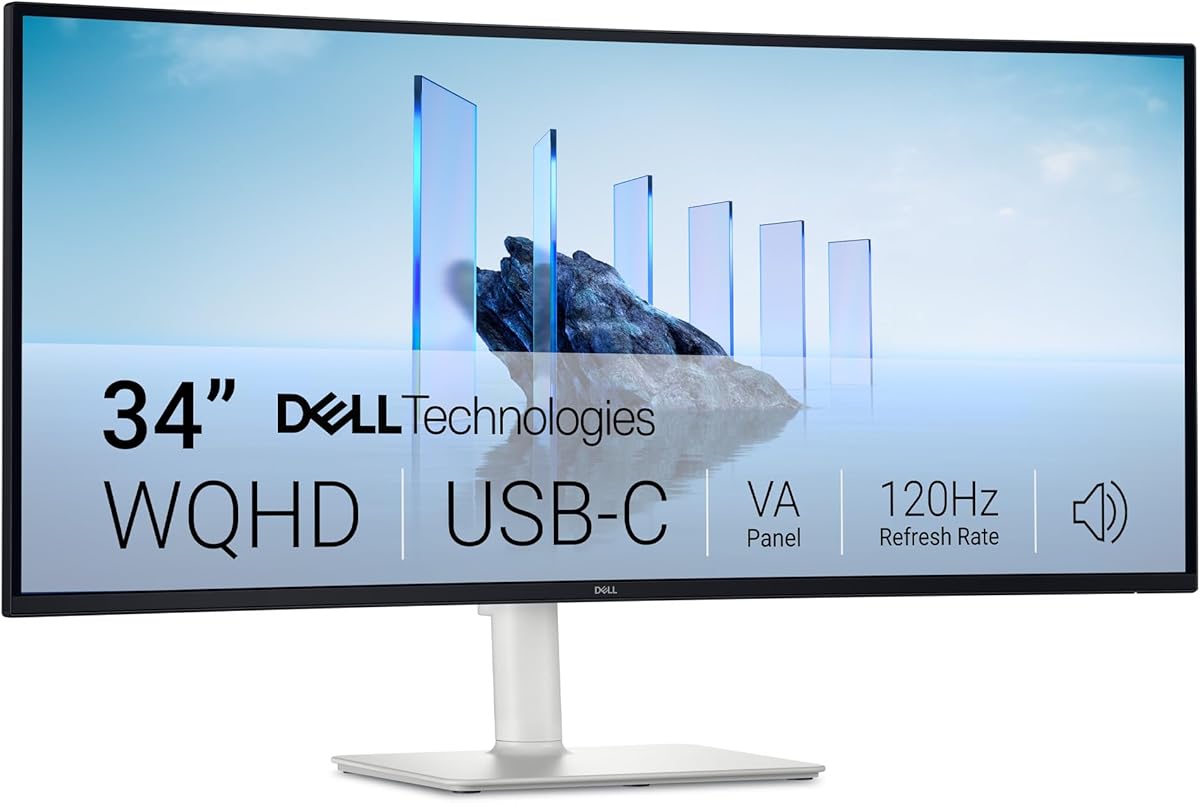
The Dell S3425DW is a 34-inch WQHD VA monitor that combines a broad view with a 120Hz refresh rate and 0.03ms response time. Its 4.4 rating and 3000:1 contrast ratio make it a practical alternative for Valorant players who want more screen space without moving to the highest possible refresh rate.
We may earn a commission when you buy through this link, at no additional cost to you.
The 3440 x 1440-class format gives more horizontal room than a conventional 16:9 display, which can make it easier to keep peripheral awareness, game interface elements, and desktop applications visible. Its VA panel provides a 3000:1 contrast ratio, while 99% sRGB and 95% DCI-P3 coverage support vivid color and HDR readiness.
The relatively fast 0.03ms response time is valuable in a competitive game, although 120Hz is considerably lower than the 240Hz, 360Hz, 600Hz, and higher options elsewhere in this list. AMD FreeSync Premium is included for smoother output with compatible graphics hardware, and the single-cable USB-C connection supports up to 65W of power delivery.
This monitor is well suited to a player who uses Valorant alongside communication applications, streaming tools, or a second task and wants a comfortable 34-inch workspace. Its Eye Comfort Plus feature reduces blue light emissions to no more than 35% according to the supplied information, making it a comfortable choice for long sessions. It is less compelling for players whose only goal is the lowest possible motion latency.
The ultrawide canvas provides additional horizontal visibility that can complement awareness and multitasking. Players who keep game chat, performance tools, or recording applications nearby may find the extra workspace particularly useful.
ComfortView Plus, improved sound, and USB-C power delivery support extended use and a tidier desk. FreeSync Premium and the quick VA response help maintain a fluid competitive experience.
We may earn a commission when you buy through this link, at no additional cost to you.
The Samsung S30GD is a straightforward 27-inch IPS monitor for Valorant players who value a familiar form factor, clear color, and useful gaming adjustments without chasing the highest available refresh rate. It carries a 4.5 rating, and its 100Hz refresh rate is smoother than a standard 60Hz office display.
We may earn a commission when you buy through this link, at no additional cost to you.
IPS technology maintains bright, consistent color from a wider range of viewing angles than Fast TN, making this a comfortable choice for a shared gaming space where not everyone will sit directly in front of the screen. The slim bezels and lightweight design also help it fit neatly into a modern desk arrangement.
Game Mode adjusts the picture to fill more of the screen, while separate color and contrast controls can improve the visibility of enemies and dark areas. Reduced blue light and screen flicker are also highlighted as eye-comfort features. The limitation is clear: 100Hz and the absence of a stated sub-millisecond response specification put this monitor below the competitive leaders in raw motion performance.
The S30GD is a sensible option for casual and mid-tier Valorant play, especially when the PC's practical frame rate is near the monitor's refresh range. It is also attractive for users who want one screen for gaming, work, and study. Competitive players focused on extreme motion clarity should instead prioritize a 240Hz or faster model.
The IPS panel is designed to preserve color and clarity as viewing angles change. That makes the display practical for a shared room or a setup where the player occasionally moves away from the exact center.
Game Mode, contrast adjustment, and color controls offer convenient ways to tune Valorant. These features help players make distant opponents and dark environmental details easier to identify.
We may earn a commission when you buy through this link, at no additional cost to you.
The Samsung Essential S3 combines a 27-inch Full HD panel with an 1800R curve and a 100Hz refresh rate. Its 4.5 rating reflects a well-rounded option for Valorant players who want an immersive screen and a comfortable viewing shape without moving into high-end gaming hardware.
We may earn a commission when you buy through this link, at no additional cost to you.
The curve wraps more closely around the field of vision, creating a wider impression and reducing some peripheral distraction. That characteristic can make the edges of the game feel more engaging, although the effect depends on desk depth, seating distance, and personal preference. Full HD resolution keeps the on-screen interface familiar and is less demanding than QHD.
For competitive use, Game Mode and adjustable color and contrast can improve the visibility of enemies hidden in dark areas. A 100Hz refresh rate reduces lag and motion blur relative to 60Hz, while TÜV-certified eye-comfort technology addresses blue light and distracting screen flicker during long sessions.
The S3 is most appropriate for budget-conscious players who primarily play at Full HD, value immersion, and do not need the motion performance of an esports panel. It can also serve as a general-purpose display for video and creative use. Players seeking finer detail at 27 inches or a much higher refresh rate will find stronger options in this guide.
The 1800R shape adds immersion while retaining a familiar 16:9 layout. It offers a middle ground between a flat monitor and the much wider horizontal field of a 34-inch ultrawide.
TÜV eye-comfort technology is designed to reduce blue light and screen flicker. Combined with the 100Hz refresh rate, it provides a more relaxed foundation for long play sessions.
We may earn a commission when you buy through this link, at no additional cost to you.
The Sceptre C345B-QU240T is a curved 34-inch ultrawide that combines a 3440 x 1440 resolution with a refresh rate of up to 240Hz. Its 4.4 rating makes it a strong middle-tier option for Valorant players who want expansive screen space and competitive speed in one display.
We may earn a commission when you buy through this link, at no additional cost to you.
The 1500R curve adds immersion, while 100% sRGB coverage provides accurate and vivid color. A stated 1ms response time supports quick transitions, and the 240Hz refresh rate is a major improvement over 100Hz or 120Hz alternatives when the system and game can produce the required frames.
Two DisplayPort and two HDMI inputs make the monitor versatile for a gaming PC, laptop, and additional devices. Built-in speakers and an audio-out jack can also simplify a compact setup, although dedicated gaming headsets remain preferable for clear team communication. Blue-Light Shift is included to reduce harmful blue light during extended use.
This monitor is a good match for a player who wants a broad view of the action and frequently uses the same display for communication, streaming, or desktop work. It falls short of the ASUS in refresh rate and pixel-level response, and its 1ms figure is less competitive than the best 0.03ms and 0.3ms options here. It remains a balanced choice for users who value features and ultrawide functionality together.
A 240Hz refresh rate gives the display enough pace for fast Valorant movement while preserving a wide field of view. The 1ms specification further supports responsiveness during abrupt changes in direction.
Four video inputs, integrated speakers, and audio output reduce the need for additional desk hardware. The broad screen can also keep communication and utility applications visible beside the game.
We may earn a commission when you buy through this link, at no additional cost to you.
The GIGABYTE GO27Q24G combines a 27-inch WOLED panel, 240Hz refresh rate, and 0.03ms GtG response time. Its 4.3 rating reflects an advanced option for Valorant players who want fast motion and rich contrast in a conventional 16:9 footprint.
We may earn a commission when you buy through this link, at no additional cost to you.
The MLA+ WOLED panel delivers 275 nits of typical brightness and up to 1300 nits peak brightness. RealBlack Glossy technology uses an anti-reflective coating and a zero-haze optical layer to reduce light diffusion, helping preserve dark detail in brighter settings. That makes it well suited to Valorant's varied maps, where dim corners and shadowed approaches require careful visibility.
The four-sided borderless design maximizes screen area and can be useful in a multi-monitor arrangement. GIGABYTE OLED Care uses an AI-based algorithm and adjustable protection settings intended to minimize burn-in risk. As with any OLED purchase, users should avoid leaving static content displayed unnecessarily and should understand how the manufacturer's protection features work.
This monitor is a compelling choice for a player who values both 27-inch familiarity and OLED visual depth without paying for a larger premium ultrawide. Its 240Hz refresh rate and 0.03ms response keep it firmly in competitive territory, while RealBlack technology improves the visibility of dark areas. It is best for a dedicated gaming system and a player comfortable with the care requirements of OLED displays.
WOLED black levels and the anti-reflective RealBlack treatment can improve separation in dark corridors and shadowed areas. Strong contrast makes the bright outlines of enemies easier to distinguish.
A 0.03ms GtG response and 240Hz refresh provide the speed required for rapid aim correction. GIGABYTE OLED Care adds adjustable background protections for owners who use the display regularly.
We may earn a commission when you buy through this link, at no additional cost to you.
The ASUS ROG PG34WCDN is the most advanced specification package in the guide, combining a 34-inch 1440p QD-OLED display with a 360Hz refresh rate and 0.03ms GTG response time. Its 4.7 rating is also the highest listed rating, reinforcing its position as a premium competitive option.
We may earn a commission when you buy through this link, at no additional cost to you.
The 3440 x 1440 curved display offers a wide view of the battlefield while retaining enough pixels for detailed weapon and character imagery. RGB Stripe Pixel OLED technology is designed to improve text sharpness, color reproduction, and dynamic display performance, which benefits both Valorant and the communication or streaming tools often placed beside it.
DisplayHDR 500 True Black compliance, 99% DCI-P3 coverage, true 10-bit color, and a Delta E below two make this a strong all-around image. Connectivity is equally comprehensive, with DisplayPort 2.1 UHBR20, HDMI 2.1, and USB-C with 90-watt power delivery. The main limitation is straightforward: it is by far the most expensive option in this roundup.
This display is ideal for a serious competitive player who wants the highest refresh rate, ultrawide field of view, and premium color in a single screen. ASUS OLED Care Pro uses a Neo Proximity Sensor to switch the display to black when the user is away, reducing burn-in risk. It is best for a high-powered PC and a player who values the combination of speed, clarity, and expansive space.
The 3440 x 1440 ultrawide format can display more of the game world than a 16:9 monitor. That additional width may support peripheral awareness while leaving room for voice chat, performance data, or recording controls.
DisplayHDR 500 True Black, broad DCI-P3 coverage, and true 10-bit color support detailed imagery. DisplayPort 2.1 UHBR20, HDMI 2.1, and 90-watt USB-C provide modern, flexible connections.
We may earn a commission when you buy through this link, at no additional cost to you.
The MSI MAG 321UPD E14 combines a 32-inch 3840 x 2160 IPS display with a 320Hz refresh rate and a stated 0.05ms response time. Its 4.1 rating is the lowest in the guide, but the unusual mix of UHD detail and high-speed gaming gives it a specialized appeal for capable systems.
We may earn a commission when you buy through this link, at no additional cost to you.
At 4K, agents, weapon icons, minimap details, and environmental textures can appear especially crisp. The IPS panel is intended to provide better color contrast and accuracy, while AMD FreeSync Premium helps maintain smooth playback with compatible graphics hardware. A 320Hz refresh rate puts the monitor among the fastest conventional gaming displays in this selection.
Dual Mode lets users switch between different resolutions and refresh rates, providing flexibility for different games and hardware capabilities. Console Mode is optimized for systems such as the PlayStation 5 and Xbox Series X and S, while HDMI, DisplayPort, VESA support, speakers, tilt, and height adjustment make the display adaptable to different desks.
This monitor is best for a player with a graphics system capable of supporting the demanding combination of 4K resolution and high refresh rates. It is also a compelling choice for someone who wants crisp desktop text, detailed media, and fast gaming in one screen. Less capable systems may benefit more from the model's lower-resolution dual mode, while buyers primarily interested in extreme motion performance should compare the 360Hz ASUS and 600Hz BenQ.
The UHD resolution gives Valorant a large canvas for small interface elements and distant environmental details. It is particularly useful for players who also work or create content on the same display.
Dual Mode allows the resolution and refresh rate to be adjusted for the task. A height-adjustable arm, tilt support, speakers, and console mode broaden the display's practical uses.
We may earn a commission when you buy through this link, at no additional cost to you.
Choosing a Valorant monitor involves balancing frame rate, pixel response, resolution, visual clarity, synchronization, comfort, and display size. The most important starting point is the frame rate your PC can realistically maintain.
Choose a refresh rate your computer can sustain without frequent stuttering. Also consider whether a higher mode requires specific display outputs, graphics-card capability, or settings that a particular game permits.
Prioritize low advertised response and, where possible, look for motion clarity features. A fast specification alone does not replace a panel's practical behavior, so competitive buyers should also consider reviews, overshoot handling, and the consistency of the image.
Balance pixel density against achievable frame rate. A sharper display is valuable, but a stable competitive frame rate generally matters more than resolution that the PC cannot maintain.
Choose TN for maximum esports motion focus, IPS for a balanced display, and OLED when contrast, color, and response time are all priorities. Consider how much desk space and panel-maintenance effort each format requires.
Use a compatible graphics card and enable the appropriate synchronization option in both the game and the operating system. Consistent frame delivery remains important even when adaptive synchronization is active.
Consider both screen size and aspect ratio. Avoid a large display simply because it looks more immersive if the desk is shallow, and choose a smaller esports screen if compact play and immediate visual focus are your priorities.
Look for controls that let you tune contrast, color, and dark-area visibility rather than relying entirely on presets. Comfort features are valuable, but they should complement sensible brightness and viewing habits.
Confirm that the inputs support your intended resolution and refresh rate, then check whether the stand meets your ergonomic needs. An excellent display used at an uncomfortable viewing angle is less useful than a simpler model positioned correctly.
Connect the gaming PC with the appropriate cable, configure the operating system for the monitor's native resolution, and select the desired refresh rate in the graphics control panel. Enable the matching adaptive-synchronization option when supported, then use the game menu to set the display mode, aspect ratio, and interface scale. If the image appears stretched, use the graphics driver's scaling controls to restore the intended dimensions.
Use the monitor's gaming presets as a starting point rather than as a final configuration. In Valorant, adjust general settings for clarity and comfort, including brightness, contrast, color, and any available crosshair or interface options. A dark room does not automatically mean the darkest display setting is best; aim for a level where dim map areas remain visible without making bright weapon effects uncomfortable.
For OLED models, avoid leaving static menus, dashboards, or other unmoving content on-screen when it is not needed. Use the manufacturer's OLED protection features, take regular screen breaks, and keep the display away from excessive heat, direct sunlight, and moisture. For IPS, TN, and VA screens, clean the panel with a soft microfiber cloth and avoid aggressive cleaners that could damage the surface.
Yes, a 240Hz monitor is well suited to Valorant because it can display many more frames per second than a standard 60Hz panel. It makes rapid movement and aim corrections appear smoother when the PC can sustain the required frame rate. Models such as the AOC Q27G41ZE, AOC Q27GAZD, Sceptre C345B-QU240T, and GIGABYTE GO27Q24G also provide low advertised response times for competitive responsiveness.
A 240Hz monitor offers a higher ceiling for exceptionally smooth motion, but the difference is most meaningful when the computer consistently generates enough frames to take advantage of it. A stable frame rate on a 144Hz-class display can still provide a competitive experience. The right choice depends on the hardware, game settings, and whether the player values smoother motion enough to justify upgrading.
OLED monitors are often strong choices because they combine very fast response with high contrast and rich color. IPS remains a more conventional option with consistent color, wide viewing angles, and generally straightforward use. The AOC Q27GAZD and GIGABYTE GO27Q24G are worth considering for OLED benefits, while the AOC Q27G41ZE and Samsung S30GD suit players who prefer IPS.
A 27-inch monitor gives a larger image and more desktop space without the extremely wide aspect ratio of a 34-inch ultrawide. A 24-inch esports display can offer excellent sharpness and keep targets visually close, which some competitive players prefer. The better choice depends on desk size, viewing distance, resolution, and whether the player values a large game image or a compact field of view.
No, competitive Valorant can be played on Full HD, QHD, or 4K, but resolution alone does not determine competitiveness. Refresh rate, response time, frame consistency, and the PC's ability to maintain a stable frame rate are equally important. The MSI MAG 321UPD E14 delivers 4K detail and a 320Hz refresh, but it demands more graphics performance than lower-resolution alternatives.
It can improve consistency when the frame rate falls outside the monitor's standard refresh range, reducing tearing and stuttering. It works best with compatible graphics hardware and correctly configured software. Several picks support Adaptive-Sync or FreeSync Premium, so buyers should verify the exact support level for their GPU and preferred resolution.
A curved monitor can create a more immersive and encompassing image, but it is not automatically more competitive. The 27-inch Samsung Essential S3 offers an 1800R curve in a familiar Full HD format, while the Sceptre and ASUS use wider curved displays. Consider desk depth, seating distance, resolution, and personal comfort before choosing a curved model.
Begin with a comfortable brightness level and use a monitor with blue-light and flicker-reduction features where possible. The Dell, Samsung models, and Sceptre include relevant eye-comfort technologies. Taking regular breaks, maintaining a sensible viewing distance, and keeping the screen clean also help support comfort during long matches.
The AOC Q27G41ZE is the strongest general recommendation because it combines QHD clarity, an overclocked 260Hz refresh rate, low response time, and broad connectivity. The BenQ Zowie XL2586X+ takes the lead for dedicated esports play with its 600Hz Fast TN approach and DyAc 2 technology, while the GIGABYTE GO27Q24G stands out when fast OLED response and deep contrast are the priorities.
Other selections serve distinct needs. The ASUS ROG PG34WCDN combines a 360Hz refresh rate with a detailed 34-inch QD-OLED ultrawide, the MSI MAG 321UPD E14 pairs 4K clarity with 320Hz speed, and the Sceptre offers a feature-rich 240Hz ultrawide. The Samsung, Dell, and AOC QD-OLED options are more accessible choices for players who do not need the highest possible motion rate.
Before purchasing, check the current specifications, rating, compatibility, and price for the exact model. Monitor availability and pricing can change, and the same product family may include revised versions. Prioritize a resolution and refresh rate your computer can sustain, verify the necessary ports, and choose the panel characteristics that best match your preferred competitive experience.


