
GIGABYTE GC-WBAX210
4.6Editor score
Intel AX210 wireless module
Tri-band Wi-Fi 6E support
Bluetooth 5.2 connectivity
Up to 2400Mbps wireless speed
Explore the 10 best PCIe WiFi cards for Linux, comparing confirmed Linux support, Wi-Fi standards, chipsets, antenna design, Bluetooth features, and installatio
PCIe WiFi cards give Linux desktop owners a practical way to add modern wireless networking without replacing an entire system. The right card depends on Linux driver availability, the Wi-Fi generation of your router, antenna placement, Bluetooth needs, desktop dimensions, and the maturity of the included kernel or vendor driver support.
This guide compares ten PCIe wireless adapters using their published specifications, including Wi-Fi bands, chipset details, stated operating-system compatibility, antenna arrangements, Bluetooth versions, security features, and installation hardware. Two selections explicitly identify Linux support, while the remaining cards are evaluated as hardware options that require checking driver compatibility before purchase.
Each review explains the most useful capabilities and the practical trade-offs without assuming that every product works equally well in every Linux distribution. The top picks represent the strongest combinations of value, feature breadth, and confirmed compatibility. Availability and prices can change, so confirm the current listing, driver situation, and router requirements before ordering.
4.6Editor score

4.4Editor score

4.6Editor score
The table below compares the ten cards by wireless generation, band coverage, chipset, Bluetooth support, and the compatibility information stated by the manufacturer or seller. It is a specification-based comparison rather than a report of personal testing.
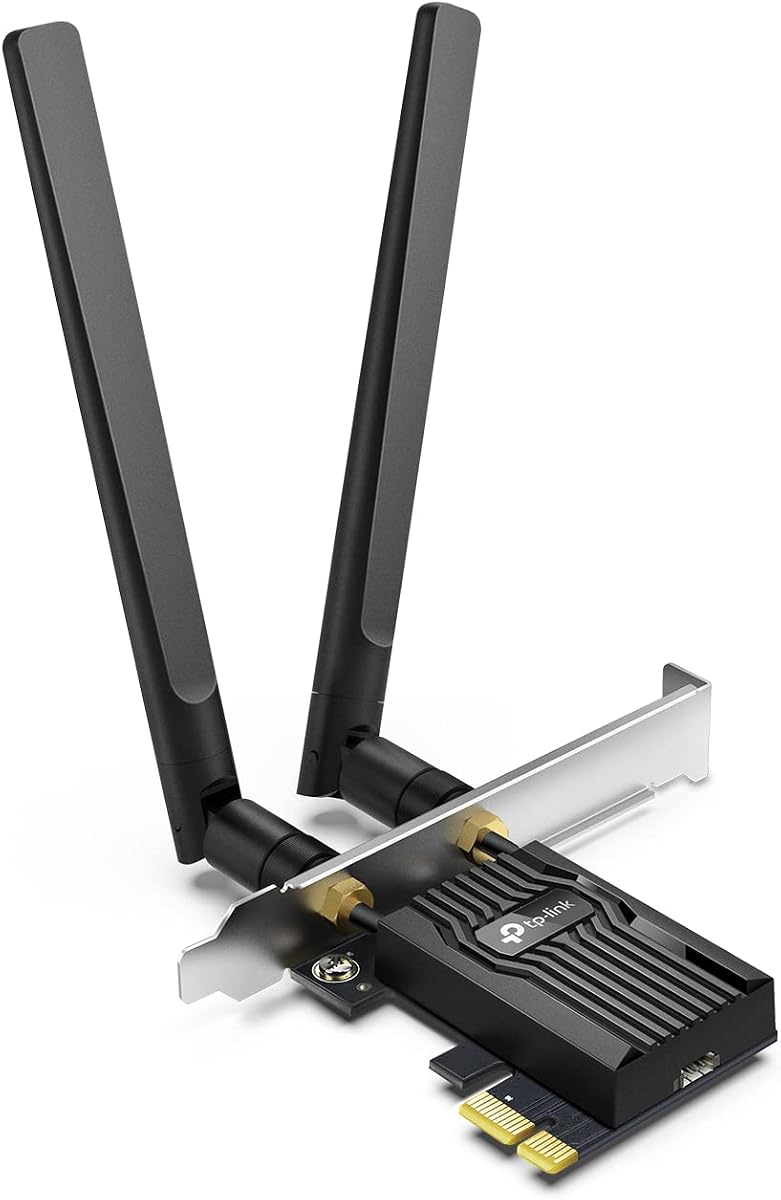
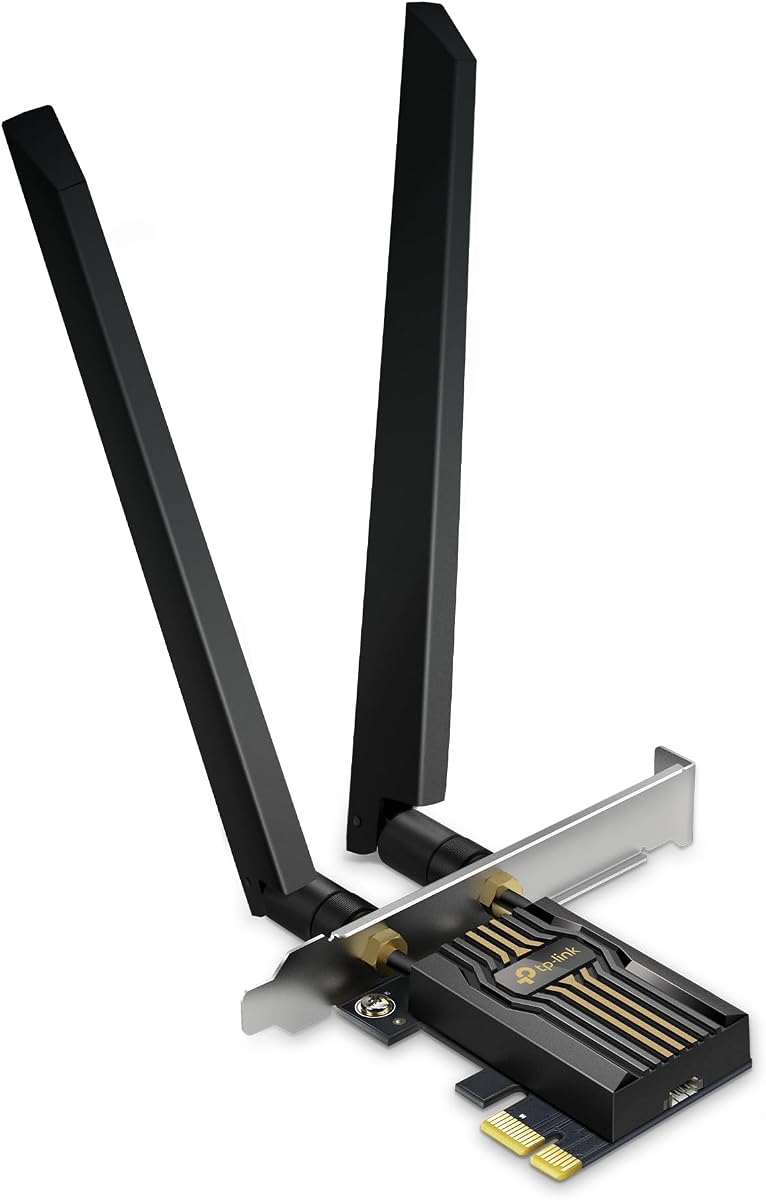


The TP-Link AX3000 is a dual-band Wi-Fi 6 PCIe card for desktops that need a modern connection without the complexity of a tri-band adapter. It carries a 4.5 rating and combines 2402Mbps on 5GHz with 574Mbps on 2.4GHz, making it suitable for a router that does not yet provide a 6GHz network.
We may earn a commission when you buy through this link, at no additional cost to you.
Its strongest selling points are the external high-gain antennas, OFDMA, MU-MIMO, and WPA3 support. The two antennas can improve reception or be positioned more effectively than a card with permanently attached antennas. Both standard and low-profile brackets are included, which broadens the range of desktop cases it can fit. Bluetooth 5.2 is another useful addition, although the included USB cable must connect to an internal F_USB header.
The central Linux caveat is that the supplied listing does not explicitly state Linux compatibility. A user should verify the exact chipset and kernel or driver support rather than assuming that every Wi-Fi 6 PCIe card works out of the box. It also lacks the 6GHz band, so owners of Wi-Fi 6E routers cannot access the cleaner spectrum offered by that generation.
This is a sensible feature-balanced card for a Linux desktop owner whose router supports Wi-Fi 6 and whose distribution has support for the installed controller. It is best for users who value antenna flexibility, dual-band performance, and both bracket formats more than 6GHz access. Confirm driver availability first, then this becomes a practical midrange choice.
Two external high-gain antennas make it easier to find a position with cleaner reception. This flexibility can be useful inside metal desktop cases where a permanently mounted card antenna may perform less consistently.
Bluetooth 5.2 expands the card beyond networking, allowing compatible keyboards, headsets, controllers, and other peripherals to pair through the desktop. The internal F_USB connection must be available and properly connected.
We may earn a commission when you buy through this link, at no additional cost to you.
The GIGABYTE GC-WBAX210 combines a 4.6 rating with an Intel WI-FI 6E AX210 module in a straightforward PCIe expansion card. It is a particularly compelling budget-oriented option because it provides tri-band operation and Bluetooth 5.2 without introducing Wi-Fi 7 terminology that may not benefit an existing network.
We may earn a commission when you buy through this link, at no additional cost to you.
The card supports dual-stream wireless connectivity across 2.4GHz, 5GHz, and 6GHz. Its published maximum connection speed is 2400Mbps, and it is IEEE 802.11acR2plusax compliant. The 6GHz band is particularly valuable in a congested home or office because it can offer broader clean spectrum, provided the computer, router, driver stack, and regional regulations all support access to that band.
Linux support is not explicitly stated in the supplied information, so buyers should treat it as a compatibility check rather than a guaranteed plug-and-play product. Although the AX210 module is widely recognized, firmware packaging, kernel versions, and distribution packages can affect the final experience. The card is also limited to Wi-Fi 6E rather than the newer Wi-Fi 7 features found elsewhere in this list.
Choose the GC-WBAX210 when you want 6GHz access, a widely used Intel module, and a straightforward 2×2 adapter without paying for top-tier Wi-Fi 7 hardware. It suits budget-conscious builders who have verified AX210 support in their Linux environment or are prepared to install an appropriate driver.
The AX210 module provides access to the 6GHz band while retaining 2.4GHz and 5GHz connectivity. That makes the card a practical middle ground for desktops that do not need to adopt Wi-Fi 7 immediately.
Its 2×2 configuration and broad band support can suit a desktop needing dependable everyday networking. Users should still check the exact Linux kernel, distribution, and firmware requirements before installation.
We may earn a commission when you buy through this link, at no additional cost to you.
The Archer TBE552E is a high-output Wi-Fi 7 card with a 4.4 rating, tri-band support, and headline 6GHz speeds of up to 5764Mbps. It is designed for a desktop paired with a Wi-Fi 7 router, using 320MHz channels, Multi-Link Operation, Multi-RUs, and 4K-QAM to take advantage of newer wireless features.
We may earn a commission when you buy through this link, at no additional cost to you.
Additional rates of 2882Mbps on 5GHz and 688Mbps on 2.4GHz give the card broad theoretical throughput. OFDMA and MU-MIMO are included to improve efficiency in busy networks, while two high-gain antennas support broader desktop coverage. Bluetooth 5.4 adds support for compatible controllers, headphones, keyboards, and mice, with a USB connection required for that function.
The decisive limitation is platform support. The supplied information describes easy setup exclusively for Windows 11 and explicitly says the card is not compatible with Windows 10 or earlier. It also does not explicitly claim Linux support. Given the importance of firmware and driver availability for newer Wi-Fi 7 controllers, this is not a safe assumption for a Linux-only build.
The TBE552E fits users who want future-oriented Wi-Fi 7 hardware and already have the matching router. For a Linux desktop, it should be considered only after checking the exact chipset's Linux driver status, kernel requirements, and firmware installation process. Its wireless capabilities are impressive, but platform certainty is more important for this guide.
Multi-Link Operation can combine multiple frequency bands to improve throughput, latency, and reliability when paired with a compatible Wi-Fi 7 router. The full benefit depends on both the router and the complete Linux driver stack.
Support for 320MHz channels and a stated 5764Mbps rate makes this card relevant to high-bandwidth networks. Real-world results will depend on router settings, interference, distance, and the devices using the connection.
We may earn a commission when you buy through this link, at no additional cost to you.
The EDUP BE6500 stands out in this list because its supplied information explicitly states compatibility with Linux Kernel 6.7 and newer. It uses the MT7925 chipset, offers tri-band Wi-Fi 7 connectivity, and has a 4.4 rating. That combination of documented Linux support and current wireless features makes it the clearest choice for this guide.
We may earn a commission when you buy through this link, at no additional cost to you.
The card advertises aggregate speed up to 6.5Gbps, with band rates of 688Mbps on 2.4GHz and 2882Mbps on each of the 5GHz and 6GHz bands. Multi-Link Operation is designed to combine bands for lower latency and more stable traffic handling. WPA3, WPA2, and WPA encryption, hardware acceleration, and an optimized RF design round out the feature set.
Bluetooth 5.4 support includes the ability to connect up to seven devices, and the listing advises disabling a built-in Bluetooth device before installation. The card fits standard PCIe x1, x4, x8, and x16 slots, includes full-height and low-profile brackets, and supports both Intel and AMD platforms. It does not fit Mini PCIe or M.2 CNViO2 slots.
This is the strongest recommendation for a Linux user who can meet the Kernel 6.7 requirement and wants a current Wi-Fi 7 platform. It is less suitable for an older distribution, where kernel upgrades or backported drivers may be inconvenient. For a modern Linux desktop, however, the combination of explicit support, tri-band Wi-Fi 7, MLO, and Bluetooth 5.4 is unusually well aligned with the category.
The explicit Linux Kernel 6.7+ requirement is a major advantage in a category where listings often emphasize only Windows. Users of older kernels should verify whether a supported upgrade path is available for their distribution.
Wi-Fi 7, Multi-Link Operation, tri-band operation, and Bluetooth 5.4 cover both primary network and peripheral needs. The card is particularly relevant to users building a current desktop around newer wireless standards.
We may earn a commission when you buy through this link, at no additional cost to you.
The Archer TX3000E carries the highest individual rating in this comparison at 4.7. It is a dual-band Wi-Fi 6 card with a stated 2402Mbps rate on 5GHz and 574Mbps on 2.4GHz. Its distinguishing physical feature is a pair of multi-directional antennas attached to a magnetized base that can be positioned around the desktop.
We may earn a commission when you buy through this link, at no additional cost to you.
That flexibility is useful in cases where the card sits far from the router or behind metal obstructions. OFDMA and MU-MIMO target efficiency and latency in crowded networks, while Bluetooth 5.3 supports compatible peripherals. A low-profile bracket is mentioned for installation, and the product description notes that drivers and firmware are available through TP-Link's support resources.
As with many adapter listings, the provided information does not explicitly identify Linux support. The phrase that the Wi-Fi 6 technology is powered by Intel may suggest a familiar platform, but it is not a substitute for checking the exact controller and its Linux support. The TX3000E also cannot use the 6GHz band, so its value is strongest for users with a 2.4GHz and 5GHz router.
The TX3000E is a strong choice for a dual-band desktop where antenna placement is difficult and Bluetooth 5.3 is useful. Its rating and flexible antenna system are appealing, but Linux users should verify driver availability and consider whether 6GHz or newer Wi-Fi 7 features will become important. It remains a capable Wi-Fi 6 option rather than the most future-facing adapter.
The magnetic base separates the antennas from the card body, making it easier to place them away from dense case components. That can improve practical signal reception in desktop installations where a fixed card antenna is less adaptable.
OFDMA, MU-MIMO, dual-band Wi-Fi 6, and Bluetooth 5.3 provide a useful feature set for a modern desktop. Linux users should confirm the precise adapter identity and available driver path before installation.
We may earn a commission when you buy through this link, at no additional cost to you.
The TP-Link Archer AXE5400 combines an Intel AX210 chipset, tri-band Wi-Fi 6E, and a magnetized antenna base. Its 4.6 rating reflects a broadly capable option, while stated rates of 2402Mbps on 6GHz, 2402Mbps on 5GHz, and 574Mbps on 2.4GHz make it relevant for Wi-Fi 6E routers.
We may earn a commission when you buy through this link, at no additional cost to you.
The 6GHz band offers access to cleaner spectrum in suitable environments. The adapter also includes OFDMA, MU-MIMO, and WPA3, while Bluetooth 5.3 handles compatible peripherals. Two multi-directional antennas and the magnetic base can be positioned for better reception, and both standard and low-profile brackets are supplied for different case sizes.
Linux compatibility is not explicitly included in the supplied listing, which is important because AX210 support can vary depending on the kernel, firmware packaging, and distribution. The product description also notes that the Bluetooth USB cable must connect to an internal F_USB connector, adding a small installation requirement. A desktop without that header may need separate Bluetooth hardware.
This card is a strong Wi-Fi 6E option for users who want flexible antenna placement and a modern Intel-based adapter. It is best for Linux systems where the AX210 driver path is already known to work. Buyers should verify that the distribution, kernel, and firmware are compatible before installation, particularly if 6GHz operation is important.
The 6GHz band can provide additional channel capacity in a busy environment. Actual availability depends on the router, region, operating system, and regulatory rules governing this spectrum.
The magnetic base lets users separate the two directional antennas from the adapter. This can make it easier to avoid poorly placed antennas inside a compact or metal desktop enclosure.
We may earn a commission when you buy through this link, at no additional cost to you.
This generic Intel AX210 PCIe card offers a simple route to tri-band Wi-Fi 6E in a desktop. It has a 4.5 rating, an Intel AX210 chipset, Bluetooth 5.3, and stated aggregate speeds of 5400Mbps. It also includes a Bluetooth cable and high-gain antennas for flexible positioning.
We may earn a commission when you buy through this link, at no additional cost to you.
The card supports 6GHz, 5GHz, and 2.4GHz operation, making it suitable for users moving to a Wi-Fi 6E router. WPA3 is included, and the listing states that the card works with Windows 10 and 11. Full 6GHz functionality additionally requires a Wi-Fi 6E router and Windows 11 according to the supplied description.
The lack of an explicit Linux claim is the main issue for this roundup. The AX210 chipset is a recognizable component, but a product listing aimed at Windows users does not provide enough evidence that the complete adapter, firmware, and Bluetooth arrangement will work smoothly in every Linux distribution. The Bluetooth cable also needs a suitable internal USB header.
This is a reasonable lower-cost AX210-style option for a Linux user who has independently confirmed driver support and does not need a vendor with explicit Linux documentation. It is less compelling than the EDUP or WAVLINK choices for that audience because Linux compatibility is not clearly communicated. Confirm the hardware identifiers and distribution support before purchasing.
The AX210 identity gives buyers a recognizable basis for checking kernel and driver support. Because the listing itself focuses on Windows, Linux users should perform that compatibility check independently before purchase.
Access to all three major Wi-Fi bands and Bluetooth 5.3 broadens the card's usefulness. The included cable allows Bluetooth functionality when connected to the appropriate internal USB header.
We may earn a commission when you buy through this link, at no additional cost to you.
The WAVLINK AXE5400 is one of the most complete options for a Linux desktop because its supplied specifications explicitly list Linux compatibility. It combines an Intel AX210 chip, tri-band Wi-Fi 6E, Bluetooth 5.3, a low-profile bracket, and a heat sink, all while earning a 4.6 rating.
We may earn a commission when you buy through this link, at no additional cost to you.
The stated band rates are 574Mbps on 2.4GHz and 2400Mbps on both 5GHz and 6GHz. Dual 5dBi magnetic antennas, 160MHz bandwidth, OFDMA, and MU-MIMO make it a strong fit for busy networks and large desktop cases where antenna placement matters. WPA3 provides modern wireless protection, while the heat sink helps manage the adapter during sustained activity.
It remains a Wi-Fi 6E product rather than a Wi-Fi 7 card, so users buying for Multi-Link Operation, 320MHz channels, or newer 4K-QAM capabilities will need to look elsewhere. Access to 6GHz also depends on a compatible router, operating system, and regional regulations. Nevertheless, explicit Linux support is a meaningful advantage that outweighs several unverified Windows-oriented listings.
The WAVLINK is an excellent choice for a Linux builder who wants known platform compatibility, flexible high-gain antennas, and a polished physical design. It is the premium recommendation here not because it has the newest radio standard, but because it combines useful tri-band features with clearer Linux positioning and practical antenna and thermal provisions.
Explicit Linux compatibility makes setup planning easier, while Bluetooth 5.3 removes the need for a separate internal wireless peripheral adapter. Users should still confirm the exact driver and firmware workflow for their distribution.
Dual 5dBi magnetic antennas provide more placement flexibility than a compact card with fixed antennas. The included heat sink and low-profile bracket make the adapter practical for a range of desktop builds.
We may earn a commission when you buy through this link, at no additional cost to you.
The Archer TBE550E is a tri-band Wi-Fi 7 card with a 4.2 rating, support for the 6GHz band, and a distinctive magnetic base with multicolor LED lighting. Stated maximum rates reach 5760Mbps on 6GHz, 2880Mbps on 5GHz, and 688Mbps on 2.4GHz.
We may earn a commission when you buy through this link, at no additional cost to you.
Its feature set includes 320MHz channels, 4096-QAM, Multi-Link Operation, OFDMA, MU-MIMO, and Multi-RU. Two adjustable high-performance antennas are designed for stronger signal coverage, while Bluetooth 5.4 supports controllers, headsets, and other peripherals. The illuminated base can also display network status and includes a touch switch for customization.
The product is explicitly described as supporting Windows 11, and no Linux compatibility statement is included. That limitation matters because Wi-Fi 7 adapters depend heavily on current kernel drivers, firmware packages, and power-management behavior. A feature-rich specification sheet alone does not guarantee a smooth Linux installation.
The TBE550E is most suitable for a Windows 11 desktop or a Linux user who has already confirmed this exact adapter's driver path. Its combination of Wi-Fi 7, MLO, a wide 6GHz channel, adjustable antennas, and a visual status base is compelling for a matched Wi-Fi 7 network, but Linux buyers should treat driver verification as a prerequisite.
The magnetic base adds LED status effects and a touch switch while helping position the antennas. It brings a more decorative and interactive design to a conventional PCIe expansion card.
MLO, Multi-RU, 320MHz channels, and 4096-QAM position the card for high-bandwidth, low-latency networking. The full feature set requires compatible router hardware, software, and regional spectrum availability.
We may earn a commission when you buy through this link, at no additional cost to you.
The MSI Herald BE9400 is a Wi-Fi 7 PCIe card aimed at desktop users who want high-speed tri-band networking. Its 4.3 rating accompanies a stated aggregate capability of 5.8Gbps, with band rates of 5764Mbps on 6GHz, 2882Mbps on 5GHz, and 688Mbps on 2.4GHz.
We may earn a commission when you buy through this link, at no additional cost to you.
Multi-Link Operation is included to combine multiple links for faster and more stable connectivity. The card supports 320MHz channels in the 6GHz band, Bluetooth 5.4, and external antennas attached to a magnetized base. This antenna arrangement gives users some freedom to position the radio components for better reception in a desktop enclosure.
The supplied information does not explicitly mention Linux compatibility, which prevents the card from receiving the same platform-confidence advantage as the EDUP and WAVLINK selections. Users should verify the exact chipset, device identifiers, firmware loading process, and kernel requirements. It is also a Wi-Fi 7 product, so its advantages are most relevant when connected to a suitable Wi-Fi 7 router.
The Herald BE9400 is worth considering for a Linux system only after that compatibility research is complete. Its combination of 6GHz, 320MHz channels, MLO, Bluetooth 5.4, and movable antennas makes it technically ambitious. For users who need certainty rather than the newest specification, one of the cards with explicit Linux support is the safer selection.
MLO is designed to improve responsiveness and stability by using multiple wireless links. Linux users need compatible drivers and a router configured to take advantage of this feature.
The magnetized base allows the external antennas to be placed away from the card and case components. This can be advantageous in larger desktops where cable management and antenna location are flexible.
We may earn a commission when you buy through this link, at no additional cost to you.
Linux compatibility should come first, followed by the radio standard and router available to you. Antenna design, Bluetooth, security, case fit, and driver workflow then determine which card is most practical for your desktop.
A PCIe form factor does not guarantee that an adapter will work under Linux. Check whether the product explicitly states Linux compatibility, identify the chipset, and research support in the exact kernel and distribution you use. Newer Wi-Fi 7 hardware may require a recent kernel, firmware packages, or a vendor driver installation process, while older operating systems may not have a practical path for newer controllers.
A card can only deliver benefits supported by the router and every device on the network. Wi-Fi 6 cards cover 2.4GHz and 5GHz, Wi-Fi 6E adds 6GHz, and Wi-Fi 7 introduces features such as wider 320MHz channels, Multi-Link Operation, Multi-RUs, and 4K-QAM. Do not pay for a newer card if your access point remains on an older generation, although a newer card can still be useful for future upgrades.
The 2.4GHz band offers longer reach but is commonly crowded. The 5GHz band is a practical middle ground for speed and range, while 6GHz provides cleaner, broader spectrum in suitable regions. Tri-band cards give a desktop more flexibility, but they need a tri-band router. Review the stated rates by band carefully because combined headline speed does not represent the speed of a single client on a single band.
Fixed antennas are simple, but external or magnetic antennas can be positioned away from metal case panels and other sources of interference. High-gain or adjustable antennas may improve practical reception in larger desktops, although their physical orientation and router placement still matter. Compact cases may require a low-profile bracket, while the product must also provide a full-height option if the case design changes.
Many PCIe wireless cards also provide Bluetooth, but that function normally relies on a small USB cable connected to an internal F_USB header. Check that your motherboard exposes the required header and install the relevant Bluetooth firmware and software. If the case or board lacks a suitable header, plan on using a separate USB Bluetooth adapter or a motherboard with integrated wireless support.
WPA3 support is valuable for newer networks, while WPA2 remains necessary for compatibility with older routers and IoT devices. Prefer adapters that support both, and configure the Linux network manager to use the strongest security mode accepted by your access point. A faster radio does not compensate for weak password practices or an outdated router configuration.
Published maximum speeds describe theoretical hardware limits rather than everyday file transfers. Actual performance depends on the router, distance, interference, antenna placement, network congestion, the connected device, and the Linux driver's efficiency. Features such as OFDMA, MU-MIMO, MLO, hardware acceleration, and 160MHz channels can improve efficiency, but each requires support throughout the entire connection chain.
Desktop cases differ in height, expansion-slot layout, and clearance around the card. Low-profile brackets are often essential for compact cases, while full-height brackets suit larger towers. Magnetic antenna bases also require enough surface or mounting space, and the card's heat sink or connector design may affect neighboring components. Review case dimensions before ordering, especially for an adapter with large external antennas.
Before installation, power off the desktop, unplug the power cable, and use appropriate anti-static precautions. Open the case, identify a compatible PCIe slot, and check whether the installed card requires a low-profile or full-height bracket. Install the card, secure it to the rear bracket, and connect the internal USB header cable if Bluetooth is required.
After assembling the system, boot into Linux and identify the new network interface with commands such as ip link. Install the appropriate firmware and driver packages for the exact adapter and distribution, then use your desktop's network manager or command-line tools to scan for and join the wireless network. For newer cards, consult the vendor's Linux instructions and verify that power management does not cause repeated disconnections.
Position the antennas where they are not enclosed by metal, then compare the connection with nearby networks and your wired connection if available. Keep the card away from heat sources, avoid unnecessary antenna repositioning, and use WPA3 or the strongest compatible security mode. If performance is weak, test router placement, change the 5GHz or 6GHz band, update firmware, and check for interference before assuming the adapter is defective.
No. A card can use a standard PCIe connector and still require a chipset, firmware, and driver combination that is unsupported on a particular Linux kernel. Check the seller's compatibility statement, identify the chipset, and search for support in your exact distribution. Cards with explicit Linux support reduce uncertainty, but a recent kernel and current firmware are still important.
The AX210 is a widely recognized platform that has been used with Linux, but the specific card, firmware package, kernel, and distribution must be compatible. The GIGABYTE, TP-Link, generic AX210, and WAVLINK selections in this guide use that platform according to their supplied information. Verify current driver documentation before purchasing rather than relying only on the chipset name.
Only if the router and your network equipment support Wi-Fi 7 and you benefit from its newer capabilities. Wi-Fi 6 or Wi-Fi 6E may be more practical when the existing router is older or when confirmed Linux support matters more than the newest standard. A Wi-Fi 7 card cannot create Wi-Fi 7 service on a router that lacks it.
Yes. The desktop, adapter, driver stack, router, and operating system must all support 6GHz operation, and regional regulations determine which channels are available. Some listings also note that certain 6GHz features require specific operating-system versions. Linux users should confirm support in the documentation for their kernel and distribution before purchasing.
PCIe provides the main data path for the network radio, while the small internal USB cable generally carries the Bluetooth controller's data and power. That cable must connect to an F_USB or comparable internal header on the motherboard. If the header is missing or occupied, the wireless network may work while Bluetooth remains unavailable.
External or magnetic antennas are usually easier to position in a metal desktop case. They can be moved away from obstructions, which may improve signal stability. Fixed antennas are simpler and often adequate in open cases, so the deciding factor is case layout, router location, and whether the user can position the antennas effectively.
Usually, yes, because a smaller PCIe card can usually operate in a physically compatible larger slot, although the listing should confirm the supported slot arrangement. The EDUP model is stated to fit PCIe x1, x4, x8, and x16 slots, and the WAVLINK model lists the same range. Always check physical dimensions, bracket clearance, and lane compatibility.
Start by positioning the antennas away from metal and near the center of the coverage area, then use the 5GHz or 6GHz band in a crowded environment. Update the kernel, firmware, and driver package, then test for interference and power-management issues. Compare results with a wired connection to determine whether the limitation lies in the adapter, router, or network.
The EDUP BE6500 is the leading pick for Linux users because it explicitly supports Kernel 6.7 and newer while offering current Wi-Fi 7, Multi-Link Operation, and Bluetooth 5.4 features. The GIGABYTE GC-WBAX210 provides a budget-focused AX210 design with tri-band Wi-Fi 6E, while the WAVLINK AXE5400 is the premium option for buyers who want explicit Linux compatibility, dual 5dBi magnetic antennas, and a heat sink.
Prioritize Linux support and router matching before any other specification. Confirm the chipset, kernel, firmware, and distribution; then consider whether you need 2.4GHz, 5GHz, or 6GHz, whether Bluetooth matters, and whether the case can accommodate the bracket and antenna arrangement. A current, well-supported driver is often more valuable than the highest possible headline rate.
Prices, stock, driver releases, and product listings can change over time, so review the current Amazon page before purchasing. Reconfirm the exact model and compatibility information rather than assuming that two cards sharing an AX210 or Wi-Fi 7 label are interchangeable.