
VEVOR 1-Color Screen Press
4.2Editor score
Compact one-station design
21.2 by 17.7-inch area
Metal-bearing carriage system
The best printers for screen printing guide compares manual presses, complete screen-printing kits, and inkjets for artwork, transfers, and design preparation.
Screen-printing equipment comes in several distinct forms, from manual presses that hold screens over garments to comprehensive kits that include frames, ink, emulsion, and exposure supplies. A useful printer should provide repeatable registration, dependable construction, and a workflow that matches the volume and complexity of your projects.
This guide compares ten products that can play different roles in screen printing. Manual presses and all-in-one kits are evaluated for their direct screen-printing capabilities, while conventional inkjet printers are considered for producing artwork, transfer images, templates, and other preparatory documents rather than applying screen-printing ink.
Each pick reveals what a particular device or kit is best equipped to handle, from lightweight DIY work to four-color registration and wide-format artwork. Ratings and specifications reflect the supplied product information, and prices can change, so readers should confirm current availability and costs before purchasing.
4.2Editor score

4.2Editor score

3.9Editor score
The table below compares the ten featured products by their primary role, construction or capabilities, useful capacity, and best-fit use. Only the presses and complete kit directly apply screen-printing ink; the inkjet models serve as supporting tools for artwork and preparation.




The VEVOR 4-Color 1 Station 360° Rotable Silk Screen Printing Press is the most capable direct screen-printing machine in this group. It carries a 4.2 rating and combines four screen positions with a rotating fuselage, making it a practical option for creators working with layered color designs. Its 21.2 by 17.7-inch printing area is large enough for a meaningful range of apparel and flat-material projects.
We may earn a commission when you buy through this link, at no additional cost to you.
The rotating design is the defining feature. Instead of dismantling and repositioning the unit for every color, the user can attach different screens and rotate the carriage through its sequence. Independent metal bearings support smooth movement, while the double-layer pallet and position stop beneath each arm help maintain alignment. The cold-rolled steel body, carbon steel spring, and stainless steel rod form a rigid structure intended to withstand repeated commercial or hobby use.
There are trade-offs. A four-color machine occupies more room than a basic single-color press, and rotation does not remove the need to prepare each screen correctly. New users still need to learn ink viscosity, screen alignment, squeegee pressure, and drying practices. The machine also requires attachment to a suitable workbench for stability, as specified in the product information.
This VEVOR press is best for home businesses, apparel decorators, and serious DIY artists who regularly need more than one color. It offers the most convincing balance of workflow flexibility, construction, and screen-printing capability in the roundup. For occasional one-color projects, however, the smaller VEVOR model may be more practical, while first-time users may prefer the Ecoofor kit for its included tools and instructions.
The four-position rotary carriage makes color sequencing more organized than repeatedly moving a one-color press. Double-layer positioning adds consistency at each station, although accurate registration still depends on consistent screen placement and squeegee technique.
Cold-rolled steel, metal bearings, and a stainless steel rod create a firm platform for routine printing. Bench mounting improves stability during multi-color pulls and helps preserve positioning as the carriage rotates.
We may earn a commission when you buy through this link, at no additional cost to you.
The Ecoofor 63-Piece All-in-One Set is a thorough entry point for screen printing, although it is a kit rather than a mechanical printing press. It earns a 3.9 rating and contains the core supplies needed to develop screens, prepare artwork, apply fabric ink, and clean reusable components. That makes it especially appealing to a beginner who wants one organized package rather than a long list of individual purchases.
We may earn a commission when you buy through this link, at no additional cost to you.
The centerpiece is a 50-watt LED UV exposure lamp with a bracket, intended to cure photo emulsion quickly and evenly. The set also includes three sizes of wooden screen frames, six mixable fabric inks, 15 A4 inkjet transparency films, photo-emulsion supplies, a stripper, scoop coater, squeegee, measuring cups, an acrylic sheet, masking tape, gloves, mixing sticks, clamps, and other cleanup tools. A step-by-step guide and instruction manual help organize the learning process.
The main limitation is that the kit does not include a carousel or swing-arm press, so users must squeegee ink by hand. Exposure results can also vary with screen preparation, coating thickness, distance from the lamp, and curing time. Fine details require careful film handling and emulsion control, while the included materials should be confirmed against a specific project before beginning.
Choose this kit when you want to learn screen printing, make fabric crafts, personalize gifts, or experiment with shirts, bags, and tablecloths. It is less suitable for someone seeking automatic registration or high-volume production. In that situation, a dedicated press such as the Caydo or VEVOR model would provide a more direct mechanical workflow.
The extensive accessory list covers film preparation, emulsion application, UV exposure, ink mixing, printing, and cleanup. Beginners can work through a structured setup while learning which materials each stage requires.
Three frame sizes accommodate different artwork dimensions, while six ink colors can be mixed for custom shades. The included scoop coater and squeegee support consistent manual application.
We may earn a commission when you buy through this link, at no additional cost to you.
The Epson EcoTank ET-4800 is not a screen-printing press, and it should not be mistaken for one. Instead, it is a wireless color inkjet all-in-one that supports the preparation side of the craft. With a 3.8 rating, it is included because dependable artwork and template output can be valuable when creating transparent files, color references, stencils, and other design aids.
We may earn a commission when you buy through this link, at no additional cost to you.
Its high-capacity ink tanks reduce dependence on small conventional cartridges, while refillable EcoFit bottles make replenishment straightforward. Epson Micro Piezo Heat-Free technology is designed to produce sharp text and detailed color photographs on varied paper types. A high-resolution flatbed scanner and color display also turn the device into a copier and scanner, making it a broader creative workstation.
The central limitation is function. This printer cannot stretch a screen, hold registration, expose emulsion, or apply screen-printing ink. It may also be overkill for someone who already has a suitable inkjet for artwork, and its 3.8 rating is the lowest among the featured products. It is most useful as a supporting device rather than a primary screen-printing machine.
Choose the ET-4800 if you need sharp color artwork, high-volume ink replenishment, and scanning in one wireless unit. Use it to prepare film artwork or reference sheets, then use a manual press or complete kit for the actual screen-printing process. For direct ink application, prioritize the VEVOR presses, Caydo press, or Ecoofor kit instead.
The cartridge-free tank system is well suited to producing color designs, proofs, and photographic references. It can reduce the inconvenience of maintaining a small set of conventional ink cartridges.
The integrated flatbed scanner and copier reduce the need for separate desktop devices. This makes the ET-4800 useful for turning printed pieces into digital files or duplicating reference artwork.
We may earn a commission when you buy through this link, at no additional cost to you.
The Caydo Screen Printing Machine is a direct one-color press designed around manual garment printing. Its 4.2 rating places it among the strongest products in the roundup. Rather than trying to function as a general-purpose inkjet, it gives beginners and enthusiasts a purpose-built structure for aligning screens over shirts and pulling ink through a frame.
We may earn a commission when you buy through this link, at no additional cost to you.
Its most interesting feature is the hinge, which allows the wooden frame to lift and hover during setup. This makes screen placement and access to the print area more practical than working beneath a permanently closed frame. A base groove accommodates the non-printing areas of clothing, while the centerline helps users position garments consistently. The durable wood construction and compatibility with 10 by 14-inch, 8 by 12-inch, and 6 by 10-inch frames add flexibility.
As a one-station, one-color press, it will not handle multicolor registration without separate screens and manual color changes. The absence of a rotating carriage also means that a more involved design requires additional screen changes. Users must develop sound habits for keeping the garment flat, loading consistent amounts of ink, and applying even squeegee pressure.
The Caydo press is an excellent choice for beginners making straightforward DIY apparel prints and for anyone prioritizing simple setup over automated production. It combines a thoughtful hinge, useful alignment features, and multiple frame sizes in a compact manual format. Buyers with recurring multicolor needs should consider the rotating VEVOR press instead.
The liftable hinged frame gives the user better access while positioning artwork and garments. It also makes it easier to inspect the screen and substrate before committing to a pull.
The base groove and centerline guide help position clothing and keep the printable area flatter. Consistent placement is essential when the design depends on a single-color impression.
We may earn a commission when you buy through this link, at no additional cost to you.
The HP Envy Photo 7975 is a wireless home inkjet intended for documents, homework, photos, and creative projects rather than screen printing. It holds a 4.0 rating and brings a broad set of home-office functions, including printing, copying, scanning, automatic two-sided output, and a separate photo tray. That makes it useful for creating design references or printing transparencies when supported by the chosen screen-printing process.
We may earn a commission when you buy through this link, at no additional cost to you.
HP AI features help format web pages and emails to reduce awkward layouts and wasted pages. Color output is described as true-to-screen, while the photo tray supports a more specialized image workflow. An automatic document feeder and large color touchscreen make the machine convenient for general household tasks, and mobile or wireless printing allows users to submit jobs from supported devices.
It is important not to confuse good inkjet photography with screen-printing performance. This machine does not expose emulsion, maintain a screen frame, register layers, or pull fabric ink. The ink and paper system also differs from textile inks, so output should be used as a proof, reference, or source image rather than treated as a finished garment print.
The Envy Photo 7975 is well suited to a home creator who also needs everyday scanning and copying alongside sharp photo output. Choose it when the broader all-in-one functionality is more valuable than dedicated screen-printing mechanics. For direct printing, pair it with a screen-printing press or complete starter kit.
The separate photo tray and emphasis on true-to-screen output make this model useful for producing color references. It can complement a screen-printing setup without trying to replace one.
Wireless mobile printing, automatic duplex output, a document feeder, scanning, and copying cover many common household needs. The touchscreen simplifies navigation for users who want a single device for creative and administrative tasks.
We may earn a commission when you buy through this link, at no additional cost to you.
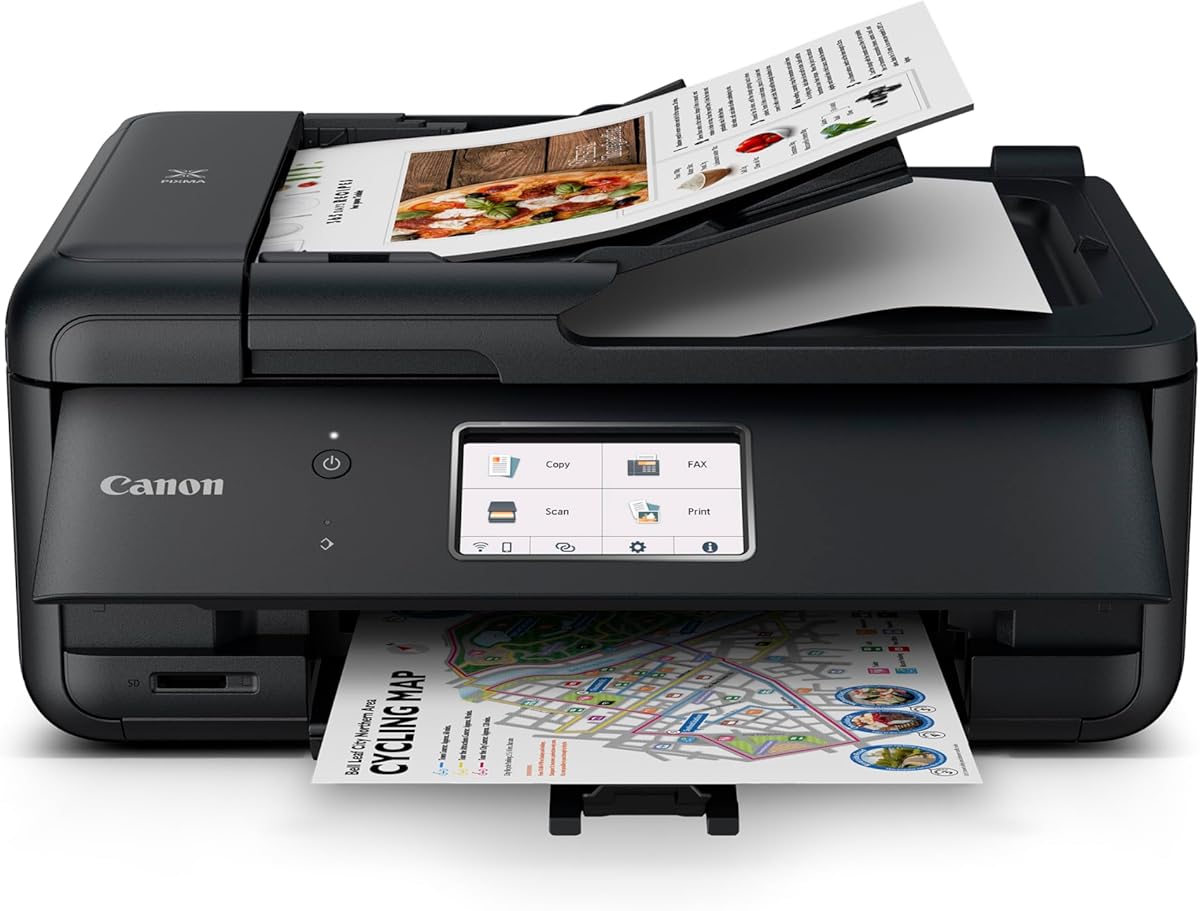
The Canon PIXMA TR8620a is a wireless four-function inkjet for home offices, and its 4.0 rating reflects a versatile general-purpose machine. It is included in this guide as a preparation option for screen-printing professionals who need to print artwork, instructions, invoices, or full-color reference sheets in addition to creating physical prints.
We may earn a commission when you buy through this link, at no additional cost to you.
Printing, copying, scanning, and faxing are combined in one unit. Automatic two-sided printing helps conserve paper, while a 200-sheet capacity consists of a 100-sheet cassette and a 100-sheet rear feed. The stated 1,000-page duty cycle is oriented toward regular office use, and compatibility with AirPrint, Android, and Alexa expands the ways jobs can be submitted. Ink-status notifications and smart reorder enrollment can help prevent supply interruptions.
None of these office features directly supports screen printing. The machine cannot cure a screen, hold a frame above a garment, or deposit textile ink, and the paper-based workflow differs fundamentally from screen-printing ink application. Its value therefore depends on whether the buyer also wants a capable home-office device.
The TR8620a is a strong supporting choice for an apparel designer or small studio that wants printing, scanning, copying, and faxing with wireless access. It can produce digital art references and operational documents, while a dedicated press performs the actual screen-printing. Those who only want direct screen-printing hardware should look to the Ecoofor, Caydo, or VEVOR options.
Print, copy, scan, and fax functions reduce the number of devices required in a home office. That makes the TR8620a useful for managing both creative output and routine paperwork.
Wireless support, mobile printing, a 200-sheet capacity, and a 1,000-page duty cycle suit regular document production. Ink notifications add another layer of supply management for busy users.
We may earn a commission when you buy through this link, at no additional cost to you.
The Epson WorkForce Pro WF-7840 is the wide-format option in the roundup, producing output up to 13 by 19 inches. Its 3.9 rating reflects solid productivity features, and its larger media capability makes it relevant when screen-printing artwork needs more room than a standard desktop printer can provide. The machine also handles printing, copying, scanning, and faxing.
We may earn a commission when you buy through this link, at no additional cost to you.
PrecisionCore Heat-Free technology supports efficient output, while DURABrite Ultra ink is designed to dry quickly and resist smudging. The 500-sheet capacity is useful for office workflows, and built-in wireless connectivity provides cable-free operation. Epson Connect, Apple AirPrint, Android printing, and Mopria support make it convenient to submit work from several types of devices.
The same distinction remains important: this is an inkjet for paper and other compatible media, not a screen-printing press. It cannot stretch or rotate a screen, expose emulsion, or pull textile ink. A wide output can be useful for poster-style references, but users should verify that a particular design fits the maximum media dimensions and that its intended preparation method is compatible with their screen system.
The WF-7840 is best for a screen-printing studio that needs oversized proofs, templates, signage references, or packaging artwork alongside normal office functions. Its capacity and wide format differentiate it from the smaller EcoTank and home inkjets. For actual ink application, pair it with a dedicated manual press or complete screen-printing kit.
The 13 by 19-inch maximum output gives designers more space for large references, templates, and multi-part compositions. This is especially helpful when a standard sheet would require scaling or splitting.
A 500-sheet capacity, wide-format capability, and integrated office functions support regular documentation and color work. Quick-drying DURABrite Ultra ink supports clean handling of finished pieces.
We may earn a commission when you buy through this link, at no additional cost to you.
The Epson EcoTank ET-2800 is another preparation-focused inkjet rather than a direct screen-printing press. It carries a 4.0 rating and is built around refillable, high-capacity ink tanks. According to the supplied information, one bottle set is equivalent to approximately 90 individual cartridges, while a set can print up to 4,500 black pages or 7,500 color pages.
We may earn a commission when you buy through this link, at no additional cost to you.
The cartridge-free approach can simplify high-volume color work because the user replenishes larger tanks instead of replacing many small cartridges. Micro Piezo Heat-Free technology produces sharp text and detailed color graphics, and the wireless all-in-one can handle documents and photos. Epson states that up to two years of ink are included with the printer and each replacement set, subject to the conditions and usage assumptions in the product information.
The printer does not expose screen emulsion or apply fabric ink, and it should not be described as a screen-printing machine. Users must still create a compatible transparency or transfer workflow, develop the screen, and use a squeegee or press to deposit the actual printing ink. The use of genuine Epson ink is also recommended for quality and performance, and non-genuine ink could affect warranty coverage.
The ET-2800 is a good fit for creators producing many proofs, color layouts, or design references and who prefer fewer cartridge changes. It provides a practical bridge between an ordinary home printer and a dedicated screen-printing setup. However, anyone seeking to print shirts directly should choose a screen press or the Ecoofor starter kit.
Large refillable tanks are designed to support substantial black and color output without the routine replacement cycle of conventional cartridges. This is valuable for artists producing repeated design proofs.
Micro Piezo Heat-Free technology supports sharp lettering and detailed color graphics. The result can serve as a reliable color reference before artwork is prepared for screen exposure.
We may earn a commission when you buy through this link, at no additional cost to you.
The Epson EcoTank ET-2803 is a wireless color all-in-one with a 4.2 rating, tying several other products in the list while remaining an indirect option for screen printing. It is most useful for people who need high-quality artwork, document printing, and scanning in a single unit while carrying out screen-printing projects with separate equipment.
We may earn a commission when you buy through this link, at no additional cost to you.
Refillable high-capacity tanks are the central feature. Epson states that each bottle set is equivalent to about 80 individual cartridges and can produce up to 4,500 black pages or 7,500 color pages. The printer also offers a high-resolution flatbed scanner, copier, color display, wireless connectivity, AirPrint, voice-activated printing, and the Epson Smart Panel app. Micro Piezo Heat-Free technology is used for sharp text and color graphics.
Although the ET-2803 is well equipped for preparatory work, it cannot hold a screen, cure emulsion, print multiple colors in registered layers, or apply screen-printing ink. The print medium and final application method are also different from screen printing. A buyer who chooses this model should already understand the need for a screen, ink, exposure tools, and a printing surface.
The ET-2803 is a good supporting printer for a home studio that prioritizes creative output alongside convenience. Its 4.2 rating, refillable ink system, and scanning functions make it a sound all-in-one, but direct screen-printing buyers should focus on the VEVOR or Caydo presses and the Ecoofor kit. Used together, these products create a complete preparation-and-production workflow.
The refillable tank system is intended to reduce reliance on discarded conventional cartridges. High stated yields also suit creators who regularly print reference images and design variations.
AirPrint, voice-activated printing, and the Epson Smart Panel app make jobs easier to submit from supported devices. Scanning and copying make the same machine useful beyond artwork production.
We may earn a commission when you buy through this link, at no additional cost to you.
The VEVOR 1 Color 1 Station Silk Screen Printing Press is a compact direct-printing option with a 4.2 rating. It shares a 21.2 by 17.7-inch printing area with the larger rotating model but simplifies the process to one color and one station. That makes it a sensible choice for straightforward designs, occasional printing, and users with limited workspace.
We may earn a commission when you buy through this link, at no additional cost to you.
Independent metal bearings support stable movement and accurate positioning, while a specially made stop beneath each arm uses a double-layer positioning design to reduce deviation. The body uses cold-rolled steel with an electrostatically sprayed surface, while a carbon steel spring and 304 stainless steel rod support durability. The press is described as suitable for clothing, pillowcases, fabrics, paper, plastics, wood, glass, ceramics, leather, and other flat surfaces.
The obvious limitation is that only one screen can be mounted at a time. A multicolor design would require separate screens and manual color changes, making the rotating VEVOR press more practical for layered artwork. The machine also does not include a complete set of screen-making and exposure supplies, so additional materials are necessary before the first print.
This VEVOR model is best for beginners, occasional decorators, and creators with straightforward one-color work. Its compact design, metal-bearing carriage, and broad substrate compatibility offer a practical introduction to manual screen printing. The Caydo press is another strong single-color alternative, while the Ecoofor kit is easier for someone who prioritizes included supplies over press mechanics.
The one-station configuration keeps the footprint manageable for home workshops and occasional projects. It is particularly suitable for creators who do not need a rotating multi-color carriage.
Metal bearings, the double-layer stop, and the arm position stop work together to support controlled movement. Consistent screen placement remains essential for transferring the design accurately.
We may earn a commission when you buy through this link, at no additional cost to you.
Choosing screen-printing equipment requires separating direct printing hardware from tools that merely prepare artwork. The right decision depends on color count, production volume, substrate, workspace, and whether you need a complete beginner package or a dedicated press.
A screen-printing press physically holds the frame over a garment or other flat item and supports a controlled squeegee pull. A conventional inkjet is useful for printing artwork, transparent films, proofs, or templates, but it does not apply screen-printing ink or perform screen exposure. Buying both categories makes sense when an artist wants a preparation printer and a separate production press; buying only an inkjet will not satisfy a need for screen-printing equipment.
Choose a direct press or screen-printing kit for actual ink application. Choose an inkjet when your immediate requirement is artwork generation or document handling. Do not rely on a paper printer as a substitute for a screen frame, exposure unit, textile ink, and printing surface.
A one-color press is much simpler and generally more compact than a multicolor system. It works well for logos, lettering, and single-impression designs. Four-color equipment introduces separate screens, an ordered color sequence, and a greater need for accurate registration. The rotating VEVOR press accommodates four screens and uses position stops to support repeatable placement, but even an advanced carriage cannot compensate for poor screen preparation.
Match the machine to the artwork you actually make. Choose one color for simple originals and occasional projects. Choose multiple stations when layered designs are common and you are prepared to manage separate screens. Do not pay for multicolor complexity if every project uses a single impression.
The usable printing area determines which garments and objects can fit beneath the frame. The VEVOR presses list a 21.2 by 17.7-inch area, while the Caydo accommodates frames measuring 10 by 14 inches, 8 by 12 inches, and 6 by 10 inches. Account for the substrate size, the gap between non-printing garment areas and the artwork, and the need to reposition without losing alignment.
Check the maximum screen dimensions rather than focusing only on the overall machine. If you work on oversized panels, small signs, sleeves, or unusual shapes, make sure the frame and platen geometry can support them. A larger area is useful, but only when you regularly create designs that need it.
A complete kit can lower the number of separate supplies needed for a first project. The Ecoofor set includes frames, inks, a UV exposure lamp, film, emulsion-related supplies, a stripper, coater, squeegee, measuring tools, mixing sticks, gloves, and cleanup accessories. That breadth is convenient, but each component should still be considered before purchase, especially if you already own some items or need specialized screen dimensions.
Review the component list rather than judging a kit by its total piece count. Check whether it includes a usable exposure light, appropriate frames, printing ink, a coater, a squeegee, and cleaning tools. A complete kit is most valuable to a beginner; an experienced printer may prefer specialized equipment selected for a particular workflow.
Screen-printing forces are modest but repetitive, so frame alignment and carriage stability influence consistency over time. Metal-bearing systems, a secure workbench connection, and rigid steel construction are useful in the VEVOR designs. The Caydo uses a durable wood structure and a hinged frame designed to lift for easier access. Each approach has trade-offs, but the most important issue is whether the machine remains stable during a pull.
Look for a rigid frame, smooth carriage movement, positive positioning features, and a base that supports the garment. Thick, uneven garments can interfere with screen contact, so a level work surface and adjustable setup are also important. For multicolor work, revisit registration and stop accuracy as a higher priority than decorative features.
The direct presses are marketed for flat materials including clothing, fabrics, paper, plastics, wood, glass, ceramics, and leather. Actual results depend on the ink, surface preparation, mesh, emulsion, and substrate. Porous surfaces may require different preparation from smooth plastics, and glass or ceramics need careful cleaning. Inkjet printers, by contrast, are intended for compatible paper and other media and should not be assumed to print directly on garments.
List the materials you use most often and confirm whether the screen-printing approach suits each one. If your work is mostly paper-based art, an inkjet may be the correct primary machine rather than a press. If you routinely make apparel and fabric gifts, choose supplies designed for fabric ink and practice on test materials before ordering a large run.
The VEVOR and Caydo presses are manual tools whose output is measured in careful pulls rather than pages per minute. The inkjets have documented productivity features, such as the Epson WF-7840's 500-sheet capacity or the Canon TR8620a's 200-sheet capacity. A larger paper capacity can be meaningful for artwork preparation, but it does not translate into faster screen-printing production.
Estimate how much time you spend preparing artwork versus pulling prints. High-volume artwork users may benefit from a wide-format or high-yield inkjet, while dedicated apparel creators should prioritize a reliable press and strong registration. If both are essential, budget for a two-device workflow rather than expecting one machine to perform both roles.
Wireless printing, AirPrint, Android support, mobile applications, and voice-activated functions are major strengths for the inkjets in this guide. They make it easy to submit artwork from phones, tablets, and computers. These conveniences do not improve the registration or ink deposit of a manual screen press, but they can streamline design preparation and general office use.
Choose connectivity based on your working habits. Wireless access is useful when multiple devices create artwork or when a printer is shared around a studio. For direct screen-printing hardware, prioritize mechanical stability, screen fit, and color capacity over app-based controls. Confirm that your preferred devices and software are supported before finalizing a purchase.
Begin by preparing the artwork, substrate, screen, and ink before loading anything into a press. For a complete kit workflow, print compatible artwork, coat the screen with emulsion, position the transparency, and expose the emulsion with the UV lamp according to the kit instructions. Wash the exposed screen, allow it to dry, and check the open areas before adding ink. For an inkjet-assisted workflow, use the color printer to create and verify the design or film before taking it to the screen-exposure stage.
For direct printing, place the prepared substrate on the base and lower the frame into a stable position. Use the centerline, base groove, or arm stops where applicable to keep the item aligned. Add a moderate, even layer of ink and pull the squeegee once with consistent pressure and speed. For a multicolor press, complete the planned screen order and allow appropriate drying between colors rather than trying to rush the layers.
After printing, remove the screen carefully, lift excess ink, and wash the screen before ink becomes excessively difficult to remove. Clean the squeegee, coater, exposure equipment, and work surfaces according to the relevant instructions. Store frames where they will not warp, keep ink containers closed, and avoid leaving a partially exposed screen in a location where dust or accidental light can affect it. Periodically inspect bearings, hinges, stops, and the workbench connection for looseness.
Screen printing normally uses a manual or rotary screen-printing press, not a conventional inkjet. The press holds a prepared stencil, called a screen, over the garment or other object while a squeegee forces ink through the open mesh. A standard inkjet can prepare artwork, transparent films, proofs, or templates, but it cannot directly substitute for a screen press.
A one-color press can support a home business that begins with simple lettering, logos, and single-impression designs. It is also useful for learning registration, ink handling, screen preparation, and garment loading. Businesses that regularly need gradients, layered colors, or detailed multicolor artwork will usually benefit from a multi-station press and a more structured screen-changing process.
The 63-piece set includes three sizes of wooden screen frames, a 50-watt LED UV exposure kit, photo-emulsion supplies, an emulsion stripper, six fabric ink colors, 15 A4 transparency films, a scoop coater, squeegee, measuring cups, acrylic sheet, masking tape, gloves, mixing sticks, scraper, ink knife, sponge brush, screwdriver, butterfly clamps, wooden board, plastic cups, and an instruction manual. It is a preparation and manual-printing package rather than a complete mechanical press.
Not in the manner required for direct screen printing. The EcoTank models in this guide are designed for compatible paper and other supported media. They can print artwork for screen exposure or create transfer references, but screen-printing ink must still be applied through a prepared screen with a squeegee or press. Check product specifications before attempting any specialized direct-to-fabric workflow.
Registration is the alignment of multiple color layers so that each impression falls in the intended position. Accurate registration depends on stable screens, repeatable frame placement, consistent squeegee pressure, suitable ink viscosity, and careful curing between colors. The VEVOR rotating press and Caydo press include positioning features that support consistency, but the operator must still prepare and align each screen correctly.
The Ecoofor kit is the most beginner-oriented option because it combines frames, fabric inks, an exposure lamp, film, and essential hand tools with a guide. The Caydo one-color press may be preferable for someone who already understands screen preparation and wants a dedicated manual press. A complete kit is more convenient initially, while a press becomes more important as production workflow and color requirements grow.
Only if your artwork or preparation workflow requires oversized output. The Epson WorkForce Pro WF-7840 prints up to 13 by 19 inches, making it useful for large references, templates, signs, or multi-piece designs. Most shirt logos and smaller textile graphics can be prepared on a standard-format inkjet, so screen dimensions and design size should guide the decision.
Use a level and stable work surface, keep the garment or substrate flat, and engage the press's centering or position stops consistently. Avoid shifting the substrate once the frame is lowered, and use the same ink-loading and squeegee technique on every pull. For multicolor work, let each layer dry as required and confirm alignment with a test print before continuing the series.
The VEVOR 4-Color Rotating Press is the strongest all-around choice for direct multicolor screen printing, while the VEVOR 1-Color Press offers a compact, capable route into simpler work. The Ecoofor 63-Piece Kit stands out for beginners who want the necessary preparation and printing supplies in one coordinated package.
Prioritize the function you actually need. Choose a direct press for ink application, a complete kit for learning, and an inkjet for artwork, film, proofs, scanning, and general office tasks. Color capacity, frame size, mechanical stability, and substrate compatibility should guide the decision more than convenience features unrelated to screen printing.
Finally, confirm the current specifications, included accessories, availability, and price directly from the retailer before buying. Product configurations and promotions can change, and screen-printing results also depend on the ink, screen, emulsion, substrate preparation, and technique used with the chosen equipment.