
ViewSonic LSD400HD-ST Bright 4000 Lumens 1080p Short Throw Laser Projector
4,000 ANSI lumens
Dedicated Golf picture mode
Sealed 24/7 optical engine
Our expert guide compares the 10 best projectors for golf simulators, covering brightness, throw distance, resolution, latency, connectivity, and setup needs.
A golf simulator projector must do more than create a large image. It needs enough brightness for a shaded or mixed-light room, accurate colors for reading fairway contours, low latency for responsive swing feedback, and a throw distance that fits safely around the hitting area. The right model can also serve as a home-theater or gaming display.
We compared all 10 models using the specifications and product information provided, focusing on resolution, stated brightness, laser or lamp design, throw ratio, gaming features, connectivity, and practical installation considerations. The list covers short-throw laser models, smart projectors, higher-resolution 4K options, and budget-oriented choices for different room sizes and simulator systems.
Each review explains the product's strongest attributes, meaningful limitations, and the setups it suits best. Award labels identify the three standout picks, while the comparison table provides a quick reference for the entire field. Current prices and availability can change, so verify the latest listing before making a purchase.
5.0Editor score
4.4Editor score
This side-by-side overview highlights each model's stated resolution, brightness, projection style, and simulator-relevant features. It is designed to make it easier to identify the right combination of image quality, placement flexibility, connectivity, and low-latency performance for your room.


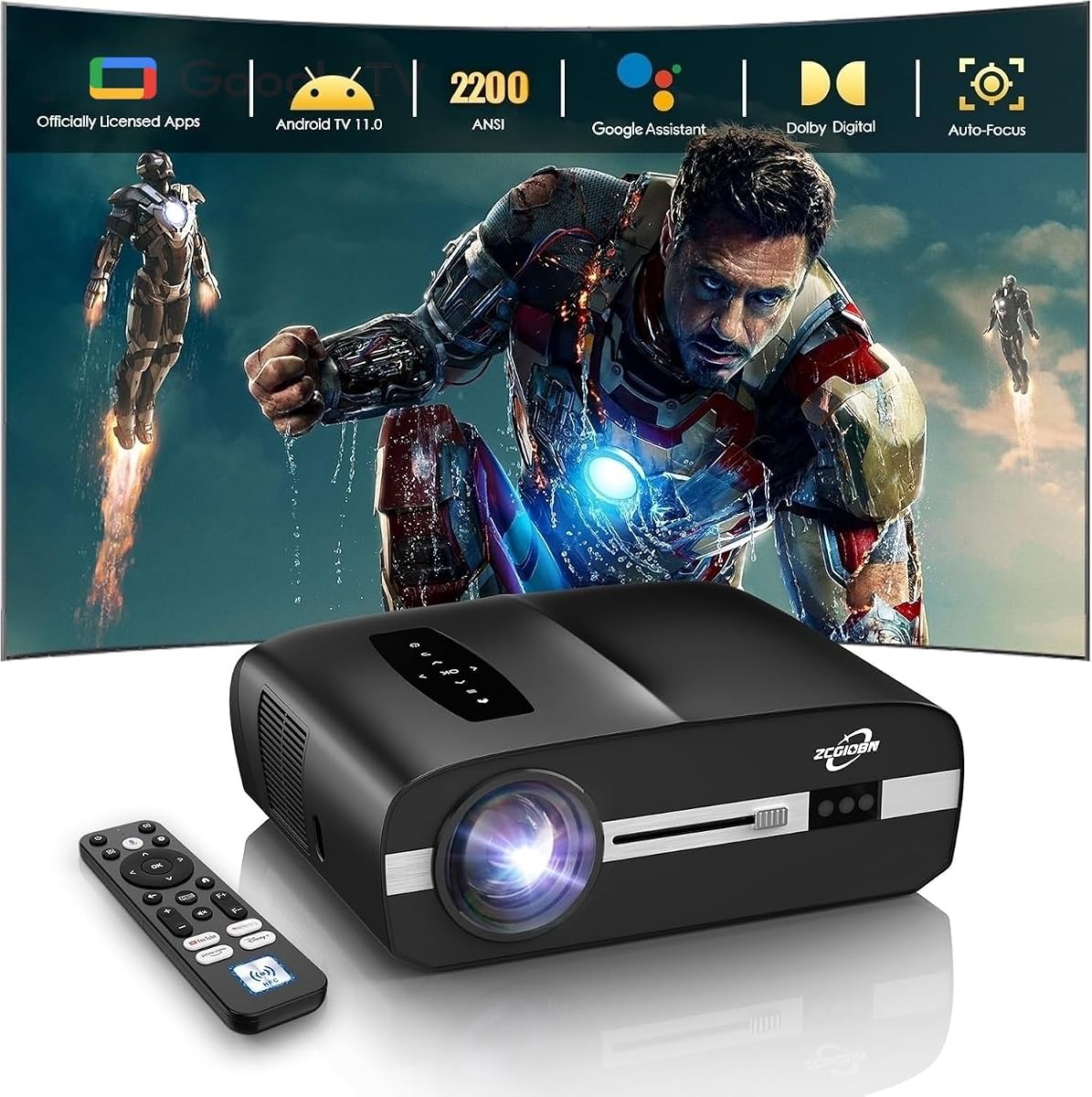
This all-in-one projector earns the Best Budget designation because it combines a 4K HDR10 presentation, 2,200 ANSI lumens, smart streaming, gaming connectivity, and automatic setup features in one package. Its 4.4 rating reflects a versatile product aimed at users who want a single display for golf simulation, movies, sports, and games rather than a specialist installation.
We may earn a commission when you buy through this link, at no additional cost to you.
The projector can produce a 100-inch image from approximately 9.25 feet and is designed for either tabletop or ceiling placement. Automatic focus and automatic keystone correction use the built-in CMOS module and ToF sensors to align the image from different angles. MEMC processing and low-latency technology target smoother motion, while HDMI 2.1 provides the connection route from a gaming PC or console to the projected display.
Its limitations come primarily from throw distance and video routing. It is not a short-throw or ultra-short-throw model, so the unit must sit far enough behind the golfer to avoid blocking the screen. Golf simulator software also does not transmit its video feed directly to the projector; the simulator must first connect to a computer or laptop, which then sends the image to the projector.
This is a strong recommendation for a home golf bay, garage setup, or multipurpose media room where automatic adjustment and smart features matter more than ultra-compact placement. It may not be ideal for a very shallow room, but it offers an unusually broad feature set and enough brightness for illuminated garages or basements when the image is managed carefully.
The sensor-assisted autofocus and keystone features reduce the need for repeated manual adjustments. This is particularly useful when the projector is ceiling-mounted or placed at an angle, although final image size and placement still need to be planned around the golfer's swing.
Official Google TV, Wi-Fi 6, Bluetooth 5.4, and 40-watt Dolby Audio speakers make the unit useful outside golf sessions. It can serve as a casual home-theater or gaming display, although a computer remains necessary for the simulator video workflow.
We may earn a commission when you buy through this link, at no additional cost to you.
The Optoma GT2400HDR is the best overall pick for a buyer who prioritizes a bright, practical golf-simulator installation. Its stated 4,200 ISO lumens lead the group, while the short-throw laser design, low-input-lag gaming support, and explicit golf-simulation positioning make it a natural fit for dedicated bays and multipurpose rooms.
We may earn a commission when you buy through this link, at no additional cost to you.
Brightness is especially important because course greens, sky gradients, white boundary lines, and dark hazards must remain distinguishable. At 4,200 lumens, this model offers more headroom for mixed lighting than the lower-output alternatives. Its DuraCore laser light source is rated for up to 30,000 hours, reducing routine lamp replacement concerns for users who play regularly.
The trade-off is native 1080p resolution. That remains a practical standard for many golf simulators, especially when the source is also 1080p, but it cannot match the finer pixel detail advertised by the BenQ AK700ST or the 4K decoding offered by the budget-oriented smart projector. The 4.0 rating also suggests that some buyers may value specific performance aspects more than the package as a whole.
Choose the GT2400HDR when your room is bright, space is limited, and dependable high-volume use matters. It is especially attractive for a garage, basement, clubhouse, or training bay where a high-brightness short-throw laser can simplify image visibility and maintenance.
The 4,200-lumen output gives the GT2400HDR an advantage in spaces where overhead lights cannot be completely eliminated. A brighter image can preserve more visible course detail and improve contrast, although screen selection and careful calibration remain important.
The DuraCore laser source is specified for up to 30,000 hours, while the IP6X rating indicates attention to dust protection. Both features are valuable in a simulator room where equipment may operate frequently and airborne dust is a constant concern.
We may earn a commission when you buy through this link, at no additional cost to you.
The Optoma GT2300HDR stands out with a 5.0 rating, a compact 0.49 throw ratio, and a feature set explicitly tailored to golf simulation. It can create a large screen from a short distance, making it especially useful when a conventional long-throw projector would interfere with the hitting area or consume too much usable room.
We may earn a commission when you buy through this link, at no additional cost to you.
Its native 1080p output is backed by 3,600 lumens of brightness, enough for sports, movies, gaming, and mixed-light environments. The projector supports low-input-lag gaming and 1080p at 120Hz, which can make on-screen feedback feel more immediate when the simulator, computer, and software can output at compatible frame rates.
As a laser model, it uses a DuraCore light source rated for up to 30,000 hours and avoids routine lamp replacements. The trade-off is that it remains a Full HD model rather than a native 4K projector, and its 3,600-lumen figure is lower than the GT2400HDR's 4,200 ISO lumens. Those differences matter most in extremely bright rooms or with a 4K content pipeline.
This projector is recommended for tight simulator bays and users who want a low-lag display without giving up a large image. Its top rating, flexible placement, and balanced brightness make it a particularly confident selection for a regular player building a dedicated setup.
A 0.49 throw ratio allows the projector to sit closer to the screen than a standard long-throw model. That can reduce the amount of space between equipment, screen, and golfer while still delivering an expansive projected course.
Low input lag and 1080p 120Hz support are useful for responsive simulator play. The actual timing experience also depends on the computer, connection, game, and software configuration, so these capabilities should be treated as an important foundation rather than the only measure of performance.
We may earn a commission when you buy through this link, at no additional cost to you.
The BenQ AH700ST is built around a dedicated Golf picture mode, strong color specifications, and flexible short-throw installation. Its 4,000 ANSI lumens, Full HD resolution, and 1.2x zoom make it a serious candidate for a simulator room, although its 3.5 rating is the lowest numerical score among the rated products.
We may earn a commission when you buy through this link, at no additional cost to you.
The stated 95% Rec.709 coverage and 30-bit color processing are particularly relevant when fairway texture, sand, water, and sky gradients need to look distinct. Its short-throw range of 0.69 to 0.83 provides useful placement flexibility, while the zoom can help fine-tune screen size without relocating the unit.
Connectivity includes multiple HDMI 2.0b inputs, USB Type-A ports, and a USB Type-C display connection. The laser light source is rated for 20,000 hours. These are solid specifications, but the comparatively low rating and the lack of more specific gaming-latency information in the supplied data make it harder to recommend unconditionally over the better-rated Optoma models.
The AH700ST makes the most sense for a buyer who values color accuracy, a purpose-built golf mode, and zoom-assisted setup. Consider it when image realism is the priority and the lower customer rating does not outweigh the features that align closely with your simulator workflow.
A dedicated Golf mode can simplify the starting point for course presentation. The stated enhancement of visual clarity and realism is particularly relevant for a display that must communicate terrain changes and course boundaries clearly.
The 1.2x optical zoom gives installers another way to fine-tune image dimensions. It can help achieve a desired screen size while preserving useful placement flexibility, especially when the physical constraints of the room make exact projector movement difficult.
We may earn a commission when you buy through this link, at no additional cost to you.
The BenQ TH671ST combines a 4.4 customer rating with an unusually flexible short-throw design. It can project a 100-inch image from approximately five feet and supports images as large as 300 inches, making it useful for golf bays that need a large image without the footprint of a conventional long-throw setup.
We may earn a commission when you buy through this link, at no additional cost to you.
Native 1080p resolution and 3,000 lumens offer a familiar image specification for many home theaters and simulator installations. The projector is geared toward gaming, with ultra-fast low input lag and refresh-rate support intended to reduce motion blur and maintain smooth feedback.
Its principal limitation is brightness relative to several newer laser competitors. At 3,000 lumens, the TH671ST may require a darker room or more deliberate light control than models rated at 3,600 or 4,000+ lumens. It also lacks a dedicated golf picture mode or the extended laser-life figures highlighted by newer models.
Choose the TH671ST for a compact multipurpose room where short placement, gaming responsiveness, and a proven rating matter most. It is particularly suitable when the simulator screen also needs to function as a large entertainment display and the room can be kept reasonably dark.
The ability to create a 100-inch image from around five feet is valuable in shallow rooms. It can reduce the gap between the projector and screen while maintaining enough image size for immersive simulator play.
Ultra-fast low input lag and refresh-rate matching for Xbox One X and PS4 Pro emphasize responsiveness. That focus carries over well to golf software, where prompt visual feedback is more useful than decorative home-entertainment features.
We may earn a commission when you buy through this link, at no additional cost to you.
This smart projector offers a convenient combination of streaming, setup automation, and flexible physical placement. Its 4.3 rating, native 1080p output, 3,000 ANSI lumens, and bundled Google TV Stick make it appealing for buyers who want a projector that is ready for entertainment as well as a potential simulator display.
We may earn a commission when you buy through this link, at no additional cost to you.
Google TV provides access to streaming services and apps through a unified interface, while WiFi 6 and Bluetooth 5.2 support modern wireless connections. Automatic focus and automatic keystone correction reduce setup time, and the rotating stand permits broad directional adjustment without requiring dedicated mounting hardware.
A built-in lens cover that closes during power-down helps protect the lens from dust, scratches, and fingerprints, while the bottom 1/4-20 mounting interface supports tripods, ceiling mounts, and wall brackets. The trade-off is that the supplied information does not identify a golf-specific picture mode, a defined throw ratio, or explicit input-lag performance.
The smart projector is best for a flexible home setup where entertainment and occasional simulator use are priorities. Before committing, verify that it meets the resolution, latency, and connection requirements of the specific simulator system and ensure its placement will not interfere with the golfer.
The bundled Google TV Stick centralizes familiar streaming apps and voice-assisted navigation. That makes the projector immediately useful for family viewing, sports, and casual gaming between simulator sessions.
The auto-closing lens cover is a thoughtful detail for long-term ownership, particularly in dusty spaces. Combined with the rotating stand and standard mounting thread, it supports both casual tabletop use and a more permanent installation.
We may earn a commission when you buy through this link, at no additional cost to you.
The Optoma GT2000HDR is an ultra-compact short-throw laser projector with 3,500 lumens of brightness and a 4.1 rating. Those fundamentals make it a credible option for a golf simulator where a large image and modest physical footprint matter more than a broad collection of smart features.
We may earn a commission when you buy through this link, at no additional cost to you.
Its short-throw design can place the projector much closer to the screen than a standard projection model, while the laser source avoids lamp-replacement maintenance. Full HD output is appropriate for many simulator feeds, and 3,500 lumens gives it a brightness advantage over many conventional home projectors.
The product information is comparatively brief, so details such as exact throw ratio, input-lag specification, and extended connectivity features are not provided. Its external power supply is another practical consideration that may require additional cable management in a finished installation.
This projector suits buyers who want a straightforward, compact laser display for a dedicated golf room. It is a sensible middle option when you need more brightness than entry-level units but do not need the extensive smart platform, color specification, or integration features found elsewhere in the list.
An ultra-compact short-throw model can free room around the hitting area and reduce the visual impact of the projector. Actual placement should still be calculated using the manufacturer's throw-distance guidance and the intended screen dimensions.
The laser light source avoids routine lamp changes, which suits regular simulator use. A cleaner installation and fewer maintenance interruptions can make the projector more convenient over the life of the system.
We may earn a commission when you buy through this link, at no additional cost to you.
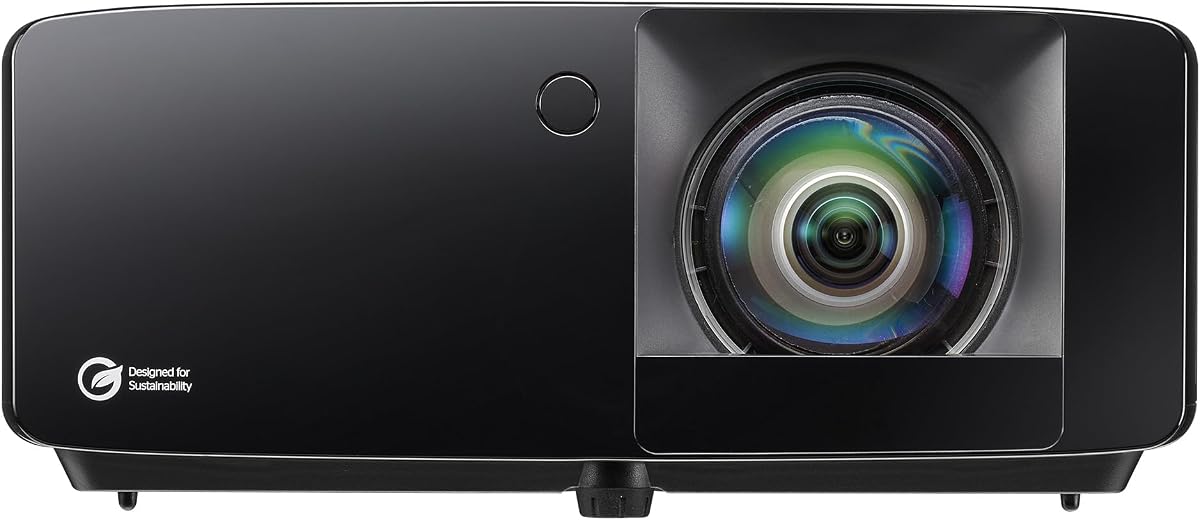
The ViewSonic LSD400HD-ST is the most professionally specified model in the group, with 4,000 ANSI lumens, a dedicated Golf mode, 24/7 operation, and broad AV-control compatibility. It is particularly compelling for a high-end training bay, commercial simulator, or installation managed by an IT or audiovisual team.
We may earn a commission when you buy through this link, at no additional cost to you.
The projector can display a 100-inch Full HD image from only 1.1 meters away, making it highly suitable for rooms where space is at a premium. Its Golf mode boosts greens and blues to improve the appearance of fairways and course details, while the stated 3,000,000:1 dynamic contrast ratio supports deeper blacks in the image.
The sealed IP6X optical engine and advanced cooling are designed for continuous operation in demanding environments. Crestron and Q-SYS certification, along with compatibility for AMX, Extron, and PJ Link, gives professional integrators several avenues for networked monitoring and control. The limitation is native 1080p resolution rather than 4K, and no customer rating is available.
This is a strong recommendation for commercial or premium home installations where uptime, brightness, and control matter. If your project involves a managed system, multiple displays, or frequent continuous use, those professional features may outweigh the value of native 4K.
The dedicated Golf mode is designed to strengthen greens and blues, helping fairways and course features remain distinct. This is a more simulator-specific approach than relying entirely on general-purpose picture settings.
The sealed optical engine, cooling system, and 24/7 operating design target demanding use. These features can be especially valuable in a training facility where the projector runs for extended periods during scheduled sessions.
We may earn a commission when you buy through this link, at no additional cost to you.
The Optoma ZW350ST focuses on reliable, continuous operation in compact environments. Its 0.521 throw ratio, 3,600 lumens, IP6X dust resistance, and stated 24/7 support make it well suited to golf simulator bays, training rooms, and other installations where equipment may run for long periods.
We may earn a commission when you buy through this link, at no additional cost to you.
The 30,000-hour DuraCore laser source reduces lamp-maintenance concerns, while the sealed and dust-resistant design supports dependable use. The projector can cover a broad 0.3-meter to 3.4-meter projection range, giving installers flexibility in screen placement. Dual HDMI inputs, USB-A power, RJ45, RS232, and a built-in 15-watt speaker round out the installation and convenience features.
Its native WXGA resolution of 1280 by 800 is lower than the 1080p standard offered by most competitors. That reduced pixel count may be noticeable on a large or detailed image, particularly when the simulator source offers Full HD or higher resolution. The supplied data also provides less detail about gaming latency and picture processing than it does for some competing models.
The ZW350ST is recommended for users who value uptime and durable installation above maximum image resolution. It is a practical option for a frequently used training bay or shared facility, but home enthusiasts seeking finer detail should compare it with a native 1080p or 4K alternative.
Explicit 24/7 support and a 30,000-hour laser source distinguish this model from typical home projectors. That reliability focus makes it a logical fit for scheduled training sessions and commercial simulator environments.
The 0.521 throw ratio and 0.3-to-3.4-meter range support a large image in a relatively compact bay. Careful alignment remains essential because the room's depth, screen position, and swing clearance must all work together safely.
We may earn a commission when you buy through this link, at no additional cost to you.
The BenQ AK700ST is the leading resolution-focused option in this group, offering 4K Ultra HD output at 3840 by 2160, HDR10 and HLG support, and a stated brightness of 4,000 lumens. Those specifications make it especially attractive for a premium golf setup where fine course detail and modern video standards are priorities.
We may earn a commission when you buy through this link, at no additional cost to you.
Its 0.69-to-0.83 short-throw ratio supports large images in compact spaces, while the 20,000-hour laser source offers long-term maintenance advantages. Dual HDMI 2.0b inputs and USB Type-A ports cover the essential connection needs for a simulator computer, streaming device, or other source equipment.
The principal uncertainty is the absence of a customer rating and detailed latency information in the supplied product data. It also uses a less specific product title than the other listings, making direct comparison of installation details and operating features less comprehensive. Users should confirm the precise throw-distance chart and compatibility with their simulator output before installation.
The AK700ST is recommended for buyers who want native 4K detail, high brightness, and HDR in a short-throw package. It could be the right choice for a high-end home theater and golf simulator combination, especially when the source equipment can deliver a 4K signal.
Native 4K output can make fairway textures, grass detail, club outlines, and course scenery appear more defined on a large screen. The visible benefit depends on source quality, screen characteristics, and whether the simulator outputs a compatible 4K signal.
HDR10 and HLG support complement the 4K resolution, while 4,000 lumens provide solid output for a controlled simulator environment. Calibration is still necessary to retain detail in both bright skies and shaded terrain.
We may earn a commission when you buy through this link, at no additional cost to you.
The right golf simulator projector depends on room dimensions, ambient light, source resolution, placement constraints, and how frequently you intend to play. Use the following factors to narrow the field before comparing short-throw models, smart features, and display specifications.
Brightness determines how clearly the simulator can display greens, skies, sand, and shadows in a garage, basement, or dedicated training room. Models in this comparison range from 2,200 ANSI lumens to 4,200 ISO lumens, with several clustering around 3,500 to 4,000 lumens. Because manufacturers do not always use the same brightness standard, compare lumen figures cautiously and prioritize models that clearly state ANSI or ISO output. A brighter projector also gives you more flexibility when some ambient light remains.
In practice, aim for a model with enough output to keep the course readable without washing out the image. Darker dedicated rooms can work with lower brightness, while mixed-light garages benefit from stronger output. Image brightness also depends on screen gain, room surfaces, picture mode, and calibration, so the projector rating should be treated as the foundation of the setup rather than the only factor.
Throw ratio expresses the relationship between projection distance and image width. A short-throw model can create a large image while sitting much closer to the screen, which is valuable when a standard projector would occupy the golfer's swing path. The compact ratios range from 0.49 on the Optoma GT2300HDR to 0.83 at the wide end of the BenQ models, while the budget 4K projector requires roughly 9.25 feet for a 100-inch image.
Measure the bay before selecting a model, then account for the golfer, launch monitor, screen, cables, and ventilation. Installation may also require a ceiling mount, shelf, or bracket to keep the lens outside the hitting area. Always consult the final model’s exact throw-distance chart because screen size and lens specifications can change the usable range.
Most simulator systems are designed around Full HD or similarly modest video formats, so a native 1080p projector can provide excellent practical results. The Optoma GT2000HDR, Optoma GT2400HDR, Optoma GT2300HDR, BenQ AH700ST, BenQ TH671ST, and ViewSonic LSD400HD-ST all provide 1080p-class output. The BenQ AK700ST offers 4K Ultra HD, while the budget smart projector supports 4K decoding with native 1080p output.
Do not confuse decoding with native resolution. A projector can accept a 4K signal while rendering fewer pixels than the source, which may reduce visible fine detail. Match the projector to the resolution and refresh rate produced by your simulator computer. Native 4K is most beneficial when the source pipeline and screen can take advantage of it.
Low input lag is important because it reduces the delay between a physical swing, simulator software processing, and the projected response. The Optoma GT2400HDR, Optoma GT2300HDR, and BenQ TH671ST explicitly emphasize low-latency gaming, with the GT2300HDR also supporting 1080p at 120Hz. These features can make on-screen feedback feel more responsive, but software processing and connection quality still influence the total experience.
Check whether your simulator supports the refresh rate offered by the projector and whether its computer can output the required signal over the chosen connection. Treat the advertised projector specification as one part of the chain. A well-matched computer, reliable cable, optimized game settings, and stable frame rate remain necessary for genuinely responsive play.
A simulator display is often expected to fill much of the impact screen, but physical room dimensions determine the practical maximum. The listed short-throw models support large images in relatively compact spaces, and the BenQ TH671ST can project up to 300 inches. The ViewSonic LSD400HD-ST and Optoma ZW350ST also emphasize placement close to the screen, which can make small training bays easier to equip.
Choose a screen that fits the bay without forcing the projector into the swing path. A properly sized screen can improve perceived brightness and contrast, while an oversized image can make defects or calibration issues more visible. Consider the screen's gain, surface, and viewing angle along with the projector's output and the room's lighting.
Laser projectors reduce routine lamp-replacement concerns and are well suited to frequent use. The Optoma GT2400HDR and Optoma GT2300HDR list DuraCore laser sources rated for up to 30,000 hours, the Optoma ZW350ST also cites 30,000 hours, and the BenQ AH700ST and BenQ AK700ST list 20,000 hours. The ViewSonic LSD400HD-ST adds an IP6X-sealed optical engine and explicit 24/7 operation design.
For occasional home play, projected lifetime is unlikely to determine the decision. For a busy club, training center, or shared simulator, rated continuous operation, cooling, dust resistance, warranty terms, and service support become much more important. Compare official operating specifications rather than assuming every laser model supports nonstop use.
A golf simulator usually sends its feed through a computer, so the projector needs reliable wired video connections and a compatible audio route. HDMI is the most important interface in this category, with models offering HDMI 2.0b, 2.1, or related versions. USB, RJ45, RS232, and PJ Link can provide additional flexibility for power, control, and integration.
The ViewSonic LSD400HD-ST stands out for Crestron and Q-SYS certification and compatibility with AMX, Extron, and PJ Link. The Optoma ZW350ST includes dual HDMI, USB-A power, RJ45, and RS232. For a straightforward home setup, however, the correct source connections may be more valuable than advanced network management. Match the interface set to the equipment you already own.
A dedicated Golf picture mode can provide a convenient starting point for course visuals. The BenQ AH700ST and ViewSonic LSD400HD-ST explicitly include one, with the ViewSonic model described as boosting greens and blues. Automatic focus, keystone correction, zoom, lens protection, and rotatable stands can also reduce installation difficulty, especially for users without a dedicated AV installer.
Golf-specific features should complement, not replace, careful setup. Verify image geometry, focus, color, and screen fit, then confirm that the projector is safely outside the swing path. Professional facilities may benefit from control systems, sealed light sources, and continuous-operation support, while a home user may prioritize automatic alignment and simple mounting options.
Begin by mapping the room and measuring the intended screen. Position the projector so the image fills the screen without crossing the golfer's swing path, and keep cables organized to prevent trip hazards. If a simulator cannot send video directly to the projector, connect it to a computer or laptop first, then connect that device to the projector by HDMI. Use the projector's physical controls or remote to select the correct source.
After choosing the input, use focus, keystone, and screen-fit controls to establish a sharp rectangular image. Select a Golf mode when available, then adjust brightness, contrast, color, and image size to suit the room. Avoid routinely leaving bright ambient lighting on if the image appears washed out, and allow the projector to cool before moving or powering it down. A dedicated ceiling mount or stable platform should be secured so that vibration cannot affect the image.
For ongoing care, clean the lens with a soft, lint-free cloth and keep intake and exhaust vents clear. Dusty garages benefit from a sealed optical engine, but filters and surrounding equipment still need periodic attention. Run diagnostic and update procedures recommended by the manufacturer, inspect mounting hardware, and avoid leaving the unit in a closed storage area while it is hot. For professional installations, schedule system checks and confirm control, audio, and source-routing functions before each busy operating period.
A bright and consistently readable course image is more important than choosing a projector solely by its largest lumen figure. Models around 3,500 to 4,000 lumens provide useful flexibility for garages and mixed-light rooms, while a controlled dedicated bay may need less. Brightness standards also vary, so compare ANSI and ISO figures carefully and consider the screen, room surfaces, picture mode, and calibration. The best result comes from a projector and screen designed to work together under realistic lighting.
Short-throw is highly desirable when room depth is limited or the projector would otherwise sit behind the golfer. It allows a large image from a closer position and can reduce the risk of someone striking the unit during a swing. A longer-throw projector can work in a deeper bay if it can be safely ceiling-mounted beyond the hitting area. Measure the room, review the throw-distance chart, and check the required clearance before deciding.
Native 4K is not always necessary because many simulator systems and computer pipelines output Full HD. A native 1080p projector can deliver a clear and effective large-screen experience when matched to the source. Native 4K becomes more valuable if the complete system supports a 4K feed, the screen benefits from the extra detail, and the budget accommodates it. Do not assume a projector displaying 4K decoding has native 4K resolution.
That depends on the simulator system, but many installations require a computer or laptop as the video intermediary. The simulator generates the interactive course feed, the computer processes and outputs that image, and the projector displays it on the screen. Some newer ecosystems may support direct projection or streaming, so consult the simulator's compatibility documentation. The supplied instructions for the budget 4K projector explicitly require the computer-mediated pathway.
Laser projectors are generally well suited to frequent simulator use because they avoid routine lamp replacements and can maintain consistent output. Models in this list advertise laser lives ranging from 20,000 to 30,000 hours, while some also provide sealed engines and 24/7 operating designs. Lamp-based options may still provide adequate picture quality and lower upfront cost. Frequency of use, operating environment, room brightness, and local service support should guide the choice.
Choose an image that fills the available impact screen without forcing the projector into the swing path. A large 100-inch image is possible with several models in the comparison, and the ViewSonic LSD400HD-ST can create that size from approximately 1.1 meters away. The ideal dimensions depend on bay width, viewing position, screen characteristics, and the projection technology. Avoid maximizing image size purely for spectacle if it reduces safe clearance or image clarity.
A dedicated Golf mode can make setup easier by providing a preset intended for fairways, greens, and course scenery. The BenQ AH700ST includes a Golf mode, while the ViewSonic LSD400HD-ST uses its mode to enhance greens and blues. Such modes are useful starting points, but room lighting, screen type, and source quality still influence the final result. Fine-tuning color and contrast after selection can improve consistency between different courses.
Ceiling mounting is often the safest arrangement because it keeps the projector and lens out of the golfer's swing path. It also helps preserve a level image and reduces the chance of accidental contact during play. Use a rated mount, secure the cables, maintain ventilation clearance, and follow the projector's installation guidance. If tabletop placement is unavoidable, position the unit behind and beyond the golfer while maintaining the manufacturer-recommended throw distance.
The Optoma GT2300HDR is the most well-rounded recommendation, combining a 5.0 rating with a compact 0.49 throw ratio, 3,600 lumens, low-latency gaming, and 1080p 120Hz support. The Optoma GT2400HDR is the stronger brightness-led option, and the ViewSonic LSD400HD-ST stands out for professional integration, continuous operation, and a dedicated Golf mode.
For value-focused buyers, the 4K Projector for Golf Simulator provides smart features, automatic alignment, HDR support, and a flexible ceiling or tabletop setup. BenQ's AH700ST, TH671ST, and AK700ST serve different priorities: color-focused golf tuning, compact short-throw entertainment, and native 4K detail. Before purchasing, prioritize safe placement, usable brightness, source compatibility, and the exact screen size your bay can support.
The final choice should balance the room, simulator platform, and habits of the user rather than rely on one specification. Check the current listing for the latest availability, warranty details, package contents, and technical information, and compare current costs before ordering. A carefully measured installation and properly sized screen can matter just as much as the projector itself.