
PS5 Controller Whole Body Vinyl Decal Set
4.2Editor score
Three controller skin pieces
Frosted-touch printed surface
Precision-cut curved controller fit
Removable without residue
PS5 skins guide comparing console decals, faceplates, controller covers, materials, compatibility, protection, and installation for every PS5 edition.
PS5 skins can transform the appearance of a console or controller while adding a layer against dust, fingerprints, and everyday scratches. The right choice depends on your console edition, whether you prefer a full-body decal or replacement panels, and how much effort you want to put into installation and removal.
We compared all ten options by examining their fit, included components, materials, protection features, installation process, and stated controller coverage. The list covers original digital and disc consoles, PS5 Pro versions, slim-compatible controller skins, full console decals, and products intended only for one portion of the hardware.
Each review explains the most useful features and the practical trade-offs of that particular design. Ratings and availability can change over time, and so can prices, so check the current listing and confirm your exact console model before making a purchase.
4.2Editor score

4.6Editor score
4.6Editor score
The table below compares every PS5 skin by coverage, console compatibility, included pieces, and installation type, making it easier to narrow the field before checking the detailed reviews.


The Joso Faceplate set is a rigid replacement-panel option for the original 2020 PS5 Digital Edition, combining a clean black appearance with physical coverage. Its 4.4 rating reflects a balance between protective construction and straightforward installation, although the fit is deliberately limited to a specific console generation.
We may earn a commission when you buy through this link, at no additional cost to you.
The panels are made from ABS and use small fins that the manufacturer says improve ventilation and heat resistance. Unlike a thin printed vinyl layer, this semi-hard shell creates a visible barrier against scratches, dust, and ordinary knocks while leaving buttons and ports accessible.
Installation is designed to take only a few seconds, with a video guide referenced for step-by-step instructions. The package contains one top replacement cover and one bottom replacement cover, providing complete side-panel coverage rather than a small decorative accent.
Compatibility is the main limitation. The set fits the original Digital Edition models identified as CFI-10xxB, CFI-11xxB, and CFI-12xxB. It does not fit the 2023 Slim models designated CFI-20xx or CFI-21xx, and it is also incompatible with the PS5 Pro CFI-70xx models.
This is a strong choice for an original Digital Edition owner who wants more substantial protection than a decal provides. Verify the model number printed on the bottom of the console before ordering, particularly if the system has been sold or inherited without original documentation.
The ABS construction offers a more substantial barrier against scratches and dust than a single vinyl layer. Small ventilation fins are also intended to support heat resistance and airflow, making the design more than a purely cosmetic replacement.
This set supports the original Digital Edition only, not the later Slim or Pro designs. Checking the CFI model designation on the underside of the console is the simplest way to avoid an incompatible purchase.
We may earn a commission when you buy through this link, at no additional cost to you.
The Blue Fire Digital decal is a whole-body visual upgrade for an original PS5 Digital Edition and its two DualShock controllers. Its 4.2 rating reflects a practical combination of eye-catching graphics, broad accessory coverage, and an installation process designed to be approachable.
We may earn a commission when you buy through this link, at no additional cost to you.
The decal uses HD vinyl and is intended to protect the console and controllers from scratches and dust. Its precision-cut shape follows the Digital Edition console contours while keeping buttons, controllers, and connectors accessible, so the design is meant to preserve normal function rather than cover essential areas.
Installation follows a familiar clean-and-stick process. The listing also describes the skin as easy to remove without residue, which makes the product attractive to buyers who want to change the look periodically rather than permanently modify the console.
The package includes one console decal and two controller skins. That coordinated arrangement gives the setup a more unified appearance than adding controller covers separately, and it may be especially appealing to owners who keep matching controllers on display.
The fit is limited to the original Digital Edition, and the product is not designed for PS4, PS4 Slim, PS4 Pro, Slim, or Pro hardware. Confirm the console edition and model number before purchasing, particularly if the console and controllers were acquired at different times.
Bundling one console decal with two controller skins creates a consistent visual theme. It is a practical choice for setups that want the console and its matching controllers to look deliberately customized rather than individually covered.
HD vinyl gives the console and controllers a light protective layer against dust and minor scratches. Its removable format also suits buyers who expect to clean, reposition, or eventually replace the design.
We may earn a commission when you buy through this link, at no additional cost to you.
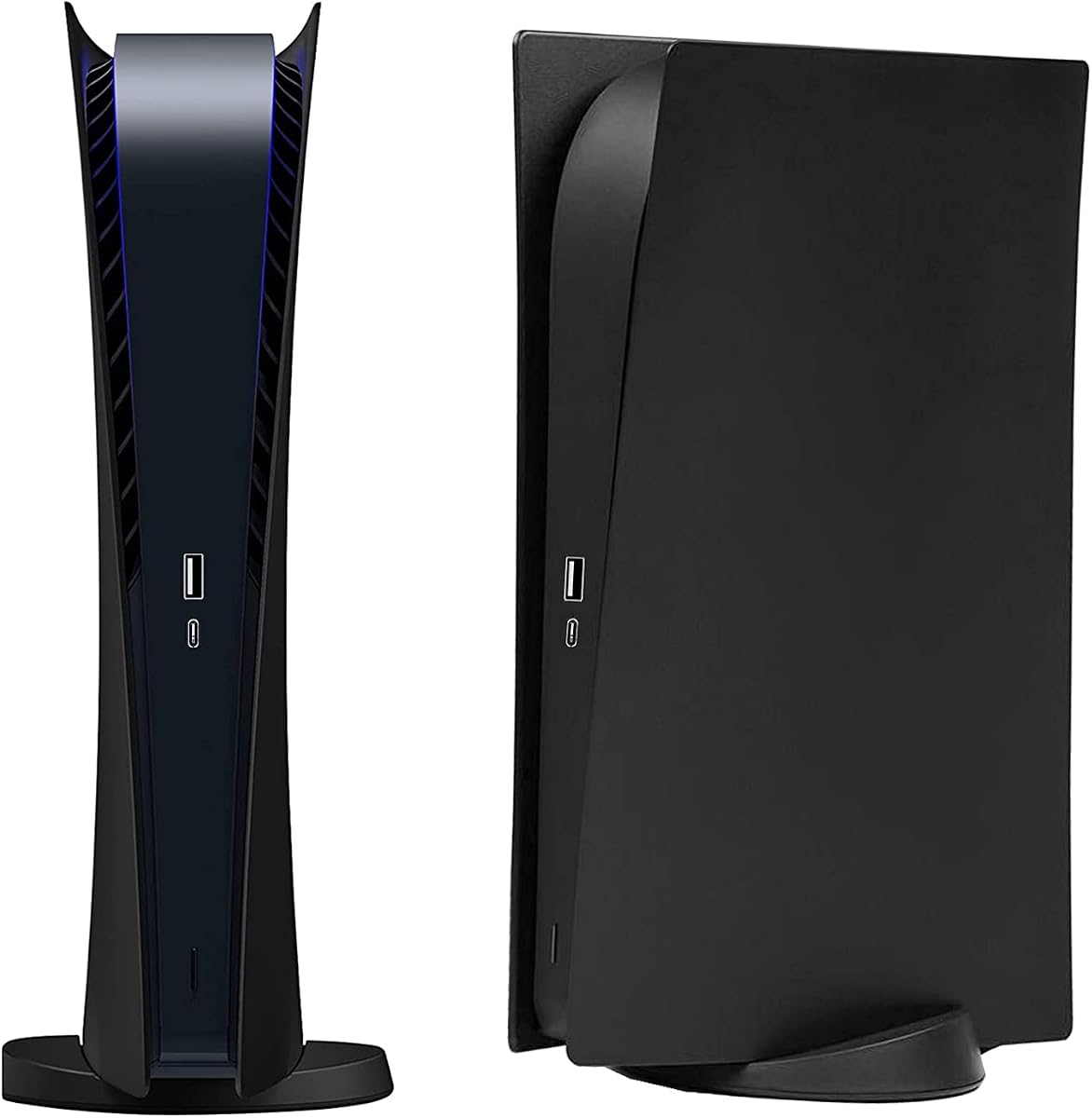
This Digital Edition faceplate set is one of the highest-rated selections in the guide, with a 4.6 rating. It takes a replacement-shell approach rather than applying a thin graphic film, making it particularly relevant to owners who prioritize physical protection for their original Digital Edition console.
We may earn a commission when you buy through this link, at no additional cost to you.
The hard material is described as impact-resistant and is intended to protect against dust, scratches, and damage caused by daily use. Its professional design leaves all cable ports and buttons accessible, avoiding the common problem of skins interfering with connections or controls.
The plates are designed for straightforward installation and removal. That simplicity is useful for a component covering much of the console's surface, since users can put the shell in place, inspect alignment, and remove it if needed without relying on a complex adhesive process.
A key trade-off is that this set is only suitable for the Digital Edition. It does not offer the broad console-and-controller coverage of a full decal bundle, and buyers with a disc console need a product explicitly designed for that version.
Overall, it is a well-rounded choice for original Digital Edition owners who want a clean black replacement panel and stronger physical protection than adhesive vinyl. Its high rating, accessible design, and simple installation make it especially appealing for everyday use.
The panel geometry keeps cable ports and console buttons accessible, an important detail for any full-face accessory. Protection is therefore added without intentionally interfering with the hardware's everyday connections.
With a 4.6 rating, this set stands out among the original Digital Edition options. It combines a hard protective shell, straightforward fitting, and a restrained black appearance.
We may earn a commission when you buy through this link, at no additional cost to you.
The Blue Fire Disc decal brings a coordinated blue graphic treatment to the original PS5 Disc Edition and two DualShock controllers. It carries a 4.2 rating and shares the practical design strengths of the related Digital Edition version while serving a different hardware configuration.
We may earn a commission when you buy through this link, at no additional cost to you.
HD vinyl provides a light barrier against scratches and dust, while the precision cut follows the console's shape and leaves buttons, connectors, and controller access points open. The listing emphasizes that the material is designed not to fade or peel during normal use.
Application involves cleaning the surface, positioning the decal, and pressing it into place. Removal is described as leaving no residue, making this a useful option for owners who value flexibility and want to personalize the console without adopting a permanent hard cover.
The bundle contains one console decal and two controller skins. This broadens the visual impact and means a buyer does not need to search separately for matching controller covers. It is also more economical in terms of coordinated coverage than treating the console and controllers as unrelated projects.
Compatibility is the deciding factor for many buyers. This set is only for the original Disc Edition and does not fit PS4, PS4 Slim, PS4 Pro, the PS5 Slim, or PS5 Pro. Check the model designation beneath the console before ordering, especially if the disc-drive version is difficult to identify visually.
The console decal and two controller skins create a unified appearance. This is especially useful for display-oriented setups where inconsistent accessories would otherwise distract from the overall design.
Precision cutting is intended to preserve access to buttons, connectors, and the controller. The result is a decorative layer that is designed to remain functional rather than cover critical interfaces.
We may earn a commission when you buy through this link, at no additional cost to you.
The Horror console skin is one of the few selections here designed for both the original Disc and Digital Editions. Its 3.5 rating is lower than those of the other products, but the broad console compatibility and five-layer construction provide a distinct reason to consider it.
We may earn a commission when you buy through this link, at no additional cost to you.
According to the listing, the ultra-thin covering uses five protection layers and is described as durable, waterproof, scratch-resistant, and resistant to fading. The package includes a console skin and two controller skins, offering coordinated coverage for a complete original-edition setup.
Installation is presented as a four-step process: wipe the surface clean, apply the skin, use a hair dryer or blower to help adhesion, and allow it to settle. That heat-assisted method can help the vinyl conform to curved surfaces, though users should follow the listed instructions carefully.
The primary drawback is its lower rating. With a 3.5 score, it does not have the same visible customer feedback strength as the leading choices, and the horror theme will not appeal to every owner. It is also explicitly a sticker rather than a protective shell.
The important compatibility caveat is that the product supports both original disc and digital consoles, but not the Slim version. It is a sensible option for an original-edition owner who likes the theme and values one skin that spans both disc-drive configurations, but the lower rating warrants checking recent customer feedback.
Compatibility with both disc and digital models is unusual in this category. It gives the product broader appeal among owners of original large-body PS5 systems, provided the Slim version is not the hardware in question.
The stated four-step method uses a hair dryer or blower to help the vinyl adhere smoothly. This method focuses on conforming the material around the console's curved surfaces.
We may earn a commission when you buy through this link, at no additional cost to you.
This three-piece controller decal set is the most budget-oriented way to personalize a PS5 controller in the guide. Its 4.2 rating suggests generally favorable reception, while the controller-only format makes it a focused choice for gamers who want a visual refresh without covering the console.
We may earn a commission when you buy through this link, at no additional cost to you.
The graphics use high-definition digital printing and are described as durable and resistant to fading. The surface is designed to simulate the frosted feel of human skin, offering a tactile change as well as a new appearance and potentially improving the feel of prolonged play.
The skins also provide practical protection. Their listed features include resistance to scuffing, dust, and water, along with easy removal and no adhesive residue. These qualities make them useful for frequently handled controllers that accumulate fingerprints and minor surface marks.
Precision cutting is especially important because a controller has rounded and intersecting surfaces. The design uses curved cut lines and carefully opened sections so the decal can follow the controller's shape while keeping buttons and controls unobstructed.
The set fits the PS5 controller, including versions associated with digital and disc consoles. The main limitation is scope: it does not include a console skin. For the lowest-cost way to personalize the hardware while adding controller protection, it remains an efficient and appealing choice.
The printed surface is intended to feel frosted rather than slick. That design choice differentiates the set from purely decorative skins and may make long gaming sessions more comfortable.
Three included decals provide more than one option for rotating looks or sharing among multiple controllers. The set focuses entirely on personalizing the most frequently handled piece of the console setup.
We may earn a commission when you buy through this link, at no additional cost to you.
The PS5 Pro Center Skin is a narrowly targeted vinyl decal for the middle section of the PS5 Pro Disc Edition. Its 3.7 rating is modest, but the product serves a newer and very specific console configuration that is not addressed by most of the original PS5 skins in this guide.
We may earn a commission when you buy through this link, at no additional cost to you.
The black design is intended to protect the covered surface from fingerprints, dust, and scratches. Rather than wrapping the entire Pro console, it applies to the center area, creating a focused visual and protective treatment for the Disc Edition model.
A key practical feature is the preserved socket opening. The manufacturer states that the socket is perfectly maintained so external devices and connected accessories are not obstructed. That makes careful alignment more important than it would be for a plain central color patch.
The material uses removable PVC glue and is described as removable without leaving a trace. A removable adhesive approach is useful for owners who want a subtle color change without permanently altering the console's original surface.
This is not a full-body skin and should not be confused with the universal decals in the guide. It is a specialized option for a PS5 Pro Disc Edition owner who wants a simple black center treatment. Confirm that the console is the Pro Disc model rather than the Digital Edition before buying.
The decal was created specifically for the center of the PS5 Pro Disc Edition. That specialized targeting makes it more relevant than an original console skin for buyers who own the Pro hardware.
The pure-black finish favors a restrained appearance over elaborate artwork. It provides a small protective and cosmetic change while preserving the broader original console design.
We may earn a commission when you buy through this link, at no additional cost to you.
The Alien Monster controller wrap adds a playful character design to a PS5 controller while adding a light protective layer. Its 4.2 rating places it alongside the stronger-rated controller-only options, and the package provides two vinyl pieces for a matching pair.
We may earn a commission when you buy through this link, at no additional cost to you.
The high-quality vinyl is designed for easy application and removal without leaving scratches or adhesive traces. Its precision cuts preserve access to buttons, controls, and connectors, which helps the graphic remain functional rather than merely decorative.
Dust and scratch protection are the stated practical benefits. Because a controller is handled frequently, a removable skin can reduce the visibility of small marks and help keep the surface looking cleaner between sessions.
Compatibility is unusually broad within the controller category. The set is suitable for the PS5 standard version and PS5 Slim version, making it a safer choice for buyers who are unsure which controller design they own. It does not cover the console itself.
The listing clearly notes that actual controllers are not included, so buyers need to own compatible DualSense controllers separately. This two-piece themed wrap is best for gamers who want a lighthearted design, convenient customization, and the flexibility to remove the skins later.
Support for both the standard PS5 and PS5 Slim controllers reduces uncertainty when shopping. The skins are designed for the controller rather than the console body, so the hardware model still needs to match.
Two matching decals provide coordinated coverage for a controller pair. Their dust and scratch protection adds a functional benefit to the alien monster theme.
We may earn a commission when you buy through this link, at no additional cost to you.
The PEYANZ Disc Edition set is one of the strongest all-around options in the guide, earning a 4.6 rating. It combines four console stickers with two controller skins, creating one of the most complete packages among the products designed for the original disc-drive console.
We may earn a commission when you buy through this link, at no additional cost to you.
The set uses high-grade polyvinyl chloride to protect against scratches and dust while remaining compatible with heat dissipation. That balance is important for a console skin because a material that blocks ventilation would create a much larger problem than a cosmetic surface mark.
Graphics are produced with 4K-resolution laser printing, and the listing compares the sharpness favorably with 1080p alternatives. An anti-oxidation coating is included to help maintain color and resist fading, making the product suitable for buyers who want the print to remain visually consistent.
Installation is estimated at around ten minutes. The sticker can be reapplied if it is placed incorrectly, allowing the user to lift, reposition, and smooth it until the alignment is satisfactory. This reduces the pressure involved in working with a large custom print.
The package covers the console extensively and includes two matching controller skins. The main limitation is compatibility: this variant is made for the CD-ROM or Disc Edition. Confirm the model before ordering, but for the right original disc console, the combination of presentation, coverage, and material quality is especially appealing.
The 4K laser-printing process is designed to deliver sharp imagery, while the anti-oxidation coating helps protect the color from fading. Together, they target both immediate detail and longer-term visual consistency.
Four console stickers and two controller skins offer broad coverage in one package. This makes the set convenient for owners who want a unified design across the complete original disc-console setup.
We may earn a commission when you buy through this link, at no additional cost to you.
The Black Marble Digital decal is an understated alternative to the brighter Blue Fire Digital design. It uses HD vinyl to cover the original PS5 Digital Edition and includes matching skins for two DualShock controllers, earning a 4.2 rating for its flexible installation and coordinated appearance.
We may earn a commission when you buy through this link, at no additional cost to you.
The console and controller decals are intended to protect against scratches and dust. Their material is described as resistant to fading and peeling, offering a useful combination of decorative coverage and everyday surface protection without the bulk of replacement panels.
The precision-cut layout follows the console contours and keeps access to buttons, controllers, and connectors open. Installation is a simple process of cleaning, sticking, smoothing, and removing when needed, with the listing stating that removal leaves no residue.
A complete console decal and two controller skins are included in the package. The black marble treatment offers a more restrained look than a brightly illustrated skin, which may work better for a minimalist gaming space or a console that will remain visible alongside other equipment.
As with the other original-edition vinyl sets, exact compatibility matters. This product is made for the PS5 Digital Edition, not the disc, Slim, or Pro console. It is best suited to owners who value coordinated styling, easy removal, and a thin protective layer more than rigid physical protection.
The black marble pattern personalizes the console without relying on a loud theme. That makes it suitable for owners who want their PS5 to coordinate with a more restrained entertainment area.
One console decal and two controller skins create a matched appearance. The removable HD vinyl design makes the look easier to change than a permanent surface treatment.
We may earn a commission when you buy through this link, at no additional cost to you.
The most important decision is selecting the skin that matches your exact console and controller models. Coverage, materials, graphics, protection, and installation method should then be considered in that order.
PS5 skins are not interchangeable across every hardware revision. The original console comes in Disc and Digital Edition forms, while the later Slim and PS5 Pro have different dimensions and layouts. The model code printed on the bottom of the console provides the most reliable way to identify the hardware. Check that code against the seller's compatibility statement before ordering, especially when a listing refers broadly to PS5 or uses a model year without mentioning every compatible code.
Choose only a skin explicitly designed for your console edition and revision. A visually similar skin can still fit badly, cover a port, or fail to align with a curved panel.
Full-console decals can cover the central body and portions of both side panels, often including two matching controller skins. Center-only skins are more restrained and may suit PS5 Pro owners who want less dramatic customization. Replacement faceplates provide rigid coverage but may exclude controllers, while controller-only sets are convenient when the console itself already fits the room's design.
Match the coverage to how much of the system you want to change. A coordinated bundle is convenient, whereas separate products can offer more control over which components are decorated.
Thin vinyl decals generally provide a printed finish, flexible installation, and easy removal. They are well suited to changing the look of a console without adding substantial thickness. Hard shell panels instead create a more rigid physical barrier against impacts, scratches, and dust, but they must align closely with the console's structure and are normally specific to one edition.
Choose vinyl for graphics, coordination, and flexibility. Choose hard panels when physical protection and a more replacement-like appearance matter more than decorative coverage.
Look for information about scratch resistance, dust protection, waterproofing, fading, and adhesive residue. A useful skin should protect the surface without interfering with heat dissipation or trapping moisture. Material descriptions are useful, but they should be considered alongside fit and application because even a well-made material cannot protect correctly if it is stretched, misaligned, or placed over an unsuitable area.
Prioritize products that provide specific protection details and clear removal guidance. Claims such as durable, scratch resistant, and residue-free are more useful than a generic promise of full protection.
Print resolution, printing method, and finish determine whether a design looks crisp or soft. The PEYANZ set uses 4K laser printing, while the controller decals use digital printing with frosted or illustrated finishes. The right style is subjective: a black marble graphic may suit a minimalist setup, a horror theme may suit a themed room, and Blue Fire may suit a more vivid display.
Review product images and descriptions for the design's coverage and finish. Confirm that the product covers the areas you want rather than assuming a whole-body label means every surface is included.
Some packages include one console skin and two controller skins, while hard faceplate products may include only console panels. The Alien Monster set includes two controller decals but not the actual controllers. PEYANZ provides four console stickers and two controller skins, giving it broader package coverage than most alternatives. Checking the contents prevents an unnecessary second purchase and makes comparisons based on value more meaningful.
Create a simple list of the components you already own and those you want to customize. Then confirm that the package matches that list.
Most vinyl skins require a clean surface, careful alignment, and slow smoothing to prevent bubbles. Some products recommend a hair dryer or blower to help the material conform. Replacement panels generally use a more mechanical fitting process, while controller decals need extra care around curved surfaces and control openings. Removability is valuable for cleaning, changing themes, or reselling the console later.
Choose a method that suits your patience and experience. Follow every included instruction, avoid pulling the decal at a sharp angle, and make sure the surface is dry and free of debris before application.
Ratings can offer a quick indication of customer satisfaction, but they should not replace checking recent reviews. Compatibility misunderstandings, installation technique, and expected print appearance are common issues that may appear in feedback. Compare the rating with the product's stated features and confirm whether complaints concern the hardware model you own rather than a different PS5 version.
Use ratings as one signal alongside fit, materials, package contents, and the current product listing. Availability and customer feedback can change as new console revisions enter the market.
Before installation, place the console on a soft, clean surface and disconnect the power and attached accessories. Confirm the model code and compare the skin pieces with the console's contours. Clean the target surfaces thoroughly, allow them to dry, and remove any dust or fingerprints that could create bubbles or interfere with adhesion.
For vinyl decals, remove the backing gradually rather than pulling the entire protective layer away at once. Start at one edge, align the design with the panel or button openings, and press from the center outward. A hair dryer or blower on a cool setting can help the vinyl conform when the listing recommends it. Take your time around curved surfaces, and never force a decal over a port, vent, or button.
For care, use a soft dry or lightly damp cloth and avoid harsh chemicals, abrasive pads, and steam. Do not pull a skin off quickly, because slow, low-angle removal reduces the chance of leaving adhesive behind. If you plan to move the console, remove loose accessories first and avoid repeatedly lifting sections that no longer adhere cleanly.
No. A skin must match the console's exact edition and revision. Most products in this guide fit the original 2020 Digital or Disc Edition, while the PS5 Pro Center Skin targets the Pro Disc Edition. Check the CFI model code on the bottom of the console and compare it with the product description before ordering.
A properly fitted skin should not be positioned over cooling vents, but poorly designed or incorrectly applied products can obstruct airflow. The PEYANZ set specifically states that its material does not affect heat dissipation, and the Joso hard panels include a finned design. Always follow the installation guide and keep every opening clear.
Several listings state that their skins can be removed without residue, including the Blue Fire decals, Black Marble set, Alien Monster controller wraps, and PS5 Pro center skin. Results can depend on how long the material remains attached and how it is removed. Peel slowly at a low angle and avoid heat unless the instructions specifically recommend it.
The Alien Monster two-pack is specifically listed for the PS5 standard and PS5 Slim controller designs. Other controller products may be limited to the standard DualSense controller. Compatibility depends on the shape and revision of the controller rather than the presence or absence of a disc drive in the console.
A console skin is generally a thin decorative vinyl layer applied to portions of the console. A faceplate is a rigid replacement shell that provides more rigid physical protection and usually fits only one console edition. The Joso and Digital Edition hard faceplate options are best for protection, while vinyl decals offer more varied graphics.
No. The controller skins cover compatible DualSense controllers, but the actual controllers are not included. The Alien Monster listing states this explicitly, and the same distinction applies to the other sets that include two controller decals. You need to own compatible controllers separately.
Clean and dry the surface, align the decal before pressing it down, and smooth it gradually from the center toward the edges. Avoid pulling or stretching the material. For listings that recommend it, use a hair dryer or blower on a cool setting to improve conformity around curved sections, then allow the skin to settle.
Some universal designs do support both original Disc and Digital Editions. The Horror decal is one example, although it excludes the Slim version. Many other decals are edition-specific, so a visual design alone is not enough to confirm compatibility. Always verify the model code before buying.
The PEYANZ Disc Edition Skin Set is the most complete high-rated option, pairing four console stickers with two controller skins and 4K laser printing. The Digital Edition Hard Faceplates and Joso panel set are stronger choices for rigid protection, while the three-piece controller decal set offers the most budget-focused way to personalize a DualSense.
Prioritize exact console compatibility before appearance. Decide whether you need full-console coverage, a center accent, replacement panels, or controller skins only, and then consider whether a thin removable decal or hard shell suits your protection needs. Package contents, button and port access, print quality, and installation method are the next most important comparisons.
Finally, check the current listing and price at the time of purchase. Ratings, product availability, and retailer details can change, so the information here should guide your search rather than replace checking the latest product page and exact console model.
