
Dell Latitude 5420
3.8Editor score
Core i5-1145G7 processor
16GB DDR4 memory
512GB PCIe SSD
14-inch Full HD display
Refurbished Windows 11 laptops offer an efficient way to obtain a capable business computer without choosing brand-new equipment. The strongest models pair capable processors, generous memory, solid-state storage, and useful connectivity with screens that remain practical for work, study, travel, or everyday communication.
This guide compares ten renewed Dell Latitude and HP business laptops, focusing on processor class, RAM, storage capacity, display size and resolution, ports, operating system, and refurbishment details. It also distinguishes touch and non-touch models, weighs practical connectivity, and identifies where limitations such as older processors or absent accessories may matter.
Each recommendation highlights a different balance for shoppers: some emphasize everyday value, others prioritize strong specifications or portability. Ratings and product information reflect the supplied listings, while inventory, seller offers, and refurbishment terms can change. Buyers should confirm the current listing details before ordering.
3.8Editor score

4.1Editor score

3.7Editor score
As an Amazon Associate we earn from qualifying purchases.
The comparison covers ten renewed business laptops from Dell and HP, ranging from a compact 2-in-1 with an entry-level Celeron to Core i7 models with 512GB storage. Use the table to compare processor, memory, storage, display, operating system, and connectivity before checking a product's full refurbishment details.



The renewed Dell Latitude 3190 is the most compact and flexible option in this guide, combining an 11.6-inch HD touchscreen with Windows 11 Professional. Its 3.7 rating reflects a mixed reception, so buyers should consider its entry-level specifications carefully. The device is best suited to browsing, office applications, virtual meetings, note-taking, and light productivity rather than demanding professional workloads.
We may earn a commission when you buy through this link, at no additional cost to you.
Its Intel Celeron N5030 is a quad-core processor with a listed base speed of 1.1GHz and boost capability up to 2.4GHz. That processor is adequate for lightweight tasks, while the 8GB RAM and 128GB SSD provide a practical baseline for web browsing, documents, email, and communication applications. Solid-state storage also helps keep routine startup and file access operations responsive.
The main compromises are clear: 8GB of memory offers limited headroom for many browser tabs and heavy multitasking, while 128GB can fill quickly with downloaded files and applications. The smaller HD touchscreen is convenient for movement and compact workspaces, but it is less ideal for extended spreadsheets, detailed media editing, or multitasking across large windows.
This Latitude makes the most sense for a student, traveler, or secondary household computer that needs a touch interface and compact footprint. It is a sensible value choice when the priority is mobility and the intended workload stays within basic productivity tasks. Confirm the touchscreen condition, included accessories, and current refurbishment warranty before purchasing.
Its 2-in-1 form factor is especially useful for quick demonstrations, handwritten notes, and shared viewing. However, buyers who regularly handle large files should favor a model with more memory and storage. The 3190 is best treated as a focused portable productivity device rather than a full workstation replacement.
The 11.6-inch touchscreen makes this model more flexible than a conventional business laptop. It suits quick note-taking, presentations, browsing, and travel where a full-size notebook would be inconvenient.
The Celeron N5030, 8GB RAM, and 128GB SSD are best matched to email, documents, web applications, and video calls. Heavy multitasking and large media libraries require a more powerful configuration.
We may earn a commission when you buy through this link, at no additional cost to you.
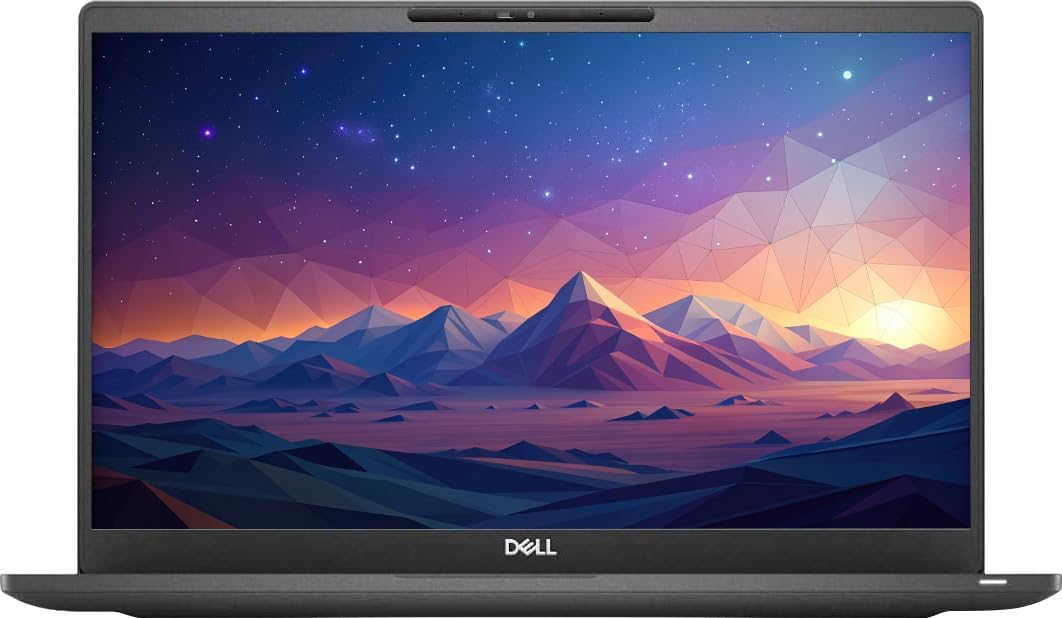
The Dell Latitude 5420 combines an 11th-generation Core i5 processor, 16GB RAM, and a 512GB PCIe SSD in a conventional 14-inch business notebook. Its 3.8 rating makes it a strong all-round choice for office productivity, commuting, and home use. The specification mix offers more balance than many entry-level renewed systems.
We may earn a commission when you buy through this link, at no additional cost to you.
The quad-core Core i5-1145G7 can reach up to 4.40GHz and includes an 8MB cache, giving it useful performance for document work, browser-based applications, communication, and moderate multitasking. Its 16GB DDR4 memory is more comfortable for several open applications than the 8GB configuration in the Latitude 3190, while the 512GB SSD provides more room for files.
Its 14-inch Full HD display uses a wide-view anti-glare, non-touch panel. That combination is ideal for conventional office work, but it does not offer tablet functionality or the flexibility of a convertible. Connectivity is a major strength: the listed configuration includes USB 3.2 Gen 1, Thunderbolt 4 with power delivery, HDMI 2.0, microSD, RJ45, Wi-Fi 6, and Bluetooth 5.2.
The backlit keyboard, 63Wh battery, and included 65-watt USB-C adapter also make the Latitude 5420 appealing for regular mobile work. The renewed listing specifically identifies it as Dell Certified Refurbished, which is a useful credential when comparing programs that use the broader Renewed label. Confirm the precise operating system, keyboard layout, battery condition, and included accessories in the live listing.
Overall, this is the most balanced recommendation for someone who wants a capable renewed business laptop without moving to a larger display or a premium chassis. It handles routine office demands better than the entry-level Latitude 3190 and offers the more modern processor platform of several older alternatives in the list.
The Core i5-1145G7, 16GB of memory, and 512GB PCIe SSD create a flexible foundation for daily productivity. It is a particularly practical configuration for users who routinely keep several work applications open.
Thunderbolt 4, USB 3.2, HDMI, Ethernet, Wi-Fi 6, and a microSD reader reduce the need for adapters. The broad selection is particularly valuable for offices, conference rooms, and hybrid workers.
We may earn a commission when you buy through this link, at no additional cost to you.
The renewed Dell Latitude 5400 is a straightforward 14-inch business laptop built around an eighth-generation Core i5-8265U, 16GB RAM, and a 256GB SSD. Its 4.0 rating indicates generally positive customer sentiment. It suits users who value a conventional office notebook with sufficient memory for regular multitasking.
We may earn a commission when you buy through this link, at no additional cost to you.
The processor has four cores and eight threads and can reach up to 3.9GHz, providing enough capability for web browsing, spreadsheets, email, video calls, and common business software. Sixteen gigabytes of DDR4 RAM is the most important strength, offering better headroom than systems limited to 8GB. The SSD supports quick boot and file access, although 256GB is less generous for extensive media collections.
Connectivity includes HDMI 1.4, USB 3.1, a uSD card reader, and USB Type-C. The listed operating system is 64-bit Windows 11 Pro, which is described as providing business-oriented security and remote-management features. The durable business design is another plus for buyers who want a machine built for regular office use rather than a disposable general-purpose notebook.
Its 14-inch HD display provides enough screen area for paired documents and normal productivity software, but it does not match the 1920-by-1080 resolution of several alternatives. Shoppers should confirm battery wear, display condition, warranty terms, and the exact included accessories. Renewed systems can vary even when sold under the same broad product name.
This Latitude 5400 is a strong pick for everyday office users who need more than 8GB of memory but do not require the newest processor generation. It provides a balanced mix of business software, practical ports, and a favorable rating, making it a dependable choice for work, study, and home productivity.
The 16GB DDR4 configuration is well suited to multiple browser tabs, office applications, and communication tools. It also leaves more room for future software than the 8GB option in the Latitude 3190.
Windows 11 Pro and the business-oriented Latitude chassis suit professional use. USB Type-C, HDMI, USB 3.1, and the card reader support common daily workflows.
We may earn a commission when you buy through this link, at no additional cost to you.
The Dell Latitude 7400 pairs an eighth-generation Core i5-8365U with 16GB RAM, a 256GB M.2 NVMe SSD, and a 14-inch Full HD display. Its 3.9 rating reflects a generally favorable response. It is a refined option for shoppers prioritizing screen clarity, fast storage, and a broad set of connections.
We may earn a commission when you buy through this link, at no additional cost to you.
The quad-core processor operates from a 1.6GHz base speed and can turbo up to 4.1GHz, making it suitable for office applications, browsing, communication, and light creative work. Its 16GB RAM supports regular multitasking, while the NVMe drive provides quick boot times and responsive file access. The storage capacity remains the main limitation for large media libraries.
The 1920-by-1080 screen gives documents, web pages, and spreadsheets more usable detail than a standard HD panel. The listing also highlights Wi-Fi, Bluetooth, USB 3.1, HDMI, a webcam, and Thunderbolt, covering the essentials for mobile work and virtual meetings. A non-touch display keeps the design focused on conventional productivity.
The product is described as Certified Refurbished and tested for functionality, cleaned, inspected, and repackaged. It may arrive in a generic box, and the listing states that relevant accessories, a minimum 90-day warranty, and qualifying-seller standards apply. Those details are useful when comparing it with listings that simply use the word Renewed.
Choose the Latitude 7400 when Full HD resolution and NVMe responsiveness matter more than having the newest internal platform. It is a comfortable, business-focused laptop for office and study, though buyers with demanding workloads should consider a newer Core i5 or Core i7 model.
The Full HD panel provides a noticeable step up in usable detail for documents, research, and spreadsheets. Its 14-inch size also preserves a portable footprint for commuting and travel.
The M.2 NVMe SSD supports quick startup and file access. USB, HDMI, Thunderbolt, Wi-Fi, and Bluetooth provide a practical range of wired and wireless connections.
We may earn a commission when you buy through this link, at no additional cost to you.
The renewed Dell Latitude 7490 brings a Core i7-8650U, 16GB RAM, and a 512GB SSD to a business-oriented laptop. Its 4.0 rating places it among the stronger customer-rated options in this group. The combination is appealing for buyers who want more processing power and storage than the typical entry-level office configuration.
We may earn a commission when you buy through this link, at no additional cost to you.
The supplied description notes smooth multitasking and efficient handling of demanding applications, making the Core i7 designation important for heavier productivity work. With 16GB of installed memory, the laptop can comfortably support several applications, browser windows, and communication tools. The 512GB SSD adds meaningful capacity for documents and frequently used software.
Windows 11 Pro is preinstalled, providing the security and management features sought by many professional and organizational users. The listing also states that the machine has been professionally refurbished and tested against high-quality standards. That makes it a sensible choice for buyers who want a renewed device without settling for the most basic specifications.
The main drawback is age. The Core i7-8650U belongs to an older generation, and the supplied information offers less detail about display resolution, port selection, weight, and battery than some competing listings. Buyers should review the current product page carefully to confirm those characteristics and the condition of the renewed components.
The Latitude 7490 is a good fit for office professionals, students, and home users who value a Core i7 chip and 512GB drive. It balances storage capacity with adequate memory, although the 11th-generation Dell Latitude 5420 and Latitude 7420 may appeal to buyers who prioritize newer platform efficiency and more detailed connectivity information.
The Core i7 processor and 16GB RAM provide useful headroom for heavier office workloads than an entry-level dual-purpose laptop. It is well matched to users who keep many applications open.
A 512GB SSD reduces the need to rely on external storage for ordinary files and applications. It also gives the laptop a more balanced profile than models equipped with 128GB or 256GB drives.
We may earn a commission when you buy through this link, at no additional cost to you.
The Dell Latitude 5400 configuration with 512GB storage earns the highest listed customer rating in this comparison at 4.1. It combines a Core i5-8365U, 16GB DDR4 RAM, a 512GB SSD, and a portable 3.3-pound body. This balance makes it one of the most practical choices for routine business and home productivity.
We may earn a commission when you buy through this link, at no additional cost to you.
The listing identifies the device as Microsoft Authorized Refurbished, which provides a clearer refurbishment credential than a generic renewed label. Its 14-inch non-touch display, 16GB memory, and 512GB drive form an effective core configuration for document editing, browser use, email, video meetings, and several applications running at once.
Its port selection is particularly thorough: three USB 3.0 ports, USB Type-C, HDMI, an SD card reader, a combined headphone and microphone jack, integrated Wi-Fi, Bluetooth, and RJ45 Ethernet. This range supports external monitors, wired networks, peripherals, and removable storage without requiring a large collection of adapters.
The 3.3-pound weight helps offset the 14-inch display and makes the laptop easier to carry between rooms or on a trip. The trade-off is an eighth-generation processor, which is less current than the 11th-generation Core i5 in the Latitude 5420. Buyers running intensive software may prefer that newer alternative despite the Latitude 5400's stronger listed rating.
This model is especially convincing for office and study users who want 512GB of storage, abundant memory, and a complete port selection. It is also a sensible choice for a family computer that needs to handle varied work, school, and entertainment tasks. Confirm the current refurbishment terms and exact system condition before ordering.
The combination of 16GB RAM, a 512GB SSD, and a capable Core i5 covers most productivity needs without forcing a choice between memory and storage.
At 3.3 pounds, the Latitude 5400 remains relatively easy to carry. USB, Type-C, HDMI, Ethernet, and an SD reader make it adaptable to offices, studios, and home workspaces.
We may earn a commission when you buy through this link, at no additional cost to you.
The HP EliteBook 840 G5 combines a 14-inch Full HD panel, Core i5-8350U processor, 16GB DDR4 RAM, and a 512GB SSD. Its 3.9 rating indicates a favorable balance of features for business and study. The renewed system is especially attractive to users who prioritize a clear display and ample storage.
We may earn a commission when you buy through this link, at no additional cost to you.
The Intel quad-core processor provides sufficient capability for office applications, browsing, communication, and moderate multitasking. Memory is one of the highlights because 16GB gives the system enough capacity for many open programs without immediately running out of working space. The 512GB SSD also provides useful room for software and personal files.
The Full HD 1920-by-1080 screen improves document readability and gives users more room to arrange windows. The listing identifies Windows 11 Pro 64-bit with multilingual support for English, Spanish, and French, which broadens its usefulness for international or multilingual households. USB Type-C and HDMI support common external accessories.
Two explicit limitations appear in the supplied information: no wireless card and no DVD drive. The listing nevertheless separately mentions Wi-Fi, so buyers should clarify the included wireless hardware and current connectivity configuration. A renewed unit may also differ in included accessories, so confirming the package contents is important.
The EliteBook 840 G5 is a good choice for a professional or student who wants Full HD resolution, 16GB RAM, and 512GB storage in a business notebook. It is less convenient for anyone specifically seeking optical media or a guaranteed standalone wireless card, but it remains a capable everyday system.
The 1920-by-1080 panel provides additional detail and usable space for research, documents, and communication. It makes the EliteBook a good companion for long office sessions.
A 512GB SSD and 16GB RAM create a useful combination for file-heavy and multitasking workflows. The specifications align closely with the strongest office-oriented picks in the guide.
We may earn a commission when you buy through this link, at no additional cost to you.
The renewed HP ProBook 440 G7 stands out with a 5.0 customer rating, a 14-inch Full HD display, 16GB RAM, and a 3.5-pound chassis. It is a compelling travel-oriented business laptop for users who want a modern processor generation, comfortable display, and plenty of working memory in a relatively light body.
We may earn a commission when you buy through this link, at no additional cost to you.
Its Intel Core i5-10210U has four cores and eight threads, operates at a base frequency of 1.6GHz, and can boost up to 4.2GHz. That makes it appropriate for document production, web browsing, email, video calls, and several applications operating concurrently. The 16GB RAM is especially useful for a portable system because it reduces the need for frequent closing and reopening of applications.
The 16:9 Full HD anti-glare display is designed to reduce eye fatigue during extended use, while the backlit keyboard supports low-light work. At 3.5 pounds, the ProBook remains manageable for commuting and travel. Its ports include two USB 3.1 Gen 1 connections, USB 3.1 Type-C, USB 2.0, HDMI, Ethernet, and a combined audio jack.
The supplied information states that renewed products are professionally inspected, tested, and cleaned. It also notes that accessories may not be original, though compatible and functional, and that the product may arrive in a regular box rather than original packaging. Those points matter when comparing an EliteBook or Latitude with a more explicitly certified refurbishment program.
This ProBook is an excellent choice for students and mobile workers who prioritize its 5.0 rating, 16GB memory, anti-glare display, and backlit keyboard. Its 256GB SSD is the main limitation, and the lack of a specified Windows 11 listing title should be verified directly. Within the guide, however, it offers a notably well-rounded travel configuration.
A 3.5-pound body is easy to carry while retaining a conventional 14-inch screen. The backlit keyboard and anti-glare display add comfort for mobile work sessions.
The 10th-generation Core i5 provides a contemporary platform within the renewed market. Combined with 16GB RAM, it handles everyday multitasking with room to spare.
We may earn a commission when you buy through this link, at no additional cost to you.
The Dell Latitude 7420 pairs an 11th-generation Core i7-1165G7 with 16GB RAM, a 512GB PCIe M.2 NVMe SSD, and a 14-inch Full HD display. Its 3.7 rating is the lowest among the rated products in the guide, but the underlying specifications make it a premium-leaning choice for users who value processing power, storage speed, and modern connectivity.
We may earn a commission when you buy through this link, at no additional cost to you.
The quad-core Core i7 can reach up to 4.70GHz and includes a 12MB cache, giving it ample capability for demanding office applications, extensive browser use, communication, and multitasking. Intel Iris Xe graphics add useful media capability, while the NVMe drive supports quick startup and responsive access to files and applications.
The anti-glare Full HD panel has a listed 250-nit brightness and wide viewing angles. A backlit keyboard, webcam, Wi-Fi 6, and Bluetooth support productive mobile work and communication. The listing also mentions USB and HDMI ports, although it does not provide a complete port inventory, so buyers should verify the exact chassis and included accessories.
The renewed program is described as including a 90-day warranty and 90-day technical support, with a fresh installation of the latest Windows 11 release and no manufacturer bloatware. The product is also stated to be compatible with Windows 11. These points make it attractive for buyers who value a straightforward setup and support access.
The Latitude 7420 is best for professionals or advanced students who want a fast Core i7 configuration and generous storage in a 14-inch notebook. Its lower customer rating may warrant a closer look at recent feedback and condition details, but the specification set is among the strongest offered here.
The Core i7-1165G7 can boost to 4.70GHz and benefits from a 12MB cache. It is well suited to intensive productivity, frequent multitasking, and media-rich everyday use.
Wi-Fi 6, Bluetooth, and a 512GB NVMe SSD create a forward-looking foundation for a renewed system. The combination supports fast file access and current wireless standards.
We may earn a commission when you buy through this link, at no additional cost to you.
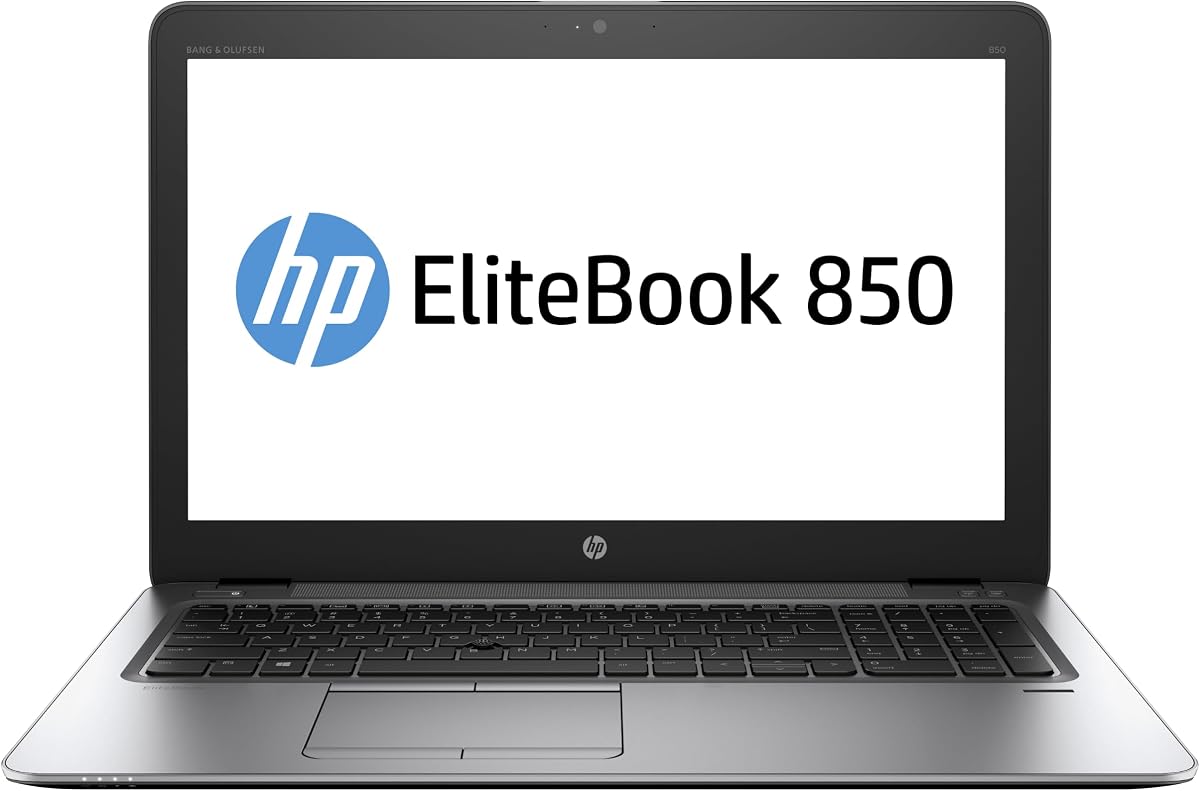
The HP EliteBook 850 G3 is the only large-screen model in this roundup, offering a 15.6-inch HD display, Core i7-6600, 16GB DDR4 RAM, and a 512GB M.2 SSD. No customer rating is supplied for this listing, so its user feedback is less transparent than that of the other picks. Its core specifications still make it worth considering for specific needs.
We may earn a commission when you buy through this link, at no additional cost to you.
The sixth-generation Core i7 is designed for everyday work, browsing, streaming, and communication. Its 16GB of DDR4 memory helps with multitasking, while the 512GB SSD provides a generous amount of storage and supports quick boot times. Together, these components make the laptop more useful for file-heavy users than models limited to 128GB or 256GB.
The large display offers more room for spreadsheets, documents, presentations, and side-by-side application use. A built-in webcam and microphone support calls, while Wi-Fi and Bluetooth cover common wireless needs. The trade-off is that the screen is HD rather than Full HD, so some of the additional physical area is not used for extra pixel detail.
The listing describes the computer as professionally refurbished, tested, certified to look and work like new, and supported by a 90-day warranty and technical support. It also states that Windows 11 Pro is preinstalled and activated. As with any renewed system, confirming the condition, package contents, and warranty terms remains important.
The EliteBook 850 G3 suits buyers who prefer a larger screen and Core i7 processing over the latest platform. It is less attractive for travelers because of its size and less ideal for buyers who require a Full HD panel. Its lack of a customer rating should prompt closer due diligence before purchase.
The 15.6-inch screen is useful for spreadsheets, presentations, and comparing information from multiple applications. It trades portability for a more expansive workspace.
The 16GB RAM and 512GB SSD provide a solid foundation for everyday multitasking. Together they make this a practical option for users who keep many files on a larger laptop.
We may earn a commission when you buy through this link, at no additional cost to you.
A useful renewed-laptop choice should balance processing power, memory, storage, display quality, connectivity, portability, and refurbishment assurance. Comparing the supplied specifications alongside the product's intended workload helps narrow the field before considering condition and seller details.
Processor generation is one of the clearest indicators of how a renewed laptop will age. The Dell Latitude 5420 uses an 11th-generation Core i5-1145G7, while the Latitude 7420 includes an 11th-generation Core i7-1165G7. These newer options generally offer a stronger balance of performance and efficiency than the sixth- through eighth-generation processors found in the HP EliteBook 850 G3, HP ProBook 440 G7, and several Dell Latitude models. The specific workload matters more than the family label alone.
Choose a newer Core i5 for frequent browsing, office applications, virtual meetings, and moderate multitasking. A Core i7 is preferable for heavier productivity, demanding multitasking, and more intensive applications. The Celeron N5030 in the Latitude 3190 is best reserved for lighter tasks and portability-focused use.
RAM determines how comfortably a laptop can hold several applications and browser tabs at once. Eight gigabytes can be enough for basic browsing, email, and document work, but 16GB is the more comfortable target for a system intended to last through several years of normal use. Nine of the ten products in this guide offer 16GB, while the Latitude 3190 has 8GB.
Prioritize 16GB when the laptop will support remote work, school, spreadsheets, communication software, or multiple open applications. It also reduces dependence on slower storage during moments of memory pressure. The amount of installed RAM should be considered alongside processor capability and the user's typical multitasking habits.
All ten systems use solid-state storage, which is preferable to a mechanical hard drive for responsiveness and durability. Capacity matters just as much as drive type. The 128GB Latitude 3190 may require frequent cleanup or external storage, while 256GB models are adequate for a moderate collection of applications and files. Several picks provide 512GB, which is the more versatile target for work, study, photos, and entertainment.
Select at least 256GB when possible and favor 512GB for long-term general use. NVMe models such as the Latitude 7400 and Latitude 7420 add faster transfer performance, although all SSD-equipped options are more responsive than traditional hard drives. Check whether the stated storage is included in the exact configuration being purchased.
Display preference depends on where the laptop will be used. The 11.6-inch Latitude 3190 is compact and touch-enabled, making it useful for travel and note-taking. The 14-inch models balance screen area with portability, while the 15.6-inch EliteBook 850 G3 offers the largest workspace but is less convenient to carry. Resolution also matters: Full HD panels provide more detail than HD screens.
Choose a 14-inch Full HD model for the strongest general-purpose balance. Consider HD resolution only when the lower cost, smaller workspace, or specific seller listing makes that configuration preferable. Buyers should also check screen brightness, anti-glare treatment, touch support, and possible condition issues before finalizing a renewed purchase.
A modern processor cannot compensate for missing connectivity when a user regularly connects peripherals. The Dell Latitude 5420 provides an extensive selection that includes USB 3.2 Gen 1, Thunderbolt 4, HDMI 2.0, microSD, RJ45, Wi-Fi 6, and Bluetooth 5.2. The Microsoft Authorized Refurbished Latitude 5400 also offers USB, Type-C, HDMI, SD, Ethernet, Wi-Fi, and Bluetooth.
Prioritize the connectors you actually use. USB-A supports many accessories, USB-C and Thunderbolt improve docking and charging flexibility, HDMI simplifies external displays, and Ethernet can be essential in offices with unreliable wireless networks. Confirm the exact port inventory because refreshed models and configurations can differ.
Refurbished does not mean all systems are inspected to the same standard. Some listings specify Microsoft Authorized Refurbished or Certified Refurbished, while others describe professional inspection, testing, cleaning, and repackaging. A minimum 90-day warranty is stated for the Dell Latitude 7400, and 90-day warranty and technical support are also described for the Latitude 7420 and EliteBook 850 G3.
Favor a listing that clearly states the testing performed, included accessories, warranty length, and return process. A generic box is common for renewed systems, and replacement accessories may be compatible rather than original. Reviewing the seller's warranty and support terms is essential because normal manufacturer or retailer coverage may not apply in the same way as it does to a new machine.
A capable internal processor does not guarantee long battery life, especially in an older renewed notebook. The Latitude 5420 specifically lists a 63Wh express-charge-capable battery and a 65-watt USB-C adapter. Other listings provide less battery detail, making it prudent to ask about cycle count, charging health, and whether a charger is included.
Look for a functioning charger, compatible power adapter, and any required video-conferencing equipment. A webcam, microphone, and keyboard are important for hybrid work, while a display adapter may be needed if your usual monitor connection is absent. Treat missing accessories as a factor to confirm rather than assume, because the package may contain compatible replacements.
Business laptops are often selected for durability as well as specifications. The listed weight of the Microsoft Authorized Refurbished Latitude 5400 is 3.3 pounds, the HP ProBook 440 G7 is 3.5 pounds, and the EliteBook 840 G5 is described as portable. The Latitude 3190 is the smallest at 11.6 inches, while the EliteBook 850 G3 has a much larger 15.6-inch display.
For frequent travel, prioritize the lighter models and verify their dimensions with your bag or workspace. For a fixed desk setup, a larger screen and more ports may be worth the extra bulk. Durable construction, repairability, and comfortable keyboard design are also important for business users planning to keep the computer for several years.
Start by confirming that the machine boots into Windows 11, connects to Wi-Fi, recognizes Bluetooth devices, and passes a quick check of the keyboard, touchpad, display, webcam, speakers, and USB ports. Review the refurbishment listing for included accessories and support terms before configuring the system. If the device arrives with an existing account or setup, reset it through Windows recovery options before adding personal files.
After setup, install the required operating system updates and current security patches, then update the key applications used for work or study. If the renewed system does not include a wireless card, or if a listed feature such as a card reader is missing, resolve that issue before relying on it. Create a current backup and enable a verified cloud or external backup routine to protect important documents.
Treat the battery as a consumable component. Avoid leaving the laptop in a hot vehicle, using it on soft surfaces that block ventilation, or keeping it plugged in at a full charge continuously. Periodic cleaning with a dry microfiber cloth and gentle compressed air can help maintain airflow. For long-term storage, fully charge the battery, shut down the computer, and keep it in a cool, dry environment.
A well-refurbished laptop can provide the same core computing experience as a comparable new model, though its cosmetic condition, battery wear, and warranty may differ. Performance is primarily determined by the processor, memory, storage, display, and cooling condition. Review the refurbishment process, included accessories, and warranty before purchasing.
A modern Core i5 is a strong general choice for browsing, office software, communication, and regular multitasking. A Core i7 offers additional headroom for heavier productivity and sustained multitasking. The Intel Celeron N5030 is more appropriate for basic tasks, while sixth- through eighth-generation Core i5 and i7 systems can still be useful when their overall condition and specifications are competitive.
For general business, education, and home use, 16GB is a comfortable amount for many applications and browser tabs. It also leaves more room for future operating-system demands than 8GB. Very intensive engineering, media, or data workloads may benefit from additional memory, but most users will find 16GB a practical starting point.
A 14-inch laptop offers a more balanced combination of screen space and portability, making it suitable for commuting and frequent travel. A 15.6-inch model provides more room for documents, spreadsheets, and side-by-side work, but it is generally heavier. The Latitude 3190 is even smaller at 11.6 inches and adds a touchscreen for flexible use.
Certified Refurbished generally indicates that the seller or refurbisher has applied defined inspection, functional testing, cleaning, and repackaging standards. Some listings also mention a minimum warranty, while others provide 90 days of coverage and technical support. The exact program differs by seller, so buyers should read the condition and warranty statements carefully.
Some Latitude and EliteBook models offer serviceable business designs, but the supplied information does not confirm upgrade procedures or component compatibility for every listing. Check the service manual and exact model number before purchasing parts. Also consider warranty restrictions and whether opening the chassis could affect coverage.
Inspect the display for dead pixels, scratches, and uneven backlighting, then test the keyboard, touchpad, speakers, webcam, ports, charging, Wi-Fi, and Bluetooth. Compare the physical condition with the listing and obtain a clear return policy. Significant defects that were not disclosed should be reported according to the seller's process.
The supplied listings state that Windows 11 Pro is preinstalled, and several describe an activated or freshly installed system. Buyers should still check activation status, edition, and recovery options in Windows settings. The seller's refurbishment and support terms should clarify any software-related coverage.
The Dell Latitude 5420 stands out as the most balanced all-round purchase, combining an 11th-generation Core i5, 16GB RAM, a 512GB SSD, a Full HD display, and excellent connectivity. The Latitude 5400 offers the highest listed customer rating and a particularly useful mix of 512GB storage, portability, and ports, while the Latitude 7420 provides the premium Core i7 specification.
The right alternative depends on your priorities. The HP ProBook 440 G7 is attractive for its 5.0 rating, 16GB memory, anti-glare screen, and travel-friendly weight. The Latitude 3190 serves users seeking a compact touchscreen, the EliteBook 850 G3 serves those who want a larger workspace, and the remaining Latitude and EliteBook models provide credible options for 16GB business configurations.
Before ordering, verify the exact processor, memory, storage, display, port selection, operating system, included accessories, refurbishment standard, and warranty on the current listing. Renewed inventory can vary between units, so the final product page is the most important source for condition and coverage. Checking current offers and availability before checkout will help ensure that the selected configuration still meets your needs.