
AKNES GuliKit Joysticks for Steam Deck OLED
4.3Editor score
OLED-specific replacement design
Capacitive touch preserved
Pre-assembled stick caps
Integrated calibration button
Compare replacement joystick for Steam Deck options, including Hall Effect modules, OLED upgrades, repair kits, and easy-install thumbstick replacements.
A replacement joystick can restore control, eliminate drift, and extend the useful life of a Steam Deck without requiring a full console replacement. The right module depends on LCD or OLED compatibility, sensor technology, installation method, and whether preserving touch sensing is important to your games.
We compared the ten listed products by examining compatibility, sensor design, installation requirements, calibration features, included components, customer ratings, and suitability for common repair needs. The guide covers complete joystick modules, OLED-specific upgrades, repair kits, button sets, and add-on thumbstick caps.
Each review explains who benefits most from a particular option and where important trade-offs appear. The top selections highlight strong all-around performance, an OLED-focused upgrade, and a lower-cost LCD-compatible module, while listings and availability may change over time.
4.3Editor score

4.5Editor score

4.5Editor score
The comparison below distinguishes true joystick replacements from related repair and grip accessories, confirms LCD or OLED fit, and highlights the installation method and control technology offered by each listing.


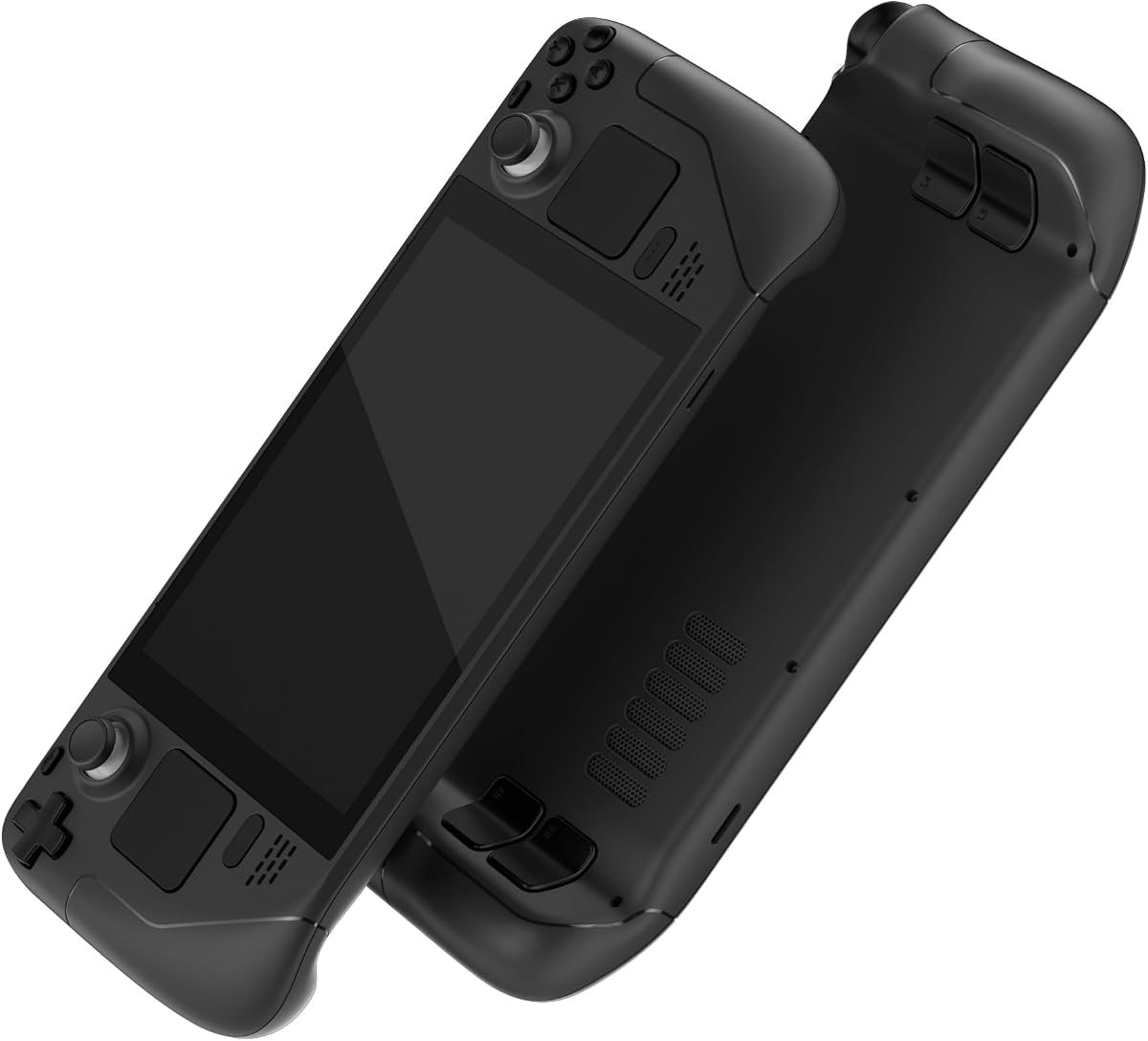


This GuliKit module combines broad LCD compatibility with a genuinely convenient installation process. It carries a 4.5 customer rating and uses Hall Effect sensing to address drift, creeping, stuttering, and off-center movement. A rear selector supports both Type A and Type B controller configurations, making it a practical all-around repair choice for an original Steam Deck LCD.
We may earn a commission when you buy through this link, at no additional cost to you.
The strongest feature is its compatibility with the original interface. Rather than requiring a wiring change, the listing says the replacement maintains the same size and interface, allowing the user to align and tighten the screws without soldering. Supplied caps preserve the original touch-sensing experience, while the one-button calibration process provides a straightforward way to establish a stable center point after installation.
Users should still verify the controller type before ordering. The specified process involves checking Steam Deck Controller ID in the system settings, with MEDA corresponding to Type A and MHDA to Type B. The product is not compatible with OLED, and a joystick may not settle at an exact center under a zero-dead-zone setting because its precision differs from the original hardware. These are manageable considerations rather than fundamental flaws.
This is our leading recommendation for an original LCD Steam Deck owner who wants to correct drift or damaged sticks without undertaking advanced electronics work. It suits players seeking reliable Hall Effect behavior, straightforward calibration, and retained touch functionality. The main priority is identifying the correct LCD controller type before beginning the installation.
Hall Effect sensing provides a contactless alternative to the mechanical potentiometer arrangement associated with drift and wear. The listing specifically targets creeping, stuttering, dead zones, loose movement, and off-center resting, making it relevant when the original stick no longer behaves predictably.
Matching the original module dimensions and interface simplifies the mechanical replacement considerably. Once the console is opened and the old module is removed, the replacement is aligned, secured, calibrated, and tested without the wire-level soldering demanded by some analog repair kits.
We may earn a commission when you buy through this link, at no additional cost to you.
The second-ranked GuliKit option is another well-regarded LCD replacement, earning a 4.5 rating for its 3D Hall Effect design and broad Type A and Type B support. It is aimed at users confronting drift, creeping, stuttering, blind spots, dead zones, missing clicks, loose sticks, or a stick that no longer centers correctly.
We may earn a commission when you buy through this link, at no additional cost to you.
Its installation proposition is attractive because the module avoids soldering and comes with caps intended to retain the original capacitive touch function. Calibration occurs through the small switch on the module board together with Steam Deck's joystick calibration interface. The manufacturer warns not to touch the stick during the process and recommends checking that the onscreen position returns to zero.
There is an unavoidable compatibility limitation: this product does not fit Steam Deck OLED. In addition, the listing notes that the precision difference between the original stick and the GuliKit stick can prevent a perfect center under a no-dead-zone setting. That behavior does not necessarily affect normal play, but users who are sensitive to tiny resting offsets may notice it.
Choose this module when you want a proven Hall Effect response and are comfortable with a straightforward calibration process. It is a strong option for an LCD console whose sticks are worn, inaccurate, or loose, especially when avoiding soldering is a priority. Confirming both the LCD model and controller ID before purchase will help prevent an incompatible order.
The module's stated purpose extends beyond simple drift correction. It is presented as a solution for a range of physical and electrical symptoms, including sticking, uneven dead areas, lack of centering, and loose movement, giving it broader repair value than an accessory limited to grip or appearance.
Calibration combines the hardware button with Steam Deck's software utility. Keeping the stick untouched while the process runs allows the system to establish its center, and the onscreen zero position provides a clear visual reference for confirming that the result is correct.
We may earn a commission when you buy through this link, at no additional cost to you.
The AKNES-branded SD02 is a 4.5-rated alternative that combines GuliKit electromagnetic sensing with Type A and Type B selection. It is designed for the original Steam Deck LCD and is marketed as a solution for drift, creeping, stuttering, blind spots, non-centered operation, physical damage, and looseness.
We may earn a commission when you buy through this link, at no additional cost to you.
A rear converter or selector makes the relevant controller type easy to identify, and the same MEDA-versus-MHDA system information used by other GuliKit modules helps prevent installation errors. The stick caps are included and are intended to preserve the Deck's original touch functionality. Unlike conventional potentiometer-based replacements, this unit does not require soldering during the main installation.
One practical issue mentioned in the listing is that the preinstalled cap can become loose while in transit. The stated remedy is straightforward: press the cap vertically downward into the center so it seats correctly. The product also does not support the OLED console, so buyers should treat the LCD-only warning as a firm requirement rather than a minor caveat.
This module is best for an LCD owner who values flexible type selection, no-solder replacement, and a module designed to handle many different symptoms of stick deterioration. It is particularly useful when both the physical mechanism and sensor performance need improvement. Buyers should confirm their Deck revision and inspect the cap after unpacking.
The Type A and Type B selector reduces the need to search for a separate module for each controller revision. This makes the product easier to order confidently when the user has checked the Controller ID but still wants one flexible package for multiple compatible LCD systems.
Before considering a more involved teardown, users can try a Hall Effect module designed to address both drift and mechanical looseness. If the original caps are worn or the touch response is inconsistent, replacing the entire module may also resolve issues that a grip extender cannot.
We may earn a commission when you buy through this link, at no additional cost to you.
This AKNES and GuliKit collaboration is purpose-built for Steam Deck OLED, making it the clearest choice in the list for owners of Valve's newer handheld. It holds a 4.3 rating and uses Hall Effect sensing to reduce drift, off-center resting, stuttering, and dead-zone behavior.
We may earn a commission when you buy through this link, at no additional cost to you.
Its key distinction is preservation of the OLED's capacitive touch function. The included caps are designed to maintain touch input for games and system controls, while the modules arrive pre-assembled. Installation generally requires no soldering or specialized tools, and clear visual instructions are provided through the listing images for those undertaking the repair.
Each module includes a small calibration switch that can be used when the center point drifts. As with other Hall Effect replacements, precision differs from the stock hardware, and model selection is critical because this product will not fit the original LCD console. Its 4.3 rating remains solid, though it trails several 4.5-rated choices in overall customer feedback.
This is the preferred module for an OLED user who wants both improved analog behavior and intact touch sensing. It is less suitable for LCD owners, but for the correct model it provides a focused repair with a relatively approachable installation. Verify the OLED model, follow the illustrated steps carefully, and recalibrate after installation.
Touch controls are more than an extra feature on a modern handheld, and this module is explicitly engineered to keep that function working. Its caps are part of the matched system rather than a generic add-on, helping the replacement behave more like the original OLED hardware.
OLED-specific construction avoids the uncertainty of using an LCD module in a console with a different internal layout. Buyers get modules intended for that hardware, but the same specificity means there is no cross-compatibility with the earlier LCD version.
We may earn a commission when you buy through this link, at no additional cost to you.
This OLED-specific pair is tailored toward competitive shooters, offering a 30 percent increase in rotational resistance up to 190gf. It earns a 4.5 rating and combines Hall Effect sensing with a contactless structure intended to prevent the drift commonly found in stock joystick modules.
We may earn a commission when you buy through this link, at no additional cost to you.
Unlike many replacements requiring a user to solder a touch-cap connection, this pair arrives pre-soldered and ready for capacitive touch. The matte cap surface is also intended to provide more resistance than a glossy original, improve grip, and reduce visible scratching. That makes it a functional control upgrade as well as a repair component.
The main trade-off is subjective. Players who make tiny, rapid aim corrections may appreciate the firmer feel, but others could find the added resistance tiring during long sessions. The product is also restricted to Steam Deck OLED and includes a true zero-dead-zone claim, so owners should understand the importance of calibration rather than expecting the change to be entirely automatic.
This is the most specialized module in the guide. It suits an OLED owner who plays first-person shooters and wants a more deliberate aiming feel alongside Hall Effect reliability. Players who prefer light, loose sticks or need an LCD replacement should look elsewhere, but those seeking stronger control may appreciate the upgraded resistance and textured caps.
The increased rotational resistance changes how far a small thumb movement travels. That can help players make finer aim corrections, though the best amount of resistance depends on grip strength, thumb speed, and the sensitivity settings used in each game.
The self-developed calibration IC uses dual calibration keys and is described as reducing calibration time by 30 percent compared with competing implementations. The result is intended to place a stable center point quickly while reducing setup friction.
We may earn a commission when you buy through this link, at no additional cost to you.
The eXtremeRate set is not a joystick module, but it remains relevant to Steam Deck repair because many owners replace worn face buttons and other external controls at the same time. It carries a 4.4 rating and includes ABXY buttons, a D-pad, trackpad, bumpers, triggers, and additional buttons for the original LCD model.
We may earn a commission when you buy through this link, at no additional cost to you.
The set is precision cut to fit the Steam Deck LCD released in 2022 and is available in a black finish intended to give the console a refreshed or customized appearance. The package also includes a screwdriver, opening tool, spare screws, and springs, which makes it more useful for a broader button-refresh project than a single loose component.
Installation is more involved than pressing on replacement caps. The listing asks customers to have moderate electronic installation experience and directs them to a YouTube guide. There are also limits concerning the L4, L5, R4, and R5 back buttons, which work only with compatible eXtremeRate back shells rather than the official backplate or unrelated third-party shells.
Choose this set if your primary problem involves sticky, loose, or discolored buttons and you also want to coordinate the console's appearance. Do not choose it expecting to fix a drifting or damaged analog stick, because no thumbsticks or electronic parts are included. It is also strictly for the LCD console, not the OLED model.
Replacing multiple face controls at once can create a more consistent appearance than mixing new and worn parts. The black set is designed for owners who want to restore a tired LCD Deck while retaining the console's familiar button layout.
A screwdriver, opening tool, spare screws, and springs reduce the need to source basic supplies separately. Those extras do not remove the importance of following the installation guide or working carefully around the console's internal components.
We may earn a commission when you buy through this link, at no additional cost to you.
These joystick caps are an ergonomic accessory rather than a replacement sensor or analog module. They carry a 3.0 rating, and their primary purpose is to change the grip and physical feel of the existing sticks. The listing describes them as compatible with Steam Deck and PS Portal.
We may earn a commission when you buy through this link, at no additional cost to you.
Each cap uses a concave-convex, nonslip design intended to increase friction between the thumb and the stick. High-rise and mid-rise options offer different levels of separation from the console body, while a four-legged buckle holds the cap to the joystick. The caps can rotate through 360 degrees, allowing the thumb to settle into a more comfortable position.
Because this product does not replace the sensing mechanism, it cannot fix drift, dead zones, uncentered movement, electrical faults, or a broken stick. It also cannot restore a missing touch function. A lower customer rating further suggests that buyers should consider the preferred fit and the subjective feel carefully before deciding it meets their needs.
This is most appropriate for a functioning Deck whose original sticks feel slippery or uncomfortable. It is a simple way to improve traction without opening the console or replacing electronics. However, anyone troubleshooting a genuine control problem should choose a proper Hall Effect or analog module instead of expecting these caps to repair the underlying hardware.
The textured shape gives the thumb a clearer physical reference, which may reduce slipping during fast movement. It can also create a raised surface that feels more deliberate than the original low-profile stick, depending on the user's preferred grip.
High-rise and mid-rise caps produce different control geometries. High-rise options may improve separation from the console, while mid-rise caps can offer a subtler change for players who want better grip without altering the Deck's overall shape as much.
We may earn a commission when you buy through this link, at no additional cost to you.
The GAMEROOM-listed GuliKit SD02 stands out as the budget-focused choice in this guide, combining a 4.5 rating with many of the same practical features found in costlier modules. It uses an electromagnetic Hall Effect sensor and is designed for the original Steam Deck LCD.
We may earn a commission when you buy through this link, at no additional cost to you.
Type A and Type B are supported through a converter on the module, so the buyer does not need to determine a different installation method for each LCD controller type. The listing identifies drift, creeping, stuttering, blind spots, non-centered movement, broken sticks, and loose sticks as problems the module is intended to address.
Installation avoids soldering, and the included caps are designed to preserve the original capacitive touch function. The main limitation is model compatibility: this is not an OLED solution. A user also has to set the correct controller type before calibration, although the information required for that step is available within Steam Deck's settings.
For a budget-conscious LCD owner dealing with worn or inaccurate sticks, this module offers a compelling balance of rating, functionality, and installation simplicity. It is particularly appropriate for users who want Hall Effect behavior but do not need the tighter resistance or specialized controls of an OLED-focused shooter module. Confirming compatibility before ordering remains essential.
The SD02 focuses on the features that matter most in a practical repair: Hall Effect sensing, selectable controller types, retained touch functionality, and no-soldering installation. It does not add specialized resistance, making it a straightforward general-purpose module.
The converter makes it possible to match the same module to either supported LCD controller type. Correctly configuring that selector and completing the calibration routine gives the replacement the best chance of delivering a centered and responsive control.
We may earn a commission when you buy through this link, at no additional cost to you.
This GuliKit two-pack is designed for LCD Steam Deck owners who want to replace both analog sticks at once. It has a 3.9 customer rating and uses Hall Effect electromagnetic sensing to address drift, blind spots, dead zones, missing clicks, poor centering, physical damage, and looseness.
We may earn a commission when you buy through this link, at no additional cost to you.
A rear switch allows selection between Type A and Type B. The modules include caps intended to retain the Deck's original touch functionality, and the primary installation does not require soldering. After installation, the tiny board switch initiates calibration while Steam Deck's joystick calibration interface confirms whether the center returns to zero.
The listing notes that a cap can loosen during transportation and may make the stick appear stuck. Pressing the cap vertically into the center resolves the stated issue. As an LCD-only product, it offers no compatibility with OLED hardware, and its rating is lower than the 4.5 shown by several other GuliKit options in this roundup.
The two-module format is appealing when both sticks show wear or when the owner wants a spare available. Choose it for straightforward Hall Effect repairs across supported LCD controllers, particularly if replacing one stick at a time would involve repeating the teardown. Buyers who only need one module should consider whether the included spare justifies the larger package.
Replacing both modules together can simplify the process by allowing left and right sides to be serviced during the same opening. It also provides a spare if the second module is not immediately needed but should be available for future wear.
The module's small board switch begins the center-setting process, and Steam Deck's calibration interface displays the result. Watching for the position to return to zero helps the user verify that the sensor has registered the stick's neutral position correctly.
We may earn a commission when you buy through this link, at no additional cost to you.
The ElecGear kit stands apart as the only conventional analog module in the group, and it holds a perfect 5.0 customer rating. Rather than using a Hall Effect sensor, it relies on analog potentiometers and includes four spare 10K ALPS units for users comfortable with component-level repair work.
We may earn a commission when you buy through this link, at no additional cost to you.
The kit contains left and right thumbstick PCB assemblies designed to work with MEDA and MHDA controllers. Variable resistors are used to help reduce hardware-level drift, a new batch of ALPS joystick units is used on the PCBs, and ESD diodes are included for static-electricity protection. These details make it a considered option for a technically inclined owner.
The installation process is substantially more demanding than a soldering-free module. Users must power off the console, remove the original units, desolder the sensitive-cap connection, install the new stick, reconnect the flex cable, solder the cap wire, and calibrate in desktop mode. A PH0 screwdriver, tweezers, and opening tools are included, but soldering tools and materials are not.
This kit is best for a repairer who understands soldering and wants direct PCB-level access, spare potentiometers, and both analog modules. It is less suitable for a first-time owner seeking a simple swap, and the need to transfer the capacitive cap connection makes careful handling essential. Its rating is excellent, but confidence with the process matters more than the score.
The inclusion of four replacement potentiometers gives skilled users a way to service a worn variable resistor or address localized dead spots. Because replacing those parts requires desoldering and soldering, the spares extend the kit's usefulness only for someone prepared for that level of work.
The left and right assemblies are built as PCBs intended to replace the corresponding original modules. This approach can provide a direct repair path, but the user must correctly transfer the cap connection and flex cable to avoid creating new control issues.
We may earn a commission when you buy through this link, at no additional cost to you.
The most important choices are LCD or OLED compatibility, controller revision, sensor technology, installation complexity, and whether the replacement must preserve capacitive touch. These factors determine whether a module will fit, function correctly, and suit the buyer's repair experience.
Steam Deck LCD and OLED modules are not interchangeable across every listing in this guide. The GuliKit Type A and Type B products, the AKNES SD02, and the ElecGear kit are described for the original LCD handheld, while the AKNES OLED set and tighter Hall Effect pair are specifically designed for the OLED model. Some listings use broad language without prominently repeating the restriction in the title, so buyers should inspect every compatibility statement carefully before ordering. Choosing the wrong family may leave the connector, internal layout, or control arrangement unsuitable even if the physical shape looks similar.
Within the supported LCD family, Type A and Type B refer to the controller configurations identified through Steam Deck's system menu. The cited MEDA identifier corresponds to Type A, while MHDA corresponds to Type B. Several modules include a switch or converter so one product can cover both types, but that control must be set correctly before calibration. This check is more than a formality: a module configured for the wrong controller family may behave unpredictably or fail to communicate as expected. Users should access Settings, then System, and review the Steam Deck Controller ID before beginning the physical installation.
Hall Effect modules use contactless magnetic sensing and are the dominant choice in this roundup. Their advertised advantages include resistance to drift, smoother movement, and improved centering, although the user may still need to calibrate the new hardware. The ElecGear option uses an analog potentiometer design and therefore provides a different repair path, requiring soldering and offering replaceable 10K ALPS potentiometers. Hall Effect is generally the more approachable choice for a straightforward upgrade, while analog components can appeal to skilled repairers who want direct access to the sensing hardware.
Most Hall Effect listings emphasize soldering-free installation, allowing the user to align and secure a module with the same size and interface as the original. The ElecGear kit is the major exception because it requires removing the original assembly, desoldering the cap connection, reconnecting the flex cable, and soldering the new cap wire. It includes several basic tools, but not soldering equipment or materials. Buyers should consider not only whether they can open the console, but also whether they understand the electrical connection work involved in the chosen product.
The Deck's touch-capable joystick is more than a simple plastic cap. Modules designed to preserve capacitive touch are better suited to games and system functions that depend on that input. The GuliKit LCD options, the AKNES OLED set, and the pre-soldered OLED pair all emphasize retained touch functionality. The eXtremeRate button set does not contain thumbsticks, and the grip caps are not electronic replacements. A shopper should distinguish between a product that changes the grip and one that replaces the complete sensing and touch assembly.
A newly installed module may not behave exactly like the stock stick until Steam Deck's calibration routine is completed. Most Hall Effect products in this guide use a small button or switch on the module board to start the process, while the onscreen calibration interface confirms the center position. Some listings mention the possibility of achieving a very small or zero dead zone, while others state that a stick may not settle perfectly at center under that setting. The meaningful comparison is not whether a product claims zero dead zone, but whether it offers a clear calibration method and explains its expected behavior.
Replacement modules can also alter how a stick feels in the hand. The tighter Hall Effect OLED pair increases rotational resistance to as much as 190gf and uses a matte cap intended to improve grip and resist scratches. Standard Hall Effect replacements prioritize smooth movement and drift control rather than a deliberately heavier feel. Grip-cap accessories offer another approach by changing surface texture and stick height without touching the sensor. Players who have difficulty making small aim adjustments may prefer more resistance, while those who enjoy fast, loose movement may find added resistance tiring.
The contents vary significantly across the list. Most Hall Effect modules include caps and may cover both left and right sticks, but the exact package presentation varies. The ElecGear kit adds spare potentiometers, a screwdriver, tweezers, and opening tools, while the eXtremeRate button set includes a screwdriver, opening tool, screws, and springs. Several GuliKit listings also mention direct customer support through Amazon. A complete package can simplify the repair, but it should not distract from checking model compatibility and the tools the user must already own.
Begin by fully powering down the Steam Deck, disconnecting accessories, and confirming whether the console is LCD or OLED. For an LCD system, check Settings, System, and Steam Deck Controller ID to determine whether the controller is MEDA Type A or MHDA Type B. Set the matching selector on the replacement module before installation, and consult the product's illustrated instructions for opening the console and removing the original stick.
Install the module according to its design. A soldering-free replacement can generally be aligned, connected, and secured without wire-level work, while the ElecGear analog kit requires desoldering the sensitive-cap connection, reconnecting the flex cable, and soldering the cap wire. Once the module is seated, power on the Deck, enter the joystick calibration interface, use the module's calibration button as directed, and confirm that the onscreen stick returns to a centered zero position without being touched during the process.
After installation, test the controls in a menus, calibration screen, and a game that uses both analog movement and touch functions. If a cap feels loose, press it vertically into the center until seated. Keep the console away from moisture and extreme heat, avoid forcing an unusual stick into a new position, and repeat calibration if a software update or physical shift changes the resting center. A Hall Effect module reduces mechanical wear but still benefits from careful handling.
No. The LCD-compatible GuliKit, AKNES SD02, and ElecGear options in this guide are not offered as replacements for the OLED model. The AKNES OLED set and tighter Hall Effect pair are designed specifically for OLED hardware. Check the model printed on the console or its original packaging before ordering, because the LCD-only restriction on several listings is firm rather than a general compatibility warning.
Open Settings, select System, and look for the Steam Deck Controller ID. The supplied product information identifies MEDA as Type A and MHDA as Type B. Modules with a rear switch or converter should be set to the matching type before installation and calibration. Taking a moment to confirm this step can prevent an otherwise correct module from behaving improperly.
Hall Effect sensing is designed to reduce drift and improve consistency, but it does not guarantee that every user will experience a perfectly zero dead zone. Calibration and Steam Deck's dead-zone settings also affect the final behavior. Some listings explain that the replacement's precision differs from the original stick and may not return to an exact center under a zero-dead-zone mode. The module should still be tested after installation.
No. Most of the Hall Effect modules listed here are designed as soldering-free replacements because they retain the original dimensions and interface. The ElecGear analog kit is different: it requires desoldering the sensitive cap, reconnecting the flex cable, and soldering the new cap wire. It includes several basic tools, but soldering equipment and materials must be supplied separately.
Yes, provided the chosen module is designed for that function. The GuliKit LCD options, AKNES OLED modules, and pre-soldered OLED pair all describe caps or assemblies that preserve capacitive touch input. A basic grip extender cannot preserve or restore touch because it only sits over the existing cap. Verify the product description before ordering if touch functionality is important.
Several GuliKit listings specifically note that the preinstalled cap may loosen during shipping and make the stick appear stuck. Press the cap vertically down into the center to reseat it, then test the stick's movement. If it remains stuck, power off the console and inspect the installation again rather than continuing to force the module, particularly if it uses a soldered touch-cap connection.
Choose a grip cap when the original joystick works accurately but feels slippery or uncomfortable. These accessories add texture and height without replacing the sensor, so they cannot fix drift, dead zones, or damaged electronics. Choose a full Hall Effect or analog module when the stick drifts, fails to center, moves unevenly, feels loose, or has stopped responding normally.
A stronger stick resists initial movement and generally helps with small, deliberate corrections, while a more precise stick reports a cleaner center and more consistent input. The tighter OLED module specifically emphasizes increased rotational resistance, whereas standard Hall Effect modules focus on smoother movement, reduced drift, and reliable centering. The preferred choice depends on whether the player values aim adjustment, speed, or minimal resistance.
The GuliKit Analog Joystick for Steam Deck LCD is the strongest all-around recommendation for original LCD systems because it combines Hall Effect sensing, Type A and Type B support, touch-preserving caps, calibration, and a soldering-free installation. The AKNES GuliKit OLED modules are the focused choice for OLED owners, while the GuliKit SD02 provides a budget-oriented route into Hall Effect replacement for compatible LCD hardware.
Prioritize exact console and controller compatibility before considering sensor technology or installation convenience. OLED owners should focus on modules designed for that model, and LCD users should identify MEDA Type A or MHDA Type B before setting the module selector. After that, choose Hall Effect for approachable anti-drift upgrades, consider added resistance for competitive shooters, and assess whether soldering is within your repair experience.
Finally, review the current listing, package contents, compatibility notes, and available seller support before making a purchase. Listings and product details can change, so the manufacturer instructions included with the selected item should take priority over general guidance. With the correct model confirmed, a carefully installed and properly calibrated module can restore dependable control and extend the life of a well-loved Steam Deck.
