
A-Tech 8GB DDR4 2400MHz SODIMM
4.7Editor score
8GB single-module capacity
DDR4 2400MHz speed
JEDEC 1.2V standard
Lifetime warranty included
Our DDR4 Sodimm Laptop RAM guide compares ten upgraded modules for capacity, speed, compatibility, installation ease, and reliable everyday performance.
DDR4 SODIMM laptop memory can give an aging notebook more useful capacity, smoother multitasking, and a noticeable improvement when applications compete for limited memory. The right module depends on your laptop’s supported speed, maximum capacity, slot layout, and voltage rather than on physical size alone. A 260-pin, 1.2V module is the standard starting point for most DDR4 laptops.
This guide compares ten DDR4 SODIMM options across 8GB, 16GB, and 32GB capacities, including single modules and matched 32GB kits. We examine the stated speed, latency, voltage, rank configuration, ECC and buffering specifications, compatibility considerations, and practical benefits. The list is designed to help everyday users, students, and mobile professionals find a suitable upgrade without relying on vague marketing claims.
Each review explains who the module is best suited for, along with its strongest attributes and honest limitations. The top recommendations prioritize verified specifications, useful capacity, broad laptop compatibility, and straightforward installation. Product prices and availability can change over time, so compare the current listing details and verify your computer’s requirements before ordering.
4.7Editor score
4.8Editor score
4.7Editor score
The table below compares all ten modules by capacity, speed, key electrical characteristics, and configuration, making it easier to shortlist an upgrade for your particular laptop.


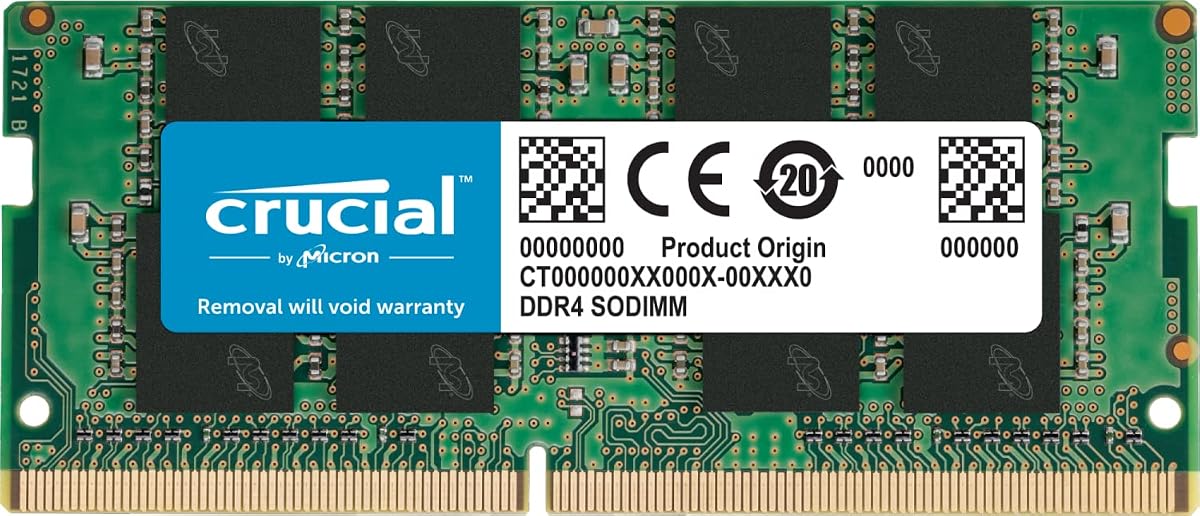
The Crucial CT16G4SFRA32A is our overall recommendation because it combines a useful 16GB capacity with a broadly compatible DDR4 specification. Its rating is 4.8, and the module is listed at speeds of 3200MHz, 2933MHz, or 2666MHz depending on the host system. That flexibility makes it a sensible choice for users who want a modern module without assuming every compatible laptop will run it at its maximum rated speed.
We may earn a commission when you buy through this link, at no additional cost to you.
The principal strength is balance. A single 16GB module can give a compatible notebook more room for browsers, office applications, messaging tools, and background processes than an 8GB configuration. Crucial also highlights installation guides and a System Scanner or Upgrade Selector for confirming device compatibility. Its 260-pin SODIMM format, non-ECC classification, 1.2V operating voltage, and CL22 rating align with conventional DDR4 laptop memory expectations.
The main limitation is that this is one 16GB module rather than a matched two-module kit. If your laptop has two slots and you eventually install a second module, mixing separately purchased modules can reduce the likelihood of dual-channel operation. Also, the highest stated speed still depends on the processor, motherboard, firmware, and system configuration. This is not an unusual limitation for DDR4, but it is worth considering before purchase.
This module is best for a compatible laptop that currently has limited memory, especially if you want one straightforward upgrade rather than a matched kit. Office workers, students, and general home users should find 16GB to be a flexible middle ground. Check your maximum supported capacity and existing module details, then choose this Crucial option if a single-module upgrade fits your layout.
Moving from a constrained memory configuration to 16GB can reduce pressure from background applications and large browser sessions. The exact improvement depends on your operating system and workload, but the extra capacity gives the system more room to manage simultaneous tasks without immediately leaning on slower storage.
Crucial's System Scanner and Upgrade Selector are valuable because SODIMM compatibility involves more than matching the physical shape. Checking the precise laptop model can help avoid an unsupported capacity, an incompatible module organization, or a system that cannot use the advertised speed.
We may earn a commission when you buy through this link, at no additional cost to you.
This Samsung 16GB module provides a clear, conventional upgrade path for compatible DDR4 laptops and all-in-one computers. It carries a 4.6 rating and identifies the module as DDR4-3200 PC4-25600 with CL22 latency. Its 2Rx8 dual-rank organization is one of the most important technical details, particularly when matching it with an existing module or checking system compatibility.
We may earn a commission when you buy through this link, at no additional cost to you.
A dual-rank 16GB module can be particularly interesting for users whose laptop already contains a compatible dual-rank part. Matching rank and electrical organization may help the memory controller work more predictably, although it does not guarantee that mixed modules will enable dual-channel operation. The module operates at the standard DDR4 voltage of 1.2V and uses the familiar 260-pin SO-DIMM format. Samsung also notes that its modules undergo quality assurance testing for dependable performance.
Its biggest drawback is that compatibility is limited to select laptops, notebooks, and all-in-one systems. The precise model M471A2K43DB1-CWE makes it easier for buyers to compare against factory parts, but the module still needs to fit the system’s supported memory configuration. It is also a single module, so buyers seeking matched dual-channel performance should choose a two-module kit instead.
This Samsung module is a strong candidate for technicians, IT buyers, and owners of compatible business notebooks who know the exact factory memory specification. Its clearly stated dual-rank arrangement, 3200MHz rating, and 16GB capacity make it more suitable for deliberate matching than for blind upgrading. Verify the part number and system requirements before ordering.
The 2Rx8 designation tells buyers that the module uses a dual-rank x8 organization. That level of detail is valuable when comparing it with an installed stick, especially in business laptops where an equivalent factory module is easier to identify by part number.
With 16GB on one module, compatible systems gain additional working space for productivity applications and numerous background processes. The module is designed around standard 1.2V DDR4 characteristics, reducing concerns associated with older or physically different laptop memory generations.
We may earn a commission when you buy through this link, at no additional cost to you.
The Crucial CT8G4SFRA32A is a practical choice when adding 8GB is enough to move beyond a laptop's original memory constraint. It has a 4.8 rating and supports rated speeds of 3200MHz, 2933MHz, or 2666MHz depending on the computer. The flexible speed profile and stated compatibility with 13th Gen Intel Core and AMD Ryzen 7000 platforms make it relevant to a broad range of modern DDR4 notebooks.
We may earn a commission when you buy through this link, at no additional cost to you.
Its specifications are particularly useful for buyers who are unsure which rank configuration their system uses. Crucial lists 1Rx16, 1Rx8, or 2Rx8 possibilities for this model, giving the memory controller several supported organizations to work with. Installation guidance is also available from the manufacturer, while the System Scanner and Upgrade Selector can help confirm fit. The module uses the standard 260-pin SODIMM layout and non-ECC classification.
The trade-off is simply the amount of memory. An 8GB upgrade may improve multitasking compared with a very small configuration, but it remains less generous than a 16GB module and substantially less capable than a 32GB kit for heavy multitasking, large workbooks, creative software, or numerous virtualized workloads. As a single module, it may also leave a second slot available for a later expansion, depending on the laptop.
Choose this option for a compatible notebook that supports 8GB modules, needs a straightforward capacity increase, or has one open slot that you may later fill. It is also a less substantial step that can extend the useful life of an otherwise capable business laptop. Check maximum capacity first, especially if you plan to add a second module later.
Downclocking is normal in laptop memory because the processor, board, and firmware determine the final operating speed. This module's support for several speed levels provides useful flexibility when the same laptop may need to work with different supported configurations.
An 8GB module can make light office use and everyday browsing more comfortable, especially when paired with a faster storage drive. It is most attractive when compatibility or physical slot constraints make a larger matched kit less convenient.
We may earn a commission when you buy through this link, at no additional cost to you.
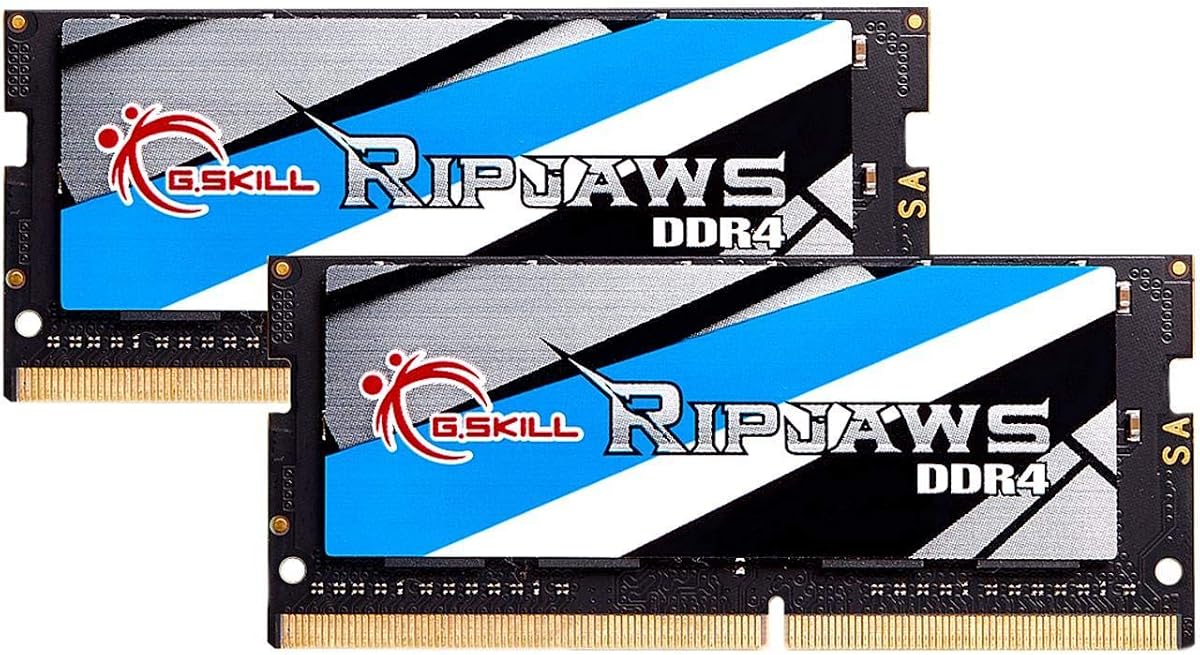
The G.SKILL F4-3200C22D-32GRS is our premium recommendation for compatible laptops that can use a matched 32GB kit. Its 4.7 rating reflects a well-regarded product with clearly documented timings: CL22-22-22-52 at up to 3200MT/s. The package includes two 16GB DDR4 SO-DIMMs, offering substantial capacity for demanding multitasking and reducing the uncertainty associated with mixing separate modules.
We may earn a commission when you buy through this link, at no additional cost to you.
The matched-kit design is the key feature. G.SKILL states that the modules are sold as a set intended to operate together, which makes this a more considered choice for users who want dual-channel operation rather than simply filling one slot. The kit includes a JEDEC default profile and should boot at the default SPD speed with compatible hardware. Users can consult the G.SKILL QVL and RAM Configurator for validated system information.
Maximum speed is the important caveat. G.SKILL notes that reaching the rated maximum may require overclocking or BIOS adjustments, and even then performance depends on the CPU and motherboard. Using memory in a way inconsistent with manufacturer recommendations can cause instability. You also need two slots and must confirm that your laptop supports 32GB, two modules of 16GB, and the appropriate module organization.
This kit is best for power users, creative professionals, developers, and multitaskers whose laptop supports the full configuration. It is also a sensible premium choice for buyers who want both modules purchased and tested as a set. If your system supports only one 16GB module, select the Crucial 16GB option instead.
A two-module kit is designed to work together, avoiding the less predictable combination of independently sourced sticks. That makes it preferable when both memory channels and the full advertised capacity are priorities.
A 32GB configuration is better suited to large project files, many browser tabs, advanced productivity applications, and other memory-intensive workflows than an 8GB or 16GB single module. The benefit is most visible when software genuinely needs additional memory.
We may earn a commission when you buy through this link, at no additional cost to you.
TEAMGROUP's TED432G3200C22DC-S01 is a strong high-capacity option, with a 4.8 rating and two matched 16GB modules. Its stated DDR4-3200 PC4-25600 speed and CL22 latency fit the conventional requirements of many performance laptops, while the ability to operate at 2933MHz or 2666MHz acknowledges that actual speed depends on the host system.
We may earn a commission when you buy through this link, at no additional cost to you.
The two-module format is useful for laptops designed to run memory in a dual-channel arrangement. TEAMGROUP also states that the modules adhere to JEDEC standards, comply with RoHS environmental requirements, and undergo strict testing and verification. A lifetime warranty and free technical support add useful reassurance for buyers who want manufacturer assistance during setup or troubleshooting.
Compatibility remains the deciding factor. The system must support 32GB across two slots, and the CPU, motherboard, and BIOS determine the final speed. As with all laptop memory, inserting the modules does not guarantee that a computer will operate them at their advertised maximum. The kit also takes up both available slots, eliminating the option of adding a different module later without replacing the set.
This TEAMGROUP kit is well suited to compatible power users who want more than a basic memory increase but prefer a standard CL22 profile over a heavily overclocked one. Verify your laptop's maximum capacity and slot configuration, then install both modules in the positions recommended by the manufacturer.
The emphasis is on a conventional 3200MHz CL22 profile and a matched 32GB capacity. That balance can be more appropriate for laptops whose thermal and firmware design prioritizes stable standards rather than aggressive memory tuning.
A stated lifetime warranty and technical support can be valuable if a module fails or you need help confirming installation. Support is most useful when you provide the exact laptop model and its memory specifications during the inquiry.
We may earn a commission when you buy through this link, at no additional cost to you.
The A-Tech 8GB module is our budget recommendation for a compatible laptop that supports the standard DDR4-2400 profile. It has a 4.7 rating and uses PC4-19200 or PC4-2400T signaling at CL17 latency. The module operates at the standard 1.2V DDR4 voltage and includes non-ECC, unbuffered characteristics suitable for many mainstream notebooks.
We may earn a commission when you buy through this link, at no additional cost to you.
Its value lies in offering a basic capacity increase without paying for a high-speed matched kit. The stated goal is to improve loading responsiveness and multitasking, which can be noticeable when a laptop originally shipped with only 4GB or 8GB and runs a storage system that responds quickly to memory pressure. A-Tech also describes installation as suitable for home users without advanced expertise.
The 2400MHz speed is lower than the 3200MHz maximum stated by several other modules in this guide. That is not a flaw in every laptop; many systems support only 2666MHz, 2933MHz, or 2400MHz, so a 2400MHz module can be perfectly appropriate. The bigger limitation is the 8GB total capacity, which leaves less room for heavy workloads than a 16GB single module or 32GB kit.
Choose this module for a compatible budget laptop that uses DDR4-2400 and needs a straightforward 8GB replacement or addition. It is also a sensible target for older notebooks whose maximum capacity is limited. Confirm the slot layout, supported module size, and existing memory before purchasing.
A 2400MHz module is often a safer specification for laptops designed around earlier DDR4 platforms. Choosing a speed the host supports can be more useful than installing a faster module that the computer downclocks.
The module's straightforward format and manufacturer support make it approachable for first-time upgraders. It is most useful when the goal is restoring breathing room to a lightly used laptop rather than maximizing performance for intensive applications.
We may earn a commission when you buy through this link, at no additional cost to you.
The GIGASTONE 32GB kit delivers two 16GB DDR4 SODIMMs for compatible laptops, notebooks, and selected all-in-one computers. Its 4.7 rating and stated 3200MHz PC4-25600 speed place it alongside the most capable conventional modules in this guide, while the listed 2933MHz and 2666MHz profiles allow it to operate at lower speeds where required.
We may earn a commission when you buy through this link, at no additional cost to you.
The specification sheet is straightforward: non-ECC, unbuffered, CL22, 1.2V, and 260 pins. That profile aligns with standard DDR4 laptop memory and makes it easier to compare against factory modules. A two-module kit can also suit systems designed to use dual-channel memory, giving applications more bandwidth than a single module in the appropriate hardware configuration.
The main caution is that two slots and a 32GB maximum are required. Some compact laptops expose only one accessible SODIMM socket, while some all-in-one systems use unusual memory arrangements or restrictions. Even when the form factor matches, firmware can impose per-slot or total-capacity limits. Maximum speed similarly depends on the CPU and platform rather than the module alone.
This kit is a good fit for a compatible notebook used for sustained productivity, heavier multitasking, or memory-hungry applications. It is particularly attractive when the computer supports 16GB per slot and the user prefers both modules from one matched kit. Confirm physical access to two slots and the maximum supported capacity before ordering.
Two identical 16GB sticks are a logical choice for compatible laptops that support dual-channel memory. That arrangement can improve memory bandwidth, though actual results depend on the processor, board, and workload.
Supporting several speed levels lets the kit integrate with different DDR4 laptop generations. The computer will select an appropriate rate, so buyers should focus first on compatibility and capacity rather than assuming the highest label will always be used.
We may earn a commission when you buy through this link, at no additional cost to you.
This Samsung 8GB DDR4 module provides a focused option for compatible laptops that need a single-rank memory stick. It carries a 4.8 rating and is specified as DDR4-3200 PC4-25600 with CL22 latency. The module has a 1Rx16 single-rank organization, a 260-pin SODIMM form factor, and standard 1.2V operation.
We may earn a commission when you buy through this link, at no additional cost to you.
Samsung lists several possible part numbers for this product, including M471A1G44CB0-CWE, M471A1G44AB0-CWE, and M471A1G44BB0-CWE, as well as an equivalent part with identical specifications and performance. That detail is useful for buyers comparing memory listings because it makes the technical configuration more important than a shortened retail title. The module is intended for select laptops, notebooks, and all-in-one systems.
Its limitation is the single 8GB capacity and the need to match its 1Rx16 organization if pairing it with another module. A system that already has a different rank or incompatible organization may not achieve the expected result. It also lacks the flexibility of a 32GB matched kit for intensive workloads, although many light users may find 8GB sufficient when paired with a fast SSD.
Buy this module when you know your laptop uses single-rank DDR4 and want a recognized 8GB replacement or addition. It is a good match for technicians who can inspect the current module and for owners of a compatible all-in-one. Use a laptop compatibility checker and confirm the maximum supported capacity before installing it.
The explicit 1Rx16 organization helps buyers compare this stick with an installed module. Matching rank and technical characteristics is particularly important when combining memory in a laptop with limited upgrade flexibility.
The module supports up to 3200MHz while retaining standard 1.2V power requirements. Compatible systems can use it as a direct replacement, and it can also provide a useful incremental increase where the laptop supports enough total memory.
We may earn a commission when you buy through this link, at no additional cost to you.
This 32GB DDR4 SODIMM is compelling for laptops with a single accessible memory slot and support for high-capacity modules. Its rating is 4.7, and the stated specifications include a 32GB density, 3200Mbps speed, 1.2V voltage, 260 pins, and a 2Rx8 dual-rank component arrangement. It is designed for laptops and compatible notebook systems.
We may earn a commission when you buy through this link, at no additional cost to you.
A large single module can solve an unusual upgrade problem: some laptops offer enough total capacity for 32GB but do not expose two convenient memory slots. Rather than requiring a matched pair, this option installs into one slot and leaves the machine with substantial usable memory. Its 2Rx8 organization is clearly specified, which helps buyers determine whether it matches the laptop's memory controller and any existing module.
The significant caveat is support for 32GB modules. A laptop may accept 16GB per slot but not 32GB, even when it supports 32GB in total across two slots. Firmware, the processor, and the board all matter. As a standalone module, it may also not create a dual-channel arrangement, and adding a different module later could produce mixed behavior. The advertised transfer rate remains a maximum governed by the host.
This is a strong candidate for a compatible single-slot laptop that needs maximum capacity without sacrificing the other slot for a matched kit. Verify the manufacturer's supported module density and rank organization before ordering. If the laptop supports two 16GB modules more broadly, a matched kit may be the safer high-capacity purchase.
Installing 32GB in a single module preserves access to any other slot and can simplify upgrades in laptops with limited memory access. The approach is only worthwhile when the manufacturer explicitly supports a 32GB module per slot.
The 2Rx8 specification gives buyers a concrete technical reference when comparing this product with factory memory. It is also a reminder to prioritize compatibility over capacity, since a large module still cannot operate if the platform does not support it.
We may earn a commission when you buy through this link, at no additional cost to you.
The Corsair Vengeance CMSX16GX4M1A3200C22 combines a familiar slim design with a useful 16GB capacity. Its 4.7 rating and listed DDR4-3200 capability position it as a modern laptop upgrade, while the CL22-22-22-53 timing set provides more detail than many buyers need but makes comparison with other modules easier.
We may earn a commission when you buy through this link, at no additional cost to you.
The module's design is intended to maintain physical compatibility with laptops using 11th Generation Intel Core processors, and it uses the standard 1.2V voltage expected of DDR4 SODIMMs. Corsair says carefully selected DRAM is used for stability. It also lists auto-overclocking with compatible laptop or notebook systems, potentially allowing higher speeds without manual BIOS configuration where the platform supports that behavior.
Corsair's disclaimer remains important: maximum speed can require overclocking or BIOS adjustments, and ultimate performance depends on the motherboard and CPU. A single module also leaves room for a second stick, but adding one later may not create a perfectly matched or dual-channel set. Compatibility should therefore be checked before assuming that every laptop can use the module's highest speed.
This Vengeance module is a good fit for a compatible modern laptop that wants a straightforward 16GB increase and appreciates a slim, recognizable design. It is especially attractive if the system has auto-overclocking support and you want the possibility of running above its base JEDEC behavior. Verify the exact laptop model and maximum capacity before ordering.
Auto-overclocking can simplify the process of enabling a higher supported speed on compatible systems. It does not override processor or firmware limitations, so the laptop must support the feature and the module's full rated configuration.
The stated physical design targets compatibility with 11th Generation Intel Core laptops, where clearance and low-profile construction matter. Buyers with older or unusually restricted cases should still check their service manual for the required module dimensions.
We may earn a commission when you buy through this link, at no additional cost to you.
Choosing laptop memory requires matching the module's physical format, electrical specifications, capacity, and organization to the computer's supported configuration. The following factors help prevent an incompatible purchase and clarify which upgrade best fits your workload.
Laptop memory is not interchangeable across every generation. DDR4 SODIMM modules generally use 260 pins and standard 1.2V operation, while DDR5 laptop memory has a different physical and electrical design. Confirm that the service manual or manufacturer specifications call for DDR4 SO-DIMM memory rather than relying on the broad idea that the module fits a laptop slot. Check the notch position, module dimensions, and supported memory generation before ordering.
In short, verify DDR4 and 260-pin SODIMM compatibility before buying any module.
A laptop may support 32GB in total while accepting only 16GB per slot, or it may support a single 32GB module. These limits are set by the processor, chipset, board, and firmware. Look for a maximum capacity per slot as well as a total capacity, then choose a matched two-module kit if the goal is 32GB across two slots. A 32GB single module is only appropriate when the manufacturer explicitly supports that density.
In short, choose either one large module or two smaller modules according to the laptop's documented per-slot limit.
An 8GB module can be appropriate for basic browsing, document editing, and lightly used notebooks, especially as an improvement over a very small original configuration. A 16GB module offers a better balance for many students and office users who keep several applications open. A 32GB kit is more suitable for large files, advanced creative work, development environments, and heavy multitasking. More memory helps only when the workload needs it, so avoid paying for capacity that your applications cannot use.
In short, choose 8GB for light use, 16GB for versatility, and 32GB for demanding workloads.
A module rated at 3200MHz is not guaranteed to run at 3200MHz in every laptop. The processor's memory controller, motherboard design, BIOS, and thermal limits determine the final speed. Many systems operate 3200MHz modules at 2933MHz or 2666MHz. If your laptop officially supports only DDR4-2400, a lower-speed module may be the most sensible choice. Otherwise, buying a faster module that downclocks normally provides no benefit over a compatible lower-rated option.
In short, prioritize the highest speed the laptop officially supports and treat 3200MHz as a module ceiling.
Rank specifications such as 1Rx8, 1Rx16, and 2Rx8 describe how memory chips are organized within a module. These details can matter when pairing modules or replicating a factory part. Dual-channel operation also depends on the laptop having two accessible slots and supporting the installed memory configuration. A matched kit is usually the safest way to pursue two-channel performance, whereas combining independently purchased modules can result in lower speeds or instability.
In short, use a matched kit for predictable dual-channel behavior and check rank details when replacing one stick.
Most consumer DDR4 SODIMMs use non-ECC, unbuffered memory at 1.2V. Those characteristics should align with a typical notebook, but the manufacturer's specifications remain authoritative. Some specialized business, industrial, or workstation computers use registered, buffered, or ECC memory instead. Buying standard consumer memory for one of those systems can prevent it from starting or may lead to incompatible behavior. Confirm that the required module is standard non-ECC unbuffered DDR4.
In short, confirm 1.2V non-ECC unbuffered specifications unless your computer explicitly requires another type.
When adding a second module, match the capacity, speed, voltage, and preferably the rank organization of the memory already installed. A matching pair is more likely to provide expected dual-channel behavior than two modules with different characteristics. If one slot must be replaced anyway, purchasing the complete kit can simplify installation and provide stronger assurance that the modules were intended to work together.
In short, mirror the installed module's key characteristics or buy a factory-matched pair.
Memory is normally simple to replace, but a defective module can create boot failures that look like laptop problems. Manufacturer warranties and technical support provide a useful route for troubleshooting or replacement. Installation guidance, compatibility scanners, and qualified lists can also reduce errors, particularly for unfamiliar laptop models. These services do not replace checking the system's specifications, but they make the upgrade process more straightforward.
In short, favor brands and modules backed by clear compatibility resources, warranty terms, and technical support.
Before installing memory, shut down the laptop completely and disconnect its charger. Review the service manual for memory access, supported capacity, module organization, and any requirement to remove other components before reaching the SODIMM socket. Static electricity can harm computer components, so work on a grounded surface, avoid touching the gold contacts, and ground yourself by touching an unpainted metal object before handling the new module.
For a laptop with one accessible slot, insert the module into the socket at the appropriate angle and press evenly until the retaining clips close. For a two-slot system, consult the manual because sockets may be stacked beneath the keyboard or base. Install the manufacturer's matched pair when possible and avoid forcing the module. If the clips do not latch, check that the module is fully seated rather than applying excessive pressure.
After installation, reconnect the power and boot the laptop. If the manufacturer provides a memory diagnostic, run it after the system starts. Also check the BIOS or firmware utility for the recognized capacity and operating speed. If a new module is not detected, power down and reseat it, then verify compatibility once more. Treat repeated crashes, unusual boot failures, or memory errors as reasons to return the module and consult the laptop manufacturer.
Most general users benefit from 8GB or 16GB, while power users may need 32GB. An 8GB configuration suits basic browsing and office work, 16GB provides more comfortable multitasking, and 32GB is better for large files, creative applications, development, or numerous background programs. Your laptop's supported capacity and your typical workload are the deciding factors.
It may work, but the laptop will usually run it at a lower supported speed when necessary. Compatibility depends on the memory generation, capacity, rank organization, voltage, and firmware support. Check the laptop specifications before purchase and avoid assuming that a module's highest rated speed will be used.
You can use one module in that slot, but you cannot create a two-module configuration without replacing the installed memory. If the system supports a 32GB single module, that can provide high capacity in one slot. Otherwise, replace the current stick with a larger supported module and confirm whether the laptop can operate in a single-channel configuration.
No. DDR4 and DDR5 laptop modules use different physical designs, electrical characteristics, and key notches. A DDR5 module will not fit safely in a DDR4 slot, and a DDR4 module will not work in a DDR5 slot. Verify the exact DDR generation required by the laptop before ordering.
It can, particularly when the current memory is insufficient and Windows or applications must frequently use slower storage for temporary data. If performance is limited by the processor, graphics, cooling, or storage instead, extra memory may produce only modest changes. A matched kit may also improve memory bandwidth when the laptop supports dual-channel operation.
Buy one large module when the laptop has one accessible slot and explicitly supports that density. Choose two matched modules when the system supports dual-channel memory and you want better bandwidth. A matched kit is generally preferable to combining separate modules because its components are designed and tested to operate together.
The laptop may fail to boot, display a warning, recognize only part of the capacity, or run the memory at a lower supported speed. In some cases, it may not start at all. Use the manufacturer compatibility tools, compare the module specifications with the service manual, and return the product if the system does not recognize it as expected.
Usually, no. Memory is detected by the firmware, and an operating-system restart is generally enough to begin using the additional capacity. Drivers and operating-system reinstallation are not normally required. If a specific application behaves differently after the upgrade, restart it and check for unrelated software issues.
The Crucial 16GB CT16G4SFRA32A is the strongest all-around recommendation because it provides useful capacity, a 3200MHz ceiling, flexible downclocking, and manufacturer compatibility tools. The A-Tech 8GB module offers a budget-conscious route into more memory, while the G.SKILL Ripjaws 32GB matched kit is the premium choice for laptops that support two 16GB modules and benefit from additional bandwidth.
Prioritize confirmed compatibility before any other feature. Check whether your laptop needs DDR4 or DDR5, identify its maximum capacity per slot, determine whether two memory slots are accessible, and confirm whether it requires standard non-ECC unbuffered modules. Within those constraints, select 8GB for lighter use, 16GB for versatile everyday performance, or 32GB for demanding workloads.
Remember that current product prices, availability, and seller details can change, so review the listing at the time of purchase. Compare the latest model specifications and manufacturer guidance with your laptop's service manual. That final compatibility check is the most important step for achieving a stable and useful memory upgrade.
