
Bambu Lab A1
4.7Editor score
Automatic calibration
10,000 mm/s² acceleration
Optional AMS lite colors
Quiet operation
Discover the best 3D printer for small business in this expert guide comparing speed, multicolor capability, build volume, automation, materials, and reliabilit
A 3D printer for small business should do more than produce attractive models. It should turn ideas into prototypes, custom fixtures, replacement parts, presentation samples, and customer-ready products with enough speed, consistency, and automation to justify limited workspace and staff time. The right machine depends on your materials, volumes, and expected workload.
This guide compares ten enclosed and multipurpose FDM printers based on the supplied specifications, including build volume, motion speed, tool-changing systems, calibration, filament compatibility, monitoring, and enclosed-production features. It covers options suited to learning the workflow, launching a small operation, handling multi-color jobs, and scaling toward larger batches without assuming a particular level of prior experience.
Each review explains what the machine does well, where its compromises may appear, and which type of buyer is likely to benefit. Ratings come from the supplied product information, while the recommendations reflect the published feature sets and practical buying considerations. Product details, software, bundles, and commercial terms can change, so verify the current listing before purchasing.
4.7Editor score
4.5Editor score

4.0Editor score
The comparison below places all ten machines beside their key capabilities, covering motion systems, color options, build volume, automation, and material support. These specifications help narrow the field before considering the deeper operational trade-offs discussed in each review.




The Bambu Lab P1S Combo combines an enclosed P1S with the AMS, making it a compelling all-in-one starting point for a small business that wants multicolor output without assembling a separate material-management system. Its supplied rating is 4.2, but the more important distinction is the breadth of the bundle: one machine can address ordinary product prototypes, colorful presentation models, and stronger enclosed-material projects.
We may earn a commission when you buy through this link, at no additional cost to you.
Its key strengths are practical. The printer supports up to 16 colors when paired with the AMS, reaches a stated 500 mm/s with 20,000 mm/s² acceleration, and uses automatic bed leveling to simplify setup. The fully enclosed body is particularly valuable for ABS, ASA, PET ABS, PA, and PC, while PLA, PETG, TPU, and PVA are identified as ideal supported filaments. A claimed setup time of about 15 minutes also makes it easier for a new operator to move from unboxing to a production workflow.
There are limitations. The combo occupies more space than the standalone P1S because it includes the AMS, and carbon- or glass-fiber-reinforced polymer is not recommended. Maximum stated speed is not the same as producing every geometry at that speed; real output depends on the model, slicer settings, layer height, travel moves, and material. Owners should also allow time to learn the slicer, material drying, and the operational routines needed to maintain repeatability.
This is the strongest general recommendation for a small business seeking a versatile first production printer. It combines useful speed, enclosure, automation, and multicolor capability in a recognizable package. Choose it when the business values an integrated workflow and expects to move beyond monochrome samples. If the four toolheads or independent multi-material control of the Creator 5 Pro or Snapmaker U1 are essential, those more specialized systems deserve closer comparison.
Including the AMS makes the P1S Combo particularly attractive for businesses that routinely present ideas in color. The unit can manage as many as 16 colors according to the supplied specifications, reducing the need for separate color changes and the visual inconsistency of hand-painted models.
The enclosed design is more than a cosmetic feature for small-business production. It creates a more controlled environment for materials such as ABS, ASA, PA, and PC, which can be more demanding than PLA and may be affected by drafts and changing temperatures.
We may earn a commission when you buy through this link, at no additional cost to you.
The FLASHFORGE Creator 5 Pro is built for businesses that want production-oriented control rather than a simple single-material workflow. Its 4.0 supplied rating is supported by an unusually comprehensive specification set: four independent toolheads, a seven-second FlashSwap changer, an actively heated chamber, filtration, advanced calibration, and a built-in chamber camera. It is the most explicitly industrial machine in this group.
We may earn a commission when you buy through this link, at no additional cost to you.
The independent toolheads are the centerpiece. Because each can be preloaded and heated, the system changes nozzles without flushing filament, reducing purge waste and accelerating multicolor or multimaterial production. The heated chamber reaches 65°C to help control warping with ABS, PC, and PA. A rigid CoreXY structure, precision linear rails, and high-torque belts support speeds up to 600 mm/s while limiting vibration and ghosting.
Operational sophistication is both a strength and a trade-off. Automated toolhead-offset calibration, vibration compensation, and dynamic flow calibration can reduce routine intervention, while the chamber camera, time-lapse generation, and remote Flash Studio control support oversight. The dual HEPA 13 and activated-carbon filtration system is also important when a business prints engineering polymers in a shared room. Nevertheless, four-tool operation demands careful material pairing, nozzle awareness, and process discipline.
Choose the Creator 5 Pro when multicolor, multimaterial, advanced engineering materials, and reduced purge waste justify a premium production platform. It is less compelling for a simple business making occasional plastic prototypes. For those buyers, a simpler enclosed printer may deliver a more manageable path. For teams that routinely combine materials and value factory-style monitoring, this is the strongest specialized option in the lineup.
A seven-second nozzle change without flushing filament can materially improve the rhythm of color-heavy work. Instead of repeatedly unloading and purging one extruder, the printer switches among four prepared toolheads, helping preserve filament and shorten the interruption between material transitions.
The actively heated 65°C chamber is designed to improve consistency with advanced filaments. Combined with the enclosed frame, this creates a more stable production environment than an open machine when ABS, PC, and PA are part of the material mix.
We may earn a commission when you buy through this link, at no additional cost to you.
The Snapmaker U1 stands out for its SnapSwap tool-changing architecture and a 4.5 supplied rating. It uses four independent toolheads that can be preloaded and preheated, reducing the stated change time from roughly two minutes to five seconds. That is especially relevant to a business that wants color and material variation without lengthy manual intervention.
We may earn a commission when you buy through this link, at no additional cost to you.
The system supports PLA, PVA, TPU, PETG, PCTG, ABS, ASA, PA, PC, and other materials, allowing one job to combine rigid and flexible sections or use water-soluble supports. The toolhead approach is also described as producing up to five times less filament waste and enabling up to five times faster multicolor and multimaterial printing. A rigid CoreXY system supports speeds up to 500 mm/s within a 270 × 270 × 270 mm build volume.
Automation extends beyond the changer. Automatic toolhead-offset calibration, vibration compensation, extrusion tuning, and first-layer calibration should help maintain consistency. The built-in model library and Snapmaker Orca slicing software lower the learning curve, while AI-powered print monitoring, a 3.5-inch touchscreen, and app-based remote control support a small team. The one-year warranty adds some reassurance for early adopters.
The U1 is well suited to prototype studios, makerspaces, and small manufacturers producing colorful functional parts or mixed-material models. Its square build volume may not suit unusually long objects, and four preloaded toolheads require more planning than a single-extruder arrangement. For buyers who prioritize rapid color transitions and mixed materials, it offers one of the most compelling combinations of capability and accessibility in this guide.
The five-second tool exchange is the feature most likely to change daily production behavior. Prepared and preheated toolheads minimize the pauses that normally accompany single-extruder color changes, helping a small team complete more complex jobs in a single build.
Using four independent toolheads allows a single print to combine materials with different properties. That flexibility is valuable for prototypes requiring rigid and flexible zones, soluble support structures, or contrasting colors within one finished model.
We may earn a commission when you buy through this link, at no additional cost to you.
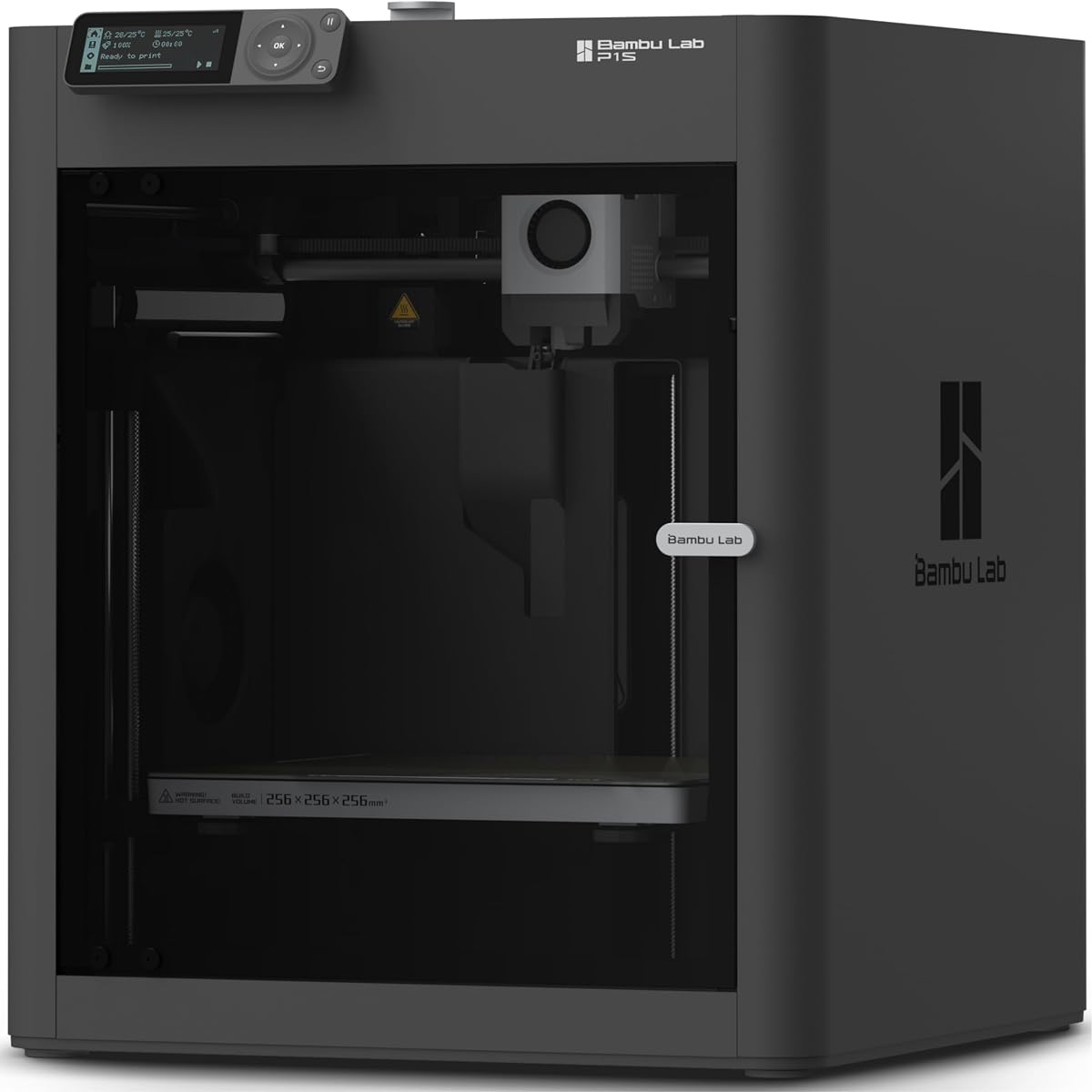
The standalone Bambu Lab P1S offers many of the features that make the combo version attractive, but in a more compact package. It carries a 4.5 supplied rating and is positioned as a ready-to-use FDM printer for users who want speed, enclosure, and automatic setup without a multicolor unit attached from the beginning.
We may earn a commission when you buy through this link, at no additional cost to you.
The P1S reaches a stated 500 mm/s with 20,000 mm/s² acceleration. Its fully enclosed body supports more stable work with advanced materials, while automatic bed leveling reduces one of the most common sources of first-layer failure. The supplied filament list identifies PLA, PETG, TPU, PVA, PET ABS, and ASA as ideal; PA and PC are capable; carbon- and glass-fiber-reinforced polymers are not recommended.
The main trade-off is that the P1S does not include the AMS. Businesses that want as many as 16 colors must add the appropriate material system, while a single-color shop can avoid the extra footprint. As with any high-speed printer, maximum travel speed does not guarantee the same output rate for every geometry. Thin walls, intricate details, large shells, and frequent tool changes can reduce throughput significantly.
This is a strong choice for a small business that wants an enclosed production printer but does not need color immediately. It suits product designers, repair shops, educators, and makers who regularly use both standard and engineering-oriented filament. For new teams, it offers a relatively direct path to sophisticated results while preserving the option to expand into multicolor work later.
A stated 500 mm/s speed, high acceleration, and automatic bed leveling can shorten setup and reduce idle time. These characteristics make the P1S attractive for businesses seeking quick prototypes and repeat jobs without moving immediately to a four-tool production system.
Although the printer is sold separately from its multicolor accessory, the architecture supports expansion when a business develops a need for color. Buyers should plan the additional footprint and filament-management requirements before adding AMS hardware.
We may earn a commission when you buy through this link, at no additional cost to you.
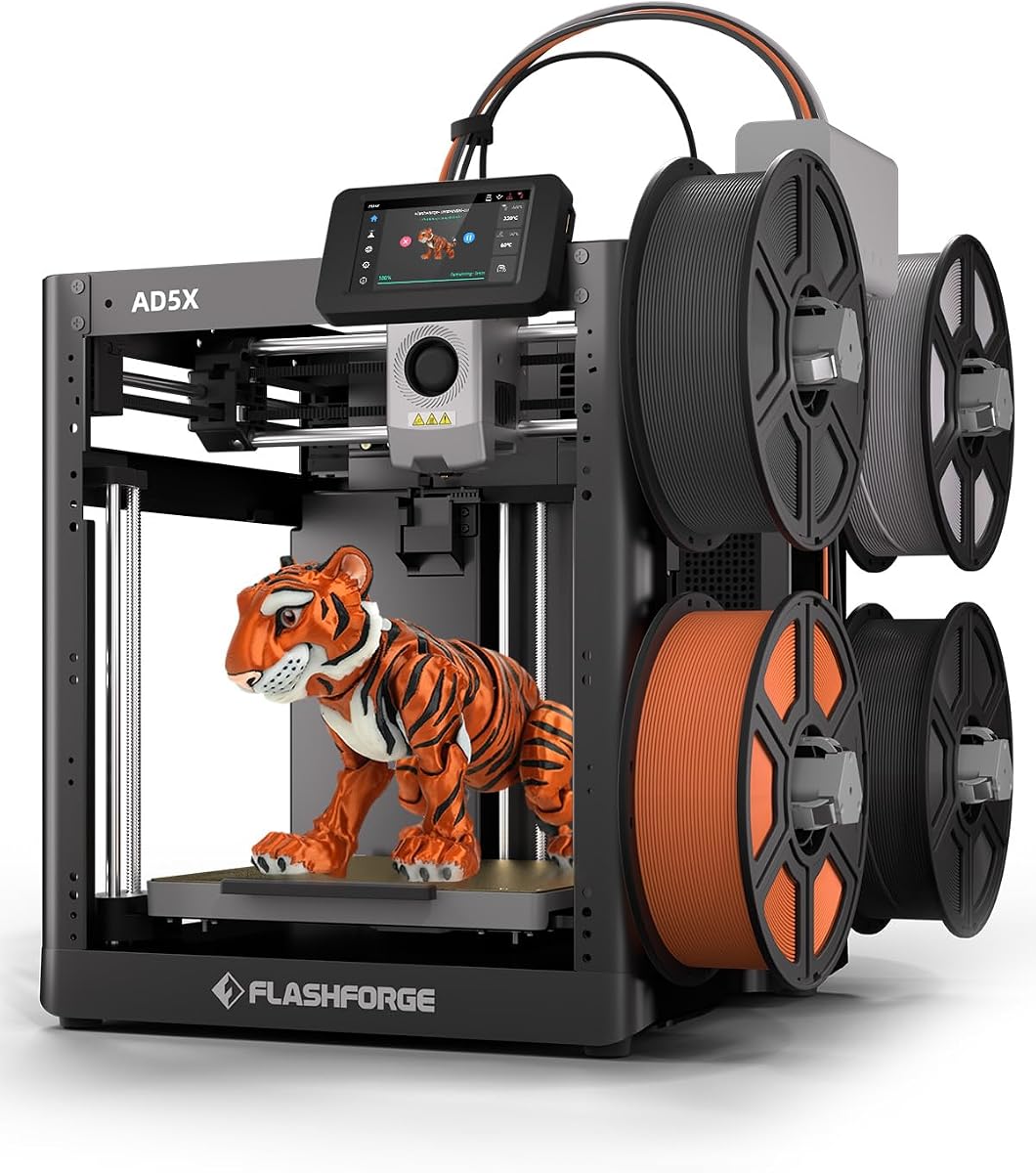
The FLASHFORGE AD5X combines a high-speed CoreXY platform with a four-color system, making it a practical option for small businesses that want bright finished models and rapid output from a relatively compact machine. Its supplied rating is 3.9, slightly below several competing models, but the core feature set is well aligned with colorful prototyping and batch work.
We may earn a commission when you buy through this link, at no additional cost to you.
The printer supports up to four colors at once, uses one-click auto-leveling, and reaches a stated 600 mm/s with 20,000 mm/s² acceleration. A 300°C direct-drive extruder provides a higher temperature ceiling than many entry-oriented FDM machines. Its dual-channel cooling and vibration compensation are intended to improve surface quality and preserve accuracy during faster movements.
Nozzle flexibility is another advantage. The AD5X comes with a 0.4 mm nozzle and supports optional 0.25, 0.6, and 0.8 mm versions. A small nozzle can resolve miniature details, while larger nozzles can improve throughput on sturdy, voluminous parts. A resume function, automatic filament feeding and retraction, and remote control through the Flash Maker app reduce the impact of minor interruptions and routine management tasks.
The main limitation is its 220 × 220 × 220 mm build volume, which is smaller than several other options here. Businesses making oversized components may need to divide the design into sections. The four-color unit also adds complexity compared with a single-extruder printer. Overall, the AD5X is well matched to colorful models, small parts, and quick-turn prototypes that fit comfortably within a compact production envelope.
The AD5X supports up to four colors simultaneously, giving small businesses a middle ground between monochrome printing and more elaborate independent-toolhead systems. It is a practical route to colorful prototypes, decorative models, and visual presentation pieces.
The available nozzle range lets a business match resolution or strength to the project. A 0.25 mm nozzle favors fine detail, the standard 0.4 mm nozzle handles general work, and 0.6 or 0.8 mm options can speed up larger, sturdier models.
We may earn a commission when you buy through this link, at no additional cost to you.
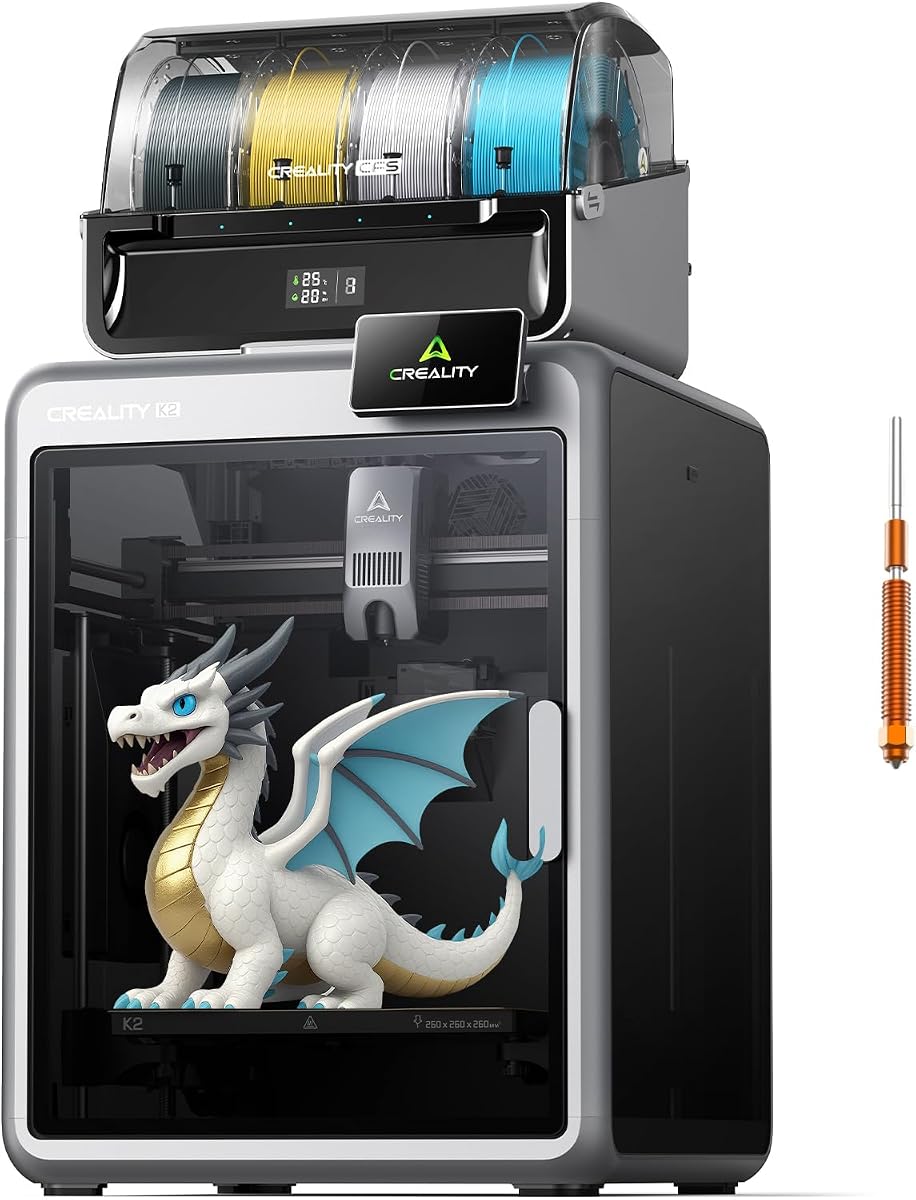
The Creality K2 Combo is designed for businesses that want polished, multicolor output in a shared workspace. Its 4.0 supplied rating is supported by a 260 mm cube build volume, up to 600 mm/s printing, a largely preassembled design, smart leveling, an AI camera, and a multicolor CFS ecosystem that can expand to four units.
We may earn a commission when you buy through this link, at no additional cost to you.
The included CFS gives the printer an immediate path to color work, while connecting as many as four CFS units enables up to 16 colors. A particularly notable feature is the intelligent leveling process, which probes only the area relevant to the selected print. That focus can make preparation faster and more precise than leveling the entire bed for every job.
Noise control matters when a printer operates near designers, sales staff, or customers. The K2 uses step-servo motors and dynamically balanced fans, with a Silent Mode intended to reduce mechanical noise. Three step-servo motors in the extruder and X/Y system can adjust torque rapidly, supporting extrusion consistency, accuracy, speed, and quieter operation. The AI chamber camera watches for common print failures and records progress.
The K2 arrives approximately 95 percent assembled, reducing the setup burden for a new operator. The included package supports materials including PLA, PETG, ABS, PLA-CF, and PET. Adding CFS units requires more space, and the stated material list is narrower than some competitors. This printer is a strong recommendation for offices, studios, and small production rooms where multicolor presentation quality and quieter operation are priorities.
One included CFS provides immediate color capability, while the system supports as many as four units and 16 colors. This allows a business to start with a smaller palette and expand only as its visual-product workflow becomes more important.
Silent Mode, balanced fans, and step-servo motion make the K2 more appropriate for an office or customer-facing studio than a loud open-frame machine. Preassembly and guided calibration further reduce the time required to become productive.
We may earn a commission when you buy through this link, at no additional cost to you.
The Creality K2 Plus Combo targets businesses that have outgrown a compact desktop workflow. Its 350 × 350 × 350 mm build volume is the largest in this guide, allowing larger objects or multiple smaller parts to be arranged in one build. The supplied rating is 4.0, and the machine combines that capacity with color, speed, active chamber heating, and extensive automation.
We may earn a commission when you buy through this link, at no additional cost to you.
Four CFS units can provide up to 16 colors, with RFID filament identification, automatic switching, and relay to a similar filament when one runs out. The printer reaches a stated 600 mm/s and 30,000 mm/s² acceleration using FOC step-servo motors. Its 40 mm³/s high-flow hotend and quiet operation are designed to improve output without making speed the only consideration.
Temperature control expands the material opportunity. The chamber can maintain up to 60°C, while the hardened-steel-tipped nozzle supports operating temperatures up to 350°C. That configuration is aimed at demanding materials such as ASA, PPA, and other high-melting or wear-resistant engineering filaments. Two AI cameras monitor the chamber and toolhead, 18 sensors support automation, and dual Z-axis motors allow bed-tilt adjustment before leveling.
The rigid Matrix frame, four linear rods, and independently motorized Z axes help control resonance and bed movement. These are meaningful benefits for larger builds, but the size and complexity of the machine demand a suitable work area and a knowledgeable operator. Choose the K2 Plus when large-part capacity, batch production, advanced polymers, and extensive color are central to the business plan. It is overkill for occasional small prototypes.
A 350 mm cube allows designers to print larger objects, place several parts on the bed, or batch small components with fewer interruptions. That can improve scheduling efficiency when demand is consistent and models are planned around the available volume.
Dual AI cameras, 18 sensors, independent Z-axis adjustment, and automatic leveling reduce the amount of manual intervention required. These systems are especially useful for advanced materials and longer jobs, where small deviations can become costly failures.
We may earn a commission when you buy through this link, at no additional cost to you.
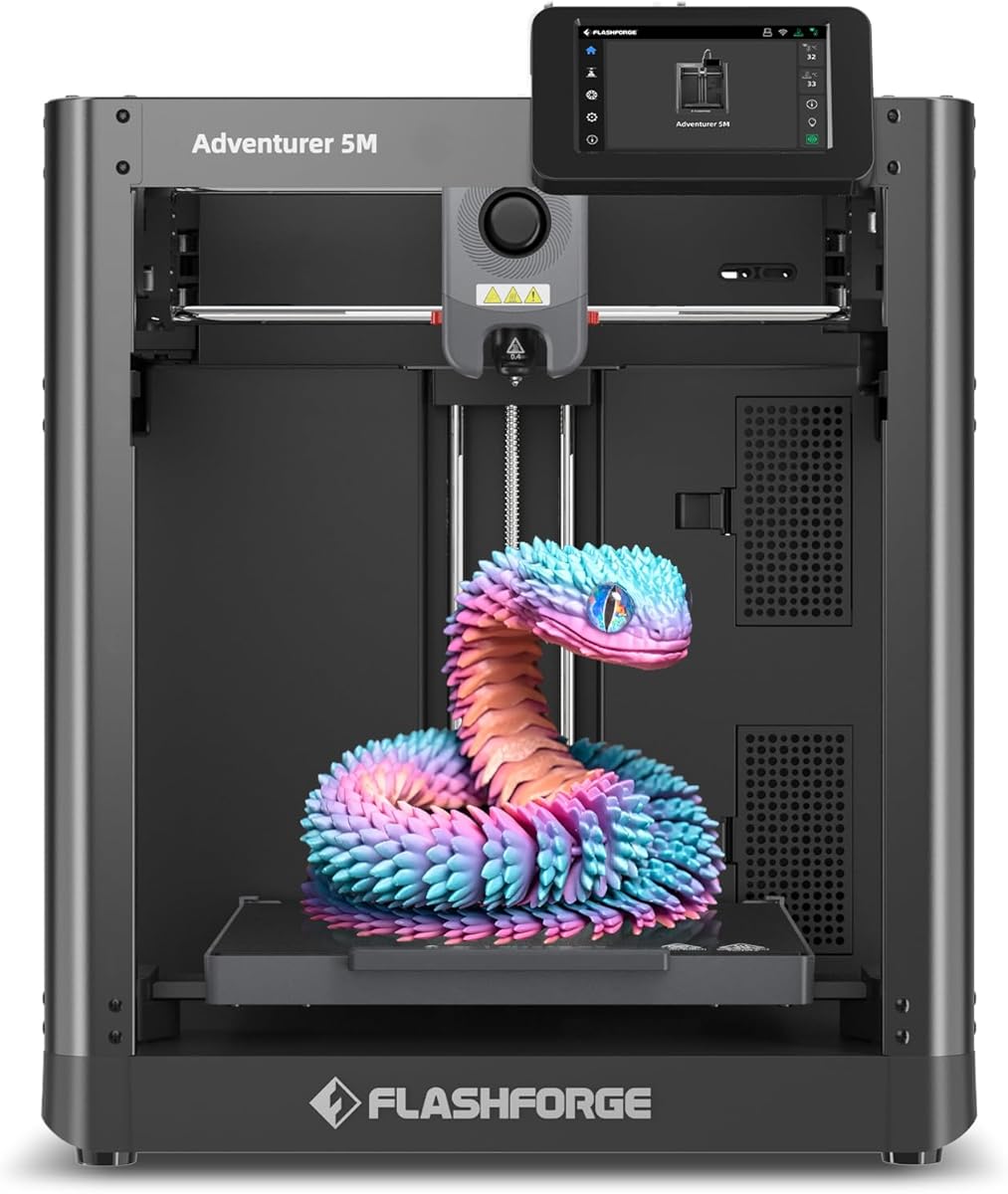
The FLASHFORGE Adventurer 5M is a straightforward high-speed option for small businesses that primarily need fast, reliable single-color output. Its 3.9 supplied rating reflects a feature set centered on CoreXY motion, automatic leveling, a 280°C direct-drive extruder, and rapid component changes rather than multicolor or independent multi-tool production.
We may earn a commission when you buy through this link, at no additional cost to you.
The CoreXY all-metal structure supports travel speeds up to 600 mm/s and acceleration of 20,000 mm/s². Automatic bed leveling removes a frequent manual setup step, while a high-flow 32 mm³/s nozzle and claimed 35-second warm-up to 200°C shorten preparation. The three-second detachable nozzle makes changes and maintenance more convenient, and the dual-sided PEI platform improves part removal.
A standard 0.4 mm nozzle supports general work, while optional sizes from 0.25 to 0.8 mm cover miniature detail through rapid production of large, sturdy pieces. Dual-fan cooling and vibration compensation are intended to preserve quality at speed. Remote monitoring and adjustments through Flash Studio allow a manager or designer to check progress away from the machine, which is valuable when the printer runs unattended.
The trade-off is that it does not include a multicolor system. If the business constantly changes color or combines materials, a dedicated color printer will be more efficient. For repetitive single-color jobs, however, the simpler setup can be an advantage. The 220 mm cube is also modest, and the fast advertised travel speed should not be interpreted as guaranteed output in that time. For rapid prototyping and production of appropriately sized parts, the Adventurer 5M is efficient and approachable.
Automatic leveling, quick nozzle changes, and remote monitoring remove several recurring points of friction. A business can prepare a repeat job with less hands-on work and check its status without remaining beside the printer.
The machine concentrates on speed, stable motion, and high extrusion flow. That makes it a good fit for businesses producing repeated monochrome parts, functional prototypes, and fixtures where color changes would add complexity without adding value.
We may earn a commission when you buy through this link, at no additional cost to you.
The Bambu Lab A1 is the easiest entry point in this roundup for a small business building its first internal 3D-printing process. It has the highest supplied rating at 4.7 and emphasizes automatic calibration, a simple touchscreen, rapid motion, and quiet operation. Although the listing mentions beginners and kids, the machine can also support a growing team of designers making prototypes and presentation pieces.
We may earn a commission when you buy through this link, at no additional cost to you.
Its stated 10,000 mm/s² acceleration supports fast production, while full-auto calibration handles Z-offset, bed leveling, and other routine preparation. Active flow-rate compensation adjusts extrusion according to readings, which should help maintain consistent walls and surfaces. A one-clip quick-swap nozzle simplifies maintenance, and the simplified interface lowers the barrier for occasional operators.
Color is possible through AMS lite, although that unit must be purchased separately or obtained through a suitable bundle. The A1 is an open-frame design, so it does not provide the same environmental control as an enclosed printer when working with ABS, ASA, PA, PC, and other demanding materials. It is better matched to PLA, PETG, TPU, and other suitable everyday filaments. Noise is controlled through active motor noise cancellation, which helps in a compact office or studio.
The A1 is recommended for a business seeking straightforward, economical entry into desktop production. It provides enough automation and speed for prototypes, visual models, jigs, and other light-duty work while remaining approachable for occasional users. Businesses needing strong-material enclosure should look to the P1S, while those with an immediate multicolor requirement should budget for AMS lite and the associated footprint.
Full-auto calibration and active flow compensation reduce the number of settings a new user must manage. This is particularly helpful when one printer serves several people whose experience levels differ or when a business does not yet have a dedicated technician.
The simplified touchscreen, quick-swap nozzle, and motor noise cancellation make the A1 friendly to an office, classroom, or small studio. It is easier to place near everyday work than a large enclosed production platform.
We may earn a commission when you buy through this link, at no additional cost to you.
The Creality K2 Combo combines a high-speed enclosed printer with intelligent CFS filament management. Its supplied rating is 4.0, and the package is aimed at small businesses that want multicolor output, dependable filament handling, and production-oriented monitoring in a single desktop system.
We may earn a commission when you buy through this link, at no additional cost to you.
The included CFS expands to as many as four units and up to 16 colors. RFID spools are identified automatically, while automatic relay allows the system to continue with a similar filament when one spool runs out. The airtight design and desiccants help keep material dry, an advantage for businesses that do not want every spool stored and conditioned elsewhere.
Performance comes from a CoreXY-style platform capable of 600 mm/s and 20,000 mm/s² acceleration, supported by an aluminum frame, steel X-axis rail, and dual Z-axis. The 40 mm³/s high-flow direct-drive hotend uses a hardened-steel nozzle rated up to 300°C, allowing PLA, ABS, PETG, and selected engineering-grade filaments. Silent Mode, balanced fans, and vibration-focused design help keep operation unobtrusive.
Smart Auto Leveling and guided calibration simplify initial setup, while the AI chamber camera detects failures, records time-lapses, and monitors the build plate. A built-in air purifier filters VOCs, and Wi-Fi with 8G local storage improves monitoring and recordkeeping. The K2 Combo is a strong fit for a business making colorful customer-facing parts, prototypes, and presentation models. Confirm that the available material system and workspace footprint align with your planned workflow.
RFID identification, automatic selection, and relay reduce the attention required during a multicolor job. The ability to switch to a similar filament when a spool runs out is particularly useful during longer unattended builds.
The chamber camera, Wi-Fi connectivity, local storage, and integrated air purifier support oversight and a cleaner working environment. Together, these features are useful when the printer is producing customer-facing work in an occupied studio.
We may earn a commission when you buy through this link, at no additional cost to you.
The best machine is the one whose capabilities match the materials, part sizes, color requirements, and operating habits of your business. Evaluate the complete workflow rather than focusing on a single headline speed number, because setup, monitoring, material handling, and failure recovery often determine daily productivity.
Start with the materials your business already uses or realistically plans to use. PLA is straightforward for prototypes and decorative products, while PETG offers greater toughness for functional parts. ABS, ASA, PA, and PC can be valuable for production components, but they generally benefit from an enclosed chamber and active temperature control. The P1S, P1S Combo, Creator 5 Pro, and K2 Plus are better aligned with demanding materials than open-frame alternatives.
Multicolor changes can improve presentation, identify components, and reduce manual finishing, but they also add equipment, material coordination, and maintenance. The P1S Combo and Creality K2 options include a color unit, while the AD5X supports four colors. The Snapmaker U1 and Creator 5 Pro use independent toolheads for broader material combinations. A single-extruder machine can be more efficient if nearly every part is monochrome.
Build volume determines the largest object you can make and how many pieces can occupy one bed. The compact 220 mm cubes offered by the AD5X and Adventurer 5M suit small parts, while the 260 mm K2 and 270 mm Snapmaker U1 provide more breathing room. The K2 Plus offers a 350 mm cube for large objects or production batches. A larger volume only helps when the slicer can arrange parts intelligently and the business can use that capacity.
A 600 mm/s headline figure describes the machine's potential motion speed, not the guaranteed completion time for every model. Thin walls, fine details, tall layers, travel moves, tool changes, cooling, and acceleration settings can reduce real output. CoreXY systems can move efficiently at high speed, but the slicer profile, geometry, nozzle, and material remain decisive. Compare machines using representative prints and expected production schedules rather than speed alone.
Automatic bed leveling, first-layer calibration, flow compensation, resume functions, and remote monitoring can prevent minor issues from wasting an entire shift. The Snapmaker U1 offers AI-assisted monitoring, the Creality K2 models include chamber cameras, and the Creator 5 Pro provides a built-in HD camera with remote control. More automation is valuable when the machine is shared or unattended, although it does not replace a sensible operating routine.
A small business may place its printer near designers, sales staff, or customers. The A1, K2 Combo, and Adventurer 5M include noise-management features, although real sound depends on the material and selected speed. Enclosed systems occupy more space but contain heat and fumes better than open machines. For advanced polymers, consider filtration such as the Creator 5 Pro's HEPA and activated-carbon system or the K2 Combo's built-in air purifier.
Toolhead systems can reduce purge waste, but they require maintenance across multiple nozzles and material paths. CFS-based machines add rollers, sensing, and drying components that need care. Direct-drive extruders simplify filament changes but can add weight and require mechanical attention. A small business should include nozzle cleaning, filament drying, bed cleaning, firmware updates, camera checks, and consumable replacement in its operating plan.
Business use requires repeatable results, not merely a successful demonstration. First-layer calibration, flow calibration, dimensional accuracy, and consistent slicing profiles are essential. Check the stated automation, software access, monitoring capabilities, warranty coverage, replacement-part availability, and local repair options. The Snapmaker U1 includes a one-year warranty, while other support terms should be verified directly on the current listing.
Begin with a controlled setup, a review of the manufacturer’s instructions, and a test print using the filament and material profile recommended for the machine. Confirm that the build plate is clean and level, verify that filament loads correctly, and inspect the nozzle, extruder, and tool paths before beginning customer work. Keep the printer on a stable surface with the ventilation required by its enclosure and material guidance.
For each production job, use an appropriate slicing profile rather than accepting default settings. Set layer height, wall count, infill, supports, temperatures, and nozzle size according to the part’s function and tolerances. Name files and material batches consistently, save the final slicer profile with the job, and keep a record of changes so that successful parts can be reproduced when a design is updated or an order is repeated.
Maintain the machine on a schedule that reflects how often it runs. Clean the nozzle and build plate, inspect belts and motion components, confirm that filament is stored properly, and follow the manufacturer’s guidance for lubrication, filters, and firmware. After a failed print, determine the cause before restarting. Over time, a small log of failures, material lots, settings, and corrective actions will become one of the most useful tools for improving consistency and reducing waste.
The Bambu Lab A1 is the most approachable option because full-auto calibration, active flow compensation, a simple touchscreen, and a quick-swap nozzle reduce routine setup. A business needing enclosed production or multicolor output may prefer the P1S, while the Creator 5 Pro offers more automation but demands greater operator knowledge. The easiest machine is ultimately the one whose complexity matches the team’s experience.
An enclosure is especially useful with ABS, ASA, PA, PC, and other advanced materials because it helps limit environmental variation. It also keeps dust away from the build area and can make the machine more suitable for a shared studio. For a business focused on PLA, PETG, and TPU, an open printer such as the A1 may be sufficient, provided the surrounding environment is clean and stable.
A multicolor system generally coordinates several filament channels through a shared extrusion path, while independent toolheads give each material a separate nozzle and hotend. Independent tools can switch quickly without repeated flushing and support mixed materials within one job, but they add mechanical complexity. A CFS-based unit may be sufficient when the main goal is color rather than extensive material mixing.
The right volume depends on the largest part you need and the number of units you can batch onto one bed. A 220 mm cube is useful for compact components, a 260 to 270 mm cube offers more flexibility, and a 350 mm cube helps with large objects and multiple-piece batches. Larger is not always better if extra space cannot be filled efficiently.
It can, provided the printer’s temperature capability, accuracy, material options, and build volume match the finished product’s requirements. A business can use one machine for quick PLA prototypes and then produce functional ABS or ASA parts if the printer is enclosed and equipped appropriately. For demanding tolerances, repeated batches, or many simultaneous materials, a second specialized machine may eventually be more efficient.
High maximum speed can improve throughput when the geometry, layer height, and motion settings allow the machine to sustain that rate. Fine details, tall walls, cooling requirements, and travel moves can slow real jobs considerably. Treat 600 mm/s as one part of the performance equation and evaluate complete print times using representative models.
Routine care includes cleaning the nozzle and build plate, checking filament paths, removing debris, and following the manufacturer’s guidance for belts, rails, filters, and firmware. Toolhead and CFS systems need additional inspection because they contain more material-handling components. A simple maintenance log and a schedule based on print hours will help reduce failures and preserve repeatability.
Buy multicolor capability when color materially improves customer appeal, prototypes, or part identification. If most jobs are functional fixtures, repair parts, or monochrome samples, a simpler printer can operate more efficiently and require less maintenance. Businesses that expect frequent colored presentations may find that the additional throughput and reduced hand-finishing justify the added system.
The Bambu Lab P1S Combo is the most versatile all-around recommendation because it combines enclosure, high-speed motion, automatic setup, and multicolor capability. The A1 is the logical starting point for a new operation seeking simple automation and quiet operation, while the Creator 5 Pro is the strongest premium choice for businesses that rely on independent tools, advanced filaments, low purge waste, and industrial monitoring.
Prioritize the capabilities that affect your daily workflow. Choose materials your team can process reliably, match the build volume to real part dimensions, and add color only when it improves the result. For a growing production business, consider uptime features such as resume functions, chamber cameras, flow calibration, remote monitoring, filtration, and the availability of replacement parts.
Before purchasing, confirm the current product bundle, supported accessories, filament requirements, software features, warranty terms, and commercial availability on the manufacturer and retailer listings. Machine configurations and accessories can change over time, and the most suitable choice is ultimately the printer that matches your products, people, and production schedule.