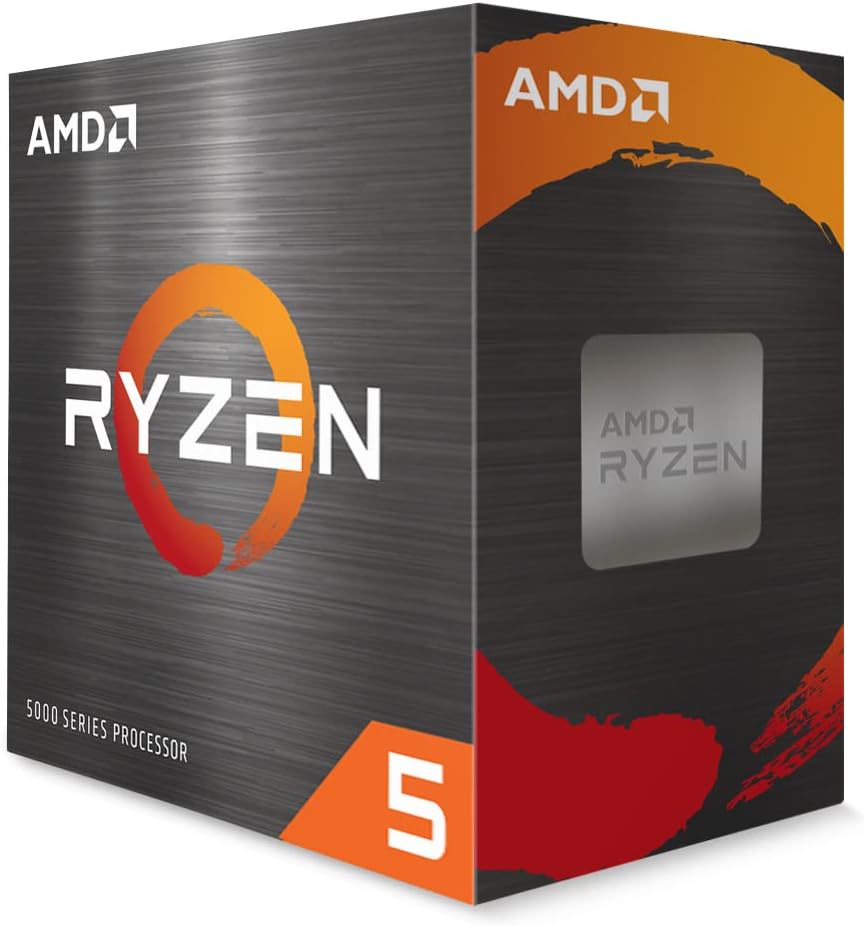
AMD Ryzen 5 5500
4.7Editor score
Six cores, twelve threads
4.2 GHz maximum boost
Wraith Stealth cooler included
Socket AM4 platform
This cheap CPU guide compares ten affordable processors for gaming, productivity, upgrades, and everyday computing, with compatibility details.
A cheap CPU can still provide capable performance when it is matched to the right motherboard, memory, and graphics card. The most useful processor is not necessarily the fastest one; it is the option that satisfies your workload, platform, and upgrade plans without wasting money on features you will never use.
We compared these ten processors by examining core and thread counts, clock speeds, integrated graphics, bundled coolers, socket and chipset compatibility, memory support, power characteristics, and the type of computer each chip is best suited to. The list includes budget Intel models, AMD Athlon and Ryzen options, renewed processors, and one newer premium-tier alternative.
Each review explains the processor's strongest traits, practical limitations, and ideal buyer. The first three selections receive featured awards, while the comparison table makes the platform differences easier to scan. Product listings and prices change frequently, so confirm current availability, condition, socket support, and bundled accessories before purchasing.
4.7Editor score

4.2Editor score

4.8Editor score
This side-by-side comparison covers ten affordable desktop processors across Intel and AMD platforms. Pay close attention to socket, chipset, memory, integrated graphics, and included cooling because those details determine whether a processor can be installed and how well it fits a particular build.




The AMD Ryzen 5 5500 combines six cores, twelve processing threads, and a 4.2 GHz maximum boost clock in a processor designed for the advanced Socket AM4 platform. Its 4.7 rating reflects a favorable balance of capability, included cooling, and platform practicality. This makes it one of the most versatile options in the guide for buyers who want more headroom than an entry-level dual-core chip.
We may earn a commission when you buy through this link, at no additional cost to you.
A major advantage is the bundle of the Ryzen 5 5500 with the AMD Wraith Stealth cooler, reducing the need to purchase a separate CPU cooler immediately. The processor supports DDR4-3200 memory, has 19 MB of cache, and is unlocked for overclocking. Its advertised gaming capability includes smooth performance in popular games, although a discrete graphics card is required for that use case.
The main limitation is platform dependence. AM4 motherboards are not compatible with newer Socket AM5 processors, so future processor upgrades may eventually reach the end of that socket's roadmap. Gaming systems should not expect the Ryzen 5 5500 to replace a modern high-end graphics card, and buyers who need DDR5 or PCIe 5.0 should choose a newer platform instead.
The Ryzen 5 5500 is a strong recommendation for a budget gaming PC, a general-purpose home computer, or an inexpensive six-core work system. It is especially useful when a bundled cooler simplifies assembly and when the available AM4 motherboard includes appropriate memory support. Choose it when balanced performance and a usable upgrade path matter more than having the newest platform.
The six-core, twelve-thread arrangement is the Ryzen 5 5500's most useful feature for buyers who do more than browse the web. It provides a better foundation for gaming, background applications, and multitasking than the two-core processors included elsewhere in this guide.
Because the package includes an AMD Wraith Stealth cooler, a new builder can install the processor without treating CPU cooling as a separate immediate purchase. Quality cooling still becomes important if extensive overclocking is planned.
We may earn a commission when you buy through this link, at no additional cost to you.
The Intel Celeron G-5900 is a straightforward two-core, two-thread desktop processor operating at 3.4 GHz with a 58W power rating. Its 4.5 rating indicates that it has fulfilled its basic role well, and it is a sensible candidate for inexpensive office computers, basic media systems, and other builds where modest performance is sufficient.
We may earn a commission when you buy through this link, at no additional cost to you.
Socket LGA1200 support places the processor on motherboards based on the Intel 400 series chipset. That platform also gives it access to Intel Optane Memory support, which can be useful for compatible storage configurations. The processor's 58W rating makes it suitable for straightforward desktop configurations that prioritize affordability over intensive processing work.
The important trade-off is the two-core, two-thread design. It has fewer processing resources than the Ryzen 5 5500, Athlon 200GE, and the six-core Intel models in the guide. Heavy multitasking, content creation, modern gaming, and processor-heavy software may expose those limits, so buyers should assess whether their applications genuinely need more cores.
The Celeron G-5900 is best recommended for basic productivity, web use, office applications, and inexpensive systems that already use the LGA1200 platform. It is less suitable for a gaming build or a machine expected to remain at the center of a demanding upgrade plan. Its value comes from simple, low-cost operation rather than versatility.
The Celeron G-5900's two cores and 3.4 GHz clock are designed around office, browsing, and routine household tasks. Those uses benefit from a straightforward platform without requiring the overhead of a higher-tier processor.
Compatibility with Intel 400 series motherboards makes it easier to identify the correct board, but it also ties the processor to an older platform. Check memory type and board features before assembling a system around it.
We may earn a commission when you buy through this link, at no additional cost to you.
The Intel Pentium Gold G5600F is a boxed, two-core processor with a 3.90 GHz clock and 4 MB of smart cache. It carries a perfect 5 rating in the supplied product data, making it a low-cost option for basic office, educational, or secondary desktop systems where the core count is not the deciding factor.
We may earn a commission when you buy through this link, at no additional cost to you.
Its clock speed gives it a responsive foundation for common productivity tasks, while the FC-LGA14C package identifies it as a boxed desktop processor rather than a mobile component. That distinction matters because system builders should pair it with a compatible desktop motherboard, memory, and cooling rather than treating it as a drop-in laptop processor.
The primary limitation is the two-core configuration. Without more cores or listed threads, the processor is less attractive for simultaneous heavy workloads, modern games, and demanding applications. It is also an older platform choice, so prospective buyers should confirm the precise motherboard requirements rather than assume compatibility with every Intel socket.
The Pentium Gold G5600F is a good recommendation for a straightforward, inexpensive computer that handles documents, browsing, communication, and routine media tasks. It suits buyers who want a complete desktop processor at the lower end of the market and do not intend to use demanding creative software. For a new gaming build or a long-term enthusiast platform, a processor with more cores would be more flexible.
A 3.90 GHz clock and 4 MB smart cache give the Pentium Gold G5600F enough capability for routine productivity. Its simplicity can be an advantage in a dedicated office or family computer that does not need specialized hardware.
The boxed FC-LGA14C format is intended for desktop installation and works with compatible LGA-based motherboards. Verify socket, chipset, and memory support before ordering the rest of the system.
We may earn a commission when you buy through this link, at no additional cost to you.
The AMD Athlon 200GE combines two physical cores with four processing threads, a 3.2 GHz clock, and 5 MB of cache. Its 4.4 rating indicates a generally positive reception, and the processor's Radeon Vega 3 graphics make it useful for systems where a discrete graphics card is unnecessary or unavailable.
We may earn a commission when you buy through this link, at no additional cost to you.
A near-silent cooler is included, which helps keep the initial build simple and the office experience reasonably quiet. The AM4 socket also provides a familiar upgrade path, and the supplied information notes that the platform can be upgraded to Ryzen. DDR4-2667 support gives buyers a clear memory guideline for compatible motherboards.
As a two-core processor, it should not be confused with the six-core Ryzen 5 5500. The Athlon 200GE is best for browsing, office work, media playback, and light gaming with integrated graphics. Its performance may be limited in modern games, demanding applications, and advanced creative workloads, particularly when those tasks rely on more than two physical cores.
The Athlon 200GE is an excellent recommendation for an inexpensive family or office computer that benefits from integrated Radeon Vega graphics and a bundled cooler. It also makes sense for a basic AM4 build that could later move to Ryzen. Buyers who already know they need six cores for gaming or sustained multitasking should choose the Ryzen 5 5500 instead.
Radeon Vega 3 graphics allow the Athlon 200GE to drive a display without a discrete graphics card. That can reduce the cost and complexity of a basic desktop, although it is not equivalent to a modern gaming GPU.
AM4 support gives this entry-level processor a useful upgrade option. A compatible B550, B450, or other properly supported motherboard can make a future Ryzen upgrade easier than starting with a disposable platform.
We may earn a commission when you buy through this link, at no additional cost to you.
The Intel Celeron G3930 is a seventh-generation desktop processor built for LGA 1151 motherboards, with compatibility listed for Intel 200 series and 1001 series chipsets. Its 4.6 rating makes it one of the more favorably reviewed products in this collection, particularly for basic computing and legacy-platform repair or upgrade projects.
We may earn a commission when you buy through this link, at no additional cost to you.
Integrated Intel HD Graphics 610 provides the ability to display an image without relying on a discrete graphics card. That makes the processor useful for office systems, basic home computers, and older builds where adding a dedicated graphics card would be unnecessary. The platform also gives builders access to a broad selection of compatible 100-series motherboards.
The limitation is the age of the platform. Intel Optane Technology support is explicitly excluded, and the chip cannot be moved to newer Intel socket designs. Performance expectations should remain modest, while buyers must ensure their chosen motherboard supports the processor and the required memory type.
The Celeron G3930 is a sensible recommendation for a budget desktop or an upgrade to an existing LGA 1151 computer. It is especially useful when the system needs basic graphics and processor performance without a new graphics card. For modern gaming or a new platform with a more current upgrade path, choose a six-core Ryzen processor instead.
Intel HD Graphics 610 makes the Celeron G3930 convenient for everyday desktop use because a discrete graphics card is not required for the primary display function. It also provides a useful fallback when a dedicated card is unavailable.
The processor is designed for LGA 1151 systems using the specified Intel 1001 and 200 series chipsets. This can be valuable when reusing an existing motherboard, although it is not a foundation for a new high-end platform.
We may earn a commission when you buy through this link, at no additional cost to you.
The Intel Core i5-6500 is a renewed six-generation desktop processor with a 4.2 rating and support for Turbo Boost Technology. Its combination of processor capability, memory flexibility, and display support makes it an appealing choice for a value-focused build, office workstation, or compact home computer.
We may earn a commission when you buy through this link, at no additional cost to you.
This processor works with LGA 1151 motherboards based on the Intel 100 series chipset. It supports both DDR4 and DDR3L memory, which is a significant practical benefit when a builder is reusing components from an earlier system. The listed display resolution capability reaches up to 4096×2304, making it relevant for high-resolution productivity setups.
The renewed condition is the main caveat. Buyers may receive a processor that has been inspected and graded for resale, but its history, exact cosmetic condition, and included accessories can differ from a new retail package. It is also limited to older 100-series boards, and a new platform will provide a more modern upgrade path.
The Core i5-6500 is a strong recommendation for buyers who want six cores at a modest cost and already own or plan to source compatible LGA 1151 hardware. It suits office work, general productivity, and systems that do not require the newest gaming features. Review the condition details carefully and confirm motherboard and memory compatibility before ordering.
Support for DDR4 and DDR3L gives the Core i5-6500 more flexibility than processors limited to one memory generation. Existing compatible RAM can make a new or upgraded system less complicated and potentially more economical.
Turbo Boost allows the processor to respond to changing workloads by increasing its clock speed when appropriate. That makes the chip more versatile for applications that alternate between light tasks and heavier processing.
We may earn a commission when you buy through this link, at no additional cost to you.
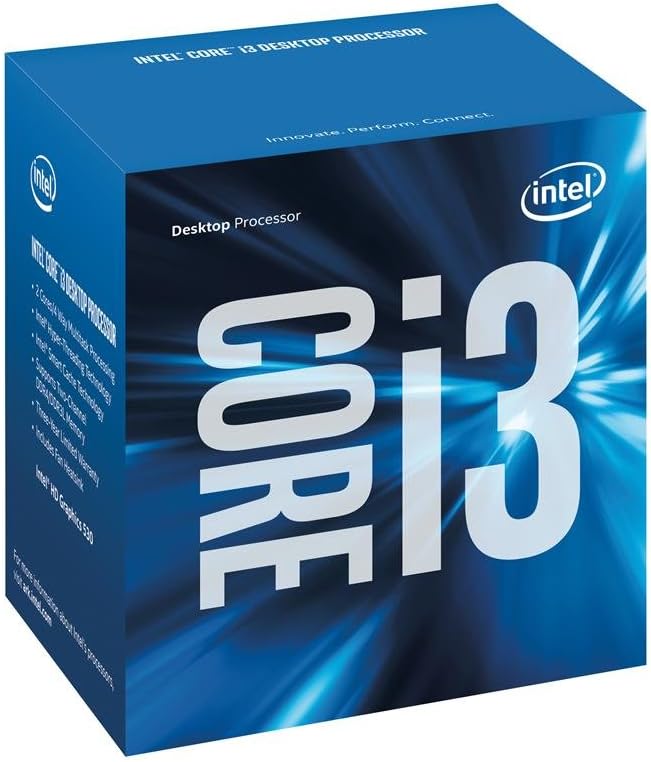
The Intel Core i3-6100 is a boxed FC-LGA14C desktop processor with a 3.7 GHz clock and a 4.6 rating. It includes Turbo Boost 2.0, Hyper-Threading, and Intel Secure Key, giving it a useful collection of features for inexpensive office, study, and secondary-computer builds.
We may earn a commission when you buy through this link, at no additional cost to you.
Its LGA 1151 package can work with compatible desktop motherboards, while Turbo Boost and Hyper-Threading help the processor manage responsive performance across different types of work. Intel Secure Key provides hardware-assisted security functionality, which can be relevant to users who want more than a bare-bones installation.
The chief drawback is its lower-tier positioning. The Core i3 name and feature set do not translate into the multi-core headroom of the Core i5-6500, Core i7-7700, Core i7-8700, or Ryzen processors. Modern games, intensive editing, and heavy multitasking remain outside its strongest use cases, and the LGA 1151 platform is not current.
The Core i3-6100 is a reasonable recommendation for a dedicated browser-and-office machine, a family computer, or a simple upgrade within an existing compatible system. It is less appropriate when the goal is smooth modern gaming or heavy productivity. Buyers with similar budgets should also compare it with the Athlon 200GE, which offers four processing threads and integrated Radeon graphics.
Turbo Boost 2.0, Hyper-Threading, and Intel Secure Key make this more than a bare processor for basic needs. These features support responsive everyday operation and practical security capabilities in compatible systems.
The Core i3-6100 is best treated as a light-duty processor. A stronger six-core option is a better choice for gaming, extensive multitasking, and applications that benefit from additional physical cores.
We may earn a commission when you buy through this link, at no additional cost to you.
The AMD Ryzen 5 9600X is a modern six-core, twelve-thread unlocked processor built on Zen 5 architecture. It has a 5.4 GHz maximum boost, 38 MB of cache, and a 4.8 rating. Although it is the premium choice in this guide, it provides the newest platform and strongest specification combination for buyers willing to build around AM5.
We may earn a commission when you buy through this link, at no additional cost to you.
The processor targets Socket AM5 and supports DDR5-5600 memory, offering a clear path to modern PC standards. Select compatible motherboards can support PCIe 5.0, another advantage over older platform choices. Its six-core and twelve-thread configuration carries forward the useful balance seen in the Ryzen 5 5500 while adding substantially higher clock speed, cache, and platform capabilities.
The important trade-off is system cost. DDR5 memory and an AM5 motherboard are required, and the cooler is not included. Buyers must also decide whether the additional modern performance justifies using this option in a roundup focused on inexpensive processors, particularly when the Ryzen 5 5500 covers many of the same core-count needs on an established platform.
The Ryzen 5 9600X is the premium recommendation for a new gaming PC, a creator who wants a strong six-core CPU, or a builder seeking a current AM5 foundation. It is particularly suitable when long-term platform relevance matters more than minimizing every component expense. It is less suitable for a strict budget build that already has compatible AM4 or LGA 1151 hardware.
Socket AM5, DDR5-5600 support, and potential PCIe 5.0 connectivity give the Ryzen 5 9600X a more current foundation than the older Intel and AM4 alternatives. That matters when the system is expected to remain in use for several years.
A 5.4 GHz maximum boost and 38 MB cache complement the six-core, twelve-thread layout. Together, these specifications make the processor well suited to popular games and workloads that respond strongly to clock speed.
We may earn a commission when you buy through this link, at no additional cost to you.
The Intel Core i7-7700 is a renewed four-core, eight-thread desktop processor with a base clock of 3.60 GHz and a maximum turbo frequency of 4.20 GHz. Its 4.7 rating reflects strong customer satisfaction, and the combination of eight threads, an 8 MB cache, and a 65W power rating makes it a capable legacy option.
We may earn a commission when you buy through this link, at no additional cost to you.
Compatibility with LGA 1151 motherboards based on Intel 100 or 200 series chipsets gives the buyer a broad selection of established boards. It supports DDR4-2133/2400 and DDR3L-1333/1600 memory, along with Intel Optane Memory. Integrated Intel UHD Graphics 630 provides a convenient display solution for office work and general computing.
Its main disadvantages are the old platform and renewed status. The processor cannot take advantage of newer DDR5 systems or modern socket features, and a renewed product's cosmetic and operational condition may vary. Four physical cores also provide less parallel processing capacity than the six-core Ryzen and Core i7 options in the guide.
The Core i7-7700 is a compelling recommendation for an existing LGA 1151 system that needs a stronger processor, especially when compatible memory and a motherboard are already installed. It can suit productivity, general gaming with a suitable graphics card, and an enthusiast build using an older platform. New buyers should compare the total platform cost with a six-core Ryzen option.
Four cores and eight threads give the Core i7-7700 a useful balance for common productivity and gaming tasks. It handles more concurrent work than a basic dual-core option without reaching six physical cores.
The processor can be an efficient upgrade when a compatible LGA 1151 board is already available. Buyers of complete systems should still compare the older platform with the long-term advantages offered by AM5 and DDR5.
We may earn a commission when you buy through this link, at no additional cost to you.
The Intel Core i7-8700 is a renewed six-core, twelve-thread processor based on a 14 nm process. It operates at 3.20 GHz, can boost to 4.60 GHz, and includes 12 MB of cache. Its 4.2 rating makes it an attractive option for buyers who want more processing capacity while remaining on the LGA 1151 platform.
We may earn a commission when you buy through this link, at no additional cost to you.
Intel UHD Graphics 630 provides integrated graphics for productivity and general use. The processor also supports Intel Optane Memory and operates at a 65W power rating. Its 64-bit instruction set, Intel SSE4.1, SSE4.2, and AVX2 extensions, and Hyper-Threading provide a broad feature set for compatible applications.
Compatibility is specific: the supplied information states that the Core i7-8700 works only with motherboards based on Intel 300 series chipsets. That requirement can be harder to satisfy than 100 or 200 series compatibility. As a renewed product, it also warrants close attention to condition, warranty information, and the inclusion of a cooler or accessories.
The Core i7-8700 is a solid recommendation for a compatible LGA 1151 build that benefits from six cores and twelve threads, including general productivity and gaming when paired with an appropriate graphics card. It is also useful for a system upgrade when the required 300-series motherboard is already owned. For a completely new platform, compare it with the modern Ryzen 5 9600X or more affordable Ryzen 5 5500.
The Core i7-8700 brings a six-core, twelve-thread arrangement to a platform that many builders may already understand. That balance can be valuable for upgrades, office systems, and gaming builds using appropriate graphics hardware.
The processor does not support every LGA 1151 motherboard, even though the socket name is the same. Confirm the exact 300-series chipset requirement before purchasing to avoid an incompatible system.
We may earn a commission when you buy through this link, at no additional cost to you.
Choosing an inexpensive processor starts with the complete computer rather than the chip alone. Socket, chipset, memory, cooling, graphics, and intended workload all influence whether a low-cost CPU becomes a sensible purchase or an expensive compatibility mistake.
Begin by identifying the applications you expect to run. Basic web browsing, word processing, email, school assignments, and video playback are generally better served by a lower-core option, while modern games, video editing, software development, and heavy multitasking benefit from six cores and twelve threads. The AMD Ryzen 5 5500 and Intel Core i7-8700 offer that six-core structure, while the Ryzen 5 9600X combines it with a newer platform. Matching core count to the actual workload prevents paying for unnecessary performance or choosing a chip that feels underpowered.
The processor socket and motherboard chipset must work together, and a matching socket alone is not always sufficient. AM4 supports the Ryzen 5 5500 and Athlon 200GE, AM5 supports the Ryzen 5 9600X, and LGA1200 supports the Celeron G-5900. The LGA 1151 processors have different chipset generations, with the Core i7-8700 restricted to Intel 300 series and the Core i7-7700 supporting 100 and 200 series. Always check the exact board model, CPU list, and memory layout before ordering.
A processor with integrated graphics can run a display without a separate graphics card, which helps when building a basic office or home computer. The Athlon 200GE includes Radeon Vega 3 graphics, the Celeron G3930 includes Intel HD Graphics 610, and several Intel Core models provide Intel UHD or HD graphics. Gaming systems should generally use a discrete graphics card, as the Ryzen 5 5500's gaming claims explicitly require one. Check the intended resolution, monitor requirements, and graphics outputs before selecting a processor without a dedicated GPU.
Memory support is a frequent source of incompatibility because a processor may work with several generations of RAM while the motherboard supports fewer. The Ryzen 5 5500 lists DDR4-3200 support, the Athlon 200GE lists DDR4-2667, and the Core i5-6500 supports DDR4 and DDR3L. The Ryzen 5 9600X requires DDR5, while LGA1151 boards vary by generation. Purchase RAM only after confirming the motherboard's supported type, maximum capacity, and recommended speed.
CPU cooling is not always a trivial detail. The Ryzen 5 5500 includes the AMD Wraith Stealth cooler, and the Athlon 200GE includes a near-silent cooler, making those packages convenient for a first build. The Ryzen 5 9600X explicitly does not include a cooler, so buyers need a separate solution. Check the product listing for included accessories and account for the cost and physical size of any required cooler. A basic boxed processor may include cooling, while an enthusiast chip can require a larger aftermarket unit.
Clock speed describes how quickly a processor can complete cycles, while cache provides nearby memory for data the processor uses frequently. The Pentium Gold G5600F and Core i3-6100 operate around 3.90 GHz and 3.7 GHz, respectively, while the Ryzen 5 9600X reaches a 5.4 GHz maximum boost. Cache also varies, from 4 MB in the Pentium Gold G5600F to 38 MB in the Ryzen 5 9600X. These specifications help distinguish models, but they should be considered alongside core count rather than in isolation.
The Core i5-6500, Core i7-7700, and Core i7-8700 are listed as renewed processors. Renewed items can provide useful performance savings, but their physical appearance, history, included accessories, warranty, and exact presentation may differ from a new retail product. Read the condition notes and return policy carefully. A renewed option is best when the system is expected to remain in a case or office setting and when the buyer values practical capability over presentation.
A complete gaming system requires more than a capable CPU. Budget for a motherboard with the correct chipset, compatible memory, suitable storage, a suitable graphics card, an operating system, and adequate power. A processor such as the Ryzen 5 5500 can deliver strong gaming results with a discrete card, while a Celeron or Athlon may suit a secondary display system. Consider how long the platform should last: AM4 and LGA 1151 can serve existing systems well, whereas AM5 offers the newest foundation and upgrade path in this group.
Before installation, identify the processor socket and the exact model of the motherboard. Confirm that the board supports the CPU and its memory type, read the manufacturer's installation instructions, and make sure the system is powered off and disconnected. Handle the processor by its edges, avoid touching the contact surface, and prepare a compatible cooler before opening the processor socket.
Install the processor and cooler according to the manual, then confirm that the motherboard recognizes the CPU during the first boot. Apply the correct operating-system drivers and chipset or platform software for a stable setup. Enable Turbo Boost or other intended performance settings only after verifying temperatures and system stability. Keep the interior clean and use an operating system that remains compatible with the platform's hardware support.
For a used or renewed processor, monitor temperatures closely during initial stress testing and watch for unusual fan noise, instability, crashes, or boot problems. Do not assume a renewed chip will perform exactly like a new retail product. Update the motherboard BIOS when appropriate, maintain adequate airflow, and reseat memory or storage cables if stability issues arise. If the processor is not recognized, return to the compatibility checklist rather than forcing components into place.
It depends on the rest of the system and the games involved. A six-core processor such as the Ryzen 5 5500 can be well suited to popular games when paired with a suitable discrete graphics card, as the product's gaming performance requires one. A basic Celeron or Pentium is better suited to lightweight games and secondary systems. The graphics card, memory, settings, and target frame rate usually matter as much as the processor.
The Athlon 200GE is a strong candidate because it includes Radeon Vega 3 graphics and a near-silent cooler, while also offering four processing threads. The Celeron G-5900 or Pentium Gold G5600F may also suit basic office work. Choose based on the required memory, motherboard, and display arrangement rather than choosing only by processor title.
No. Socket AM4 and Socket AM5 are physically and electrically different, so an AM4 processor cannot be installed in an AM5 motherboard. The Ryzen 5 5500 and Athlon 200GE require compatible AM4 boards, while the Ryzen 5 9600X requires an AM5 board. Always check the socket printed on the motherboard and the manufacturer's supported processor list.
No. The socket name alone is not sufficient because Intel 100, 200, and 300 series chipsets support different processor families. The supplied compatibility details are especially important for the Core i7-8700, which requires an Intel 300 series motherboard. The Core i5-6500 requires a compatible Intel 100 series board, while the Core i7-7700 supports 100 and 200 series boards. Confirm the exact motherboard model before ordering.
It depends on the processor package and your cooling plans. The Ryzen 5 5500 includes an AMD Wraith Stealth cooler, and the Athlon 200GE includes a near-silent cooler. The Ryzen 5 9600X does not include a cooler, so a compatible solution is required. Check the listing for every other model as well and verify that the cooler matches the socket and intended workload.
A renewed CPU can be worthwhile when it provides useful performance at a lower cost and the buyer does not require new retail presentation. The Core i5-6500, Core i7-7700, and Core i7-8700 are listed as renewed. Review the condition description, warranty, accessory inclusion, and return policy. Test the completed system for stability and heat behavior before relying on it for critical work.
The correct answer depends on the processor and motherboard rather than the budget alone. AM4 processors in this guide use DDR4, while the Ryzen 5 9600X requires DDR5. A compatible DDR4 platform may allow the reuse of existing memory, while DDR5 provides access to the newest platform. Select the processor and board together, then choose RAM from the motherboard's supported list.
No. A newer processor can require a newer motherboard, faster memory, and a separate cooler, increasing the complete system cost. The Ryzen 5 5500 offers six cores, twelve threads, and an included cooler on AM4, which may be more economical for many builds. The Ryzen 5 9600X is the premium option for buyers who value the newest AM5 platform and higher specifications.
The AMD Ryzen 5 5500 stands out as the strongest overall budget recommendation because it combines six cores, twelve threads, a 4.2 GHz boost clock, and an included cooler on the established AM4 platform. The Intel Core i5-6500 earns the Editor's Choice for buyers who want six-core capability, DDR4 and DDR3L flexibility, and renewed-condition value on a compatible LGA 1151 board. The AMD Ryzen 5 9600X is the premium selection for a new AM5 system, modern memory, and higher performance.
Prioritize socket and chipset compatibility before focusing on clock speed or the processor name. Basic office users may find the Athlon 200GE, Celeron G-5900, or Pentium Gold G5600F sufficient, while gaming and productivity builds benefit from six cores. Also account for graphics, memory, cooling, and the age of the platform, because the cheapest processor is not necessarily the cheapest complete computer.
Product availability, condition, accessories, and prices change over time, so verify the current listing before making a purchase. Check the CPU list for the exact motherboard model, confirm the required memory generation, review whether a cooler is included, and inspect return terms for renewed products. With those checks completed, the right inexpensive processor becomes much easier to identify.

