
TRENDnet TMO-312C
4.3Editor score
Single Gigabit Ethernet adapter
MoCA 2.5 network support
Up to sixteen network nodes
This Coax to Ethernet Adapter guide compares 10 options for speed, port design, compatibility, installation needs, and whole-home networking.
A coax to Ethernet adapter can turn compatible in-home coaxial wiring into a wired network backbone, helping you connect a router, gaming console, smart television, access point, or other Ethernet device without pulling new cable through walls. The best choice depends on the wiring, network standard, port speed, and number of locations you need to serve.
We compared the listed adapters by examining their stated Ethernet speeds, coax interfaces, included components, node support, installation requirements, and service-provider limitations. The list covers MoCA 2.5, MoCA 2.0, G.hn, and PoE-over-coax designs, with special attention to differences between active cable networks, dark coax, and point-to-point surveillance installations.
Each review explains who the product suits, what makes it useful, and where compatibility caveats matter. Ratings and technical details reflect the supplied product information, while availability and pricing can change, so readers should verify current terms, wiring conditions, and provider requirements before buying.
4.3Editor score

4.6Editor score

4.4Editor score
The table below summarizes the core differences among the ten adapters, including their network technologies, Ethernet capacity, installation model, and important wiring limitations.


The Kiwee KB-M3-02 is a MoCA 2.5 two-pack with a 4.6 rating and a design centered on two 2.5GbE ports per adapter. Its standout qualification is flexibility: each coax-connected unit can serve two wired Ethernet devices instead of forcing every connection through a single RJ45 port.
We may earn a commission when you buy through this link, at no additional cost to you.
The product information emphasizes support for up to 2.5Gbps, low-latency networking, and compatibility with major routers, mesh Wi-Fi systems, smart televisions, consoles, and PCs. Including both coax and Ethernet cables makes the package convenient for a basic point-to-point setup, while the plug-and-play approach reduces setup complexity.
The trade-off is that dual 2.5GbE ports are useful only when your network equipment and connected devices can actually make use of multi-gigabit service. Coax quality, network traffic, modem configuration, and the service path may limit realized performance. Buyers must also confirm that their coax outlets form a shared, interconnected network rather than isolated runs.
This is the most versatile choice for a home that wants high-speed wired links and more than one Ethernet endpoint at an adapter location. It is especially appealing for connecting a computer and access point, a television and console, or a small wired switch without immediately running additional Ethernet cable through the walls.
The dual-port layout can reduce the need for an inline switch at each destination. It is a practical advantage when two devices in the same room need wired connectivity over a single coax path.
A 2.5GbE port offers useful headroom for modern networks, particularly for high-bandwidth storage, access-point backhaul, and local transfers. Internet throughput will still be limited by the service and upstream equipment.
We may earn a commission when you buy through this link, at no additional cost to you.
The ScreenBeam ECB7250K02 is a bonded MoCA 2.5 starter kit with a 4.4 rating. It is designed for households that want to build a wired backbone through existing coax, and the package contains two adapters, power supplies, Ethernet and coax cables, coax splitters, and a quick-start guide.
We may earn a commission when you buy through this link, at no additional cost to you.
Its main advantage is a thorough two-location kit. Bonded MoCA 2.5 is stated at speeds up to 2.5Gbps, while the Ethernet side is backward compatible with 10, 100, and 1000Mbps connections. The product is intended for high-resolution streaming, gaming, remote work, remote access-point connections, and networks supporting as many as 16 nodes.
Compatibility deserves careful attention. The stated limitations include DirecTV, Dish, other satellite services, AT&T internet, and AT&T U-verse coax networks. Some DOCSIS 3.1 modems may also cause frequency-overlap disconnects. Comcast support is limited to MoCA 2.0 with the Xfinity XB8, and its gateway's MoCA setting may need to be disabled for MoCA 2.5 adapters.
The ScreenBeam kit is a strong recommendation for compatible cable or fiber homes that want a carefully packaged two-adapter beginning and may later expand the node network. Buyers should verify provider and modem compatibility before installation, because those external constraints can matter more than adapter specifications.
The included adapters, cables, power supplies, and splitters reduce the number of separate items needed to begin. It remains important to confirm that the included splitter arrangement suits the home's coax topology.
Support for up to 16 nodes makes the kit relevant to larger homes and offices. Each additional destination generally requires another adapter and a properly connected coax outlet.
We may earn a commission when you buy through this link, at no additional cost to you.
The TRENDnet TMO-312C is a single MoCA 2.5 adapter with a 4.3 rating, a Gigabit Ethernet port, and an F-type female coax interface. It is the straightforward budget option for extending a wired connection to one additional location without buying a full two-unit kit.
We may earn a commission when you buy through this link, at no additional cost to you.
The adapter supports MoCA 2.0, 1.1, and 1.0 standards for backward compatibility, while offering up to 1Gbps net throughput. Its stated features include no required configuration, support for up to 16 nodes, a compact housing, and compatibility with routers, gaming consoles, and other Ethernet-equipped devices.
Because it includes only one adapter, a complete link requires a second compatible endpoint or an existing MoCA-capable router. Its Gigabit port may also become the limiting element in a multi-gigabit local workflow. As with the other MoCA products, it is not listed as compatible with DirecTV, Dish Network, AT&T U-Verse, or other non-MoCA-compliant services.
This is a practical choice for a budget-conscious buyer who already has one side of a MoCA path or wants to add a node gradually. It is less convenient for a first-time two-location installation, but it offers a direct, compact way to add a wired Ethernet endpoint over coax.
The single-unit format can be useful when an existing router already provides MoCA or when another adapter is already installed. It allows a household to add destinations without purchasing a full pair at once.
The small enclosure is intended for desktops, entertainment centers, and other practical locations. Compact size does not change the need for quality coax connections and proper network configuration.
We may earn a commission when you buy through this link, at no additional cost to you.
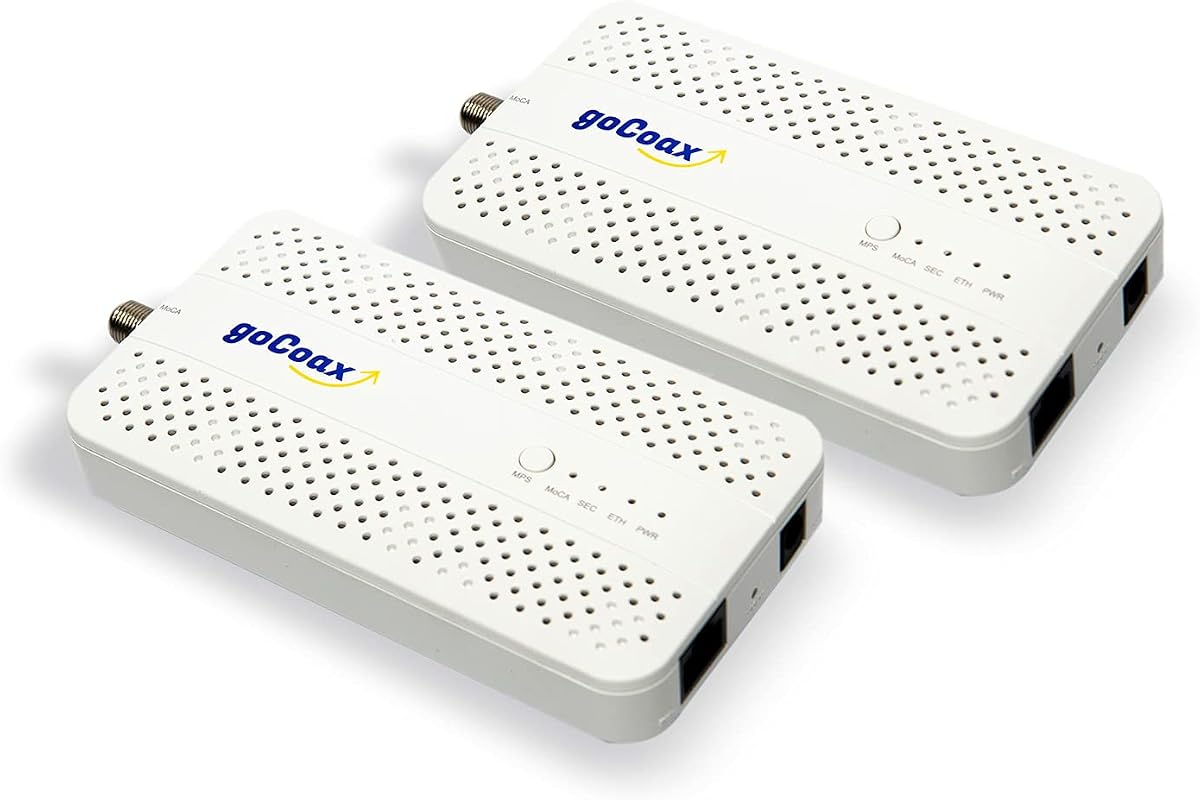
The goCoax MA2500D is a two-pack of MoCA 2.5 adapters with 2.5GbE Ethernet ports and a 4.6 rating. Its positioning centers on high-bandwidth wired networking through existing coax, making it relevant for gaming, streaming, conferencing, and mesh-system backhaul.
We may earn a commission when you buy through this link, at no additional cost to you.
The manufacturer describes support for major cable and fiber providers, including Comcast, Spectrum, Cox, and Verizon Fios. It also states that the adapters work with other brands' MoCA equipment, supports up to 16 nodes, and can operate without new in-wall Ethernet wiring. The package includes coax cables, Ethernet cables, and power adapters.
The product is not intended for DirecTV, Dish, or AT&T U-verse, and the supplied information recommends a separately sold MoCA PoE filter at the cable entry point for optimal security and performance. A claimed latency advantage over Wi-Fi should be understood as a network-design goal rather than a guarantee at every location.
goCoax is a strong pick for a compatible home seeking a dedicated multi-gigabit Ethernet path and a complete two-adapter package. The product is particularly compelling for users who value interoperability and plan to connect several rooms, access points, or Ethernet devices over a shared MoCA network.
The 2.5GbE interface gives connected equipment a faster local link than a conventional Gigabit port. Service speed and coax conditions still determine what reaches the internet.
Confirm that the home's provider supports the intended MoCA configuration and that coax runs are interconnected. A recommended entry-point filter may also need to be added to the installation.
We may earn a commission when you buy through this link, at no additional cost to you.
The TRENDnet TMO-313C2K has the highest rating in this comparison at 4.8. This two-pack of MoCA 2.5 adapters includes F-type female coax inputs and 2.5Gbps RJ45 LAN ports, combining high local-network capacity with a straightforward connection method.
We may earn a commission when you buy through this link, at no additional cost to you.
A notable distinction is stated NDAA and TAA compliance for government customers in the United States and Canada. For everyone else, the key features are backward compatibility with MoCA 2.0, 1.1, and 1.0, support for as many as 16 nodes, and no-configuration setup over existing coax.
The adapters are not compatible with DirecTV, Dish Network, AT&T U-Verse, or other non-MoCA-compliant subscription services. Real-world results can also depend on coax quality, the number of nodes, and network conditions. Its single Ethernet port per adapter offers less local connection flexibility than a dual-port design.
The TMO-313C2K is an excellent choice for organizations with procurement requirements and for home users who value a high-rated, conventional 2.5GbE MoCA kit. It combines a clean two-unit package with documented standards support and broad backward compatibility.
The stated NDAA and TAA compliance can simplify installation planning for covered government buyers. Non-government users may still need to verify their own security and procurement policies.
Supporting earlier MoCA generations can help when an existing network includes older equipment. Matching standards still need to be confirmed for consistent operation.
We may earn a commission when you buy through this link, at no additional cost to you.
The Hitron HTEM5 is a MoCA 2.5 two-pack with a 4.3 rating and a strong emphasis on wiring verification. Its product information clearly states that the units are network adapters rather than modems, routers, or Wi-Fi systems, making it important to understand the role before installation.
We may earn a commission when you buy through this link, at no additional cost to you.
The kit includes two adapters, two coax cables, two Ethernet cables, two power adapters, and a quick-start guide. It supports up to 2.5Gbps and is aimed at cable internet and most fiber services, including Verizon Fios and Google Fiber. Free technical support is included for users who encounter connectivity issues.
AT&T Fiber is excluded because its implementation can interfere with MoCA. Satellite wiring may be cut or isolated, and the HTEM5 cannot work with phone lines, Ethernet cables used as coax substitutes, or disconnected coax runs. A PoE filter may also be needed for high-split DOCSIS systems and is not included.
The Hitron is best suited to buyers who want clear compatibility criteria and accessible assistance. Its documentation makes it easier to identify whether the home has the required interconnected coax topology, which can prevent a costly installation of incompatible hardware.
The adapter requires coax outlets connected through a main splitter, not isolated runs. Buyers should trace or verify the wiring before installing equipment, especially after switching from satellite service.
One adapter typically connects near the router and another near the destination. More rooms require additional compatible adapters and suitable coax outlets.
We may earn a commission when you buy through this link, at no additional cost to you.
The LNOVISION LongReach is a point-to-point Ethernet over coax converter built around PoE applications. Its 4.4 rating and feature set distinguish it from the MoCA kits intended for general household networking: the focus is carrying IP data and power between a transmitter and receiver.
We may earn a commission when you buy through this link, at no additional cost to you.
It supports 802.3af PoE and 802.3at PoE+, works with RG59, RG6, and RG11 coax, and includes BNC-to-twist-pair connectors. The receiver must be powered by a PoE switch or injector, while the transmitter connects to the PoE or non-PoE endpoint. A built-in heat sink and compact enclosure support indoor reliability.
This is not a substitute for a whole-home MoCA network. The product explicitly describes point-to-point operation and warns that multiple PoE-over-coax runs in one system may interfere, recommending a separate switch kit for such deployments. It is also for indoor use only.
The LongReach makes the most sense for installers or advanced users extending an IP camera, VoIP phone, or similar endpoint over existing wiring. Buyers should understand the strict power topology and ensure the source equipment supplies PoE in the required direction.
PoE support can simplify installations where the remote endpoint also needs electrical power. The receiver's power arrangement must match the supplied instructions exactly.
Because this converter is designed for point-to-point use, it is better suited to a focused camera or phone installation than to a multi-room home network. Separate links may require additional coordination to avoid interference.
We may earn a commission when you buy through this link, at no additional cost to you.
The Kiwee KB-M3-03 is a two-adapter MoCA 2.5 kit with a 4.4 rating and a useful combination of 2.5G Ethernet plus PoE+. It is designed for applications where the remote connected device needs both network data and electrical power through its Ethernet connection.
We may earn a commission when you buy through this link, at no additional cost to you.
The adapter supports IEEE 802.3at PoE+ up to 30W. Stated use cases include Wi-Fi 6E or Wi-Fi 7 access points, 4K or 8K IP cameras, and VoIP phones. Because power is delivered over Ethernet while data travels over coax, a location can host a higher-end endpoint without requiring a nearby power outlet for that device.
The standard MoCA compatibility caveats remain relevant, including exclusion of satellite TV. PoE+ also requires compatible endpoint and power arrangements, so consumers seeking only ordinary Ethernet should not assume they need this feature. Multi-gigabit throughput will depend on the network and connected equipment.
This kit is a strong recommendation for installers adding powered access points or cameras over existing coax. It combines general MoCA networking with specialized PoE+ delivery in a convenient two-unit package.
PoE+ reduces the need for a separate power connection to the endpoint. It is particularly useful for ceiling-mounted access points and fixed cameras where local power placement is inconvenient.
The stated compatibility with Wi-Fi 6E, Wi-Fi 7, high-resolution cameras, and VoIP phones makes the kit relevant to current networking projects. Verify that each endpoint accepts the appropriate PoE standard.
We may earn a commission when you buy through this link, at no additional cost to you.
The Nexuslink GCA-1200-KIT uses G.hn rather than MoCA and has a 4.3 rating. It is intended for unused or dark coax networks, where existing cabling can be repurposed into a high-speed Ethernet connection without interfering with active cable television or cable internet service.
We may earn a commission when you buy through this link, at no additional cost to you.
The stated maximum is 1.2Gbps across distances of up to 800 meters, subject to installation and network conditions. The two-unit kit is positioned as an easy way to connect devices over existing coax, with gaming, streaming, and other high-bandwidth uses highlighted.
Its limitation is fundamental: the product must not be used on a network carrying cable TV or cable internet. The supplied information also recommends G.hn for fiber or satellite internet services and MoCA for cable TV and cable internet. That makes it the opposite of a universal solution in homes with an active DOCSIS network.
The GCA-1200-KIT is a smart option when a building has spare or disconnected coax and the goal is a dedicated wired link. It is less appropriate for households hoping to add adapters to their working cable-provider network.
Using wiring that is not part of an active provider network can avoid conflicts with television or internet signals. Confirm that the coax is genuinely unused and properly interconnected.
G.hn provides a different approach to Ethernet over coax. Users should not assume it will interoperate with MoCA adapters or be added to a live cable network.
We may earn a commission when you buy through this link, at no additional cost to you.
The ScreenBeam ECB6200S02 is a single bonded MoCA 2.0 add-on adapter with a 4.2 rating. Unlike a starter kit, it is intended to extend an existing MoCA network by adding another room or device to a setup that already has compatible equipment.
We may earn a commission when you buy through this link, at no additional cost to you.
The package includes one ECB6200 adapter, a power adapter, an Ethernet cable, a coax cable, and a quick-start guide. The Ethernet side supports up to 1Gbps, and the overall network can support as many as 16 nodes. This makes it a practical expansion unit for a home that already uses ScreenBeam or compatible MoCA hardware.
Its older MoCA 2.0 standard is the main limitation relative to the MoCA 2.5 choices in this guide. The product also has extensive exclusions for satellite TV, AT&T internet, AT&T U-verse, and some non-MoCA provider systems. Certain DOCSIS 3.1 modems may create frequency overlap and random disconnects.
The ECB6200S02 is best for incremental expansion rather than a new high-capacity installation. Buyers who already have a compatible starter kit can use it to add another Ethernet endpoint without replacing their entire network.
An add-on format is convenient when several rooms need connections but a full multi-unit kit would be unnecessary. Each new destination still needs an appropriate adapter and coax outlet.
The adapter works best with an existing bonded MoCA 2.0 environment. Provider gateways, modem versions, and prior equipment should be reviewed before adding another node.
We may earn a commission when you buy through this link, at no additional cost to you.
The right coax to Ethernet adapter depends less on marketing language than on your wiring, provider, intended speed, and endpoint requirements. These factors help separate a suitable home-network solution from a specialized or incompatible installation.
Start by determining whether the coax outlets in the rooms you want to connect are interconnected through a main splitter or otherwise form one shared network. Many homes contain isolated runs, legacy loops, or satellite wiring that was disconnected when a provider changed. A MoCA product generally requires a live provider network, while a G.hn product is intended for dark coax that is not carrying cable service. Inspect connector types, trace wiring where practical, and confirm whether each intended room has a suitable round screw-on coax outlet.
Most home-oriented choices use MoCA, with MoCA 2.5 offering the newest stated performance in this group. MoCA can operate across a compatible active coax network and supports whole-home node arrangements. G.hn serves a different use case: repurposing unused coax into an isolated Ethernet link. These are not simply interchangeable labels. A G.hn adapter should not be placed on live cable television or cable internet wiring, while a MoCA kit may be incompatible with satellite services and certain provider networks.
Look at the Ethernet port on the side facing your devices rather than focusing only on the advertised network standard. A 2.5GbE port offers more local-network headroom for fast storage, access-point backhaul, and large transfers, while a Gigabit port is adequate for many internet connections and standard media devices. Your router, switch, computer, television, console, and cables must also support the intended rate. Faster coax-side performance cannot make a Gigabit endpoint transmit at more than Gigabit speed.
A typical home setup places one adapter near the router and another near the destination. Each additional room or endpoint path may require another adapter, and a multi-port adapter can serve more than one device at the same location. Two-packs are convenient for a first point-to-point installation, while single units are better for gradual expansion or when one end already supports MoCA. Plan the topology before ordering so you have the right number of adapters, coax connections, and power locations.
Provider support is one of the most important buying considerations because an adapter cannot remove a provider-level signal conflict. Multiple products in this comparison exclude DirecTV, Dish, AT&T internet, and AT&T U-verse. The ScreenBeam kits also flag certain DOCSIS 3.1 modem interactions, while Hitron specifically excludes AT&T Fiber. Comcast support and gateway settings may affect whether MoCA 2.0 or MoCA 2.5 is used. Ask the provider about supported MoCA versions, required gateway settings, and any filter needs before purchasing.
Power over Ethernet is valuable when the remote device needs both network connectivity and electrical power through one Ethernet cable. The Kiwee KB-M3-03 supports PoE+ up to 30W, making it relevant for compatible access points, IP cameras, and VoIP phones. The LNOVISION LongReach is a more specialized point-to-point PoE-over-coax solution for IP endpoints. Ordinary home computers, televisions, and many routers do not require PoE, so this feature should be matched to the actual endpoint rather than treated as a general speed upgrade.
A complete kit can simplify setup, but the included items should match the installation. Multi-adapter packages commonly include Ethernet cables, coax cables, power supplies, and sometimes splitters. Single adapters generally provide the adapter and basic power or connection accessories. Some systems require a separately purchased MoCA PoE filter, particularly around the cable entry point or in high-split DOCSIS installations. Check the cable lengths, connector types, and splitter count because adding incompatible or unnecessary components can make troubleshooting harder.
Compact housings matter where an adapter must sit near an entertainment center, a wall-mounted television, or a networking shelf. Heat management and reliable power are also important in enclosed installations. Beyond hardware, accessible technical support can be valuable because coax faults are often mistaken for product failures. The Hitron includes stated free support, while several other brands provide support and documentation for MoCA installation. Choose a vendor capable of explaining wiring requirements, gateway settings, and node behavior in a way that matches your installation.
Begin by confirming that the provider network supports the adapter's standard, that coax outlets in the selected rooms are interconnected, and that any required MoCA filter or gateway adjustment is in place. For a two-adapter home installation, position one unit near the router or switch and the other near the destination. Connect the appropriate coax and Ethernet leads, then apply power. MoCA products are generally designed to configure the network automatically, but a reboot of the modem, gateway, or router may be needed during initial recognition.
Use the coax port exclusively for the home's coax wiring and the Ethernet port for the local device or switch. If the adapter supports multiple Ethernet ports, connect each intended endpoint and confirm that the connected equipment negotiates the expected rate. For PoE models, verify endpoint voltage requirements and use the specified power-injection or PoE-switch arrangement. Keep adapters indoors, away from direct heat, moisture, and obstructed ventilation, and avoid placing power adapters behind tightly enclosed equipment where heat can accumulate.
When troubleshooting, begin with the simplest checks: confirm that both units have power, inspect every coax and Ethernet connection, and verify that the relevant coax outlets belong to the intended network. If a connection drops, restart the modem or gateway, reseat cables, and check for provider-related MoCA settings. For dark-coax G.hn equipment, make sure no active television or internet service is sharing the selected run. For a point-to-point PoE converter, verify the transmitter, receiver, PoE source, and cable type instead of treating it like a standard MoCA kit.
Usually, yes, provided the adapter uses MoCA and your cable provider supports the required MoCA standard. Some modems and gateways use overlapping frequency ranges that can interfere, so consult the provider before installation. A high-split DOCSIS system may also require a filter. The adapter does not replace your modem or router; it provides an additional wired network path.
MoCA is designed to work across a compatible active coax network, which can include cable television and supported cable internet services. G.hn in this guide is intended for unused or dark coax that is not connected to those services. The two standards should not be treated as interchangeable, and a G.hn system should never be added to an active cable network without confirming compatibility.
It can provide a faster and more consistent local connection because Ethernet avoids wireless interference and congestion. The actual internet speed still depends on your service, modem, router, coax quality, and network configuration. A 2.5GbE adapter also cannot make a Gigabit device faster, so the devices at both ends should support the rate you want to use.
Most of the MoCA products listed here explicitly exclude DirecTV, Dish, AT&T internet, and AT&T U-verse networks. Hitron also excludes AT&T Fiber because of possible MoCA interference. Satellite installations may also contain disconnected or isolated coax runs. Confirm both your provider's technical policy and the physical wiring before purchasing.
A basic point-to-point connection generally needs one adapter at the router side and another at the remote device side. Each additional network location normally requires another adapter and a suitable coax outlet. A dual-Ethernet-port model can connect two devices near one remote outlet, but it still needs a separate coax link back to the network.
A splitter may be needed to distribute the coax network properly, and some high-split DOCSIS installations require a MoCA PoE filter for optimal operation. The ScreenBeam starter kit includes coax splitters, while the goCoax listing recommends a filter sold separately. Hitron states that a filter may be required in certain high-split systems. Provider guidance should determine the correct arrangement.
Installation is generally straightforward for MoCA products because they typically require no manual configuration. You connect coax, Ethernet, and power at each end. The harder part can be verifying that the home's wiring is compatible, especially after satellite service or renovations. If the adapter does not appear on the network, check connections, gateway settings, filters, and provider requirements before replacing the unit.
A PoE-capable Ethernet port can usually connect to a non-PoE device, but power delivery depends on the adapter, endpoint, and power arrangement. The PoE+ feature is most valuable for compatible access points, cameras, and phones that need remote power. Do not connect unsupported PoE equipment or attempt to reverse the required receiver and transmitter power flow.
The Kiwee KB-M3-02 stands out for its combination of MoCA 2.5 performance and two 2.5GbE ports, making it the most flexible choice for connecting multiple devices at a remote location. The ScreenBeam ECB7250K02 is the most complete premium-style starter kit, while the goCoax MA2500D offers another strong two-unit multi-gigabit option with broad provider positioning.
For a smaller or incremental installation, the TRENDnet TMO-312C is the most budget-conscious route to adding a MoCA node, and the ScreenBeam ECB6200S02 serves an existing MoCA 2.0 network. The Kiwee KB-M3-03 is preferable when remote powered devices are the priority, while the Nexuslink GCA-1200-KIT is reserved for unused dark coax rather than a live cable network.
Before ordering, prioritize coax topology, provider support, required port speed, endpoint power needs, and the number of locations involved. These checks will prevent most installation disappointments. Current prices, promotions, availability, and provider policies can change, so confirm the latest product terms and technical compatibility at the time of purchase.
