
Redragon K617 HE
4.3Editor score
Hall Effect rapid trigger
8,000Hz wired polling
Compact 60% layout
Best keyboard for CS2 guide comparing 10 rapid-trigger, compact, wired, and analog gaming keyboards for faster movement, aiming, and responsive inputs.
Counter-Strike 2 rewards precise movement, controlled counter-strafing, fast weapon selection, and the confidence to shoot the instant an opponent appears. A capable keyboard for CS2 should therefore combine responsive magnetic switches with stable actuation, a practical layout, dependable software, and enough desk space to support wide mouse movements.
We compared ten wired gaming keyboards using the specifications and manufacturer descriptions available for each model. The comparison covers switch technology, polling rate, rapid-trigger controls, adjustability, physical layout, build characteristics, lighting, media controls, and the features most relevant to competitive Counter-Strike 2 play.
Each selection below highlights a different way to approach competitive gaming, from budget-friendly Hall Effect boards to premium analog models and a dedicated one-handed keypad. Product ratings and configurations can change over time, and prices fluctuate frequently, so check the current listing and latest software compatibility before purchasing.
4.3Editor score
4.4Editor score
4.5Editor score
The table below compares all ten keyboards by their core competitive features, including switch technology, input speed, layout, and onboard or software-based controls.


The Redragon K617 HE offers a compelling combination of competitive features at the accessible end of the shortlist. It uses Hall Effect magnetic switches to detect key travel without physical contact, while its listed 4.3 rating reflects generally favorable customer sentiment. The combination of rapid trigger, adjustable actuation, and an 8,000Hz wired polling rate makes it especially relevant to Counter-Strike 2 players who want faster resets and more deliberate counter-strafing.
We may earn a commission when you buy through this link, at no additional cost to you.
Its most important advantage is the range of control available through the desktop or web-based driver. Actuation can be tuned from 0.1mm to 3.4mm for each key, allowing players to make essential movement keys highly sensitive while keeping utility keys at a more substantial depth. Multiple actuation profiles can also be saved, which is useful when switching between intense matches and normal typing or work. Rapid Trigger and PRCS are included to help eliminate redundant inputs during quick directional changes.
The trade-off is that the K617 HE is a software-driven device rather than something that can be fully configured from the keyboard itself. Its 60% layout saves valuable desk space but removes the separate navigation cluster and numpad. Players who rely heavily on arrow keys, Home, End, Page Up, or Page Down may need to remap them or adjust their habits. The wired connection also prevents wireless freedom, although that limitation can benefit input consistency on a competitive desk.
This is a strong choice for budget-conscious CS2 players who are ready to spend time tuning their settings. It offers the core advantages of a modern magnetic gaming keyboard without requiring the premium construction or extensive onboard controls found in costlier models. It is particularly well suited to players who want a compact board, broad mouse space, and rapid-trigger control without paying for a full analog flagship.
Per-key actuation from 0.1mm to 3.4mm gives players room to create a low, consistent movement-key setup. Saving separate profiles makes it easier to move between a competitive configuration and a more comfortable general-use profile without rebuilding every setting.
The compact 60% footprint removes the numpad and separate navigation cluster, leaving more desk area for broad mouse sweeps. That extra space can be valuable for players using a large mousepad and relatively low sensitivity.
We may earn a commission when you buy through this link, at no additional cost to you.
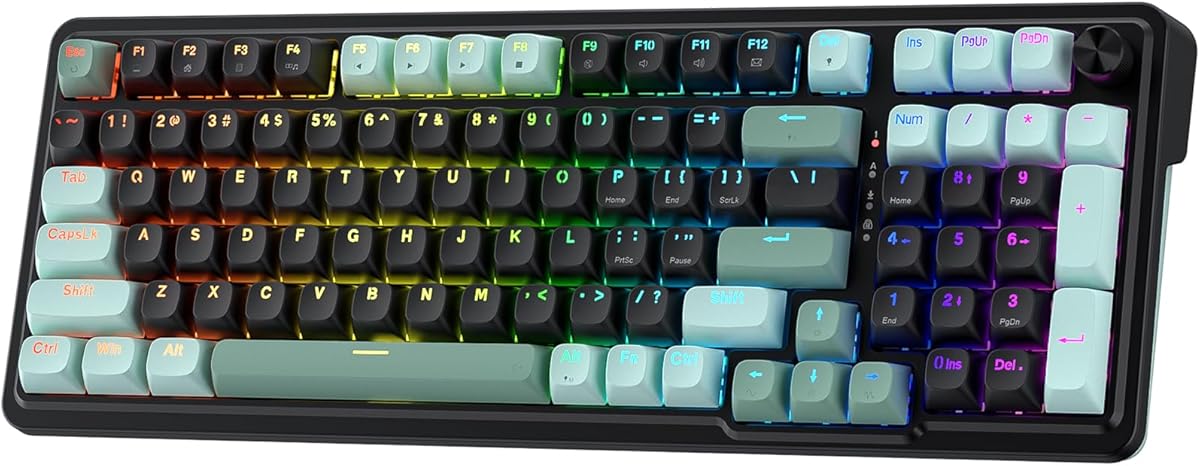
The Redragon K686 HE is a refined magnetic gaming keyboard aimed at players who value both competitive control and everyday convenience. Its Hall Effect-based UltraMag POM switches can be tuned across a 0.1mm to 3.4mm actuation range, and rapid trigger allows keys to reset as soon as they are lifted. The 4.4 rating places it among the stronger-reviewed products in this guide, with the single control knob providing useful control for lighting and media playback.
We may earn a commission when you buy through this link, at no additional cost to you.
The board combines 8,000Hz wired polling, PRCS, and software-adjustable actuation to support fast movement input. Its dual-module floating structure separates the switch plate to reduce wobble, while built-in dampening layers create a softer, less harsh acoustic profile. That balance may appeal to players who want rapid trigger performance without a rigid, overly clacky feel, particularly during long sessions with voice chat nearby.
What separates the K686 HE from the more basic K617 HE is its integrated rotary knob. Rather than navigating a long list of shortcuts, players can use the knob to manage backlight brightness and media playback. This is a more polished daily-use arrangement, although essential switch settings still depend on the desktop or web-based driver. The wired design prioritizes a stable connection, but it also means the keyboard cannot be repositioned freely around the desk.
The K686 HE suits CS2 players who want more everyday convenience than a bare competitive board provides. It is a strong alternative for a shared gaming setup, streaming station, or desk where music and lighting controls should be accessible without leaving the game. For players prioritizing tactile consistency, rapid trigger, and straightforward physical controls, it stands out as one of the stronger choices in the Redragon range.
The single knob handles backlight brightness and media playback, reducing the need to remember layered shortcuts. It is especially convenient for adjusting audio or lighting without leaving Counter-Strike 2.
The floating switch-plate structure helps limit key wobble, while added dampening layers soften the sound and feel. That makes the board more practical for shared rooms and long competitive sessions.
We may earn a commission when you buy through this link, at no additional cost to you.
The Redragon K673 HE combines a magnetic rapid-trigger platform with a comfortable floating structure and a multifunction knob. Its switches can be adjusted between 0.1mm and 3.4mm, and the listed 8,000Hz polling rate supports responsive wired communication with the game. With a 4.1 rating, it has slightly less uniformly positive customer feedback than the strongest alternatives, but its core competitive specifications remain competitive.
We may earn a commission when you buy through this link, at no additional cost to you.
For CS2, the important attraction is the combination of rapid trigger, PRCS, and per-key actuation control. Players can make WASD and other frequently used keys responsive while assigning more conventional depths to less urgent inputs. The double-module floating construction aims to eliminate distracting key wobble, and multiple dampening layers produce a softer, more controlled acoustic experience. It is a practical setup for players who spend long periods practicing movement and recoil patterns.
The physical knob is another practical addition, allowing direct control over lighting brightness and media playback. However, the deeper competition-related settings remain tied to the desktop or web-based configuration utility. That is a normal requirement for this class of magnetic keyboard, but players who prefer complete onboard control may find the process less convenient. The wired-only connection and included software ecosystem also make the K673 HE better suited to a fixed gaming station than a frequently rearranged multi-device desk.
The K673 HE is most attractive to CS2 players who want rapid trigger and a more settled typing feel without moving to a premium analog flagship. It covers the main needs of a competitive keyboard—low-latency polling, adjustable switch behavior, and a stable structure—while adding useful controls for everyday use. Its rating warrants checking recent owner feedback, but the underlying feature set is well matched to competitive shooters.
Actuation can be adjusted independently from 0.1mm to 3.4mm, allowing movement keys and utility commands to behave differently. This helps players build a setup around individual habits rather than accepting one fixed switch depth.
The anti-wobble floating design and internal dampening work together to reduce harsh movement and give the keyboard a more settled feel. That can improve comfort during lengthy Counter-Strike 2 practice sessions.
We may earn a commission when you buy through this link, at no additional cost to you.
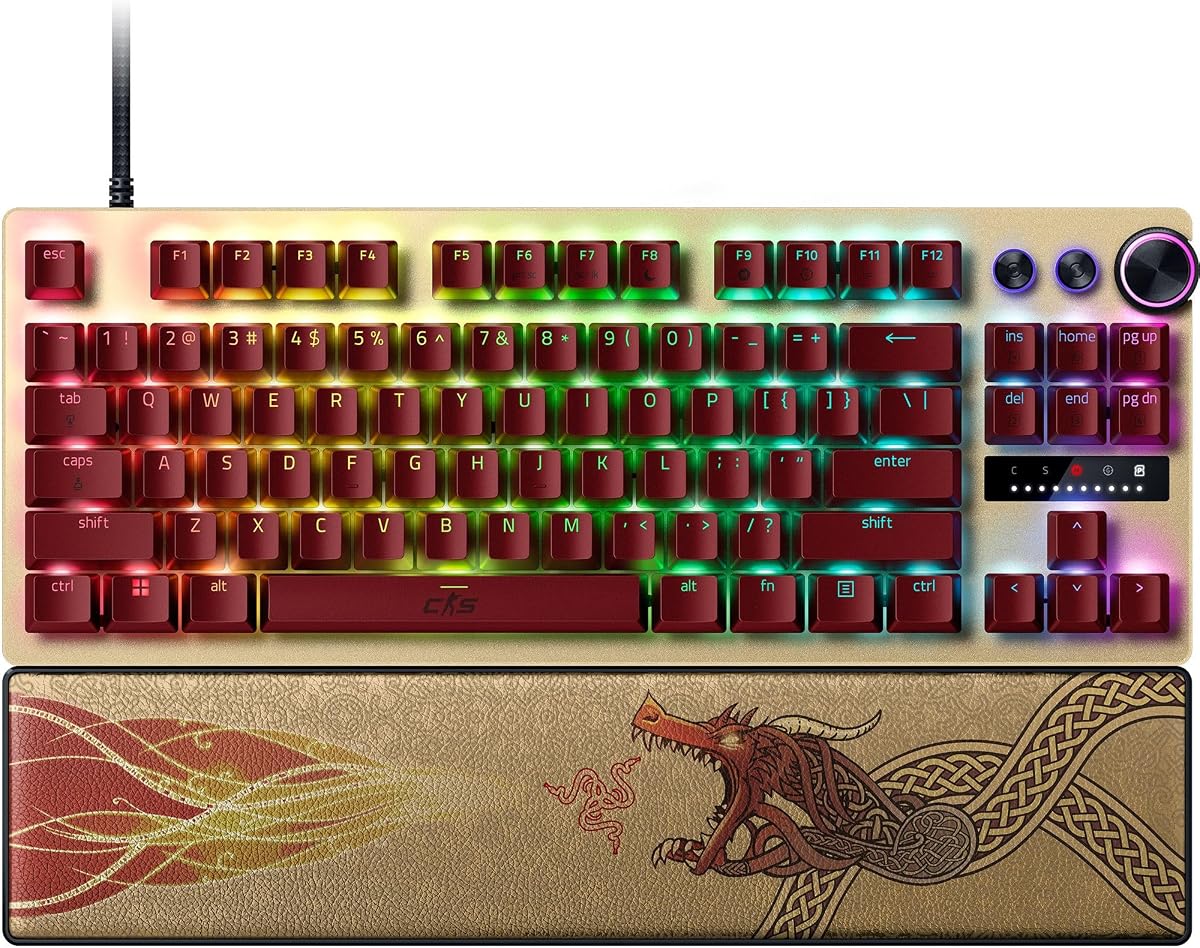
The Razer Huntsman V3 Pro TKL Counter Strike 2 Edition is the most purpose-built option in this roundup. It combines Razer Snap Tap, Rapid Trigger, adjustable actuation, and Gen-2 analog optical switches with a tenkeyless layout designed for competitive movement. Its 4.4 rating and broad feature set make it a strong all-around recommendation for CS2 players who want serious controls and premium construction.
We may earn a commission when you buy through this link, at no additional cost to you.
Rapid Trigger resets a key at the slightest lift, while Snap Tap prioritizes the latest of two selected inputs without requiring the earlier key to be fully released. In a movement-focused shooter, that behavior can make quick direction changes feel more decisive. The analog switches cover a 0.1–4.0mm actuation range and support fast repeated input. Players can also adjust actuation height and Rapid Trigger sensitivity through the onboard LED array, then save the configuration directly to the keyboard.
This onboard control is one of the model’s most important advantages. It reduces the need to open software during a match or practice session and makes it easier to move between different sensitivities. A multifunction digital dial handles volume and analog switch settings, while three dedicated buttons cover media functions and custom macros. The doubleshot PBT keycaps resist the wear associated with intensive play, and the magnetic leatherette wrist rest provides firm support. The principal trade-off is the premium cost of the overall package.
Choose the Huntsman V3 Pro TKL if you want a keyboard explicitly tied to the CS2 competitive scene and dislike switching among software screens. It balances low-latency digital behavior with analog control, offers onboard tuning, and preserves a practical tenkeyless footprint. The main prerequisite for Snap Tap is the latest firmware, so update the keyboard before relying on that function in an important match.
The LED-guided control system allows players to change actuation height and Rapid Trigger sensitivity directly on the board. Saving profiles to the keyboard is useful when the priority is getting into a match quickly.
The tenkeyless format preserves the core gaming keys while removing the numpad. It offers more mouse room than a full-size keyboard without adopting the more drastic layout demands of a compact 60% model.
We may earn a commission when you buy through this link, at no additional cost to you.
The Corsair Clipper PRO MINI 60 brings several advanced FPS-oriented controls to a compact Hall Effect board. Its features include Rapid Trigger, Multi-Action, Smart Tap, Tap Lock, and FlashTap SOCD, all intended to make movement commands more consistent. The 4.4 rating and 8,000Hz AXON polling position it as a compelling compact choice for CS2 players who want minimal desk clutter.
We may earn a commission when you buy through this link, at no additional cost to you.
MGX Hyperdrive Hall Effect switches offer a 0.2–3.8mm adjustable actuation range and a 0.1mm rapid reset. FlashTap SOCD is designed to produce cleaner directional inputs and more precise counter-strafing, while the other tap modes give players additional ways to customize repeated commands. The stated 100-million-keystroke durability and PBT double-shot keycaps are reassuring for regular use, and dual-layer sound dampening helps limit distracting noise.
The 60% US QWERTY layout is a meaningful benefit for low-sensitivity mouse users because it leaves more room for broad aiming sweeps. It also creates a practical trade-off: the missing arrow and navigation cluster can slow workflows that depend on those keys, and US QWERTY may not suit players accustomed to other regional layouts. Although the board has an IP57 rating, it is not designed for permanent submersion; the manufacturer advises allowing up to 72 hours for it to dry after immersion.
This keyboard is best for players who prioritize quick movement input, SOCD control, and a compact footprint. It is less suitable for someone who needs a traditional navigation section or extensive onboard controls, but for a dedicated Counter-Strike 2 setup it offers a focused competitive toolkit in a small board. Its combination of hall-effect precision and noise reduction is particularly appealing for shared or voice-chat-friendly gaming spaces.
Rapid Trigger, Tap Lock, Multi-Action, Smart Tap, and FlashTap SOCD give players several tools for tuning directional behavior. These options are more relevant to competitive movement than the decorative features found on many conventional gaming keyboards.
The 60% format creates substantial mouse space, while IP57 protection and PBT keycaps support regular gaming use. The waterproof rating does not make the board suitable for continued submersion.
We may earn a commission when you buy through this link, at no additional cost to you.
The Redragon K745 HE is built around rapid-trigger performance, 8,000Hz polling, and an emphasis on acoustic control. Its five-layer dampening system and floating switch structure distinguish it from simpler Hall Effect boards. The 3.9 rating is the lowest among the ten products here, so prospective buyers should review recent feedback carefully, although the stated competitive features remain relevant to CS2.
We may earn a commission when you buy through this link, at no additional cost to you.
UltraMag POM magnetic switches detect key travel electronically, allowing adjustment from 0.1mm to 3.4mm through the desktop or web-based driver. Rapid Trigger supports quick resets, and PRCS is intended to prevent redundant input during rapid directional changes. These characteristics are directly relevant to movement training, where a consistent stop or strafe can depend on the keyboard registering movement keys consistently at different speeds.
The double-module floating construction is designed to limit key wobble, while the five internal dampening layers create a softer, more controlled feel and sound. Adjustable RGB lighting provides desk customization without requiring additional devices. The trade-off is that this configuration utility is essential for accessing advanced settings, and the wired-only format offers no wireless flexibility. Its lower aggregate rating also warrants more caution than the similarly featured K617 HE and K686 HE.
The K745 HE is most appropriate for players who prioritize a quiet, stable, rapidly responsive keyboard and enjoy detailed lighting customization. It can work well for a dedicated CS2 station where the user is comfortable adjusting software before playing. Those who want the same general rapid-trigger concept with a stronger rating or simpler physical controls may find the surrounding Redragon options more balanced.
Multiple dampening layers are intended to soften each keystroke and reduce the harshness of a rigid gaming board. The result is more relevant in shared rooms or when teammates are using voice chat.
Adjustable brightness and multiple lighting modes make the board easy to coordinate with a competitive desk. Because the lighting is controllable, it can also be turned down for late-night play.
We may earn a commission when you buy through this link, at no additional cost to you.
The Keychron C0 HE is a one-handed gaming keypad rather than a conventional replacement keyboard. Its 35 programmable keys, 8,000Hz polling, and Hall Effect rapid trigger make it a specialized option for CS2 players who want a dedicated movement or command device. The 4.2 rating reflects positive general sentiment, while the compact format and cross-platform configurator make it particularly interesting for focused setups.
We may earn a commission when you buy through this link, at no additional cost to you.
Each magnetic switch supports adjustable actuation with 0.01mm precision, and the board detects real-time key travel rather than relying on a fixed activation point. That control can help players refine rapid tapping and directional changes. The keypad also serves broader productivity roles: its keys can trigger streaming scenes, push-to-talk commands, editing shortcuts, and macros. For a player who already owns a full-size keyboard, these features can add specialized controls without taking over the entire desk.
The main limitation is obvious: it does not provide a complete alphabet and number layout, so it cannot serve as a stand-alone keyboard for most work. Its value depends on a two-keyboard setup or deliberate remapping workflow. The browser-based configurator reduces installation friction and supports both Windows and macOS, but advanced competitive settings still take time to organize. The wired connection and 35-key design also make this less appealing to anyone who prioritizes a conventional typing experience.
Choose the C0 HE if your goal is a specialized, highly programmable Counter-Strike 2 control surface. It is particularly useful for players who want rapid-trigger movement keys on one side of the desk while keeping a conventional keyboard for chat, utilities, and typing. It is less compelling as a first keyboard, but as a purpose-built gaming keypad it offers exceptional configurability in a very small footprint.
The 35-key arrangement can be assigned to movement, communication, and frequently used utility commands while another keyboard handles typing. This makes the C0 HE most useful as a dedicated competitive control surface.
The browser-based configurator handles key mapping, actuation, and per-key RGB lighting. Supporting both Windows and macOS makes it easier to move between a gaming PC and a Mac-based streaming setup.
We may earn a commission when you buy through this link, at no additional cost to you.
The renewed Razer Huntsman V3 Pro TKL delivers the same broad competitive feature set as the keyboard’s standard counterpart, including Rapid Trigger, Snap Tap, adjustable analog actuation, onboard controls, and a tenkeyless aluminum design. Its 3.5 rating is the lowest in the guide, and the renewed condition introduces an important element of uncertainty. It is best viewed as a feature-driven option whose condition and warranty details should be checked carefully.
We may earn a commission when you buy through this link, at no additional cost to you.
The Gen-2 analog optical switches provide a 0.1–4.0mm actuation range and a stated 100-million-keystroke lifespan. Rapid Trigger handles fast repeated input, while Snap Tap prioritizes the newest of two selected commands for quicker directional changes. A visual onboard LED array allows players to adjust actuation height and Rapid Trigger sensitivity and save those settings without opening software. The digital dial handles volume and analog switch settings, with additional buttons for media and macros.
Physical construction remains a major strength. Textured doubleshot PBT keycaps resist shine and fading, the brushed aluminum top plate adds rigidity, and the magnetic leatherette wrist rest snaps into place for support. The principal concerns are not the specification list but the renewed status and lower rating. Cosmetic wear, missing accessories, altered warranty terms, or uncertain packaging are all factors that should be evaluated from the individual listing before purchase.
This renewed model can make sense for a CS2 player who specifically wants the Huntsman V3 Pro TKL feature set and understands the condition involved. It is less suitable for buyers who prioritize predictability, a known history, or the strongest customer feedback. Update the firmware for Snap Tap, confirm the keyboard includes all expected accessories, and inspect the stated condition information before making a final decision.
Rapid Trigger, Snap Tap, analog actuation, onboard adjustment, and programmable macro buttons closely mirror the feature set of a new flagship board. The specification package remains attractive for competitive players who know which controls they use.
A renewed keyboard may show cosmetic wear or have different accessory and warranty terms. Reviewing current photos, the seller’s condition notes, and the return policy is especially important before ordering.
We may earn a commission when you buy through this link, at no additional cost to you.
The Corsair K55 RGB PRO takes a different approach to the CS2 keyboard category. It uses a conventional membrane design, full-size layout, dedicated macro keys, and an attached palm rest rather than Hall Effect rapid trigger. Its 4.4 rating indicates strong general customer satisfaction, and it remains a practical option for players who value a familiar, complete keyboard with useful shortcuts over analog movement control.
We may earn a commission when you buy through this link, at no additional cost to you.
Six dedicated macro keys can launch functions, shortcuts, or entire key sequences through CORSAIR iCUE, and the board also supports instant streaming commands through Elgato Stream Deck software. Dedicated volume and media controls keep everyday adjustments accessible without using in-game key combinations. The full-size layout includes the navigation cluster and numpad, making it more convenient for typing, content work, and shortcuts than a compact gaming board.
The main limitation for competitive CS2 is the absence of rapid-trigger and adjustable analog actuation. Membrane switches do not offer the early reset and precise travel control of the magnetic models featured elsewhere in this guide. However, the K55 RGB PRO can still deliver ordinary digital commands reliably, and its larger footprint may be less demanding for a new player who does not yet want to adapt to a compact layout. The wired connection also keeps the setup straightforward.
This keyboard is best for a traditional full-size gaming setup, streamer seeking one-handed Stream Deck shortcuts, or CS2 player who values macros, media controls, and a detachable palm rest. It is not the strongest choice for optimizing quick counter-strafing, but it remains a versatile gaming peripheral. Its full-size footprint, five-zone RGB lighting, and durable everyday design give it a different and still useful place on the desk.
Six dedicated macro keys make common commands and streaming actions available without complex in-game combinations. The Elgato Stream Deck connection is particularly useful for creators who want fast control over scenes and broadcasts.
The detachable textured palm rest supports the hands, while the complete layout preserves familiar navigation and numeric keys. This makes the board more versatile for typing and productivity than compact competitive alternatives.
We may earn a commission when you buy through this link, at no additional cost to you.
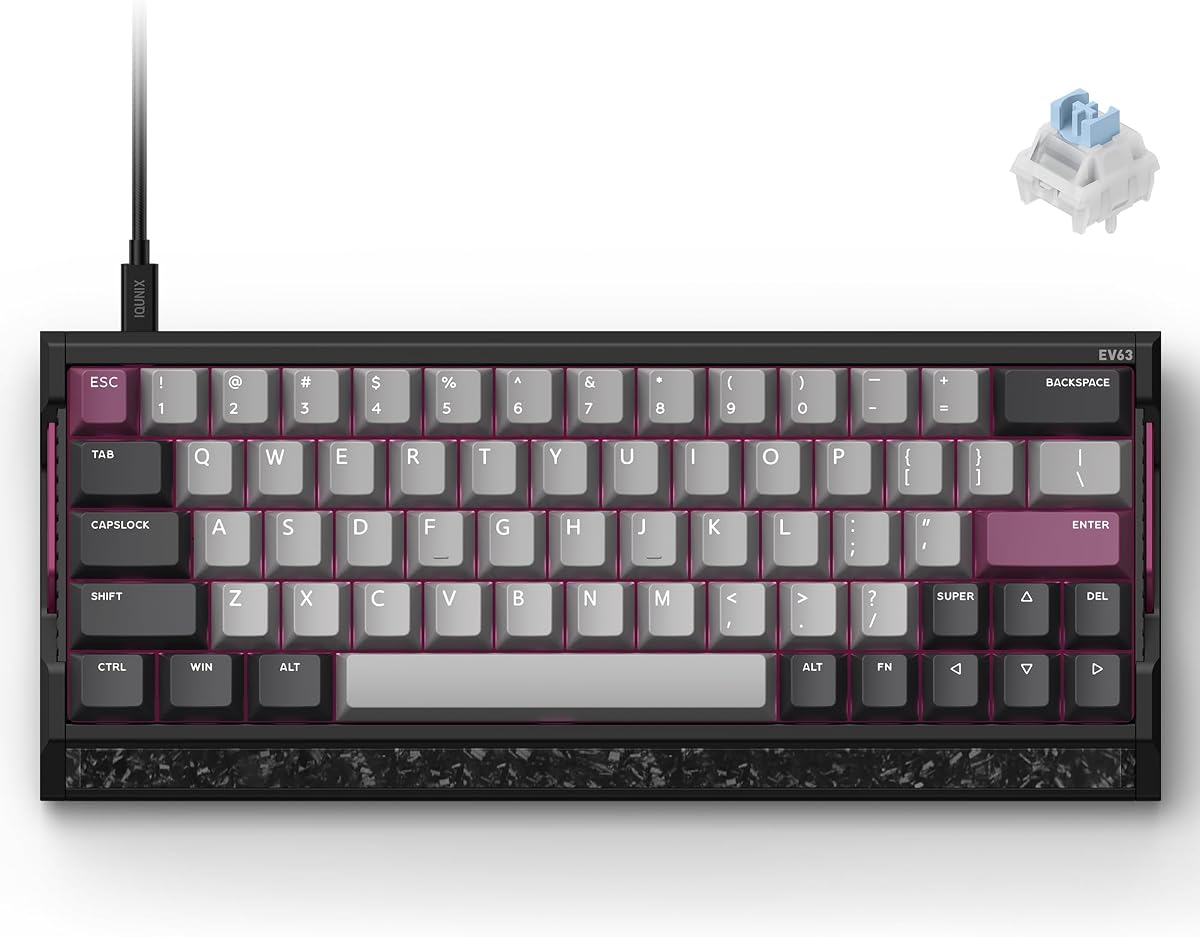
The IQUNIX EV63 is the most premium-focused and technically ambitious keyboard in this guide. It combines 0.01mm Rapid Trigger, adjustable actuation, zero dead-zone control, 8,000Hz polling, and the M.A.T. 2.0 input system within a compact 64-key aluminum and forged-carbon body. Its 4.5 rating is the highest among the listed products, making it a leading choice for serious CS2 players who want exacting movement control and a substantial desk build.
We may earn a commission when you buy through this link, at no additional cost to you.
The M.A.T. 2.0 algorithm is designed to reduce missed inputs, latency, and sticky behavior during high-speed movement. Magnetic Auto-Tune checks keys in real time, while a dual Hall power circuit separates sensor and RGB power to reduce voltage fluctuation. The result is a focus on consistency rather than a headline polling number alone. With 0.01mm Rapid Trigger, players can set extremely close release and activation points for the cleanest possible movement commands.
The construction is equally significant. A CNC aluminum case and real forged-carbon front plate weigh about 2.65 pounds, helping limit desk movement and case vibration. Magnetic X Ultra switches combine a light 36±10gf initial force, a 48±10gf bottom-out force, and 3.5±0.2mm travel. Factory lubrication, a stated 780Gs magnetic flux change, and durability of more than 100 million keystrokes support repeated competitive use.
EV Driver 3.0 includes FPS presets and deep controls for actuation, Rapid Trigger, remapping, RGB, onboard profiles, SOCD, DKS, Mod Tap, Toggle Keys, and Rappy Snappy. The custom 64-key layout saves mouse space and keeps core controls close, though players must adapt to its smaller right Shift and compact placement. This is the premium recommendation for someone who values fine movement tuning, stable magnetic sensing, and a rigid, custom-keyboard aesthetic.
The 0.01mm Rapid Trigger range and zero dead-zone control allow extremely narrow activation and reset points. These are valuable for players who want consistent stops, strafes, and counter-strafes during fast movement.
The CNC aluminum and forged-carbon construction weigh about 2.65 pounds and reduce unwanted movement and vibration. That planted feel can make a large mousepad easier to use without the keyboard shifting.
EV Driver 3.0 supports SOCD, DKS, Mod Tap, Toggle Keys, and Rappy Snappy alongside conventional actuation and remapping. Pro-tuned presets provide a starting point, while advanced settings allow players to create a movement system around their own habits.
We may earn a commission when you buy through this link, at no additional cost to you.
The best keyboard for CS2 is the one that supports fast, repeatable movement commands while remaining stable and comfortable. Switch behavior, polling, layout, construction, software, and daily-use features should be weighed against your budget and competitive priorities.
Hall Effect switches detect movement through a magnetic sensor rather than a fixed physical contact point. This allows a key to reset before it returns to its full resting position, a behavior commonly called rapid trigger. For Counter-Strike 2, that can make repeated taps, direction changes, and counter-strafes feel faster and more consistent. Models such as the Redragon K617 HE, Keychron C0 HE, and IQUNIX EV63 offer varying degrees of this functionality.
Prioritize a model with adjustable actuation and rapid-trigger sensitivity. The ability to tune individual keys lets you optimize WASD without forcing every key into the same response profile.
A higher polling rate means the keyboard reports its state to the computer more frequently. Many modern competitive models in this guide support 8,000Hz wired polling, but real-world responsiveness also depends on the game, system, connection quality, and frame rate. Wired operation removes wireless interference and keeps the setup straightforward. It is a major advantage for a stationary competitive desk.
Choose 8,000Hz when your budget allows, but do not treat the headline figure as the only measure of performance. Stable actuation, software quality, and the keyboard’s physical build also influence how consistent the controls feel.
Actuation determines how far a key must travel before the game recognizes it. A shallow point can make movement inputs feel immediate, while a deeper point may feel more deliberate and controlled. The products here offer ranges from 0.1mm to as much as 4.0mm. Adjustable ranges are valuable because preferences change with sensitivity, grip, and play style.
Look for a broad range and a rapid-trigger setting that suits your technique. Avoid choosing the shallowest available setting by default; a controlled setup is usually more sustainable than an overly sensitive one.
A 60% keyboard maximizes mouse space and creates a clean competitive desk, while a tenkeyless model preserves more familiar key placement. Full-size boards include a numpad and dedicated navigation cluster, which are more useful for typing, productivity, and certain game commands. The IQUNIX EV63 uses a custom 64-key layout, the Corsair Clipper PRO MINI 60 uses 60%, and the Razer Huntsman models use tenkeyless.
Choose a compact format if your mouse movement is constrained or you value desk minimalism. Choose TKL or full size if you are still training muscle memory, use the navigation cluster, or want a conventional typing layout.
Analog keyboards can detect how far a switch has moved rather than treating it as a simple on-or-off command. Razer Snap Tap and the Corsair FlashTap SOCD offer related directional-control options, while the IQUNIX EV63 supports SOCD, DKS, Mod Tap, and other configurable behaviors. These features can help players create cleaner directional transitions, but they also require setup and practice.
Treat advanced movement modes as tools rather than automatic improvements. Compare the available options, ensure the software supports your operating system, and spend time in the practice range before changing the setup for a competitive match.
Onboard controls are especially useful during practice because they allow quick adjustments without leaving the game. The Razer Huntsman V3 Pro TKL includes a visual LED array for actuation and Rapid Trigger settings, plus a dial and macro buttons. Software-based boards offer deeper customization but require the desktop or web utility to be installed, opened, and occasionally updated.
Favor a board whose configuration process matches your patience. Competitive players who change settings often may value onboard access, while users who establish one profile and rarely change it may be comfortable with a browser-based or desktop utility.
A keyboard that shifts during quick movement can interfere with mouse tracking and disrupt consistency. The IQUNIX EV63 uses CNC aluminum and forged carbon to create a planted, low-vibration feel. Other boards use floating switch structures and dampening layers to improve stability and sound. The appropriate construction depends partly on your desk mat, desk surface, and preferred typing sensation.
Check the weight, case material, feet, and stabilization system. A rigid chassis is useful for competitive mouse movement, while a floating plate and layered dampening may be better for players who prioritize a softer acoustic experience.
A keyboard used for CS2 is also likely to handle chat, menus, streaming, and general work. RGB lighting, media keys, macro buttons, wrist rests, and dedicated knobs can make the board more comfortable outside matches. The Corsair K55 RGB PRO includes six macro keys and a detachable palm rest, while the Redragon K686 HE and K673 HE use a multifunction knob. These features are secondary to movement performance but matter for a multi-purpose setup.
Choose extras that improve your routine rather than simply increasing the number of lights and buttons. A quieter board may be more useful for late-night play, while programmable media and stream controls can save time during content creation.
Begin by connecting the keyboard in its wired configuration, installing the relevant desktop or web-based utility, and checking for firmware or driver updates. Most Hall Effect and analog models in this guide use per-key actuation, rapid-trigger, or directional features, so correct setup is essential. Update the software before changing game bindings or relying on features such as Snap Tap or FlashTap.
Create separate profiles for competitive play, casual gaming, and typing. Begin with a moderate actuation setting rather than the minimum possible depth, then reduce it gradually while practicing movement in a controlled environment. Test WASD, strafe combinations, weapon-selection keys, and utility commands separately. Keep a note of the working values so you can restore them after firmware updates or profile changes.
For care, disconnect the cable before cleaning and use a soft, dry microfiber cloth to remove dust. Avoid spraying cleaner directly onto the keyboard, switches, or keycaps. Keep liquids away from magnetic and analog models even when a product carries an IP rating, and allow any exposed board to dry fully before reconnecting it. Periodically check the underside for debris and confirm that the keyboard remains stable during fast mouse movement.
Rapid trigger can be useful because it resets a movement key as soon as it is lifted, allowing a new directional command to register sooner. This can help with quick taps, strafe changes, and counter-strafing. The exact benefit depends on your sensitivity and technique, so it is best tested gradually rather than set to the most extreme value immediately. A stable conventional keyboard can still work well, but rapid trigger adds another layer of control.
A 60% keyboard is ideal when maximizing mouse space matters most, especially for low-sensitivity players using a large mousepad. It saves room by removing the numpad and navigation cluster. Players who rely heavily on arrow keys, Page Up, Page Down, Home, or End may find that transition challenging. A tenkeyless board offers a more familiar compromise if you want more mouse room without losing every navigation key.
An 8,000Hz keyboard is a strong choice for competitive play because it reports input very frequently, but it is not the only factor affecting performance. Frame rate, sensitivity, switch behavior, and system stability also influence how the game feels. A dependable lower-rate keyboard can outperform a poorly configured high-rate model. Choose the highest rate that fits your budget and setup, then focus on creating consistent movement settings.
Hall Effect switches are better suited to fine-grained competitive control because they support adjustable actuation and rapid reset behavior. Membrane keyboards are simpler and can serve conventional digital commands perfectly well. If you are already comfortable with your movement and mainly want macros, media controls, and a full-size layout, a membrane gaming keyboard may meet your needs. If you want to experiment with counter-strafing and key depth, Hall Effect or analog switches offer more flexibility.
These features change how opposing movement keys behave when pressed quickly. Rather than automatically favoring the first or last key, they can prioritize the latest directional input, helping create a cleaner change of direction. The implementation differs by manufacturer, and the setting may be called Snap Tap, FlashTap SOCD, Rappy Snappy, or another name. Check the keyboard documentation and practice the behavior before using it in ranked matches.
Most rapid-trigger and analog boards require software or a browser-based configurator to change actuation, rapid-trigger sensitivity, remapping, and lighting. Some premium models also provide onboard controls for frequent adjustments, but software generally unlocks the deeper settings. Install the official utility, check for firmware updates, and save your preferred profiles before entering a match.
They can report inputs more frequently than standard keyboards, although the visible difference varies with your frame rate, sensitivity, and hardware. Faster reporting does not automatically create more movement speed or improve aim by itself. The practical benefit is usually a small reduction in input delay, while rapid trigger and well-tuned actuation can make a more noticeable difference in how movement commands feel.
A renewed model can be worthwhile when it offers the same advanced features at a more accessible cost and the seller provides clear condition details. Check for cosmetic wear, missing accessories, warranty coverage, and the return policy. Analog or Hall Effect boards should also be tested for stable actuation and key response. A new model offers more predictability when the budget can accommodate it.
The Redragon K617 HE stands out as the best budget starting point because it combines Hall Effect rapid trigger, 8,000Hz polling, per-key actuation, and a compact footprint. The Razer Huntsman V3 Pro TKL Counter Strike 2 Edition is the strongest overall option for players who want purpose-built competitive features, onboard tuning, and premium construction. The IQUNIX EV63 is the premium selection, with 0.01mm Rapid Trigger, detailed FPS controls, and a rigid aluminum-and-carbon body.
Prioritize the features that match your actual play style. New or value-focused players may get more from a clean, responsive magnetic keyboard and a compact layout, while experienced competitors may benefit from finer rapid-trigger control and SOCD options. Keep a full-size traditional keyboard if you need extensive typing, while a one-handed keypad such as the Keychron C0 HE works best as a specialized companion rather than a complete replacement.
Before purchasing, verify the latest software compatibility, read current customer feedback, and check the current price of the exact model and condition. Product configurations, ratings, and prices can change, so the most suitable keyboard is ultimately the one that remains consistent with your mouse setup, movement technique, and preferred desk layout.
