
VIVO Adjustable Single Laptop Car Mount
3.9Editor score
Three mounting feet
Adjustable 17-inch tray
Ventilated laptop surface
Quick-disconnect design
Our Laptop Stands for Trucks guide compares 10 mounts for stability, fit, adjustability, cooling, and easier mobile work across popular truck models.
A truck-mounted laptop stand can turn a passenger seat into a more practical mobile workstation for dispatching, diagnostics, navigation, field service, or remote work. The best options combine stable attachment, useful adjustment, device security, and enough airflow to reduce heat during extended sessions.
We compared the 10 stands in this guide using fitment information, mounting methods, stability features, adjustment ranges, cooling options, laptop capacity, and ease of installation. The list covers vehicle-specific designs, universal floor-bolt mounts, and a compact steering-wheel tray for temporary use.
Each review identifies the stand that best suits a particular truck, workflow, or budget. Ratings and specifications reflect the supplied product information, while availability and pricing can change. Always verify seat-rail clearance, bolt configuration, and device dimensions before ordering.
3.9Editor score
4.2Editor score
4.1Editor score
The table below compares all 10 stands by mounting approach, core adjustability, cooling provision, and practical capacity, making it easier to narrow the field before checking exact truck compatibility.

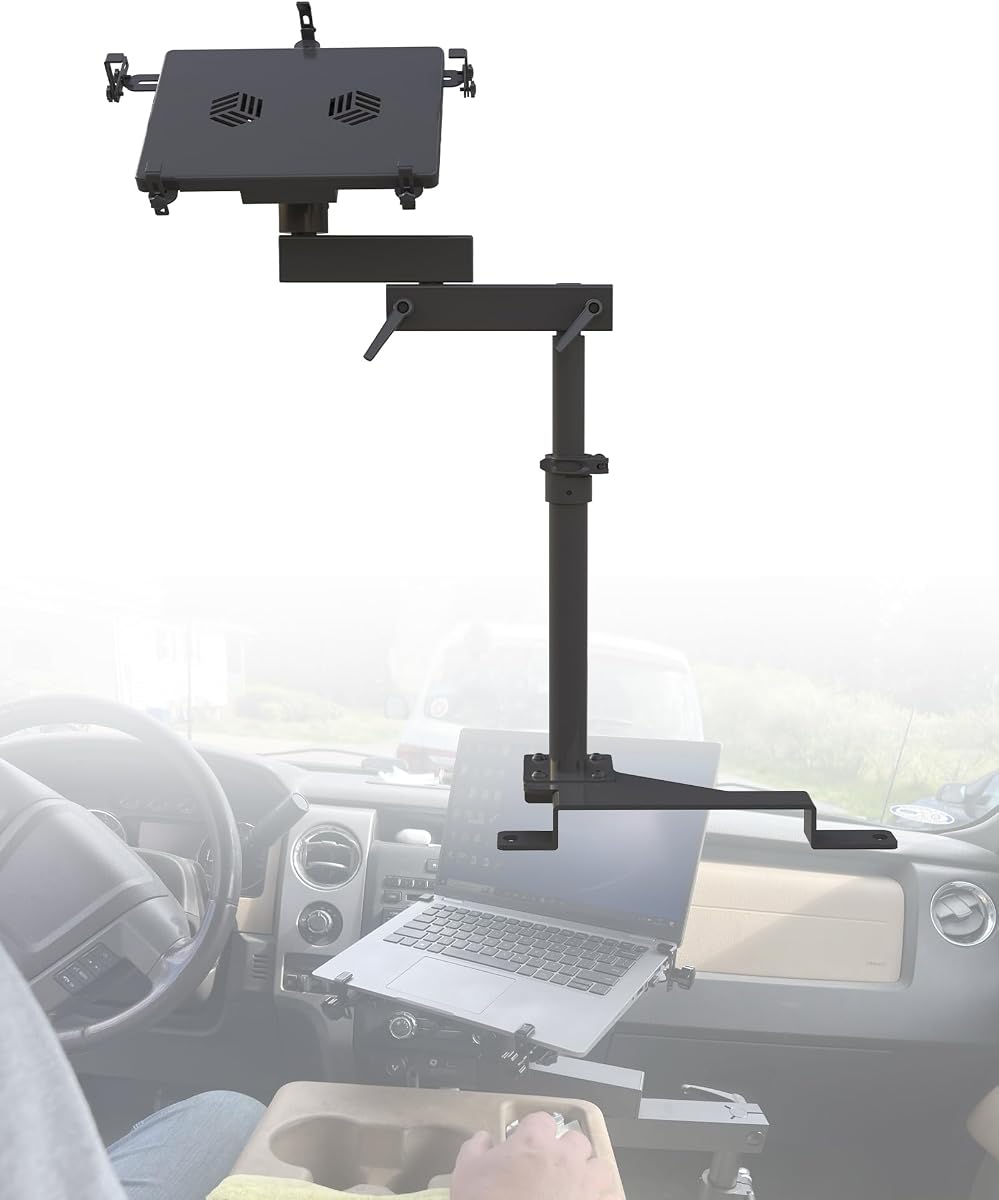


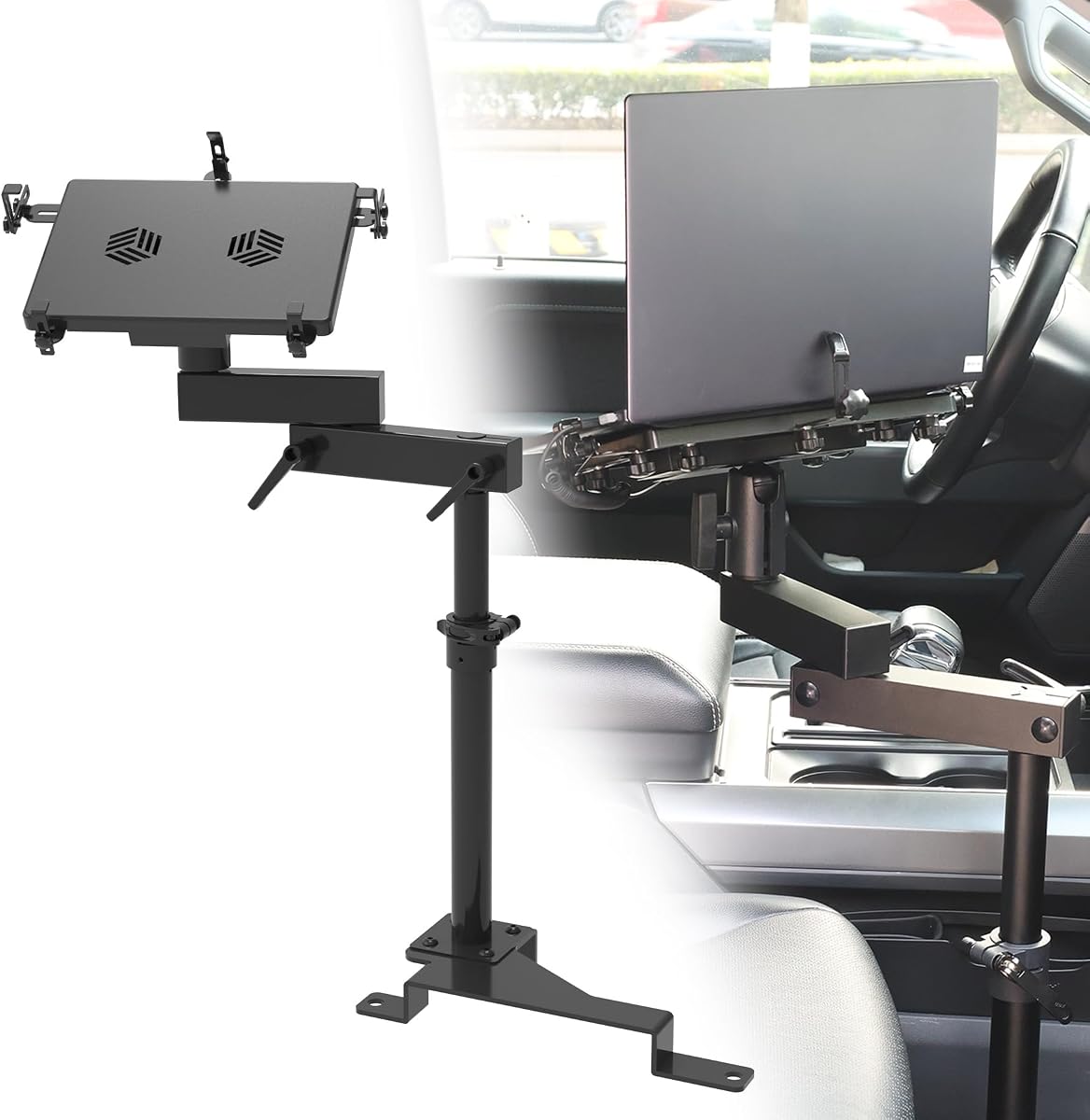
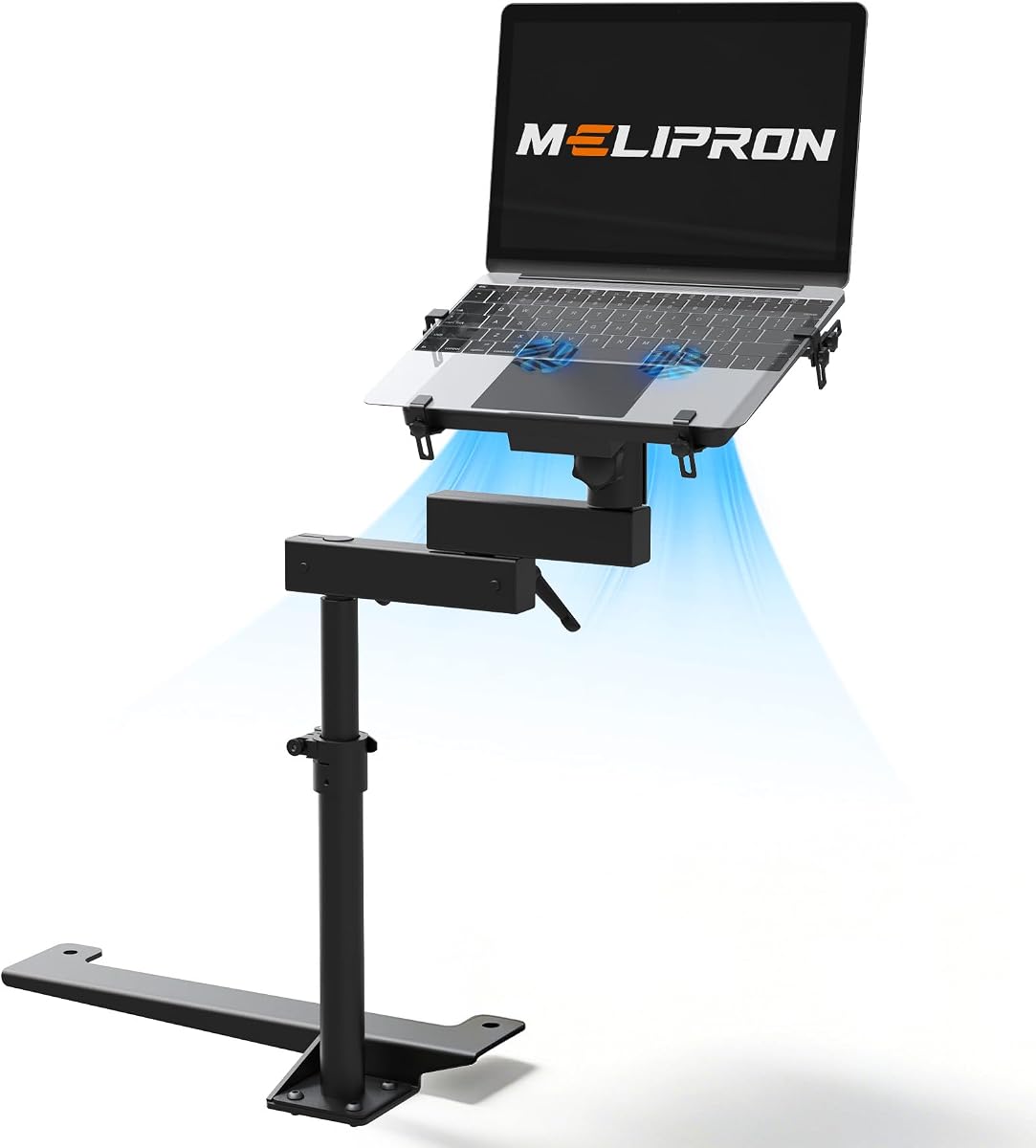
The MELIPRON No-Drill Truck Laptop Mount Fit for Ford F150 & Super Duty Trucks is a strong all-around choice for owners who need a stable, adjustable workstation in a supported Ford truck. Its 4.2 rating reflects a well-rounded feature set, with particular strengths in vehicle fitment, construction, cooling, and positioning.
We may earn a commission when you buy through this link, at no additional cost to you.
The product is listed for 2015-2026 Ford F-150 models and 2017-2026 F-250, F-350, F-450, and F-550 trucks, with additional compatibility for select Ford, Dodge, and Jeep vehicles. Its aluminum-and-steel build is paired with two built-in fans, adjustable height, a rotating tray, and dual swing arms for extended reach.
That makes it suitable for drivers who regularly type, dispatch information, view diagnostics, or use navigation while parked. The quick-release structure also helps when the passenger area must be restored quickly. The main qualification is fitment: buyers should review the complete vehicle compatibility chart rather than assume a similar-looking truck will work.
Overall, this stand is a convincing pick for Ford owners who want a full-size, feature-rich mount without drilling into the vehicle. It is especially useful for daily professional use because it combines cooling, security, articulation, and a detachable design in one package.
Dual swing arms provide useful reach, while the aluminum and steel structure is intended to remain firm over uneven roads. The mounting system also permits quick detachment when the passenger seat must be returned to normal use.
Two integrated fans provide airflow during longer parked work sessions. Their presence makes the mount more practical for diagnostics, dispatch, reporting, and other tasks that can keep a laptop active for extended periods.
We may earn a commission when you buy through this link, at no additional cost to you.
The MELIPRON No-Drill Truck Laptop Mount Fit for 19-26 Chevy Silverado, Sierra is our premium pick for Chevrolet and GMC owners with a listed compatible model. Its 4.1 rating and vehicle-specific design emphasize stable anchoring, precise positioning, cooling, and careful device protection.
We may earn a commission when you buy through this link, at no additional cost to you.
The stated compatibility covers several Silverado, Sierra, Tahoe, Suburban, and Yukon configurations across different model years. Installation uses existing passenger-seat bolts, avoiding drilling or permanent modification. A heavy-duty three-point base, aircraft-grade aluminum, and reinforced steel support regular use.
Height extends from 11.9 to 20 inches, while tilt, 360-degree rotation, and four locking joints let the user preserve road visibility and keep vehicle controls accessible. Two USB-powered fans support longer sessions, and five vinyl-coated clamps help hold laptops or tablets without scratching their surfaces.
This is a particularly compelling option for fleet technicians, contractors, and mobile-office users whose truck is listed in the compatibility guide. The trade-off is limited universality, but for the specified trucks, the fit-specific base and extensive adjustment justify a premium position.
The three-point support base connects directly to passenger-seat rail bolts and distributes the load across multiple points. That arrangement is intended to reduce wobble during typing, dispatch work, and diagnostics on uneven roads.
Four locking joints, height adjustment, tilt, and full rotation provide several ways to align the screen. This flexibility is valuable in trucks with different cab heights and seat positions because the user can avoid blocking the driver's view.
We may earn a commission when you buy through this link, at no additional cost to you.
The No-Drill Truck Laptop Mount Fit for Ford F150, F350, F250, F550 has a 4.6 rating, the highest among the products in this guide. Its defining strength is the combination of a three-point support base, five adjustable tray clamps, and an additional securing strap to limit movement on rough roads.
We may earn a commission when you buy through this link, at no additional cost to you.
The listed vehicle coverage includes 2015-2026 F-150 trucks and 2017-2026 F-250, F-350, F-450, and F-550 models, plus other supported Ford vehicles. Aluminum and powder-coated alloy steel form the main structure, while a dual-articulating arm includes four locking joints for height and angle changes.
Two built-in fans help prevent overheating, and the telescopic pole releases quickly to restore passenger space. Installation is described as drill-free and supported by instructions and installation videos. Compared with simpler trays, the elaborate restraint system may take more attention, but it is advantageous for frequently traveled work trucks.
This is an excellent recommendation for Ford owners who regularly carry a laptop over rough routes or need maximum control over device movement. Its unusually strong customer rating also makes it worth shortlisting, although actual suitability still depends on the exact truck and seat-bolt configuration.
Five adjustable clamps and a strap form a layered retention system around the device. This is especially useful when vibration or changing road surfaces could otherwise cause a laptop to slide within the tray.
Four joints across the dual-arm assembly allow the screen to be brought into a comfortable working position. Locking those joints helps preserve the selected angle during repeated stops and starts.
We may earn a commission when you buy through this link, at no additional cost to you.
The MELIPRON No-Drill Truck Laptop Mount for Cars, Heavy-Duty Mobile Work Stand combines broad utility with a 4.3 rating. It is designed for passenger-seat rail-bolt installation and presents a practical option for drivers who alternate between trucks, cars, leased vehicles, and shared fleet equipment.
We may earn a commission when you buy through this link, at no additional cost to you.
Its principal advantages are a quick-release telescopic pole, height, tilt, and 360-degree swivel adjustment, plus two built-in cooling fans. The aluminum and steel construction is intended to remain stable on rough roads, and the removable pole helps preserve passenger space when the workstation is not needed.
The product listing also states that the design is patented and includes a two-year warranty with free replacement parts for missing or damaged components. It can be valuable for occasional mobile work, but buyers should ask support about fitment because the description refers broadly to passenger-seat rail bolts rather than a fully enumerated vehicle list.
This mount is best for a driver who values a versatile, removable workstation more than a model-specific design. The quick-release arrangement is particularly helpful in shared vehicles, while the cooling fans and broad articulation make long parked sessions more comfortable.
The telescopic pole can be removed quickly without taking away the complete mounting arrangement. That helps a shared truck retain a usable passenger area between work assignments.
The product is positioned for cars and trucks using passenger-seat rail bolts. Its general approach can be attractive to fleet users, provided the exact bolt spacing and available clearance are verified before installation.
We may earn a commission when you buy through this link, at no additional cost to you.
The VIVO Adjustable Single Laptop Car Mount is the best budget-oriented option in this roundup, offering a 3.9 rating and a versatile floor-bolt mounting system. Three different mounting feet allow it to address a wider variety of cars, trucks, vans, and SUVs than a completely vehicle-specific design.
We may earn a commission when you buy through this link, at no additional cost to you.
Its tray measures 14.2 by 11.9 inches and accommodates laptops, notebooks, and tablets up to 17 inches, with an 11-pound capacity. A ventilated surface promotes airflow, while flexible clips secure the device. Height, tilt, swivel, rotation, and an 18.5- to 26.3-inch telescopic pole allow broad positioning.
The quick-disconnect mechanism lets the user remove the stand by taking out thumb screws, which is helpful when the passenger area must be restored. The base anchors to exposed passenger-side floor bolts at several common angles, although the exact bolt geometry still needs to be checked.
The VIVO is a sensible starting point for occasional mobile work, particularly for buyers who do not need built-in fans or a model-specific system. Its lower rating and more basic retention system make it less attractive for intensive professional use, but the included mounting flexibility adds meaningful value.
The three supplied mounting feet broaden the range of supported seat-bolt arrangements. This makes the stand more approachable for a first truck workstation, especially when the buyer is unsure which base will suit the available space.
The tray's ventilated surface encourages passive airflow around the computer. Although there are no integrated fans, the design still provides more ventilation than a completely closed platform.
We may earn a commission when you buy through this link, at no additional cost to you.
The No-Drill Car Laptop Mount, Adjustable Mobile Truck Computer Stand is built around clear fit verification. Its 4.0 rating reflects a capable design with a three-point base, five adjustable clamps, a 59-inch strap, two cooling fans, and broad articulation.
We may earn a commission when you buy through this link, at no additional cost to you.
The mounting system is designed for cars, trucks, vans, and SUVs with passenger-seat bolts. A three-step guide helps buyers check bolt type, a 6.6- to 17-inch mounting span, and clearance, while the listing specifically excludes hook-style seat mounts. This transparency makes it easier to avoid an incompatible purchase.
The workstation adjusts from 11.9 to 20 inches in height, with tilt, 360-degree swivel, and two 180-degree articulating arms offering up to 13 inches of reach. Two USB-powered fans help reduce heat, and the tray supports 9- to 17-inch laptops and tablets up to 11 pounds.
This is a strong choice for fleet operations, mobile service, and field work where one design must serve several vehicle types. The upper workstation detaches at its center joint while the base remains installed, balancing secure positioning with easier passenger access.
The product offers a practical pre-purchase check for bolt type, span, and clearance. Buyers should follow it carefully because hook-style mounts and insufficient surrounding space will prevent a proper installation.
Two articulated arms extend the display away from the seat, giving the user more room to type and work around the console. The multiple adjustment modes also help position the screen without taking up unnecessary space.
We may earn a commission when you buy through this link, at no additional cost to you.
The Car Laptop Mount Steering Wheel Tray Holder is a lightweight alternative for occasional mobile work, with a 4.6 rating and a design that can be installed in seconds. Instead of attaching to seat bolts, it clamps to a round steering wheel and can also flip into a desktop stand.
We may earn a commission when you buy through this link, at no additional cost to you.
Five height settings help bring the screen and keyboard closer to a comfortable working position. The surface measures 10.8 by 13 inches, which accommodates a laptop, iPad, or another supported device. Its compact, foldable construction makes it easy to place in a seat seam, briefcase, or other storage area.
The design is compatible with most round steering wheels found in cars and trucks, making it less dependent on a particular floor-bolt arrangement. That portability is a major advantage for occasional mobile-office users, travelers, and drivers who want a workstation only during a stop.
The tradeoff is stability and rigidity. Unlike the anchored passenger-seat mounts, this tray can move with the steering wheel and is best treated as a temporary surface rather than a rugged permanent installation. It earns a place in the guide because it fills a different and highly portable need.
The folding design eliminates the need for permanent attachment or tools. Users can carry the tray between vehicles and deploy it quickly when a parked working session requires more surface area.
Flipping the tray converts it from a steering-wheel attachment into a desktop platform. That versatility makes the stand useful beyond vehicle use and simplifies storage between assignments.
We may earn a commission when you buy through this link, at no additional cost to you.
The Mobotron MS-526B Heavy Duty Laptop Mount is a universal option for cars, trucks, and SUVs, earning a 4.1 rating. Its strongest distinguishing feature is the complete accessory package, which adds a support brace, screen stabilizers, and a preinstalled USB-powered cooling fan.
We may earn a commission when you buy through this link, at no additional cost to you.
The mounting deck can hold most laptops from 6 to 17 inches and tablets measuring 6 inches or more. Installation uses a no-drill base, but the passenger-seat rail must be flat and the relevant bolt must be visible and accessible. The listing notes that some installations can be completed in less than 10 minutes.
Adjustment allows the display to be placed at a more ergonomic viewing angle for the driver or passenger. The support brace increases mount stiffness, while the screen stabilizers help keep the laptop display from moving, a useful feature on roads with frequent vibration or abrupt stops.
This mount is attractive for buyers who want useful accessories in the same package and need broad device support without selecting a vehicle-specific model. The key limitation is that its universality depends on a suitable rail and bolt, so careful inspection remains essential.
The included brace and screen stabilizers address two common concerns: structural stiffness and display movement. The preinstalled fan also adds cooling without requiring the user to select and attach a separate accessory.
A deck supporting 6- through 17-inch laptops and larger tablets covers a wide range of equipment. That makes the MS-526B useful for changing devices or for mixed mobile-office workflows.
We may earn a commission when you buy through this link, at no additional cost to you.
The Mobotron MS-426 Standard Vehicle Laptop Mount is a straightforward universal workstation with a 4.1 rating. It focuses on the essentials: no-drill attachment, broad screen movement, a quick-release control, and a stated holding capacity that distinguishes parked and moving use.
We may earn a commission when you buy through this link, at no additional cost to you.
The tray adjusts vertically through 180 degrees and horizontally through 360 degrees, allowing the screen to be moved into a more comfortable position. Its holding capacity is listed as 17 pounds while parked and 11 pounds while moving, which is an important distinction for road-work planning.
Installation depends on a flat passenger-seat rail with an accessible, visible bolt. A quick-release lever and knob screw allow the workstation to be repositioned or removed, making it practical when the passenger seat must alternate between a computer station and a normal seating area.
The MS-426 is a good pick for users who value uncomplicated adjustment and a universal mounting concept. It does not list built-in cooling or as many restraints as the more elaborate mounts, but its core design handles the essential requirement of positioning a computer securely in a vehicle.
The difference between 17-pound parked capacity and 11-pound moving capacity reflects the greater forces encountered during travel. Users should treat the lower figure as the relevant limit whenever the vehicle is in motion.
The quick-release lever and adjustment knob make it easier to move or remove the workstation. This is particularly useful when one passenger area must serve both computing and seating needs.
We may earn a commission when you buy through this link, at no additional cost to you.
The MELIPRON No-Drill Truck Laptop Mount Fit for Dodge RAM 2500 3500 4500 5500 offers a focused solution for supported RAM platforms and has a 4.3 rating. Its vehicle-specific base connects to existing passenger-seat bolts without drilling or permanent modification.
We may earn a commission when you buy through this link, at no additional cost to you.
Compatibility includes RAM 2500, 3500, 4500, and 5500 models from 2012-2026, along with several specified RAM 1500 configurations, RAM 3500 Tradesman models, and Chassis Cab versions. Importantly, it is not compatible with the RAM 1500 DT new-body style from 2019 onward, making the exclusion list essential to review.
A heavy-duty steel three-point base distributes the load to reduce wobble, while reinforced steel and aircraft-grade aluminum support frequent use. The workstation adjusts from 11.9 to 20 inches, with tilt, 360-degree rotation, and four locking joints for precise positioning.
Two USB-powered fans help manage heat, and five vinyl-coated clamps secure laptops and most tablets without scratching them. This is a well-equipped choice for supported RAM owners who dispatch, perform diagnostics, or type for long shifts, but buyers should confirm their exact body style before ordering.
The supported list is extensive, but it includes meaningful exclusions. Confirming the model year, body style, and heavy-duty platform avoids selecting a mount that cannot use the intended seat-bolt attachment points.
Vinyl-coated clamp contact points help protect the device while maintaining a firm hold. Combined with cooling fans and a rigid three-point base, the mount is well suited to sustained professional tasks.
We may earn a commission when you buy through this link, at no additional cost to you.
The right truck laptop stand depends on your vehicle's attachment points, the size and weight of your equipment, and how often you work in the cab. Use the following factors to narrow the options before making a final fitment decision.
Start with the mounting hardware rather than the tray. Vehicle-specific stands are usually easier to trust when the listed model, year, body style, and seat-bolt pattern match. Universal mounts offer broader potential, but the rail must be flat, the bolt must be visible and accessible, and the surrounding space must permit the base to sit securely.
Measure the bolt spacing and available clearance before ordering, and note whether the mount requires a floor bolt or passenger-seat rail bolt. Do not assume that two trucks with similar model names share the same geometry.
A truck sees more vibration, abrupt stops, and road impacts than a desk. Look for a base with multiple support points, metal structural components, and a rigid connection to the seat bolts. Additional tray clamps and a securing strap provide a second layer of protection against the laptop shifting.
Prioritize multi-point bases and strong restraints if the truck regularly carries tools or travels on rough roads.
Useful height, tilt, swivel, and rotation adjustments make it possible to place the screen where it is readable without obstructing the driver or interfering with controls. Locking joints are particularly important because they preserve the chosen angle when the vehicle moves.
Choose an articulating stand with several adjustments if cab height, seat position, or driver preference varies substantially.
Long diagnostic sessions, dispatch shifts, and remote-work periods generate sustained heat. Integrated USB-powered fans can improve airflow, while a ventilated tray offers a simpler passive solution. Positioning also matters because a tight or poorly ventilated mounting location can trap heat around the computer.
Choose active cooling for intensive parked use, and confirm that a USB power source is accessible from the selected mounting position.
The screen size alone does not establish whether a device will fit. Check the complete tray dimensions, maximum device size, and stated weight limit. Some supports handle 17-inch laptops, while others also list tablet compatibility. The capacity used while moving may be lower than the parked limit.
Match both the physical device and the working conditions to the published specifications before purchasing.
A permanent-looking mount can still be inconvenient if it blocks a passenger or prevents the seat from returning to normal use. Quick-release poles, detachable upper workstations, and quick-disconnect mechanisms make it easier to reclaim space when the computer is not being used.
Shared and multi-user trucks benefit most from a release mechanism that can be operated without dismantling the entire base.
Aluminum, reinforced steel, powder-coated steel, and protective tray coatings are useful indicators of a work-oriented design. Accessories such as support braces, screen stabilizers, cooling fans, flexible clips, and installation instructions can further improve stability and daily usability.
Compare included components carefully because they can materially affect the stand's real-world usefulness.
Floor- and seat-bolt-mounted stands suit regular fleet or mobile-office work, while a steering-wheel tray suits short, temporary sessions. A permanent-style mount offers better reach and stability; a portable tray can be carried between vehicles, stored more easily, and used without permanent attachment.
Choose portability for occasional use and anchored stability for frequent or professional workflows.
Begin by parking the truck on a level surface, identifying the correct passenger-seat rail bolts, and comparing the supplied base with the bolt type and available clearance. Follow the product's installation instructions, tighten fasteners gradually, and confirm that the three-point base or mounting feet sit flush before attaching the upper workstation.
Position the tray before driving, lock every adjustment joint, and verify that the laptop does not block the driver, mirrors, controls, airbags, or safe sightlines. Connect the cooling fans to an appropriate USB source, route cables away from pedals and moving controls, and use the clamps and strap to prevent device movement.
For care, periodically inspect the bolts, joints, clamps, and tray for loosening, heat damage, or unusual wear. Clean the surfaces with a soft damp cloth, keep ventilation openings free of dust, and avoid exposing the electronics or mount to excessive moisture. Detach the upper workstation when it is not needed, especially in a shared vehicle, and recheck the fit if the seat is moved or the truck undergoes suspension or body work.
Most stands in this guide use existing passenger-seat or floor bolts, so drilling is not normally required. The important part is confirming that the bolt pattern, rail shape, and surrounding clearance match the mount. Some universal designs only work with a flat rail and an accessible bolt, while vehicle-specific models may require a particular model year or platform.
A properly fitted no-drill mount is designed to avoid permanent modification. It may still leave light surface marks if the base rubs against plastic or upholstery while being installed, so the mounting area should be cleaned and inspected before use. Tighten the hardware without forcing it and confirm that the base does not contact sharp or moving components.
Several products publish separate parked and moving weight limits, and some emphasize rough-road stability. Even with a secure mount, the safest practice is to avoid extended typing while driving. The device should be fully restrained, the view unobstructed, and any loose cables secured so they cannot interfere with the driver or controls.
A vehicle-specific mount is often the simplest choice when your exact configuration is listed because its base is designed around that truck's seat hardware. A universal floor-bolt mount can work across several vehicles, but only after checking bolt spacing, rail geometry, clearance, and weight requirements. Always compare the fit chart before ordering.
Many mounts in this guide support laptops up to 17 inches, but maximum screen size does not guarantee a proper fit. Check the full tray dimensions, device weight, clamp opening, and the height and width of the computer. A broad physical footprint can also interfere with the passenger area even when the device technically fits.
They are most useful for long parked sessions involving diagnostics, dispatch, or sustained computer work. A ventilated tray can support passive cooling for lighter use, but a laptop operating for hours in a hot cab benefits from active airflow. If using fans, check USB power availability and route their cables away from driving controls.
Universal stands can be transferred when their base is compatible with each vehicle's floor or seat-bolt arrangement. A vehicle-specific mount is less portable but usually offers a more direct fit. For fleet use, measure every cab and consider quick-disconnect features so the workstation can be removed while the base remains installed.
The screen should be readable without blocking the road, mirrors, or vehicle controls, and the keyboard should not force awkward shoulder or wrist positions. Use the height, tilt, swivel, and rotation adjustments to find a comfortable angle, then tighten all locking joints before driving. Route charging and fan cables securely.
The MELIPRON Ford Truck Mount is the most versatile all-around recommendation in the group, while the MELIPRON Chevy and GMC Mount stands out for extensive vehicle-specific coverage. The VIVO Adjustable Single Car Mount offers the clearest budget starting point, and the remaining choices serve particular RAM owners, fleet users, and drivers who prioritize a universal or highly portable design.
Before ordering, prioritize exact vehicle fit, a stable mounting base, usable adjustment, device capacity, and passenger-space recovery. Active cooling and layered restraints matter most for heavy professional use, while occasional workers may prefer the simpler VIVO or a compact steering-wheel tray. Confirm clearance and bolt geometry before committing to a model.
Finally, check current product details, included accessories, warranty terms, and pricing at the time of purchase, since availability and costs can change. The most effective truck laptop stand is the one that fits securely, places the screen safely, remains comfortable during the intended workflow, and does not interfere with the vehicle.