
JSAUX Video Capture Card
4.4Editor score
Dock and capture design
100W PD charging
4K60Hz passthrough
Explore the best Nintendo Switch streaming setup options, comparing capture cards, docks, passthrough, resolution, audio, and setup convenience.
A Nintendo Switch streaming setup combines a console or handheld, a suitable video source, a capture device, streaming software, and dependable audio. The right combination makes it easier to broadcast gameplay, record highlights, and preserve clean video without complicating the playing experience or adding unnecessary equipment.
The products in this guide were compared using their stated capture formats, passthrough support, input and output connections, audio features, operating-system compatibility, and suitability for portable or docked play. The list covers dedicated HDMI capture cards as well as two-in-one docks designed to reduce cable clutter and streamline a Nintendo Switch 2 setup.
Each review explains where the product fits, which features matter most, and what compromises buyers should consider. Ratings and specifications reflect the supplied product information, while availability, software compatibility, and prices can change. Readers should verify current listings and confirm their preferred source and destination equipment before buying.
4.4Editor score

4.2Editor score

4.4Editor score
The comparison below highlights the principal differences in source input, capture resolution, passthrough, charging, audio, and portability across ten Nintendo Switch streaming options.


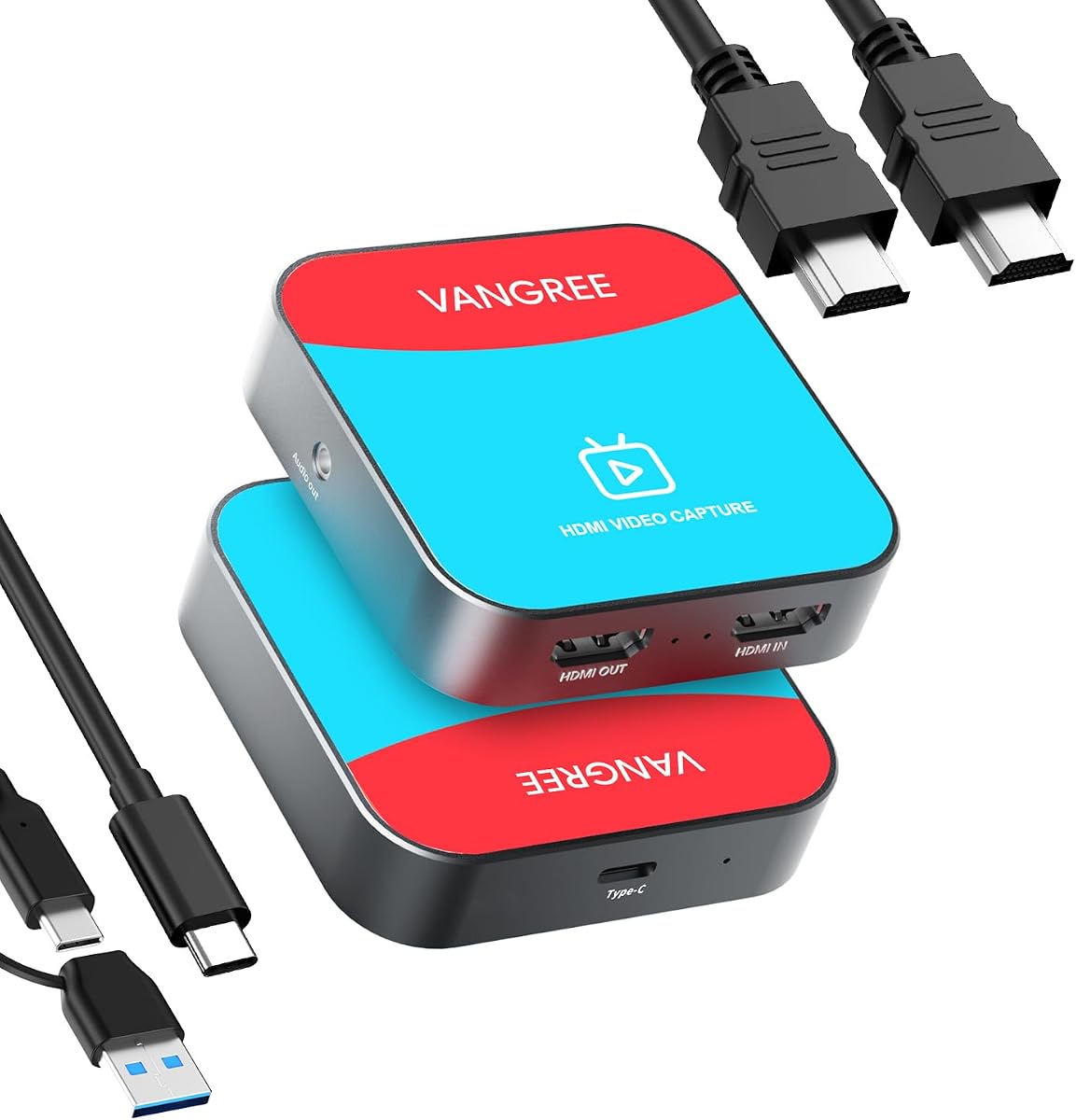

This capture card combines a straightforward HDMI-to-USB workflow with support for Nintendo Switch 2 and other current gaming sources. Its 4.2 rating reflects a practical package aimed at creators who need 1080P 60FPS recording, 4K 30Hz passthrough, and commentary audio without installing hardware drivers.
We may earn a commission when you buy through this link, at no additional cost to you.
The strongest feature is the separation between the captured feed and the display path. The card can capture 1080P at 60 frames per second while passing through 4K at 30Hz to a television or monitor. That lets a streamer play on a larger screen while OBS or another compatible program receives the video signal from the computer.
Its cross-platform approach is also useful. The included USB 3.0 cable and USB-A-to-USB-C adapter support Mac, Windows, and Linux systems, along with compatible USB-C devices. A 3.5mm microphone input and headphone monitoring make it possible to add commentary and check game audio, although the HDMI cable still has to be supplied separately.
This is the strongest general recommendation for a Nintendo Switch streaming setup because it covers the essential requirements without forcing a particular dock design. It suits buyers who already have a suitable computer, monitor, microphone, and HDMI cable, as well as those who want a capture card that can also serve cameras and other HDMI sources.
Playing on an external display while recording a separate 1080P 60FPS feed provides a practical balance between presentation and stream quality. The 4K 30Hz passthrough is useful for compatible high-resolution displays, while the capture output remains focused on a widely used streaming format.
The included USB-C adapter reduces the chance that a modern laptop will need another accessory immediately. Compatibility with Windows, macOS, and Linux also makes the card more adaptable than a solution tied to only one operating system.
We may earn a commission when you buy through this link, at no additional cost to you.
The JSAUX device is built for creators who want a portable dock and capture function in one enclosure. It carries a 4.4 rating and offers 4K60Hz or 1440p120Hz passthrough, 4K30fps or 1080p60fps recording, and charging that can run while a compatible handheld is used.
We may earn a commission when you buy through this link, at no additional cost to you.
Its two-in-one design is particularly useful for Nintendo Switch 2, Steam Deck, and ROG Ally setups. The USB-C source port accepts video from compatible handhelds, the HDMI output sends the display signal to a television or monitor, and the USB-A connection carries the captured feed toward a computer. A dedicated USB-C power-delivery port supports up to 100W.
There are important technical boundaries. The listed 4K30fps capture is separate from 4K60Hz passthrough, and the source must be connected through the USB-C video input rather than an HDMI input. The device also specifies a full-featured USB-C port on the computer side, which is worth checking before assembly.
The premium recommendation is therefore aimed at users who value one compact device over a separate dock and capture card. It is particularly compelling for travel, dorm-room, and compact streaming stations, provided the chosen handheld and computer support the required video and data connections.
Combining dock and capture functions can reduce desk clutter and make a temporary streaming station easier to assemble. The compact aluminum enclosure is positioned for backpacks, game nights, and other mobile use cases where a full permanent setup would be inconvenient.
The independent USB-C PD input can deliver up to 100W, allowing a compatible handheld to charge while the owner plays, mirrors the display, or captures. This makes the dock more useful for extended sessions than a simple video adapter.
We may earn a commission when you buy through this link, at no additional cost to you.
This capture card provides an approachable route into Nintendo Switch streaming, with 1080P 60FPS capture, 4K passthrough, and a no-driver USB connection. Its 4.4 rating places it alongside the strongest-rated products in the guide, although the supplied information does not detail a microphone or headphone jack.
We may earn a commission when you buy through this link, at no additional cost to you.
Compatibility is a major strength. The listed source support includes Nintendo Switch, PS5, Xbox Series X, DSLR cameras, and PCs, while the software list includes OBS Studio, Streamlabs, and XSplit. Its compact USB 3.0 body also suits creators who move between a home setup, LAN party, event, or studio.
The main compromise is that it does not perform the functions of a docking station. It must sit between the source and display, and the buyer may need separate cables and audio equipment. The stated 4K passthrough is also distinct from the 1080P 60FPS capture output, so the two should not be treated as equivalent specifications.
For a first streaming setup, this is a sensible value choice. It provides the core capture resolution, familiar software support, and broad source compatibility without requiring a more specialized portable dock. It is best for users who already have a suitable display, computer, and commentary arrangement.
Automatic USB recognition and driver-free operation remove two common setup barriers. A creator can connect the Nintendo Switch, install a compatible capture application, choose the input, and begin recording or streaming with a comparatively simple workflow.
The broad HDMI compatibility makes this useful beyond Nintendo games. Cameras, consoles, and PCs can all use the same basic capture path, giving a new creator more flexibility without buying a different device for every source.
We may earn a commission when you buy through this link, at no additional cost to you.
The Monster capture card is explicitly designed around popular consoles, including the original Nintendo Switch and Switch 2. Its 4.2 rating accompanies a clear 1080P 60FPS capture specification, 4K passthrough, and a straightforward USB 3.0 connection for a streaming computer.
We may earn a commission when you buy through this link, at no additional cost to you.
Integrated microphone and headphone ports distinguish it from more minimal capture devices. A streamer can add live commentary through the 3.5mm connections and monitor the source while recording or broadcasting. This is especially useful for creators who want a simple all-in-one audio path without routing every sound through the computer.
The hardware is compact and portable, making it suitable for a home station, an event, or a setup that changes locations. However, the product information does not identify the color format, supported computer operating systems, or exact software list in as much detail as some competing products.
This card is most attractive to console-focused creators who value commentary and headphone monitoring in a compact unit. It is a sensible choice when HDMI passthrough and 1080P 60FPS recording are the priorities, and a separate dock or integrated charging solution is not necessary.
The built-in microphone input allows a headset or microphone to contribute directly to the capture workflow. That can simplify early setup while still giving the creator a way to add a voice track during play.
Explicit support for Nintendo Switch, Switch 2, PS5, Xbox, and PC makes the product's intended role easy to understand. The connection path follows the familiar console-to-capture, capture-to-computer, and capture-to-display arrangement.
We may earn a commission when you buy through this link, at no additional cost to you.
The acer capture card targets creators who want a defined color format and straightforward operation. It supports 4K input, 1080P 60Hz output, and YUY2 video, which the product information describes as producing richer color than MJPEG for streaming and recording.
We may earn a commission when you buy through this link, at no additional cost to you.
Its plug-and-play design requires no extra drivers or external power. That reduces the number of possible setup problems and makes the card attractive for laptop-based streamers who want a small, portable accessory. The 3.5mm microphone input also allows direct commentary without a separate adapter.
Compatibility extends beyond the Nintendo Switch to Switch 2, PS5, PS4, Xbox, cameras, PCs, macOS, and Android. Listed applications include OBS, XSplit, VLC, YouTube, Facebook, and Twitter, giving buyers a broad set of options for recording and publishing.
This is a strong recommendation when predictable 1080P 60Hz output and YUY2 color matter more than docking conveniences. Its lack of charging and the 60Hz output ceiling make it less integrated than a portable capture dock, but it is well suited to a clean, dedicated capture-card arrangement.
YUY2 output avoids reliance on the smaller compressed files associated with MJPEG. The result is a more predictable video feed for creators who want stronger color detail and consistent processing in their recording application.
No separate driver installation and no external power supply are meaningful benefits for a quick setup. The card can be introduced to an existing streaming computer with less configuration than a more complex accessory.
We may earn a commission when you buy through this link, at no additional cost to you.
The Rybozen card is a general-purpose HDMI capture device with a 4.3 rating and broad source compatibility. It captures up to 1080p, accepts 4K30 or 4K60Hz input, and includes HDMI loop-out for sending the source signal to a display.
We may earn a commission when you buy through this link, at no additional cost to you.
Its list of compatible sources extends well beyond Nintendo hardware to older and current consoles, cameras, security equipment, set-top boxes, and PCs. Windows and Mac operating systems are supported, along with streaming and playback applications including OBS, Twitch, YouTube, Facebook, Twitter, PotPlayer, and VLC.
Installation is automatic once the card is connected, with no driver or external power required. A 3.5mm TRS microphone input supports commentary, but the specification is specific: the product accepts a standard TRS headset rather than every possible microphone connector.
The main limitation is high-refresh input. It does not support 4K at 120Hz or 144Hz, and its highest stated output is 2K30Hz. For a Nintendo Switch streaming setup focused on 1080p capture and broad device support, however, it remains a capable and flexible option.
The long compatibility list makes the card useful for creators who switch among consoles, cameras, and other HDMI equipment. One capture workflow can therefore serve more than a single gaming channel or recording session.
Automatic input detection and output adjustment can save time when moving between sources. The card is designed to be recognized as a webcam-like capture device, which helps keep software configuration familiar.
We may earn a commission when you buy through this link, at no additional cost to you.
The C8 is designed to reduce the number of devices around a Nintendo Switch 2, Switch OLED, original Switch, or Steam Deck. It combines a portable USB-C dock with 1080P 60FPS capture, earns a 4.2 rating, and includes a 100W USB-C PD input for longer sessions.
We may earn a commission when you buy through this link, at no additional cost to you.
Three modes make the device adaptable. Dock Mode sends the display to a television or projector, Capture Mode sends video to a computer, and Dock + Capture Mode handles both at once. A separate USB 3.0 hub allows controllers, keyboards, mice, microphones, or storage devices to remain connected.
The limitation is fundamental: it has no HDMI input. It captures only from USB-C video-output devices and cannot serve as a general HDMI capture card for cameras, consoles connected through HDMI, or PC-to-PC capture. Users also need a full-featured USB-C cable and a separate HDMI cable for the display path.
Despite those boundaries, this is a strong choice for a deliberately compact handheld streaming station. It is particularly useful for dorm rooms, travel, and small desks where a conventional dock plus separate capture card would add clutter.
Combining the dock and capture function leaves fewer separate boxes and cables around the handheld. The aluminum shell and compact design support use in hotel rooms, family game areas, and temporary creator stations.
The ability to display, capture, or do both at once makes the C8 practical for different stages of creation. A creator can use the display path for practice and the combined mode for a recorded or broadcast session.
We may earn a commission when you buy through this link, at no additional cost to you.
This capture card emphasizes 1080P 60FPS YUY2 video over USB 3.0 and 4K30Hz passthrough. With a 4.3 rating, it presents a strong technical option for Nintendo Switch streaming setups where the captured feed must be transferred rapidly and displayed with low delay.
We may earn a commission when you buy through this link, at no additional cost to you.
The product information identifies a real USB 3.0 protocol chipset and describes the capture output as YUY2. It also advertises zero-latency HDMI passthrough, enabling the console image to remain separate from the 1080P 60FPS feed sent to the computer.
Source compatibility is extensive, covering Nintendo Switch, older Nintendo systems, PlayStation models, Xbox systems, cameras, security cameras, and set-top boxes. The card works without drivers or external power, and its 3.5mm headset or microphone input provides a direct path for commentary. It does not capture party chat.
This is a well-rounded choice for creators who value consistent color format, broad source support, and a traditional HDMI capture arrangement. Its limitation is that USB capture stops at 1080P 60FPS, so it should be judged on stream quality and responsiveness rather than 4K recording.
The HDMI output can carry 4K30Hz to a suitable display, while the USB path records 1080P 60FPS. This arrangement supports a large external screen without implying that the computer receives the same 4K signal.
YUY2 is useful when a creator wants predictable color handling and sufficient bandwidth for 1080P60. It can also simplify decisions when several applications support the format consistently.
We may earn a commission when you buy through this link, at no additional cost to you.
The USB-C 3.0 capture card supports HDMI input and passthrough up to 4K30Hz, with 1080p60 streaming through USB-C. Its 4.2 rating and uncompressed YUY2 format in YUV 4:4:4 distinguish it for creators who prioritize color detail and luma-chroma separation.
We may earn a commission when you buy through this link, at no additional cost to you.
Hardware-accelerated scaling is another notable feature. It allows a 4K30Hz input to be converted to a 1080p60 workflow, which is useful when the target platform is designed around 60 frames per second. The product information also describes near-zero latency on the passthrough signal for responsive play.
It is compatible with Windows, macOS, Linux, and Android, along with OBS Studio, XSplit, and PotPlayer. Nintendo Switch, Switch 2, PS5, Xbox Series X/S, and PC are listed as suitable sources. iOS and Android users need compatible camera applications such as CamX or MoniCon.
This recommendation fits creators who want an uncompressed 1080P60 feed and a modern connection path. It does not record in 4K through USB, and the near-zero latency claim applies to passthrough rather than necessarily every stage of the capture and broadcast chain.
YUV 4:4:4 retains separate chroma information for each pixel, making it a compelling format for detailed game footage. It avoids the compression artifacts associated with more heavily compressed capture methods.
The hardware scaler turns a 4K30Hz source into a 1080p60 workflow. That is helpful for services and recording applications optimized for 60 frames per second.
We may earn a commission when you buy through this link, at no additional cost to you.
This C8 version offers the same broad concept as the earlier two-in-one dock: a portable USB-C docking station and 1080P 60FPS capture device in one unit. It is aimed at Nintendo Switch 2, Switch OLED, original Switch, Steam Deck, and other compatible USB-C video-output devices.
We may earn a commission when you buy through this link, at no additional cost to you.
The aluminum housing is designed for travel and small creator stations, while 100W USB-C PD power helps keep a supported handheld charged during extended use. Its USB 3.0 hub can accommodate controllers, input devices, microphones, or drives, and the labeled ports simplify initial assembly.
Dock Mode, Capture Mode, and Dock + Capture Mode give the device a useful range of roles. HDMI output supports up to 4K30Hz for a television or monitor, while the capture path sends 1080P 60FPS to a compatible computer for use with OBS, Streamlabs, Twitch, YouTube, or TikTok.
The critical limitation is that it has no HDMI input and cannot perform PC-to-PC capture. It is a specialized solution for USB-C video sources, and the included full-featured cable still needs a source that can actually output video through USB-C.
The combination of docking, charging, peripheral connectivity, and capture reduces the accessories needed for a portable station. That makes the C8 attractive for creators who regularly travel or use shared spaces.
The three modes simplify changing between play, recording, and simultaneous operation. With suitable cables and a compatible source, the device handles the main connections a handheld creator needs.
We may earn a commission when you buy through this link, at no additional cost to you.
The right setup depends on how the console is connected, which display is used, how commentary is handled, and whether portability or maximum display performance matters most.
Choose by source and destination, not by the word dock alone. A dedicated HDMI capture card offers greater source flexibility, while a USB-C capture dock can reduce cable clutter for supported handhelds.
For standard streaming, 1080P60 is the key target. Treat 4K passthrough as a display feature and 4K capture as a separate feature.
Verify each rate independently: console output, capture output, display capability, and final stream format.
Check for a mic jack, headset support, and monitoring before choosing a model based only on video.
Choose a charging dock when long sessions matter. Use a conventional capture card with a reliable console power supply.
Confirm operating-system and application support before buying. A compatible computer and reliable software matter as much as the card.
Choose a dedicated card for source flexibility. Choose a capture dock for compactness, charging, and handheld portability.
Inventory the existing cables before ordering. The capture device may not include every cable needed for a complete installation.
Begin by identifying how the console sends video. For a traditional HDMI capture card, connect the Nintendo Switch or Switch dock to the card's HDMI input, then connect the card's HDMI output to the television or monitor. Plug the supplied USB cable into the streaming computer. If the computer has USB-C rather than USB-A, use the included adapter where appropriate.
For a USB-C capture dock, connect the console or handheld to the source port with a full-featured USB-C cable that supports video and data. Connect the capture cable to a computer, connect the dock's HDMI output to a display, and attach a suitable USB-C PD power supply. Confirm the source appears in OBS, Streamlabs, or another compatible program before adding audio, overlays, and recording controls.
Begin with a short test recording and check console output, capture resolution, frame rate, color, game audio, microphone level, and synchronization. Keep ports clear, route cables to prevent strain, and use ventilation around the console and capture hardware during long sessions. Clean connectors gently, update the capture application when needed, and back up recordings before editing them.
Yes, a capture device or streaming function is generally required to send console video to a computer-based broadcasting application. A capture card receives the console's HDMI or compatible USB-C video, then transfers that feed to the computer by USB. The computer still needs suitable streaming or recording software and a stable internet connection for a live broadcast.
No. Passthrough is the signal sent from the capture device to a display, while capture is the signal transferred to the recording computer. Many products in this guide support 4K30Hz passthrough but capture at 1080P 60FPS. Check both values because a high-resolution display does not prove that the recorded or streamed file is also 4K.
Many of the listed products explicitly support the original Nintendo Switch, Switch OLED, and Switch 2. The exact connection still matters: a traditional HDMI card uses the console's HDMI output, while a USB-C capture dock needs a compatible source that can transmit video over USB-C. Confirm the model, port, and required video-output setting before purchasing.
A dedicated HDMI capture card does not require a separate docking accessory, although the console may need its normal dock for a TV connection. The JSAUX and C8 products integrate docking and capture to reduce clutter, add display outputs, and provide charging. They are convenient for portable or compact setups but are less flexible for HDMI-only sources.
OBS is the most consistently listed application, while Streamlabs, XSplit, vMix, Twitch Studio, VLC, and PotPlayer also appear across the product descriptions. Software support can vary by operating system and model, so check the current product instructions and the application's device requirements. The capture card and computer must recognize the signal before controls appear.
Yes, if the chosen product offers a compatible microphone or headset connection. Several cards include a 3.5mm input, and some also support headphone monitoring. The Rybozen card specifically calls for a 3.5mm TRS headset, while products without a mic jack can use a USB microphone or the computer's own audio input.
Begin with a device that advertises low-latency passthrough and connect it directly to the display through a short, reliable HDMI or USB-C path. Also check that the streaming application is not adding unnecessary buffering. Even with a low-latency capture device, the complete live-broadcast path can introduce delay, so local display responsiveness and the public stream should be evaluated separately.
An HDMI cable is the most common omission in the supplied information, and the C8 products also exclude a power adapter. You may also need a compatible USB-C cable, a USB microphone, headphones, storage, or a second controller depending on the selected device. Check the package contents before ordering so the setup can be completed without unnecessary extra accessories.
The top-ranked USB 3.0 HDMI capture card offers the strongest all-around balance, combining 1080P 60FPS capture, 4K 30Hz passthrough, cross-platform support, and microphone monitoring. The JSAUX capture dock is the premium option for a compact handheld station with 100W charging, while the budget HDMI capture card gives beginners the essential video specifications and broad source compatibility at an approachable cost.
Prioritize the connection method first, then the real capture resolution, refresh rate, audio route, and operating-system support. A 4K label is not enough on its own; the relevant values are the captured feed and the output sent to the display. Portable dock buyers should also confirm that their console supports the required USB-C video output and that their computer has a full-featured USB-C port.
Product listings, ratings, bundles, and prices can change, so buyers should review the current listing before purchasing. Checking the included cables, the latest compatibility notes, and the streaming software's current requirements will help ensure that the chosen Nintendo Switch streaming setup is complete and ready to use.