
ASUS TUF VG27AQL1A
4.6Editor score
170Hz overclocked refresh
ELMB Sync technology
G-SYNC compatible
DisplayHDR 400 certification
A 27-inch WQHD gaming monitor offers a practical balance between detail, responsiveness, and desk footprint. The 2560 x 1440 resolution provides more room for competitive games, creative applications, and everyday work, while a high refresh rate can make fast-moving action feel noticeably cleaner and more immediate.
This guide compares ten 27-inch 1440p monitors using the specifications and features supplied for each model. It covers panel type, refresh rate, response time, variable-refresh-rate support, color coverage, HDR capability, stand adjustment, connectivity, and practical considerations such as speaker placement and mounting compatibility.
Each review explains where a monitor fits best, from value-focused everyday gaming to high-refresh competitive setups and color-conscious creative work. The list highlights the strengths and limitations of every model, helping you identify the right balance of speed, image quality, and adjustability. Prices and availability can change.
4.6Editor score

4.7Editor score

4.4Editor score
As an Amazon Associate we earn from qualifying purchases.
The comparison below places the ten monitors side by side, emphasizing the factors that most affect real-world gaming: refresh rate, panel response, adaptive synchronization, color capability, ergonomic flexibility, and connection options.
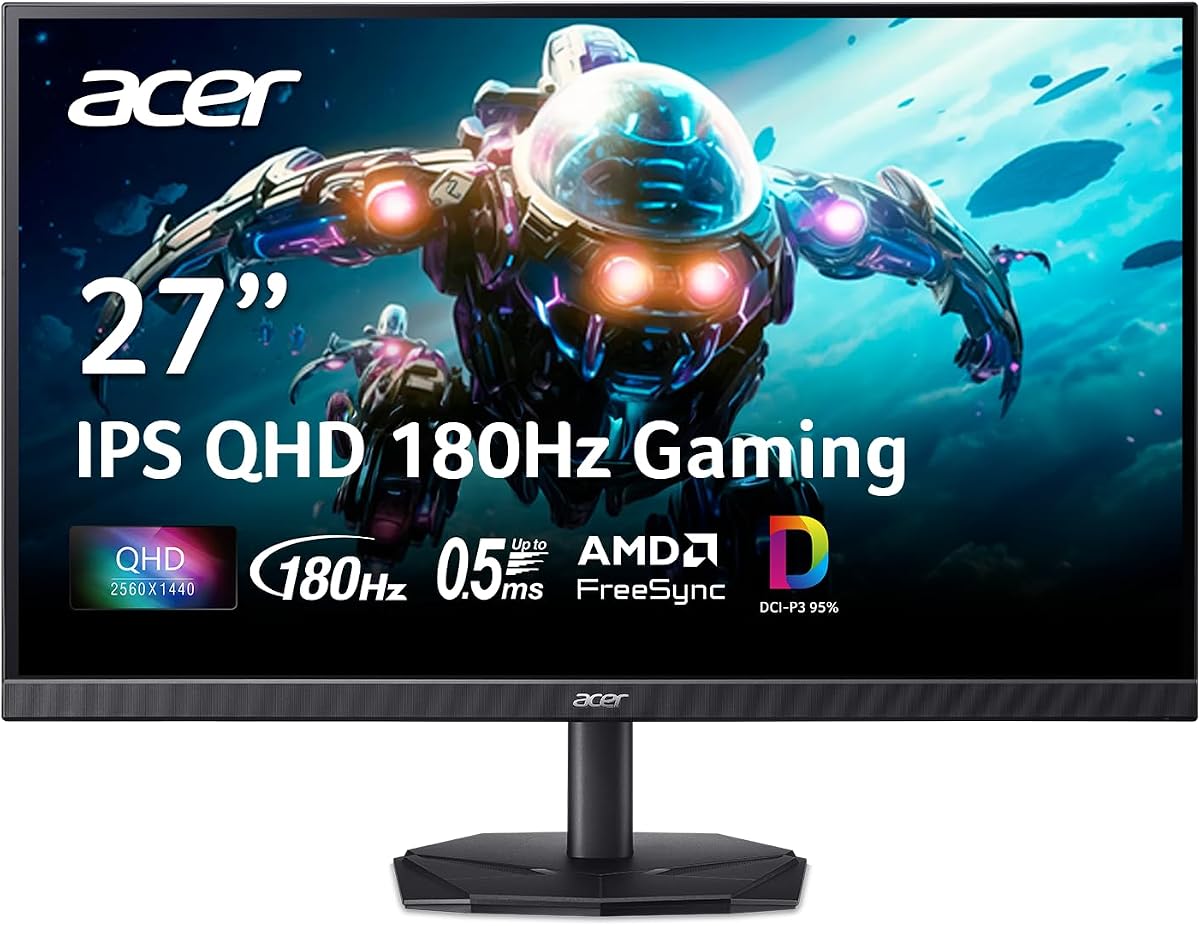


The Acer Nitro KG271U combines a 27-inch 2560 x 1440 IPS panel with an advertised refresh rate of up to 180Hz, making it a well-balanced choice for gamers who value both speed and visual detail. Its 4.5 rating reflects a strong overall proposition, especially when core specifications are considered alongside a 1440p resolution and broad color support.
We may earn a commission when you buy through this link, at no additional cost to you.
The most notable strength is the combination of QHD clarity, fast IPS performance, and a claimed gray-to-gray response time of up to 0.5ms. That makes the monitor suitable for fast shooters, racing games, and competitive titles where rapidly moving objects need to remain distinct. AMD FreeSync adds useful frame synchronization and helps reduce the visual effects of tearing when paired with a compatible graphics card.
Its color capabilities also distinguish it from a basic gaming display. Support for DCI-P3 95% makes the KG271U more appropriate for graphic design, photography, video editing, and other work where accurate color matters. The zero-frame design reduces the visual bulk of the bezel, preserving screen space without changing the conventional 16:9 format.
This monitor is a compelling option for budget-conscious buyers who do not want to settle for Full HD. Its main compromise is that the supplied information does not mention built-in audio or extensive stand adjustment, so buyers who prioritize speakers, a headphone jack, or precise ergonomic movement should verify those details. For anyone seeking a fast, colorful 1440p gaming panel, the KG271U remains an easy recommendation.
An advertised 180Hz refresh rate and up to 0.5ms GTG response make this Nitro well suited to competitive gaming. The combination can reduce perceived motion blur and keeps fast action crisp, although real-world performance also depends on the graphics card, game settings, and system latency.
DCI-P3 95% coverage gives the display broader color capability than a typical entry-level panel. That makes it useful for editing, design, and media consumption while retaining the resolution and refresh rate expected by gamers.
We may earn a commission when you buy through this link, at no additional cost to you.
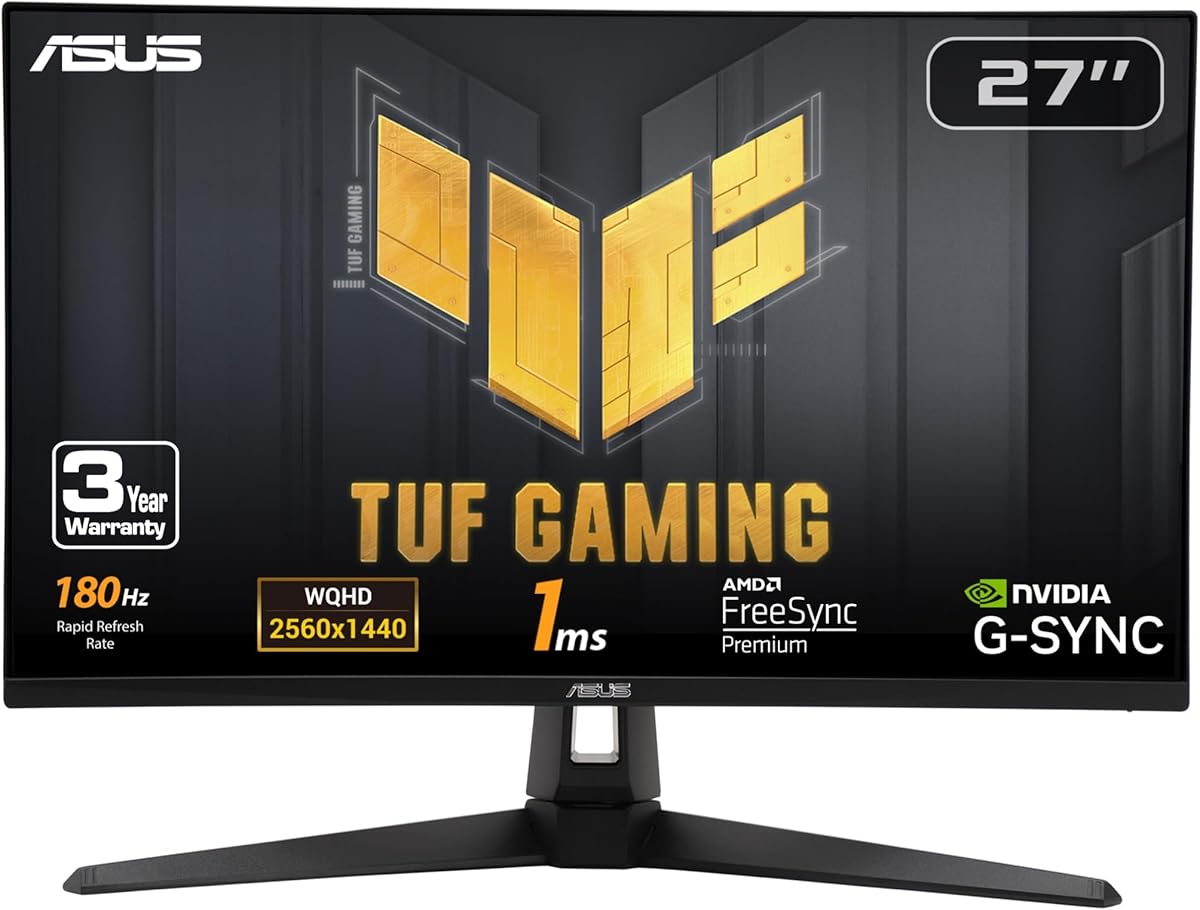
The ASUS TUF VG27AQ3A is a particularly flexible 27-inch 1440p gaming monitor, combining a 180Hz refresh rate with Fast IPS technology and a 1ms response time. Its 4.6 rating places it among the strongest choices in this list, while support for several synchronization methods makes it suitable for different graphics-card ecosystems and player preferences.
We may earn a commission when you buy through this link, at no additional cost to you.
ELMB Sync is the standout technology. It allows Extreme Low Motion Blur and variable-refresh-rate functions to operate together, addressing both ghosting and tearing. FreeSync Premium, G-SYNC compatibility, and AdaptiveSync support broaden that appeal. HDR10 can add visual depth by improving bright and dark areas, although the specification is better treated as a useful enhancement than a reason to choose it solely for HDR work.
A 130% sRGB gamut, 16:9 format, and Fast IPS panel make it well suited to games, video, and general productivity. Integrated speakers add convenience for system sounds, tutorials, and casual media, reducing the need for external desktop speakers in a compact setup. The package also includes a DisplayPort cable, power components, an L-shaped screwdriver, documentation, and a warranty card.
The ASUS is a strong all-rounder for someone who wants high refresh rates without giving up useful everyday features. Its principal trade-offs are that HDR10 is not as advanced as the HDR400 implementation in the VG27AQL1A, and the stated color coverage is less expansive than the DCI-P3 figures offered by several Acer and SANSUI models. Even so, its synchronization flexibility and integrated audio make it an easy recommendation for a mixed gaming and entertainment setup.
Support for FreeSync Premium, G-SYNC compatibility, and AdaptiveSync reduces the chance that a monitor will be a poor match for a particular graphics card. This flexibility is useful for PC gamers and anyone considering a future hardware upgrade.
Integrated speakers, a 16:9 Fast IPS format, and 130% sRGB coverage make the VG27AQ3A useful beyond competitive games. It suits a mixed desktop where entertainment, browsing, and gaming all share the same display.
We may earn a commission when you buy through this link, at no additional cost to you.
The Acer Nitro XV271U stands out for giving buyers a 180Hz gaming monitor while also providing one of the most adaptable stands in this roundup. Its 4.5 rating reflects a well-rounded specification set, including a 27-inch QHD IPS panel, FreeSync Premium, 1ms to 0.5ms advertised response times, and an unusually broad range of physical adjustment.
We may earn a commission when you buy through this link, at no additional cost to you.
Height adjustment, swivel, pivot, and tilt allow the screen to be positioned precisely for different desks and seating arrangements. The stand includes a 4.7-inch height range, 360-degree swivel, and plus-or-minus 90-degree pivot. A 100 x 100mm VESA pattern adds wall- or arm-mounting flexibility, making this model practical for compact and multi-monitor arrangements.
Connectivity is another strength. It offers one DisplayPort 1.2, two HDMI 2.0 ports, and an audio output, with both DisplayPort and HDMI cables included. Two two-watt speakers provide basic room audio. Through DisplayPort, the monitor can run at 180Hz, while the HDMI inputs are listed at up to 144Hz, so competitive users should plan to use DisplayPort for the highest listed refresh rate.
This is the monitor to choose when ergonomics are as important as raw speed. Its full 1440p resolution, FreeSync Premium support, fast response, and flexible stand make it well suited to long gaming sessions and productivity. The refresh-rate distinction between DisplayPort and HDMI is worth noting, but it is a manageable limitation for anyone who wants the monitor's maximum performance.
Height, swivel, pivot, and tilt controls make it easier to align the screen with a preferred eye level. The broad articulation also makes the display easier to reuse with a VESA arm or a different desk arrangement later.
The highest listed refresh rate is available through DisplayPort, while the HDMI connections top out at a lower rate. For competitive gaming, connecting the PC through the supplied DisplayPort cable is the most direct route to the full 180Hz specification.
We may earn a commission when you buy through this link, at no additional cost to you.
The Samsung Odyssey G5 G51F earns the highest supplied rating in the group at 4.7, reflecting a balanced combination of 1440p clarity, a 180Hz refresh rate, 1ms response time, and adaptive synchronization. It is a particularly confident choice for gamers who want a high-refresh display without overlooking practical viewing features.
We may earn a commission when you buy through this link, at no additional cost to you.
At 2560 x 1440, the screen delivers substantially more working detail than Full HD while retaining a familiar 16:9 shape. The 180Hz rate and 1ms response specification are well suited to competitive shooters, sports simulations, and other fast games. AMD FreeSync is included to reduce choppiness, lag-related visual issues, and screen tearing with compatible graphics hardware.
The stand supports tilt, pivot, and height adjustment, which provides enough movement to accommodate different desks and viewing habits. Samsung's Black Equalizer is another feature aimed at practical gaming. It can brighten dark areas so that opponents, objects, or environmental details remain easier to identify in shadow-heavy scenes.
HDR10 support adds brighter highlights and more nuanced shadows, making the monitor more versatile for cinematic games and media. The main limitation is that the supplied specifications do not quantify the color gamut or provide a detailed port inventory. Buyers who require exact color coverage or a particular connection should check the final product listing. Even so, the combination of rating, refresh rate, response time, and ergonomics makes the G51F one of the strongest all-around recommendations.
A 180Hz refresh rate, 1ms response time, and FreeSync support target the visual demands of competitive and fast-moving games. The specification is especially relevant when the PC can consistently generate frame rates near the display's maximum.
The Black Equalizer gives players a way to improve the visibility of shadowed content. This is a game-focused feature rather than a substitute for image calibration, but it can be useful in dark environments where important details are otherwise difficult to distinguish.
We may earn a commission when you buy through this link, at no additional cost to you.
The SANSUI 27-inch WQHD model packs a broad set of gaming features into a value-oriented 2560 x 1440 IPS display. Its 4.4 rating reflects a strong specification mix that includes 200Hz and 180Hz refresh-rate support, a 1ms response time, HDR, 120% sRGB coverage, and an unusually generous collection of ports.
We may earn a commission when you buy through this link, at no additional cost to you.
The connectivity is particularly useful. Two DisplayPort 1.2 inputs can operate at up to 180Hz, while two HDMI 2.0 inputs support up to 144Hz. A DisplayPort cable is included, and there is also a 3.5mm audio jack. There are no built-in speakers, so headphones or external speakers are needed for sound.
Its game-assistance features include a crosshair, timer, and presets for real-time strategy, first-person shooter, and racing games. These tools can reduce setup time and make information easier to monitor during play. A 320-nit brightness rating and HDR support make the monitor more suitable for a bright room than many basic gaming panels.
The SANSUI is strongest for value-focused buyers who want multiple high-speed inputs, a metal stand, and useful competitive tools. Its tilt adjustment is limited, however, and the supplied data does not mention height, swivel, or pivot movement. Anyone with a specific ergonomic requirement should account for that, while others get an unusually capable specification set.
Two DisplayPort and two HDMI inputs provide room to connect a gaming PC, a second computer, a console, or a laptop without continually rearranging cables. DisplayPort is the best connection for reaching the monitor's highest listed gaming refresh rate.
Built-in crosshair, timer, and genre-oriented display modes can make competitive games easier to configure. These are convenience features, but they remove much of the need for separate overlays for common competitive tasks.
We may earn a commission when you buy through this link, at no additional cost to you.
This SANSUI 27-inch model combines a 200Hz refresh rate with Fast IPS technology, 1ms overdrive response, DCI-P3 95% color coverage, and a highly adjustable stand. Its 4.4 rating makes it one of the stronger specification-driven options, particularly for gamers who want a single display for both fast play and color-sensitive work.
We may earn a commission when you buy through this link, at no additional cost to you.
The panel is listed at 2560 x 1440 with 200Hz support through DisplayPort 1.4. Adaptive Sync is included, along with low-motion-blur technology, noise reduction, and game-assistance modes. The stated color package includes 130% sRGB, DCI-P3 95%, 10-bit color, HDR, and 178-degree viewing angles, giving it an unusually ambitious feature set.
Ergonomics are another major advantage. The stand offers 130 millimeters of height adjustment, swivel, a plus-or-minus 90-degree pivot, and tilt. A Kensington lock is supported, and the 100 x 100mm VESA pattern allows arm or wall mounting. This makes the monitor easier to adapt to different seating positions and multi-screen arrangements.
Two DisplayPort 1.4 and two HDMI 2.0 ports are provided, along with a 3.5mm headphone jack. DisplayPort is necessary for the maximum 200Hz rate, while HDMI is listed up to 144Hz. The 400-nit brightness is suitable for many gaming rooms, though it may not be as impressive in very bright spaces as higher-output alternatives. Overall, this is an excellent fit for buyers prioritizing color, refresh rate, and adjustability in equal measure.
DCI-P3 95% and 130% sRGB coverage make this model more compelling for video, illustration, and photo work than a basic 1440p gaming display. The 10-bit specification further supports smoother tonal gradation when the full pipeline and source material can take advantage of it.
The stand's height, swivel, pivot, and tilt controls make prolonged sessions more comfortable. Combined with VESA compatibility, it also gives buyers a straightforward path to an arm or wall-mounted arrangement.
We may earn a commission when you buy through this link, at no additional cost to you.
The KOORUI G2721P combines a 27-inch 1440p Fast IPS panel with a 200Hz refresh rate, 1ms response time, HDR400, and DCI-P3 95% color coverage. Those specifications place it squarely in the competitive 1440p category, although no numerical customer rating was supplied for this particular model.
We may earn a commission when you buy through this link, at no additional cost to you.
FreeSync support is included for compatible AMD graphics hardware, helping reduce stutter and tearing. A game mode is designed to improve the visibility of details in dark scenes, while a precise-positioning feature is intended to assist aiming. The wide color gamut and more than 16.7 million colors support colorful game worlds as well as general media and office use.
Its physical design favors simplicity. The slim-bezel display uses an easily assembled stand with tilt adjustment from negative five to positive 20 degrees. It is also VESA wall-mountable, so buyers who want a cleaner desk can attach it to a suitable arm or wall mount. The supplied data does not list height, swivel, or pivot adjustment, making it less flexible than the Acer XV271U and SANSUI 200Hz Fast IPS.
The G2721P is a strong choice for a high-refresh 1440p system, especially when wide-gamut color and HDR400 matter. Its main uncertainty is the lack of a supplied customer-rating figure, so prospective buyers should examine current customer feedback as well as the listed specifications. The three-year warranty, 12-month replacement service, and technical-support offering provide additional reassurance.
The rare combination of 200Hz, Fast IPS, and DCI-P3 95% makes this monitor appealing to buyers who want competitive speed without a basic-looking color presentation. It can also support photo, video, and design workflows that benefit from a wider gamut.
The quick-assembly stand and tilt control keep installation straightforward. VESA compatibility expands the possibilities for a wall or arm-mounted setup, although buyers who require height and swivel adjustment should plan accordingly.
We may earn a commission when you buy through this link, at no additional cost to you.
The Acer Nitro EDA270U brings a 1500R curved design to the 27-inch 1440p gaming category. Its 4.4 rating reflects a capable combination of 180Hz refresh rate, FreeSync Premium, HDR readiness, and a response time of up to 1ms through VRB, making it appealing to players who prefer an immersive display shape.
We may earn a commission when you buy through this link, at no additional cost to you.
The 2560 x 1440 resolution supplies enough detail for competitive titles, open-world games, and mixed desktop use. At 180Hz, the monitor is well suited to fast action, while the 0.233mm pixel pitch and HDR-ready status support a crisp, modern presentation. FreeSync Premium helps synchronize the display with compatible graphics cards and reduce visible tearing.
A zero-frame design reduces the visual bulk of the bezel, and two two-watt speakers provide basic audio for a gaming setup. Connectivity consists of one DisplayPort 1.2, two HDMI 2.0 ports, and an audio output. Both DisplayPort and HDMI cables are listed as included, so users can select the appropriate connection for their PC or console.
This model is best for gamers who actively like curved screens. The 1500R curve can help create a more enveloping field of view during racing, flight, and action games. Its ergonomic limitations are more significant: only tilt from negative five to positive 20 degrees is specified, and the 75 x 75mm VESA compatibility is less universal than the 100 x 100mm pattern offered by many rivals. Those constraints are worth considering if a flexible arm is a priority.
The 1500R curve places the edges of the display slightly closer to the viewer than a flat panel. That can make racing and action games feel more encompassing, although personal preference remains important because curved monitors are not universally comfortable for every desk and user.
Two speakers, multiple high-speed video inputs, and included cables give the monitor useful essentials at the outset. The lack of height, swivel, and pivot adjustment is the main reason to consider a stand or arm separately.
We may earn a commission when you buy through this link, at no additional cost to you.
The ASUS TUF VG27AQL1A is the premium-oriented choice in this roundup, combining a 27-inch WQHD IPS panel with an overclocked 170Hz refresh rate, 1ms MPRT response, and certified DisplayHDR 400 performance. Its 4.6 rating indicates strong reception, while the broader feature set distinguishes it from basic high-refresh displays.
We may earn a commission when you buy through this link, at no additional cost to you.
The monitor supports 170Hz through an overclocked setting and can operate at 144Hz. ASUS Extreme Low Motion Blur Sync allows ELMB and G-SYNC Compatibility to work together, targeting both ghosting and tearing. These features make it particularly well suited to competitive PC gaming, especially for users with compatible NVIDIA hardware and an interest in high frame rates.
DisplayHDR 400 certification and a typical brightness of 350cd per square meter provide a more considered HDR foundation than a basic HDR-ready label. The 130% sRGB color gamut, 178-degree viewing angles, and 16:9 aspect ratio also suit general entertainment, productivity, and light creative work. Eye Care features are included for a more comfortable viewing setup.
The main caveat is that the highest refresh figure is an overclock rather than a standard operating mode, and the supplied information does not detail its ports or stand articulation. Even so, the combination of certification, synchronization features, color coverage, and response makes the VG27AQL1A a refined premium choice for gamers who want more than a fast panel.
DisplayHDR 400 certification and 350-nit typical brightness provide a stronger basis for HDR than a monitor that is merely described as HDR ready. The result is especially relevant in visually rich games and HDR-supported video.
ELMB Sync and G-SYNC compatibility work together to address motion clarity and frame synchronization. These features are particularly useful in competitive games where rapid movement, camera turns, and low frame rates can make the image feel inconsistent.
We may earn a commission when you buy through this link, at no additional cost to you.
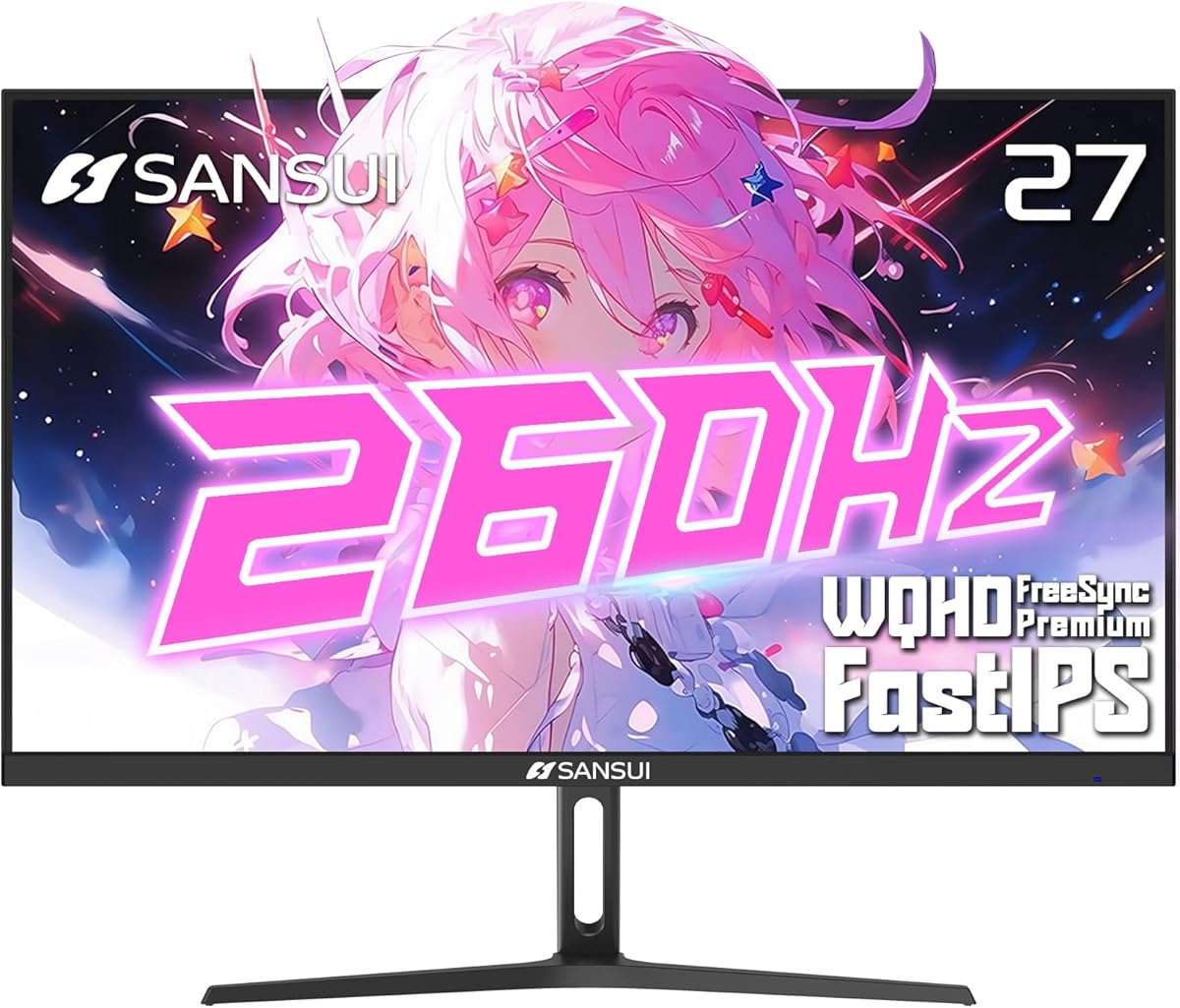
The SANSUI 260Hz model is the speed-focused option in this guide, offering a 27-inch 2560 x 1440 Fast IPS panel with refresh rates up to 260Hz. Its 4.4 rating and extensive specification set make it a compelling choice for competitive gaming enthusiasts who want ample headroom above the 180Hz and 200Hz alternatives.
We may earn a commission when you buy through this link, at no additional cost to you.
A 1ms MPRT response time, low-motion-blur technology, and FreeSync Premium target fast action and consistent frame delivery. The panel also supports HDR10, 10-bit color, 130% sRGB, and DCI-P3 98%, giving it wide color coverage for a gaming-focused display. That makes it interesting for players who also follow colorful games or handle media on the same monitor.
Two DisplayPort 1.4 connections support rates up to 260Hz, and two HDMI 2.0 ports support up to 144Hz. A 3.5mm headphone jack, a DisplayPort cable, tilt adjustment, and 100 x 100mm VESA compatibility round out the practical features. The manual specifically notes that a suitable cable is needed to maintain the maximum refresh rate and picture quality.
This monitor makes the most sense for competitive players with a powerful graphics card and a system capable of pushing very high frame rates. Its limitations are a tilt-only stand and the need for DisplayPort to reach the headline rate. For a buyer who will not exploit those extreme frame rates, one of the 180Hz models may be more balanced, but the SANSUI remains the clear speed leader.
A 260Hz maximum refresh rate gives competitive games a larger timing window for presenting each rendered frame. The benefit is most meaningful when both the graphics card and the game can generate exceptionally high frame rates.
DCI-P3 98% coverage, 130% sRGB, 10-bit color, and HDR10 support make this more versatile than a bare-bones high-refresh screen. Those specifications can improve the visual range of games and compatible media.
We may earn a commission when you buy through this link, at no additional cost to you.
Choosing a 1440p gaming monitor involves balancing refresh rate, panel behavior, color, synchronization, connectivity, and ergonomics. The most important step is identifying the hardware and games you use, then deciding which specifications will produce a visible improvement in your particular setup.
Refresh rate is the number of times the display updates each second, and it determines how many frames it can present over time. The list covers 180Hz, 200Hz, and as high as 260Hz, with the Acer, Samsung, and ASUS models primarily centered on 170Hz or 180Hz. Faster rates are valuable in competitive games because they can reduce motion perception and display more frames per second, but the computer must be able to generate a suitably high frame rate. Pairing a very fast panel with a slower graphics card can still produce a smooth experience at lower frame rates, though it will not use the display's full potential.
Most monitors here use IPS panels, which generally offer balanced viewing angles, color consistency, and response characteristics. Fast IPS variants are intended to reduce the sluggishness sometimes associated with standard IPS. Advertised response figures are not directly interchangeable: GTG, OD, VRB, and MPRT describe different measurement methods or processing features. A 0.5ms GTG claim, 1ms OD response, and 1ms MPRT rating may sound identical, but they should not be treated as perfectly equivalent. For practical comparison, consider the panel technology, the presence of motion-blur processing, and the manufacturer's stated refresh and synchronization capabilities.
Variable refresh rate technology synchronizes the monitor's refresh timing with the frames produced by the graphics card. It can reduce tearing and make fluctuating frame rates feel more consistent. AMD FreeSync appears throughout the list, including FreeSync Premium, while ASUS also advertises G-SYNC Compatibility and AdaptiveSync support. ELMB Sync on the ASUS models allows motion-blur reduction and variable-refresh functions to operate together. Compatibility depends on the graphics card, driver, game, and the selected mode, so it is worth confirming that your system supports the advertised standard before purchasing.
All ten products use a 2560 x 1440 QHD panel in a 16:9 format. This resolution provides 1.7 times the pixel density of Full HD, according to the Samsung product information, and creates more space for interface elements, text, and detailed game environments. At 27 inches, the pixel density is generally well suited to desktop use, offering a useful balance between immersion and desk footprint. A flat panel may feel more conventional for work and multi-window setups, while the Acer EDA270U's 1500R curve provides a more enveloping presentation for selected gaming genres and personal preferences.
Color specifications range from the ASUS TUF's 130% sRGB to the SANSUI 260Hz model's DCI-P3 98% coverage. A broader gamut can make games, films, and photographs appear more vivid, while professional color work benefits from displays that can cover relevant standards. HDR labels also vary: HDR10 and HDR-ready are common, while the ASUS VG27AQL1A carries DisplayHDR 400 certification. Higher brightness and formal certification generally indicate a more structured HDR implementation. Color performance is also influenced by calibration, ambient light, viewing mode, and the source material, so gamut coverage should not be treated as a guarantee of perfect color accuracy.
Height adjustment, swivel, pivot, and tilt can make a monitor more comfortable over long sessions and easier to align with different users. The Acer XV271U and SANSUI 200Hz Fast IPS provide the broadest articulation, while several other models list only tilt. VESA compatibility matters if you want to use a monitor arm or wall mount, but hole patterns differ. This roundup includes 100 x 100mm mounting support on most models and 75 x 75mm on the curved Acer EDA270U. A wide, curved display also needs sufficient desk depth, and a 27-inch monitor should be positioned at a comfortable viewing distance rather than placed too close for long-term use.
DisplayPort and HDMI are the primary connections for these monitors, but their maximum refresh rates can differ. Several models list 180Hz or higher over DisplayPort while limiting HDMI to 144Hz, which matters when a console, laptop, or docking arrangement uses HDMI. Models with two DisplayPort and two HDMI inputs make it easier to connect multiple devices. The SANSUI models and Acer Nitro XV271U include cables, while the ASUS VG27AQ3A also lists a DisplayPort cable, power components, and an L-shaped screwdriver. The 3.5mm headphone jack and audio-out options are also useful for private listening or external amplified audio.
Built-in speakers can be convenient for system sounds, videos, and casual gaming, but their small drivers rarely provide the output or bass of dedicated speakers. The Acer XV271U, Acer EDA270U, and ASUS VG27AQ3A list integrated speakers, while the SANSUI 200Hz WQHD explicitly has none. Game-assistance tools are another practical differentiator. Crosshairs, timers, and presets for racing, first-person shooters, and real-time strategy games can make competitive titles easier to configure. These features do not replace good hardware or practice, but they are helpful additions for a gaming-focused display.
Begin with the correct connection. Use DisplayPort when it supports a higher refresh rate than HDMI, and make sure the graphics card, cable, and monitor all support the intended 2560 x 1440 resolution and refresh rate. Open the operating system's display settings, select the highest stable resolution, and choose the desired refresh rate. If a setting is missing, update the graphics driver and verify that the cable is rated for the required bandwidth. Allow a short warm-up period before judging color or motion performance.
Set the display to a comfortable position rather than relying only on the factory default. The screen should be roughly level, with the upper edge near or slightly below eye level at a normal seated distance. Use the available height, tilt, swivel, and pivot controls, or install a compatible VESA arm. Avoid placing a 27-inch panel too close to your face, and make sure the desk can support the full footprint and weight. If using a curved monitor, give yourself time to adjust because the viewing geometry differs from a flat panel.
For long-term care, clean the screen with a soft, lint-free microfiber cloth and avoid aggressive household cleaners. Apply liquid lightly to the cloth rather than directly to the display, and never use abrasive pads. Keep vents clear, place the monitor away from direct sunlight, and follow the included safety guidance. To maintain consistent image quality, avoid frequently switching between different display modes and game presets, and consider professional calibration if color-accurate work is a regular requirement.
Yes. A 27-inch 2560 x 1440 monitor offers a strong balance of image detail, screen size, and desk footprint. At the high refresh rates found in this guide, it can deliver clean competitive motion while providing more workspace than a Full HD display. The best choice depends on how much you value speed, color, ergonomics, and connectivity.
A higher refresh rate is most noticeable in fast competitive games and when the computer can produce enough frames to use it. A 180Hz monitor is already very responsive, while 200Hz and 260Hz models offer extra headroom for high-end graphics cards. If your system routinely delivers much lower frame rates, the visual benefit of the fastest panel will be limited.
It depends on resolution, game, settings, and desired frame rate. A 1440p display demands more GPU performance than Full HD, particularly at 180Hz or higher. Current-generation midrange cards can perform well in many games, while demanding titles may require reducing settings or ray-tracing options. Matching the GPU to the desired resolution and frame rate is the key consideration.
The best choice is usually the technology supported by your graphics card. FreeSync and FreeSync Premium are designed for AMD systems, while G-SYNC Compatibility can be used with compatible NVIDIA GPUs. ASUS also offers AdaptiveSync support on the VG27AQ3A. Verify current driver, game, and monitor compatibility because synchronization behavior can depend on the mode and hardware combination.
HDR can improve highlights, shadow detail, and perceived contrast in supported games and video, but it is only one part of the image-quality equation. A certified model such as the ASUS VG27AQL1A provides a more structured HDR specification than a basic HDR-ready designation. Color gamut, brightness, calibration, and the quality of the source content also affect the final result.
Curvature is a matter of preference rather than an objective upgrade for every user. The Acer EDA270U's 1500R curve can create a more immersive sense of surrounding depth, which some players enjoy in racing and action games. Others may prefer a flat panel for work, browsing, or comfort. Consider desk depth and personal sensitivity to curved images before choosing.
Both matter, but they describe different aspects of performance. Refresh rate controls how many images the screen can display each second, while response time describes how quickly pixels can change. Look for a clearly documented Fast IPS response and reliable motion features, but also consider synchronization, input behavior, and whether your graphics card can generate a high frame rate.
Confirm the resolution, maximum refresh rate, supported connection, panel type, response specification, and synchronization compatibility. You should also assess color coverage, HDR certification, stand adjustment, VESA support, and included accessories. Finally, review the current product listing for detailed port information, warranty terms, and customer feedback, since specifications can change between model revisions.
The Samsung Odyssey G5 G51F stands out as the strongest all-around choice, combining a 180Hz refresh rate, 1ms response, FreeSync, an adjustable stand, and the highest supplied customer rating. The Acer Nitro KG271U delivers an excellent balance of speed, DCI-P3 color coverage, and 1440p detail, while the ASUS TUF VG27AQ3A offers broad synchronization support and convenient built-in audio.
Prioritize the feature your setup can actually use. Competitive players should ensure their graphics card can sustain the desired frame rate and choose the appropriate synchronization method. Creative users may place greater weight on gamut coverage and calibration, while buyers working at different desks should examine height, swivel, pivot, tilt, and VESA support. Fast-IPS specifications and high refresh rates are most valuable when paired with capable hardware.
Current prices, availability, and product listings can change, so check the latest specifications and customer feedback before purchasing. The included comparison and buying guide provide a durable framework, but the final choice should reflect your hardware, preferred games, workspace needs, and current retailer information.